Snapthread Combines Live Photos and Videos into Special Shareable Moments

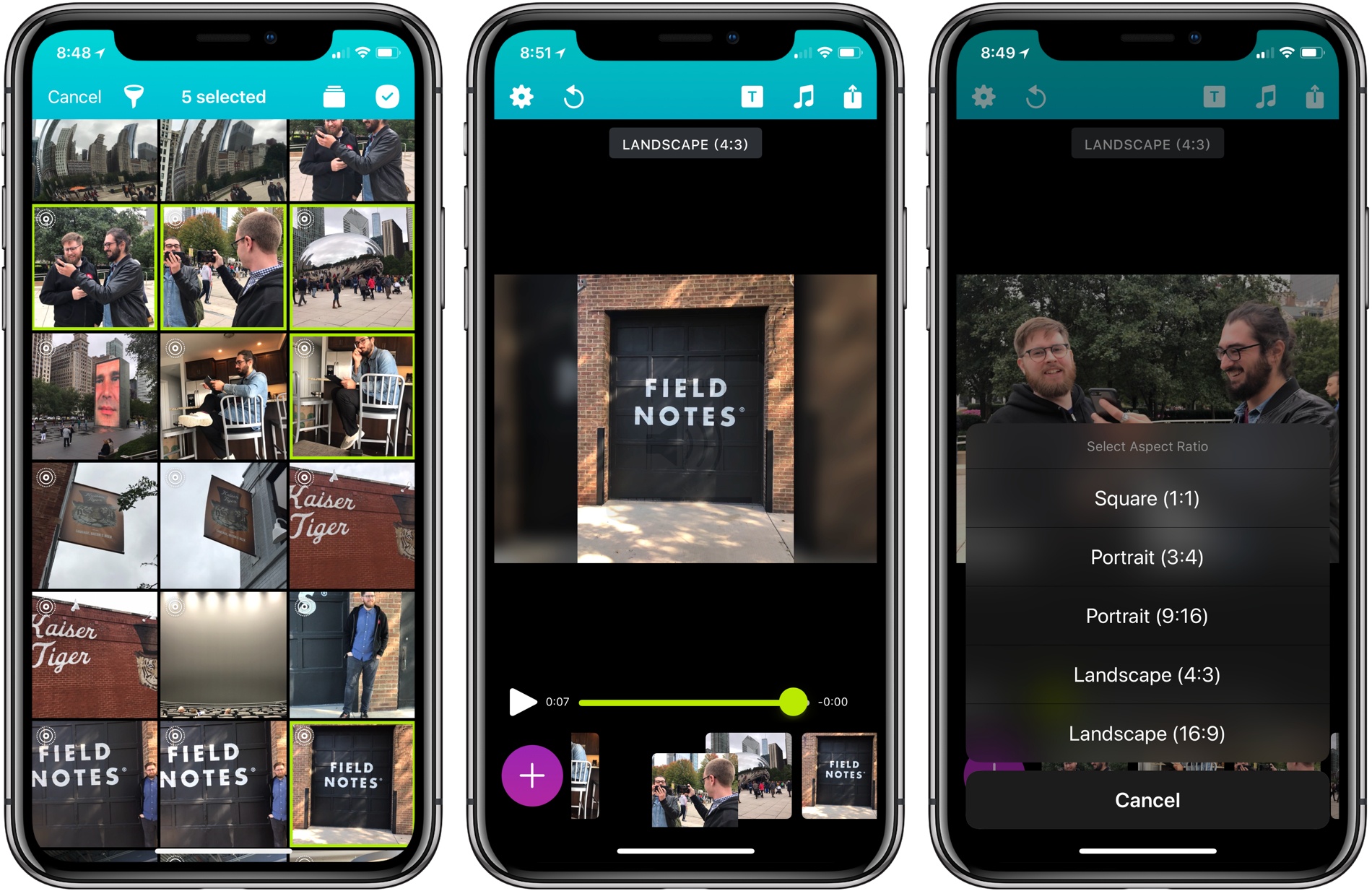
Becky Hansmeyer started building Snapthread to combine Snapchat videos. What she ended up creating is an elegant way to combine Live Photos and videos into short movies that are greater than the sum of their parts and perfect for sharing with friends and family.

What I love about the origin story of Snapthread is how much the app changed from its inception to launch, yet how close the resulting app remains to Hansmeyer’s original vision. That’s because at its core is a great idea: creating a better way to share life’s fleeting moments.

With version 1.5, Snapthread has grown into a mini iPhone video studio with a focus on making it as quick and simple as possible to assemble a video from several Live Photos or standard videos. The approach is smart. It’s easy to get caught up in filters, effects, and transitions when you’re editing video. There’s a place for that sort of app, and Snapthread lets you add things like a title card and overlay music, but what I like most about it is that the app’s focus on the basics prevents me from obsessing about my creation. It’s a design choice that makes me far more likely to create and share a clip.
Read more


iPad Diaries: ‘Type to Siri’ as a Smart Command Line

iPad Diaries is a regular series about using the iPad as a primary computer. You can find more installments here and subscribe to the dedicated RSS feed.

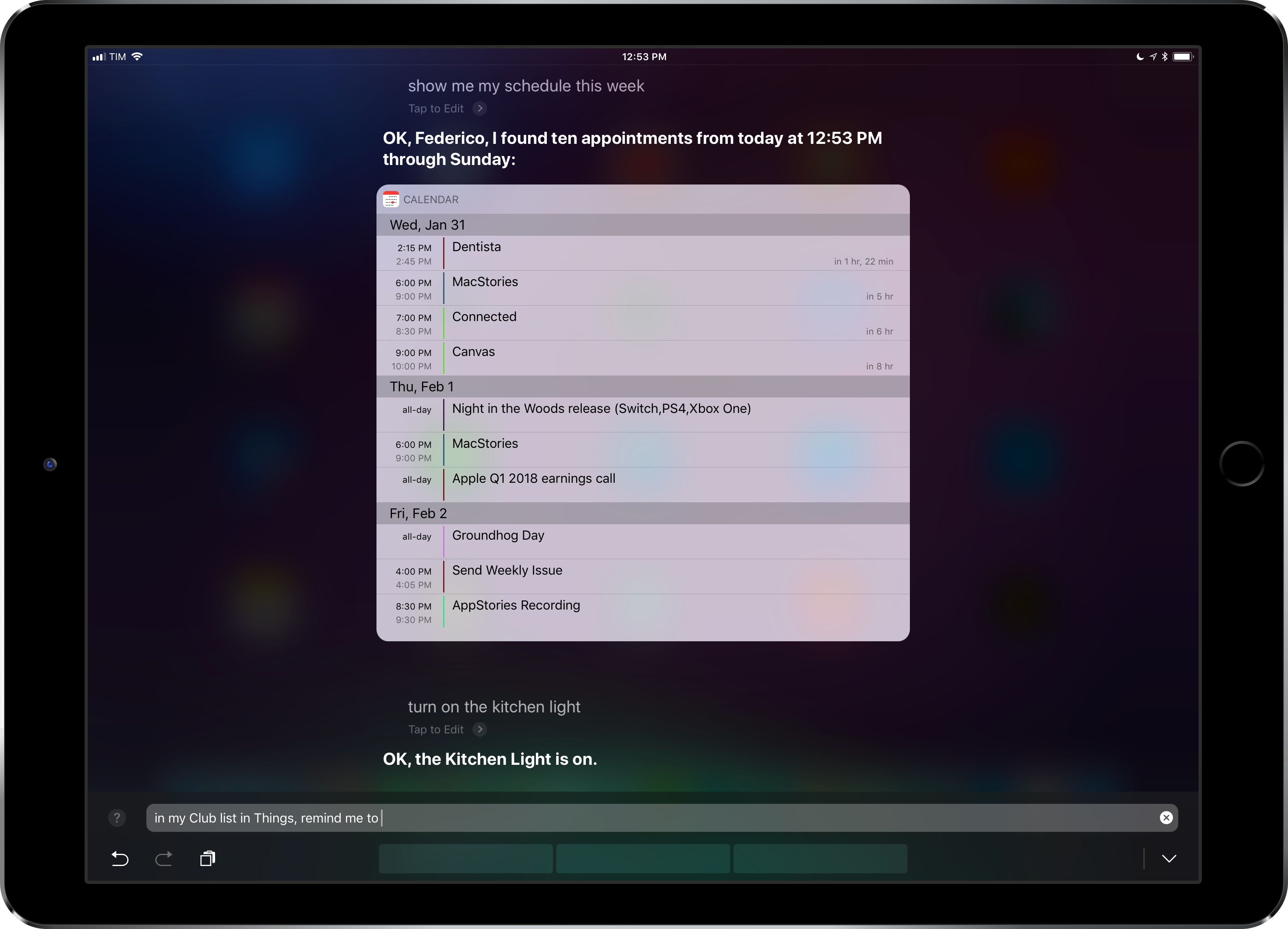
A couple of weeks ago, I shared a series of pictures on Twitter showing how I had been using iOS 11’s Type to Siri feature on my iPad Pro, which is always connected to an external keyboard when I’m working.

I did not expect that offhanded tweet – and its “smart command line” description – to be so interesting for readers who replied or emailed me with a variety of questions about Type to Siri. Thus, as is customary for tweets that end up generating more questions than retweets, it’s time to elaborate with a blog post.

In this week’s iPad Diaries column, I’ll be taking a closer look at Type to Siri, my keyboard setup, and the commands I frequently use for Siri on my iPad; I will also detail some features that didn’t work as expected along with wishes for future updates to Siri.

Read more


Letterboxd 2.0 Brings iPad Version, Support for iOS Automation Apps

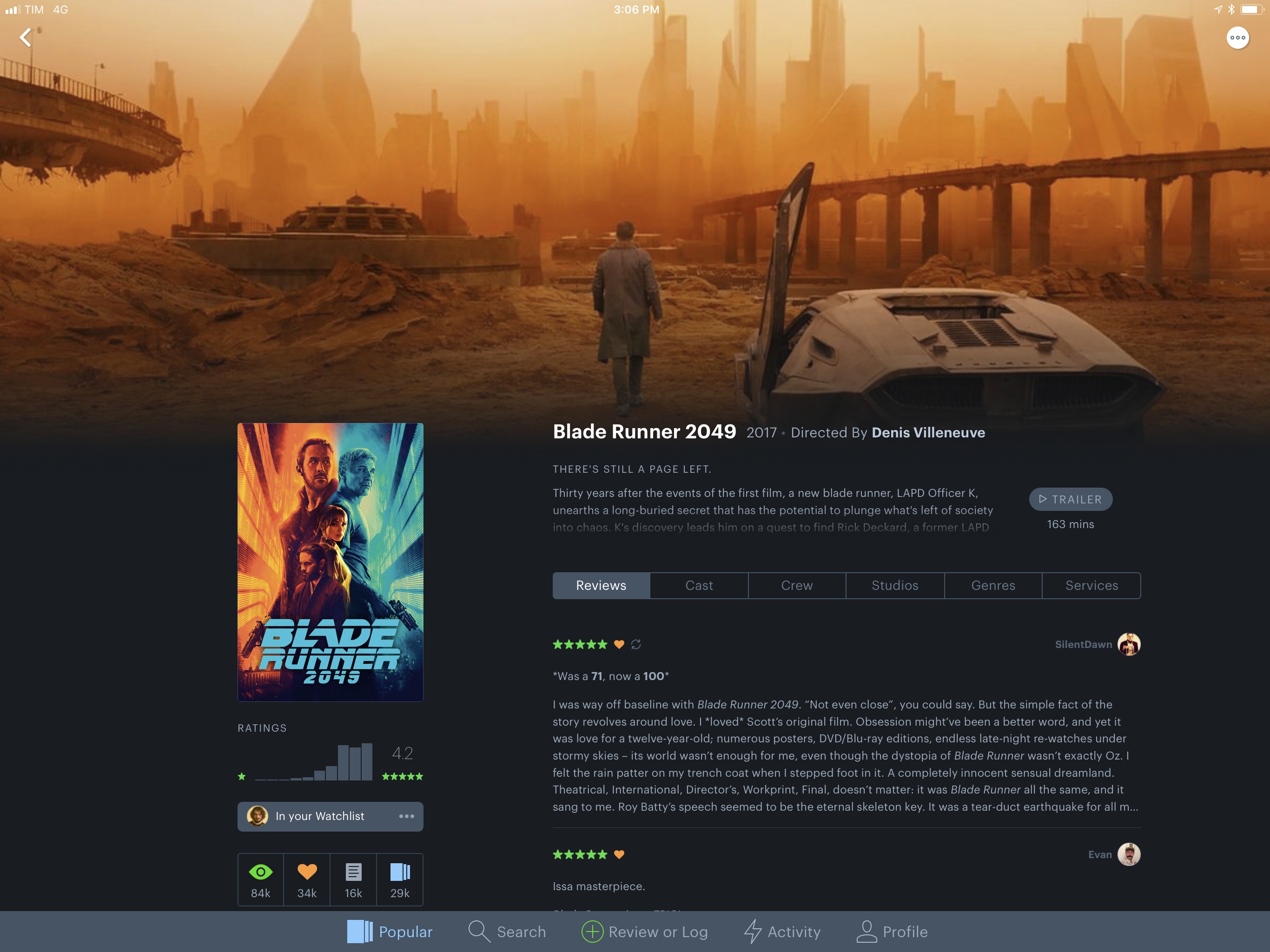
I’ve always been fascinated by Letterboxd, the popular service to catalog and rate movies you’ve watched, as well as share your appreciation for the art of film with other users in a social network-type environment. My problem, however, is that dedicating serious time to watching quality movies (instead of whatever is on TV) has mostly been an aspirational effort; I never truly attempted to make a list of films I want to watch and set aside a good chunk of time every week to enjoy them.

Among various “quality of life” improvements (which I briefly mentioned in this episode of Analog(ue) with Myke Hurley), earlier this year I decided to create an Airtable database with a list of movies I want to see, trying to tick one off at least every week. Since I started testing a beta of Letterboxd 2.0 for iOS last week though, I’m wondering if maybe now is the time for me to consider using a dedicated service to collect, rate, and discover movies.

Read more


OneDrive for iOS Updated with Drag and Drop on iPad, A New Design, and More

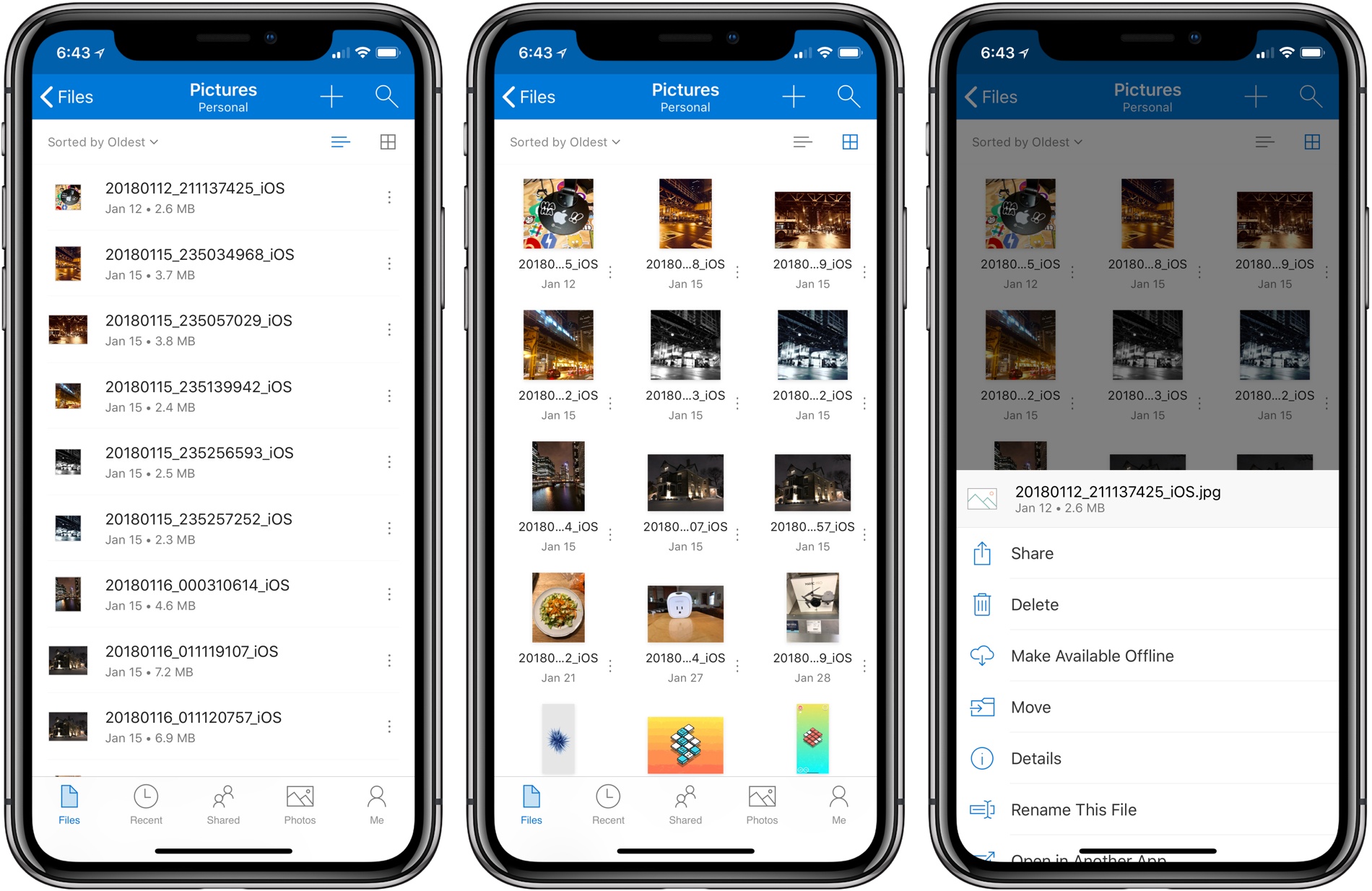
Microsoft has released version 10.1 of its OneDrive app with support for drag and drop on the iPad and a new, cleaner design.

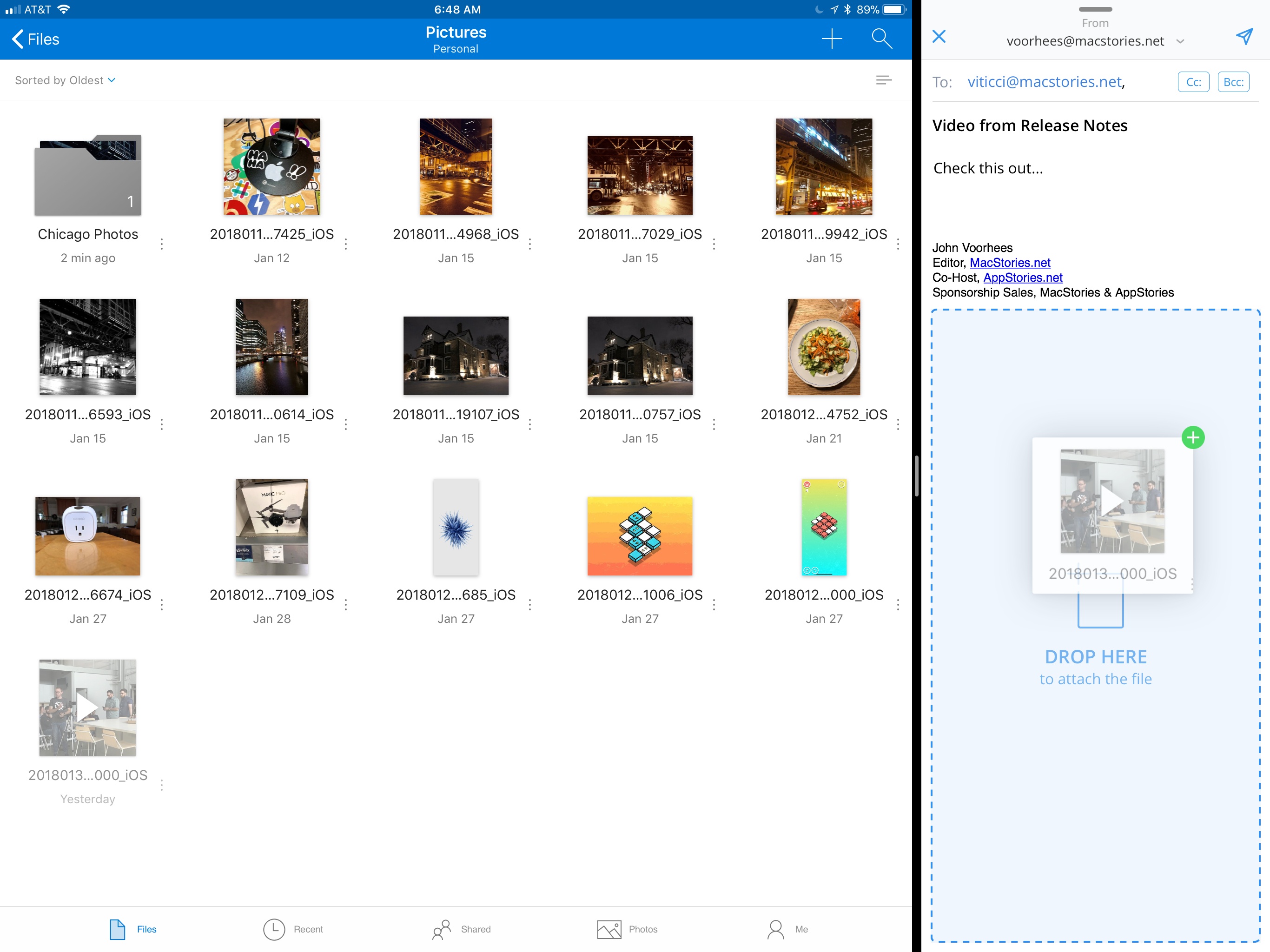
Drag and drop support allows users to move files and folders within the OneDrive app or drag files into and out of other apps. For example, users can drag photos from OneDrive into an email message to add as an attachment or drag attachments from messages into OneDrive. Users can also access their OneDrive files from Apple’s Files app.

OneDrive now supports drag and drop on the iPad.

OneDrive now supports drag and drop on the iPad.

OneDrive also received a significant UI redesign. File names are easier to read on all devices, the organization more closely mirrors what users expect to see on a Mac or PC, and the icons of shared files have been updated to make them easier to identify at a glance.

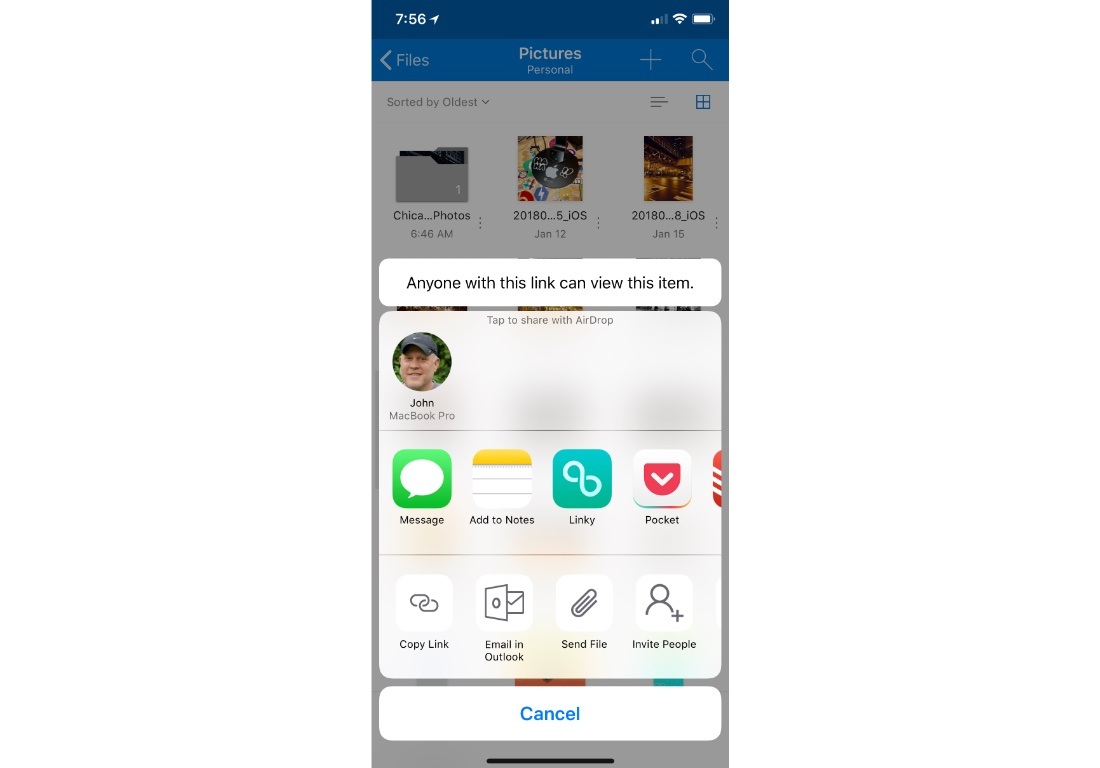
Before the update, file and folder actions required users to tap and hold on an item, which created discoverability issues. Now, there is a tiny three-dot button next to each file and folder that opens a contextual menu with options like ‘Share,’ ‘Delete,’ ‘Make Available Offline,’ ‘Move,’ and more. Additional file and folder actions, including ‘Copy Link,’ ‘Email in Outlook,’ ‘Send File,’ and ‘Invite People,’ are available via the system share sheet. OneDrive can now preview 130 different file types too.

Additional file and folder actions are available via the share sheet.

Additional file and folder actions are available via the share sheet.

It’s unfortunate that it’s taken so long for OneDrive to adopt iOS 11 features like drag and drop. Still, the update is a significant improvement over previous versions and brings the app’s functionality in line with many of its competitors, which makes it worth another look if you have been thinking about switching online storage providers.


Backblaze: Unlimited Cloud Backup [Sponsor]

Backblaze is unlimited cloud backup for Macs and PCs for just $5 per month. Backups are critical. The drive on your computer is packed with your most precious content: home movies, family photos, work documents, your music and video collections, and much more. Backblaze backs it all up and makes it easy to recover.

Having a Backblaze cloud backup means your files are safe even if your computer isn’t. If your computer is stolen or your house burns down, you can still recover your files. But Backblaze is valuable even when disaster doesn’t strike because it’s also a handy way to access your files wherever you are using your phone or a web browser.

Best of all, you can access a single file or restore everything you’ve backed up just as easily. If you need to restore more files than you can download quickly, you can use Backblaze’s Restore by Mail service. Backblaze will overnight you a flash drive or hard drive by Fedex so you have your files the next day. If you need to recover files after a complete system failure, it’s painful enough as it is, so Backblaze provides you with a full refund of the cost of the drive they ship you if you return it within thirty days.

When you use Backblaze, you know your files are in good hands. Backblaze is currently managing over 400 Petabytes of data for its customers and has restored over 27 billion files. Those are big numbers that show just how many people have entrusted their documents and precious memories to Backblaze.

It’s the start of a new year, which is a good time to re-evaluate your backup strategy and take Backblaze for a spin. Start a 15-day free trial today and rest easy knowing your files are in good hands Backblaze.

Thanks to Backblaze for supporting MacStories this week.


Full Breakdown of Audio That HomePod Can and Can’t Play

We know the HomePod works great with Apple Music, but for those who aren’t Apple Music subscribers, what audio content can the HomePod still play for them – with Siri support, and without?

Serenity Caldwell has put together a comprehensive guide for iMore that answers that question in exacting detail, filling in the gaps left by Apple’s official marketing disclosures.

For iTunes Match subscribers, it’s good news.

Permalink

Apple’s Podcast Analytics Prove the Medium’s Power

Miranda Katz, writing for WIRED:

Podcasters and advertisers alike have long suspected that their listeners might just be a holy grail of engagement. The medium is inherently intimate, and easily creates a one-sided feeling of closeness between listener and host—the sense that the person talking into your ear on your commute is someone you know, whose product recommendations you trust, and whose work you want to support. Cox describes it as a “lean in” medium: “People are really listening and want to consume all of the content that is there and available. There’s a level of dedication that comes from podcast listeners that you otherwise don’t find.” And now the numbers prove it. Podcasts aren’t a bubble, they’re a boom—and that boom is only getting louder.

Last year at WWDC Apple announced that it would soon provide podcasters with new data regarding the behavior of listeners – data like how long an episode is listened to for, and whether ad reads are skipped or listened to.

As Katz shares in her WIRED piece, the early results have been extremely positive, proving what many podcast listeners already knew: podcasting is a uniquely engaging medium that breeds avid fans.

Permalink