Apple Music Commissions Custom Playlist Art

If you’re an Apple Music subscriber, you’re probably familiar with its playlist artwork styles. Some work well to tie together collections of related playlists like Decades, Essentials, and Deep Cuts. The trouble is though, that has also bred a certain sameness across Apple Music’s many playlists. That’s beginning to change as Apple rolls out custom playlist artwork from high-profile music industry artists.

Bijan Stephen of The Verge was told that the new artwork is designed to:

“connect more directly with the communities and the culture for which they were intended,” says Rachel Newman, Apple’s global director of editorial. Before now, Apple’s playlists had a uniform presentation that didn’t necessarily speak to the music. “In many ways, it’s a visual representation of the music that you will find inside that playlist,” said Newman.

Newman told Stephen that the company is rolling out the new artwork over the next few months and intends to redesign ‘many thousands’ of playlists.

The Verge also spoke to several artists involved in the project for its story. Stole “Moab” Stojmenov who created the cover of the Migos’ album Culture explained how he approached the challenge:

“Giving a shape and an image to music is never an easy process,” he wrote. “My style and my creative process have been always characterised by a significant presence of symbology and very powerful images, in addition to a very minimal and simple design. I think this project was somehow a bit different, but it also gave me the chance to create a real manifesto of my style.

The new playlist art published so far is excellent. There’s a wide range of styles that suit the music showcased in each playlist. By drawing on a wide range of talent from the music industry, the company should be able to imbue each playlist with a personality that was sometimes lacking in the past.

Permalink


Connected, Episode 233: AirDrop the Bass

Federico talks about the new MacStories Shortcuts Archive and the guys check in with iOS 12 halfway through its lifecycle.

On this week’s episode of Connected, we reassess the impact of iOS 12’s major new features. You can listen here.

Sponsored by:

  • ExpressVPN: High-Speed, Secure & Anonymous VPN Service. Get 3 months free with a 1-year package.
  • Hover: Extensions for anything you’re passionate about. Grab a .ME domain for $9.99.
  • Luna Display: The only hardware solution that turns your iPad into a wireless display for your Mac. Use promo code CONNECTED at checkout for 10% off.
Permalink

Introducing the MacStories Shortcuts Archive, a Collection of 150 Custom Shortcuts for Apple’s Shortcuts App

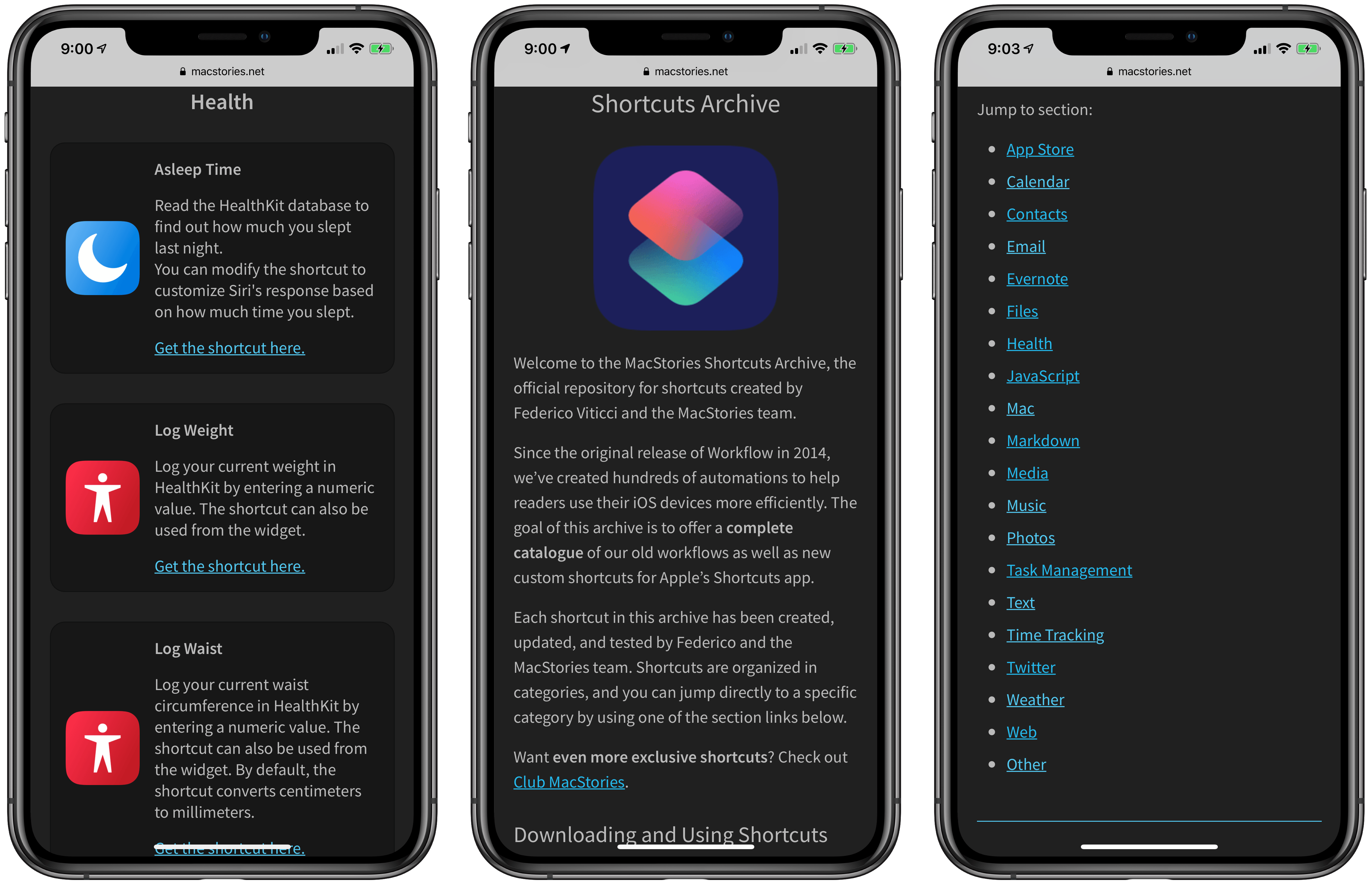
After several months of work, I’m pleased to announce the MacStories Shortcuts Archive – the official repository for shortcuts I’ve created over the years (including when they used to be called “workflows”) and which have been updated, tested for the Shortcuts app, and collected in a single place.

You can find the archive at macstories.net/shortcuts. In this first version, the archive contains 150 shortcuts, but more will be posted over time. Each shortcut was created and tested by me and the MacStories team; all of them have been categorized, updated for the Shortcuts app, and marked up with inline comments to explain what they do.

Even better, they’re all free to download and you can modify them to suit your needs.

Read more


Spark Adds Rich Text Formatting for Email: Lists, Text Colors, and Highlighting

Today in an update to its iOS and Mac apps, the email client Spark has introduced new rich text formatting options to enable greater flexibility in styling your messages.

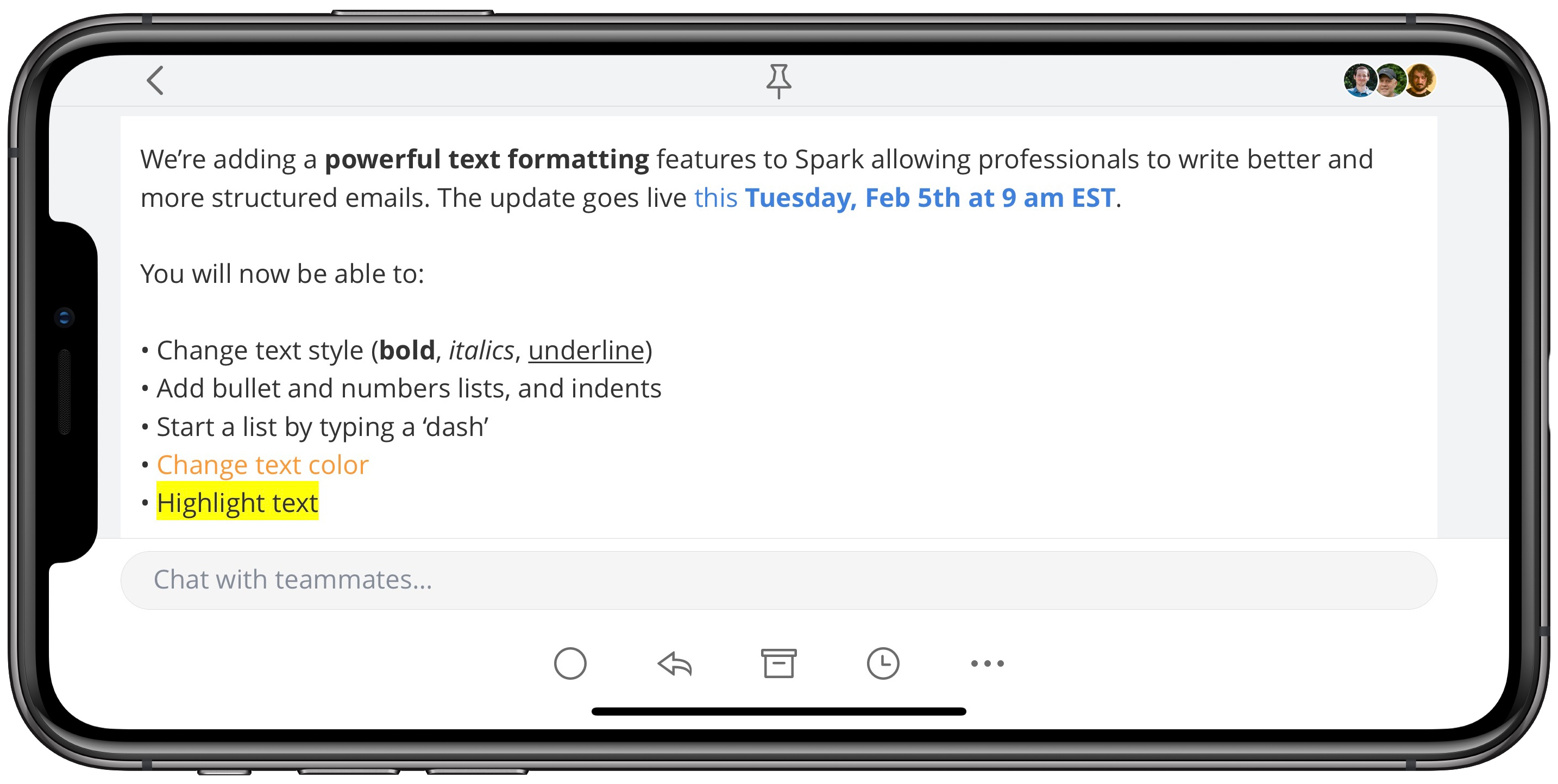
Spark already included the expected bold, italics, and underline options, and its macOS version previously allowed creating bulleted or numbered lists, but those list options have now come to iOS as well. Additionally, both Mac and iOS users can now change the color of text in their emails, as well as add highlighting to text.

Rich text support is a particularly important feature for an email app, so I’m glad to see it come to Spark. While I likely won’t start sending messages with different colored fonts, it’s nice having the variety of options Spark provides here. Lists in particular were something I’ve missed having in the past, and I like the idea of employing highlights to call out anything of special importance in an email. I’ve historically used bold for that purpose, but highlighting definitely does an even better job of standing out.

Spark’s latest update is available now as a free download for iOS, and the Mac update is coming soon.


AppStories, Episode 101 – iOS 13 Wish List Part 1: Files and the iPad Home Screen

On this week’s episode of AppStories, we discuss our iOS 13 wishes for the Files app and iPad home screen.

Sponsored by:

  • DEVONthink – Information management reinvented: Save, organize, and recall all your documents whenever you need them. Use the link above or the code: promo-appstories-2019-01 at checkout for an exclusive 10% discount.
  • Linode – High-performance SSD Linux servers for all of your infrastructure needs. Get a $20 credit.

AppStories+ Deeper into the world of apps

AppStories Episode 101 - iOS 13 Wish List Part 1: Files and the iPad Home Screen

0:00
29:51

AppStories+ Deeper into the world of apps

Permalink

StopTheMadness: Take Back Your Web Browser [Sponsor]

When you visit a website, few things are more frustrating than when your browser doesn’t work as expected because the site has disabled common interface features. StopTheMadness is a Safari and Firefox extension that prevents sites from modifying how your browser works when you visit them.

Available on the Mac App Store for macOS 10.12 Sierra and later, StopTheMadness puts you back in control of your browsing experience. Users often assume their browser isn’t working correctly when in fact, the trouble lies with the sites they visit. To see just how bad it can be, visit StopTheMadness’ test page for a demonstration. With StopTheMadness enabled, everything on the test page is returned to working the way you expect.

Whether you’re on Safari or Firefox, StopTheMadness ensures you can:

  • ⌘-click to open links in a new tab
  • Use keyboard shortcuts that rely on the ⌘ modifier
  • Open Safari’s standard contextual menu when you right click
  • Drag images and links
  • Select text
  • Paste text into any text field
  • Copy text from anywhere on a webpage
  • Auto-fill and complete passwords

StopTheMadness can even prevent clicked links in Google search results from being redirected to a different site. The extension can also be customized to work on a per-site basis allowing users to dial in the exact experience they want.

Get StopTheMadness today on the Mac App Store and take back your web browser. StopTheMadness is available as a separate purchase for Google Chrome on the Chrome Web Store.