
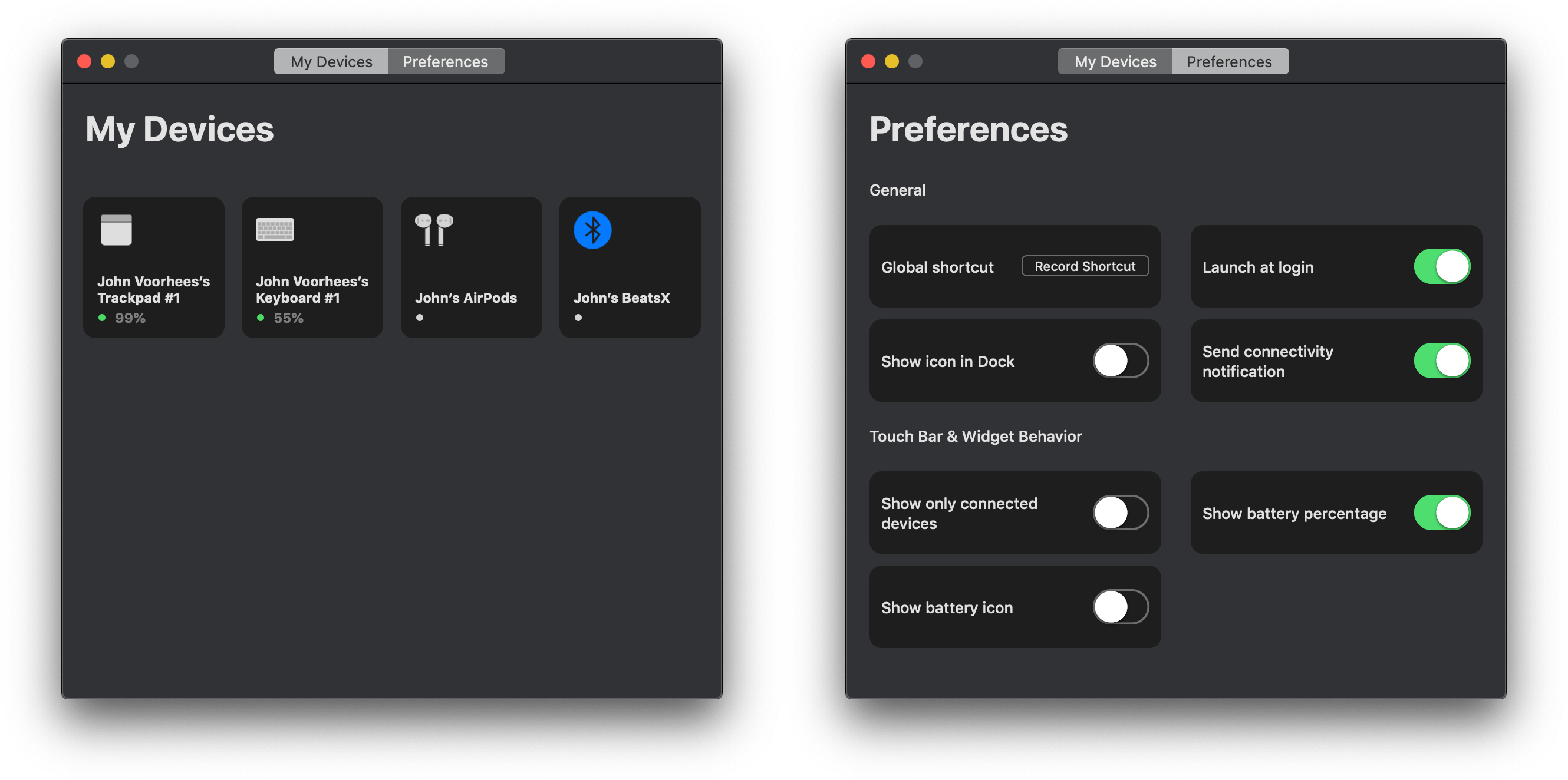
Juice is a Bluetooth device manager for the Mac styled to look like Apple’s Home app. I didn’t expect to like the utility much because I don’t like the Home app’s design. It turns out though that for an app like Juice, Home’s mostly monochrome tile UI works and the app does an excellent job consolidating useful bits of Bluetooth functionality that are scattered throughout macOS.
Juice Consolidates the Mac’s Bluetooth Functionality into a Single, Handy Utility
MindNode 6 Review: Refined Mind Mapping
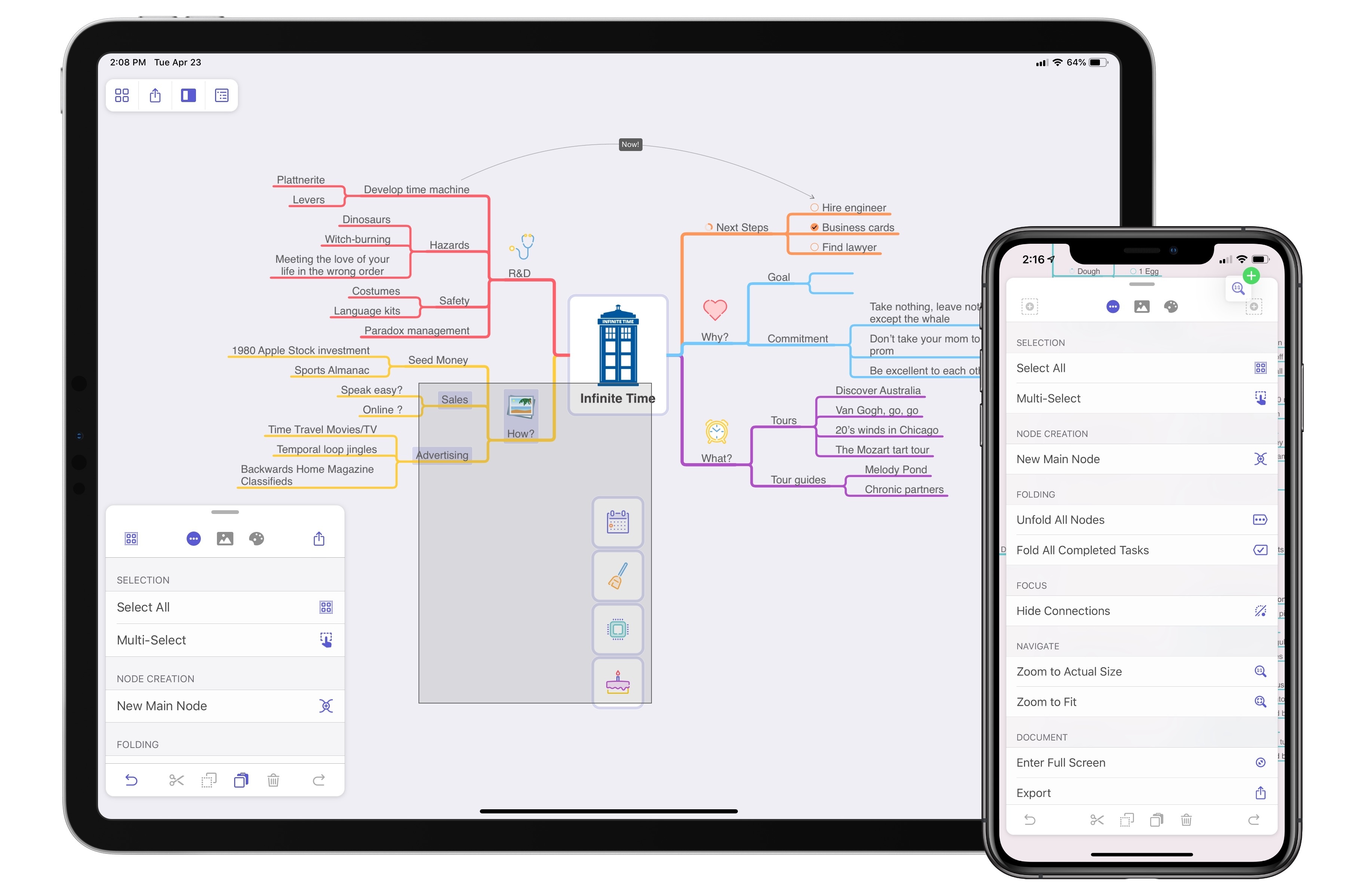
When MindNode debuted its last major version, it brought a major revamping and modernization of the core app experience. The update was a resounding success in my view: adopting the document browser, an adjustable panel system, and drag and drop made MindNode a shining example of modern iOS design; at the same time, additions like quick entry mode and a slate of new, easy to decipher iconography made MindNode more accessible to the mind mapping novice.
Where MindNode 5 brought major evolution and a fresh foundation, today’s version 6 for iOS and the Mac is able to build on that foundation with refinements and advancements that make the app more versatile and expand existing features in new ways. I’ve grouped those improvements into two categories: focus aids and efficiency aids.
Apple Launches Dedicated YouTube Channel for Apple TV
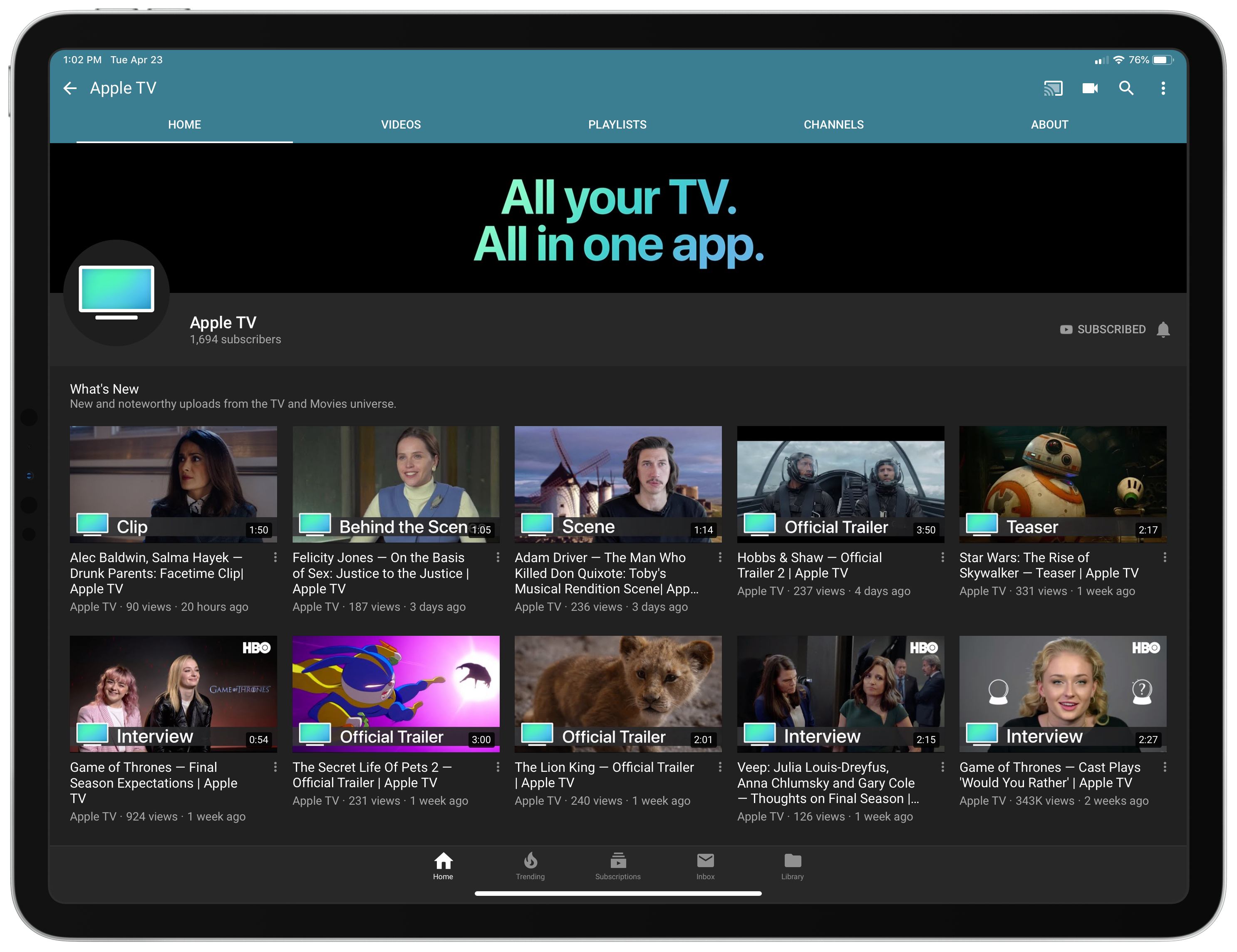
Over the last few weeks Apple has quietly debuted a new YouTube channel dedicated to one of its services: Apple TV. The Apple TV channel is home to a variety of videos, like trailers for upcoming films and TV shows, exclusive behind the scenes clips and interviews tied to popular shows and movies, and, of course, videos highlighting Apple’s own original content efforts, like an Apple TV+ trailer and Carpool Karaoke previews.
Every video on the channel appears to be ad-free, which could offer a compelling reason to watch trailers for upcoming films, such as Star Wars: The Rise of Skywalker, through the Apple TV channel rather than a competing channel where ads are commonplace.
The launch of an Apple TV channel on YouTube is no big surprise, particularly as Apple moves further into the video and entertainment space. However, the channel does have an odd, yet interesting relationship with Apple’s own TV app. While the channel serves to promote the Apple TV service, its videos by and large aren’t available on that service’s app. The behind the scenes clips and interviews found on this new channel are not currently available in the Apple TV app, only on YouTube – though it’s certainly possible that will change in the future. Similarly, most of the trailers on YouTube are unavailable in the TV app, since unreleased films and shows don’t exist in TV’s content database.
Trailers for unreleased films have historically been served through Apple’s iTunes Trailers platform, which is still alive though somewhat stagnant – the iOS app hasn’t been updated for a year and carries many dated design conventions. However, the launch of an Apple TV YouTube channel may indicate Apple’s plans to slowly shutter that service.
As Apple’s redesigned TV app launches next month as part of tvOS 12.3 and iOS 12.3, and we draw nearer to the launch of Apple TV+ this fall, it will be interesting to see what kind of content Apple funnels through this new YouTube channel rather than the TV app itself. Will most videos continue to be YouTube-exclusive, simply serving to promote films and shows that can be watched in the TV app? Or will the TV app eventually house all of this content as well, with YouTube merely serving as a means of greater exposure for Apple’s TV efforts? We shouldn’t have to wait long to find out.
AppStories, Episode 108 – Our New Mac mini Setups→
On this week’s episode of AppStories, we talk about our new Mac minis, the very different ways we use them, and the apps we rely on the most.
Sponsored by:
- KiwiCo: Hands on learning and experienced based play. Get your first crate free.
- Moo: Custom business printing and design. Use promo code PRINT15 for 15% off.

AppStories Episode 108 - Our New Mac mini Setups
0:00
38:51
38:51






Spark: The Future of Email [Sponsor]
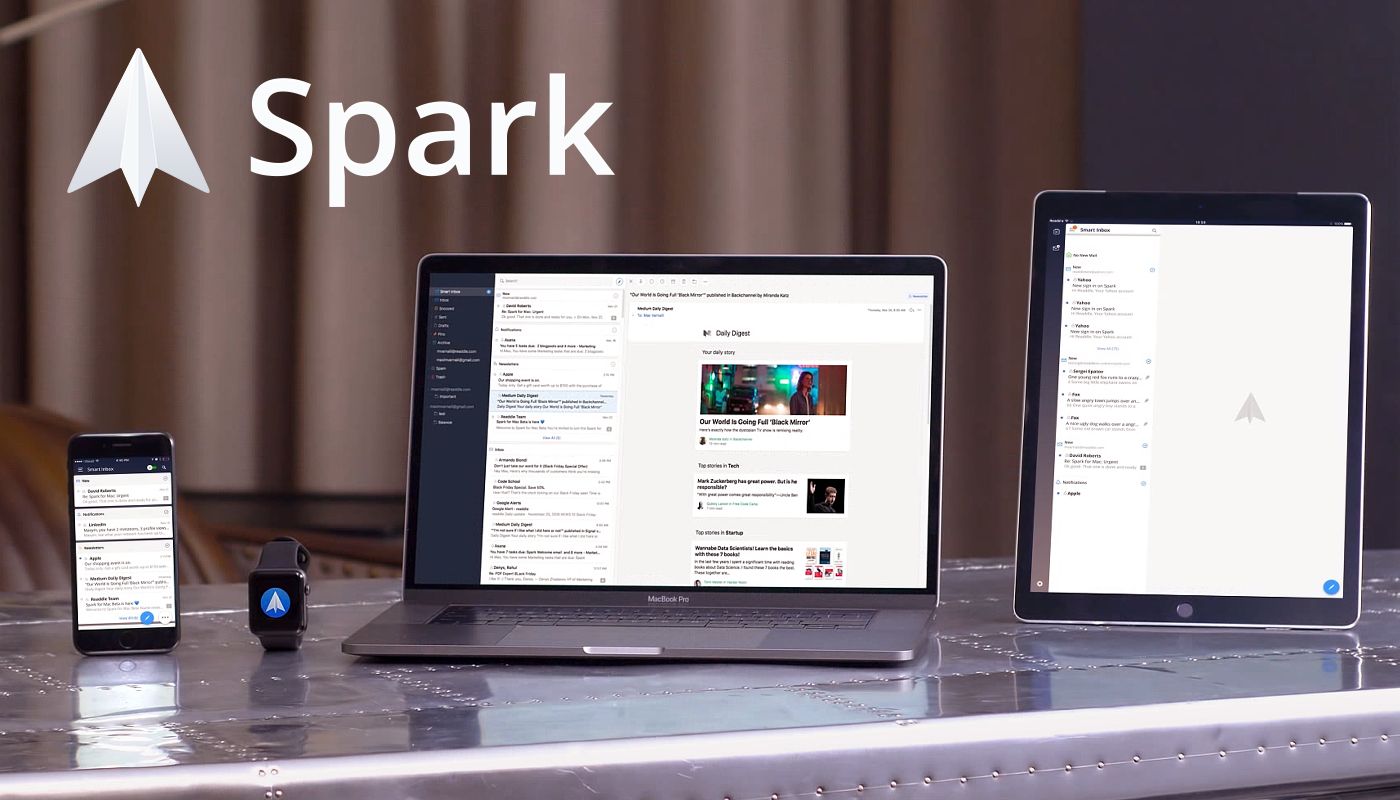
Email doesn’t have to be difficult. Instead of letting it rob you of your precious time use Spark on iOS and the Mac to recover those lost moments automatically.
Spark is loaded with smarts starting with its Smart Inbox that categorizes messages as Personal, Notifications, and Newsletters, which makes it easy to focus on what’s important and return to what’s not later.
Intelligent search makes it simple to find messages no matter where they are too. Spark features a natural language algorithm that thinks just like you. Spark also uses Smart Notifications, so you only get notified what you need to know now.
Spark features beautifully designed card-style calendar invitations that can be accepted with just one tap, the ability to send later and set up reminders for messages that don’t receive a reply, message snoozing, and Quick Replies that let you acknowledge a message with a single tap. Spark also has customizable gesture actions and works with Dropbox, Box, iCloud Drive, and more.
As if that weren’t enough, Spark for Teams completely changes the way colleagues collaborate giving them the ability to do things like comment on and discuss messages and even write messages together. Messages can be delegated to team members for follow up too. Once you’ve tried Spark for Teams, you won’t know how you worked without it.
The future of email is now. Download Spark today for free on iOS and the Mac to take control of your inbox.
Thanks to Spark for supporting MacStories this week.
My MacStories Story: How iOS Automation Changed My Life
Six years ago I was a senior in high school – a laughably short timeline compared to the immensity of growth and change which took place within it. Graduation, all of college, and a lonely move across the country; a career imagined, pursued, and achieved; friends and relationships come and gone. Not many threads of life make it all the way from the start of your late teens through the end of your early twenties, but those that do feel special in a way not much else can. MacStories is one of mine.
This week we’re celebrating MacStories’ 10th anniversary, and this year marked the fifth anniversary of my first article on the site. It boggles my mind to think that I’ve been part of this incredible team for more than half of MacStories’ life, but that’s nothing compared to the feeling of when it all began.
 MacStories Weekly: Issue 172
A Brief History of The Prompt and Connected

“I think we should talk to Federico about joining the show.”
With that, my podcasting career – and life – got a lot better.
This was the spring of 2013. Myke Hurley and I were packing our bags at Myke’s original podcast network, heading over to 5by5. He and I had been publishing a weekly Apple show named “The 512 Podcast,” but we wanted to do something bigger and better, and Myke had the idea to wrangle Federico into things.
How MacStories Instigated My iPad-First Journey
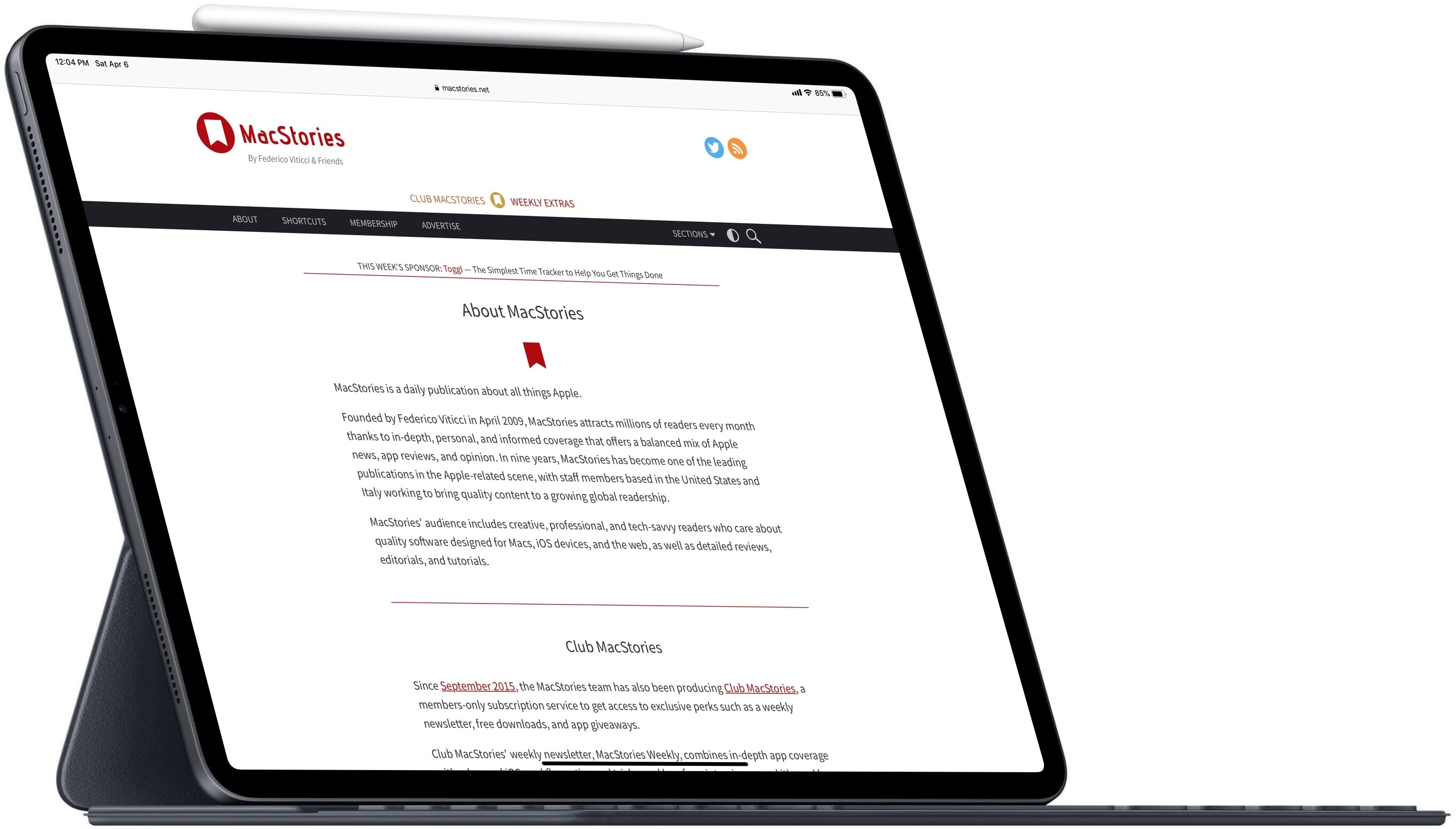
When I started reading MacStories, the site had already shifted its focus from the Mac to the iPad – and that’s what drew me in.
I’ve been an Apple admirer for as long as I can remember, but in my younger years the company’s products were simply outside my budget. It wasn’t until the age of 18 that I owned my first Apple device, an iPod, which was followed a couple years later by a second-hand MacBook. In both of these cases, it was the surprisingly short lifespans of my previous non-Apple MP3 player and laptop that led me to finally splurge and pay the Apple premium. I quickly discovered that, for me at least, it was well worth it.
Despite loving my iPod and MacBook, I didn’t start diving deeper into the Apple ecosystem until after the iPad’s release in 2010. At that point the iPhone had been around for a few years, but in frugality I had stuck with a cheap flip phone and evaded the smartphone era as long as I could. After the iPad, though, things quickly changed.
Shortly following the launch of Apple’s tablet, my boss at the time purchased that very first iPad for me, which was the gateway that led to an iPhone 4 later that year, a MacBook Pro the year after that, and many more Apple products since then. The iPad catalyzed my deepening interest in Apple, and it was the iPad that also, several years later, led to my discovery of MacStories.