Catalyst’s Rough Edges Risk Alienating Developers and Users Alike

Catalyst, the technology that allows developers to bring their iPadOS apps to the Mac, is off to an uneven start, as Mark Gurman of Bloomberg recounts through interviews with several developers. According to the developers interviewed, there’s a big difference between getting an iPad app up and running on a Mac, and using it to build a high-quality Mac app. According to Gurman:

[PCalc developer James] Thomson said the Mac version of his iPad calculator app initially looked like an iPad app floating on a larger Mac screen, so he had to redesign much of the user-facing software. However, all of the lower-level code pretty much worked out of the box, he said. Lukas Burgstaller said it was initially easy to copy over his Fiery Feeds iPad app, but then he “ran into all sorts of walls” trying to adapt the software to a Mac interface.

Those and other rough edges experienced by developers are exacerbated by a long-standing limitation of the Mac App Store: Mac apps can’t be bundled with iOS and iPadOS apps. That means developers have no choice but to charge separately for their new Catalyst apps, risking the ire of customers.

Although I remain optimistic about Catalyst, it’s off to a rougher start than I’d hoped, as I discuss in my macOS Catalina review. The quality of the relatively small crop of early Catalyst apps demonstrates that the technology holds promise, but Apple needs to move quickly to close the gaps. Otherwise the company risks alienating both developers and users, which would be a significant blow to its Mac strategy.

Permalink


The Future of Apple Music

Sophie Charara interviewed Apple’s Zane Lowe for Wired about where Apple Music is heading next. One answer, interestingly enough, is a greater focus on radio:

Apple doesn’t break out Beats 1 monthly listening figures; various commentators have speculated they are relatively low, the official line is “tens of millions”. What we do know is that one of Lowe’s priorities is to merge the two elements of Apple’s £9.99 a month Music offering: its Spotify-style streaming service and the Beats 1 radio shows.

“I want more people to listen and discover this stuff,” says Lowe. “And I want to integrate what we do at Beats 1 into Apple Music more thoroughly. I would guess there are still subscribers who don’t realise Elton John has done over 200 shows. Those shows are works of art in their own right.”

Apple Music for years has been producing quality radio work, yet the way that’s been surfaced hasn’t been the most discoverable. Promoting existing radio shows in more places sounds like a positive step forward, and I hope another addition would be an option for push notifications when there’s a show you want to listen to live. Apple could put a little bell icon, YouTube-style, on a show’s artwork in the app for enabling such notifications, because unless you schedule a show into your normal routine, you’ll almost certainly never think to listen to it at the right time.

Another potential content area for greater exposure would be the interviews Zane Lowe and his colleagues do with artists regularly, which Apple Music often features in both audio and video forms. To me those interviews feel like a perfect fit for highlighting in Apple Podcasts as well as the Music app. Apple has actually dabbled in that, such as with a Billie Eilish interview earlier this year, but I think it’s an area ripe for expansion.

One other change Apple’s pursuing, according to Lowe, will bring about increased initiatives around live music:

There’s also the matter of how livestreams fit into the picture. After events with Shawn Mendes, French rap group PNL and Tyler the Creator, who did a live performance of his album IGOR, streamed on Apple Music the night before it came out, Lowe says “live music is definitely on the horizon” for the service. It’s all part of the team’s bid to “eventise” – his word – album launches. In the case of Tyler the Creator, “fans can tune in, then after watching it maybe you go to the album.”

Making album launches more of an event could be an effective way to compel a switch to Apple Music over Spotify. If Apple can arrange live content with a wide appeal timed with an album launch, then people will tweet about that live content as it’s being shared, and anyone not on Apple Music will feel like they’re missing out.

Permalink

AppStories, Episode 133 – Building an iOS Media Companion

On this week’s episode of AppStories, Federico helps John set up an iPod touch as a media companion for watching TV and movies, enjoying music, and controlling HomeKit devices.

Sponsored by:

  • MacStadium – Get 50% off your first two months of a Mac mini subscription now w/ code APPSTORIES, or get started with MacStadium’s new Orka private cloud.
  • Linode – High-performance SSD Linux servers for all of your infrastructure needs. Get a $20 credit.
  • Kolide – User focused security for teams that value productivity, transparency, and employee happiness. Try it free for 30 days.

AppStories+ Deeper into the world of apps

AppStories Episode 133 - Building an iOS Media Companion

0:00
41:10

AppStories+ Deeper into the world of apps

Permalink

macOS Catalina: The MacStories Review

All the Rest

QuickTime

As I covered at the outset of this review, the release of Catalina completes Apple’s multi-year transition from 32- to 64-bit apps. That means the end of the line for apps like QuickTime Player 7, which some people still used for its support of older file formats after QuickTime Player X was released. Although Apple isn’t bringing back Flash video playback, the latest update to QuickTime provides some nice enhancements.

QuickTime Player has gained a Picture in Picture control.

QuickTime Player has gained a Picture in Picture control.

My favorite convenience is the addition of a Picture in Picture button next to the playback controls. It works just like the similar button you’ll find in videos in Safari. Click the PiP button and drag the resizable video window into a corner to watch as you do something else. The window will float above the other windows on your screen. When you’re finished, just click the PiP button again to return it to the app’s main window.

QuickTime has regained QuickTime 7 Pro’s ability to build a video from sequentially numbered still images too. After picking a frame rate, resolution, and encoding quality, you can save the resulting video as an H.264, HEVC, or ProRes video file. One common use for the feature is creating time-lapse movies from a series of photographs taken at regular intervals.

Also, QuickTime’s Inspector has been beefed up with additional information like the color space, aspect ratio, scale, and other data. QuickTime adds alpha channel transparency support and displays timecodes if they’re embedded in a video too.

Home

As on iOS and iPadOS, Home includes limited shortcut support.

As on iOS and iPadOS, Home includes limited shortcut support.

Just like Home on iOS and iPadOS, the Mac version has added a limited set of Shortcuts actions that can be built into HomeKit automations. The actions available and opportunities they present for the creation of more robust automations in the Home app is exciting. For the details of what is and isn’t possible with Home-based automations, check out Federico’s iOS and iPadOS 13 review, which covers the options in depth. Because the two platforms essentially work the same way, I won’t retread the same ground here.

Just as on iOS and iPadOS, when you get to the step of picking accessories and scenes to add to an automation, there is an option at the bottom of the window to convert the automation to a shortcut. What’s remarkable about that and noteworthy compared to iOS and iPadOS is that unlike those OSes, there is no Shortcuts app on the Mac. Granted, the actions available in Home are a small subset of everything that’s available in the iOS and iPadOS app, but I expect this is just the start.

A unifying theme of Catalina is a rationalization of each platform’s apps and functionality so as to provide a more unified experience on every platform. For instance, why should finding your devices or friends and family involve two apps on iOS devices but only the web on the Mac? There may be perfectly valid historical reasons why that functionality ended up that way, but with Catalina and its other OSes, Apple is taking steps to bring them closer together than ever, and right here in Home, the future of automation on the Mac is hiding in plain sight.

I don’t expect we’ll see AppleScript or Automator go away soon, but I do expect Shortcuts to expand onto the Mac and benefit from the built-in community of users who are building and sharing shortcuts on iOS and iPadOS. It’s that unification of experience where skills learned on one platform are transferrable to the other that will enable the biggest user experience leaps in the years to come.

Mac App Store

Apple Arcade.

Apple Arcade.

The Mac App Store has remained largely unchanged from Mojave, except for the addition of an Apple Arcade tab in the sidebar and moving password requirement settings to the Apple ID section of System Preferences. As with iOS and iPadOS, Arcade soft-launched to beta testers shortly after the GM build of Catalina was released. It’s too early to judge Arcade on the Mac, but as of its release to the public, fewer than half of the games released on iOS and iPadOS are available on the Mac, and the Store’s tab has no editorial content, except for a couple of short articles promoting the Arcade service itself. However, based on how quickly the Arcade tab has been filled on iOS and iPadOS, I expect that will change soon on the Mac too.

Conclusion

There’s no greater threat to the Mac than resistance to change that exists not because the change is worse, but because it’s different. For years there have been complaints that iTunes was a creaky, buggy mess and that the app ecosystem on the Mac was stagnant. Now that Apple is breaking up iTunes and bringing iPad developers to the Mac, that’s shifted to nostalgia for iTunes features not in Music and declarations that there are plenty of good apps for the Mac already. Perhaps that’s just human nature, but it’s not the way to preserve the Mac’s relevancy. It’s how Microsoft got itself into a cycle of preserving old versions of Windows for so long that it stifled innovation on the platform.

Catalina is a cold splash of water in the face of users accustomed to small incremental changes to macOS in recent years. What makes Catalina different from updates in years past is Apple’s renewed commitment to the Mac.

In 2017, Apple held an unprecedented meeting with a small group of writers to lay out its roadmap for the Mac. The meeting signaled more than a preview of the Mac Pro that is still in development. The company was proclaiming a new strategy for the Mac, though in typical Apple fashion, without spelling out the exact details.

Catalina is the first sign of the software side of that strategy. Unlike hardware though, the OS has a much more direct effect on the way you use your current Mac, which makes the transition more fraught with risk. There are certainly rough edges and parts of Catalina that feel unfinished, but it would be unfair to judge the macOS update as though it were the destination itself. We’re only in the first year of a multi-year process. From that perspective, I’m encouraged.

Catalina is a careful balancing act between the old and new. One of the most successful advances by Catalina is the breakup of iTunes. I expected far more of the legacy features to be shed from the app than actually were. If you’re a fan of the column browser, you may not agree with that assessment, but the fact that you can still rip and burn CDs, buy music from the iTunes Store, use star ratings, view checkboxes in the Songs list, and create Genius playlists were all surprises to me. Those features are de-emphasized and will likely fade away over time, but Catalina accommodates users who rely on them. Given the long history of iTunes and its feature set, phasing out legacy features slowly makes sense.

Less successful is Catalyst. I’ve had high hopes for Catalyst since it was previewed at WWDC in 2018. The realization over this summer that Apple wasn’t going to update its original four Catalyst apps was a big disappointment, as was the lack of documentation and sample code and the inability of developers to bundle Mac apps with iOS and iPadOS apps. Together with the workload imposed on developers by changes to iOS and iPadOS 13, many I’ve spoken to put their Catalyst plans on hold, which is understandable. That’s not encouraging because, in the short-term, it means we’re unlikely to see many of the sort of new ideas and competition that the Mac app ecosystem needs to be sustainable long-term.

Nonetheless, I’m encouraged by the handful of Catalyst apps I’ve tried. Apps like PDF Viewer, GoodNotes, LookUp, CARROT Weather, and HabitMinder should serve as a roadmap for other developers. Apple’s Podcasts and Find My apps are also better examples of what can be done with Catalyst than Home, Voice Memos, News, or Stocks. Hopefully, it’s just a matter of time before the company rethinks some of the choices made in its early Catalyst apps.

What’s just as clear about Catalina, though, is that the transformation of macOS isn’t about breaking up one app or bringing iPad apps to the Mac. Catalina is more about bringing the user experiences between the Mac and other Apple platforms together. It encompasses everything from aligning the features between apps that exist on each platform, to each system borrowing interaction models from the others, but adapted to respect the differences between them – whether that’s something like the ellipsis menu buttons added all over macOS or the context menus added to iOS and iPadOS 13. The cross-pollination of macOS with iOS and iPadOS isn’t complete, and it certainly isn’t consistent in places, but it is nonetheless important because it’s what will make the Mac fit better on Apple’s computing continuum. Catalina makes the Mac a more familiar and inviting environment for the millions of iOS and iPadOS users who have never used a Mac.

That’s a hard reality to face if you are a long-time user of the Mac for whom iOS and iPadOS are the newcomers, but in the final analysis, it’s simple math. In an increasingly mobile computing-based world, the Mac’s future lies in making it a platform that has something to offer iOS and iPadOS users, and makes moving from those platforms to the Mac simple.

Perhaps Catalina isn’t such an ironic name after all. The work to fully integrate macOS into an unbroken computing continuum is far from complete. The Mac isn’t disappearing anytime soon, but it risks becoming a niche product that doesn’t get the attention that Mac users want or that I think it deserves. There’s a place for the Mac in Apple’s lineup, but the platform needs to change with the times, and Catalina is the first step of bridging the gap to its future.


TickTick: Your Lightweight All-In-One Task Manager [Sponsor]

TickTick is an all-in-one task management tool with a focus on simplicity. The app is available for more than ten platforms, including iOS, Mac, and Apple Watch.

Time is at the heart of TickTick. The app includes everything from a Pomodoro timer and habit tracker, to calendar views. It’s a to-do list, planner, reminder, as well as a calendar, which eliminates switching between apps, saving you time and effort.

At the same time though, TickTick is lightweight. The app’s workflows are carefully designed and optimized. For example, you can start by adding tasks and setting reminders. Later, you could use the Pomodoro timer to help you stay focused as you work on those same tasks, or you could punch in daily to develop a task into a habit. TickTick puts you in full control letting you choose to show or hide each of these features in the Tab Bar so you always have exactly what you need, no more, no less.

Another essential part of the app is TickTick’s simple clean-cut design. From List to Subtask, each interface is clean and tidy. Unlike to-do apps that are littered with checkboxes, TickTick makes managing tasks a breeze that feels as natural as note-taking.

All-in-one is not only about features, but also the seamless sync across multiple platforms, including iOS, Mac and Apple Watch. TickTick’s R&D team develops each and every application to fit its many platforms. There are even web and Windows versions of the app, which users love. Getting things done on every platform you work on has never been so easy.

TickTick free version for iOS (Apple Watch included) and Mac is perfect for daily use and includes Siri, Shortcuts, and URL scheme support. Premium features, like Custom Smart Lists, Reminders for Sub-tasks, and adding up to 299 lists, 999 tasks per list, and 199 sub-tasks per task, are available for just $2.99 monthly or $27.99 annually.

Visit the TickTick website today to learn more.

Our thanks to TickTick for sponsoring MacStories this week.


14-Year-Old Developer Created Game for Apple Arcade’s Launch

Patrick Klepek writes for VICE about the 14-year-old developer, Spruce Campbell, whose game Operator 41 was part of the Apple Arcade launch:

“When I saw the Apple Arcade announcement in March I dropped everything and decided to build a whole new game for Arcade,” [Campbell] told VICE via email. “I thought that the games that really fit Apple Arcade will probably be designed for it from the ground up, so I came up with a stealth game that would work on all the Arcade platforms.”

Campbell has quite a personal story. As Klepek notes, the young developer taught himself to code starting at the age of 8, and when he was 12 he designed a game, CyberPNK, that netted him a BAFTA award. He also received a scholarship to attend WWDC this June, which is where he was able to personally pitch Operator 41 to Apple for Arcade inclusion. Campbell says following that pitch:

“I went back to the dorms, and over the next week I was accepted onto the service,” he said. “I’d say that was the luckiest moment of production—so many stars had to align for me to be accepted onto the service and everything went so well.”

Klepek’s concluding words put into perfect context what this story means for the potential of Arcade’s future.

Operator 41 doesn’t have many reviews. It didn’t get a big marketing push, and wasn’t on Apple’s big stage…But what’s remarkable is that Operator 41 exists at all, and shows Apple having a willingness to give people a shot. Apple Arcade isn’t a place where, like the App Store, anything can get published. There is a curation element. Campbell wasn’t signed because he made a hit that Apple thinks will bring new people into Apple Arcade. In this case, Apple decided it was worth including a game by a mostly unknown 14-year-old designer.

Arcade’s launch has been fantastic, and with the near-certainty of more stories like Campbell’s moving forward, the service’s future looks bright.

Permalink

Shortcuts Corner: Apple Frames for iPhone 11 and 11 Pro, App Store Updates Page, Logging Completed Reminders, and Time Zones

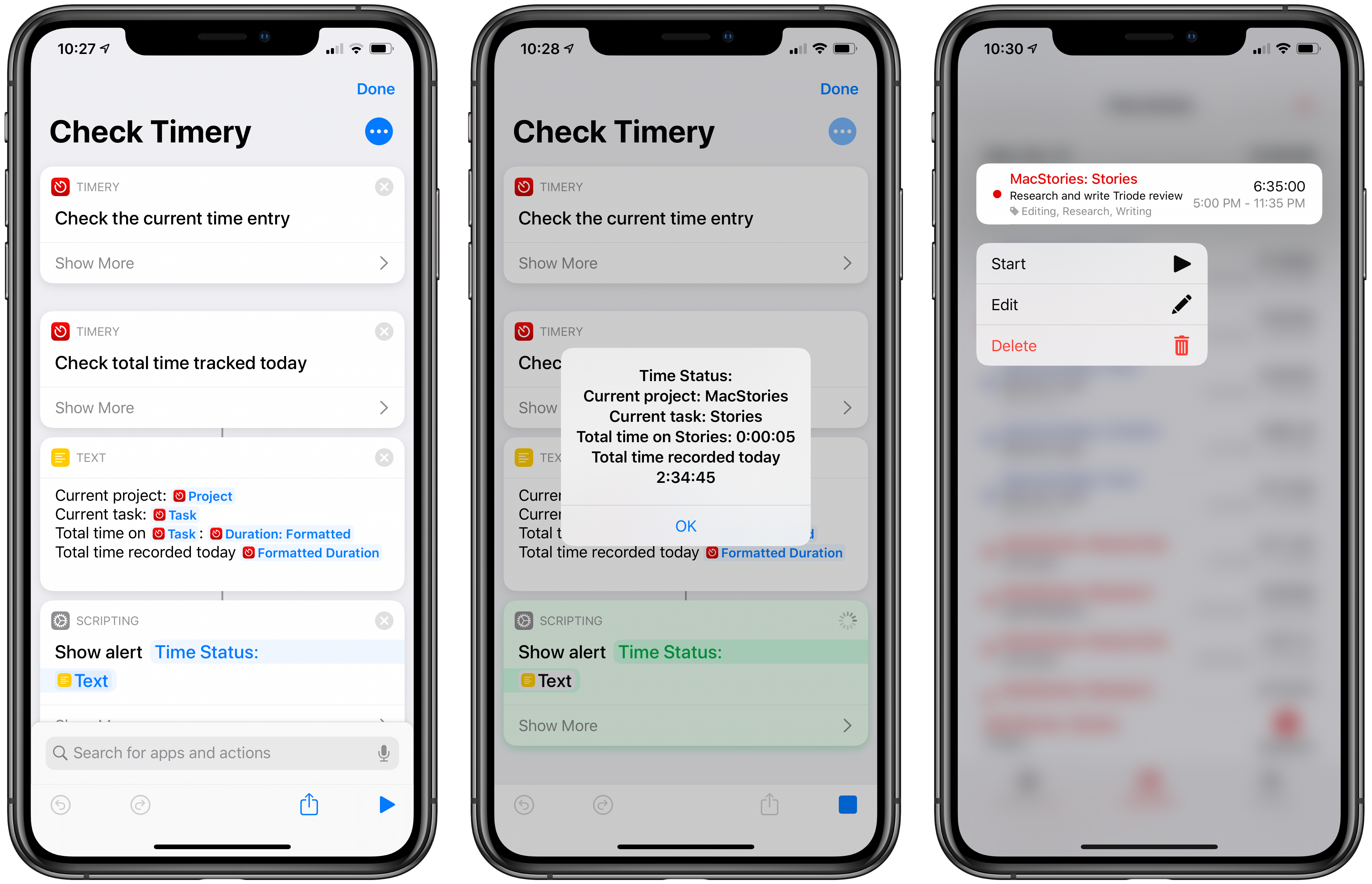
In this week’s installment of the Shortcuts Corner, I share an interesting assortment of shortcuts, from an updated version of my Apple Frames shortcut and an easy way to open the App Store’s Updates page to an automation that takes advantage of a feature in the latest Numbers update. And for Club MacStories members, I’ve prepared two shortcuts that should speed up the process of getting the current time for different cities around the world – both via the Shortcuts app and Siri. Let’s dive in.

Read more