The iToiletstand Is Exactly What You Think

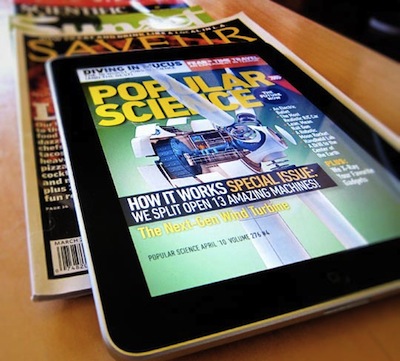
Some ideas are just plain wrong. Yet, you have to admit sometimes you’ve thought about these wrong and silly ideas as some sort of a geek dream you don’t want the world to know about. Like iOS gadgets for the toilet. You know, this is especially true for the iPad, which is a great device for reading.

It looks like your prayers for a comfortable iPad stand to use you-know-where have been answered: the Angled Stand is an “adjustable, angled stand for iPads, tablets & other electronic devices”.

What are the features: top is adjustable, pole can be moved back & forth, easily tightened at various angles making it flexible & user friendly. Pole has an adjustable height between 26-46 inches which is starting from around your knees on up. Pole angle various to around 45 degrees. Top is just a bit wider and taller than an ipad and device is foldable.

The product is coming in early 2011 and, bath and toilet aside, can be used a stand for when you’re in bed, by the barbecue, in the kitchen, in hospital…wherever you think it’d be nice to have an iPad following you by on a stand.

I guess Steve Jobs is already using something like this for his iPad 2 in his home office. [CultofMac via iToiletstand]


Redsn0w Beta For iOS 4.2.1 Untethered Jailbreak Available

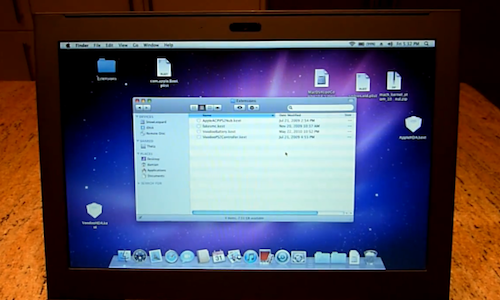
As promised on Twitter a few days ago, the Dev Team released a beta of Redsn0w for Mac to provide an untethered jailbreak solution for iOS 4.2.1. Redsn0w 0.9.7b1 should allow you to jailbreak your iPhone 4, iPad and iPod touch 4th gen without having to plug your device in your computer on each reboot or shutdown. iPhone 3G, old-bootrom iPod touch 2nd gen and iPhone 3GS owners don’t need this new Redsn0w as they already have an untethered jailbreak.

This beta version of Redsn0w (or as the Dev Team calls it, the “backup plan”) is meant for testers willing to provide useful feedback on this new jailbreak. To use it, you’ll need iOS 4.2 beta 3 hashes saved on Cydia and the iOS 4.2 beta 2 IPSW file saved on your computer. In this beta the bluetooth functionality is disabled, the task switcher will make the Springboard crash and the iPod player is only enabled on the iPod touch 4th gen.

Redsn0w 0.9.7b1 is available here.


iTunes 12 Days of Christmas: Day 1

As announced two weeks ago, today Apple launched the “iTunes 12 Days of Christmas” promotion across European iTunes and App Stores. Every day from December 26th to January 6th, users will be able to download a “fantastic selection of songs, music videos, apps, books, TV episodes and a film” completely for free on iTunes.

The free app for iPhone and iPad that lets you receive push notifications for daily offers is available here.

While a first free download showed up on December 17, the promotion officially starts today with “Day 1”. Today, you can download “Promise This - Christmas Bundle” by Cheryl Cole entirely for free. At least in the UK Store, as it appears a Vasco Rossi is given away in the Italian iTunes Store. The Cheryl Cole bundle includes a song and a video to download from the iTunes app.

Stay tuned for promotions coming every day until January 6.


Gorillaz iPad Album Now Available for Streaming

As announced by Damon Albarn in November, the new Gorillaz album “The Fall” is now available online for streaming and will be released as digital download tomorrow, December 25th. What’s so special about The Fall that we’re covering it on MacStories? It was entirely recorded on an iPad.

Albarn first told the NME:

I’ve made it on an iPad – I hope I’ll be making the first record on an iPad. I fell in love with my iPad as soon as I got it, so I’ve made a completely different kind of record.

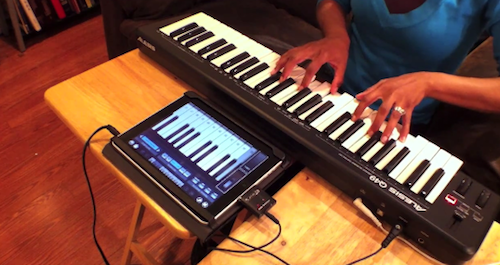
The Fall contains 14 new songs and it was recorded using apps such as SoundyThingie, AmpliTube, iOrgel HD and iElectribe. Full list of songs and apps used in the album is embedded below. You can stream the record for free now by hitting this link, which requires you to subscribe to the band’s mailing list. From a first listen, it all sounds pretty…digital and electronic. Perhaps different from previous Gorillaz records, but interesting nonetheless considering the setup being used to produce it. Check out the video of “Phoner to Arizona” below.


Read more


MobileMe Calendar Webapp Now With Alerts

A few minutes ago Apple announced the availability of calendar alerts on me.com. Just like on any iOS device, you’ll be able to set up alerts for upcoming events and be reminded in the-browser as long as the Calendar webapp is running:

The new MobileMe Calendar web application now includes the ability to set and edit alerts to remind you of upcoming events. Like the calendar alerts you can already set on iPhone, iPad, iPod touch, Mac, and PC (with Outlook), they will be displayed on whichever device you’re using to remind you that an event is about to start.

The redesigned and improved MobileMe Calendar went public for all users in October.


No More Hidden Fees: We’re Giving Away Wallet Dilemma So You Can Shop Safely Overseas With Your Credit Cards

Perhaps there’s a beautiful French woman waiting for you overseas. Boarding the next International flight and armed to the teeth with your Visas and MasterCards, you’ve found the perfect place in Paris to buy her that beautiful diamond ring. While I am stealing a page out of a Google commercial, spending money overseas is no joke when credit card fees are involved. Don’t be caught off guard: Wallet Dilemma for the iPhone accurately approximates just how much those Euros will end up costing you in good ol’ USD.

Read more


Apple: Everything That Happened in 2010 [Video]

We know 2010 has been a terrific year for Apple. New MacBooks, New iMacs / Mac Minis and Mac Pros, the iPhone 4, the iPad. Not to mention the new & improved Apple TV, iOS 4, Retina Display on the iPod touch, the fiscal results….overall, it’s been a good year. One of those that will end up on Wikipedia someday.

The video below puts all of this in perspective by placing all the events that marked Apple’s 2010 in chronological order.

“We think it’s great.”

[via Seth Weintraub]


Bringing Google Calendar To The iPad, Cloud Calendar Just Works (And We’re Giving It Away)

The simplicity of iCal should be transcended to our Google Calendars. Wrestling iCal and Google Calendars to work in harmony has been somewhat of a challenge because I have completely two different sets of calendars and events that need to be merged, and currently I can’t risk the time (or expense) to sit down and ensure my mid 2011 dates aren’t hacked to pieces because of conflicts. What I need isn’t a syncing solution, but rather a completely new app that allows me to separate my personal life from my business life. Cloud Calendar from Clean Cut Code delivers all of my Google dates to my iPad with the familiarity of iCal.

Read more