Dock Spaces Brings Multiple Docks to OS X - Review & Giveaway

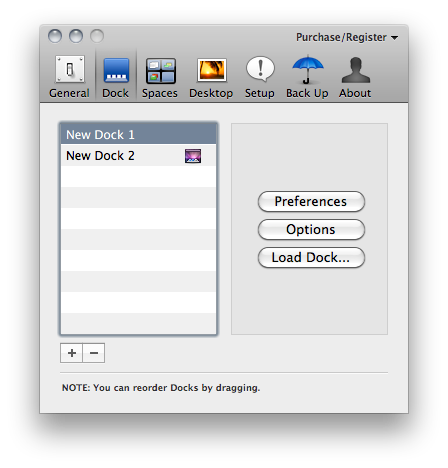
By default, OS X allows you to set up one and only one dock on your machine. Many users keep their dock at the bottom, with all the apps installed on their computer, some prefer to keep it hidden with only the most used apps – others keep it on the left. The dock is one of the most recognizable features of the Mac, the tool that lets you access your application with just a click. But the default dock doesn’t come with all the customization features offered by Patrick Chamelo’s Dock Spaces.

Dock Spaces, recently updated to version 4.0, enables you to set up multiple and customized docks depending on what kind of dock you need at any given time. Just like other apps like Hyperspaces let you create multiple spaces with different preferences, Dock Spaces is a tweak that comes as a preference panel which you can use to switch between different, contextual docks. Say you’re working on Photoshop and together with that you need easy access to other apps for graphic design: you can create a dock with all those apps, other than your “default” OS X dock. Basing on this same concept, you can set up as many docks as you want for all the different contexts and situations you’re going to use your computer. Read more

iPhone Controlled Mini Fridge Beer Cannon

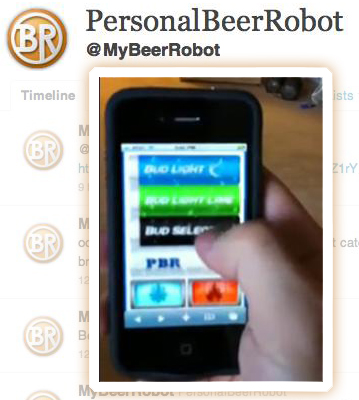
Whaaaa? That’s right kids (of legal drinking age), ‘personalbeerrobot’ has created what every man only dreams about - a mini fridge that can be remotely controlled to adjust temperature, pivots and uses compressed air to fire beer cans into your thirsty grip for a shot of hoppy refreshment. It’s controlled using an iPhone web app; select what kind of beer you’re thirsty for, use the built-in cannon cam to aim, and fire away! The iPhone web app can also control and monitor the mini fridge’s temperature as well. There’s even a twitter account set up for the beer robot: @MyBeerRobot

Features:

  • Vends 4 types of beer
  • Broadcasts temperature
  • Adjust temperature via iPhone
  • Aim via webcam
  • Auto tweet video per shot
  • Fire beer with 50psi of deliciousness

Video after the break…

Read more


iTunes 12 Days of Christmas: Day 3

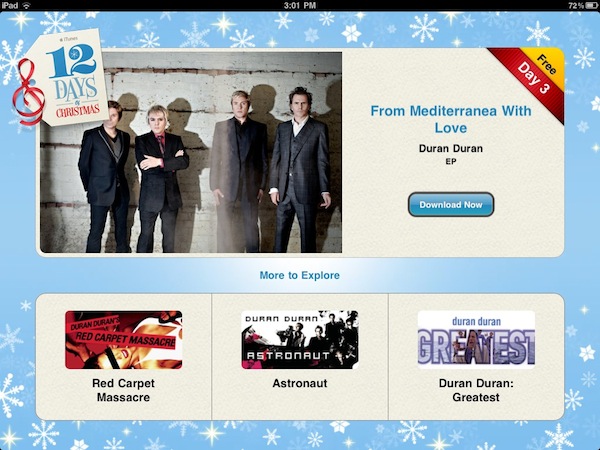
Thanks to the iTunes 12 Days of Christmas promotion, every day from December 26th to January 6th users will be able to download a “fantastic selection of songs, music videos, apps, books, TV episodes and a film” completely for free on iTunes.

The free app for iPhone and iPad that lets you receive push notifications for daily offers is available here. Today, you can download a free Duran Duran EP called From Mediterranea With Love.

Stay tuned for promotions coming every day until January 6.


iPad-controlled Yacht Is Cutting-Edge Luxury

The Solemates superyacht lets you control stuff on board with an iPad. This $600,000 yacht, in fact, comes with built-in technologies that allow passengers, staff and the captain to control the entertainment and climate systems, adjust lights and close the blindings in their cabins – or just call a crewmember to get a cocktail. Yes, this whole thing is for rich people who happen to have an iPad and are willing to step aboard a superyacht with people who bring you cocktails.

Or, if you have the money but haven’t thought about getting an iPad, the captain will give you one as you enter the Solemates.

The interior, designed by Glade Johnson, blends elegant, rich woods and textures with contemporary sleek lines in a soothing palette of earth tones. The main and upper deck salons are awash with natural light and offer impressive spaces for formal dining or casual dining and entertaining. The sun deck features a dining area and a sun lounge wrapped around the Jacuzzi forward. A disco sound and lighting system turns it into an al fresco nightclub at nightfall.

I don’t want to think about the functionalities the iPad can gain at night on the Solemates. Maybe it’s got nightclub integration, who knows. [9to5mac via JamesList]


iPad 2 Rumors: Three Different Versions, Kindle-like Display

Digitimes has more iPad 2 speculation to share this morning. According to the publication, Apple is getting ready to launch three different version of the next generation iPad (dubbed iPad 2) in 2011 with a combination of WiFi, CDMA and UMTS chips. According to Digitimes, production will start in the second half of January 2011, with around 500,000 ready to be shipped to channels.

The sources pointed out that about 60-65% of current iPad shipments are 3G models, indicating that consumers prefer models that are able to connect to the Internet all the time, therefore Apple is aiming to work even more closely with telecom carriers by offering more wireless solutions for iPad 2 to satisfy market demand.

It is no surprise that the 3G model, even if it didn’t come out in April as the original WiFi-only iPad, is the favorite amongst users. It provides a way to stay always connected thanks to the built-in SIM thus eliminating the need of portable hotspots or jailbroken iPhones running software like MyWi for wireless tethering.

Digitimes is also reporting that Apple has been working in making the next gen iPad display similar to Amazon’s Kindle one:

In addition to wireless functions, Apple is also working on strengthening the iPad 2’s anti-smudge and anti-reflective treatments in order to compete against Kindle and attract more consumers, the sources noted.

iPad 2 shipments should reach 40 million units in 2011. Yesterday, Japanese blog Macotakara reported that the iPad 2 will come with an updated design similar to the curent generation iPod touch.


The Nose Knows No Phone Like iPhone

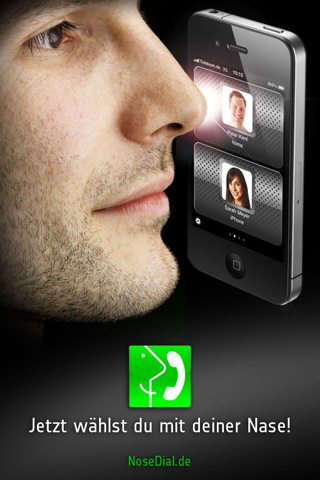
Ever try smelling an Android phone? No? Some might say it smells like plastic. Smitten iOS graphic designers will tell you it smells like failure. But have you ever tried smelling an iPhone? It smells like Lucky Charms right? If it was anyone else other than me, it would be just plain disgusting. At least using your iPhone as a handkerchief isn’t as disgusting as using your iPad as a sushi plate (plus, boogers simply taste better), though I have yet another reason to keep my hands off your handset.

If you’ve an iPhone and busy hands, NoseDial assumes that the oleographic Retina Display is the perfect place to shnoze dial 911. Seriously, we can’t promise this kind of intimate nasal fondling won’t lead to anything more than an “app with benefits.” Perhaps it could be useful if you’re wearing more than biker gloves – those thick socks you yankees call mittens certainly aren’t very app happy. NoseDial allows you to tilt and scroll all with your face, but at the risk of looking ridiculous and triggering one of Apple’s sensitive liquid sensors with your snot, we ask you refrain from this $1 German utility just as you avoid taking your iPhone into the bathroom. On the contrary, you could buy the app and just use your fingers – but that wouldn’t be any fun now would it? NoseDial is an interesting concept, though when you need your fingers to just pull the darned thing out of your pocket, I can’t see it being very useful via the utensil between your eyeballs. Unless you’re a gymnast – that I’d like to see.

[via TUAW]


iPod Nano Hacked, Will Soon Support Movies and iCalendars?

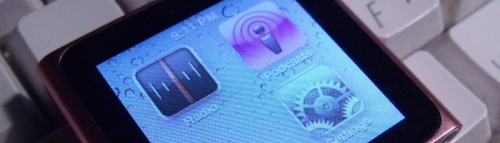
It looks like the iPod nano has been hacked. Developer and hacker James Whelton managed to bypass the device’s cache comparison and install a rather simple Springboard hack that allows for blank space creation – something that’s possible on jailbroken iPhones and iPads. As Whelton notes this is a very simple hack which will likely enable other devs to play around with the iPod nano and install bootloaders on it.

Most of all, Whelton discovered some hidden strings in the nano’s OS:

Next is the discovery in some of the device’s plists of reference to support of Movies, TV Shows, Apps, Games, vCards, Calender events and so on, with a few other cool things like a passcode lock. With the bypass I figured out, I hope to enable these pretty soon. It seems like the OS is a rehashed version of the previous Nano’s OS.

Details on how to bypass the iPod nano’s OS will be posted in the next days. While we’re pretty that Apple won’t open up the nano to 3rd party apps anytime soon, it will be interesting to see what the hacker community (or should we call it a “jailbreak” for the iPod nano?) will come up with. Check out the video below. Read more


In 2007, RIM Thought The iPhone Was “Impossible”

In 2007, RIM Thought The iPhone Was “Impossible”

According to a former RIM employee:

RIM had a complete internal panic when Apple unveiled the iPhone in 2007, a former employee revealed this weekend. The BlackBerry maker is now known to have held multiple all-hands meetings on January 10 that year, a day after the iPhone was on stage, and to have made outlandish claims about its features. Apple was effectively accused of lying as it was supposedly impossible that a device could have such a large touchscreen but still get a usable lifespan away from a power outlet.

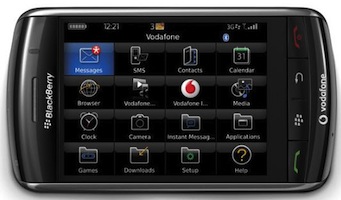
So that’s why they got left behind: they spent months making fun of something they thought wouldn’t be possible. They came out with their touchscreen smartphone eventually, the Storm, but it didn’t have all the features of the iPhone and, more importantly, it was already too late. Now RIM is struggling to catch up.

Also:

Imagine their surprise [at RIM] when they disassembled an iPhone for the first time and found that the phone was battery with a tiny logic board strapped to it.

Imagine their surprise when they disassembled an iPad.

Permalink

iPad 2 To Look Like an iPod touch?

When the iPad was announced, many quickly dismissed it as a “giant iPod touch”. According to the information posted by Japanese blog Macotakara, it looks like the next generation iPad will indeed look more similar to an iPod touch than it does in its current version. Basically, Macotakara analyzed the iPad 2 cases that have been floating around these weeks and concluded that they are designed for a device with a flat back and “tapered sides”, as reported by MacRumors. The new sides and back will presumably force Apple to relocate the speaker and adjust the position of the volume buttons as well.

The volume buttons on the side of the next-generation iPad appear to be of the split style with an oblong form factor as seen on the current iPod touch, as opposed to the rocker buttons used on the current iPad and the round split buttons used on the iPhone 4.

The current iPad 1st gen comes with a curved back and flat sides. The next gen one might be the exact opposite, although I don’t know much a flat back design would make it comfortable for users to pick up the device from a table or desk.

Macotakara also seems to think the iPad 2 will offer a rear camera as big as the iPhone 4’s one, capable of snapping high-resolution pictures. It is still unknown, however, whether these cases that have been posted on the internet are produced by people actually in the know of the next gen iPad 2 or just to generate traffic towards the promo websites.

Video below. Read more