

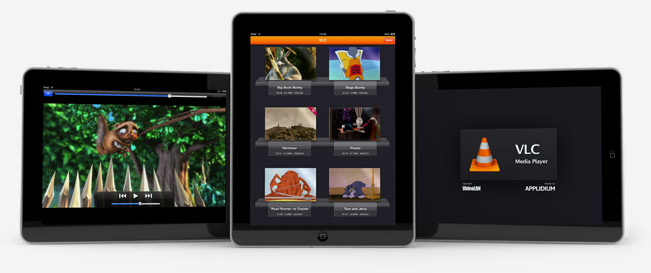
Just like we expected in October, VLC for iOS has been removed from the App Store. But this time, the removal of one of the most popular free apps for iPhone and iPad has nothing to do with Apple and the app review team’s rules. Instead, we have to thank developer Rémi Denis-Courmont, who since October has been busy trying to get the app out of the App Store because it violated VLC’s GNU public license. Rather than keep calm, carry on and let other developers (Applidium, the guys behind the VLC port to iOS) distribute VLC for iOS for free, he forced to get the app removed. Read more
VLC for iOS Pulled From The App Store, Now on Cydia
How Apple Could Fix The Issue with “Installed” Mac App Store Apps→
How Apple Could Fix The “Installed” Mac App Store Issue
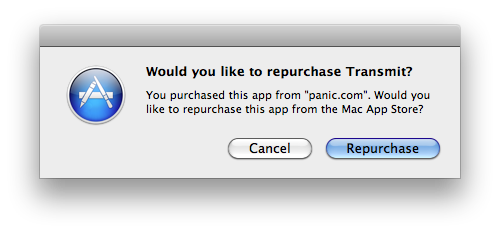
Since the Mac App Store launched yesterday, hundreds (if not thousands) of users noticed that apps previously installed on a Mac through a developer’s website show up as, well, “installed” on the Mac App Store. That may lead you to think the new Store can handle updates for apps purchased and downloaded out of it just fine, but it can’t. Either a bug or a “feature” in Apple’s system, those apps seems to be “installed” simply because the Mac App Store sees the bundle identifier of an app already present on your Mac’s hard drive. So say you have iPhoto, Pages, Panic’s Coda or Coversutra already installed on your Mac and you fire up the Mac App Store, those apps may be listed as “Installed”. But they won’t go through the handy automatic update process apps you really purchase in the Mac App Store have. It happened to me. And if you ask me, that’s bad user experience.
Daylen Yang has an interesting mockup on his personal blog of a simple feature that could fix this issue of apps showing up as “Installed”. Apple could simply offer a way to re-purchase applications found on your Mac although, yes, you’d have to pay again. But considering that several developers are moving to App Store-exclusive applications offering discounted prices now looking forward to future free version upgrades (example: you can buy Pixelmator again now at $29, but the future 2.0 version will be a free update), it doesn’t sound like a bad idea. Or, Apple could evolve the concept seen in this mockup developing a way for the Mac App Store to recognize installed apps and provide more detailed information and options about what you can do.
Kevin Rose: iPad 2 Announcement on February 1, Retina Display
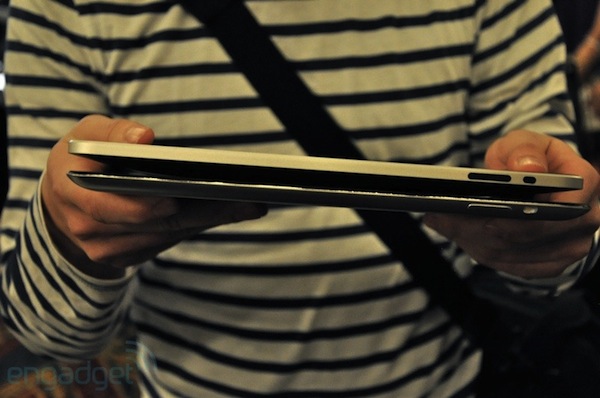
Here’s an interesting tidbit from Digg’s founder Kevin Rose, whose previous track record when predicting Apple products and new OS features has been either fairly accurate or terribly wrong. So take this with the proverbial grain of salt, as Kevin Rose tweeted and wrote a new entry on his personal blog about the next iPad, the iPad 2. According to Rose, the device will be announced in the next “3-4 weeks”, possibly on February 1.
He also claims the next-gen iPad is going to feature a Retina Display and dual cameras, although in an update to the post he clarifies saying a source told him it won’t be a Retina Display, but a “higher dpi” screen.
I have it on good authority that Apple will be announcing the iPad 2 in the next “3-4 weeks”, possibly Tuesday February 1st. The iPad 2 will feature a retina display and front/back cameras.
If you’re thinking of buying an iPad, hold off for now.
Spoke w/another source, the display has a “higher dpi”, but not technically a retina display. This seems odd to me, we’ll have to wait and see..
Yes, we’ll see. Previous iPad 2 rumors suggested the device would get a Retina Display and rear / front facing cameras as well.
Verizon iPhone Announcement on Tuesday, Jobs To Join On Stage
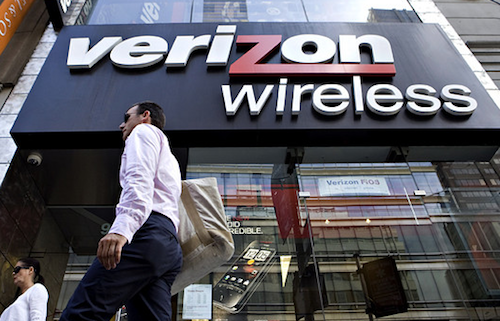
Earlier today, Verizon sent out invitations for a special event the carrier will hold on Tuesday, January 11 in New York City. As the invitations went out and media outlets started reporting about it, speculation immediately arose about the event being focused on a very special announcement: the long-awaited Verizon iPhone. By making a few guesses basing on the invitation list ( Jim Dalrymple of The Loop, MG Siegler of TechCrunch and Andy Ihnatko were invited – they’re all Apple reporters / bloggers) and through some rumors heard earlier today about Apple imposing a vacation freeze on its employees in the first week of February, many are reporting the speculation is real, and the Verizon iPhone will be announced on Tuesday.
The Wall Street Journal weighed in to confirm the carrier managed to close a deal with Apple and will be able to sell a CDMA version of Apple’s phone. Daring Fireball’s John Gruber says it’s going to be about the Verizon iPhone as well. On a side note, tech blog Gizmodo wasn’t invited to the event – they say it’s because Apple isn’t inviting them to events anymore after the iPhone 4 leak last Spring.
All Things Digital is now reporting Apple CEO Steve Jobs will join Verizon’s President and COO Lowell McAdam on stage for the announcement.
While the appearance isn’t 100 percent assured, sources in position to know tell me that, barring any unforseen circumstances, Jobs will likely join McAdam onstage in New York when he announces the addition of the iPhone to its handset line-up.
For Verizon customers waiting for the iPhone and current users willing to switch on Big Red’s networks, it looks like the wait will be finally over on Tuesday with the iPhone on Verizon announcement.
Trimensional - An iPhone App That Does 3D Scanning

Rank this one under the ‘how the eff did they do that’ apps, right up there with Word Lens. Trimensional, from Grant Schindler, is a 3D scanner for your iPhone 4 or iPod Touch (requires front-facing camera). It detects patterns of light reflected off your face to build a true 3D model. Here’s how - it models images in 3D simply by turning down the lights, turning up your iPhone screen’s brightness and holding close to an object, like your own face.
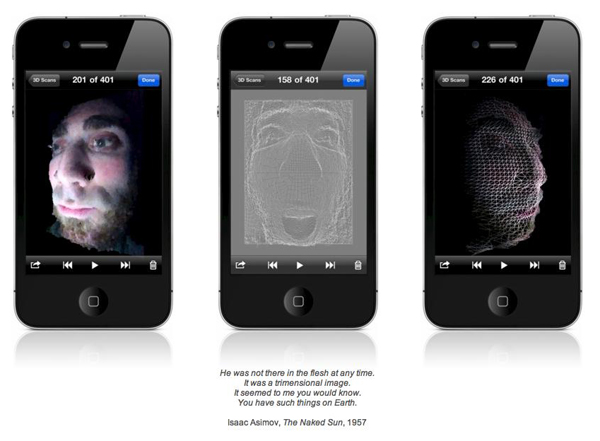
When you’re done with your 3D image, you can view a 3D slideshow, email or save tehm to your camera roll. Trimensional averages 4 out of 5 stars in the App Store and was released January 5, 2011.
Video after the break. Read more
Mac App Store’s First 24 Hours: Developers Post Sales Numbers

The Mac App Store was released as part of the Mac OS X 10.6.6 update earlier than expected. The new Store to discover and download Mac software opened its doors a few hours earlier than many initially thought, which means it’s been out for more than 24 hours now. Still, several developers were waiting anxiously this morning to check the sales numbers of their apps in the first day of the Mac App Store, as provided by Apple’s iTunes Connect service. And while many are still experiencing issues when trying to generate reports from IC’s “Sales & Trends” section, the first numbers are in. And they’re pretty interesting. Read more
#MacStoriesDeals - Friday

Is the Mac App Store great or what? Here’s today’s deals on iOS & Mac (Store) apps that are on sale for a limited time, so get ‘em while they’re hot! Read more
iPhone 3G Runs Android Gingerbread

A group of hackers managed to successfully install and run the latest version of the Android operating system, version 2.3 labelled “Gingerbread”, on an old iPhone 3G. This is not the first time the 2008 iPhone gets Android and Linux ports, as the OpeniBoot software tool allows hackers and developers to inject any other OS into the device’s memory and execute it.
As you can see in the video below, it all looks pretty slow and definitely not ready for a public release – we’re not even sure actual functionalities such as Bluetooth or WiFi are working on that. Still, if you have the required patience to install it, wait for it to boot and use it with laggy multitouch gestures, you can show your non-geek friends that you have an iPhone that runs Google’s Android.
Because you’ve always wanted to do that, right? [via Covering Web] Read more
Mac App Store Review: DropBook, Desktop Facebook Uploader
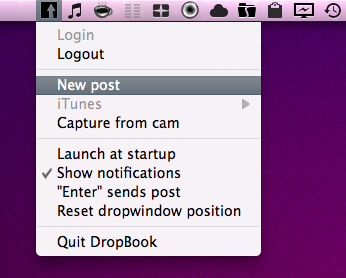
I’m not that kind of user who heavily relies on Facebook on a daily basis, but I can spot a good Facebook app when I see one. I may not be the guy who uploads hundreds of pictures every week and posts just about any thought on world’s most crowded social network, yet I don’t mind trying iOS apps that integrates with the platform from time to time. With the release of the Mac App Store, I expected to see some Facebook apps for the Mac to show up; new apps, software we haven’t seen before. After all, a platform like the Mac App Store seems to be meant for the average user who depends on another platform, Facebook.
DropBook is a new app developed by i-NOVATION and released in the Mac App Store at $2.99. It looks like a simple Facebook uploader that’s actually packed with functionalities, but still manages to let users access these features with ease and a few clicks. Read more