QuickShot: The First iPad 2 Camera App with Dropbox Uploading

If you just got a shiny new iPad 2 at your local Apple Store and you’d like to try out the cameras as proper photographic tools, take a look at the latest QuickShot update. We’ve already reviewed QuickShot here and it was a great and simple iPhone app that mimicked the default iOS camera app, but had Dropbox integration built-in to instantly upload photos to Dropbox.

The new version of the app comes with full iPad 2 support and we believe it’s the first iOS application to have Dropbox camera uploading for the new device.

Get the app here.


First iPad 2 Unboxing Photos and Videos

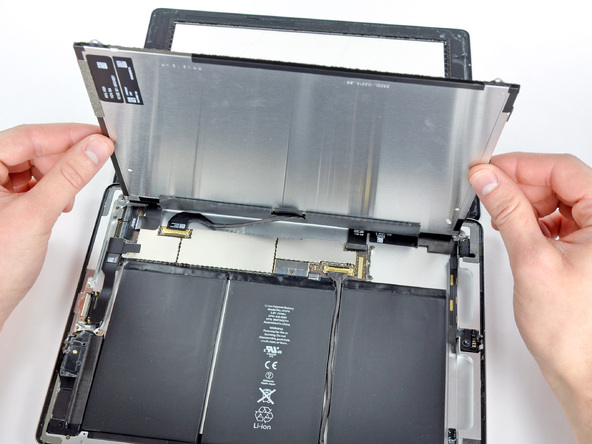
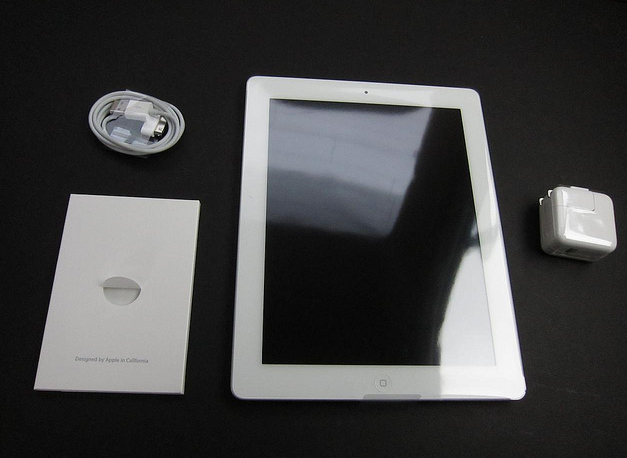
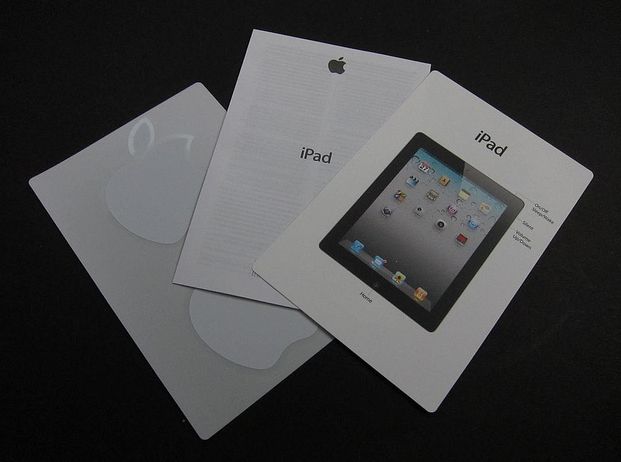
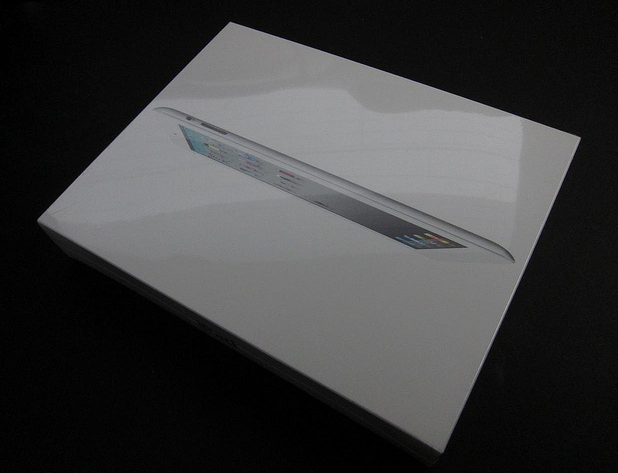
The lucky folks in the US have started getting their hands on the iPad 2 after some impressive lines we’ve tweeted all day (our editor @codyfink is currently inside the Apple Store to get our iPads) and here are coming the first unboxing photos and videos.

iPad 2 line at Apple Store at the Mall of Louisiana in Baton Rouge, LA. Wrapped around the entire courtyard. [Thanks, Brittany]

iLounge has posted a gallery full of photos of the retail box, and what’s inside.

Read more


Twitter To Developers: Enough With The Twitter Clients

With an official announcement on the Twitter Google Group, head of platform and API at Twitter Ryan Sarver has told developers to stop building third-party Twitter clients that “mimic or reproduce the mainstream Twitter consumer client experience”. Basically: no more unofficial Twitter apps that look just like the official iOS, Mac, Android or BlackBerry apps and don’t add any value to the experience. Instead, focus on different areas of the whole Twitter experience. Uh oh.

The move is quickly causing a reaction among developers on Twitter that didn’t expect such a response from the company. Basically, although in a subtle way, they’re telling everyone to stop wasting time trying to emulate the official Twitter apps because 90% of users are already using Twitter through the officially provided tools. On top of that, though, it’s not only a matter of choice: it seems like Twitter is really going to force developers to stop building apps by “holding you to high standards to ensure you do not violate users’ privacy, that you provide consistency in the user experience, and that you rigorously adhere to all areas of our Terms of Service”. Some key parts from the announcement:

With more people joining Twitter and accessing the service in multiple ways, a consistent user experience is more crucial than ever.  As we talked about last April, this was our motivation for buying Tweetie and developing our own official iPhone app.  It is the reason why we have developed official apps for the Mac, iPad, Android and Windows Phone, and worked with RIM on their Twitter for Blackberry app. As a result, the top five ways that people access Twitter are official Twitter apps.

Developers have told us that they’d like more guidance from us about the best opportunities to build on Twitter.  More specifically, developers ask us if they should build client apps that mimic or reproduce the mainstream Twitter consumer client experience.  The answer is no.

As we point out above, we need to move to a less fragmented world, where every user can experience Twitter in a consistent way.

Read more


Zen Viewer: iPad File Manager With A Unique Design

Of all the features Apple is expected to implement in iOS 5, one has gained particular interest from iPhone and iPad users recently: better file management options for documents and files created inside applications, and a way to get these files out of an iOS device quickly. Many have speculated iOS 5 will get some sort of direct integration with the Finder, with Lion’s AirDrop feature leading to think that, eventually, iOS will be able to easily communicate with a Mac nearby. But for now, we’re “stuck” with a variety of apps from the App Store that aim at providing what Apple left out – a way to group documents together, manage them, share them, edit them.

In the past months, we reviewed several of these apps with most of them being iPad apps meant for a larger screen and easier file viewing. iFiles is my app of choice with lots of features and deep cloud integration (something that’s vital for my daily workflow), but I was also impressed by the quality of Berokyo and Cloud Connect Pro, two apps to manage files in a visual grid and access documents stored on external Macs, AirPort Disks and servers, respectively. iFiles, for many reasons I outlined in my review, still wins the file management space for iOS with a universal app for iPhone and iPad, built-in WebDAV server and Rackspace / Dropbox integration.

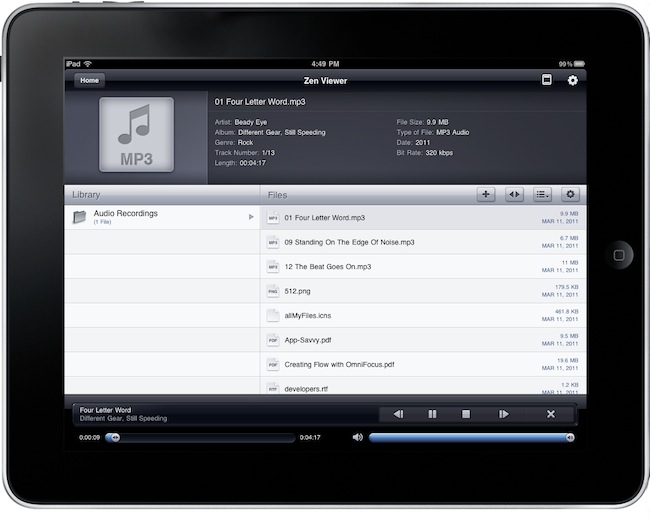
Today we take a look at Zen Viewer HD, the new kid on the block of file managers and viewers. The app is on sale right now in the iOS App Store for $0.99, and it’s quickly climbing the charts of Productivity and Top Paid apps. What differentiates Zen Viewer from its competitors is the unique design that brings a Finder-like column view to the iPad (the app doesn’t have an iPhone version) and a bottom tabbed toolbar to access a series of functionalities with a couple of taps. Zen Viewer is a powerful application that can preview almost any kind of file, from PDFs and images to .mp3, .rtf, .xls, iWork and HTML files. Read more


#MacStoriesDeals - HUGE Friday

We’re sending thoughts and prayers to the people of Japan today. Also, today is iPad 2 day! Here are today’s deals on iOS, Mac, and Mac App Store apps that are on sale for a limited time, so get ‘em while they’re hot!

Read more


Instagram 1.5 Released: Tilt-Shift Effect, News Feed

Image sharing service Instagram, very popular thanks to its 2 million users but still available as an iPhone-only app, has released a new update today bringing the application to version 1.5. The new Instagram introduces a new effect, performance improvements for previous ones, a completely revamped news feed and the possibility to share photos via email.

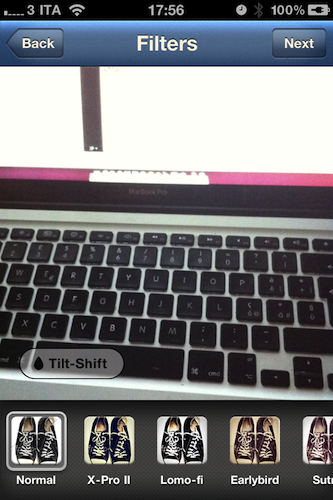
The new filter, Tilt-Shift, comes after several requests from users that were forced to apply this specific effect in other iPhone apps like Tiltshift Gen; now Instagram integrates the possibility to blur a portion of an image with a slider directly into its interface without leaving the app. All you have to do is pinch to adjust the orientation of the blur and focus area. Other filters got a speed bost as well and now feel much more responsive, especially on iOS 4.3.

The major new feature, however, is the News Feed that’s been redesign to include more activity from your friends. Together with follow and comment notifications, you can now see what your friends are doing, the comments they post, the photos they like and the people they start following, too. I’m not sure I like this News Feed as it brings a lot more social information into the stream and it might get annoying over time, but we’ll see. For now, it’s clear that Instagram is moving towards a more social approach besides the “simple app that takes photos” concept.

Upon taking a picture, you can also share it via email to your friends and family. I’m pretty sure this sharing option should also allow you to drop pictures onto your Dropbox using this service, and I’ll make sure to try it later. This is a welcome addition to the app. Last, you can tap & hold a username to initiate a reply – I don’t use Instagram much to reply to people but I guess the heavy Instagrammers out there will insanely love this option.

Instagram 1.5 is propagating now in the App Store; it’s available for free here. Check it out, it’s a nice update. More screenshots below.

Update: Associating a Send To Dropbox email address to Instagram won’t let you automatically save photos into your Dropbox. Just a text file with the email you shared.

Read more


Apple Could Sell 600,000 iPad 2’s This Weekend, Double The Original’s Launch Sales

Speaking with several industry analysts, Bloomberg has reported that Apple could sell 600,000 units as it debuts this weekend. One such analyst, Brian Marshall from Gleacher & Co predicts more than 500,000 sales which would be close to double the original iPad’s 300,000 sales in 24 hours. Apple released its iPad 2 for purchase on its online store in the early hours of today and already orders are backlogged for 2-3 weeks, whilst Apple’s 236 US retail stores and select others will also offer the iPad 2 from 5PM today. Meanwhile many other countries will get the iPad 2 later this month on March 25th.

The original iPad had massive success in sales, becoming the fastest selling product by revenue, reaping in $2 billion within three months, a feat that took the iPhone more than a year to achieve. Tim Bajarin said that “Apple has such a huge lead, competitors are going to be chasing Apple for many years” referring also to the fact that Apple’s competitors are only now releasing their first generation tablets in the coming months.

[Via Bloomberg]


iPad 2 Shipping Times Now Over 2-3 Weeks

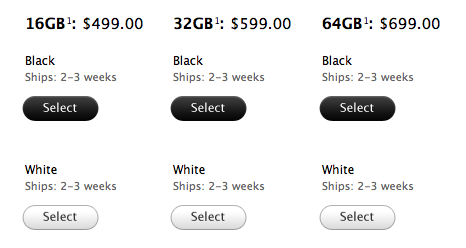
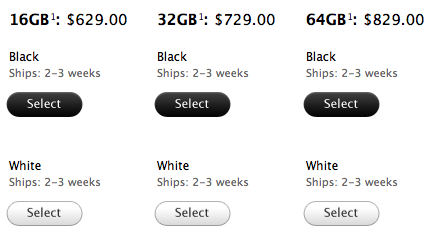
The iPad 2 went on sale through the Apple online store almost 5 hours ago and the shipping times have rapidly changed as people clicked the buy button to purchase the new device. Up to 5-7 business days from the initial 3-5 business days in less than 3 hours, the Apple Store now reports shipping times of 2-3 weeks.

Same applies for the WiFi + 3G models:

Are you getting an iPad 2 at your local Apple retail store today? Standing in line already? Send us pics: tips[at]macstories.net