Opera Follows The Canary and Releases “Next” Version

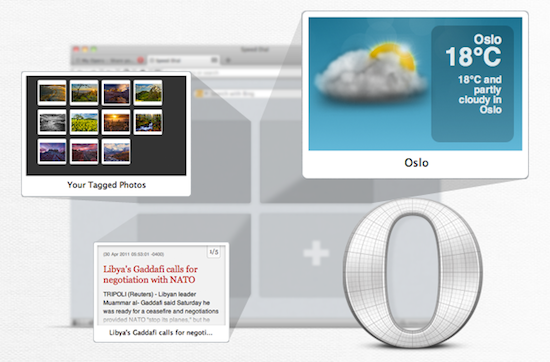
Looks like releasing unstable, buggy, developer-only versions of popular desktop browsers is a priority these days for the big players in the scene. Google started this trend with the Beta, Dev and (recently launched on the Mac, too) Canary Chrome channels; Mozilla followed earlier this year with Aurora, a new name for the old Minefield pre-beta version of Firefox; Opera has now entered the “developer-only, please report bugs” marketplace as well with Next, a new name for the internal dev builds that were never released to the public. Opera’s current Next version is dubbed 11.50 Swordfish which, alongside bug fixes and general improvements (as usual), adds a brand new plugin system for Speed Dials that will allow developers to build extensions for the browser’s popular start page – like live-updating weather widgets and other fancy toys. Opera Next, like Chrome Canary, has the huge advantage of letting you run it side-by-side with your existing Opera profile – the dev build is unstable, so you might not want to use it as your main browser. However, you can still sync the two using Opera Link.

Opera Next for OS X can be downloaded here.


“New and Innovative Features” Coming to iOS Maps App, According to Job Posting

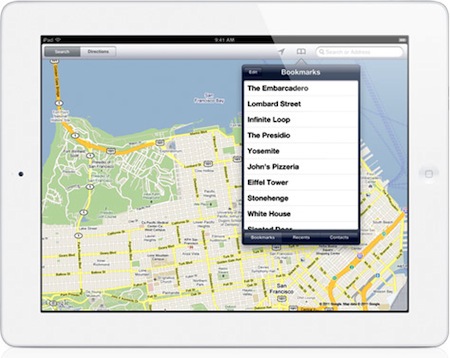
It’s no secret Apple is working on new functionalities for its iPhone and iPad Maps application to introduce in iOS 5, but a new job posting on Apple’s website seems to confirm that the focus for the next major version of Maps will a completely new user interface, and a series of “innovative features” that, supposedly, will dramatically change the look and feel of the app. Apple already emphasized in the past through other job postings that they were looking for engineers to bring Maps “to the next level” with deeper integration with navigation software, so it doesn’t come as a surprise that the team is still looking for new designers and developers to enhance the Maps experience.

Come work for the team that revolutionized the mobile technology industry as it continues to define what computing looks like in a post-PC era. The Maps team is looking for a proactive and hardworking software engineer to join our team. Along with excellent skills in object-oriented software design and programming, the successful candidate will have real-world experience developing sophisticated user interfaces. Excellent communication skills are also a must, as you will be collaborating closely with Apple’s peerless human interface team to add new and innovative features.

Whether the new version of Maps will be bundled with iOS 5 is still unknown at this point; Apple confirmed last week that they are currently working on an improved traffic service to launch in the next years, but several reports in the past indicated iOS 5 – coming out later this year, with a preview at the WWDC in June – would be heavily based on location, Maps, and other cloud-oriented features. Many even speculated Apple could leverage its own version of mapping software, thus ditching Google Maps, to build a new social location service to include in the new MobileMe / iCloud. Speculation about the new iOS Maps application is running wild lately, and the job postings from Apple do nothing but increase the amount of guesses and rumors we’re hearing on the subject. Seeing an improved Maps app in June wouldn’t surprise anyone, but it’s unclear how many of the new functionalities Apple is working on will be rolled out this year with iOS 5. [via 9to5mac]


Instagram 1.6.5 Gets More Tiltshift And It’s Faster

A new update to Instagram for iPhone was released a few minutes ago in the App Store, and it looks like Burbn’s main goal with this app really is to make sharing photos as fast as possible. Just as with the recent 1.6 update, Instagram’s performances have been improved to make the overall navigation faster, more responsive and less buggy when switching between sections. The difference is notable and makes resuming the app from the multitasking tray or tapping quickly on the bottom bar’s tabs a pleasure. The developers say the new Instagram also has “image quality improvements when choosing from library.” I usually don’t pick photos to share on Instagram from the iOS camera roll, but that’s a welcome addition nevertheless.

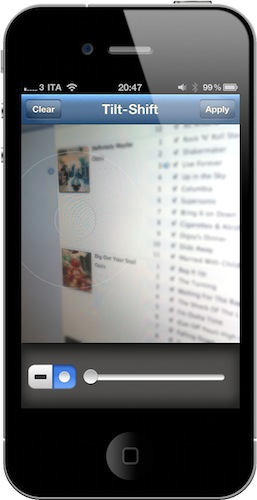
Instagram 1.6.5 also get a new filter – or, an expansion to the existing tiltshift mode. Alongside regular tiltshift introduced a few months ago, the developers added a “radial” variation that should come in handy when applying the effect to large objects or multiple ones in focus. You can download the latest Instagram update from the App Store.


Kickstarter: Dialoggs - A Better Communication Network

Yesterday we featured a unique Kickstarter project, Hive. Today we’re featuring the first type of browser-based Kickstarter Project we have featured on MacStories and it’s called Dialoggs by Drew Wilson, a popular designer/developer from California. Drew is best known for his Pictos icon sets and Valio, a web application development company. He also has a few new projects up his sleeve too, one being a Mac app called Screeny.

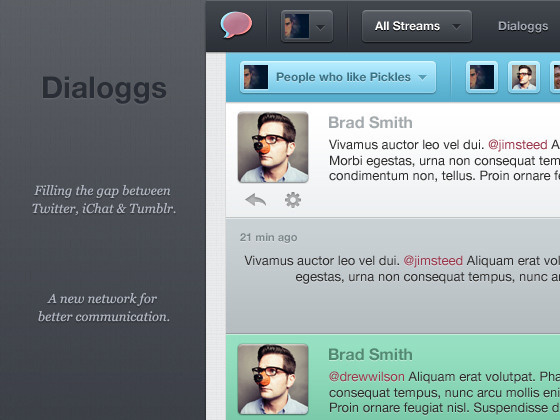
Dialoggs is set to be a new network for better communication, “filling the gap between Twitter, iChat and Tumblr” – it is NOT a client for any of the previously mentioned networks.

It’s realtime, has invites for open and private discussions, and all posts are saved and have their own page. You can attach media and code as well in each post. There’s even an option to “follow” and “unfollow” other Dialoggs users. Recommend users, browse others and “mention” people in posts like Twitter/Facebook; it’s more than just status updates, and it’s much more than a static blog with comments. Drew calls it “the best of both worlds. It’s realtime communication that is permanently stored and (optionally) publicly available.”

Video and screenshots after the break.

Read more


Hack Enables iPhone To Control Multiplayer Kinect Game

Singapore-based developer Rockmoon realized that there was a need for more iOS hacks that interacted with Microsoft’s Kinect controller, and created a game prototype that allows two players to steer a vehicle in a 3D environment on screen, and shoot the vehicle’s gatling gun the same time using a custom iPhone app. As noted by TUAW, the whole game shown in the demo video looks a lot like Sega’s old Sewer Shark, with one player handling the steering wheel with his arms and other movements (such as leaning back and forward) and the other hand taking care of the shooting. The setup looks pretty cool and we’ll never get tired of hacks and applications that enable functionalities and interactions otherwise unsupported by the platform, but really – an iPhone that connects to a Microsoft Kinect is something we won’t officially see anytime soon.

Still, it’s neat and it appears to be working quite smoothly. Check out the video below. Read more


Notificant Now Delivers Beautiful Reminders Across iPhone, Mac and Web

Released back in January on the Mac a few days after the Mac App Store grand opening, Notificant for Mac was a pretty sweet way to create reminders and timed notifications on the desktop, and have them always available thanks to the web app counterpart developers Caramel Cloud built. As the name of the company suggests, Notificant is a heavily cloud-oriented product: the Mac app is simple and unobtrusive in the way it lives in the menubar, but it leverages the power of the cloud and client sync to fire off notifications across computers and web browsers with incredible reliability and speed. And today, with the release of Notificant for iPhone, Caramel Cloud wants to extend the capabilities of the platform to the iPhone, delivering notifications anywhere, at any time.

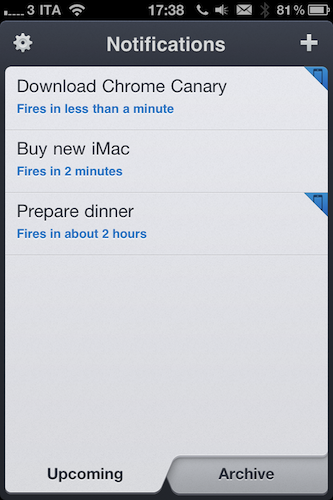
Notificant for iPhone follows the path traced by the Mac and web apps, offering users a clean and elegant interface to create and manage upcoming notifications. Once you log in with your Caramel Cloud account, you’ll be able to choose a custom sound effect in the settings, as well as decide to show an icon badge on the homescreen. The main screen is organized in two tabs: Archive lets you access past reminders and re-schedule them if you want to create a new notification off an old one, whilst the Upcoming tab lists all the notifications that you set and are about to fire off across the cloud to your registered computers and mobile devices. To add a new notification, you have to tap on the + button in the upper right corner. In this new screen, two other tabs allow you to set a delivery date and time; the text entry box at the top lets you write down details of your reminder, as well as shorten any link you’ve inserted. Similarly to Twitter, Notificant’s reminders have a limit of 160 characters (Twitter’s limit is 140). In my tests, I’ve found Notificant’s reminders created on the iPhone to be as reliable and precise as those added on the Mac and web app – which is great, as it means the system put in place by the developers is working correctly and doing its job throughout the cloud. A welcome addition to the iPhone app would be a refresh button in the main page to quickly remove notifications and check for new ones – of course, it’d also be great to have a native iPad app in the future. I’m sure Caramel Cloud is considering the option.

Notificant for iPhone makes reminders simple, and available anywhere. It’s simple, well-designed, and focused on one feature: enabling you to be notified of the things you care about. Get the app here. Read more


Firemint to be Acquired by EA

All of your favorite titles such as Real Racing and Flight Control are about to be snatched up by EA as independent mobile studio Firemint will be acquired by the game giant within the next four weeks. EA announced this morning that they’ll likely close the deal soon, but aren’t yet releasing any financial details on the acquisition.

“The Firemint team is remarkable for its critical and commercial success,” said Barry Cottle, Executive Vice President and General Manger of EA Interactive. “Having them as part of EAi will accelerate our position as worldwide leader in game development for mobile devices and online gaming platforms.”

The agreement follows EA’s recent acquisition of Mobile Post Production Inc. (MPP), the worldwide leader in high quality cross-platform development and porting of games for smartphones.

Firement recently released Real Racing 2 HD for iPad, delivering a 1080p racing experience straight to your television set via the Digital AV Adapter. Whether the trend of great mobile apps from the Firemint team at EA or elsewhere is unknown, but we sure hope the same great group of game developers can continue to deliver top notch experiences to the iPad outside of EA’s usual slew of cookie-cutter titles.

[via EA]


Fontcase 2.0: Rewriting The Rulebook On Typography

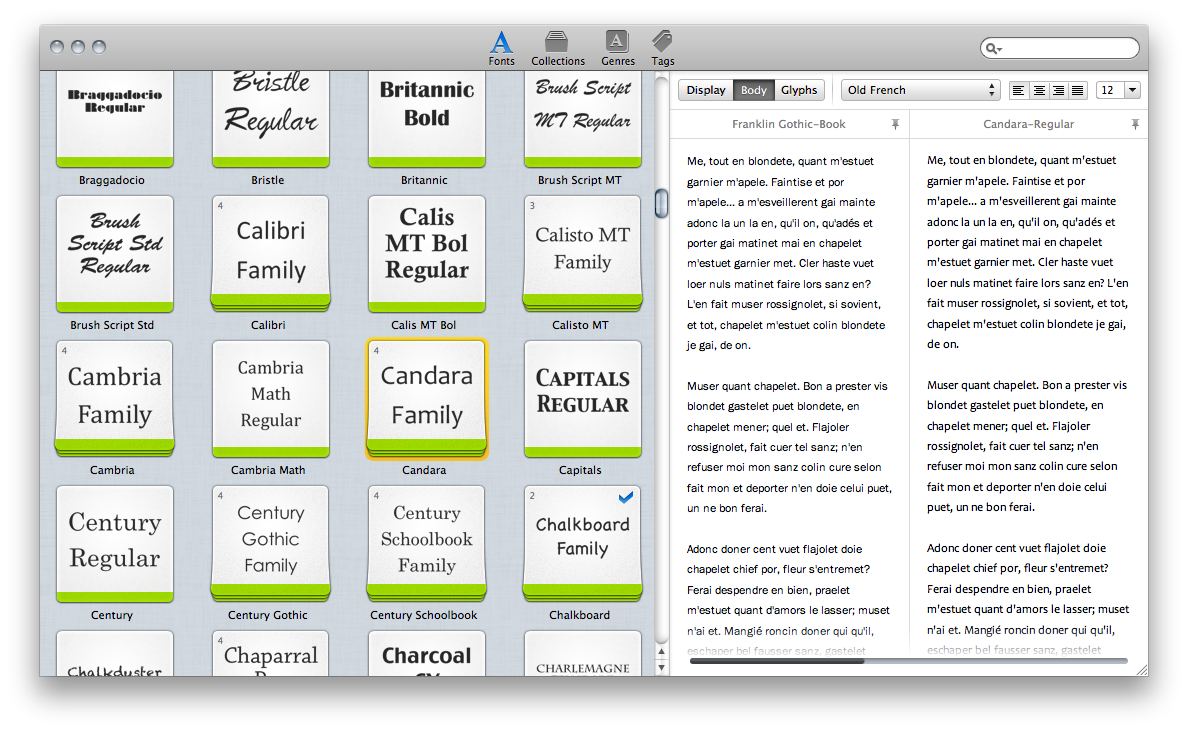
Fresh off the letterpress, Fontcase 2.0 succeeds its previous design with grace and elegance, wowing us like any great font would with a tailored design built for the 22nd century. Re-imaging the font case with the kind of class only a design built for Lion could brag about, comparing fonts underneath the new Fontcase hood embraces a simpler restyling with basic (yet intuitive) drag and drop finesse. Curate your fonts with the font manager that’s re-writing Apple’s Font Book into an interface anyone from the casual web developer to the mindful graphic designer can appreciate: the focus is always on previewing fonts, and never on extraneous UI or flashy features. There are, however, some delightful surprises waiting inside the second generation of this svelte, font briefcase.

Read more