This Week's Sponsor:

Hello Weather

Half Off for WWDC Week, Just in Time for Summer.


Prototypes Turns Mockups Into Tappable iPhone Demoes

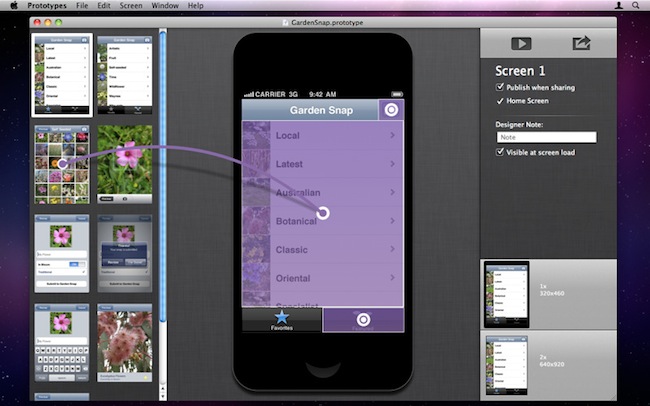
If you’re an iPhone developer, you know how long it takes to turn a mockup realized in Photoshop, Illustrator or Fireworks into a working app that can be tested to see if your idea is actually working on a device’s screen. Whilst an app screen may look good in Photoshop with its fancy graphics and menus you first sketched on your notebook, there’s always the risk that, once running on a real device with an actual multitouch display, your idea will simply suck. Prototypes, a new Mac app released today at $39.99, is a new tool for developers aimed at making the process of converting a mockup into a tappable and shareable application super-simple. Prototypes won’t magically turn your .png’s into Cocoa code, instead it will allow you to display these images on an iPhone or iPod touch screen, and allow users to tap around and get the idea of how an app works.

From Prototypes’ desktop view, developers can import image files and start building a new project. Once all the images are in, Prototypes offers the possibility to create connections and links between objects and pages, add tappable areas and establish dependencies between app menus and sections. What Prototypes basically does is simple: it takes all your app mockups you’ve created in Photoshop, bundles them up in a package, and takes care of including animations, transitions, hotspots, and more to give users the feeling that they’re using a real application while, in fact, they’re just tapping on “smart images” connected by links. It’s genius. Of course you won’t end up using an app on your phone – you’ll simply be running a bookmark saved from the web that’s nothing but a living mockup meant for testing purposes.

Prototypes also offers developers a way to share these mockups with users, their boss, or friends: by hosting a mockup on the free ptyp.es service, devs will be able to easily allow everyone to “install the app” using Mobile Safari and a special PIN code for extra security. You can try one of Prototypes smart mockups by heading over this link with your iPhone, saving the page on your Home screen, and entering 12345678 as PIN.

I think Prototypes is an incredible idea and a great time-saving utility for iOS developers that have been looking for ways to test a mockup without actually writing code. You can get the app here at $39.99.
Evernote Revamps Chrome Extension, Announces Developer Conference

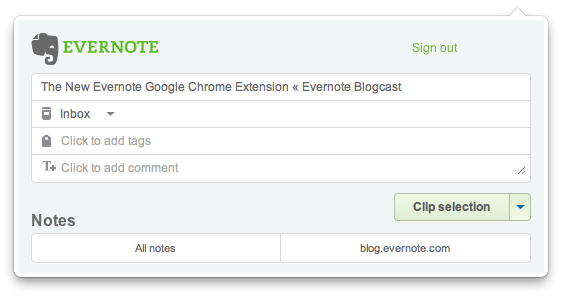
Evernote, the digital capture tool that allows you to save anything from the web and access it from a variety of devices and computers including iPhones and Macs, announced earlier today an updated version of the popular Chrome extension that, following the recent interface changes to the iPhone app, offers a more elegant way to clip content from webpages and have it synchronized with your Evernote account.

The new extension, available here, packs a whole new UI with slick buttons and text entry fields for quick tag and note input, but more importantly adds a new Article Clip feature that, with just one click on the browser’s toolbar, automatically selects the main content of an article to save it as full-text in Evernote. The extension worked perfectly with all the blogs I’ve visited today, and the new extension window makes it easy to edit the title, tags, notes and notebook. If you feel like you don’t want to clip the whole article, but only a portion, the extension is also capable of recognizing a selection and enable you to switch between that and the full article from a dropdown menu. The same menu is also being used to only clip a page’s direct URL, if you prefer to bookmark stuff, rather than archive it as a text document. Read more


QuickCal: A Simple iCal Add-On with Natural Language Input

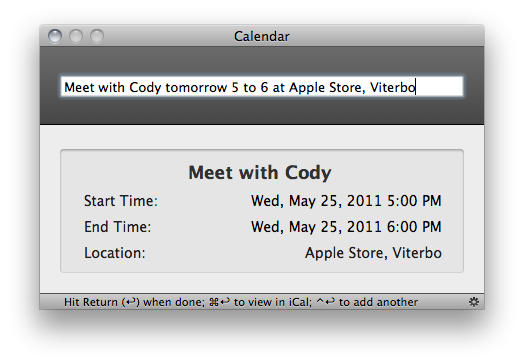
When I reviewed Fantastical, a new calendar utility by Flexibits that lives in the OS X menubar, I was impressed by the design of the app and the support for natural language input, a feature that allows you to write down your calendar events quickly using nothing but plain English – say you have a meeting tomorrow at your local coffee shop, with Fantastical you don’t need to click on checkboxes and date fields to get your new event set up. You can just write “meeting at coffee shop tomorrow at 5.30 PM”, and Fantastical will know how to handle it. After my Fantastical review, several readers pointed out in the comments and via Twitter that QuickCal, another calendar app that works from the menubar, does more or less the same things of Fantastical, only with a more simple and standard UI and at $0.99 in the Mac App Store, as opposed to Fantastical’s $14.99 introductory price. Because I’m a sucker for new software I love to play with and I care about my readers’ app recommendations, I decided to download QuickCal for Mac and take it for a spin. There’s also an iPhone version available, but after the break I will take a look at QuickCal for Mac – the review of the iPhone version will follow later this week.

Surprisingly, QuickCal works a lot like Fantastical. That is not to say the Fantastical developers “copied” the main features of QuickCal – I’m just surprised I didn’t know about this app before. QuickCal is indeed very similar to Fantastical in how it enables you to write down events using simple, plain English, and it’s got some additional functionalities that integrate the app with iCal, or directly with Google Calendar’s online interface. QuickCal is also fundamentally different from Fantastical in how it lets you start adding a new event, and the design of the event list in the menubar has a simpler look that, unlike Flexibits’ app, doesn’t embed a full monthly calendar, bur rather only shows upcoming events in a vertical list. Both apps have some features in common, but the implementation is ultimately different and exclusive to each one of them. Read more


Apple Promises OS X Update to Delete Mac Defender Malware

[image via]

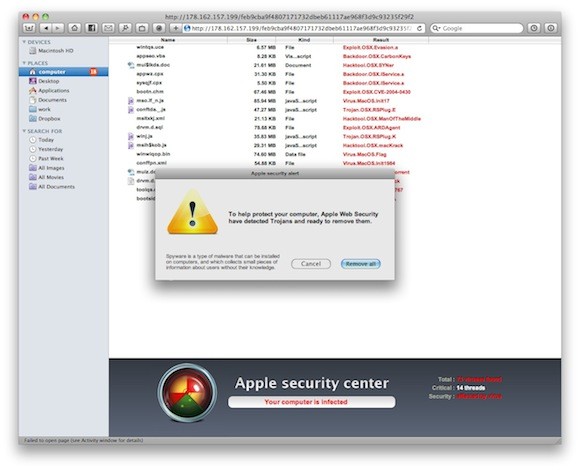
A new support document surfaced on Apple’s website today reveals the company will release a Mac OS X software update in the next few days (likely a security update) that will automatically find, block and remove the popular Mac Defender malware from infected OS X machines.

A recent phishing scam has targeted Mac users by redirecting them from legitimate websites to fake websites which tell them that their computer is infected with a virus. The user is then offered Mac Defender “anti-virus” software to solve the issue. This “anti-virus” software is malware (i.e. malicious software).  Its ultimate goal is to get the user’s credit card information which may be used for fraudulent purposes. The most common names for this malware are MacDefender, MacProtector and MacSecurity.

In the coming days, Apple will deliver a Mac OS X software update that will automatically find and remove Mac Defender malware and its known variants.  The update will also help protect users by providing an explicit warning if they download this malware.

Whilst an internal AppleCare document leaked last week suggested Apple was telling employees not to remove the Mac Defender malware from users’ computers (also telling the same employees to redirect users to the Mac App Store to find proper antivirus software), it appears the company is taking the necessary steps to make sure Mac Defender won’t spread even further – they’re also offering in the same support document updated today a handy removal guide to manually find and delete the malicious application. Mac Defender began spreading quickly in early May, when hundreds of users reported online they discovered a malware-scanning utility on their computers that they did not want to have installed. It turned out Mac Defender still required a manual installation to be activated, though downloads effectively happened without a user’s consent when visiting certain webpages, often linked on Google Image Search. [via]


Daedalus Touch for iPad

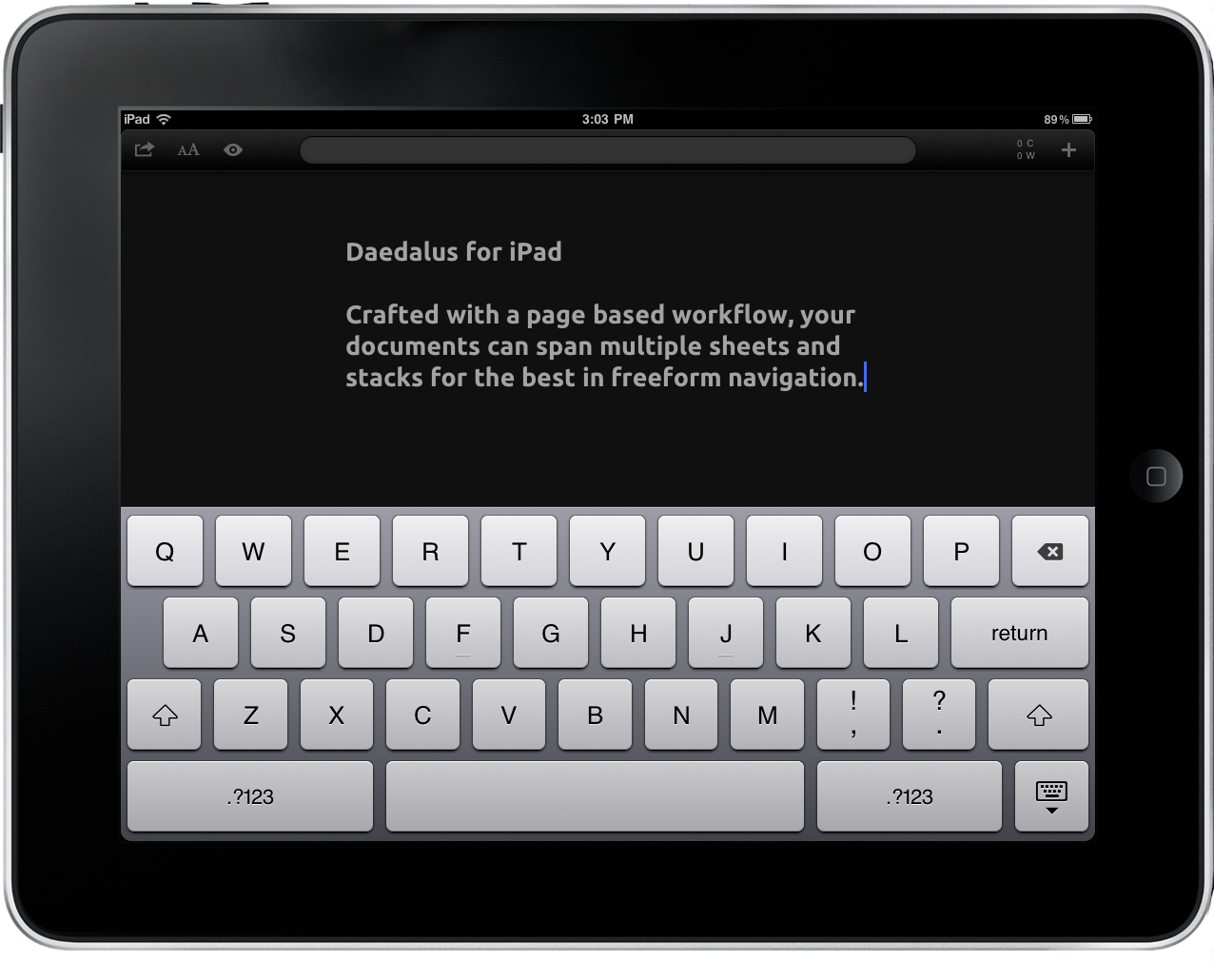
I’ve started to shy away from the bulk of text editors that hit my inbox since few bring something different to the table. There’s only so many ways you can rewrite a text editor, and while I’d love to cover everything the ones I really want to showcase have to offer something truly unique for me to sit down and crank out a review in TextMate. It’s terribly difficult to find something that stands out, but I think those disappointed with the App Store’s current offering may find something of interest here. Daedalus Touch for the iPad is different in part because of how it allows you manipulate documents in a hybrid stack & coverflow style that takes advantage of gestures, and not lists, to organize your ideas. There are no lists or hierarchy of folders, but rather stacks of sheets that contain your text. Of course it has Dropbox and TextExpander support (a must nowadays), which means you don’t have an excuse not to check Daedalus past the break.

Read more


Kickstarter Project: SoundJaw - An iPad Sound Booster

Here’s a simple yet great idea over on Kickstarter for an iPad accessory - the SoundJaw, by Matthew McLachlan. It’s an iPad accessory that redirects sound, giving it a louder and richer tone (all without batteries). It makes an incredible difference according to Matthew. The SoundJaw is very portable, so you can keep in your pocket when not using it. He also says that it makes the biggest difference when you are outside or somewhere with a lot of background noise.

Besides sound quality, he also wanted it to compliment the slimness of the iPad with a slim accessory. The SoundJaw works with the iPad in either landscape or portrait mode, no interference with your hands. It also works with a Smart Cover as well. Matthew even says that a future, more flexible version will also work with an iPhone 4, truly making the SoundJaw a universal accessory.

Promo video after the break. Read more


Apple Updates Logic Pro, Logic Express and Adds GarageBand for iPad Import

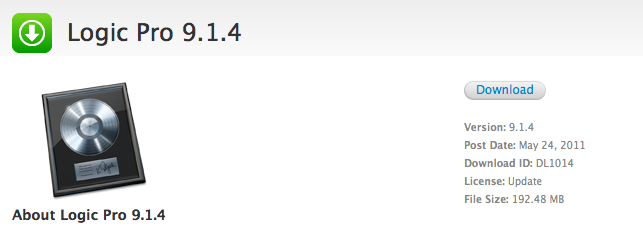
Apple updated Logic Express and Logic Pro to version 9.1.4 a few minutes ago, improving overall stability of the apps and fixing issues reported in the previous versions. More importantly, the updates bring compatibility with GarageBand for iPad, allowing users to import GarageBand projects into Logic Express and Logic Pro.

Changelogs below:

Logic Pro 9.1.4

This update improves overall stability and addresses a number of minor issues, including the following:

  • Support for opening projects imported from GarageBand for iPad.

Logic Express 9.1.4

This update improves overall stability and addresses a number of minor issues, including the following:

  • Support for opening projects imported from GarageBand for iPad.

The new versions can be downloaded on Apple’s website, or the Software Update panel. Full list of detailed changes available here (Logic Pro) and here (Logic Express).


Rent A Car From “Real People” Using An iPhone App

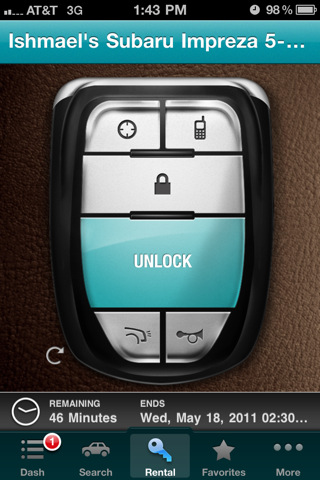
Getaround, a peer-to-peer car rental marketplace that allows you to rent a car in your neighborhood from “real people”, is launching publicly today with an iPhone app available in the App Store for free. Just like popular service AirBnB allows you to find places to stay using an app on your iPhone, Getaround lets you rent cars by day or week from actual people who are also using the service, and not car rental services that force you to pick up a car in a single location. By integrating with Google Maps and thanks to full backing from a car insurance company, Getaround lets you immediately see on your phone which cars are available and where, who’s renting them and for how long / at which rate they’re available. Furthermore, the company has also started shipping the Getaround CarKit, a device that once installed on a car will allow to unlock it without a key, only using your iPhone and a virtual “key” interface that also shows the name of the person that has agreed to share his car.

This idea of renting cars using mobile apps and web interfaces is nothing new, but Getaround’s implementation looks impressive: not only they’re building a community to help you discover people that might share your common interests, Getaround actually helps you get a car with full insurance and a kit that doesn’t need any key in your pockets. For those who decide to share their car (Getaround says most cars in the US stay sit idle for 22 hours a day on average), this service will help them earn some dollars each month, and even “review and rate” the person who took their car thanks to a full-featured community website.

TechCrunch reports a statement from co-founder Jessica Scorpio:

Getaround gives people more choices, going far beyond traditional rentals to provide more local and affordable alternatives. We’ve also found that our members like the “community building” aspect, where Getaround connects them with people who share similar values and interests. As an added benefit, we help people protect the environment by sharing resources, taking unneeded cars off the road and reducing traffic and auto emissions through better planning.

Users can sign up to Getaround for free, and the whole service is completely free to use unless you consider the 40% commission they’re taking off a successful rental. Getaround is rolling out today in the US starting with San Francisco, San Diego and other cities where “the most demand is”, though they have already announced they obviously plan to move outside the US in the future and offer mobile apps on other platforms.