iPhone 4S Pre-Orders Go Live For October 28th Launch Countries

As the iPhone 4S nears its international rollout in 22 more countries on October 28th, it appears Apple has opened up online pre-orders, allowing customers to buy an iPhone 4S one week ahead of its scheduled launch next week.

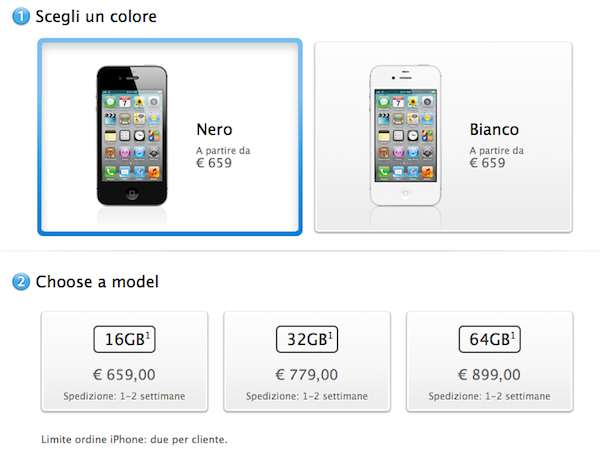
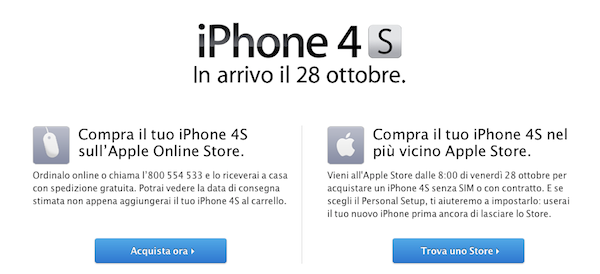
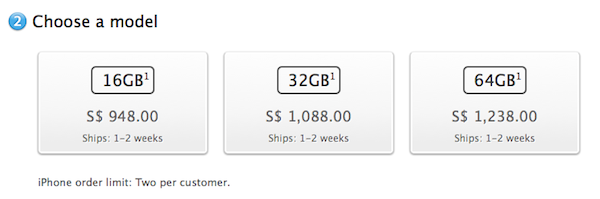
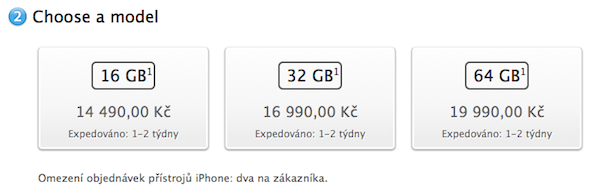
In the 22 countries that will get the iPhone 4S on Friday, October 28th (Austria, Belgium, Czech Republic, Denmark, Estonia, Finland, Hungary, Ireland, Italy, Latvia, Liechtenstein, Lithuania, Luxembourg, Mexico, Netherlands, Norway, Singapore, Slovakia, Slovenia, Spain, Sweden and Switzerland), the Apple Online Store has been updated with a new ordering page to buy an iPhone 4S today, and get estimated delivery dates when the item “is added to your cart”. This morning, all the international Apple Stores report shipments of 1-2 weeks, and we’re hearing customers who pre-ordered an unlocked iPhone 4S in Italy are already receiving emails with estimated delivery between November 3-November 9. We have checked in Netherlands, Luxembourg, Mexico, Singapore, Spain and Czech Republic, and iPhone 4S shipping times are currently set to 1-2 weeks (not a surprise, considering Apple will have to save some stock for its Apple retail stores).

Landing pages on the Italian Apple Store

Singapore

Czech Republic

In spite of October 28th being exactly one week away, it seems Apple isn’t currently guaranteeing an October 28th delivery date for online pre-orders.

Italian website Meladvice [Google Translation] notes that pre-orders came as a surprise, as Apple’s customers support allegedly told them earlier this week pre-orders wouldn’t be launched in Italy. Unlocked iPhone 4S pricing in Italy is set at €659 for the 16 GB model, €779 for 32 GB and €899 for thr 64 GB iPhone 4S. Also in Italy, iPhone 4 carriers Tre, Tim and Vodafone have confirmed that they will sell the iPhone 4S once it’s available.

Apple launched iPhone 4S pre-orders in the initial 7 launch countries on October 7th, one week ahead of the October 14th launch. The company then reported 1 million pre-orders in 24 hours, and over 4 million sales in the first weekend.


Apple Showcases the Possibilities of Siri with a New iPhone 4S Ad

iPhone 4S Siri

iPhone 4S Siri

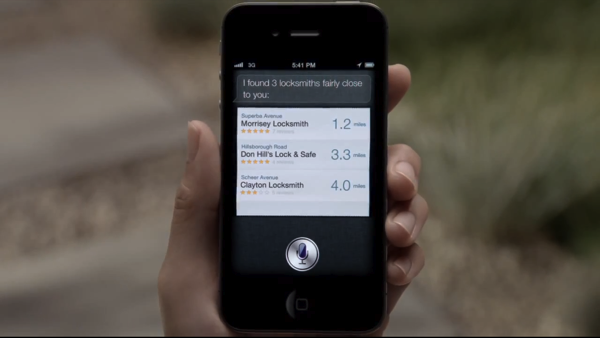
The defining feature of the iPhone 4S would certainly find its way to an Apple advertisement soon enough. Siri has captivated the Internet with its human-like attitude, vast knowledge of cultural geek references, and its continued refusal for your hand in marriage. However, our fun in outsmarting the voice assistant is trumped by actual real life use cases. Flat tires, bowties, meetings, and locking yourself out of your home? All are subjects of Apple’s debut ad for the iPhone 4S (catch it after the break).

Read more


Media Organizations Reveal More Excerpts From The Steve Jobs Biography

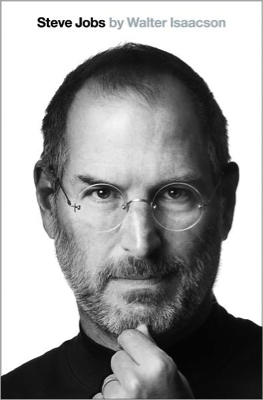
In just a few days time, on Monday next week, the much anticipated biography of Steve Jobs will be released - today a number of media organisations were given advance copies of the book and have now shared some details about the book and what Jobs reveals about himself. Both The New York Times and the Associated Press start off their articles by discussing an excerpt from the book in which Jobs reveals that he delayed surgery for nine months after discovering he had a neurendocrine tumour. It’s a relatively rare form of pancreatic cancer that typically grows more slowly and is generally more treatable. Jobs delayed the treatment in favour of alternative methods from a vegan diet to acupuncture and even visited a psychic before deciding to have surgery in July 2004.

Isaacson, quoting Jobs, writes in the book: “`I really didn’t want them to open up my body, so I tried to see if a few other things would work,’ he told me years later with a hint of regret.

The book covers a wide variety of topics from Jobs’ life from his personal relationships, work at Apple, relationships with competitors such as Bill Gates and Eric Schmidt amongst many other topics. In its article, the AP reveals details about a section of the book which describes “the unravelling of Jobs’ relationship with Eric Schmidt”. Jobs was apparently furious when HTC released a phone in January 2010 that contained many of the popular features of the iPhone. He believed that Google’s actions amounted to “grand theft” and as a result Apple sued.

I will spend my last dying breath if I need to, and I will spend every penny of Apple’s $40 billion in the bank, to right this wrong,” Jobs said. “I’m going to destroy Android, because it’s a stolen product. I’m willing to go thermonuclear war on this.

The New York Times also includes a more interesting detail about how Jobs’ attention to detail extended to nearly everything, from planning and approving every detail in his medical treatment to a luxury yacht he began designing in 2009. The boat isn’t yet finished but in a style reminiscent of Apple Stores across the world, its sleek and minimalist and features 40-foot-long glass walls.

Fascinatingly the Huffington Post writes that in the biography, Jobs reveals that he had offered to design political ads for President Obama’s 2012 re-election campaign - despite being “highly critical” of the administration’s policies. In a meeting with Obama in the fall of 2010, Jobs told him that “you’re headed for a one-term presidency”, insisting the president be more business friendly. Jobs gave the example of high regulations and unnecessary costs of opening up a factory in the US compared to China.

Jobs later told the author that he wanted to do for Obama what the legendary “morning in America” ads did for Ronald Reagan.

You can read more about the biography from the full New York Times or Associated Press articles and you can pre-order the book from Amazon, iBookstore and many other places. The full biography is released on Monday next week.

[Via The New York Times, Associated Press, Huffington Post]


Kickstarter Project: MobileMount - Mount & Kickstand for iPhone and iPad

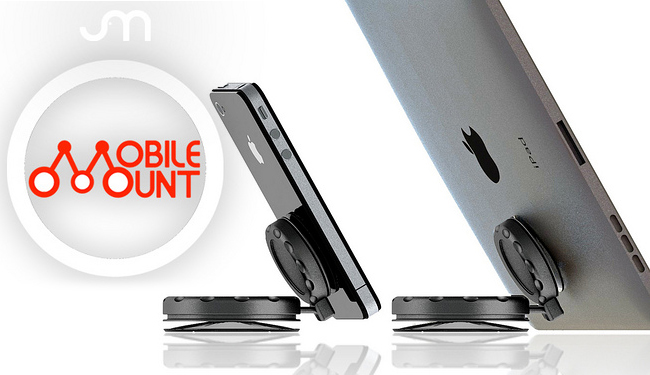
There’s a new iPhone mount making some headlines today called the MobileMount. It’s a suction cup mount and kickstand for phones and tablets. JR Sanchez of J & M Company has produced a universal mount/kickstand, called the MobileMount, for most handheld devices with a flat surface such as iPhones and iPads.

The MobileMount is made of two twist-to-lock suction cups and a ball joint making it durable and safe. The twist-to-lock suction method can “hold devices for weeks at a time rather than simply a few hours like other competing mounts.” So why is this “twist-to-lock” method so much better? J & M says that the suction cups squeeze out most of the air when they are in the locked position creating a much stronger vacuum. Videos after the break. Read more

#MacStoriesDeals - Thursday

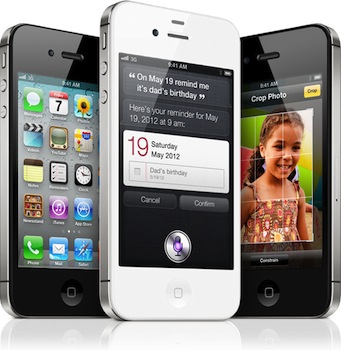
If you have a new iPhone 4S (or any model), why not buy some great apps at great prices? Here are today’s @MacStoriesDeals on iOS, Mac, and Mac App Store apps that are on sale for a limited time, so get them before they end!

Read more


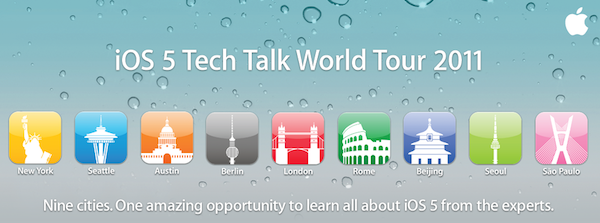
Apple Announces iOS 5 Tech Talk World Tour 2011

Earlier this year, Apple was rumored to be considering a new edition of the Tech Talk World Tour, a series of developer-focused events in different cities to provide developers with additional sessions, trainings and answers to common questions outside of the typical WWDC environment. Apple has just announced the new iOS 5 Tech Talk World Tour, which will take place in nine cities this year:

We’re taking iOS 5 on a world tour and we want you to come along for the ride. Learn from Apple experts as you take your apps to the next level with the exciting new technologies in iOS. Space is limited, so register today.

The Tech Talk World Tour will start in November, and run through the end of January. The nine cities that will host the event are:

  • Berlin - November 2
  • London - November 7
  • Rome - November 9
  • Beijing - December 5
  • Seoul - December 8
  • Sao Paolo - January 9
  • New York City - January 13
  • Seattle - January 18
  • Austin - January 23

As Apple notes, all iOS Developer Program members are eligible to attend, however priority will be given to developers with at least an app available on the App Store. Tech Talk World Tour sessions are “highly technical”, Apple explains, as a team of expert will travel around the world covering advanced coding and design techniques that developers can implement in their apps.

Tech Talk is free and developers can register with their existing Dev account, however they can’t bring guests as registration is limited to those who got a confirmation email from Apple. Each Tech Talk will share the same agenda and sessions listed on Apple’s website, and developers can’t register for more than one city as Apple wants “to give as many developers as possible the opportunity to attend a Tech Talk”. Apple also states that pre-release software may be covered at Tech Talk, so developers will have to follow the iOS Developer Program License Agreement and Registered Apple Developer Agreement to not share confidential information.

Topics that will be covered in each Tech Talk session include iPhone and iPad User Interface Design, AirPlay, UIKit, Turn-Based Gaming with Game Center, AV Foundation, Core Image and Newsstand apps. Developers can register for Tech Talk World Tour 2011 on Apple’s official page for the event.


AT&T Activates More Than 1 Million iPhone 4S’ And Saw Strong Sales Of The iPhone In Q3

AT&T’s earnings call for the last quarter is on today and they’ve revealed that last quarter they sold 2.7 million iPhones out of a total share of 17.07 million iPhones that Apple sold over the same period. Unsurprisingly however, other non-iPhone, smartphones have become increasingly popular for AT&T with activation of 2.1 million such devices. iPhone activations were down significantly from the previous quarter in which they activated 3.6 million iPhones - although keep in mind that Apple also saw a decline in iPhone sales this quarter.

At the earnings call AT&T also noted that they had activated more than 1 million iPhone 4S’ as of Tuesday this week, making it AT&T’s most successful launch. For comparison, Sprint saw 200,000 pre-orders on the iPhone 4S launch day. Verizon has yet to reveal specific numbers for iPhone 4S sales, but have said they were very pleased with the reception.

[Via ZDNet, BGR]


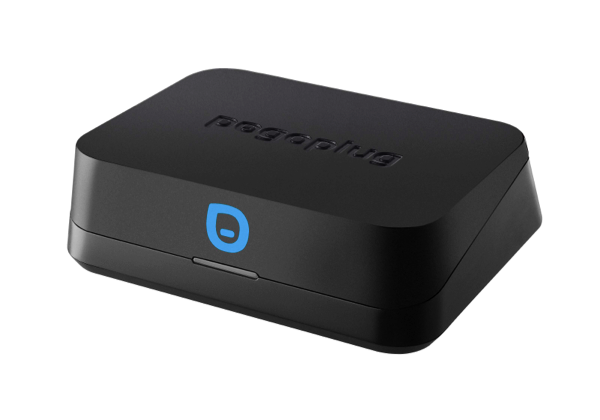
Pogoplug Mobile: Cloud Free Media Streaming for iPhones, iPads, and Androids

Pogoplug Mobile takes aim at cloud streaming services that charge monthly or yearly fees for serving up streaming media, such as Amazon’s Cloud Drive & Cloud Player and iTunes Match. While Amazon has been pretty generous in giving you lots of free storage right off the bat, and iTunes Match will only cost $25 a year once it launches, Pogoplug Mobile takes your entire media library and makes it accessible through the Internet for a one time fee of $79. While the upfront charge could save you money in the longrun, you still need the upstream bandwidth and a media library stored on an external hard drive or SD memory to take advantage of its streaming capabilities.

The downside to Pogoplug Mobile is that you’ll have to use Pogoplug’s proprietary media library apps on your iPhone and iPad, meaning you won’t have music synced to their default locations as you’d have with iTunes in the Cloud. The upside, however, is that you’ll have access to your entire media library including music, movies, and pictures without having to store that content locally. Media access doesn’t necessarily require a mobile device either — Pogoplug will make available your entire library from the web if you log on from an office or campus computer. Provided you own lots of content not available in the iTunes Store, Pogoplug Mobile might be a great alternative if you want to free all of your indie artists from your home network.

Pogoplug Mobile is currently available for $79 in the United States and on pre-order for €59.99 in Europe.


The Early Edition 2 Review

When the original iPad came out last year, it was immediately clear the device would be great for reading. As I outlined in my Instapaper 4.0 review, those who followed the launch of the device in April 2010 may recall that there was little doubt the iPad was going to change our reading habits: from the comfort of a couch or during a daily commute, the iPad’s bigger screen would provide a better alternative to web articles, RSS  feeds and eBooks than the iPhone’s 3.5-inch display. How reading was meant to be changed and enhanced, exactly, wasn’t really clear from the start.

The following months saw the rise of “social magazines” like Flipboard and Zite, a plethora of RSS apps – most of them abandoned now – and variations on the theme of “visual news” that would see developers building apps with a unique, at least initially, spin on the classic visualization of headlines. Among the pioneers of “iPad reading” was Glasshouse Apps, makers of some fine software for iOS devices like Barista and Gift Plan. Last year, Glasshouse Apps released The Early Edition, possibly the first popular app to take on the concept of RSS feeds rendered as a newspaper on the iPad’s screen. Whilst many would later try to copy Flipboard and come up with similar ways to build “social magazines” off your Twitter and Facebook streams, I remember The Early Edition was among the first apps to deliver a fresh RSS experience that turned RSS items into visually-appealing headlines with page layouts, subtitles, bold headlines and summaries. The Early Edition was capable of importing feeds from your Google Reader account and manually managing them inside the app, but it couldn’t sync with Google’s RSS service. The fact that, without any major feature or UI updates, The Early Edition is still in the Top Paid iPad News chart as of this morning is telling of the app’s quality. Overall, The Early Edition was a nice way to read RSS feeds in a different format; perhaps it was overshadowed by Flipboard (which also gained Google Reader capabilities later on), but it’s still a fine piece of software.

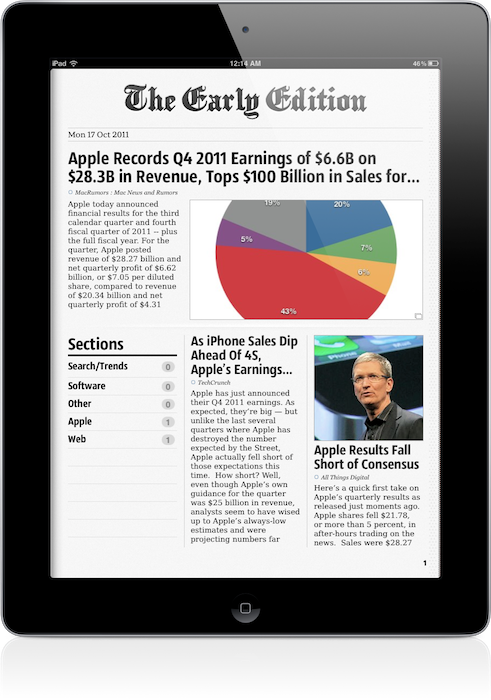
The Early Edition 2, released today as a separate app, improves on every aspect of the original application. The interface has been redesigned, the sharing menu completely rebuilt; the app can now sync back to Google Reader (while still offering you an option to manually manage feeds out of Google’s system) and it’s incredibly fun to use, as before.

One of the big advantages of TEE 1 over its many competitors, in fact, was that it was fun. As the iPad as a platform, TEE relied heavily on swipes and taps to let you navigate between articles and sites, with beautifully crafted graphical elements and page turning animations to help convey the feeling of a “real” newspaper on your iPad. The Early Edition 2 builds on the skeuomorphic guidance of the previous version: the sharing menu is a yellow envelope you send out to the world; a wooden background adorns the newspaper’s pages and columns and becomes your coffee table as the newspaper rolls back, revealing its sections. Pages turn faster, and the new Featured Feeds section resembles a newsstand you’d pick your favorite newspaper from while holding your morning coffee on the way to work. Even the Clippings section – the one that holds your “favorite” (starred) items – has been designed as an inbox that sits on your desk, right below your personal newspaper.

Some might say that The Early Edition 2 is over-designed and that it’s blindly following Apple’s trend towards real-life interfaces with textures and materials and physical metaphors – but I like it. Unlike, say, Lion’s iCal or Address Book, I think The Early Edition’s design is functional to what the app does and, ultimately, it’s got personality.

An obvious feature of digital newspapers is that, unlike physical ones, you can customize them. In The Early Edition 2, you can browse All feeds, Unread ones and Today’s only, and note that if Google Reader sync is active, unread items will change their status on all your connected Reader clients, such as Reeder for Mac or Mr. Reader for iPad. In this regard, The Early Edition has proved to have reliable sync: as soon as I scrolled past an article, that was marked as read and changes were synced back to the cloud. Sync is relatively fast, but the app will need a few extra seconds to “assemble your newspaper”, which includes deciding to preload pictures, finding Trending Words in article, and picking a position for Favorite items (which you can choose to display in the newspaper’s Front Page). Search and Trending words in particular provide a nice way to quickly skim through a freshly built newspaper, see what’s most talked about in your sections, or simply find something specific you’re looking for (you can save searches for future usage as well). Another way to customize the newspaper is to browse recent items from single sources: from the Feeds sidebar, the app will let you tap on a website to read its latest entries, but this screen won’t share the same interface design of the “regular” newspaper. It is, however, a nice option to have. You can filter feeds or browse by section, too.

Article reading view has been redesigned from version 1.0. Typographic choices look better on the eye, and the overall page design feels cleaner and more elegant. The app will fetch article information such as publishing date, author and website’s name when refreshing feeds, and as you read an article the page “disappears” underneath the main header – it’s a very nice effect. Along the top of the page, there are buttons to open an article’s web view, share it, increase font size, and email the link or open it in Safari. The reading view is extremely simple, and you can swipe between pages without going back to the main newspaper view.

The Early Edition 2 has also been enhanced with gestures to simplify navigation and provide quick access to often-used sections. Besides swiping to turn pages and navigating image galleries, you can swipe with two fingers to reveal the Browse sidebar, or swipe with three fingers horizontally to skip a section you don’t want to read. A rotate gesture with two fingers gives you access to the Featured Feeds at any time, whilst the Clippings can be accessed with a swipe up from the main view. The app offers a quick recap of available gestures through the Help menu in the toolbar (which you can reveal by swiping down), and I believe that if you’re going to spend a lot of time reading in TEE, gestures will make you save a lot taps (and thus, precious seconds).

Other miscellaneous notes about The Early Edition 2:

  • You can subscribe to feeds, manage your subscriptions, reorder items, and move them around between Google Reader folders
  • Font size controls
  • Hardware brightness controls
  • Double-tap images to enter gallery view (perfect for photography and design blogs)
  • You can “star” items and mark them as unread on Google Reader
  • You can customize Google Reader sync and how items are marked as read
  • OPML import

Overall, The Early Edition 2 is a good app – but the question is, why would you use this over your regular RSS reader or Flipboard? I think there are a few aspects to consider before dismissing The Early Edition or quickly hitting the Buy button. First, unlike Flipboard, The Early Edition bets heavily on the concept of “digital newspaper delivered to you every morning”, whilst Flipboard is more of a social-media powerhouse with support for Twitter, Facebook, Instagram and Google Reader items all displayed through a “magazine view”. Whereas Flipboard is deeply social both in the way it gets content and allows you to share it, The Early Edition feels to me more like an app you’d use once a day to read what’s new and relevant in the feeds you curate. Flipboard, too, enables you to subscribe to sections and feeds, but clearly its focus is on items shared by your friends, displayed through a better view than a web browser. And this is where the difference between The Early Edition and a regular Google Reader client kicks in: assuming that you’re an RSS “geek” with at least 50 subscriptions and hundreds of unread items per day, The Early Edition 2 positions itself as a nice way to read, and not skim, articles from your sources. I don’t know about you, but I use my main Google Reader clients to see what’s up, and other apps to read the good stuff that I missed while I was skimming through. With dynamic page layouts, The Early Edition 2 is also smarter than a normal RSS client, as it’s got an algorithm that decides which stories are more important than others and how they should be displayed. So here’s a first difference between the digital newspaper and a list of unread items. But the opposite is also true: what if you only subscribe to a few feeds, and you get your news via Twitter all day? In that case, you’re likely to use a Twitter client or, again, Flipboard. But when it’s time to read those few feeds, why use a client (which I believe is normally meant for heavy RSS users) when you can have a beautiful app like The Early Edition deliver them for you? It’s an interesting scenario that once again proves how the selection of iPad apps for reading web articles is changing our reading habits and empowering us to choose how we read. There’s one more possible usage scenario: assuming you use your “social magazine” for your “social news” and you don’t have a Google Reader account or even know what RSS is, The Early Edition’s standalone mode (no sync, no Google Reader integration) offers another way to manage the websites you like, not the ones recommended by your friends.

I believe RSS clients and apps like Flipboard and The Early Edition can coexist, but it depends on how you choose to read your news and feeds you care about. The Early Edition 2 is a beautifully designed app, which takes advantage of iOS 5 and nicely integrates with Google Reader.

The Early Edition 2 is propagating in the App Store right now. You will find the app here. Check out a gallery of screenshots and a promo video after the break. Read more