.Mail is Coming To Your Dock

Remember Tobias van Schneider’s redesign of the classic email client? It’s happening.

.Mail’s main features include:

  • Actionsteps, which lets you prioritize mail without abusing favorites, flags, or labels in a typical email client.
  • Centralized attachments, putting email attachements in one easy to find place for recollection.
  • Integrated notifications, which removes the clutter of everyday emails like Facebook updates or Amazon receipts by filtering them into clever notification icons.
  • Personalized messages, showing pictures of your friends and company branding alongside the email’s subject line.

You can sign up to know when .Mail (pronounced ‘dot mail’) is ready by visiting dotmailapp.com, or by following Tobias on Twitter at @schneidertobias.


A History of Skeuomorphism In Apple Interfaces

A History of Skeuomorphism In Apple Interfaces

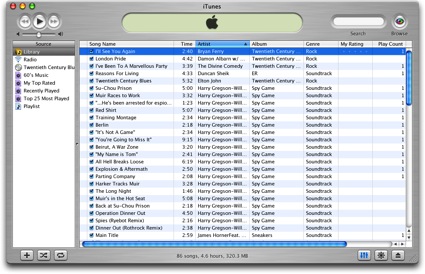
Thomas Brand has published a detailed overview of Apple’s past skeuomorphic designs in applications for classic Mac OS and OS X. As he notes, the trend towards designing apps that resemble real-life objects didn’t start with iOS at all.

As time progressed, the Aqua interface has evolved to reflect the changes in Apple hardware. Gone are the over the top transparencies, deep drop shadows, and distracting pinstripes. Subtle grays, mute reflections, and soft gradients now fill the retina displays of Apple’s latest portables. Some might say that Aqua is not a skeuomorphic interface because it does not resemble a specific real world object. To them I say Aqua is a mirror reflecting back the design decisions that have made Apple’s hardware so appealing over the last 10 years.

In his article, Thomas mentions old software such as Sherlock, the Appearance Manager of Mac OS 8, Apple CD Audio Player, and the Classic Calculator that Steve Jobs famously designed himself with a “build your own” kit created by a former Apple engineer. iOS may not have reinvented skeuomorphism in software per sè, but it surely gave this way of designing apps a whole new meaning and set of interactions thanks to screen constraints and multi-touch.

Check out Egg Freckles’ article for the full list of apps that influenced Apple’s skeuomorphic interfaces.

Image via TUAW

Permalink

Mountain Lion: Game Center

A key part of iOS gaming since it debuted with iOS 4, Game Center has finally come to OS X with Mountain Lion and effectively replicates the social gaming experience we have come to know and enjoy on our iOS devices. In Mountain Lion, players can now access their existing Game Center accounts through the new Game Center app, giving them complete access to all their achievements, leaderboards, friends, and statistics across all of Apple’s platforms. Read more


Pages, Numbers, Keynote and iTunes U Receive Small Improvements for iCloud and Sharing

While Apple might seem busy releasing a brand new operating system and compatibility updates for their apps on the Mac App Store, that doesn’t mean apps on iOS haven’t been ignored. Pages, Numbers, Keynote, and iTunes U are all receiving small updates that improve compatibility with iCloud, and in iTunes U’s case, adds a way to share your favorite courses with friends through Twitter, Mail, and Messages.

Pages 1.6.1, Numbers 1.6.1, and Keynote 1.6.1

Pages, Numbers, and Keynote have received simple updates that improve compatibility with iCloud for instant document syncing. Document syncing requires Pages 4.2, Numbers 2.2, and Keynote 5.2 respectively on OS X Mountain Lion.

iTunes U 1.2

Sharing courses isn’t the only new feature — iTunes U 1.2 also adds the ability to search within posts, assignments, notes, and materials from the improved search feature from any subscribed course.

You can download the update for Pages, Numbers, Keynote, and iTunes U for iOS from the App Store.


Xcode 4.4 Now Available in the Mac App Store, Enhanced for the MacBook Pro with Retina Display

While developers are likely already running the latest and greatest from Apple’s Mac Dev Center to take advantage of iOS 6 beta and Mountain Lion beta SDKs, everyone else who is learning about development, building for fun, or simply wants a stable version of Xcode can find the latest release in the Mac App Store. Updated to take advantage of the MacBook Pro with Retina display, Xcode 4.4 also includes OS X 10.8 SDKs in concert with the release of Mountain Lion earlier this morning. (Later versions of Xcode 4.3 already offered support for iOS 5.1). Xcode 4.4 requires the latest version of Lion, 10.7.4, or Mountain Lion 10.8 to run.

Xcode 4.4 Release Notes from the Mac App Store

Included in Xcode 4.4:

• SDKs for OS X 10.8 Mountain Lion and iOS 5.1.
• Enhanced for the MacBook Pro with Retina display.
• Code completion persists your selections to give more accurate suggestions.
• Objective-C @synthesize command is generated by default when using properties.
• Objective-C adds literal syntax for numbers, arrays, dictionaries, and expressions when developing for OS X.
• Apple LLVM compiler supports additional C++11 features, including lambdas.
• Assistant editor tracks caller or callee for the current selection.
• New localization workflow can share a single base .xib file for multiple locales on OS X.
• Source control can commit individually selected changes.
• ARC migration tool converts both retain/release and garbage collected code.
• Fixes an issue where code completion could fail, requiring the user to delete derived data.
• Additional bug fixes and stability improvements.

Specific Xcode 4.4 release notes and feature highlights should be available through the Xcode 4 Downloads and Resources page later today, and through the Mac Dev Center for developers in the Mac Developer Program. Xcode 4.4 can be downloaded via the link above or from the Mac App Store.


Aperture, iPhoto, and iMovie Receive Small Updates Alongside Launch of Mountain Lion

While Apple’s iWork updates for Pages, Keynote, and Numbers include support for iCloud and the MacBook Pro with Retina display, today’s updates for professional and creative applications such as Aperture (already updated to take advantage of the Retina display), iPhoto, and iMovie consist of stability improvements and further integration with this morning’s release of OS X Mountain Lion.

Aperture 3.3.2

The latest version of Aperture includes updates for added compatibility with Mountain Lion, addresses stability issues that can occur when the app is in Full Screen mode, tweaks auto white balance when using Skin Tone mode, and now lets users sort projects and albums in the Library Inspector by date, name, and kind.

iPhoto 9.3.2

Today’s iPhoto update is about bringing sharing options to Messages and Twitter, whilst fixing some stability issues and improving compatibility with Mountain Lion. Last month, iPhoto and Aperture were updated with the release of the MacBook Pro with Retina display. Among other things, this update unified the two apps’ libraries, enabling them to access each others’ stored photos natively.

iMovie 9.0.7

While iMovie’s release notes don’t specifically mention Mountain Lion on the Mac App Store, it does call for fixes with third-party Quicktime components, improved stability when viewing MPEG-2 clips in the Camera Import window, and brings sound back to MPEG-2 clips important from a camera (where it may have been absent before).

You can download Aperture, iPhoto, and iMovie from the Mac App Store.


Mountain Lion: Getting The Most Out Of Messages

If, like me, you ever wished for an easy way to send messages from your computer to a phone that wasn’t AIM, a flaky SMS workaround, or email, the announcement of iMessage coming to the Mac was something of a Jobsend. When iMessage was introduced in late 2011 along iOS 5 and brought support for text messaging without the fees or character limits to iOS, many people (myself included) immediately found themselves wishing they could use it on their Macs as well. With Mountain Lion, that wish has come true.

So what can you do with iMessage on your Mac now that it’s here? Read more


iWork Suite Updated With iCloud & Retina MacBook Pro Support

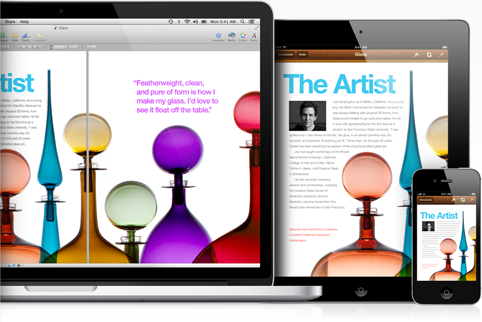
Apple has today updated the Mac versions of iWork (Pages, Keynote, Numbers) to include support for the new display on the Retina MacBook Pro as well as integration of iCloud. Support for iCloud now allows users of the iWork apps to create documents on their iPhone, iPad or Mac and then continue working on them on any of their other devices, no matter where they are. The highlight of it all is that changes are synced across automatically and instantly. iCloud support for the Mac apps has been a long time coming, with the iOS versions updated to include support late last year, but comes today on the release of Mountain Lion which touts iCloud support as one of the key improvements.

Users of the new Retina MacBook Pro and iWork suite will also be happy with today’s update that now natively supports the new display. As Apple says, “everything you create in iWork is stunning on the new MacBook Pro with Retina display”.

For those wanting a complete overhaul of the iWork suite, well today just isn’t that day. Whilst Apple nearly always just calls it “iWork”, there are a few reminders on Apple’s own website, that these are apps that last received a major update in 2009.

You can download or purchase the latest version of iWork from the Mac App Store: PagesKeynoteNumbers.


Mountain Lion: Notification Center Explained


Notifications have been a part of iOS from day one, and last year’s iOS 5 update improved them greatly with Notification Center and the new banner style (the one that rolls down from the top of the screen without disrupting your current activity). They are an integral part of our interactions with our iPhones and iPads — we get them from missed calls, text messages, emails, reminders, social network interactions, apps, games, and so on. But on the Mac, notifications have been more of a hack than a system-level feature: something that developers have implemented themselves, and mostly just when they felt it was absolutely necessary to do so. As a result, they haven’t been nearly as much a part of the OS X experience as they have on iOS.

The most widely-used system for notifications on OS X until now has been Growl: a third-party app that allowed developers to easily implement their own notifications. It was widely adopted by the OS X developer community, and over the years it became an essential install for many Mac users. But Growl isn’t the best solution for notifications because it is still a third party app that the user must go out of their way to install.[1] Whilst this isn’t a problem for an experienced computer user, it is for those that don’t want or need to worry about finding a download link for a third-party notification solution or keeping it up to date (though admittedly this has become less of a problem with Growl’s release on the Mac App Store). And of course Apple itself would never use Growl for notifications for their own apps, some of which could benefit most from notifications (e.g. Mail, Messages, and FaceTime).

Fortunately, in OS X Mountain Lion Apple has now implemented native notifications and Notification Center. If you’ve ever used iOS 5 you’ll instantly be familiar with how they work because Apple has effectively recreated them for the Mac, only making a few changes to suit the different platform. All of Apple’s built-in OS X applications support the new notifications (Messages, Mail, Reminders, Mac App Store, FaceTime, etc) and there is an API for developers to add support for them to their own as well.

Read more