EverClip and EverWebClipper 2.0

EverWebClipper

EverWebClipper

Earlier this month I reviewed EverWebClipper, an iOS app to quickly beam webpages and URLs to your Evernote account using a bookmarklet in Safari. I wrote:

Where EverWebClipper really wins over Evernote’s standard clipper (not optimized for mobile and terrible to use in Safari) is the actual clipping process. It’s entirely automated: you can install a bookmarklet in Safari and save webpages with one tap. This happens thanks to the app’s Automation settings, which enable you to tap on the bookmarklet, and have Safari automatically return in the foreground while EverWebClipper completes the saving process. You can return to Safari “immediately” or “after clipping” — if you choose immediately, the app will send a local notification when it’s done clipping.

Yesterday, EverWebClipper received a major update to version 2.0, which adds some powerful new functionalities to the app, including the possibility to clip multiple pages one after the other without waiting for completion. With a new Tasks area in the bottom tab bar, EverWebClipper now lists tasks (clippings) that have been completed (and thus sent to Evernote) and those that are still running. Once clipped, the app will display an ambient notification, or fire off a local notification if you’re not inside the app.

More importantly, the new support for multiple clippings is also reflected in the app’s own engine: EverWebClipper now comes with a background monitoring option that allows you to clip links or HTML content (text) without switching to the app. Using iOS’ own background monitoring API (which lets third-party apps run a background process for roughly 10 minutes), the app will detect any “copy” command and ask you if you want to clip that content by tapping on a notification. You can ignore the notification and the copied content won’t be clipped, or you can tap on it and EverWebClipper will perform as usual. This option is pretty neat – the obvious limitation, though, is that it can’t run in the background all time, so, eventually, you’ll have to go back to the app, either by launching it or using the bookmarklet.

EverWebClipper

EverWebClipper

I think EverWebClipper 2.0 is a great update – I only wish that it handled copied URLs and HTML better in the title field: right now, it uses “Untitled” and “Copied HTML”, which isn’t really convenient in Evernote.

Last week, I was also recommended to check out EverClip, a similar application that can send text, photos, and clippings to Evernote. Unlike EverWebClipper, EverClip doesn’t come with a bookmarklet, which is a fairly big downside for my workflow. The app only works with a background monitoring system: it runs in the background for up to 10 minutes, theoretically looking for things you copy to store it in its own clipboard, ready for uploading to Evernote. In actual usage, the app failed to grab text or images I copied on multiple occasions, but at least it played a sound effect when I hit “Copy” inside other apps.

EverClip

EverClip

EverClip

EverClip

EverClip isn’t as automated and immediate as EverWebClipper – in fact, you’ll have to manually upload items to Evernote with a Send button. You can add tags and titles to keep notes organized, but on iOS, I’m looking for a fast clipper, rather than another Evernote organizer (for that purpose, I think the Evernote app is pretty good).

There are two things I like about EverClip: it can merge multiple clippings in a single note, and it’s got a URL scheme for Launch Center. The first option is very welcome and I think more apps should adopt it, the second one is nice to have, but it doesn’t support Launch Center’s clipboard and input prompts yet (therefore making it kind of useless right now).

EverClip is $1.99 on the App Store, and I’m looking forward to future updates.


Browsing Instagram and Facebook Photos with Cooliris

Cooliris iPad

Cooliris iPad

Formerly known as PicLens, I used to rely on Cooliris years ago to browse images and slideshows on the Internet in a more visual interface. Resembling a virtual wall with great focus on large, neatly arranged thumbnails for web content, Cooliris has always been one of the most interesting experiments in terms of browser integration and overall presentation. For the past few days I have been using Cooliris’ latest iteration, a universal app for iOS, and I am quite impressed with the results.

Cooliris also developed Discover, a Wikipedia app for iPad that turned articles into magazine-like layouts. The standalone (and free) Cooliris application is a new take on the old browser plugin, but it shares the same attention to detail and care for interface design of Discover.

Cooliris has always been about browsing photos, and this new iOS version is no exception, only it’s a more modern app that takes into account the changes that have happened to social photo sharing on the Internet in the past years. Read more


Chuck Skoda’s September 2012 Rumor Roundup

Chuck Skoda’s September 2012 Rumor Roundup

Speaking of Apple’s rumored event for September 12, Chuck Skoda has posted a good roundup of products and updates Apple could be working on.

We’re still months out, but I see Apple’s fall announcements shaping up to be substantial. Tim Cook finished off the new iPad announcement with the words “across the year, you’re going to see a lot more of this kind of innovation, we are just getting started.” Since then, we’ve seen a new Retina MacBook Pro as well as some moderate updates across the MacBook line. But Cook seemed to really be driving home that this year has a lot in store.

The last event that was so heavily rumored to set the stage for several product releases was WWDC. While many predictions before June 2012 didn’t quite turn out to be true, Apple didn’t disappoint either.

Permalink

Ive: “Our Goal Isn’t To Make Money”

Ive: “Our Goal Isn’t To Make Money”

Speaking at the British Embassy’s Creative Summit., Apple’s SVP of Industrial Design Jonathan Ive shared his thoughts on the company’s design process and focus on making better products.

We are really pleased with our revenues but our goal isn’t to make money. It sounds a little flippant, but it’s the truth. Our goal and what makes us excited is to make great products. If we are successful people will like them and if we are operationally competent, we will make money.

Wired UK has put together a full report on Ive’s speech. Speaking with the London Evening Standard back in March, Ive gave a bit more insight into Apple’s philosophy and standards.

What I love about the creative process, and this may sound naive, but it is this idea that one day there is no idea, and no solution, but then the next day there is an idea. I find that incredibly exciting and conceptually actually remarkable.

Permalink

Apple To Hold New iPhone Event On September 12

Apple To Hold New iPhone Event On September 12

According to multiple websites that have posted the rumor today, Apple’s next generation iPhone will be unveiled at a media event on September 12th, 2012. iMore was first to report on the rumored date, claiming that Apple will announce a new iPhone and a smaller iPad at the event.

iMore has learned that Apple is planning to debut the new iPhone at a special event on Wednesday, September 12, 2012, with the release date to follow 9 days later on Friday, September 21. This information comes from sources who have proven accurate in the past.

The iPad mini will be announced at the same September 12 event, as will the new iPod nano.

Following the iMore post, typically well-sourced John Paczkowski at AllThingsD wrote:

IMore was first to report that the company has scheduled a special event for Wednesday, September 12, and now we’ve confirmed it as well. Sources tell AllThingsD that Apple is currently planning an event for that week.

The Verge also confirmed the media event with their own sources:

 The rumor cycle this time around for the next iPhone has been a bit unusual — multiple leaks have all depicted the exact same components — but it looks like we’ll be seeing what Apple has up its sleeves come Wednesday, September 12th. Our own sources familiar with the matter have confirmed that date, and multiple websites have similar reports as well.

And last, always-reliable Jim Dalrymple at The Loop weighed in with his “Yep” on the rumor.

Both Dalrymple and iMore have been accurate with their predictions and “confirmations of rumors” in the past. iMore correctly predicted the new iPad launch date earlier this year, and the iPhone 4S pre-order date last year. AllThingsD also successfully predicted a number of Apple-related rumors in the past, including one about the January 2012 education event.

The new iPhone is rumored to feature LTE, a bigger display, and a design similar to the 4S. According to recent speculation, the smaller iPad will feature a 7.85-inch screen with the same resolution of older-gen iPads.

Permalink

Faster Searches With Bang On and Launch Center Pro

In our review of Bang On for iPhone and iPad, we noted how this nifty utility’s support for “hotkeys” centralized mobile search to avoid extra taps in Safari or switching between multiple apps. Our Lukas Hermann wrote:

To avoid a lot of typing, Bang On is designed around the ability of choosing “!”-hotkeys below the search panel and adding them to your search query. So, as an example: you heard something about that cool band called The Arcade Fire and you want to find out more about them. Fire up Bang On, tap the Wikipedia hotkey, then enter “Arcade Fire” afterwards into the search panel, and Bang On will immediately search Wikipedia and display the respective article using the in-app browser. What I personally found very useful is the ability to change the “!” parameter without changing the actual search query, so you just need to tap the “!youtube” hotkey and Bang On will replace the “!wikipedia” command (those commands are called “!bangs” within Bang On) with it and start searching for Arcade Fire videos instead of Wikipedia articles.

On my iOS devices, I typically run three kinds of searches on a daily basis: Google, Rdio, and email. Using a combination of Bang On and Launch Center Pro (my review here), I have managed to make my workflow faster, more enjoyable, and ultimately better than using dedicated apps.

For regular Google search, instead of using Safari I have created a custom action in Launch Center Pro that, with the input prompt, allows me to write first, then switch to Google with my query already filled in. Unfortunately, as far as Apple apps go, it’s not possible to create actions for Mail.app, which in Launch Center only supports message creation, but not search.

Last week, I found out a recent update to Bang On added some interesting new features including an option to open links in Google Chrome and support for Rdio search. Considering Rdio’s limited integration with their own url scheme and rdio.com URLs (it can auto-play single tracks, not albums or playlists, and it doesn’t always work), I was curious to try out whether Bang On could simplify and speed up the process of looking for music on Rdio – something I do every day.

As it turns out, Bang On’s take on Rdio search is very useful. The developer of Rdio created a custom web app off the Rdio API which, through the !rdio hotkey, displays artists, albums, and songs. Tapping on these items will take you directly to the Rdio app, and you can also tap & hold to see the URLs that Bang On is using for these searches (it’s a rdio://rdio.com scheme).

With Launch Center Pro, I have set up an action to search Rdio through Bang On with an input prompt, so I can type a song or album quickly in Launch Center Pro, like I do for Google. This is extremely simple to create – just make sure you include !rdio in the action composer, so the input prompt will redirect to Rdio search automatically.

Using BangOn and Launch Center Pro, you can speed up your searches using apps and services that only Bang On supports, and making them quicker to use thanks to App Cubby’s fantastic launcher. For instance, I use Launch Center Pro for almost all of my regular searches, but I rely on Bang On for unsupported apps like Articles, the aforementioned Rdio URLs, and many other websites.

You can download Bang On and Launch Center Pro from the App Store.


Apple v. Samsung, The Story So Far

This week marks the beginning of the actual Apple v Samsung trial in the United States, with jury selection and opening statements scheduled to happen today. But in the past week or so, as the parties have been filing the various documents in preparation, troves of interesting information have been dug up by journalists from around the web. To get you up to speed, we’ve collated some of the best nuggets of information that have been dug up in the pre-trial filings and put them together below. As the trial gets underway, we’ll endeavour to update this post with any other interesting pieces of information.

If you’re interested in paying closer attention to the trial, I highly recommend following along over at The Verge and AllThingsD which have already done a terrific job at covering the trial.


Prototype iPhone & iPad Images


Some Notable Witnesses

  • Scott Forstall (Apple’s Senior VP of iOS Software)
  • Phil Schiller (Apple’s Senior VP of Worldwide Marketing)
  • Tony Blevins (Apple’s VP of Operations)
  • Boris Teksler (Apple’s Director of Patent Licensing & Strategy)
  • Susan Kare (Designer & Early Apple Employee)
  • Justin Denison (Samsung America’s Chief Strategy Officer)
  • Peter Bressler (University of Pennsylvania, Adjunct Professor of Integrated Product Design)
  • Edward Knightly (Rice University Professor of Electrical and Computer Engineering)
  • Janusz Ordover (New York University Professor of Economics)
  • Russell Winer (Stern School of Business Professor of Marketing)

[AllThingsD]


Jury to receive adverse inference instruction against Samsung after Magistrate Judge Paul Grewal ordered on Wednesday July 25th that Samsung didn’t take reasonable steps to preserve emails after it was “reasonably foreseeable” that litigation with Apple was going to occur.

The jury will be told that they may presume that evidence that would have been beneficial to Apple was destroyed - but they don’t have to. The main issue regarding the spoliation was because Samsung’s email system automatically deleted mail messages after two weeks unless “saved” or downloaded locally using software such as Outlook. When litigation was “reasonably foreseeable” they did not take appropriate steps to tell relevant employees to save email or to turn off the automatic two-week deletion.

For an adverse inference jury instruction, this is relatively soft. The court could also have told the jury that it “must” presume that relevant evidence in Apple’s favor was lost, or in a worst-case scenario for Samsung, that certain of Apple’s claims must be deemed proven. But the fact that the outcome could have been worse, or even much worse, for Samsung doesn’t mean that the above isn’t pretty useful to Apple.

You can review the full order, uploaded by FOSS Patents.

[FOSS Patents]


Google warned Samsung that their prototype devices were “too similar” to the iPad in February of 2010. Google was referring to the “P1” and “P3” devices that later became the Galaxy Tab and Galaxy Tab 10.1. They demanded Samsung to make a “distinguishable design vis-à-vis the iPad for the P3”.

[AllThingsD]


Apple will use Samsung’s own words in regards to iPhone similarity in the trial. First is the reference by Samsung’s Product Design Group that noted it was “regrettable” that the Galaxy S “looks similar” to older iPhone models.

Secondly, as part of a Samsung sponsored evaluation, designers warned that the Galaxy S “looked like it copied the iPhone too much”, that “innovation is needed”, that it so “closely resembles the iPhone shape so as as to have no distinguishable elements” and that “all you have to do is cover up the Samsung logo and it’s difficult to find anything different from the iPhone.

[AllThingsD]


Samsung: Apple copied Sony when designing the iPhone and is also a “copyist”. According to their claims, a 2006 Businessweek interview with Sony product designers was passed around internally, including by Apple executives Tony Faddell, Jony Ive and Steve Jobs. Apple industrial designer, Shin Nishibori was directed to “prepare “a Sony-like” design for an Apple phone and then had CAD drawings and a three-dimensional model prepared.”

Apple responded to the theory in a following brief submitted to the court, arguing that it should be inadmissible. AllThingsD summed up their objections neatly:

  • The theory, which implies Apple’s patents are obvious in light of Sony prior art, has already been excluded from the case by another judge.
  • Samsung didn’t disclose this new theory until after the close of the discovery period of the case. It shouldn’t be allowed to ambush Apple with it now.
  • The BusinessWeek article on which Samsung’s theory is based has no picture of any Sony product, making it impossible for the jury to assess from the article whether Apple in fact “derived” its designs from Sony products.
  • The Sony Walkman that Samsung claims inspired the design of the iPhone looks absolutely nothing like it (see picture above, right).
  • The testimony of former Apple designer Shin Nishibori who claims his Sony-style mock-ups influenced the design of the iPhone is inadmissible because his deposition wasn’t authorized by the court and Apple never stipulated to it.
  • “It is unfair in a timed trial to require Apple to take the time to rebut such evidence.”

The Apple designer at the center of this Sony-style iPhone mockup, Shin Nishibori, has told the court through his lawyer that he has no plans to appear at the trial. In the letter to the court, his lawyer notes that Mr. Nishibori no longer works at Apple, is in Hawaii and is “trying to recover from several health issues”. AllThingsD has the full letter.

[AllThingsD]


Another Filing Reveals Apple’s Prototype ‘Purple’ from August 2005. The filing aims to refute Samsung’s Sony-style theory by demonstrating an earlier prototype that looks very similar to the first iPhone. The filing states that the Sony-style designs were just “an ‘enjoyable’ side project”.

[The Verge]


Filings reveal Samsung’s “Beat Apple” goal for 2012. Whilst there are references from mid-2011, one memo from September of 2011 specifically states “Goal of next year - BEAT APPLE”. The documents dive-in deeper, saying that the goal should be to go “head-to-head” with Apple in many regions and in many price segments. A February 2012 memo noted that “three horse race [is] becoming a two horse race between Apple and Samsung”.

[The Verge]


Best Buy surveys reveal a common reason for Galaxy Tab returns is confusion with the iPad 2. Samsung had surveyed 30 Best Buy stores in August 2011 and found that of 30 stores, 7 cited “lack of product knowledge” as the primary reason for returns. Within that category it was noted:

The most common pattern is that a customer returns the product which was purchased because the customer thought it was an Apple iPad 2

[The Verge]


Apple is asking for damages of $2.5 billion of Samsung, mostly representing the total profit that Samsung made from selling products that it says infringed their designs and patents.

Samsung has reaped billions of dollars in profits and caused Apple to lose hundreds of millions of dollars through its violation of Apple’s intellectual property.

[WSJ]


Steve Jobs’ “thermonuclear” comment will not be used in the trial after Judge Lucy Koh denied Samsung’s request to include the statement. Judge Koh agreed with Apple’s argument that “Out-of-court statements by Mr. Isaacson about what Mr. Jobs allegedly said to his biographer are inadmissible hearsay irrelevant to any issue in this case”.

I’m going to destroy Android, because it’s a stolen product. I’m willing to go thermonuclear on this.

[CNet]


Mountain Lion Downloaded 3 Million Times In Four Days

Apple hast just announced over 3 million copies of OS X Mountain Lion were downloaded in four days of sale on the Mac App Store, translating to roughly $60 million in revenue on launch day. Apple says it has been the most successful release in the history of OS X.

Just a year after the incredibly successful introduction of Lion, customers have downloaded Mountain Lion over three million times in just four days, making it our most successful release ever,” said Philip Schiller, Apple’s senior vice president of Worldwide Marketing.

On the MAS, Mountain Lion has over 7000 ratings with over 5200 being five-star reviews. Apple has not made Mountain Lion available offline via a $69 USB key as they’ve done with Lion, so far sticking to the Mac App Store (or the purchase of a new Mac) as the only upgrade paths. Apple customers whom have purchased a new Mac between June 11th and July 25th are eligible for a free upgrade through Apple’s Up-to-Date program.

By comparison, OS X Lion exceeded 1 million downloads on its first day of sales (Lion was priced at $29.99); 76 days later, on October 4th, Apple announced 6 million copies of Lion had been downloaded.

Mountain Lion, available for $19.99, includes a wide assortment of new features, including AirPlay Mirroring, the Notification Center, Game Center, Messages, Power Nap for compatible Macs, and apps such as Notes and Reminders. You can read more about Mountain Lion’s new features in our comprehensive review.


Mountain Lion Links

In this post, we have collected some interesting links about Mountain Lion following its release last week. You should also check out our review, or buy our eBook.

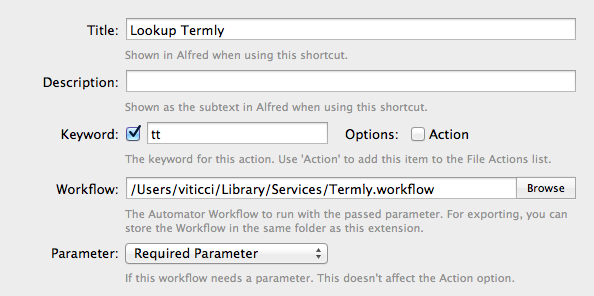
Create Reminders using Alfred. Gianni Rondini has put together a nice Alfred extension that, by using AppleScript support in Reminders, adds new items with a very simple syntax. Obviously, the extension will launch Reminders.app if it’s not open, as the app needs to be running to receive AppleScript commands. Download it here.

Customize the dialog that asks for access to a user’s contacts. As pointed out by Daniel Jalkut, there’s an easy way for developers to customize the information displayed in the new dialog that asks for permission to access your contacts. Third-party apps that need to look-up your contacts even for mundane tasks like auto-fill can take advantage of this (otherwise, the dialog will be generic, with no additional details provided to the user).

 Michael Tsai’s Mountain Lion notes. Good collection of miscellaneous links and information here. I agree with Michael’s comments on the Safari address bar, but I still can’t stand how Google Search URLs aren’t copied to the clipboard (as I noted in my review, search terms are).

The story of the new Zebra wallpaper. Directly by photographer Steve Bloom.

Enable backspace navigation in Safari. Use this Terminal command to be able to navigate in history using the backspace key. I have my MacBook Air set to navigate using three-finger swipes, as well as backspace.

On Mountain Lion’s iCloud filesystem. iA’s Oliver Reichenstein takes a look at the structure of iCloud files and folders under Mountain Lion. Their text editing app, iA Writer, has recently implemented support for folders in the iCloud Document Library across Mac and iOS.

Ars Technica’s review of Mountain Lion Server. Good overview by Matt Cunningham.

Mountain Lion and the Simplification of OS X. Shawn Blanc explains why the interplay of iOS and OS X goes beyond mere graphical resemblances.

Virtual Hosts and Web Sharing in Mountain Lion. A guide on how to bring back a local hosting environment by Brett Terpstra.

Get Back “Save As…” menu. Yet another trick to get back “Save As..” in Mountain Lion.

Mountain Lion and AppleScript. Shane Stanley writes about some important changes of AppleScript in OS X 10.8 over at TidBITS.

For more Mountain Lion coverage, visit our hub.