


Here are today’s @MacStoriesDeals on hardware, iOS, and Mac apps that are on sale for a limited time, so get them before they end!
Read more
#MacStoriesDeals - Monday
Ecoute for iOS→
Ecoute for iOS
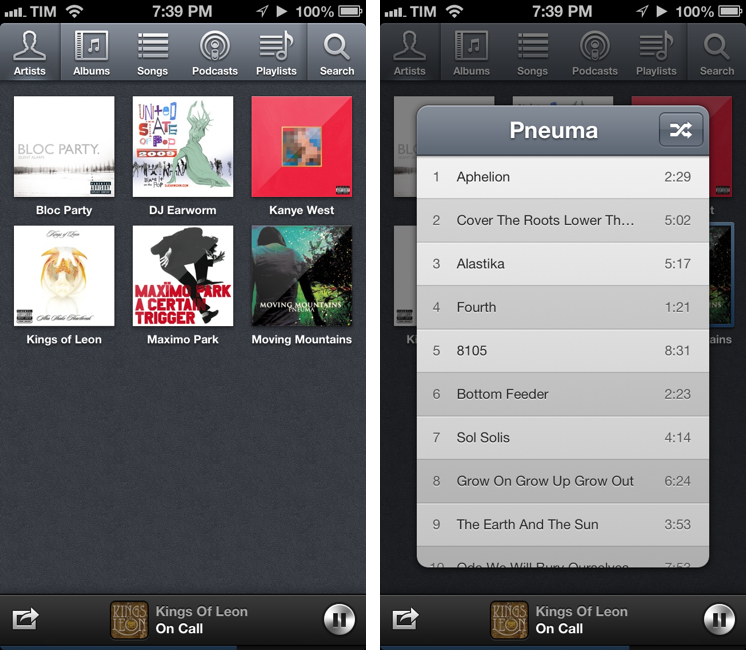
A while ago our Lukas Hermann published an in-depth review of Ecoute for iOS:
From now on, Ecoute for iOS is my new default music player for iOS. Its UI features every design decision I ever wanted to have on my iPod touch. Plus, it eases up changing and pausing tracks while browsing through your music library, something I often do while I’m on the go. I can’t wait to see this thing on the iPad as well. If you’re a music and design enthusiast like me, or just dislike the system music player on your iPhone or iPod touch, you have to try it out.
Last week, I saw Ecoute had been updated for the iPhone 5, and I decided to give it a try. I’m glad I did, because the app works perfectly for the way I think of browsing my music collection.
The thing I like about Ecoute is that it displays Artists using album thumbnails. The Music app does this only for the Albums view, and then again they’re small thumbnails arranged in a list view. Ecoute is more similar to iTunes’ grid view, which I use on my Mac. When you tap on an album, instead of going deeper into the level views, Ecoute brings up a modal popup that you can dismiss with a swipe – this is not too dissimilar from how the upcoming iTunes 11 will expand albums inline. If you tap on an artist that has multiple albums, a nice animation will “drill down” to show the album thumbnails. Last, when you tap on a song, it starts playing in a bottom bar without opening a new view in the foreground – and that’s exectly all I want from a music app.
Ecoute looks gorgeous on the iPhone 5. If you’re looking for a complete overview of all its features, check out Lukas’ review. For me, Ecoute works better than Apple’s Music app because it reflects the way I tend to browse my music collection.
Ecoute is available at $2.99 on the App Store.
Hide Newsstand In A Folder On iOS 6 With One Click, No Jailbreak Required
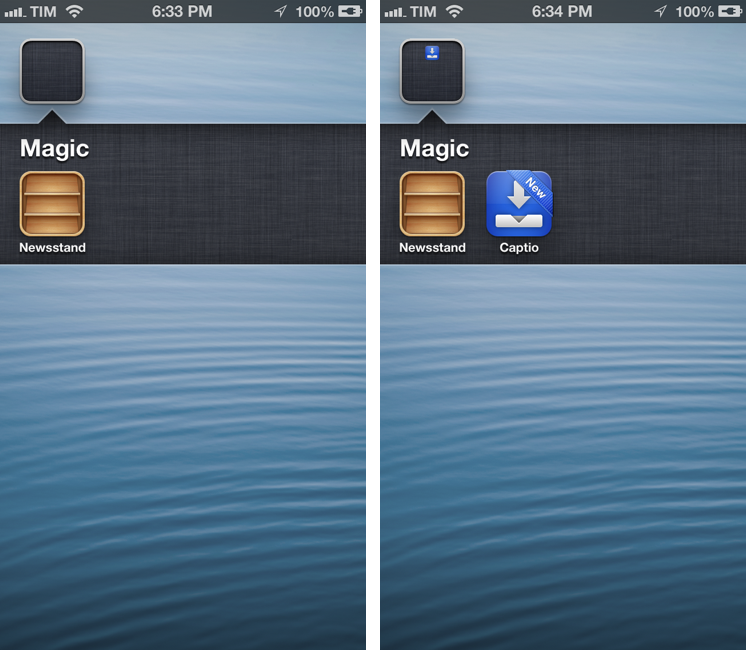
After the release of iOS 5 last year, several users complained that the Newsstand app (effectively a “folder” for magazine and newspaper subscriptions) couldn’t be hidden from the Springboard. Because of its nature of glorified folder, users couldn’t even put it away in an existing folder on the Home screen. However, people soon figured out a trick to make the Springboard hide Newsstand.
This year, well-known Cydia developer Filippo Bigarella has released a simple Mac app to hide Newsstand from any iOS device with a single click. I’ve just tested the app personally on my iPhone 5 running iOS 6, and it works as advertised. Even better, the app doesn’t require a jailbreak at all, as it leverages the existing “folder trick”, albeit making it easier to access.
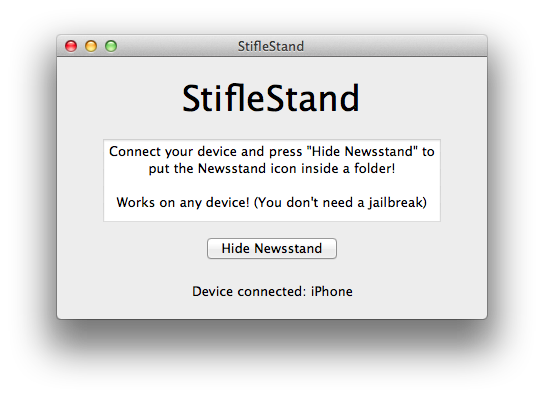
Simply download StifleStand, and open it on your Mac. Make sure a device is plugged in and recognized by the app. Hit the Hide Newsstand button, and watch as Newsstand gets put into a folder called “Magic” on your Home screen. It literally takes one second to complete.
Please note: Just like on iOS 5 last year, opening Newsstand from a folder will crash Springboard. Use this tweak only if you don’t use Newsstand.
You can then rename the folder and put more apps into it. One bug I’ve noticed is that, because Newsstand isn’t meant to be put into a folder, if the folder is closed you won’t see the smaller preview icon for Newsstand. You can avoid this by placing more apps into the folder, leaving Newsstand at the end, so you won’t see the empty spot from your Home screen.
StifleStand works on any device and it’s super-easy to use. Download it here, and watch a demo video by iDownloadBlog here.
Uniconsole: Copy & Paste Unicode Characters and Symbols
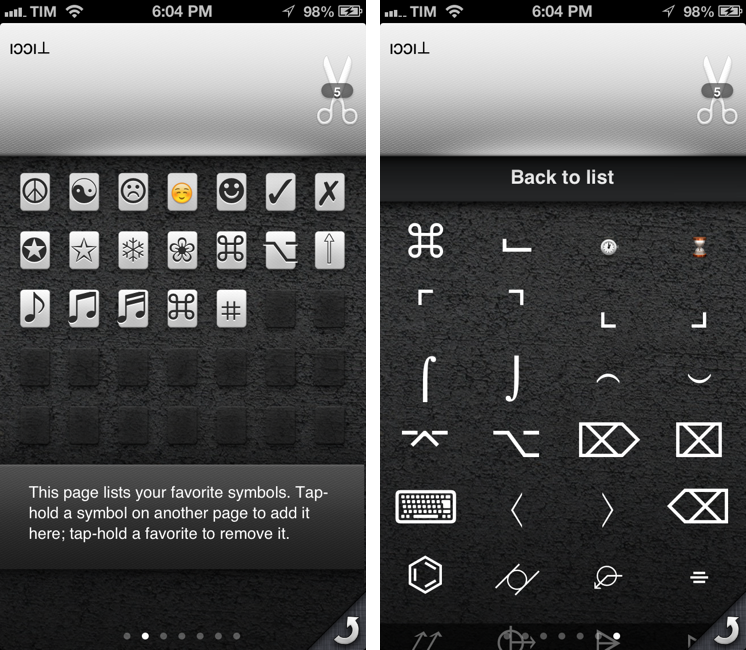
In putting together my Nebulous Notes macros, I ended up having to choose icons for the buttons that would sit on top of my keyboard. As you can see from my screenshots, I’m using specific Unicode characters that add a touch of personality to the interface. I copied those characters using Uniconsole.
Uniconsole is a very simple, do-one-thing-well $1.99 app that runs on the iPhone and iPad. It fully supports iOS 6 and the new iPhone 5 display. Uniconsole lets you copy “unconvential” Unicode characters and symbols of various kinds and alphabets. While you can find these for free on the web, Uniconsole provides a nice interface to switch between alphabets and sections, save favorites, and copy them to the iOS clipboard. You can copy single characters or multiple ones at once; on iOS, you can bring up the native share sheet by tapping and holding on the scissors icon in the text box.
There are various pages of default symbols and characters; by swiping all the way to the right, you can access sections, including:
- Dingbats
- Arrows
- Shapes
- Letters
- Technical
- Currency
- Old and New Emoji
- Mathematical
The selection is very rich, and the app is easy to navigate. There’s also a dedicated page that lets you type anything with the system keyboard, and apply a “fun filter” to your text. Filters include things like flip upside down or custom strikethrough.
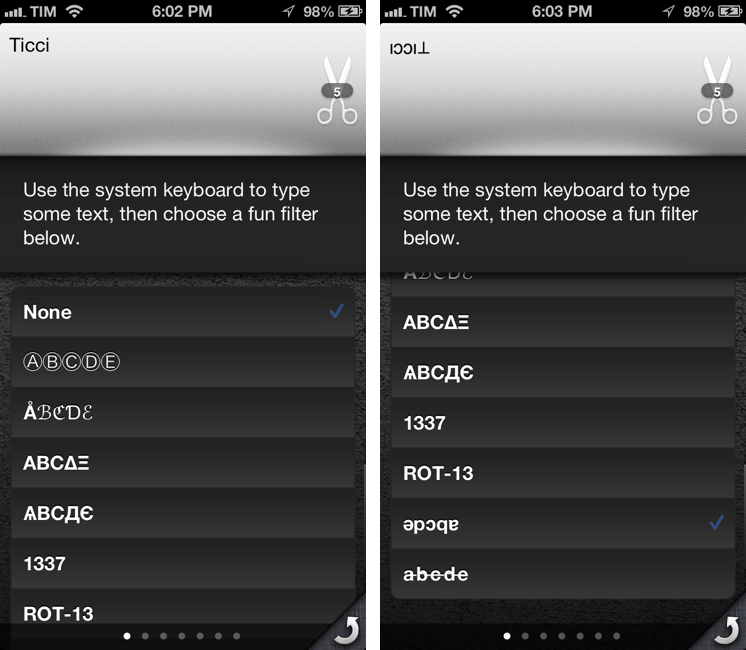
Uniconsole does one thing extremely well, and while the characters and symbols it collects can be found online with a bit of research, I’ll take the convenience of a Universal app over wasting my time looking for a Unicode arrow any time. If you’re looking for this kind of functionality, $1.99 is money well spent for Uniconsole.
Faster Markdown Editing with Nebulous Notes Macros
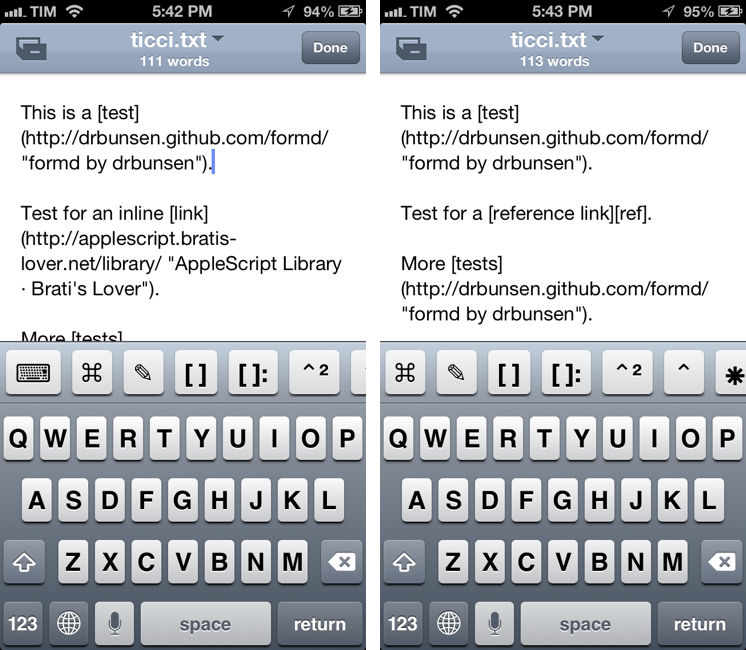
I have written about Nebulous Notes before. Back in August, I posted an overview of my workflow with the app, plain text, and Markdown:
Combining Nebulous’ support for text substitution and cursor position macros has enabled me to achieve a powerful workflow when it comes to writing in Markdown. For instance, I can select words I want to turn into inline links, and have the app automatically wrap them between square brackets, and paste the contents of my clipboard (the link) to the right. To copy Markdown-ready links, I use my own bookmarklet. Or if I want to create a list, I can hit a button that inserts an asterisk and a space. Or again, if I need to create a text file with a format that OmniOutliner recognizes correctly, I can indent items with Nebulous’ $tab and $cursor macros.
Since then, a major 6.0 update to the app has been released, which, in my opinion, deserves another look. For the occasion, I’ve put together a few videos showing how I use the macros I have created for easier and quicker Markdown (more specifically, MultiMarkdown) formatting. The videos were recorded on a Mac using QuickTime capturing an AirPlay Mirroring session through Reflection. I have embedded them here using the video tag supported by most modern browsers (video files are encoded in MPEG-4). For Firefox users, there’s a fallback to Theora .ogv files (converted using ffmpeg2theora). I will also make my macros available for download at the end of this post. Read more
A Better Way To Combine iPhone Screenshots with Keyboard Maestro
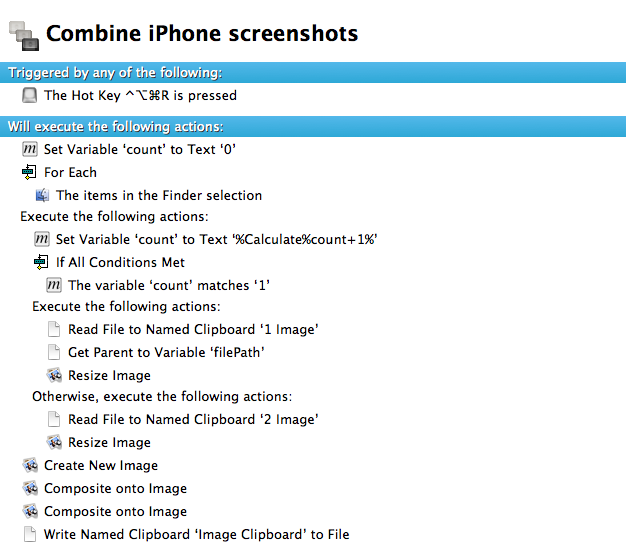
In May, in my coverage of Keyboard Maestro 5.3 I shared a macro to combine two iPhone screenshots in a single image through a keystroke:
For iPhone apps, I like to take two screenshots, place them side by side, and generate a single image. Until today, I had to manually drag the image out of Photo Stream (or use Scotty), resize them with Preview, create a new image in Acorn, drop the images in there, adjust their position, and save. I came to the point where the process took less than a minute, but still it required a manual and boring effort on my side. Enter Keyboard Maestro 5.3: I rename the images I need to use “1″ and “2″, respectively (“1″ goes on the left side); I tell Keyboard Maestro to run an Automator workflow to scale them; Keyboard Maestro creates a blank image in its clipboard, composites files 1 and 2 onto the image at a specific pixel position, and creates a new .png file on my desktop.
With the release of the iPhone 5, I updated the macro to include a version that would use the bigger resolution of the new device; however, the macro was still requiring two files named “1.png” and “2.png” to be available and selected in the Finder. While the process of manually renaming a file was allowing me to “control” the placement of the screenshots on the final image (1.png would end up on the left), I still received several requests to figure out a way to grab any image – not just those named “1” and “2”– from the Finder.
Gabe Weatherhead of Macdrifter came up with a way to allow for such workflow, and he allowed me to share the macro here on MacStories. Read more
Apple’s Tribute To Steve Jobs, Yo-Yo Ma, And The Prelude From Bach→
Apple’s Tribute To Steve Jobs, Yo-Yo Ma, And The Prelude From Bach
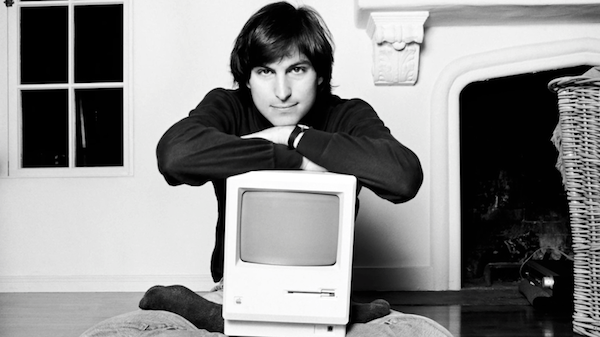
Camillo Miller of Italian website TheAppleLounge noticed an interesting tidbit about the brief tribute to Steve Jobs Apple published on its website today. The song that plays in the video, the prelude from Bach’s Cello Suite No. 1, sounds like F# major. The prelude, however, was composed in G major.
Why tuning down the prelude? It comes down to an important detail related to Steve’s tastes in classical music. The version that Apple is using on the website is played by American cellist Yo-Yo Ma. As Walter Isaacson writes in Steve’s biography, Yo-Yo Ma and Steve were close friends:
There was one classic musician Jobs revered both as a person and a performer: Yo-Yo Ma, the versatile virtuoso who is as sweet and profound as the tones he creates on his cello. They had met in 1981, when Jobs was at the Aspen Design Conference and Ma was at the Aspen Music Festival. Jobs tended to be deeply moved by artists who displayed purity, and he became a fan. He invited Ma to play at his wedding, but he was out of the country on tour. He came by the Jobs house a few years later, sat in the living room, pulled out his 1733 Stradivarius cello, and played Bach. “This is what I would have played for your wedding,” he told them. Jobs teared up and told him, “You playing is the best argument I’ve ever heard for the existence of God, because I don’t really believe a human alone can do this.” On a subsequent visit Ma allowed Jobs’s daughter Erin to hold the cello while they sat around the kitchen. By that time Jobs had been struck by cancer, and he made Ma promise to play at his funeral.
As it turns out, Ma plays the first four Bach suites tuning down his cello a full semitone, and there is a specific reason for doing so. In baroque times, instruments like cellos sounded a little different: the musical note A (A440) didn’t have a frequency of 440 Hz, but was more around 415 Hz – something known as the baroque pitch.
Among several modern ensembles, there is a consensus to play baroque music a semitone lower than A440. By tuning down the A to the baroque pitch, the prelude from Bach sounds like F# major, while still playing it in the original G major; this helps achieve a more vibrant, “full” sound that is closer to the original and resonates beautifully.
The Cello Suites by Yo-Yo Ma are available on iTunes.
In many ways, Apple is still sweating the details.
Tim Cook And Apple Remember Steve Jobs
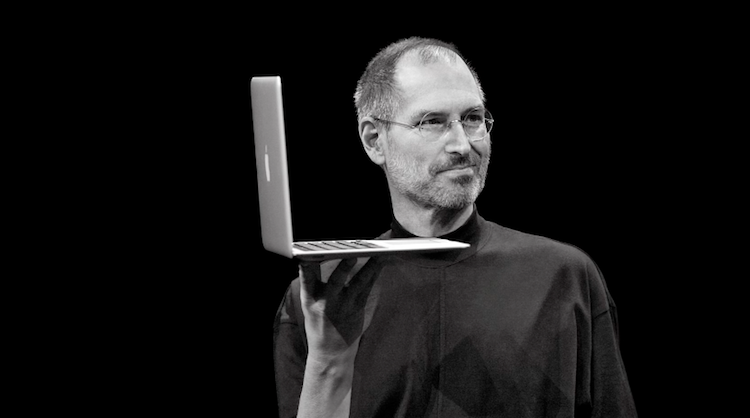
Apple has put together a short video to remember Steve Jobs, who passed away one year ago today. The video is a montage of pictures of Steve throughout his life, many of which show him holding the key milestone products in Apple’s history from the iMac to the iPod and iPhone. It’s narrated with audio from Steve Jobs speaking at various events throughout his life about Apple, its products and its culture.
The video is simply played when you navigate to Apple.com and once it concludes, there is a a short, sombre letter from Tim Cook, remembering and paying tribute to Steve.
A message from Tim Cook, Apple’s CEO.
Steve’s passing one year ago today was a sad and difficult time for all of us. I hope that today everyone will reflect on his extraordinary life and the many ways he made the world a better place.
One of the greatest gifts Steve gave to the world is Apple. No company has ever inspired such creativity or set such high standards for itself. Our values originate from Steve and his spirit will forever be the foundation of Apple. We share the great privelage and responsibility of carrying his legacy into the future.
I’m incredibly proud of the work we are doing, delivering products that our customers love and dreaming up new ones that will delight them down the road. It’s a wonderful tribute to Steve’s memory and everything he stood for.
Tim
Getting Google Maps Back On iOS 6
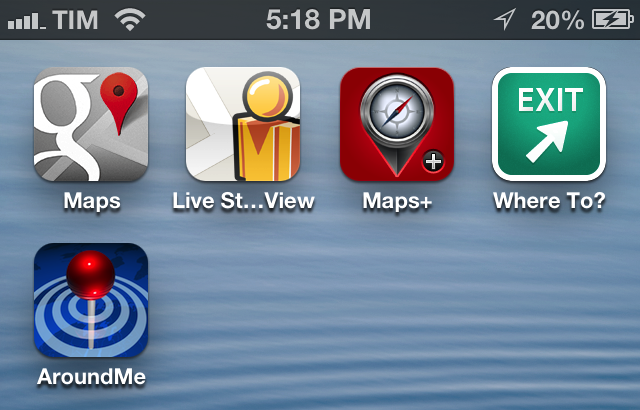
Since the release of iOS 6, I’ve been looking for apps and services to get Google Maps functionality back on my iPhone and iPad. While not as integrated as the previous Maps app of iOS 5, I’ve settled on a combination of various tools to access Google Maps for those times when Apple Maps fail me (unfortunately, most of the time in my area). Read more