This Week's Sponsor:

Mindspace

A Private All-in-One Journal App Made for iPad, Offering 50% Off Your First Year.


Slogger and Day One Memories

Slogger is a fantastic script created by Brett Terpstra. With a bit of manual setup, Slogger can run on your Mac and, on a daily basis, pull entries from various Internet sources – such as Twitter and RSS – and put them into Day One automatically. It is a way to fill Day One with social updates for stuff that you write elsewhere. Brett is awesome, he’s working on new stuff for Slogger, and you should definitely check it out (and consider a donation) if you’re interested in its functionality.

I, however, have turned Slogger off a couple of weeks ago and removed the entries it created. This happened soon after the release of Day One with tags and search, which made me realize “automated logging” is not for me. Slogger was a placebo, not a medicine to let me write more. Somewhat intrigued by its scriptability and automation, I fell short of my own promise:

In twenty years, I’m not sure I’ll be able to remember the songs I like today, or the faces of people that I care about now. I don’t even know if I’ll be around in twenty years. But I do know that I want to do everything I can to make sure I can get there with my own memories. We are what we know. And I want to remember.

It took a while for me to realize I wasn’t fixing the right problem. Instead of making an effort to document memories I care about, I was passively watching another Internet pipe feeding a digital archive of my life with tweets, liked items, starred posts, and everything in between. Brett is awesome, but Slogger is not for me. At least not with the current version of Day One, because there’s no way to meaningfully separate “social entries” from “actually-written-by-me entries”. My wish is for Slogger to eventually mature into a standalone app for “social archiving”, separate from Day One.

I want my thoughts – not my stupid Twitter jokes – to be read by someone who, for some reason, will care about the life I had. There are several aspects of my digital life that I like to improve, but I won’t automate my memories.

Day One is a personal experience, and as such, I want it to be mine.

The Unarchiver AppleScript, iOS App, and Archive Browser

I have been using The Unarchiver for years now. It’s been listed in my Must-Have Mac Apps roundups, and I recommend it to every friend who, after switching from Windows to OS X, asks me about “WinRAR for Mac”. The Unarchiver is a powerful and simple extraction tool with support for multiple formats and a set of user preferences to configure in the Settings.

There have been some updates to The Unarchiver lately. The free Mac app, The Unarchiver, received initial AppleScript support with a dictionary that supports extraction and various options such as location of extracted files and originals. Whilst The Unarchiver is pretty straightforward in itself, AppleScript support means you’ll be able to put together automated workflows with loops, if conditions, and different settings than the app’s ones. More importantly, you’ll be able to extend The Unarchiver and make it communicate with other apps installed on your Mac (an example: automate downloads with Transmit and extract with The Unarchiver in AppleScript). Here’s a sample extraction script for the file currently selected in Finder:

tell application "Finder"
    set sel to the selection as text
    set the_file to POSIX path of sel
    
    tell application "The Unarchiver"
        if isRunningExtractions is false then
            unarchive the_file to Original with deleting Original
        end if
    end tell
end tell

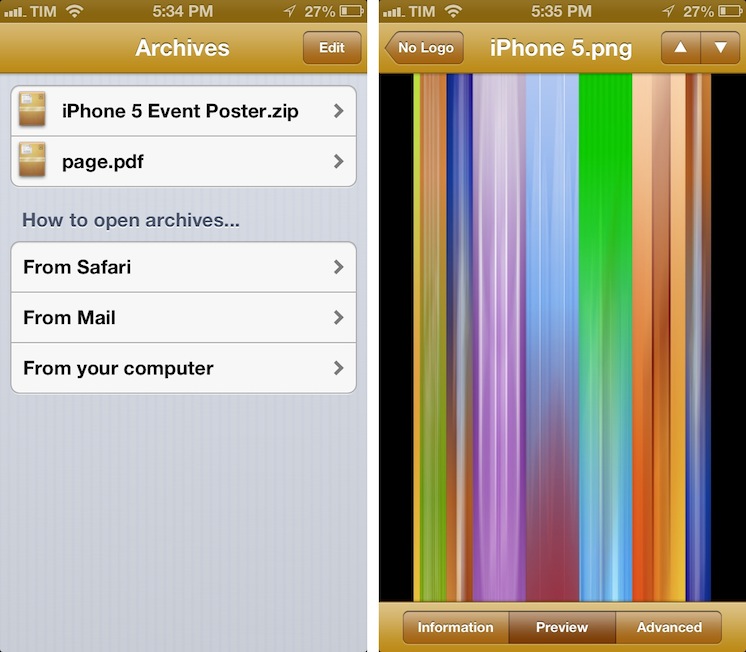
Developer Dag Agren has also released a paid iOS app for The Unarchiver. Initially buggy, Dag has been busy improving it and making it more reliable on iOS 6. Called Archives, it is based on The Unarchiver, which means you’ll get support for a plethora of formats. The app lets you look inside archives and preview files before extracting them; you can open a file in other apps that support the format using Open In, you can save images to the Camera Roll, and check out advanced information for each file. I have found Archives to be particularly useful in previewing files from Mail or Safari. Archives is $1.99 on the App Store.

Last, inspired by Archives for iOS, Archive Browser for OS X is a paid version of The Unarchiver with support for browsing and previews before extraction. It supports Quick Look, and it’s $3.99 on the App Store.


The Daily Shuts Down

The Daily Shuts Down

The Daily, one of the most discussed Apple-related rumors of late 2010 that turned out to be a poorly designed iPad-only magazine, is shutting down on December 15. AllThingsD reports, in fact, that parent company News Corp. will “cease standalone publication” of the app later this month. Technology and “assets” from The Daily will be folded into News Corp-owned The New York Post, a tabloid. News Corp.’s Murdoch was quoted in the press release:

From its launch, The Daily was a bold experiment in digital publishing and an amazing vehicle for innovation. Unfortunately, our experience was that we could not find a large enough audience quickly enough to convince us the business model was sustainable in the long-term. Therefore we will take the very best of what we have learned at The Daily and apply it to all our properties. Under the editorial leadership of Editor-in-Chief Col Allan and the business and digital leadership of Jesse, I know The New York Post will continue to grow and become stronger on the web, on mobile, and not least, the paper itself. I want to thank all of the journalists, digital and business professionals for the hard work they put into The Daily.

Quite a departure, unfortunately, from Murdoch’s original statements on the future of his venture:

The Daily is not a legacy brand moving from the print to the digital world. We have license to experiment. We believe The Daily will be the model for how stories are told.

Murdoch’s intent may have been noble enough to justify the effort, but The Daily – as an appwas flawed since the first issue. The interface was clunky and confusing; the app required large downloads, and, in just a matter of weeks, its readership substantially decreased, in spite of heavy promotions by News Corp, including a commercial that aired during the XLV Super Bowl.

The Daily was launched in early 2011 as part of Apple’s new subscription feature for App Store apps.

Permalink


Tips For Releasing and Marketing Your New App

Tips For Releasing and Marketing Your New App

Good list of tips by Brett Terpstra that new developers should keep in mind for their app releases. I especially recommend the “What To Include” section:

Bloggers like links. It saves time when doing a quick mention and provides the material for deeper research if they decide it’s worth it. Include all of the most relevant links. Link to screenshots (don’t embed them) and your homepage or a press page.

A surprising amount of developers often forget to even mention their app’s name in emails we receive on a daily basis. Others mention it, but they don’t include a direct link to the App Store. Even worse, some developers send promo codes without mentioning their app’s name or direct link, so we can’t be sure what we’re being given, exactly.

From personal experience, I can say that having links to videos is also a huge plus. I’m not saying you should prepare dedicated videos for each blogger you’d like to try your app: I would suggest picking a few, and making screencasts with voiceover and picture-in-picture where you can explain the app, show how it works, and establish a different kind of indirect “eye contact” with the person on the other side of email. It takes time, but it’s worth the effort – especially if it’s the first time you’re promoting an app.

Read Brett’s excellent list of tips here.

Permalink


Apple Testing Carrier LTE Networks Before Allowing iPhone Access

Apple Testing Carrier LTE Networks Before Allowing iPhone Access

, Apple has been running its own, independent, LTE tests before it allows carriers to offer the iPhone 5 as an LTE device. It’s somewhat of a reversal of how the carrier-handset maker relationship traditionally worked - where the carrier wouldn’t sell a device until the device was tested and met all the quality assurance requirements. Now Apple, infamous for their desire to control all ends of the user experience, is testing the carriers before it allows the iPhone access to their LTE networks.

Telecoms had initially heard of the tests in October but this week heard from an official Swisscom spokesperson that said “Apple only enables 4G access after testing their device on an operator’s live network”.

While extensive network testing of handsets has always been necessary, the focus has historically been on whether or not the handset functions on the network, with operators keen to protect their network assets and customer relationships against poor quality devices.

A handset vendor vetting networks on a technical basis before allowing its device to be used on them is a reversal of this situation, and one that Apple alone has the power to bring about.

Bengt Nordstrom, CEO of consultancy group NorthStream told Telecoms that he was “shocked” of hearing of the policy. Noting that it proved “who is running the industry” and that “Apple have put themselves in the driving seat; it’s really changing the game quite a lot.”

[via @BenedictEvans]

Permalink


Apple Releases iTunes 11 (Update: Remote 3.0 Too)


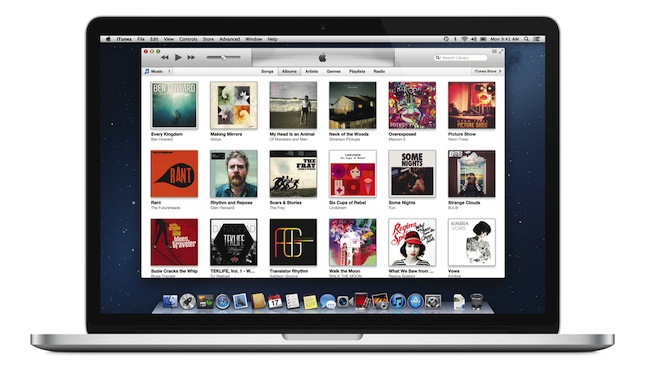
Officially announced at the iPhone 5 media event on September 12, Apple today released iTunes 11, the next major version of the media player/manager for OS X. At the end of October, Apple delayed the original release of the software, saying that it would come out “before the end of November”.

The new iTunes features a new edge-to-edge design that is reminiscent of the Music app for iPad. Album art flows across the display — clicking on an album expands album info as opening a folder does on iOS. iTunes also brings popovers that present a drop down of upcoming songs, and improved search results as you filter through music in your library. One of the big new features is expanded view, which lets users see all the songs of an album in place without opening a different view. The background of an album in expanded view is automatically generated by iTunes based on the item’s artwork.

The new MiniPlayer, unlike previous designs, shows album artwork and gives the option to manage playlists and see upcoming songs as well through the new Up Next feature. From the MiniPlayer, users can now also search for a song in their library by hitting the search button; and to go back to the main screen, all they have to do is click the “expand” icon next to the close button.


The built-in iTunes Store underwent a facelift, too. Inspired by iOS 6, the Store now comes with a cleaner look, carousel-like banners for featured items, and access to a Preview History to check out all media you’ve previewed in chronological order. iCloud integration makes sure purchases are available on every device, and, with iTunes 11, iCloud also syncs position for movies, TV shows, podcasts, iTunes U lessons, and audiobooks users are playing on a device.

iTunes 11 is available for download from Software Update. Our first impressions and screenshots directly below.

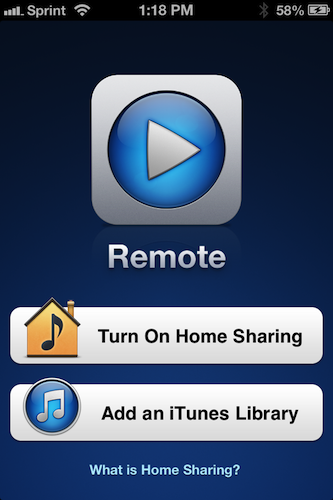
Update: Apple has also released Remote 3.0. The new app supports Up Next, it’s got new view options, and the iPad’s interface highly resembles iTunes for Mac with custom album backgrounds.

Read more