This Week's Sponsor:

Mindspace

A Private All-in-One Journal App Made for iPad, Offering 50% Off Your First Year.


Sunstroke Fever Client Goes Universal

Solid update to one of my favorite Fever apps.

The new version includes an iPad version (with a very classic Mail-like layout), a URL scheme to start a refresh and go back to other apps, and local notifications to be informed when sync has completed. Good release from an integration standpoint, too: you can now open links in Chrome (with callbacks), save via Pinbook, or share on App.net via Riposte.

Sunstroke is $4.99 on the App Store. Here’s my original review.

Permalink

Twitter Releases Update To Twitter For Mac

After nearly two years, Twitter updated its official Mac client today. The app, which was presumed “dead” several times, has been updated to include Retina graphics, support for uploading photos, and 14 new languages. Twitter also says “more improvements” will come.

In a tweet, project lead Ben Sandofsky has announced he’s “taking a break” from Twitter for iOS to focus on the Mac version full-time.

One of the updated Mac App Store screenshots reads “Search in real time. Multitask. Express yourself.” – and I found the use of “multitasking” particularly interesting as many often suggested Twitter didn’t care about their Mac app because of the existence of Twitter.com.

The app doesn’t come with any additional changes, but I’m curious to know if Twitter will update it to include its latest additions to the iOS client, namely Cards, the Connect tab, and Discovery. As for OS X itself, it’d make sense for Twitter to consider Mountain Lion’s existing notifications (which currently open in the Twitter website). There’s no doubt Twitter for Mac has a quite a bit of catching up to do after two years.

In case you missed it, here’s my original review of Twitter for Mac from January 2011.

Permalink

WWDC 2013 Tickets Now Available [Update: Sold Out In Two Minutes]

Announced yesterday, tickets for WWDC 2013 are now available on Apple’s website.

The developer event kicks off in San Francisco on June 10 and runs through June 14, taking place as usual at Moscone West. With more than 100 technical sessions presented by over 1,000 Apple employees, WWDC will offer third-party developers a way to get advice and guidance on the latest iOS and OS X technologies and user features. In the press release announcing the event, Apple said new versions of iOS and OS X will be seeded to attendees during the event.

WWDC is known for selling out quickly, especially in the last couple of years. In 2010, tickets were sold out in 8 days; in 2011, it took less than 10 hours; and last year, developers trying to buy a ticket 2 hours after the announcement were out of luck. This is probably the reason Apple chose a different approach this year: with separate announcements, Apple has given international developers time to set their alarms and prepare their credit cards to complete the purchase at 10 AM PDT through the Apple Online Store.

Tickets are on sale for $1599, and are limited to one ticket per person or five tickets per organization. App developers under 18 years old (13 – 17) can have their legal guardian purchase a WWDC ticket and approve their attendance at the conference.

We’ll update this post with more details when tickets will (eventually) be sold out.

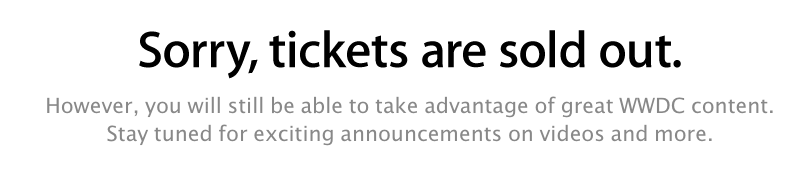
Update: It appears tickets are already sold out after 2 minutes of availability. This is a new record for Apple, but, alas, several developers couldn’t get a ticket in that short period of time.


Fake Shower Review

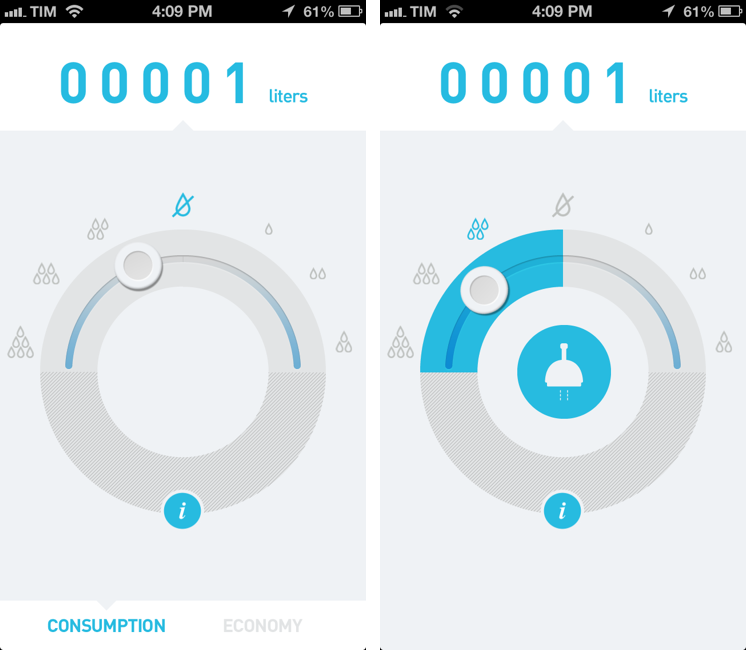
Akatu Fake Shower may seem like a very stupid app. I mean, watch the promotional video:

Seriously.

Yesterday, after my friend Matt tweeted about Fake Shower, I downloaded it (the app is free) expecting to stumble upon a silly joke. To use Apple’s parlance, I thought it was another fart app, disguised as a clean-looking utility to actually achieve the opposite goal.

Then I decided to look for more information.

It turns out, Akatu is a non-profit NGO that focuses on raising awareness about consumption choices. It was founded on March 15, 2011 (World Consumer Rights Day) with headquarters in São Paulo, Brazil. Here’s a TEDx presentation by one of the co-founders of Akatu, former Brazilian minister Helio Mattar, talking about “conscious consumption”. In short, Akatu’s goal is to show how our consumption habits could be improved.

All the “reviews” of Fake Shower that I found didn’t mention that this app leverages an embarassing premise to cleverly raise awareness on the issue of water consumption. The app’s motto – “Because love is blind, but not deaf” – perfectly sets the tone for an “experience” that, for a lack of a better description, offers a way to cover the sound effects of your bodily activities. But why aren’t more people looking into the organization behind this “stupid app”? Read more


Horizon Calendar 2.0 Adds Natural Language Parsing, Check The Weather Integration

Horizon

Horizon

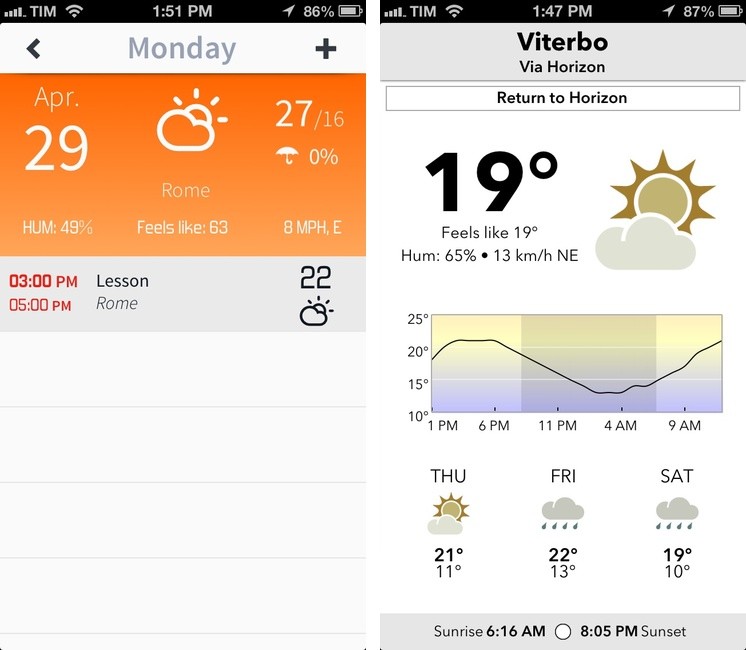
Back in February, I covered Horizon Calendar, an app developed by Kyle Rosenbluth that cleverly combined the classic aspects of a calendar with basic weather information:

The core aspect of Horizon is how it mixes weather with event information. When creating a new event, the app uses Google location data (which I found to be the best provider here in Italy) to show a list of suggestions in a bar above the keyboard; once you’ve chosen a location, Horizon will fetch a weather forecast (up to 14 days out). The app was created for people who deal with appointments in multiple locations on a daily basis: by entering a single day’s view, you’ll see a list of all your upcoming events alongside their respective locations and weather forecasts.

Horizon Calendar 2.0, released today, is a solid update that adds powerful functionality without sacrificing the app’s usability and ease of use. Following a trend established by apps like Fantastical and Due, Horizon now comes with natural language parsing for event creation: type something like “Skype call on Monday 5 PM until 7” and Horizon will correctly understand and parse your input automatically filling the necessary calendar fields for you.1

Read more


Circles Memory Game

Delightful new Universal game by Snowman, makers of Checkmark.

It’s clear to me that this is a post-Letterpress game: the menus and navigation are reminiscent of Brichter’s word game, and the multiplayer component is based on Game Center. There is, however, a single-player mode as well where you can practice or try to beat the 120 levels. If you have an iPhone and iPad, Circles will sync using iCloud.

I love Circles’ animations, sound effects, music, and overall flow of interactions within the game.

Plus, a percentage of each sale will be donated to help fund Alzheimer’s research and support programs. Buy a great game and support a good cause.

Permalink

Add Multiple OmniFocus Actions at Once Using Drafts 3.0

When editing my Drafts 3.0 review last night, I removed this sentence from the Reminders section:

“Again, I don’t use this functionality, but it’ll be interesting to see something like this being tweaked to work with Drafts and Reminders”

Sid O’Neill figured it out right away:

Drafts just updated today to version 3.0. There are a whack of new features but one that I’m most interested in is the new “list in Reminders” action. It makes it easy to add multiple actions to Omnifocus without requiring Pythonista.

I forgot Daniel Jalkut had a script to monitor Reminders and add todos to OmniFocus for Mac. If you’re like me, you know you’ll try to make this work with a Mac server and modified default sync times.

Permalink

Drafts 3 Review: Better iOS Automation and Workflows

Drafts3

Drafts3

In just a little more than a year, Agile Tortoise’s Drafts has gone from being a quick notepad for small bits of text to a full-featured solution for launching apps, using web services, and chaining multiple apps together – always with a focus on text. With version 2.5, released in January, developer Greg Pierce expanded upon Drafts’ existing support for URL schemes to let users build their own actions and share them with others; in the process, he also updated Drafts to handle advanced operations such as customizable Dropbox write access, strftime timestamps, and deeper x-callback-url support.

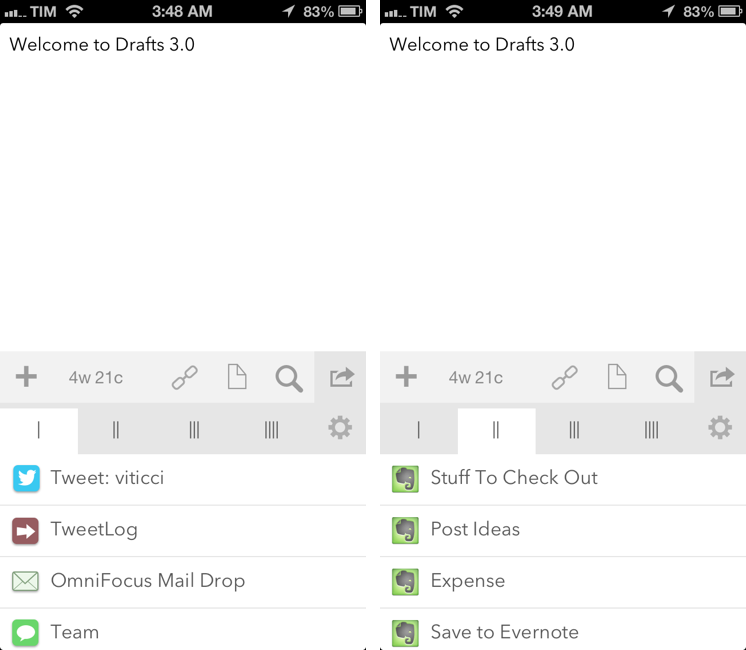
Drafts 3.0, released today, is a major update that refines several aspects of version 2.5 and brings powerful new features such as Evernote and Message actions, better action and draft management, tighter Reminders integration, and a way to backup and restore entire sets of actions.

I have been testing Drafts 3.0 for the past month, and, even more than Drafts 2.5, it has become an essential part of my daily workflow.

Read more