Indiegogo: Kreyos Meteor - A Voice and Gesture Enabled Smartwatch

The Kreyos Meteor is the latest wearable gadget to make its appearance on a crowd-funding platform, this time on Indiegogo. Claiming to be the only smartwatch with both voice and gesture controls, the Kreyos Meteor connects over Bluetooth to your iPhone, Android, or Windows 8 phone. With an iPhone, you can engage Siri through the watch, or use motion-based gestures like a wave of the hand to skip tracks, answer calls, or to have the watch read you a text message without pressing a button. The watch will even help you locate your misplaced phone.

More impressive are the litany of features that are built in for monitoring personal health. The watch could replace devices like the Fitbit or Jawbone UP, tracking overall activity and more with built-in heart rate and cycling monitors. And the Kreyos Meteor isn’t just limited to being a watch - it can be taken out of its watchband to fit into a lanyard or belt clip. It’s also waterproof, making it a great choice for swimmers who want to analyze their performance or for trail runners exposed to the elements.

Targeted at people who want a better way to receive notifications and individuals who are looking for an all in one sensor to track their performance, the Kreyos Meteor wants to keep the phone in your pocket. Just like the Pebble, the Kreyos Meteor will also give developers an opportunity to create new apps and gestures. Already exceeding its goal of $100,000, a contribution of $119 lets you pre-order you the watch in black, expected to ship this November. For an additional $10 you can pick your own color. You can learn more fund the campaign here.


Responding To iOS 7

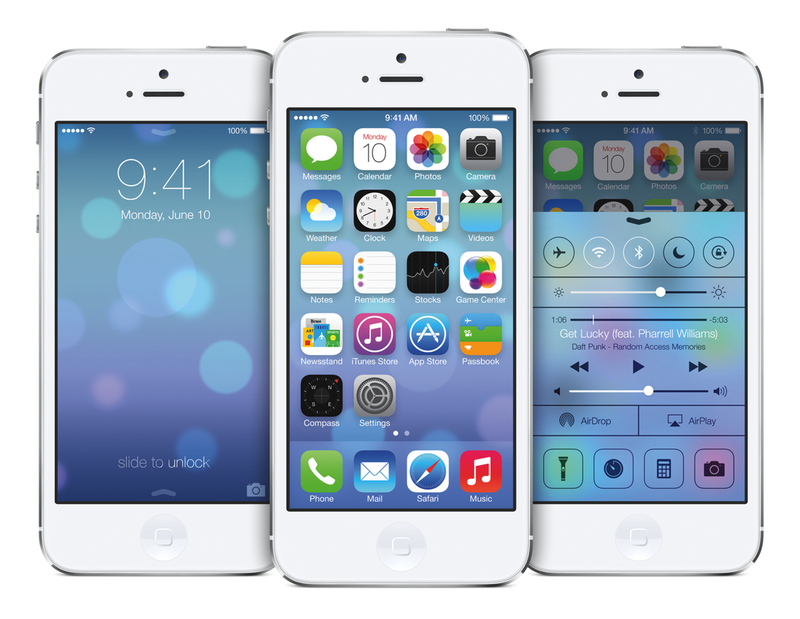
Winning apps won’t merely take Apple’s default look and mimic it. Think about how boring it would be if all of our apps looked like iOS 7 Calendar or Settings. It would get old really fast. But that’s nothing new. Think about if all the apps on iOS 6 looked like iOS 6 Calendar and settings… Yep, it would be really boring.

Jeremy Olson has some great thoughts on how designers and developers should respond to iOS 7 in the coming months. From what I’ve seen so far, this summer will be an interesting one.

Permalink

Apple Details iOS 7 Business and Education Improvements

Last night, Apple updated its iOS 7 mini-site to include links to two webpages that detail improvements coming for Business and Education users.

For Business, the biggest additions are Per app VPN, more controls on “Open In”, third-party app data protection, and more options coming to MDM with streamlined enrollment. New MDM options are also coming for Education users, alongside single sign-on for an institution’s apps, App Store license management, and more.

Macworld has a good overview of the changes coming in iOS 7 for Business and Education. As noted by Bradley Chambers, the new Apple ID features for students under age 13 are a notable addition.

Permalink


Mr. Reader 2.0 Adds Support For Feedly, Feed Wrangler, Fever, and More

Mr. Reader 2.0

Mr. Reader 2.0

With Google Reader shutting down in less than a week, developers of RSS clients for iOS and OS X are rushing to get updates approved by Apple and let App Store customers continue using their apps with other RSS services. In the past two weeks, details have emerged on a variety of new RSS platforms that are launching on the brink of Reader’s demise, such as Feedly, Digg Reader, and AOL Reader; I’ve already covered Feed Wrangler, the service I’m currently using, and Reeder’s update with support for Feedbin. It’s not clear if one service will stand out as a “winner” in a post-Google Reader world; for now, what’s apparent is that most third-party developers are deciding to support various Google Reader alternatives rather than picking a single service (as it happened with Google Reader in the past three years). Today, my favorite Google Reader app for iPad, Mr. Reader, has been updated to support six new RSS services, with a version 2.0 that doesn’t add new sharing or reading functionalities, but that ensures the app will continue working after July 1. Read more


‘Creativity as an effortless fantasy’

John Pavlus of Co.Design on Instagram’s Cinema mode:

Stabilization is the “filters” of mobile video: the one-touch (or in Instagram’s case, no-touch) killer feature that makes your mundane “moments”–your life, really–look and feel like art, and you the artist. Instagram’s video feature is usually compared to Vine, but it really has more in common with Paper–another fantasy-driven art-making app that transforms your homely scrawls into graceful sketches.

[via Ellis Hamburger]

Permalink

Kickstarter: Capture Lyrics and Record a Demo in Hum

You’re in the shower. You’re at the mall. You’re in the parking lot. The next pop single has just popped in your head and you’ve got to get that idea down fast. But don’t fret. Just Hum it.

Hum, designed, branded, and engineered by a trio of music lovers, is pitched as an all-in-one alternatives to the apps we use daily to capture our song ideas. Instead of singing into Voice Memos or writing lyrics in Notes, Hum brings all your song writing tools into a single application. With Hum, you’ll be able to write lyrics, hum or record a riff, and then set the key. After recording, you can apply a root note and apply metadata for tuning and mood. And when you go to record that demo based on what you’ve written down, Hum will play back your tune with the correct tone, metronome optional.

Hum works however you do — it’s smart and flexible. You can write lyrics and record later, record first and loop a snippet to get down the perfect chorus, or filter your recordings based on a variety of metadata so you can knock out a recording session.

The guys behind Hum are looking to raise $20,000 by July 24th, and they’re currently well on their way with $3,407 raised. Of the pledges, you can get a discounted version of the app for $6 as a reward if the campaign is successfully funded. $10 will nab you the app and a pack of Hum branded picks and stickers, and $30 gets you a t-shirt. You can learn more and back Hum on their Kickstarter page here, and get an overview of the app’s features on their website.


Skitch 2.6: Effortless Annotations

Today, Evernote has announced a few new ways to interact with Skitch, an app that makes it easy to visually communicate ideas with text, shapes, and sketches. The latest set of updates are focused on improving annotations — how easy they are to make and how fast to get to them.

Starting an adjustable canvas, Skitch 2.6 lets you add margins to an image or screenshot. The extra whitespace next to an image will give you some extra room to add instructions or elaborate on an idea. You can simply click the + sign on any edge to add extra space, or let the canvas resize itself as you draw a shape past the image’s edge. You also have the option to resize the canvas yourself with the Crop/Resize tool.

Perhaps my favorite addition to Skitch are the improvements made to shapes. By simply holding the shift key, you can draw perfect circles and squares, while arrows and lines will snap into place at 45 degree angles. This works with handles when rotating and editing drawn shapes as well. And shapes can now be drawn to a much smaller size if you’re looking to annotate something with pinpoint accuracy.

The last set of features makes getting to annotations and returning to them later easier than ever. For taking screenshots, you can now turn off the advanced options panel by unchecking its setting in Skitch’s preferences. Then for saving your images, Skitch will let you save in a new kind of re-editable PNG file. You can embed these images into documents just like you would with any ordinary PNG, but Skitch PNGs can be re-opened and edited for correcting annotations or adding a second opinion.

Sktich 2.6 is available to download from the Mac App Store.

[via Evernote Blog]


Sponsor: Global Delight

Our thanks to Global Delight for sponsoring MacStories this week with Boom.

Boom goes above and beyond the speakers in your MacBook or iMac to deliver impressive sound. Boom boosts the volume of your Mac so you can hear your favorite music, movies, and games over noisy fans or background noise. Boom even boosts the volume of music files in your iTunes playlists so you can listen to tunes on the go at fuller volumes. Plus, Boom offers personalized presets through its built-in equalizer, meaning you’ll always get the best sound no matter what you’re listening to.

Earning Macworld’s Best of Show award in 2011, Boom takes your audio a whole new level. Try Boom today and get $2 off the regular price.