
Update: An earlier version of this article referred to this feature as having been introduced in iPadOS 27, but it was actually introduced in the iPadOS 26 cycle. I missed it. My apologies.
In iPadOS’ Shortcuts app, the existing ‘Open App’ action was recently updated with the ability to launch an app with a specific window placement parameter. This means you can now automate window positions on iPad by opening a bunch of apps and programmatically selecting where their windows be placed.
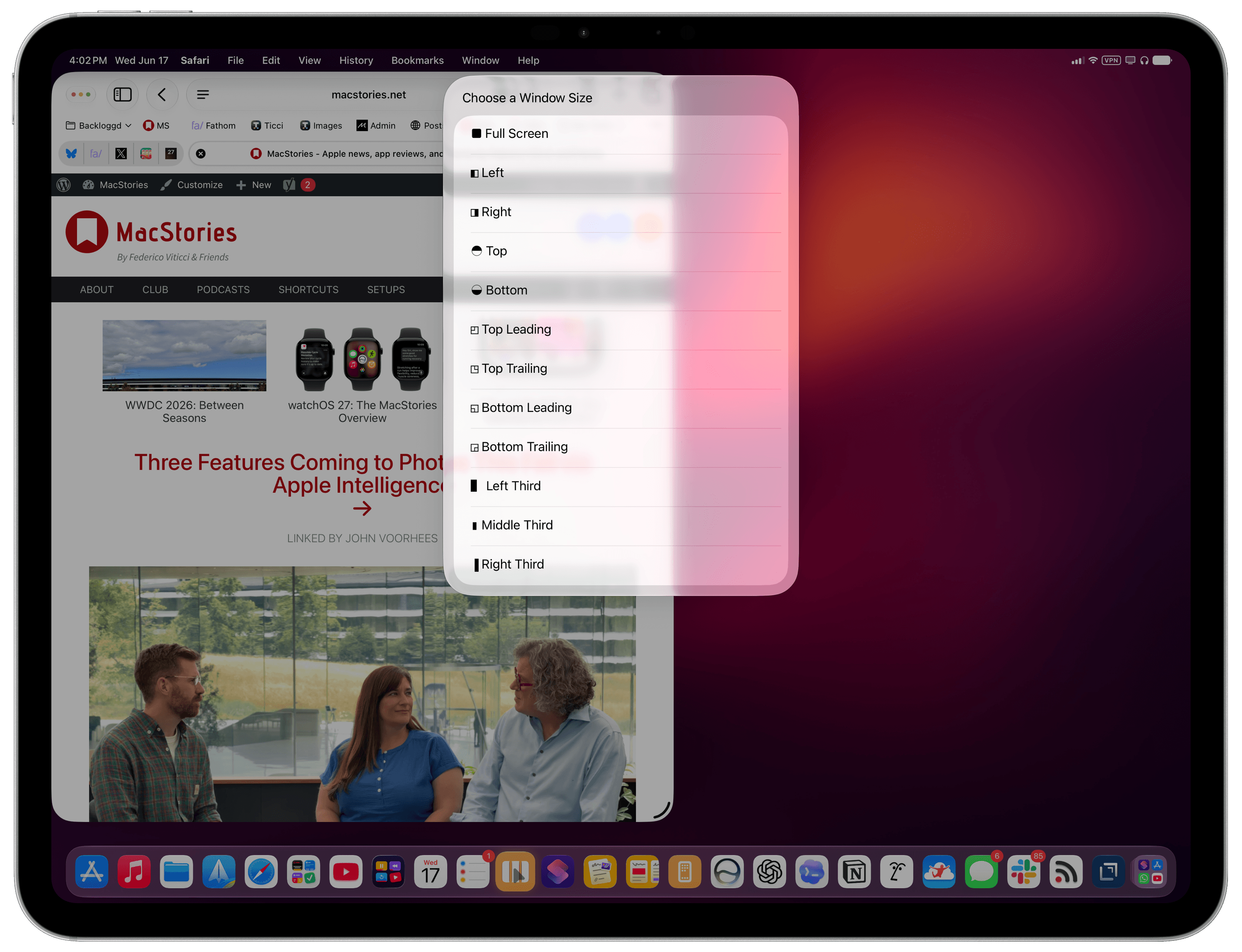
To find this feature, use the ‘Open App’ action in Shortcuts and expand it to reveal the new ‘Window Location & Size’ field. Here, you can click the default ‘Full Screen’ value to reveal a host of options:
- Full Screen
- Left
- Right
- Top Bottom
- Top Leading
- Top Trailing
- Bottom Leading
- Bottom Trailing
- Left Third
- Middle Third
- Right Third
You can play around with these options to open any app and resize any window by choosing from the same presets that are otherwise shown by iPadOS when right-clicking the traffic light controls:
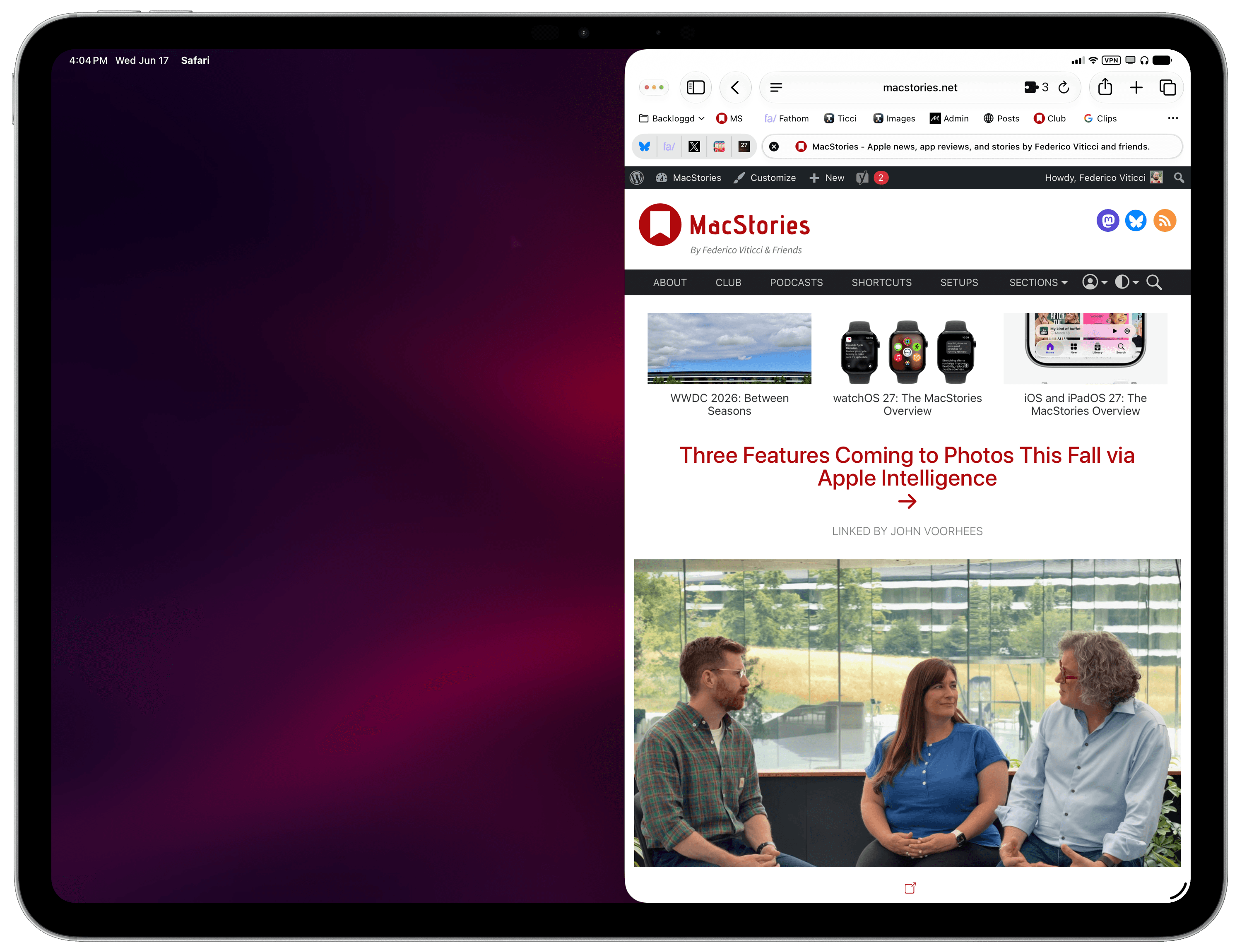
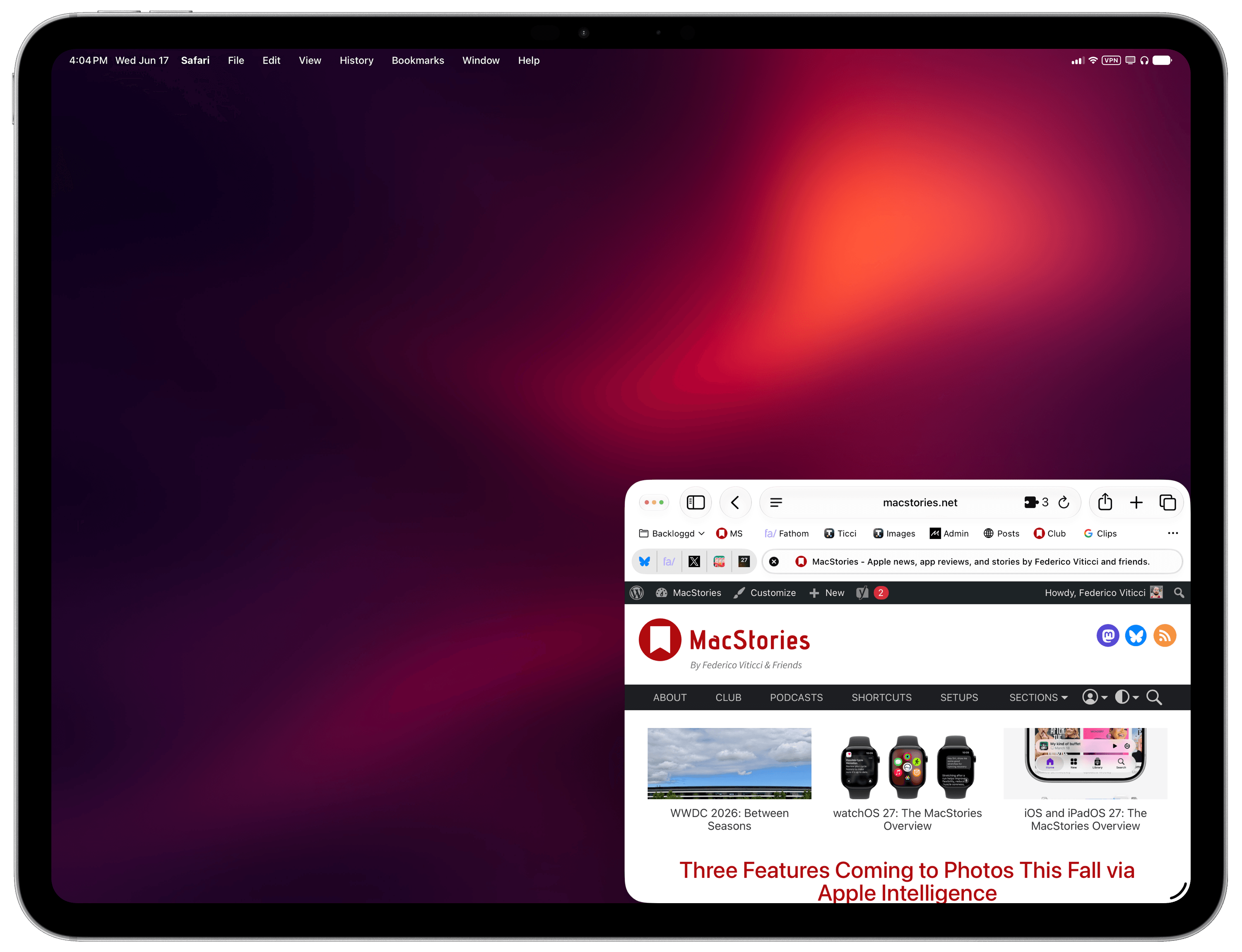
That was a neat discovery, but as I was playing around with the action, I realized that its practical utility would be impacted by the fact that you have to manually pre-select the app you want to open as well as its window layout. Wouldn’t it be better if you could turn this Shortcuts action into a reusable technique to programmatically get whichever app is in the foreground with no manual selection upfront, then also give it a pre-selected window preset? As it turns out, you absolutely can.
This is why I created MultiSwitcher, a simple proof-of-concept shortcut for iPadOS users that lets you resize any foreground window to a preset of your choice – no manual input necessary. The idea is fairly straightforward: you can use the ‘Get Current App’ action to get the name of the foreground app, pass it to the ‘Open App’ action, and also pre-configure that action to accept a layout variable.
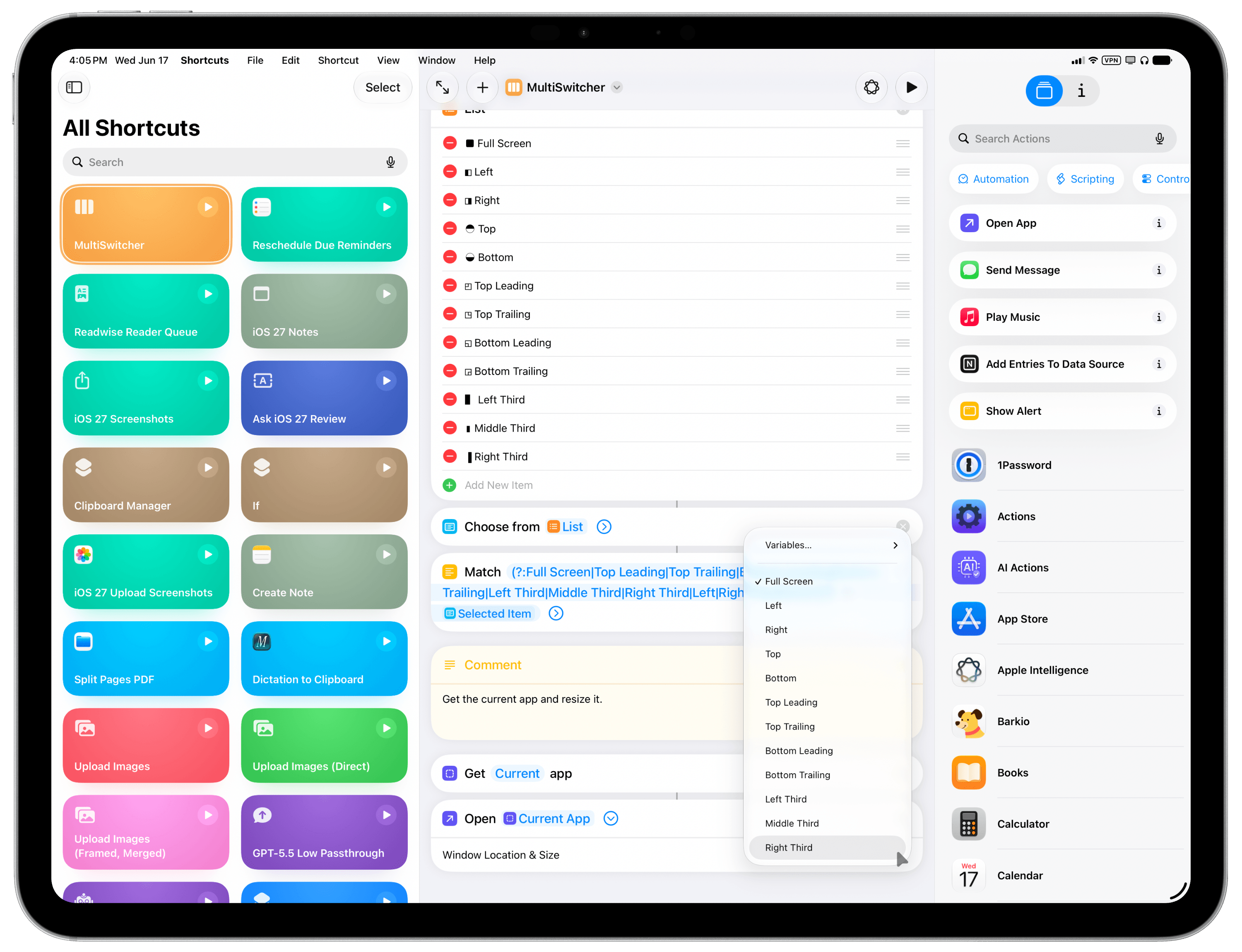
MultiSwitcher is best used as a shortcut added to your iPad’s dock, so you can click it at any time and instantly resize the foreground window. For MultiSwitcher, I designed a visual menu (with some ASCII characters) that lets you preview window layouts, pick one, and resize the currently frontmost window. It doesn’t have to be this way, though: if you’d rather add multiple variations of MultiSwitcher to your dock, each with a specific window size already selected, you can also do that and skip the menu. The choice is up to you.
While these newfound window-control capabilities for iPadOS are still a far cry from the Mac’s breadth of window managers and multitasking tweaks, I find this implementation in Shortcuts to be quite elegant and intuitive for most users to grasp with no need for a third-party app.
You can download MultiSwitcher for iPadOS below.

MultiSwitcher
Control iPadOS window placement by selecting from a list of preset window sizes. The shortcut will resize the currently frontmost window.
