An Apple event can only cover so much. Some of the most useful details turn up in the product pages, technical specifications, footnotes, and summary slides after the presentation ends. We’ve collected our favorite smaller changes from yesterday’s Surprise and Shine event below:
iPhone Duo
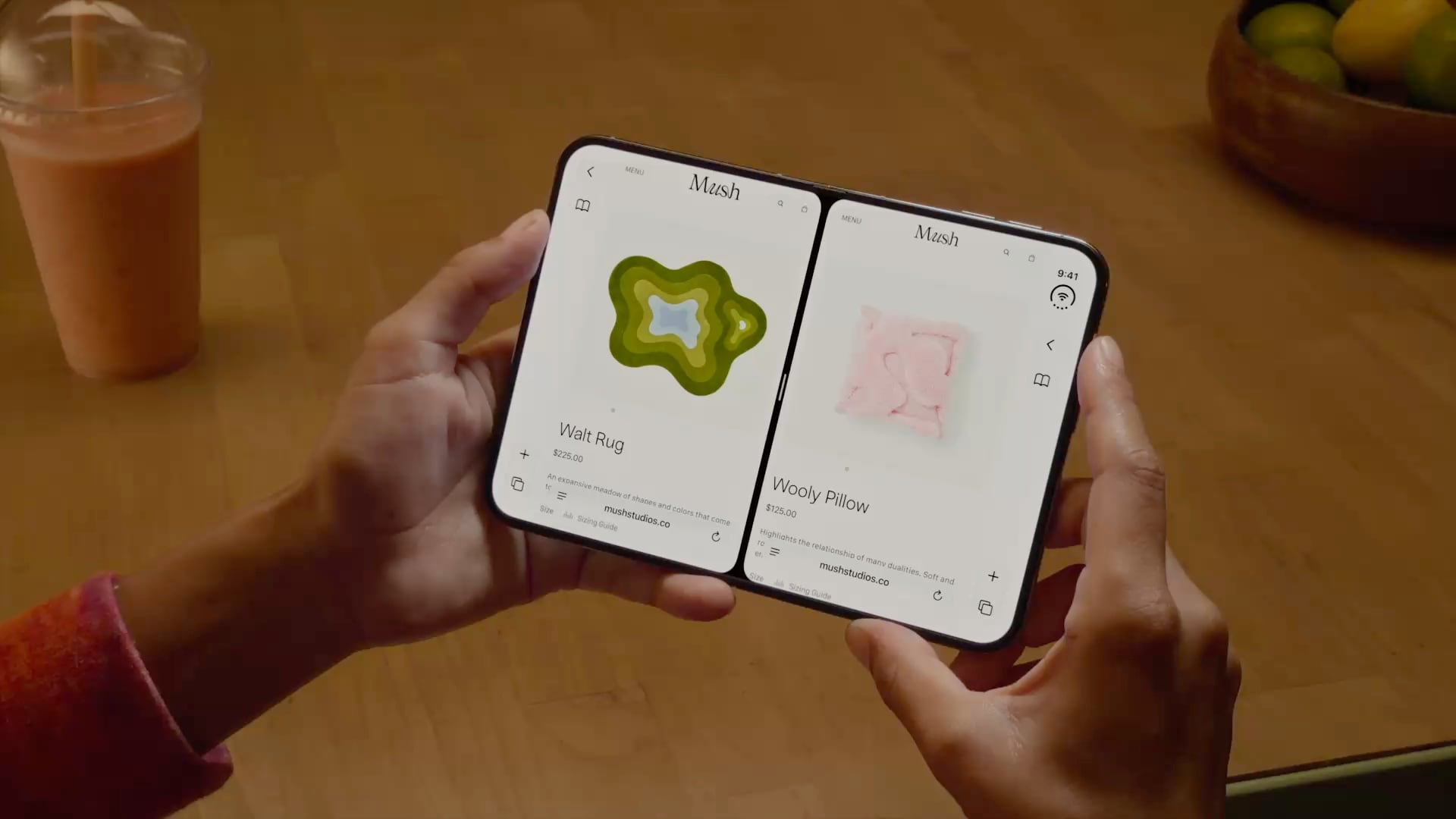
- In the hands-on area after Apple’s event, Ben Bajarin reported that the Duo’s hinge crease is barely noticeable, except at specific angles.
- David Imel was impressed by the matte finish on the Duo.
- iJustine has an excellent video showing off multitasking using both the outer and inner screen of the Duo.
- Apple has released a six-video playlist on YouTube and in the Apple Developer app called “Get ready for iPhone Duo” to help get designers up to speed with the phone’s new format. The Human Interface Guidelines have been updated too.
- The vertical strip along the side of the Duo uses App Control icons for what would be tab bars and nav bars on other devices.
- For developers, Apple has released five tech talk videos in the Apple Developer app, including “Raise the bar with iPhone Duo.” Additional materials, workshops, and the Xcode 27.1 beta are coming later this month.
- Continuous Angle API lets developers receive ongoing updates about the Duo’s hinge angle to power interactive effects.
- Developers who don’t update for the iPhone Duo may have their apps letterboxed.
iPhone 18 Pro and Pro Max
- The iPhone 18 Pro supports Adjustable Voltage Supply, which works with Apple’s 40W Dynamic Power Adapter.
- The A20 Pro uses Super cores like Apple’s M6 chip and shares its dual Neural Engine architecture.
- iPhone Handoff, which lets you move one phone number between two iPhones, changes your Find My location to the receiving phone and can only be turned off with the help of your carrier.
- The iOS 27 Camera app adds a customizable controls toolbar.
Apple Watch Series 12 and Ultra 4
- Apple published a study that compares its new Apple Watch Series 12 to other wearables, and the results are impressive.
- Your Readiness score changes during the day, adjusting based on workouts and changes in your daytime vitals.
- Audio Intelligence requires more than just a new Apple Watch. Features like Live Rewind and Siri Recap won’t work with the iPhone 16e or iPhone 15 Pro models even though those iPhones support Apple Intelligence.
- Unsaved Siri Recaps are automatically deleted after seven days, and unless saved, Live Rewind transcripts disappear around 30 seconds after your Watch’s screen dims. Siri Recaps can be edited and exported to other apps like Notes.
You can follow all of our September 2026 Apple event coverage through our September 2026 Apple Event hub or subscribe to the dedicated September 2026 Apple event RSS feed.

