This Week's Sponsor:

SaneBox

Clear the Clutter, Keep What Matters.


Posts tagged with "iPhone Duo"

Apple Investigating Options for Extending Web Content Under iPhone Duo’s Safari Controls→

Jen Simmons, writing at the official WebKit blog:

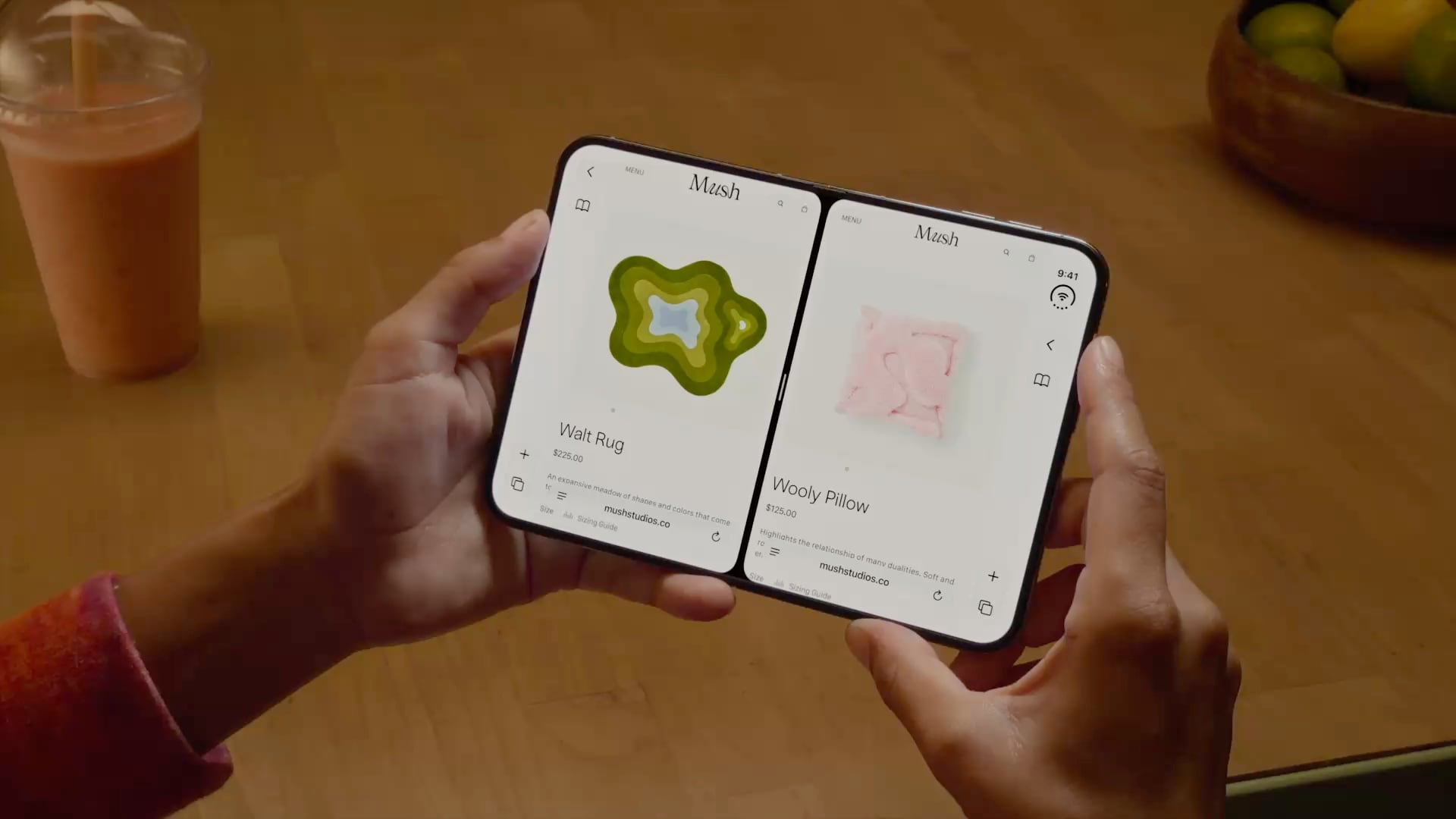
Safari 27.1 does bring one change to users. Now, when someone holds iPhone Duo partially folded like a book while looking at a PDF on the web, Safari 27.1 automatically shows PDFs as two pages side by side. When they open the screen flat or close it fully, Safari switches back to one page.

I didn’t know about that, likely because I prefer saving and reading PDFs offline. The most interesting tidbit from this otherwise (very) technical blog post, however, is the fact that Apple is actively looking into ways to let web developers extend their websites’ content underneath the Safari controls shown on the right side of the iPhone Duo’s screen:

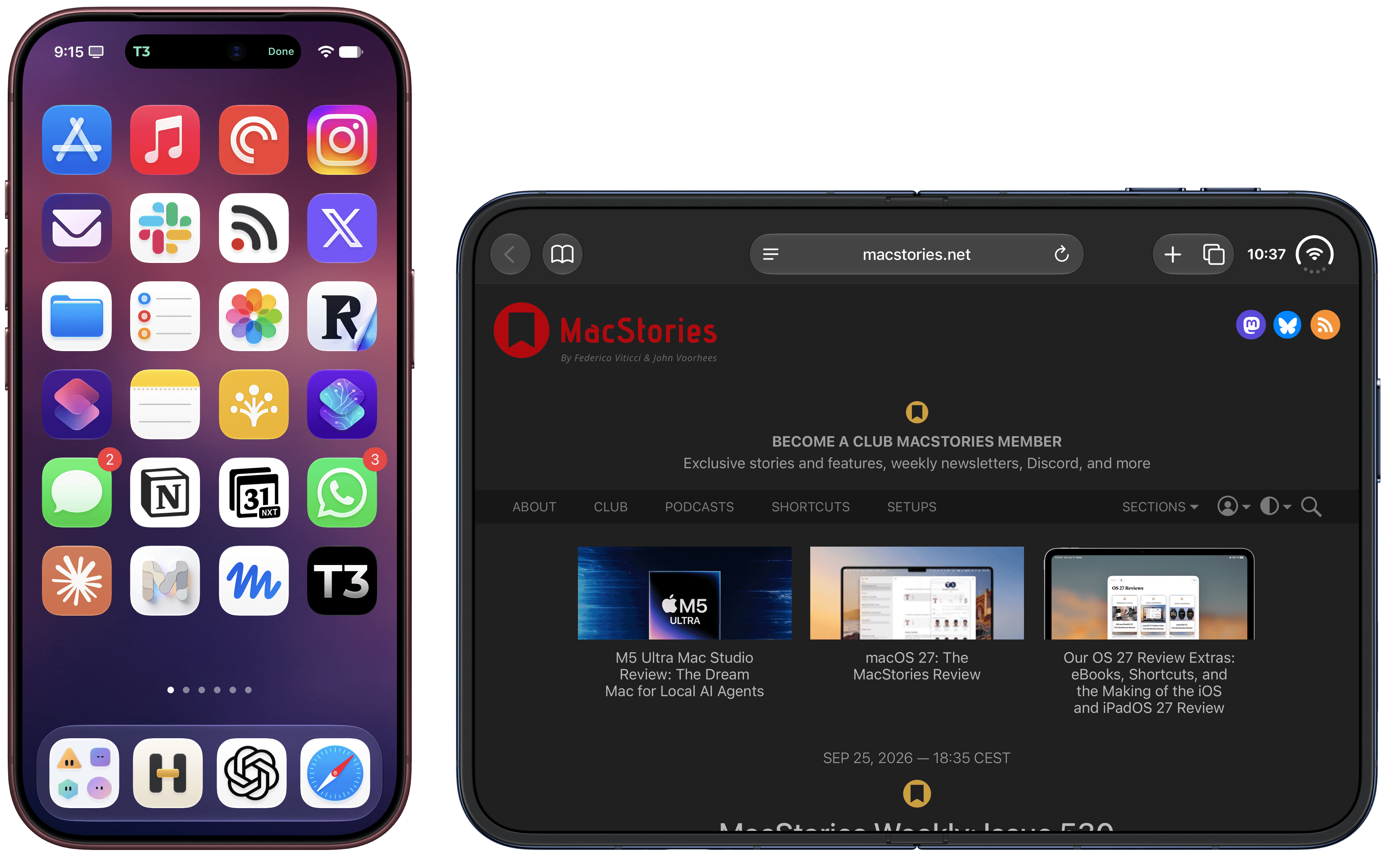
You might have noticed the outer display of iPhone Duo is wider and shorter than other iPhone displays. To give content more vertical space, iOS moves controls to the side.

In Safari 27.1, web content does not currently extend to fill the space behind these controls. Just like on other platforms, Safari looks at the web page and extends its background color to fill the space.

We would like to give web designers and developers the ability to design and use that space in more creative ways. Perhaps you want to extend your header background across the full width of the display, for example. It might seem like there’s just one obvious way to make this possible, but really there are many possibilities.

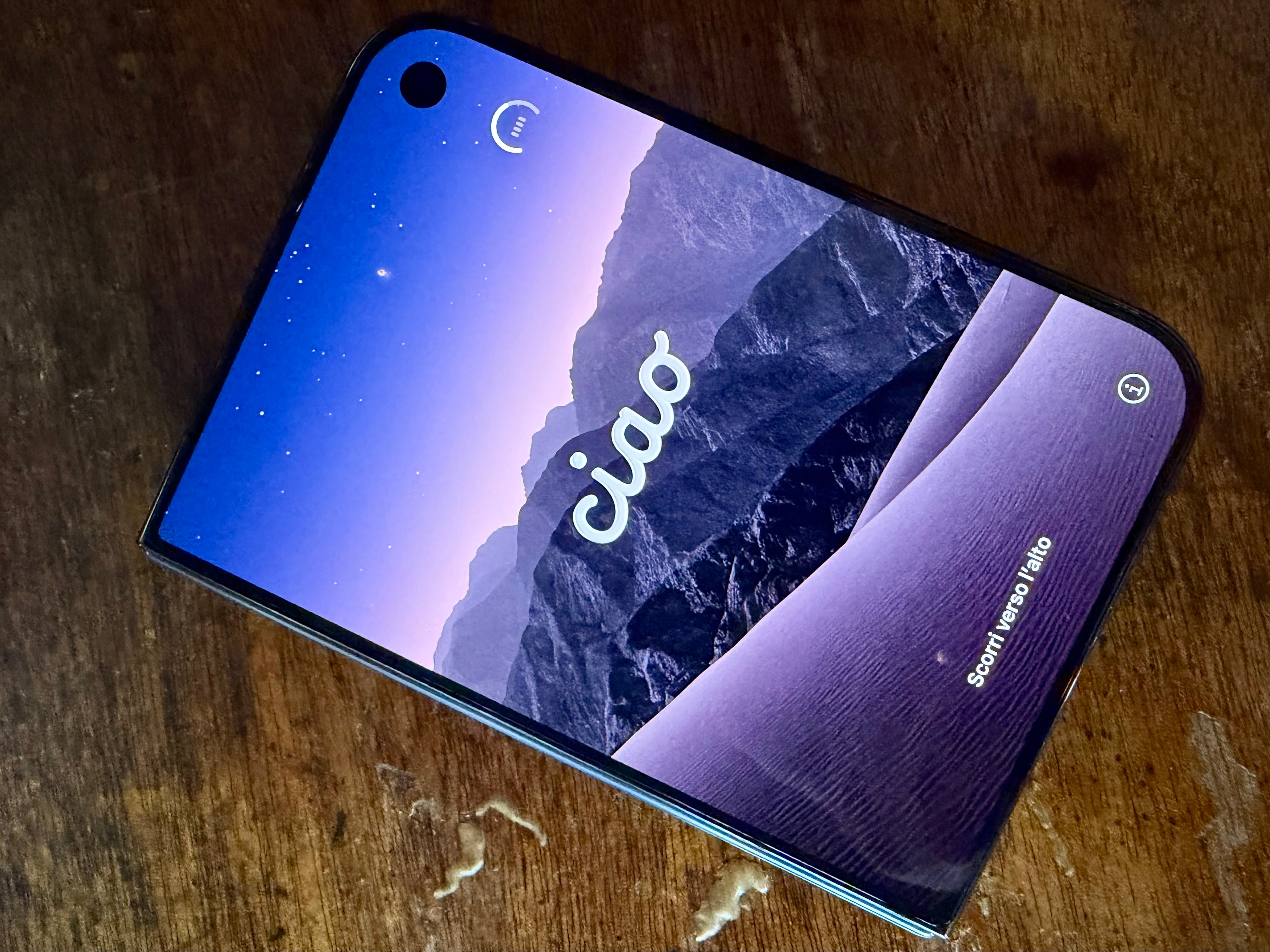
Since getting my iPhone Duo review unit yesterday, this is what has annoyed me the most. I dislike how all kinds of websites are simply cut off on the right side of Safari on the outer display. You can see this in action on MacStories itself: while we have fully updated our website to take advantage of the iPhone Duo’s new viewport sizes, there’s nothing we can do to extend the toolbar and other elements under Safari’s controls on the right side of the display. The result looks like a poor implementation on our end, but it isn’t.
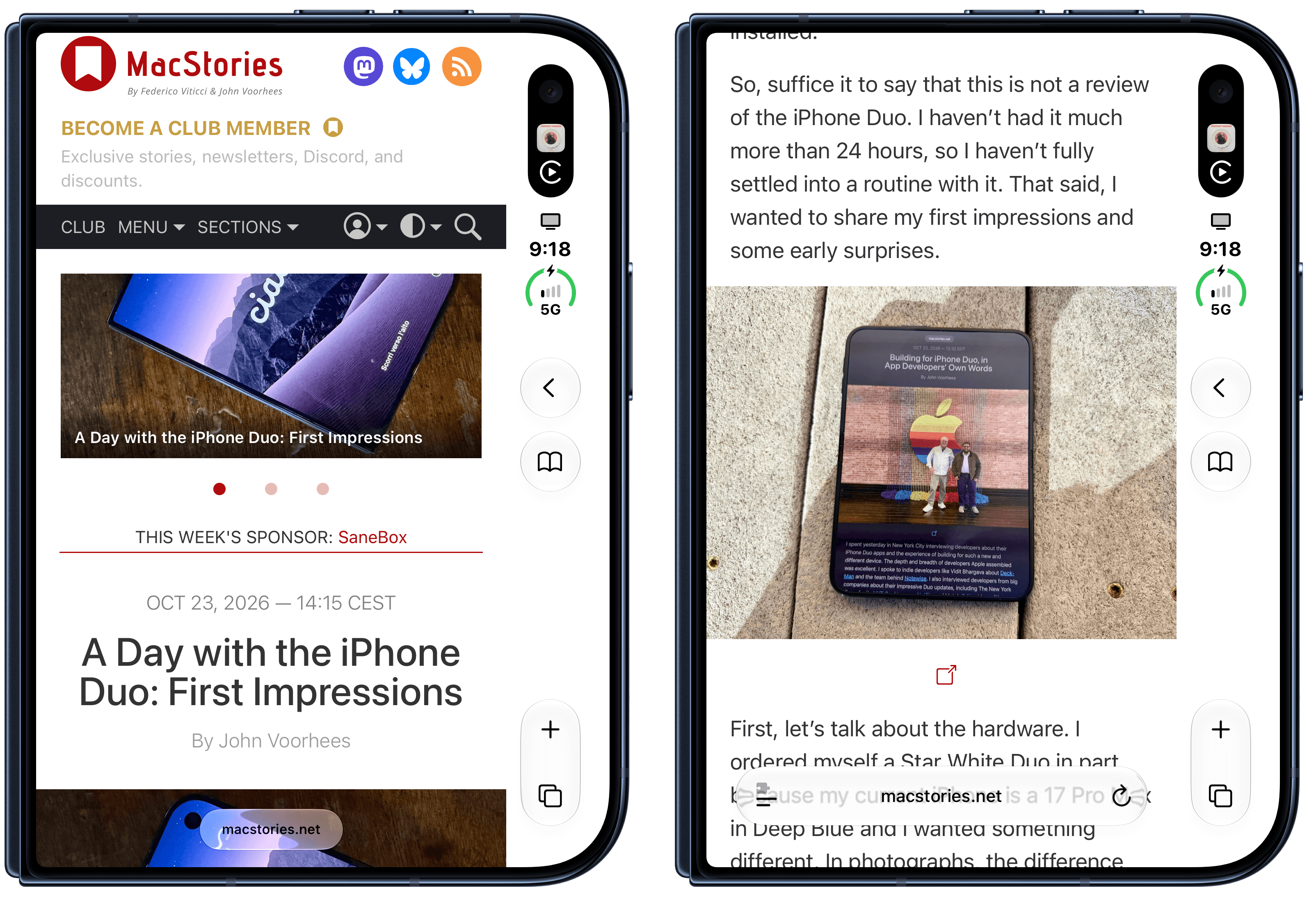
MacStories on the iPhone Duo's outer display.

MacStories on the iPhone Duo’s outer display.

I hope Apple’s Safari and WebKit teams can figure this out; once they do, we’ll update MacStories for the iPhone Duo again.
Permalink

A Day with the iPhone Duo: First Impressions

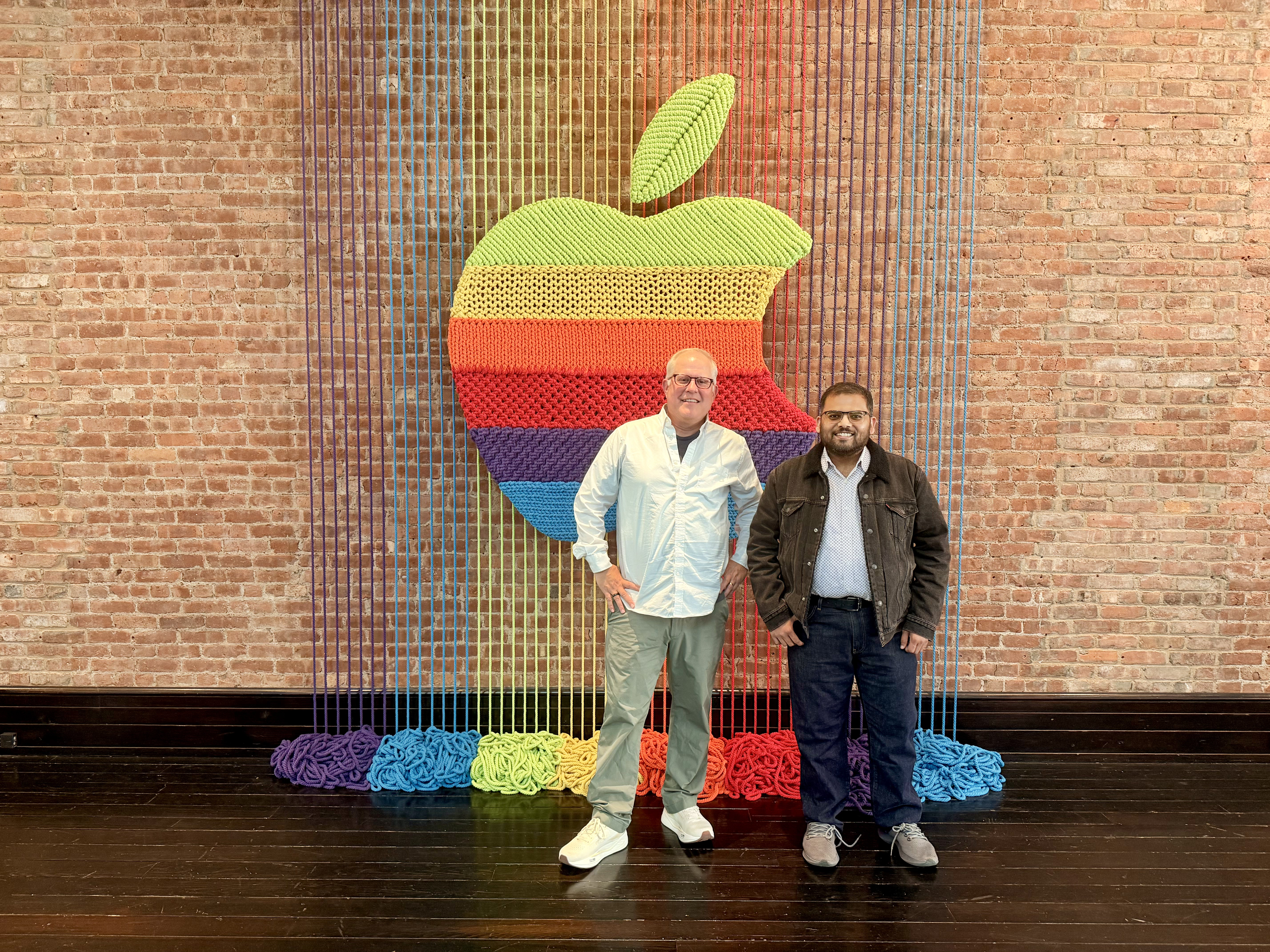
I spent Wednesday in New York, interviewing developers about their iPhone Duo apps. It was like a little slice of WWDC dropped among Manhattan’s skyscrapers, which was wonderful. There’s nothing I enjoy about what we do at MacStories more than talking to developers about their apps and the stories behind them.

I left the city with a much better appreciation for what it’s like to build apps for the Duo, which will be incredibly valuable as Federico and I work our way through the enormous list of Duo apps that developers have shared with us. I also left New York with a 512GB Night Sky iPhone Duo for testing. As I left the press event, I suddenly had a phone to set up, but hadn’t done anything to prepare and had no fast Wi-Fi to download gigabytes of apps and files. Long story short (listen to MacStories Unwind for the long version), I headed to the airport and by the time I boarded the plane, I was on the iOS 27.2 beta and had the core system apps installed.

So, suffice it to say that this is not a review of the iPhone Duo. I haven’t had it much more than 24 hours, so I haven’t fully settled into a routine with it. That said, I wanted to share my first impressions and some early surprises.

Read more


Building for iPhone Duo, in App Developers’ Own Words

I spent yesterday in New York City interviewing developers about their iPhone Duo apps and the experience of building for such a new and different device. The depth and breadth of developers Apple assembled was excellent. I spoke to indie developers like Vidit Bhargava about Deck-Man and the team behind Notewise. I also interviewed developers from big companies about their impressive Duo updates, including The New York Times for its NYT Cooking app, Netflix, and Meta’s Edits video editing app. Plus, I met Mark Otero from Azra Games, whose team poured their hearts into UnGodly, one of the best-looking games I’ve seen on iOS in a while.

A few things struck me about my conversations with developers. First, every one of them was excited about the design challenges posed by the iPhone Duo and the many orientations and ways it can be used. Second, every one of them came away impressed by how smooth Apple has made the development process. That’s not to say the design challenges weren’t real, but getting from a design idea to an app that worked on the Duo went better than anyone expected. Third, after months of building and testing, everyone was looking forward to seeing which design choices land with users.

But that’s enough of my impressions. I’ll let the developers speak for themselves in this special bonus AppStories video. I came away from New York with some great interviews, which I’ve shared on the MacStories YouTube channel. Apologies for the sometimes rough audio. There’s only so much I can do with recordings made in a room packed with press and developers, but if you’re into apps, design, and how things are built, these interviews are for you.

Also, I left New York with a Night Sky 512GB iPhone Duo that I’ve only just set up and begun testing. I’ll be writing about the Duo soon, and we’ll start covering the best of the more than 300 Duo-optimized apps that developers have sent Federico and me. Stay tuned, because the busy fall season at MacStories is just going to keep rolling.


iPhone Duo Review Roundup: Great Hinge, Messy Apps, and Everybody Misses Face ID

iPhone Duo reviews are out today, and while I was hoping that this year I’d get to review this hybrid device under embargo, it hasn’t happened (I hope it will, someday!). I’ve spent the past few hours reading, annotating, and watching as many Duo reviews as I could, and I’ve compiled the most interesting bits and common themes in the roundup below.

The broad strokes are consistent across all the reviews: the Duo’s hinge and the matte inner display are terrific; the lack of Face ID and a telephoto camera are serious trade-offs; and most third-party apps aren’t ready yet. But there’s plenty of nuance in the details, and even some disagreement (about the speakers, of all things).

Let’s dive in.

Read more


iPhone Duo App Submissions Are Open→

Source: Apple.

Source: Apple.

Yesterday, Apple announced on its developer blog that it has begun taking App Store submissions for iPhone Duo apps. The new foldable phone will be in customers’ hands in just over two weeks on October 23 and with Xcode 27.1, developers can recompile existing apps and build new ones.

To prepare for the launch, Apple has provided links to design and App Store asset guidance, as well as submitting apps to App Store Connect.

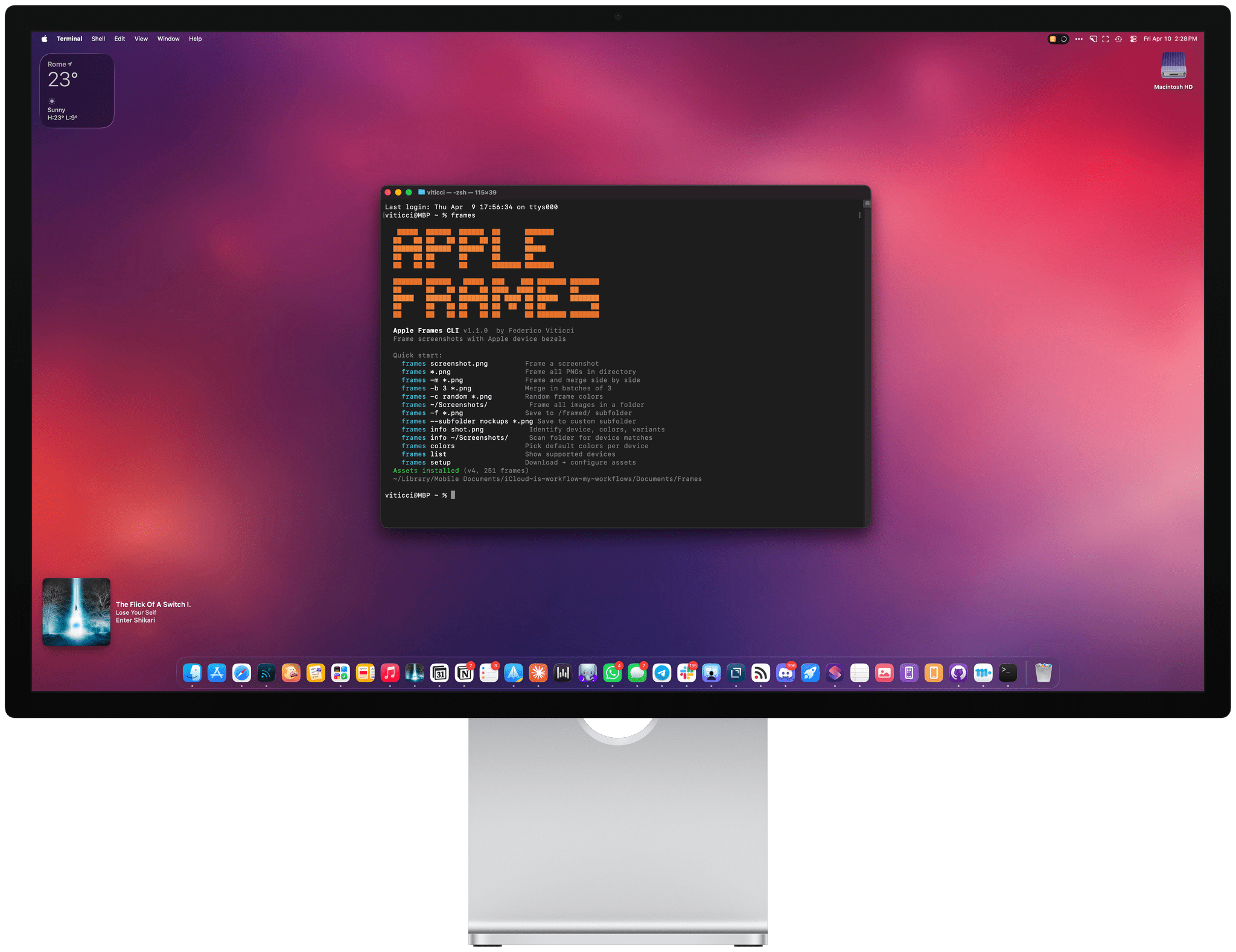
Federico's Frames CLI.

Federico’s Frames CLI.

Also, if you’re a developer, don’t forget to check out Federico’s Frames CLI 1.5.0, which includes experimental support for the iPhone Duo. The feedback from developers has been that it saves a lot of time when preparing screenshots for the App Store. The Frames CLI is available on GitHub and there’s more information on MacStories here.

Permalink

Frames CLI 1.5.0, Now with iPhone 18 Pro and (Experimental) iPhone Duo Support

The updated Frames CLI also supports proportional scaling for iPhone Duo.

The updated Frames CLI also supports proportional scaling for iPhone Duo.

The Frames CLI – the companion command line interface to my Apple Frames shortcut I released earlier this year – received a 1.5.0 update earlier today with two notable additions: iPhone 18 Pro frames, and experimental support for iPhone Duo screenshots in all poses.

As always, my shortcut and CLI are based on Apple’s official product bezels, which is why, as of today, there is no support for Apple Watch Series 12 and Ultra 4 yet (those frames haven’t been published by Apple). iPhone 18 Pro is the new default frame family for the two Pro and Pro Max screen sizes, and the CLI supports all the new device colors this year (Burgundy, Glacier, Silver, and Black).

iPhone 18 Pro in Burgundy.

iPhone 18 Pro in Burgundy.

iPhone Duo support is experimental. I obviously don’t have an iPhone Duo yet, but thanks to Opus 5.5, I was able to grab screenshots from the Xcode 27.1 Device Hub, verify them against Apple’s official assets, and test everything in the Frames CLI. It should work! The CLI – and, thanks to its skill, your agent of choice – supports framing screenshots taken on the inner and outer display, different poses, different rotation settings, as well as screen recordings.

If you’re a developer working on iPhone Duo apps, I think the updated Frames CLI should come in handy to automate the process of framing multiple screenshots and screen recordings. As before, you can take advantage of CLI features such as proportional scaling, merge mode, and batch mode, which should help you with your upcoming App Store submissions for the iPhone Duo.

The Frames CLI is free and open source, works with any agent, and is highly customizable. I’ll release an updated version of the Apple Frames shortcut once I can get my hands on an actual iPhone Duo next month (hopefully). Fingers crossed.


Apple’s Surprise and Shine Event: All the Small Things

Source: Apple.

Source: Apple.

An Apple event can only cover so much. Some of the most useful details turn up in the product pages, technical specifications, footnotes, and summary slides after the presentation ends. We’ve collected our favorite smaller changes from yesterday’s Surprise and Shine event below:

iPhone Duo

  • In the hands-on area after Apple’s event, Ben Bajarin reported that the Duo’s hinge crease is barely noticeable, except at specific angles.
  • David Imel was impressed by the matte finish on the Duo.
  • iJustine has an excellent video showing off multitasking using both the outer and inner screen of the Duo.
  • Apple has released a six-video playlist on YouTube and in the Apple Developer app called “Get ready for iPhone Duo” to help get designers up to speed with the phone’s new format. The Human Interface Guidelines have been updated too.
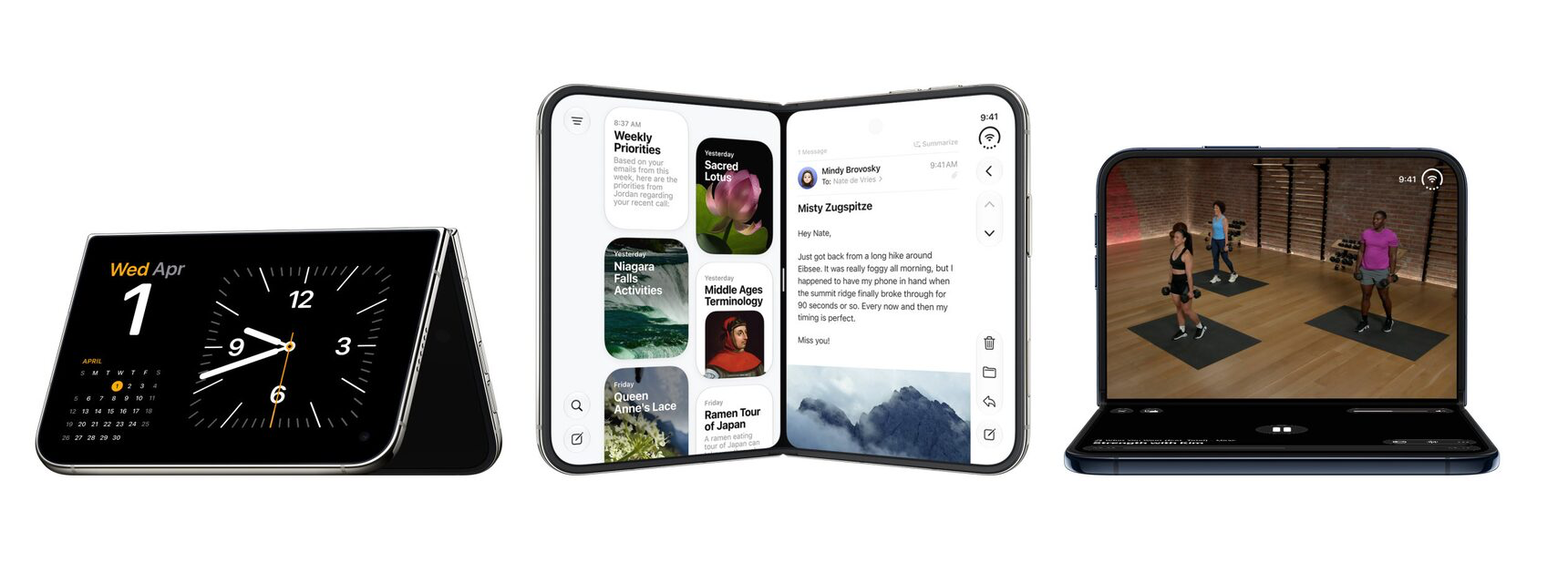
  • The vertical strip along the side of the Duo uses App Control icons for what would be tab bars and nav bars on other devices.
  • For developers, Apple has released five tech talk videos in the Apple Developer app, including “Raise the bar with iPhone Duo.” Additional materials, workshops, and the Xcode 27.1 beta are coming later this month.
  • Continuous Angle API lets developers receive ongoing updates about the Duo’s hinge angle to power interactive effects.
  • Developers who don’t update for the iPhone Duo may have their apps letterboxed.

iPhone 18 Pro and Pro Max

Apple Watch Series 12 and Ultra 4

  • Apple published a study that compares its new Apple Watch Series 12 to other wearables, and the results are impressive.
  • Your Readiness score changes during the day, adjusting based on workouts and changes in your daytime vitals.
  • Audio Intelligence requires more than just a new Apple Watch. Features like Live Rewind and Siri Recap won’t work with the iPhone 16e or iPhone 15 Pro models even though those iPhones support Apple Intelligence.
  • Unsaved Siri Recaps are automatically deleted after seven days, and unless saved, Live Rewind transcripts disappear around 30 seconds after your Watch’s screen dims. Siri Recaps can be edited and exported to other apps like Notes.

You can follow all of our September 2026 Apple event coverage through our September 2026 Apple Event hub or subscribe to the dedicated September 2026 Apple event RSS feed.


iPhone 18 Pro and iPhone Duo: The MacStories Overview

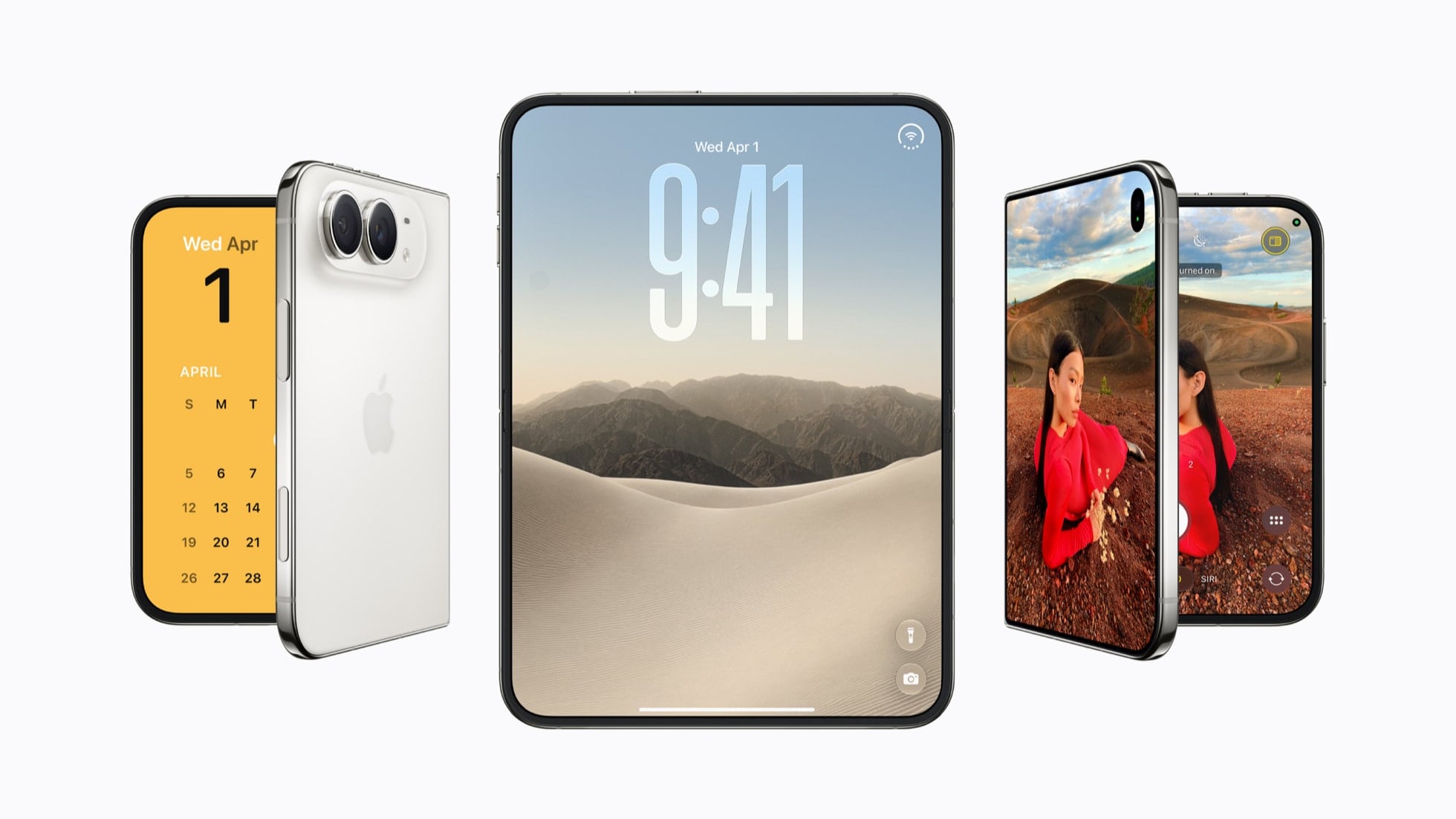
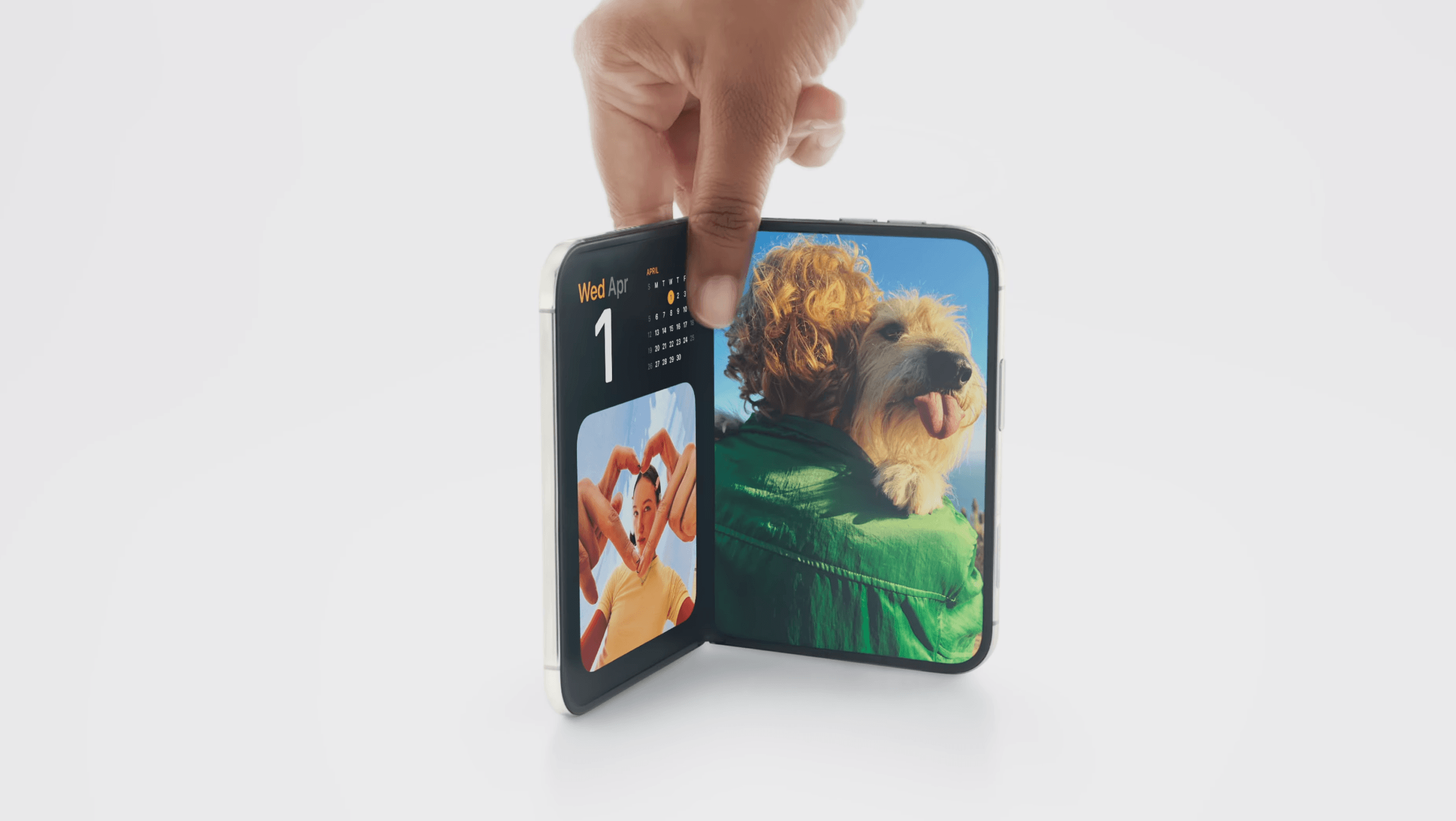
The iPhone Duo.

The iPhone Duo.

Apple’s iPhone lineup is taking a different shape this year.

At today’s Surprise and Shine event, the company introduced the iPhone 18 Pro and 18 Pro Max alongside the iPhone Duo, its first foldable iPhone. The Pro models build on the familiar design introduced last year, while the Duo marks the debut of an iPhone with a brand new form factor that combines a smaller, outer display with a larger, almost iPad mini-like internal display.

As a longtime iPad user who’s long been fascinated by foldables (and I’ve tried some over the years, too), I’ve been eagerly anticipating Apple’s debut in this space. Based on what we’ve seen today, it looks like Apple was able to deliver on the promise of a new iPhone category that combines the best of iOS with concepts borrowed from iPadOS, turning the iPhone into a versatile pocket computer that epitomizes Apple CEO John Ternus’ concept of the “personal hub”.

As we’ll see in this article, while the iPhone 18 Pro’s story largely revolves around the camera (unsurprisingly) and improved performance (some of the A20 Pro’s numbers are, in fact, a surprise merely a year after the A19 Pro), the iPhone Duo marks a new beginning for iOS, which now supports features that never existed on the platform before, as well as a series of interactions that Apple is exploring for the first time.

Let’s dive in.

Read more