From time to time, a game comes along that is designed to test iOS hardware and see just how far it can be pushed. In the past, we’ve seen that with games like the Infinity Blade series. In September, the torch was passed to F1 2016 by Codemasters, a racing game that got stage time during Apple’s iPhone 7 event.
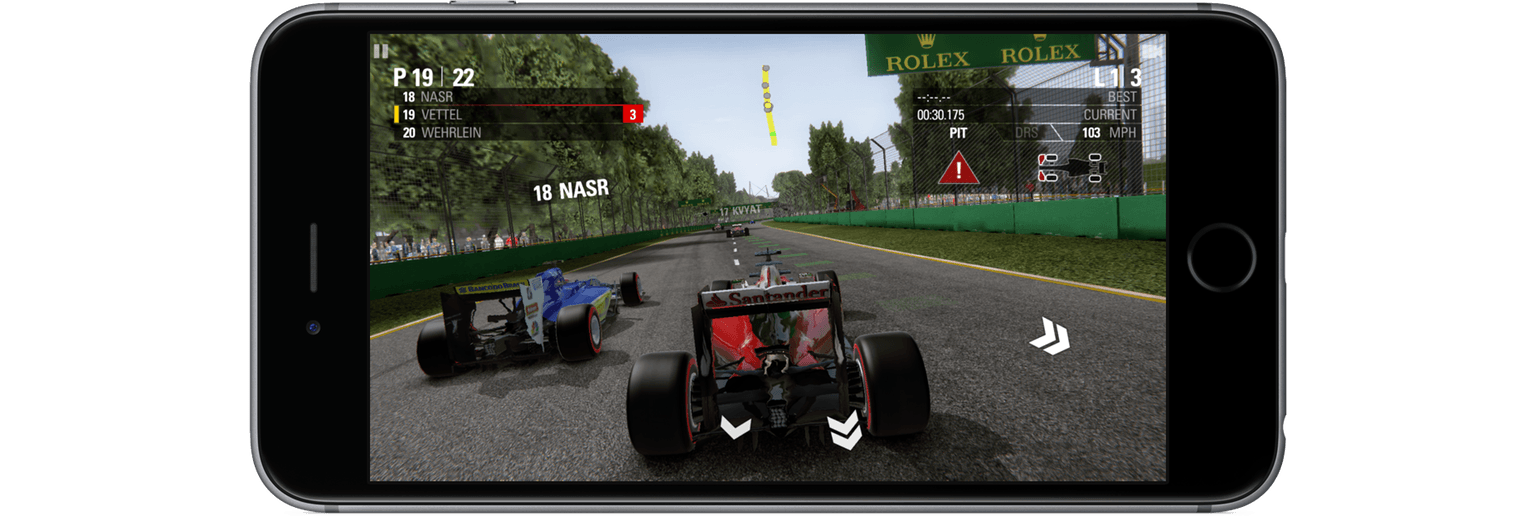
F1 wasn’t demoed on stage in September, but Phil Schiller’s comments about the game caught my attention. He specifically called out F1’s use of wide color gamut, haptic feedback, and the iPhone 7’s new stereo speakers, claiming that with the iPhone 7’s new A10 chip and GPU, F1 would bring console-level gaming to iOS. He was right.
F1 was released this week and it’s impressive on every level. I played F1 on my iPhone 7 Plus, iPad Pro, and Apple TV and it was great on each, but it was fantastic on the iPhone 7. The combination of hardware-stretching performance and integration of iPhone 7-only features sets F1 as a benchmark against which other triple-A iOS games will be measured.
Every week thousands of new games are released on the App Store. As I set up my new iPhone 7 Plus recently and scrolled through the Purchased tab in the App Store, I realized that there’s another ‘new’ category - new to me. I download a lot of apps, including games, and sometimes they get lost in the shuffle. That’s exactly what happened to Alone, a fantastic endless runner by Laser Dog released about two years ago. Alone may not be new to you, but even if you’ve played it before, Alone is worth rediscovering.
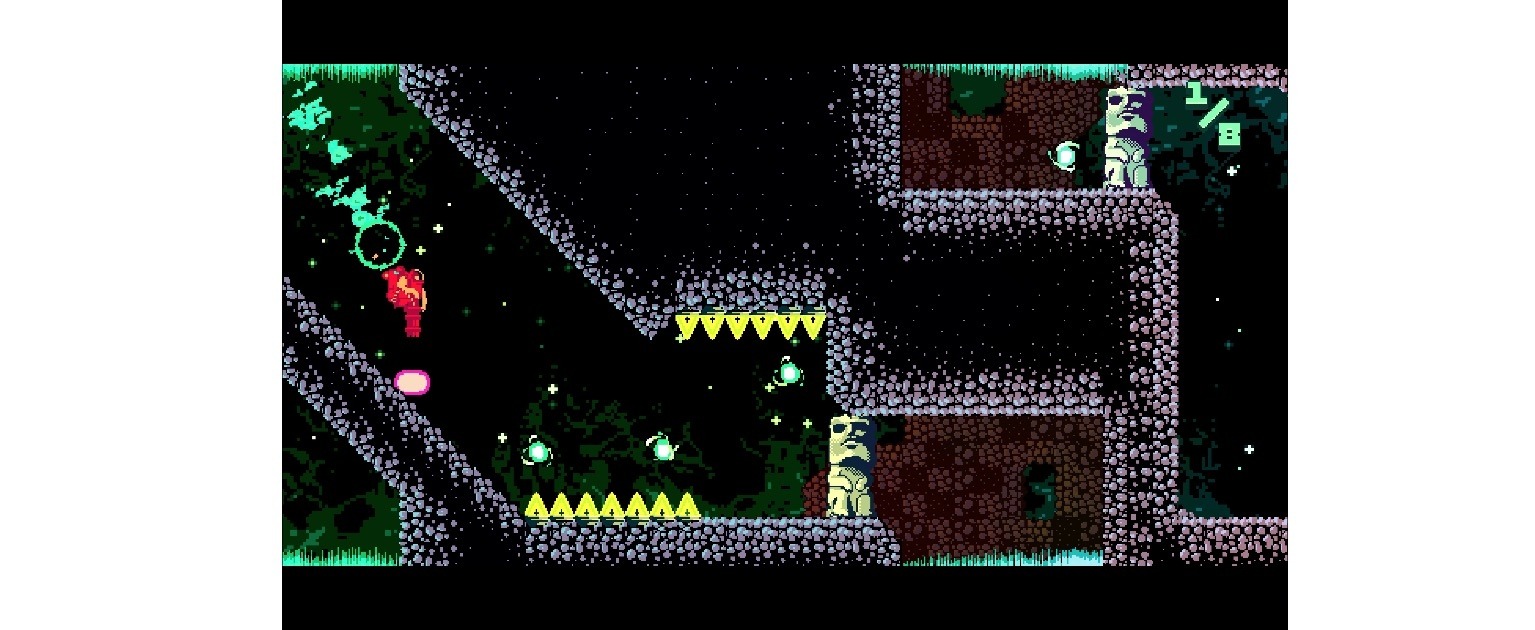
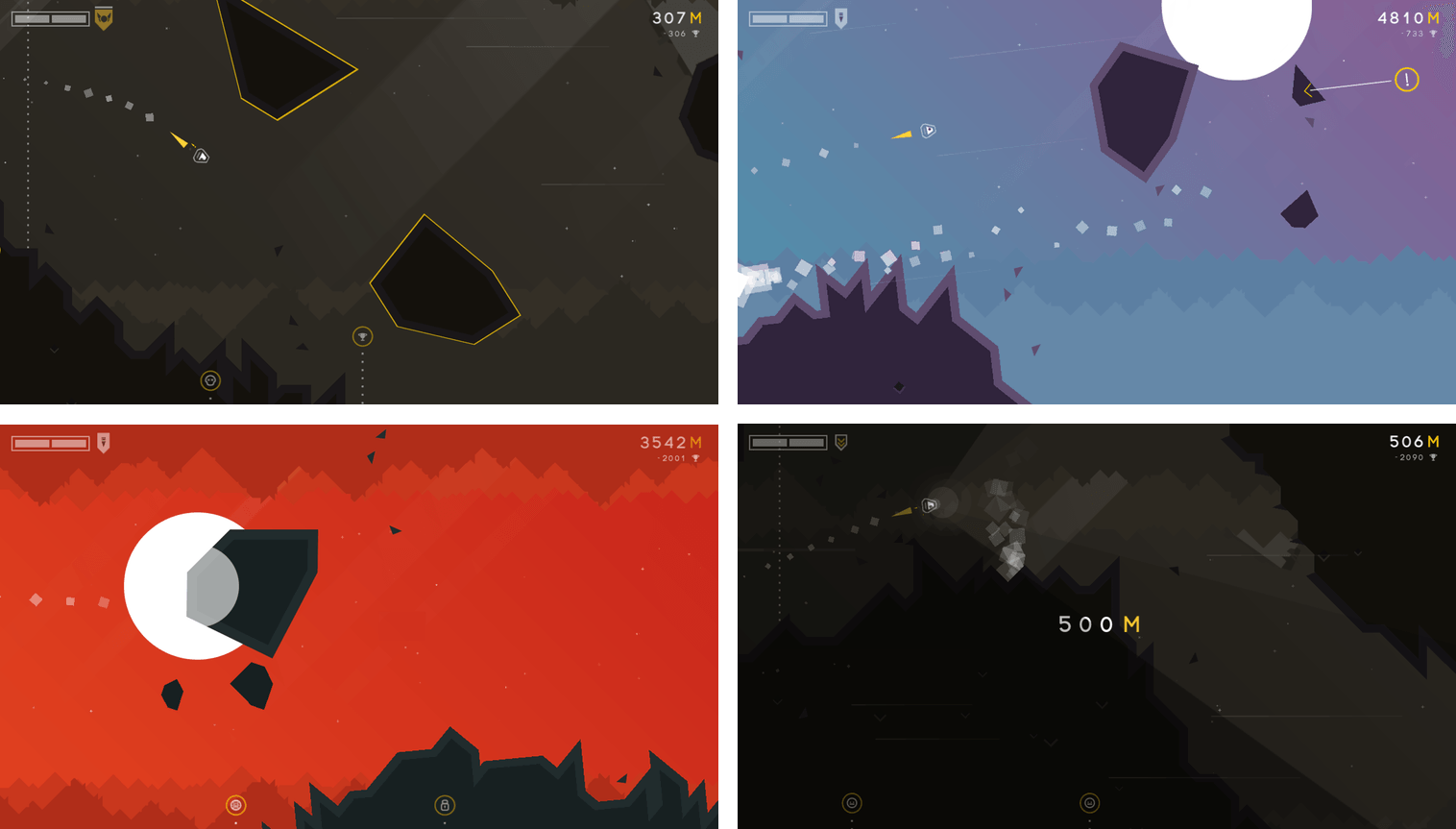
Alone, adds a sci-fi twist to the endless runner genre. You’re a spacecraft navigating thorough collapsing caves. Rocks fall as you maneuver your ship through the tunnels. The design of the game echoes its name. Your ship feels small and isolated in the harsh space environment. You can take a couple of small hits from debris, but more than that, or a collision with a wall, and it’s game over. Make it far enough in a world and you’ll be rewarded by unlocking new environments to explore.
Navigate your tiny spaceship through an unforgivingly bleak environment.
Alone requires concentration and fast reflexes. Even though I’m not great at twitchy arcade games, I’ve had a lot of fun playing Alone. The focus it requires makes it easy to get absorbed in the game.
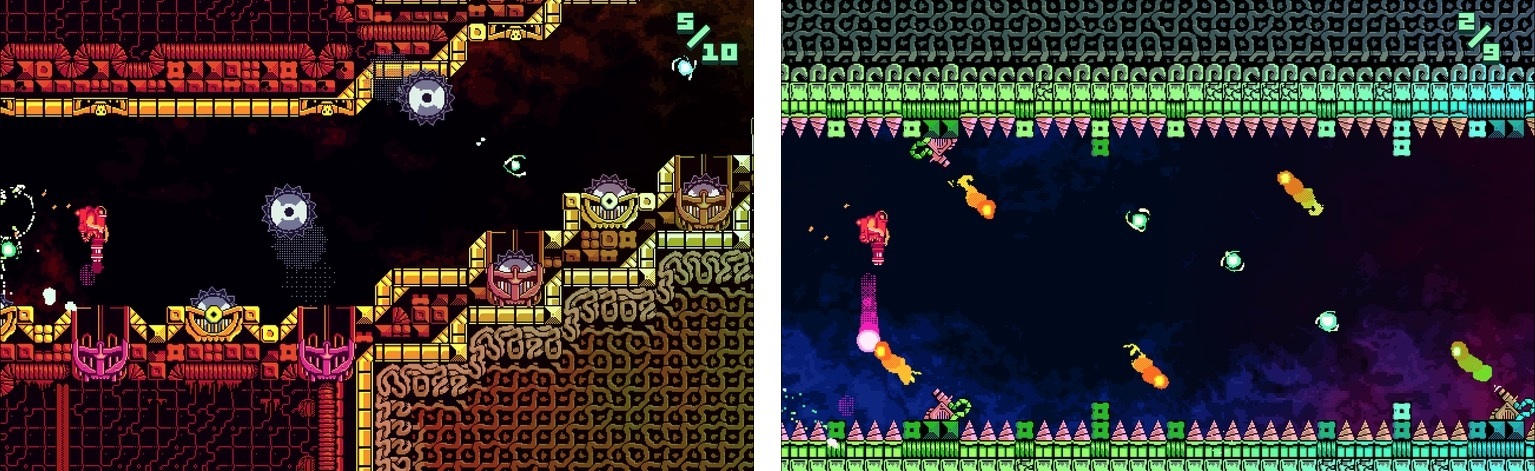
As you progress, Alone’s pace increases and additional obstacles, like rockets, are introduced, making for an even more harrowing journey. The controls are sensitive, which requires focus and concentration to make it very far. By default, dragging your finger down on the screen makes your ship rise and dragging it up does the opposite. If this feels counterintuitive, you can reverse the controls in the settings. The sensitivity of the controls would be more frustrating, but by building in the ability to survive small collisions, Alone has struck a good balance that makes it fun without being discouraging.
The fast pace of Alone and the relentless electronic beat of the soundtrack are a great combination. Endless runner games are by their nature somewhat one-dimensional, but Alone sets itself apart with its design and unique gameplay. Whether you’ve played Alone before or not, take it for a spin this weekend. Some of the best iOS games are hidden beneath a mountain of new releases.
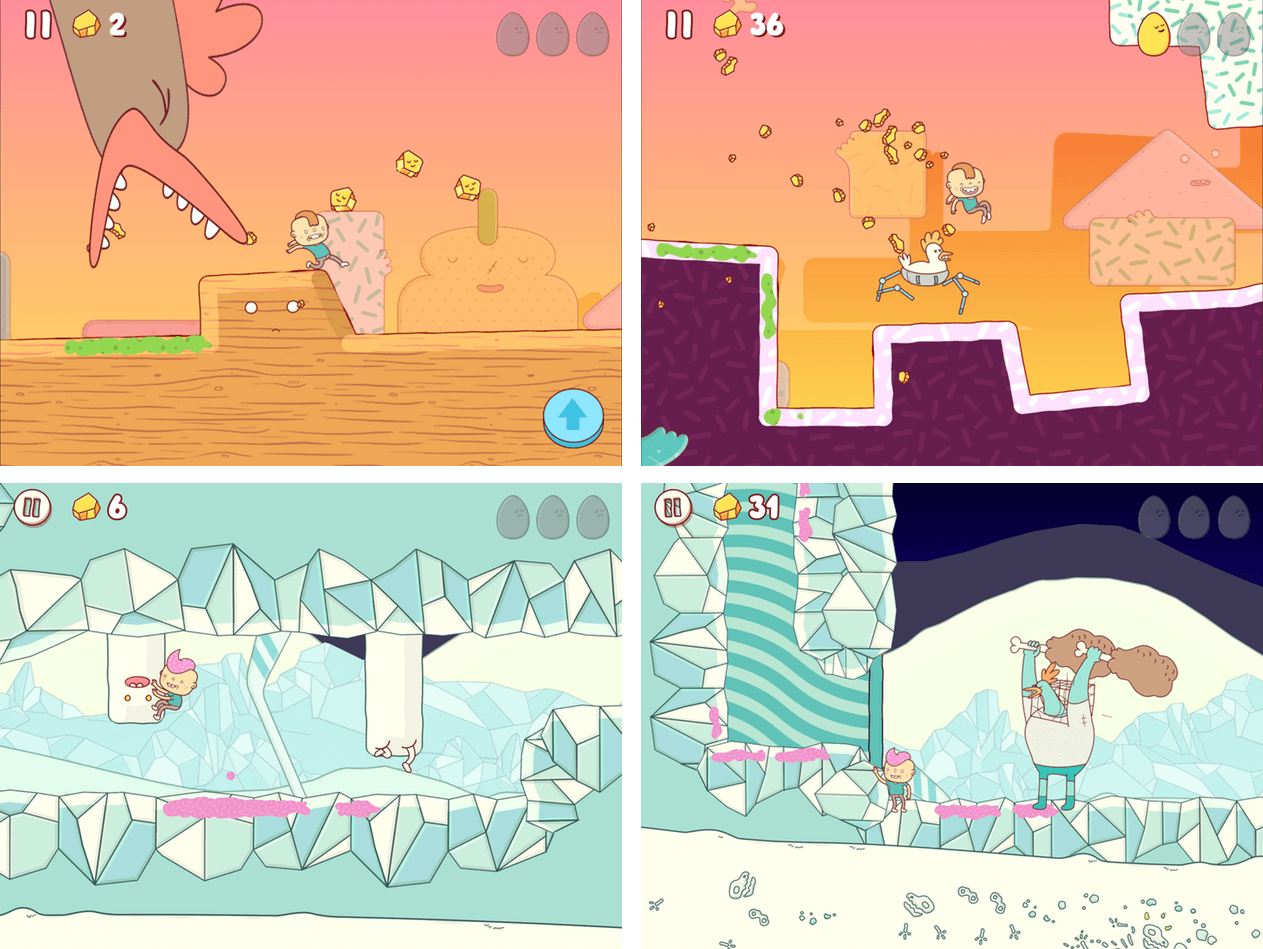
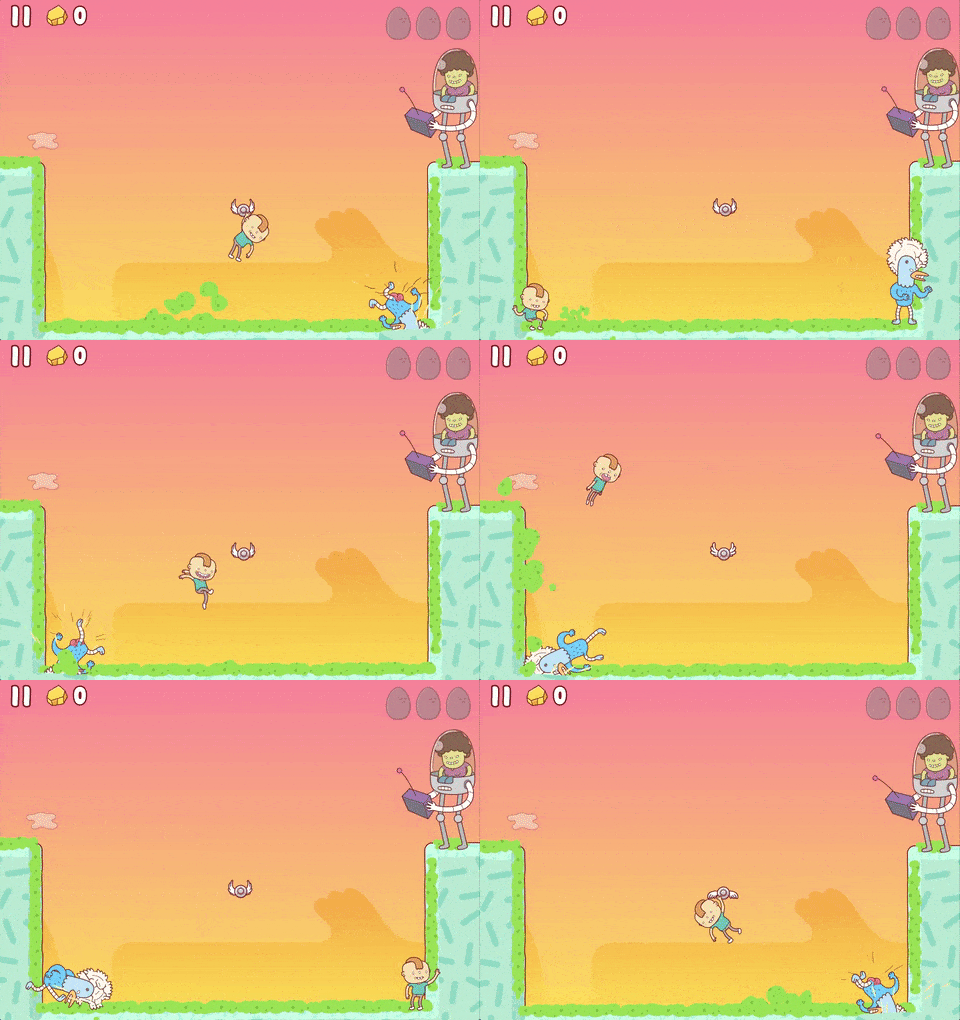
Eggggg, by Norwegian developer Hyper Games, bills itself appropriately enough as a platform puker. You play as Gilbert who jumps out a window and into a giant egg to escape his mean Aunt Doris who won’t let him go to a birthday party. The trouble is, Gilbert is allergic to eggs. They make him vomit – a lot. Thrown into a world of eggs and cyborg chickens, Gilbert uses what he’s got – his vomit – to propel him through each level. If Eggggg sounds odd, that’s because it is, but it’s also not as gross as you might expect, and it’s a whole lot of fun.
Eggggg draws inspiration from many sources. The levels are reminiscent of Mario platformers. Each is full of secret items to collect and hard-to-reach areas to explore. Eggggg only has 20 levels, but they are more complex and varied in their look and feel than most mobile games, which makes them a joy to replay.
When I first tried Eggggg, I immediately thought of Adventure Time. Eggggg shares a certain visual absurdity and bizarreness with the popular Cartoon Network show thanks to the fantastic artwork of Brosmind, a design studio based in Barcelona, Spain. But the visual style of Eggggg also harkens back to 90s cartoons like Rugrats. It’s an interesting mix of styles that feels fresh and works well in the game.
Eggggg’s game mechanics are simple, but a little different than you might have seen in other games – not different in a bad way, but they take some getting used to. You can tap on either side of the screen to send Gilbert in that direction. A second tap makes Gilbert jump. So, if Gilbert is running left, tapping the right side of the screen changes his direction and tapping again makes him jump. If Gilbert is already running to the right tapping just makes him jump. Fortunately, the first two levels of the game have no obstacles and are enough practice to get the hang of the controls before you start battling enemies.
Each level includes unique obstacles like chicken-spiders, buzzsaws, chickens in flying saucers, and more. You are timed as you race through each level, which gives you some incentive to go back and try levels again to see if you can beat your time and move up the Game Center leaderboards, though the game is just as fun when you take it at your own pace.
Platformers are hard to get right on mobile devices without joysticks and dedicated buttons. Eggggg’s controls took some getting used to, but I think Hyper Games made the right choice by avoiding dedicated buttons or simulated joystick controls on the screen. The blend of deep Mario-style levels, colorful artwork, and squishy sound effects come together to make Eggggg one of the best platform games I’ve seen on iOS. It’s definitely one worth trying.
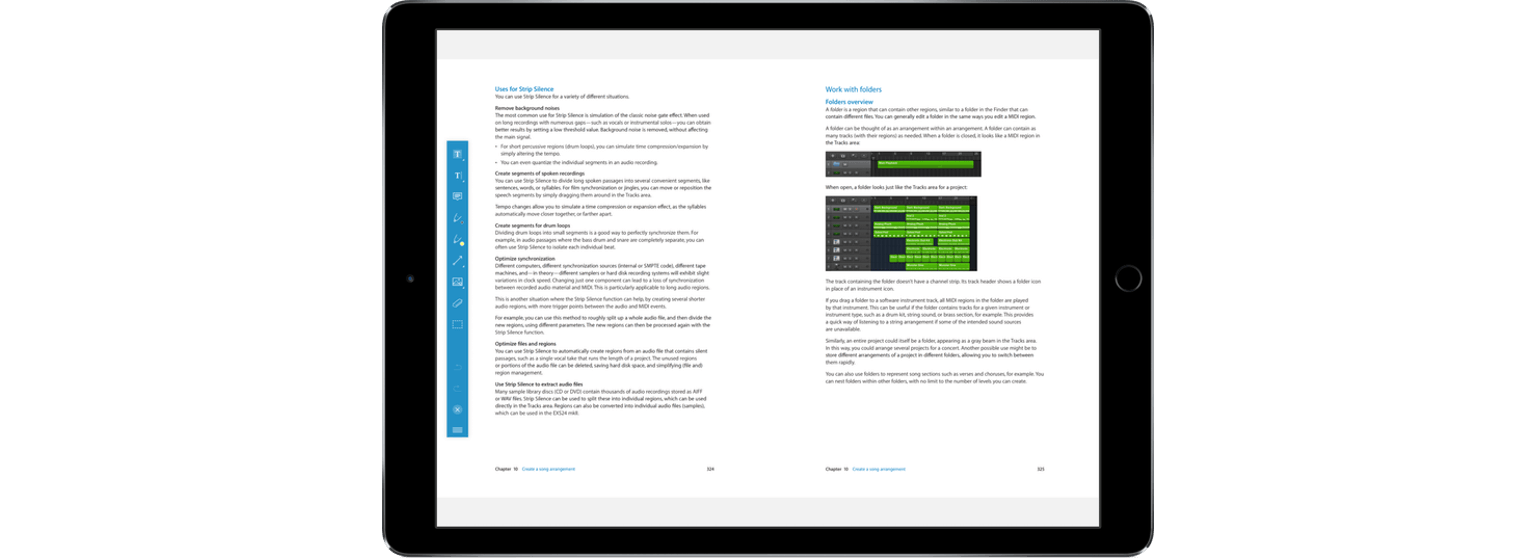
PDF Viewer’s name belies the power under its hood. This is more than just a viewer app. PDF Viewer includes powerful PDF editing tools on par with, and in some cases more extensive than, some of the best PDF apps I’ve tried. That’s not to say that there aren’t a few rough edges and limitations, but for a free app, PDF Viewer should suit the PDF viewing and editing needs of most people.
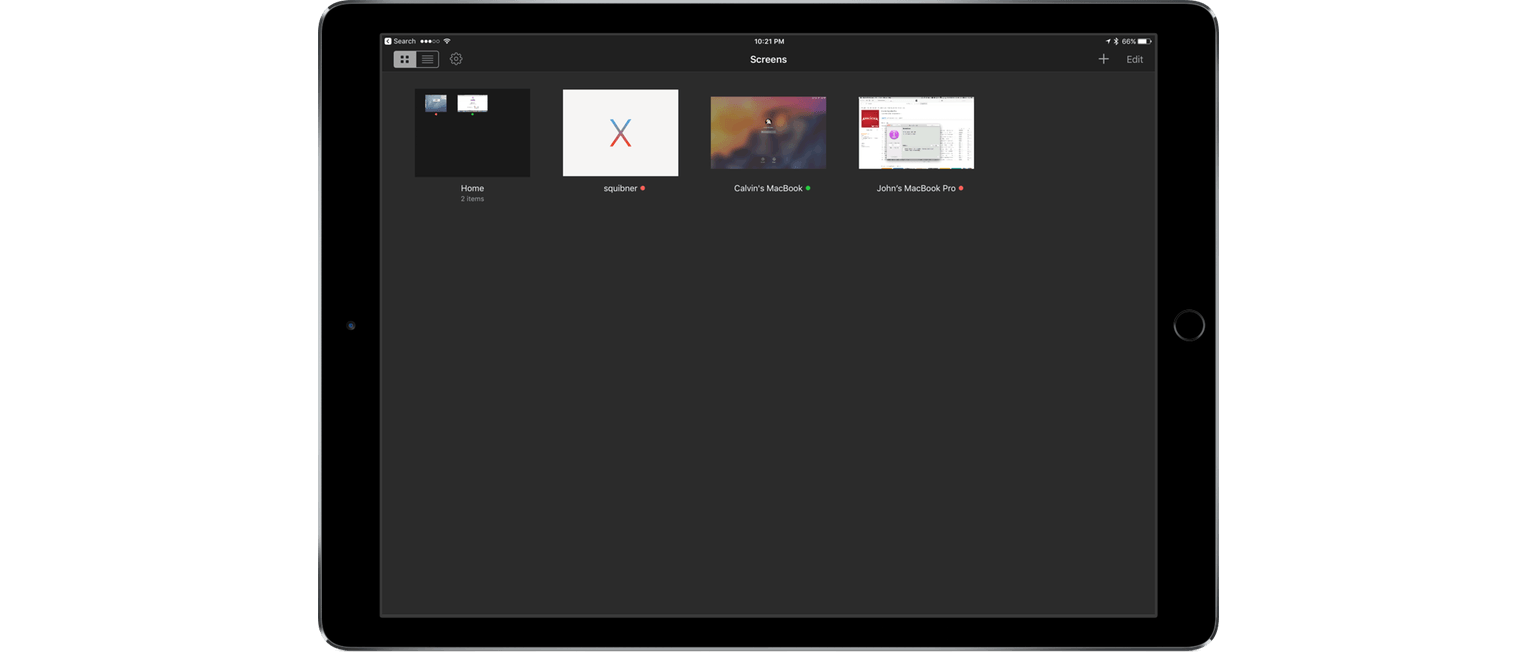
Screens 4, which I reviewed in April, improved the process of logging into and controlling a desktop computer remotely with a long list of features that eliminated hassles inherent in trying to control a desktop computer from a touchscreen display. Screens 4.2 continues down the same path offering a host of smaller refinements along with two headline features – Mobile Trackpad, which lets you use an iPhone as a trackpad for the computer you are connected to remotely, and Dark Mode.
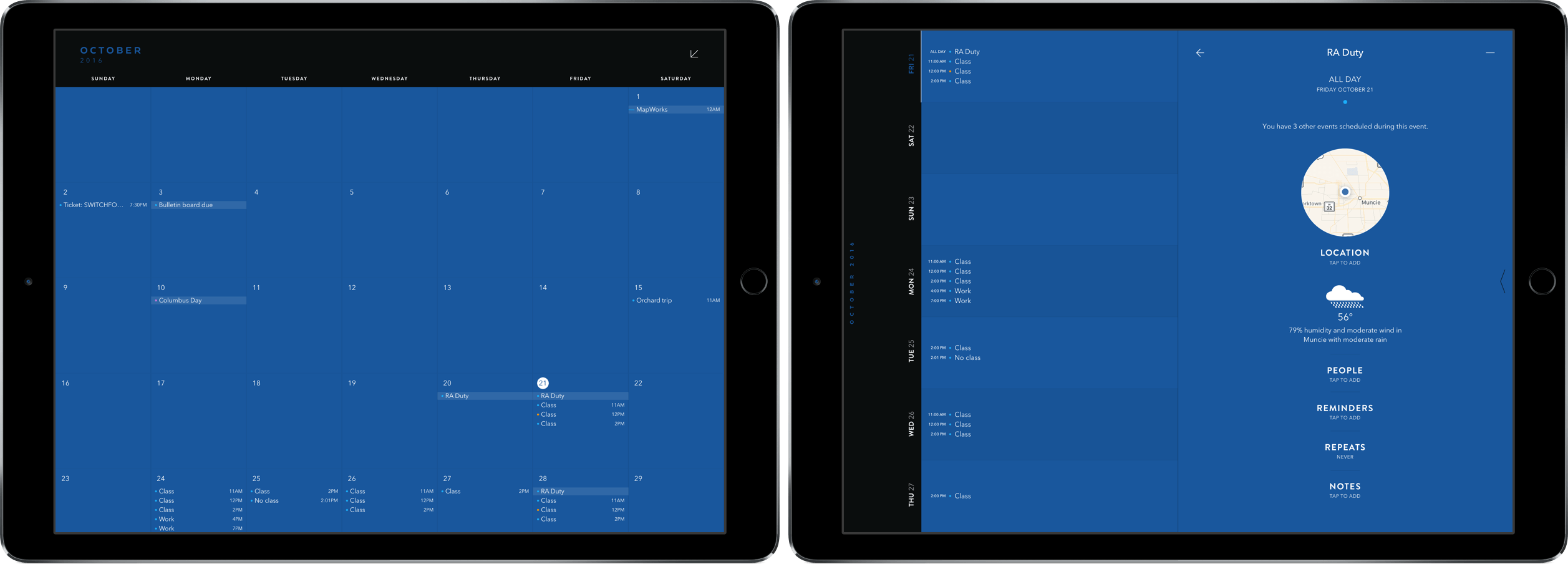
Moleskine’s Timepage has been a MacStories favorite ever since I reviewed it for the iPhone back in January. With its innovative design and slick group of features, it was an easy pick for my calendar of choice – with one big caveat: no iPad version.
Last week, the team at MacStories finally got our wish in Timepage for iPad. In it, we get all the same features we’ve come to love in previous versions in a beautifully designed package supporting the larger screen.
I haven’t been able to put Mini Metro down all week. The game, by New Zealand-based Dinosaur Polo Club, debuted on the desktop with promises of an iOS version ‘soon.’ It took about two years, but the wait was worth it. Touch Arcade is right on point with its assessment:
the iOS version [of Mini Metro] may well be the definitive version of one of the best indie puzzle games of recent years.
That’s high praise, but deserved. Mini Metro combines simple mechanics with elegant, minimalist artwork and challenging puzzles into a whole that transcends the sum of its parts.
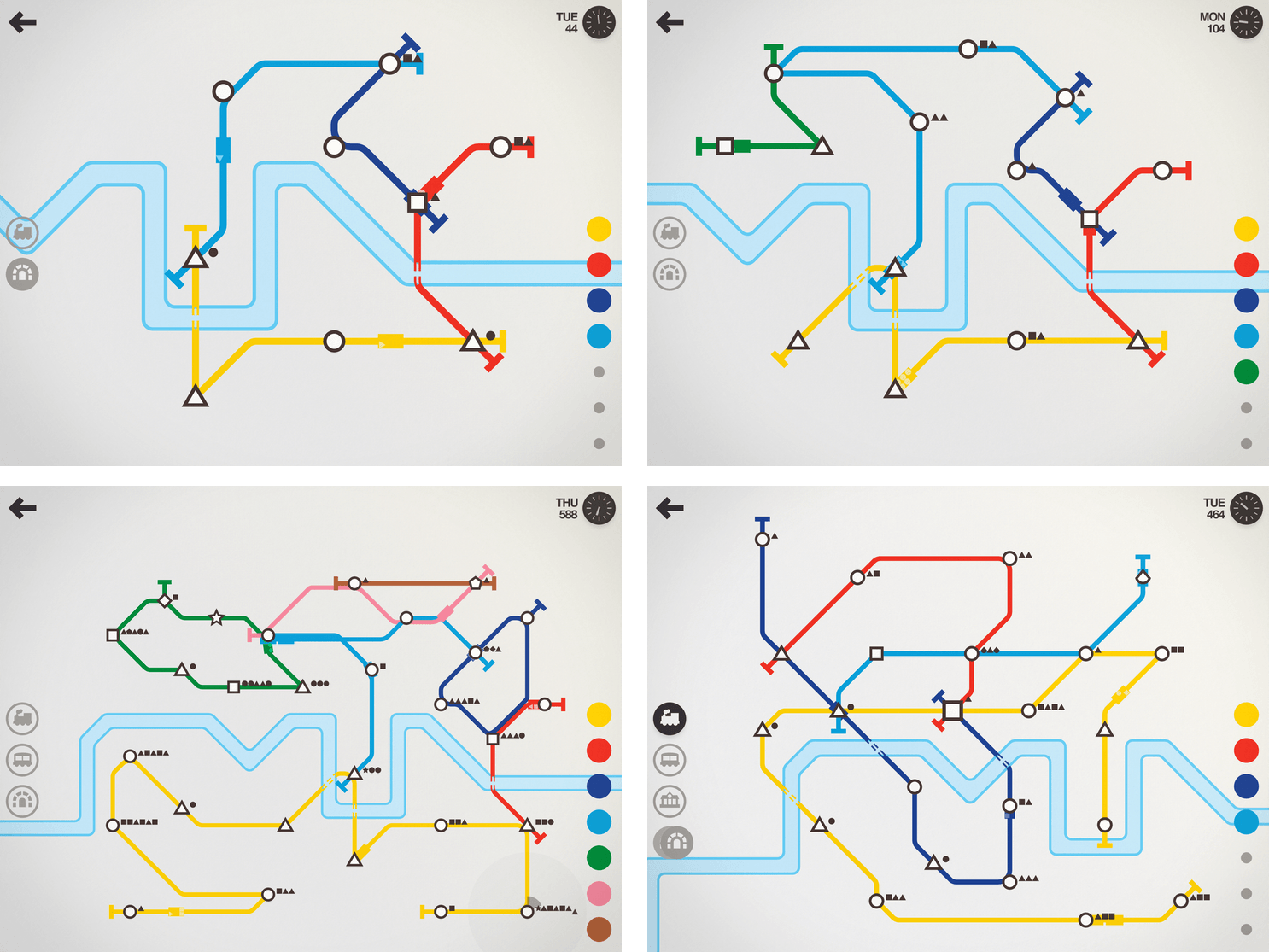
What makes the iOS version of Mini Metro special is how you interact with it. The premise of the game is simple. You are in charge of building a transit system for your citizens. Mini Metro starts by tasking you with building London’s Tube from a few initial train stops that you connect with rail lines by dragging your finger between them. It’s the direct manipulation of the transit system – building parts up and tearing others down – that makes Mini Metro so engrossing.
SoundShare is designed to bring music lovers together regardless of the streaming services they use. I reviewed SoundShare back in May when it launched a big update and since then, Matt Abras has continued to refine and improve the app with a series of updates.
Today, SoundShare released an update that includes a great iMessage app. From SoundShare’s iMessage app, you can pick a song from among the iTunes Top 100 list or search for something else using the search bar at the top of the iMessage drawer. Tapping a song adds album art, the title, and artist to a message ready to send with or without a comment.
What makes SoundShare’s iMessage app so handy is that when your recipient taps on the album art, it opens full screen with options to open the song in iTunes, Apple Music, YouTube, or the SoundShare app. This isn’t the full compliment of services that SoundShare works with, but the others (Spotify and Deezer) can be accessed through the ‘Open in SoundShare’ option. That opens the SoundShare iOS app and immediately starts playback of the song with one of those services if you are logged into them through SoundShare.
We have started to see some interesting iMessage apps a month into the iMessage App Store that take advantage of platform. SoundShare is one of my favorites so far because it removes the friction of sharing music. I can send a nicely formatted link to a song without thinking about whether the person on the other end of my message has the correct service to play it.
iOS gaming is epitomized by games with short, simple interactions, which is why arcade and puzzle games dominate the platform. There’s nothing inherently wrong with that – it plays to the strengths of the iPhone where most iOS game are played. But the success of Apple’s smallest iOS device doesn’t have to be at the expense of its bigger cousin, the iPad. With lots of power under the hood, a big battery and a gorgeous screen, the iPad has a lot to offer as a gaming platform. Yet, games that take advantage of the iPad’s strengths feel few and far between.
Earlier this month, Klei Entertainment, the Canadian studio behind Don’t Starve, released Invisible, Inc., an iPad-only turn-based stealth and strategy game that demonstrates what’s possible on the iPad. Invisible isn’t a new title. The game debuted on the PC and Mac in 2015 and earlier this year on the PS4, but this is Invisible’s first appearance on a touch-based device.
Invisible is set in a future where the world is dominated by corporations. Your security team has been compromised and you have 72 hours to solve a variety of missions leading up to a counterstrike against your enemy. Each mission poses unique challenges and obstacles that require stealth and strategy. The missions are also necessary to collect gear you will need to make your final assault on your enemy’s base.
The turn-based nature of Invisible gives you time to consider the best way to get around guards, cameras, drones, and other obstacles, but at the same time, Invisible creates a sense of urgency. Each turn you take raises the alarm status in the facility you’ve infiltrated, which leads to further complications as you navigate your enemy’s defenses. Guards you take out don’t remain unconscious indefinitely either. Waste too many turns and guards start to come to and look for you. Add to that an ominous electronic soundtrack, and you’ve got a game with a nearly perfect level of intensity.
Invisible is a deep game that is worth playing multiple times. You can unlock ten different agents to take through the missions, which are procedurally generated, adding variety to each play-through. You will fail missions over and over, but Invisible gives you ‘rewinds’ to retry missions, learning the best way to navigate their threats. On top of that, there are five game modes, all of which adds up to hours of challenges that are never the same twice.
Klei’s experience with bringing desktop gaming to the iPad shows. Invisible feels perfectly natural as an iPad app. The choice to bring the game to iPad only for now was a smart one. The game benefits from the larger screen. Klei did the same with Don’t Starve, but eventually did bring that game to the iPhone too. I could see that happening here as well, but doing so would undoubtedly require significant effort to make the interface work on a smaller screen.
I would love to see more games of Invisible’s ambition and quality on the App Store. The success of a game like Invisible on iOS seems like a no-brainer. A high-quality game for $4.99 that would cost you $20 on another platform is a great bargain. Unfortunately, people have been conditioned to expect games on iOS that are free or maybe a dollar or two at most. That’s a problem for the future of gaming on iOS, but with releases of top-notch games like Invisible, Inc., I remain optimistic that there is still a place for premier games to carve out a place for themselves on iOS.