This Week's Sponsor:

SoundSource

New Year, New Audio Setup: SoundSource 6 from Rogue Amoeba


Posts in reviews

Game Day: Our Favorite Games of 2016

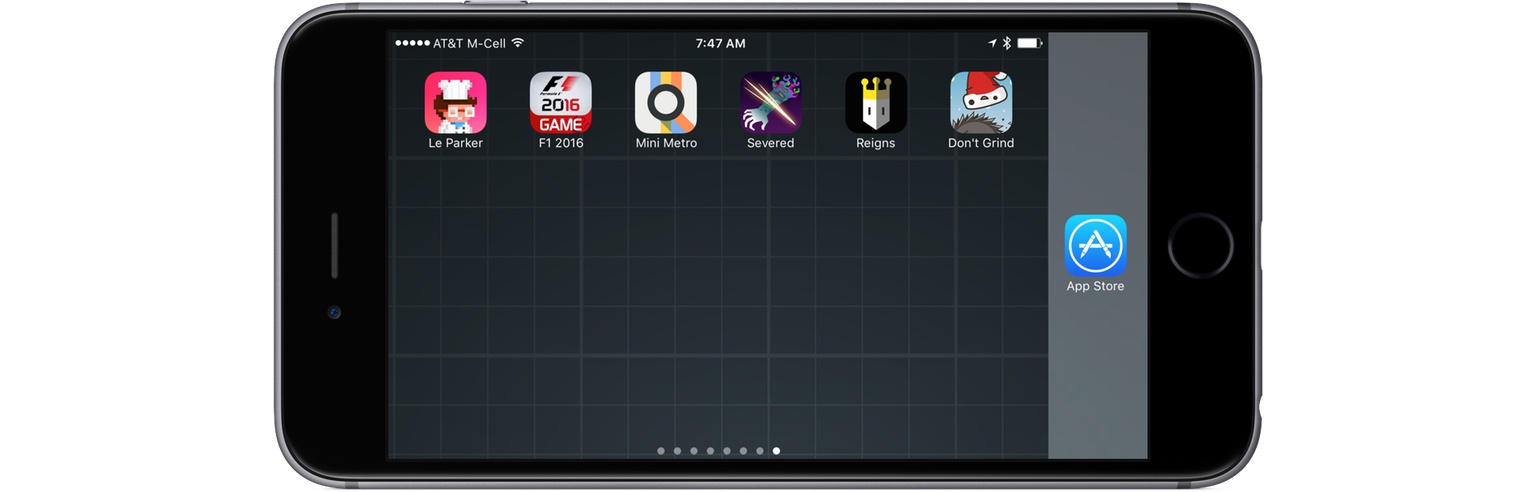
2016 was a good year for iOS games. The trouble is, great games can be hard to find because there are so many released every day. That’s why we started the weekly Game Day column, which is dedicated to combing the App Store for fun and interesting games.

We have covered 28 games since Game Day began in May. Looking back over that collection, there are certain ones that stand out more than others. Here are our six favorite games from the past year.

Read more


Workouts++ Review

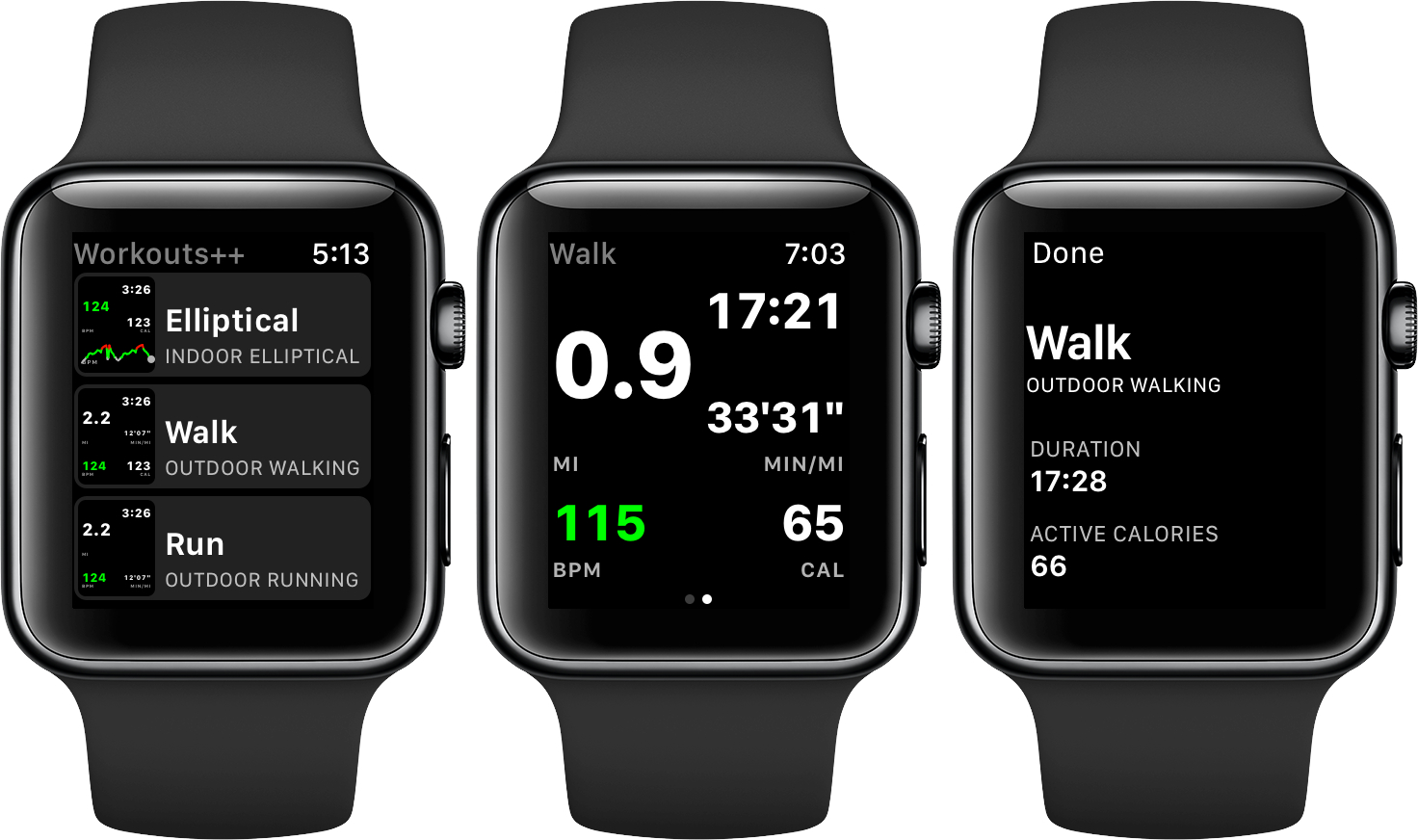
Workouts++ by David Smith takes my favorite aspect of Apple’s stock Workout app for watchOS – the ability to quickly start a workout – and adds layers of customization and workout tracking that takes the app to another level altogether. The key to Smith’s watchOS app is the inclusion of an iOS app that lets you customize the real-time statistics tracked on your Apple Watch during a workout and view the data collected in useful ways.

Read more


HealthFace Puts Health App Data on Your Wrist

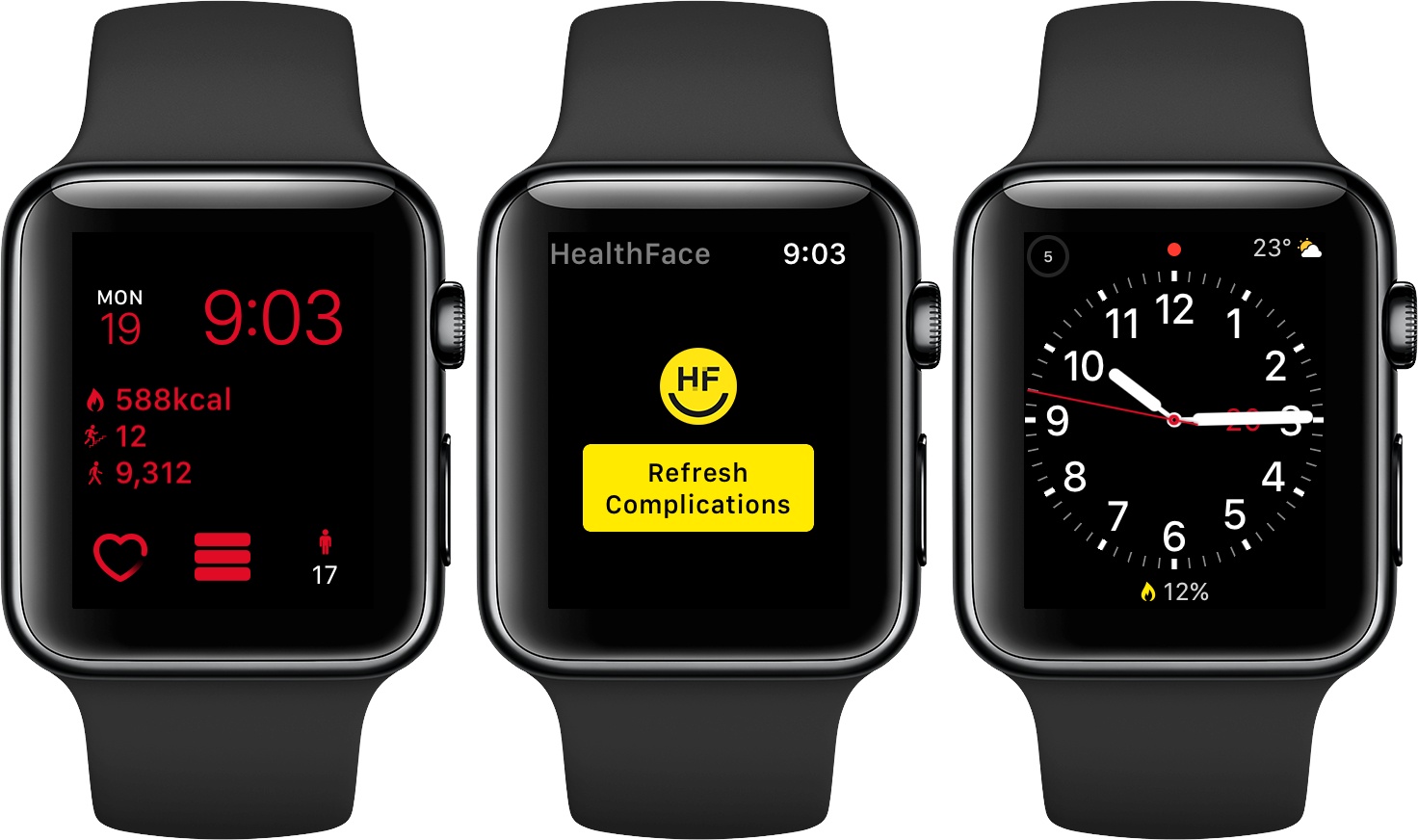
HealthFace, by Australia-based Crunchy Bagel, maker of the 2016 Apple Design Award-winning app Streaks, is an iOS and watchOS app that uses Apple Watch complications to display data stored in Apple’s Health app. The Health app got a much-needed makeover with iOS 10, but it can still take a lot of tapping to find what you want. HealthFace cuts through the clutter by letting you pick and customize the data that’s important to you and displaying it where it’s readily available – on your Apple Watch.

Read more


Working with Duet Display

Stumbling around on a Monday morning, I wake up too late, throw on a hat, and unplug four devices: my 12.9” iPad Pro, my iPhone 7, its companion Apple Watch, and my 12” MacBook. The first and last are tossed in my backpack to be used in and between classes to take notes, check social media, and design documents.

When I sit down in my design class, I pull out my MacBook, open inDesign, and try to manage multiple windows as I pull images from the Web and import them into my document. On the MacBook’s 12” screen, the limited real estate forces me to use a slew of keyboard shortcuts and trackpad gestures as I jump between apps. Frustrated, I pull out my iPad, fire up an iOS app to replace one on the Mac, and work in two separate environments.

The problem here is obvious: although macOS and iOS functionality overlaps, working in two OSes simultaneously isn’t ideal. The inability of the iPad to act as an extension of the MacBook’s display limits my productivity. Even people with larger 15” MacBook Pros would probably appreciate it if their iPad’s screen was available to display Mac apps.

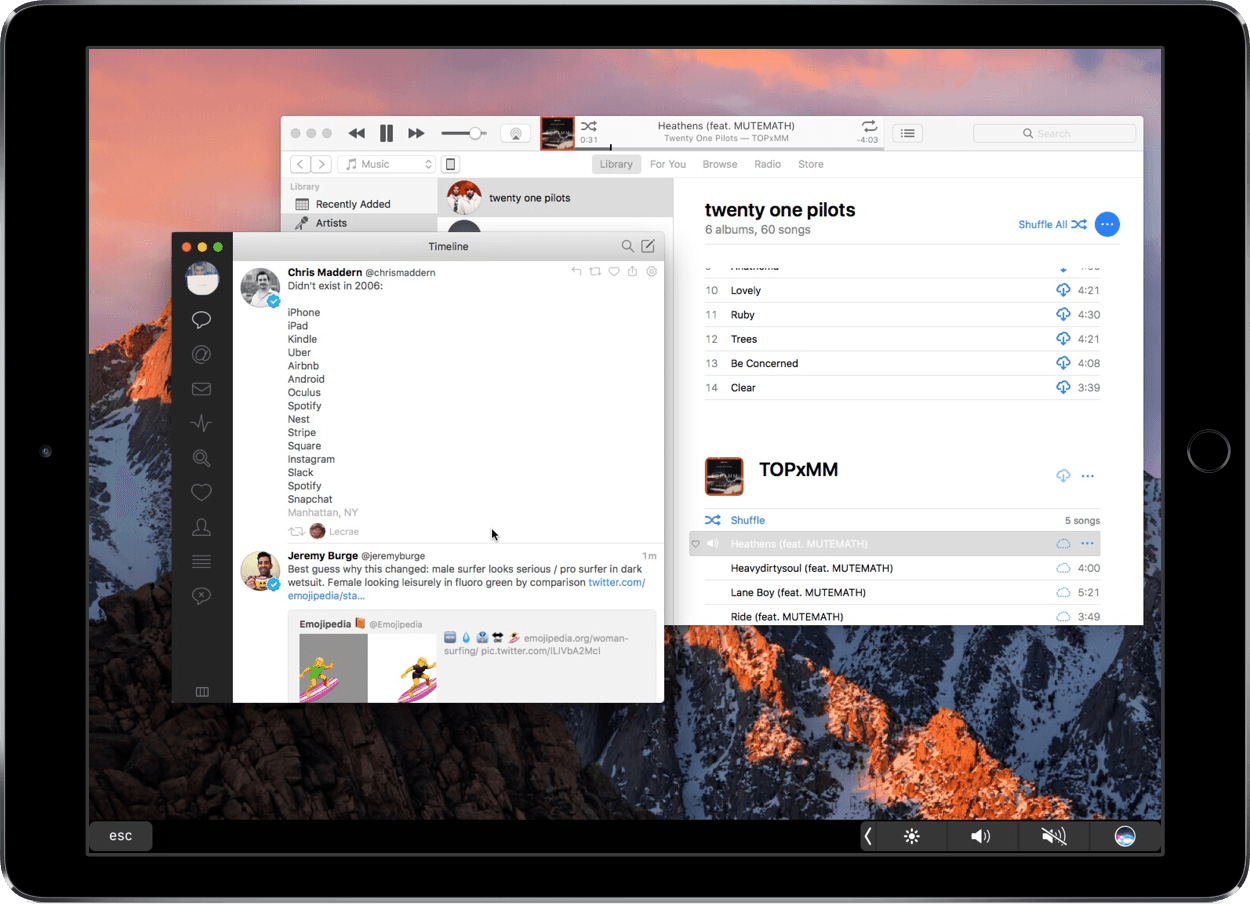
For a while, I’ve been trying to solve this problem by using Duet Display, an iOS app that allows your iPad or iPhone to function as a second screen for your Mac or Windows PC. Duet has been around for a couple of years, but continues to get significant updates to speed it up, reduce lag, and offer touchscreen support. The fundamentals, however, are still the same: Duet, with an iOS device, can be your mobile Mac monitor.

Read more


AutoSleep Turns the Apple Watch Into an Automatic Sleep Tracker

I’m terrible at keeping a decent sleep schedule. I love my job and I often stay up late working on my latest story. Sometimes, I decide to relax with a videogame, I lose track of time, and suddenly it’s 4 AM. I know, however, that getting enough quality sleep every night is key to a healthy lifestyle, which is why, over the past month, I’ve tried to wake up earlier and work out in the morning.

With these personal changes, motivation only goes so far for me. I want to be able to visualize my progress and current streak. Since getting an Apple Watch Series 2 a couple of weeks ago, I’ve started looking into the idea of using it as a sleep tracker again. There are some solid options on watchOS, but all of them require pressing a button in an app right before you’re about to sleep. And because I normally drift off to sleep, I forget to activate sleep tracking mode and no sleep gets tracked at all.

In my limited tests with a Fitbit this month (before getting a new Apple Watch), I came away thinking that automatic sleep detection was my favorite feature of the product. You don’t have to press anything and the Fitbit figures out when you started sleeping and when you woke up. Combined with a dashboard like Gyroscope, it’s a great way to build an automatic sleep log that passively monitors your sleeping habits.

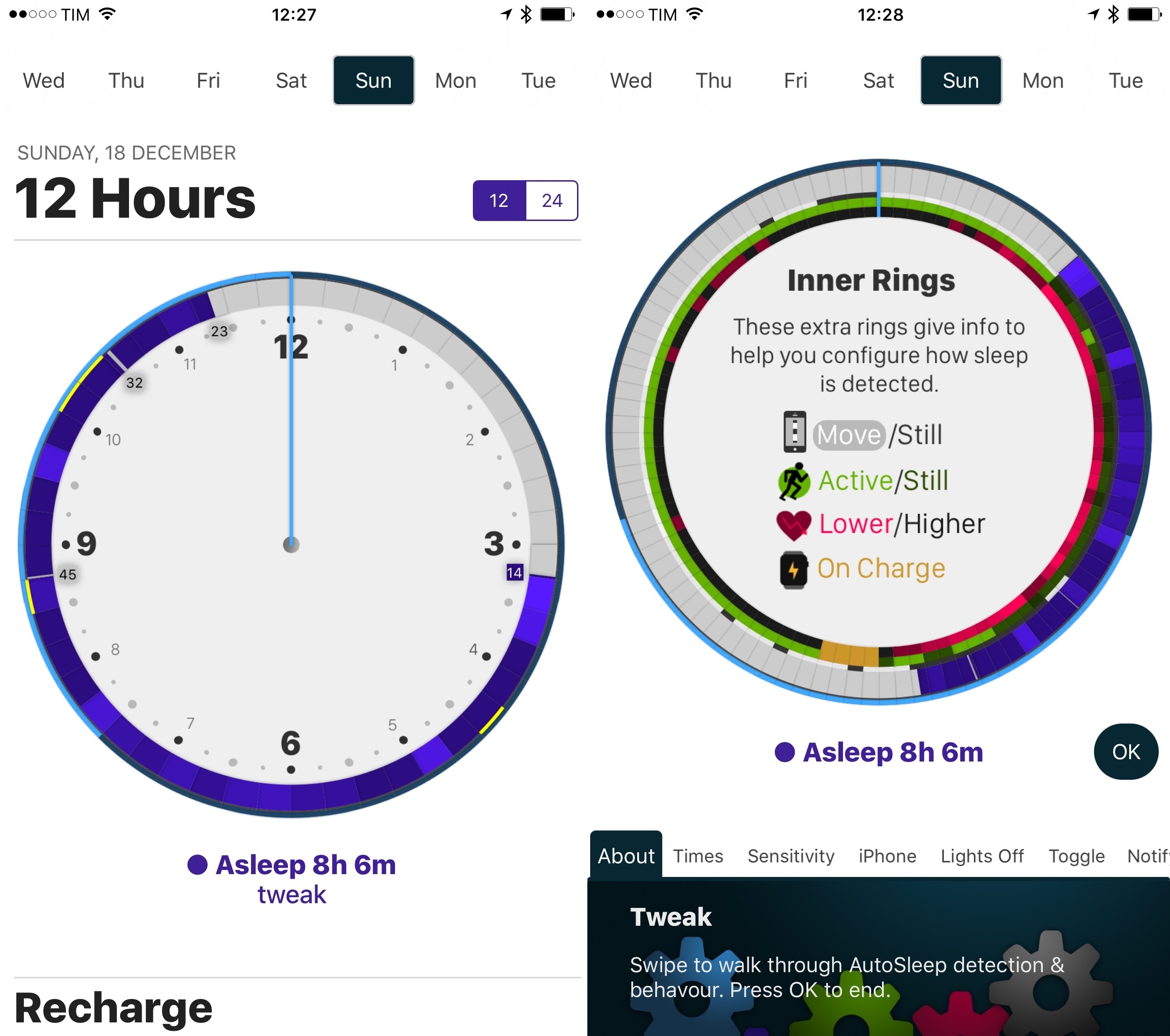
David Walsh, developer of MacStories favorite HeartWatch, wants to recreate the same experience with AutoSleep, an iPhone app that turns your Apple Watch into an automatic sleep tracker without installing a Watch app. I’ve been wearing my Watch to bed for the past week, and AutoSleep has worked surprisingly well.

Read more


Canopy Keyboard Cover and iPad Stand Review

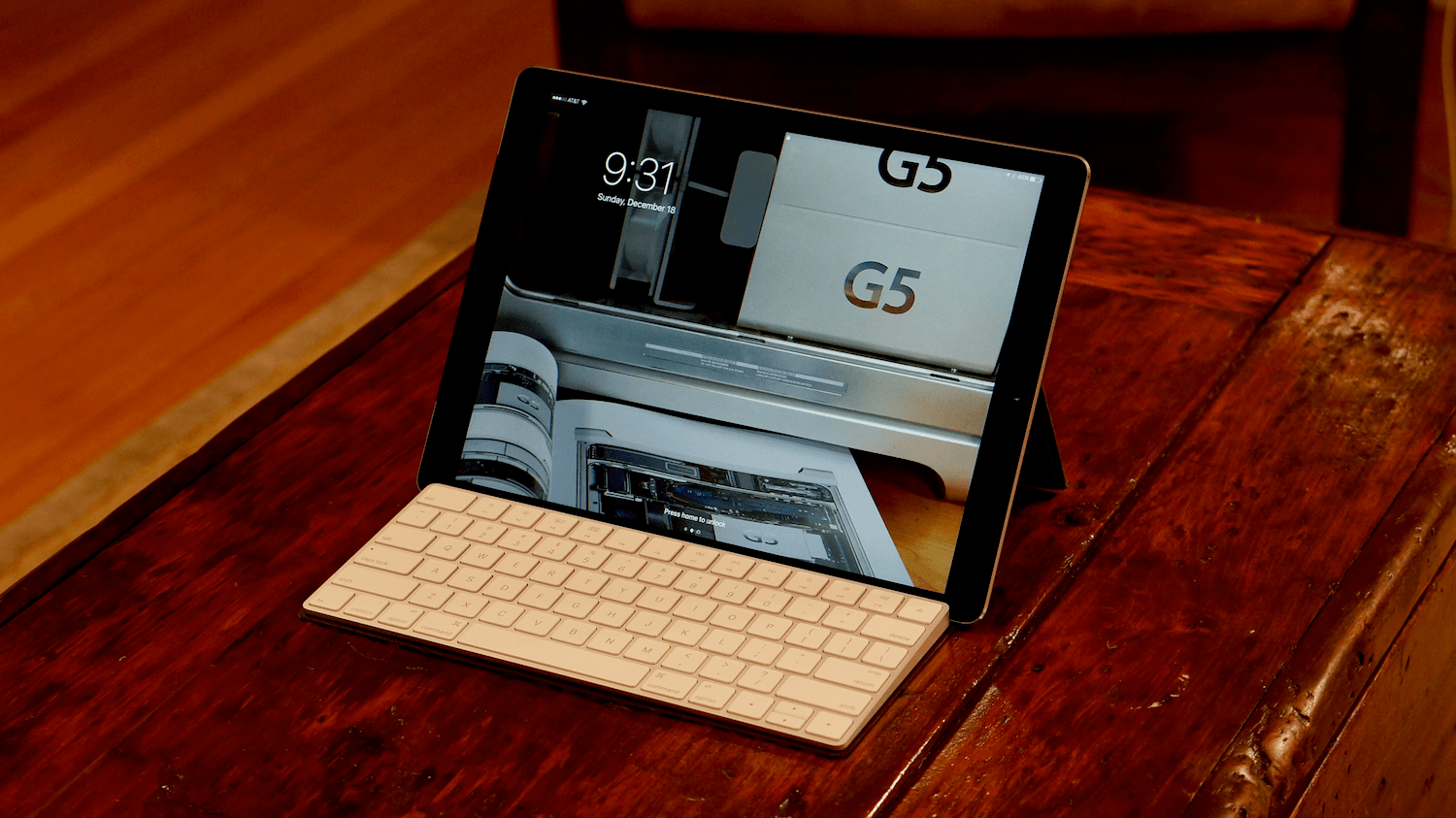
I’ve been carrying Studio Neat’s new Canopy, a combination keyboard case and iPad stand, for about a week. It’s the first time Apple’s Smart Keyboard has been off my iPad Pro since I got it, but I haven’t missed it at all. There are still certain situations where I prefer the Smart Keyboard, but I love having the option to work on my iPad with Apple’s Magic Keyboard when it suits my needs. So, while I won’t be switching to a Magic Keyboard/Canopy combination full-time, it’s a choice I’m glad to have and one I will use frequently.

Read more


Game Day: LVL

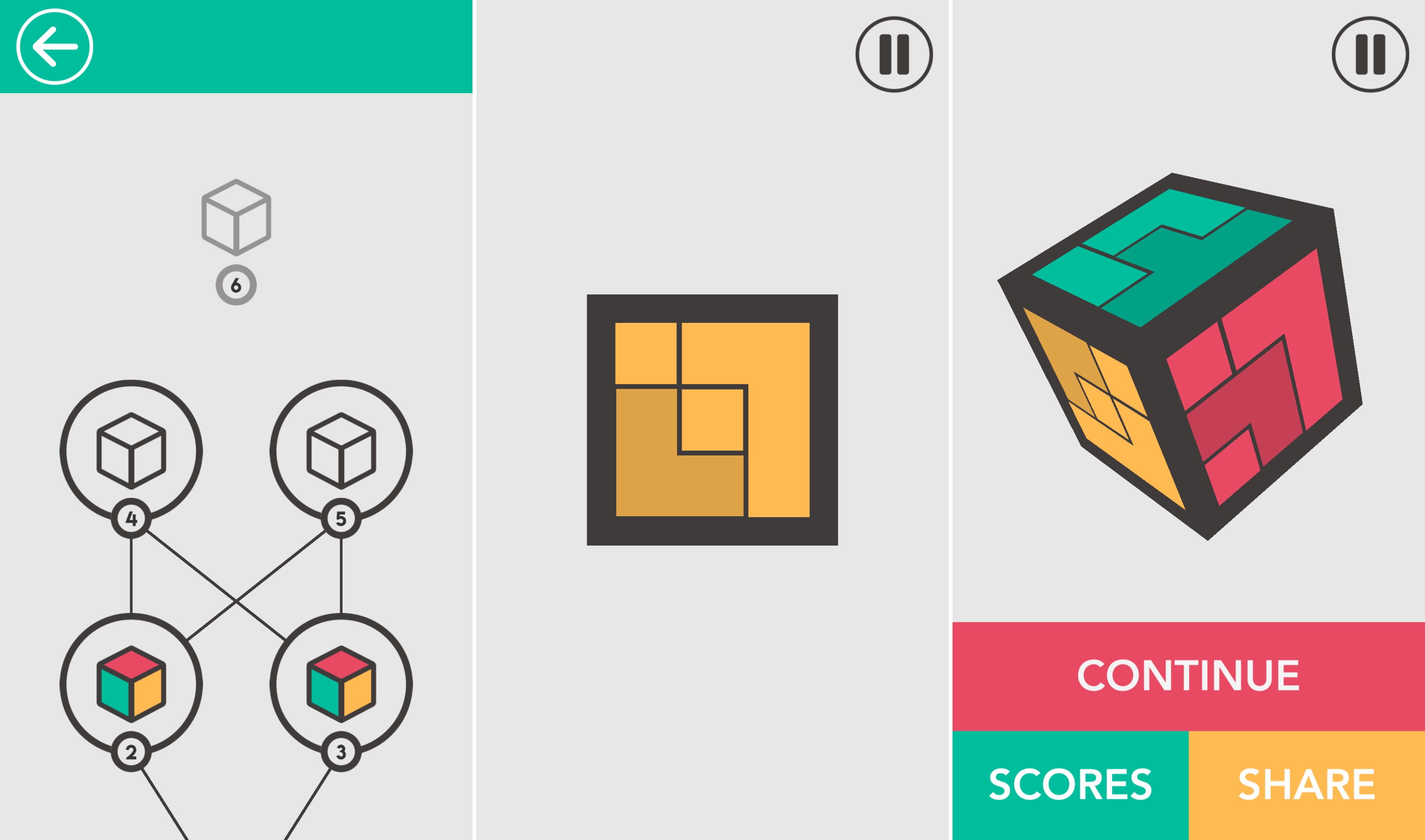
LVL, by Ankara-based SquareCube, is a clever synthesis of 3D and 2D puzzles. Each puzzle is solved in two dimensions, but requires you to consider three. Shapes are laid out on the sides of a cube divided into a three-by-three grids like a Rubik’s cube. Some of the squares on one side of the cube are occupied by colored shapes. The other squares are transparent so you can see the squares on the opposite side of the cube. Your job is to complete a grid of one color by moving the pieces on the opposite sides of the cube. As with similar puzzle games, the object is easy to grasp when you see it, but hard to describe. The best way to understand the mechanics of LVL is to watch this short trailer:

Pieces can be moved up, down, and laterally on each side, but not rotated or moved to a different surface of the cube. A puzzle is completed when the combination of moves on opposite sides positions the pieces in such a way that they form a solid grid of one color when a side is viewed head-on. The game is enhanced by it’s clean, simple, and colorful design and a spacey, mellow soundtrack.

In all, there are over 50 levels with over 150 total puzzles. LVL also incorporates Game Center leaderboards based on the number of puzzles you solve.

I’ve enjoyed some more fast-paced, frenetic games lately, but I also appreciate this sort of game where I can play short sessions at my own pace. Puzzle games like this are perfect if you need a little down-time and are looking for a fun distraction.

LVL is available on the App Store for $1.99.


Astra Brings Amazon’s Alexa Voice Assistant to the iPhone

I use my Amazon Echo a lot. Since importing one from the U.S. last year, I’ve started using web services that provide native integration with Alexa, the platform that powers Amazon’s speaker. Whenever I come across a new web service I could use, I check if they have an Alexa skill too. I like Amazon’s take on the home assistant so much, I recently added an Echo Dot to my setup, which has further increased my usage of Alexa and connected services.

There’s one big problem with the Amazon Echo, though: Alexa has no iPhone presence, and Apple is never going to give up the prime spot of Siri on their devices. Amazon has an Alexa app, but it’s a clunky wrapper for a web view that has no voice functionality whatsoever. So while Siri has improved with iOS 10, it’s still behind Alexa in terms of third-party integrations. I often find myself wishing I could ask Siri what I ask Alexa to do for me at home. I have to confess that I even considered an Amazon Tap – the poorly reviewed portable speaker with Alexa support – only to have some way to summon Alexa when driving.

Thankfully, developer Thaddeus Ternes sees this as a problem as well, and he created Astra, an iPhone app to issue requests to Alexa via voice. You might remember Ternes from Lexi, the predecessor of Astra that also allowed you to use Alexa on the iPhone. Lexi was pulled from the App Store and it’s coming back as Astra, which sports a new design, support for timers and alarms, and background audio. After testing Astra for the past two weeks, I decided to put it on my Home screen and it’s quickly become one of my most used iPhone apps when I’m not at home.

Read more


Pastebot Reborn as a Powerful Mac Clipboard Manager

You may remember Pastebot as an early iOS clipboard manager. That app is no longer available, but Tapbots has brought Pastebot back in the form of a macOS app. Pastebot for Mac can store up to 500 of your most recently copied items, including text, URLs, images, and files. The clips are stored chronologically with the most recent ones on top. That makes finding recent clips easy, but even older clips that are buried under recent items aren’t hard to find thanks to Pastebot’s smart search functionality. In addition, you can save frequently used clips to custom pasteboards and manipulate clips with filters.

Read more