
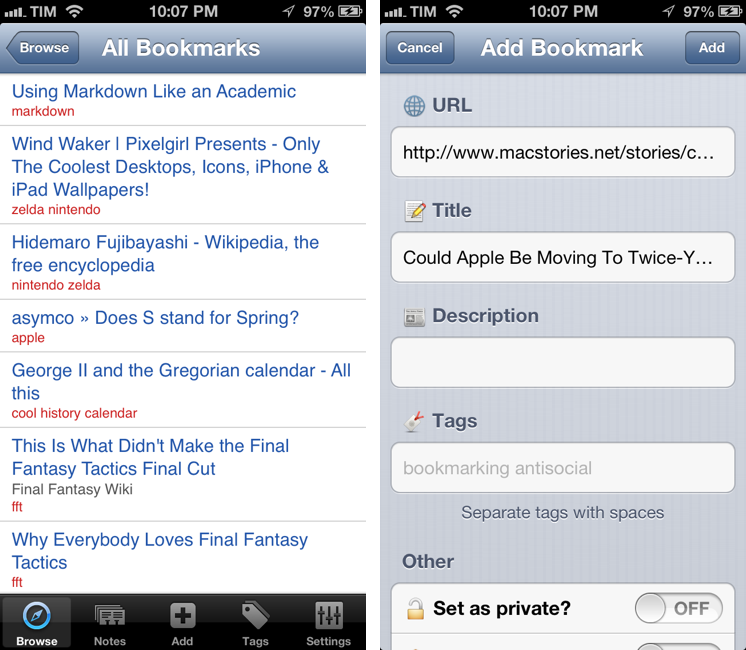
MacStories readers know that I’m a fan of Pinbook, a Pinboard client for iPhone and iPad. For the past two days, I’ve also been trying Pushpin, developed by Aurora Software, and I’m quite impressed with the feature set the app has reached at version 1.3. Pinbook and Pushpin are, ultimately, very different, and I believe their current versions can coexist on a Pinboard nerd’s iOS Home screen. Read more
Posts in reviews
Pushpin for Pinboard
ReadKit: Instapaper, Pocket, and Readability Client For OS X
After Michael Schneider, creator of Read Later, joined the Pocket team to release the official Pocket app for Mac, I wondered if there was a real need for a “read later” (lowercase) application for the desktop:
I’m still not completely sold on the overall concept of a desktop read-later app. I’ve got used to thinking of “read later” as a inherently mobile state of mind. I “catch up” on articles and videos with my iPhone and iPad. The Mac is were I discover stuff. I guess a desktop app can be seen as an add-on, a companion to the main experience.
Looking around for alternatives that would work with the service I use on a daily basis for text articles, Marco Arment’s Instapaper, I was not impressed with Words:
Unfortunately, while promising, Words isn’t there yet. Words looks decent when it’s focused on text (generated by the Instapaper parser) in full-screen mode, but everything else is pretty buggy, unstable, and unfinished.
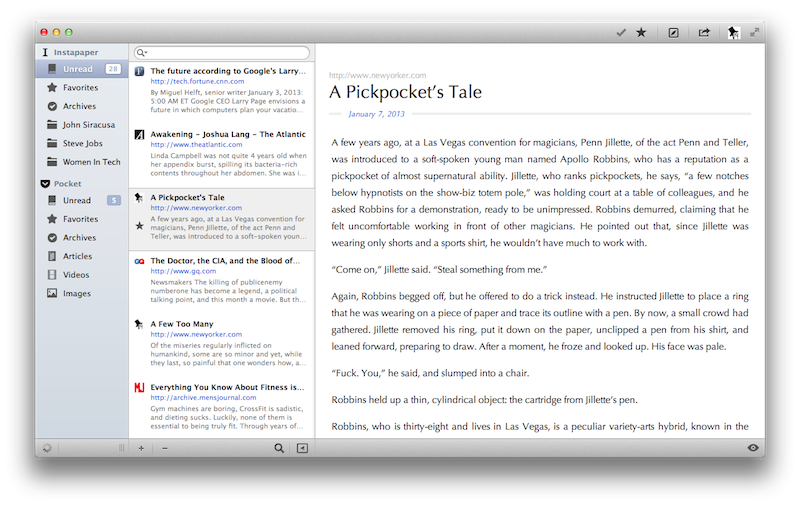
ReadKit, a new app by Webin released today, is – finally – a solid piece of software for those who have been looking for a desktop version of their favorite read later service. ReadKit, in fact, works with Instapaper, Pocket, and Readability, therefore covering the most popular third-party read later services. The app costs $1.99, and if you want to use it with Instapaper, you’ll need the $1 monthly subscription. Read more
1Password 4 Review
I got my first iPhone in the Fall of 2008. Going back through my iTunes Purchased history, I see 1Password was the ninth app I downloaded from the App Store. I’ve been using 1Password for as long as I remember having a Mac and iOS device, and I’ve come to rely on it – to trust it – as the only piece of software holding my private information securely. 1Password 4, released today on iOS, is a major update that improves on every area of the app, starting from the interface.
I’d argue that, aside from bug fixes, smaller improvements, and support for new displays and the latest iOS versions, 1Password Pro got its last major new feature with version 3.5, released in July 2010, which added Dropbox sync and support for auto-lock on multitasking. Another fundamental change of the mobile 1Password experience could be traced back to iPassword 3.0, which added a new interface for the iPad in April 2010; however, iPad apps have evolved and matured in the past two years, and 1Password – especially on the larger screen – has started to feel like an app that was designed at the beginning of the iPad era. It wasn’t inherently bad, but, combined with the iPhone app (which goes back to the early App Store days: it was released in the summmer of 2008), it was obvious that 1Password for iOS could be better.
1Password 4, in terms of design and features, is both a clean slate and an iterative improvement. It’s a fresh start, but existing 1Password users will also recognize the things that have been adjusted and added on top of 1Password 3.7. More importantly, 1Password is now a consistent experience across the iPhone and iPad that supports a platform users expect from modern iOS apps: iCloud. Read more
Today Weather

As I’ve written many times here on MacStories, I’m no weather expert. I’ve used Apple’s Weather app for years, until I figured that I wanted just a little more stats and a different interface to check on forecasts and current conditions. Still, I don’t need a complex weather app with terminology I would need a dictionary for. That’s why for the past few weeks I’ve been using Check The Weather and liked its simple approach to weather data presentation.
Today Weather is a new app by Savvy Apps – creators of some of our favorite iOS apps like Agenda and Buzz Contacts – that, while similar to Check The Weather on the surface, is actually more reminiscent of Agenda. Read more
Instacast 3 Review
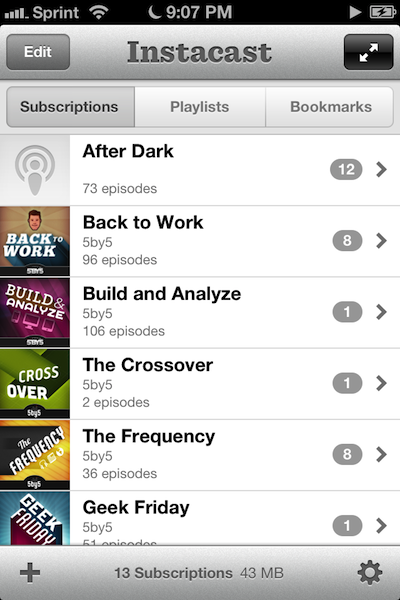
Instacast 3 is both iterative and something different. No longer divided into separate iPhone and iPad apps, Instacast 3 is universal, also eschewing the in-app purchase model introduced with Instacast 2. And at its core, iCloud sync has been gutted and replaced with Vemedio’s own syncing solution that’s faster and less error prone (an in-house solution that works with WebDAV.). On the iPad, Vemedio has completely redesigned their Twitter-for-iPad inspired interface in favor of a more parallel experience with the iPhone. Just as Apple makes small iterations to their hardware, Vemedio has made small iterations to their software.
Party Monster
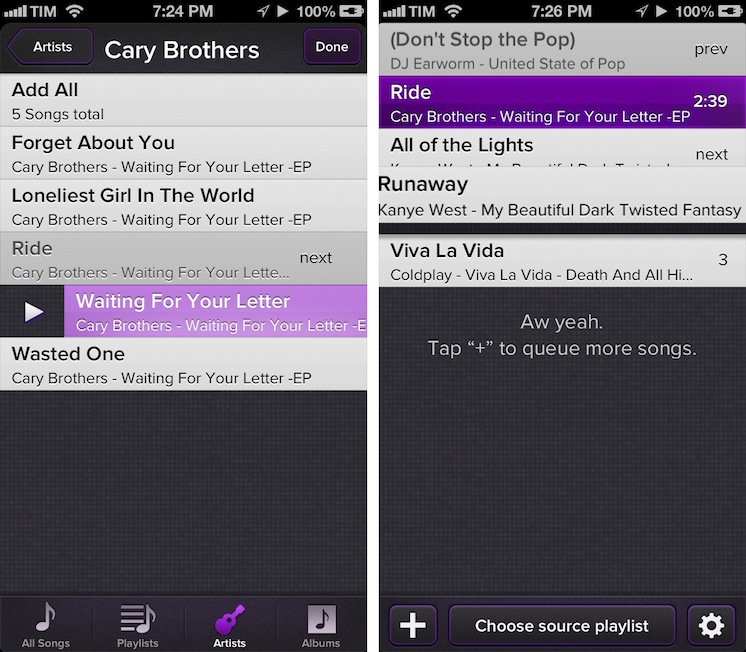
Party Monster is a Universal iOS app to queue songs in a temporary playlist, perfect for parties, dinners with friends, or, generally, every time you want to listen to specific songs in a specific order. As you may know, I’m a passionate Rdio user, and local music with iTunes doesn’t really fit with my listening habits. I wouldn’t mention Party Monster, however, if it weren’t for its approach and attention to detail that made it stand out for me. Read more
Twitterrific 5 Review
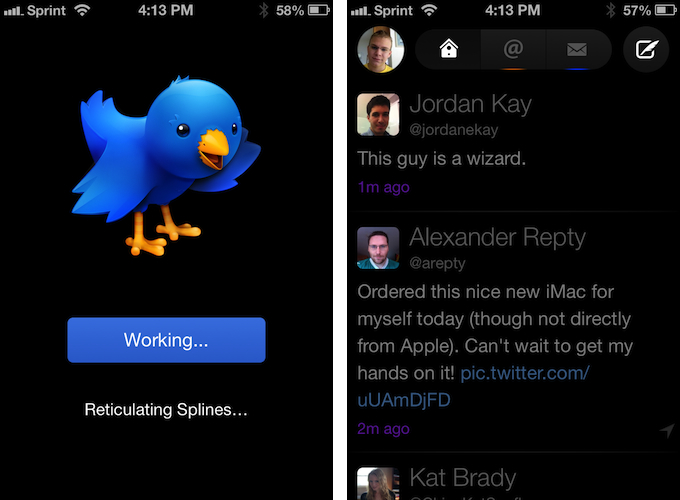
Twitterrific 5. It’s been fun to watch Twitter’s reaction to an app that I, and other writers, wanted to surprise the world with. Alas, it was bound to leak, unsurprisingly by Apple’s Japanese App Store. The Iconfactory’s latest iteration of their famed Twitter client is shockingly different isn’t it? The same gut reactions I watched unfold on Twitter could not better describe the same gut reactions I had when I first saw just how striking the new interface is.
Sharing the first pic of Twitterrific 5 with my coworkers resulted in an immediate, “Wow.” After a few more screenshots, “That looks like a Windows 8 app. Like Track 8.” It’s an absolutely fair assessment. And it’s one I’ve seen echoed on Twitter as I watched the tweets scroll by. Thankfully, Twitterrific 5 is as much of an iOS app as it ever was. No text hangs off the screen — no “CTURES” as Federico and I will joke.
Twitterrific 5 presents itself dressed in black with Helvetica accents and familiar shades of orange and blue for mentions and messages. It’s both instantly recognizable and obviously different. In contrast to colored entries and standard rectangular iOS elements, it is typography, floating buttons, and rounded corners that are pervasive in the new Twitterrific.
Gmail 2.0: A Year Later
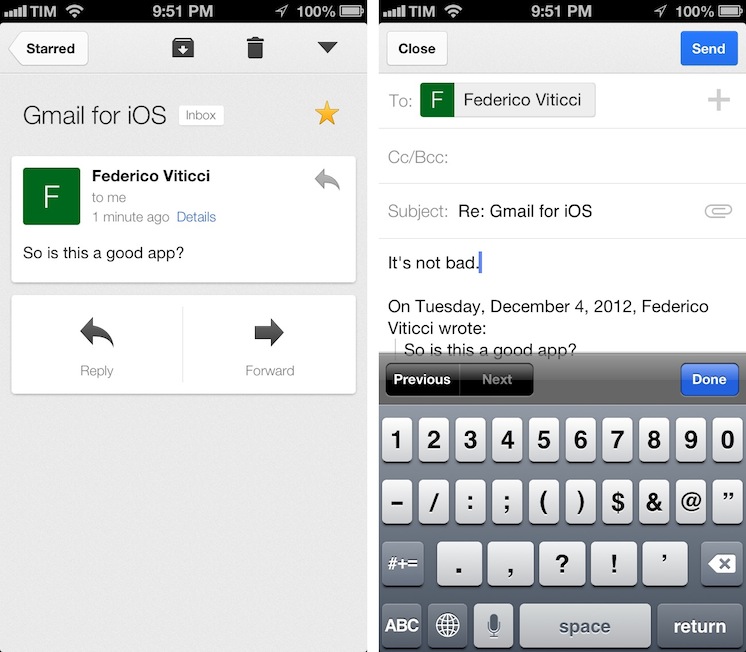
Despite Google’s persistence on adopting web views in an iOS frame, Gmail’s iOS app has been consistently improved since its inception. For the amount of ridicule Gmail for iOS has received, whether it be for its mobile web disguise or a lack of support for multiple accounts, it’d be a shame not to recognize some of the substantial improvements that have been made to the app. While I didn’t think Gmail was a great app, I didn’t think of it as a bad app, offering a native Gmail experience for account holders who want to take advantage of Google’s quick search capabilities, labels, and importance markers. On iOS, the main benefit is near instant notifications, something that Apple’s native Mail app can’t take advantage of unless Gmail is set up as an Exchange account. (And that notification sound? One of the best.)
Fantastical for iPhone Review
I wouldn’t call myself a calendar power-user.
Ever since I started organizing the things I have to do with a system I can trust, I’ve faced a workflow conundrum: is this a task or a calendar event?
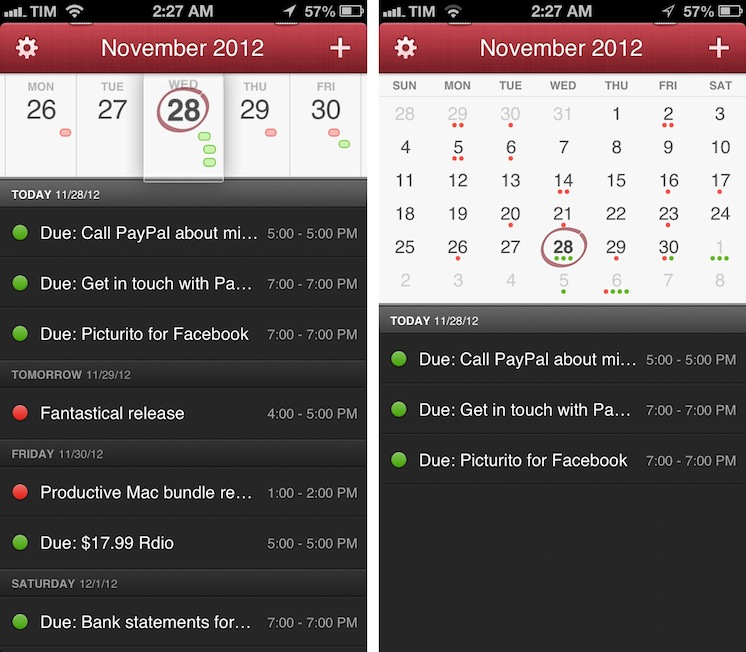
I know that there’s a difference between so-called “actionable items” and time-based events. Maybe I’m not hooked up right, but I’ve been looking for a way to immediately visualize, in a single interface, all the things that I have to do on a specific day. Independently from their actionable (“you need to do this”) or time-based (“you need to be here”) status, I want a software that, like a personal assistant, tells me exactly what I need to get done.
I have found such system in displaying my OmniFocus items inside my calendar. And now, the system has been enriched by the addition of Fantastical for iPhone.
I’ve been a fan of Fantastical for Mac since I first tried it in May 2011. Replacing iCal’s overly complicated interface with a simple menubar overview of your upcoming events, not only did Fantastical show that a simpler way to access your calendar was possible, it also profoundly changed the third-party OS X development scene with its use of natural language input. Futuristic as a concept, in practice Flexibits managed to bundle a powerful language parser within Fantastical that would recognize commands like “Coffee with Chris tomorrow from 6 to 7” and deconstruct them as specific values for a calendar event. It’s not a fancy gimmick: rather than clicking buttons and menus, I constantly find myself invoking Fantastical on a daily basis, typing away like I’d normally do in a blog post or note, saving events in just a few seconds.
Fantastical is one of my must-have apps for OS X. But how could Flexibits ensure its soul wouldn’t get lost in the transition to iOS? Read more