
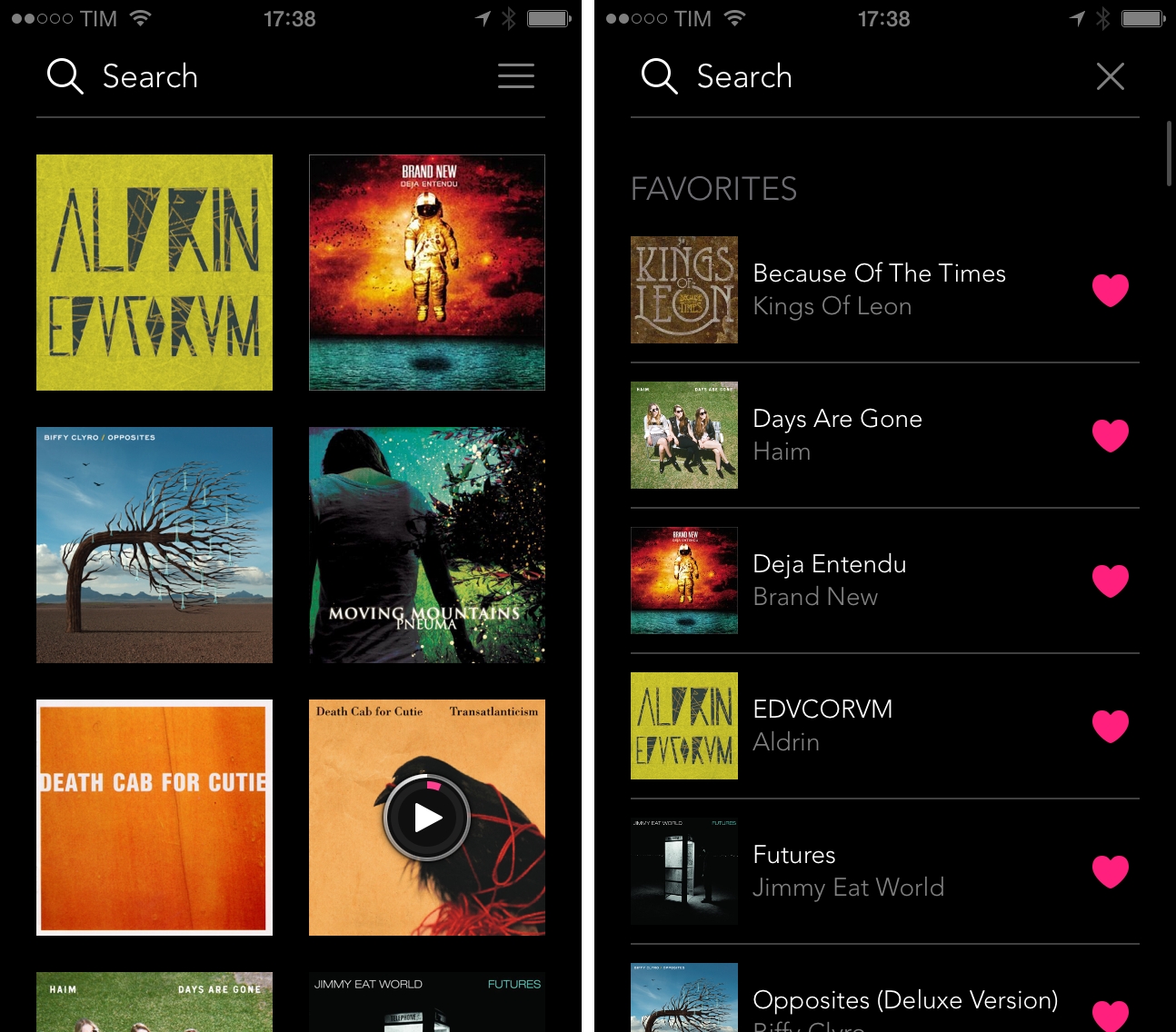
In the increasing complexity of music streaming apps that put several layers of interface and navigation between the launch experience and listening to your favorite songs, Albums is a refreshingly simple music player that lets you search, bookmark, and play your favorite albums. Developed by Louie Mantia and Caleb Thorson, I was skeptical about the app’s premise when I saw its one screenshot and read its iTunes description, but there is something about it that resonates with me and that has been elegantly executed in this first release.
Posts in reviews
Albums for iPhone

Access Extra Content and Perks
Founded in 2015, Club MacStories has delivered exclusive content every week for nearly a decade.
What started with weekly and monthly email newsletters has blossomed into a family of memberships designed for every MacStories fan.
Club MacStories: Weekly and monthly newsletters via email and the web that are brimming with apps, tips, automation workflows, longform writing, early access to the MacStories Unwind podcast, periodic giveaways, and more;
Club MacStories+: Everything that Club MacStories offers, plus an active Discord community, advanced search and custom RSS features for exploring the Club’s entire back catalog, bonus columns, and dozens of app discounts;
Club Premier: All of the above and AppStories+, an extended version of our flagship podcast that’s delivered early, ad-free, and in high-bitrate audio.
Shazam for Mac: Background Song Recognition in the Menu Bar
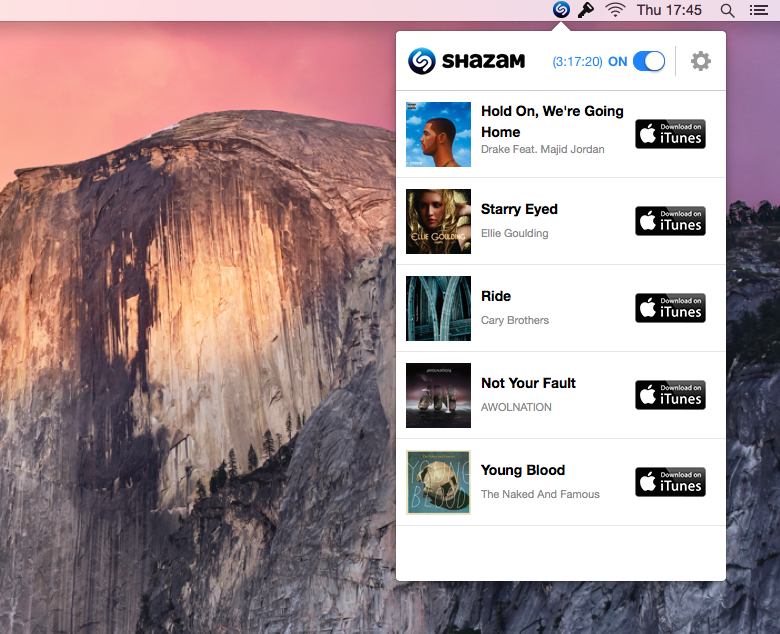
I was surprised to hear last week that Shazam, makers of the popular music recognition app that’s going to be integrated with Siri in iOS 8, had launched a desktop app for OS X, available for free on the Mac App Store. I always associated Shazam with the portability and instant-on nature of the iPhone: you hear a song playing, you want to know what it is, you pull out Shazam and let it work its magic. That’s why I’ve never managed to get used to Shazam on the iPad and why I seldom use all the features that the company has tacked onto the app over the years: fundamentally, I see Shazam as the music recognition app for iPhone, and that’s it.
Access Extra Content and Perks
Founded in 2015, Club MacStories has delivered exclusive content every week for nearly a decade.
What started with weekly and monthly email newsletters has blossomed into a family of memberships designed for every MacStories fan.
Club MacStories: Weekly and monthly newsletters via email and the web that are brimming with apps, tips, automation workflows, longform writing, early access to the MacStories Unwind podcast, periodic giveaways, and more;
Club MacStories+: Everything that Club MacStories offers, plus an active Discord community, advanced search and custom RSS features for exploring the Club’s entire back catalog, bonus columns, and dozens of app discounts;
Club Premier: All of the above and AppStories+, an extended version of our flagship podcast that’s delivered early, ad-free, and in high-bitrate audio.
Fileup Simplifies Dropbox Sharing with Drag & Drop and File Filters
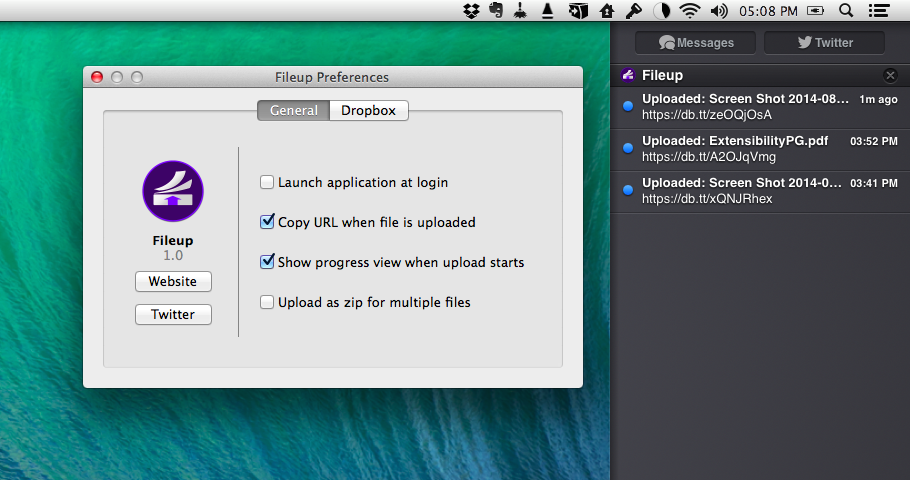
Developed by Francisco Cantu, Fileup is a new OS X utility that lets you quickly share files through Dropbox by dragging them onto a menu bar icon. Unlike other apps that have implemented the same sharing mechanism and user interaction (which Dropbox surprisingly doesn’t support with their own menu bar app), Fileup adds filters for file types, integrates with Notification Center, and lets you set up templates for naming files through a simple syntax. The idea is reminiscent of Vemedio’s shortlived Sharebox experiment, but, as required by Dropbox, Fileup is a separate menu bar utility that doesn’t interact with the official Dropbox client.
Access Extra Content and Perks
Founded in 2015, Club MacStories has delivered exclusive content every week for nearly a decade.
What started with weekly and monthly email newsletters has blossomed into a family of memberships designed for every MacStories fan.
Club MacStories: Weekly and monthly newsletters via email and the web that are brimming with apps, tips, automation workflows, longform writing, early access to the MacStories Unwind podcast, periodic giveaways, and more;
Club MacStories+: Everything that Club MacStories offers, plus an active Discord community, advanced search and custom RSS features for exploring the Club’s entire back catalog, bonus columns, and dozens of app discounts;
Club Premier: All of the above and AppStories+, an extended version of our flagship podcast that’s delivered early, ad-free, and in high-bitrate audio.
iStat Menus 5 Brings New Design, Per-App Stats, Yosemite Support, and More
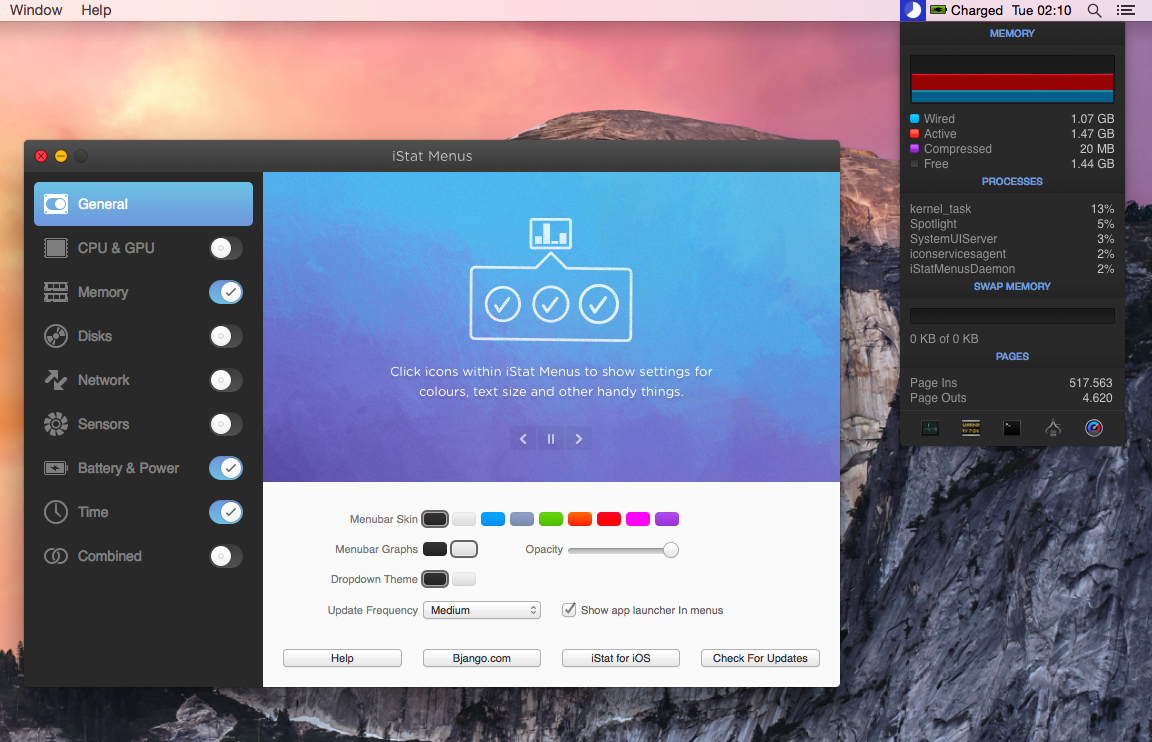
Two years after the release of version 4.0, Bjango has launched iStat Menus 5 today, adding hundreds of new features and improvements, and bringing a new design for both OS X Mavericks and Yosemite.
Access Extra Content and Perks
Founded in 2015, Club MacStories has delivered exclusive content every week for nearly a decade.
What started with weekly and monthly email newsletters has blossomed into a family of memberships designed for every MacStories fan.
Club MacStories: Weekly and monthly newsletters via email and the web that are brimming with apps, tips, automation workflows, longform writing, early access to the MacStories Unwind podcast, periodic giveaways, and more;
Club MacStories+: Everything that Club MacStories offers, plus an active Discord community, advanced search and custom RSS features for exploring the Club’s entire back catalog, bonus columns, and dozens of app discounts;
Club Premier: All of the above and AppStories+, an extended version of our flagship podcast that’s delivered early, ad-free, and in high-bitrate audio.
A Preview of the SpeakerSlide, A Kickstarter Project
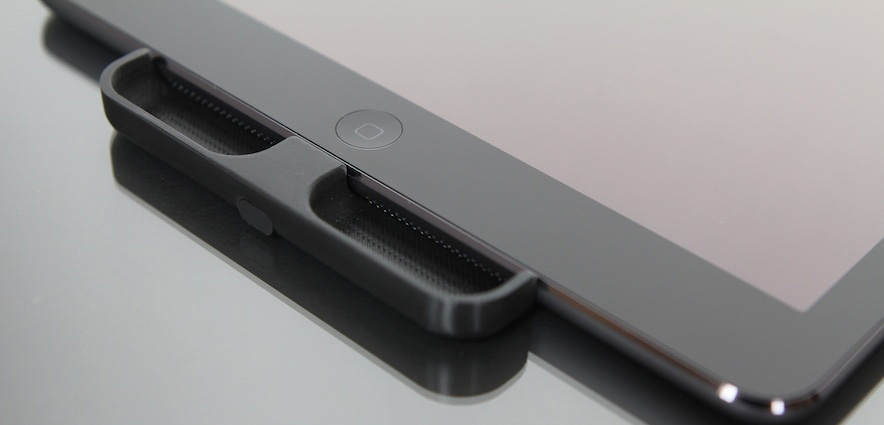
Over the past few years Apple has continued to improve the speakers in the iPhone and iPad quite significantly, except for the fact that they continue to be directed out to the side rather than the front. In fairness, this is probably the most practical location for Apple but it has meant that I’ve purposefully cupped my hand around the iPad’s speakers to help redirect the sound on a number of occasions. It is exactly this weakness where a Kickstarter project, the SpeakerSlide, is trying to improve things. It’s a simple plastic (polycarbonate) accessory that redirects the sound out to the front of the device. The SpeakerSlide team were able to ship me 3D-printed evaluation models of the SpeakerSlide for both iPhone and iPad, so I gave the product a test run over the last week.
I first tested the SpeakerSlide with the iPad Air and I can honestly say that the effect it had was instantly noticeable and fairly significant. Sound coming from the iPad actually sounded like it was directed to me, which shouldn’t be surprising, but what was surprising to me was how much more natural that felt. When I started taking the SpeakerSlide on and off to try and hear the difference, the effect was even more noticeable. It almost felt like the sound (without the SpeakerSlide) was muffled because of the direction of the speakers. Because the sound is being directed at you with the SpeakerSlide, it also means you don’t need to have the volume as loud as you would without it, and that shouldn’t be underestimated.
Access Extra Content and Perks
Founded in 2015, Club MacStories has delivered exclusive content every week for nearly a decade.
What started with weekly and monthly email newsletters has blossomed into a family of memberships designed for every MacStories fan.
Club MacStories: Weekly and monthly newsletters via email and the web that are brimming with apps, tips, automation workflows, longform writing, early access to the MacStories Unwind podcast, periodic giveaways, and more;
Club MacStories+: Everything that Club MacStories offers, plus an active Discord community, advanced search and custom RSS features for exploring the Club’s entire back catalog, bonus columns, and dozens of app discounts;
Club Premier: All of the above and AppStories+, an extended version of our flagship podcast that’s delivered early, ad-free, and in high-bitrate audio.
Hours: Simple and Beautiful Time Tracking
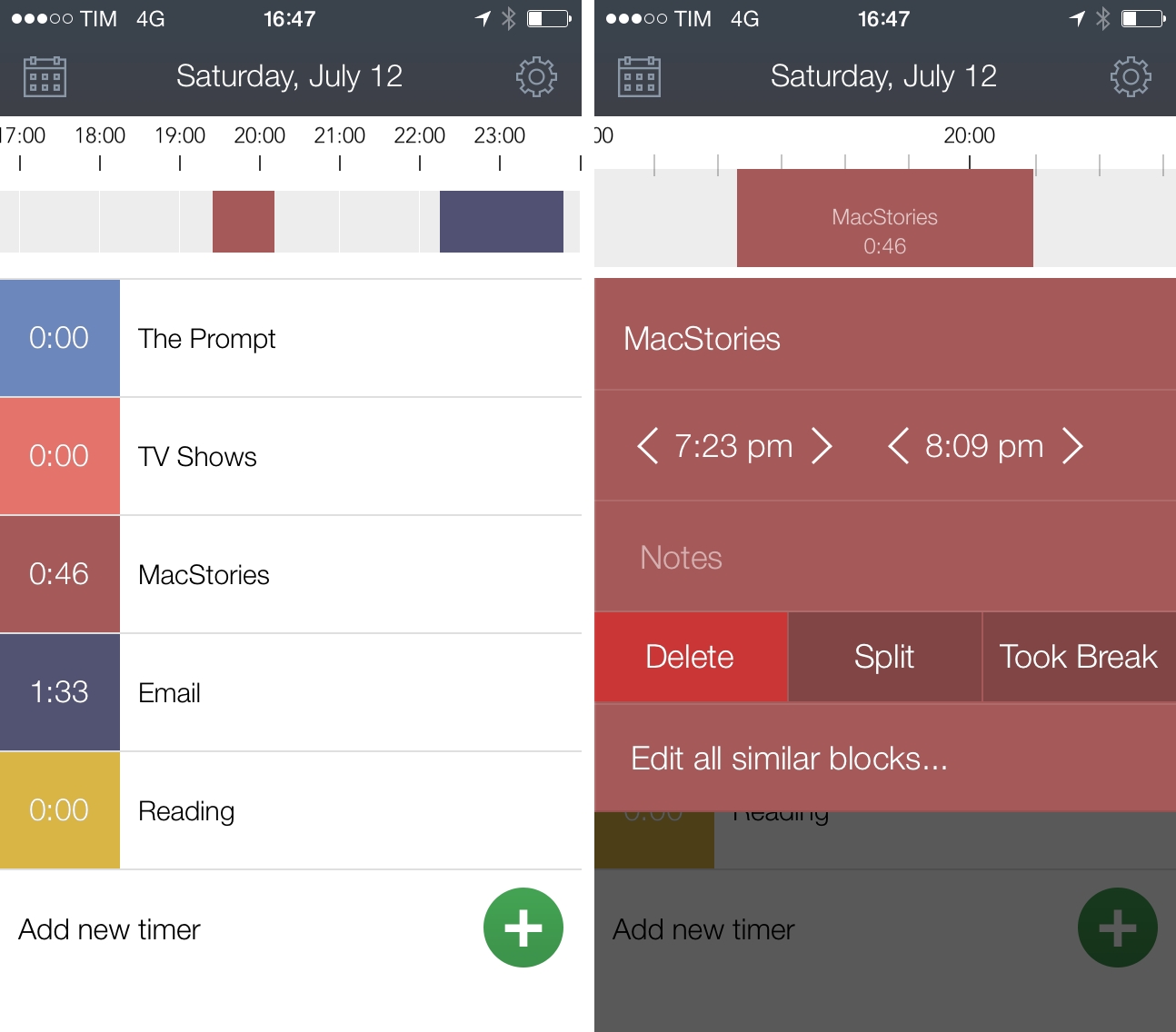
For the kind of work that I do with MacStories and podcasting, I don’t need time-tracking apps. I could use them, but I don’t necessarily need them as I don’t work with clients or account for time spent writing posts or doing research. However, if I had to track how I spend my time at my Mac or iPad while working, I’d use Hours, developed by Tapity and released today on the App Store for $4.99.
Access Extra Content and Perks
Founded in 2015, Club MacStories has delivered exclusive content every week for nearly a decade.
What started with weekly and monthly email newsletters has blossomed into a family of memberships designed for every MacStories fan.
Club MacStories: Weekly and monthly newsletters via email and the web that are brimming with apps, tips, automation workflows, longform writing, early access to the MacStories Unwind podcast, periodic giveaways, and more;
Club MacStories+: Everything that Club MacStories offers, plus an active Discord community, advanced search and custom RSS features for exploring the Club’s entire back catalog, bonus columns, and dozens of app discounts;
Club Premier: All of the above and AppStories+, an extended version of our flagship podcast that’s delivered early, ad-free, and in high-bitrate audio.
Overcast Review
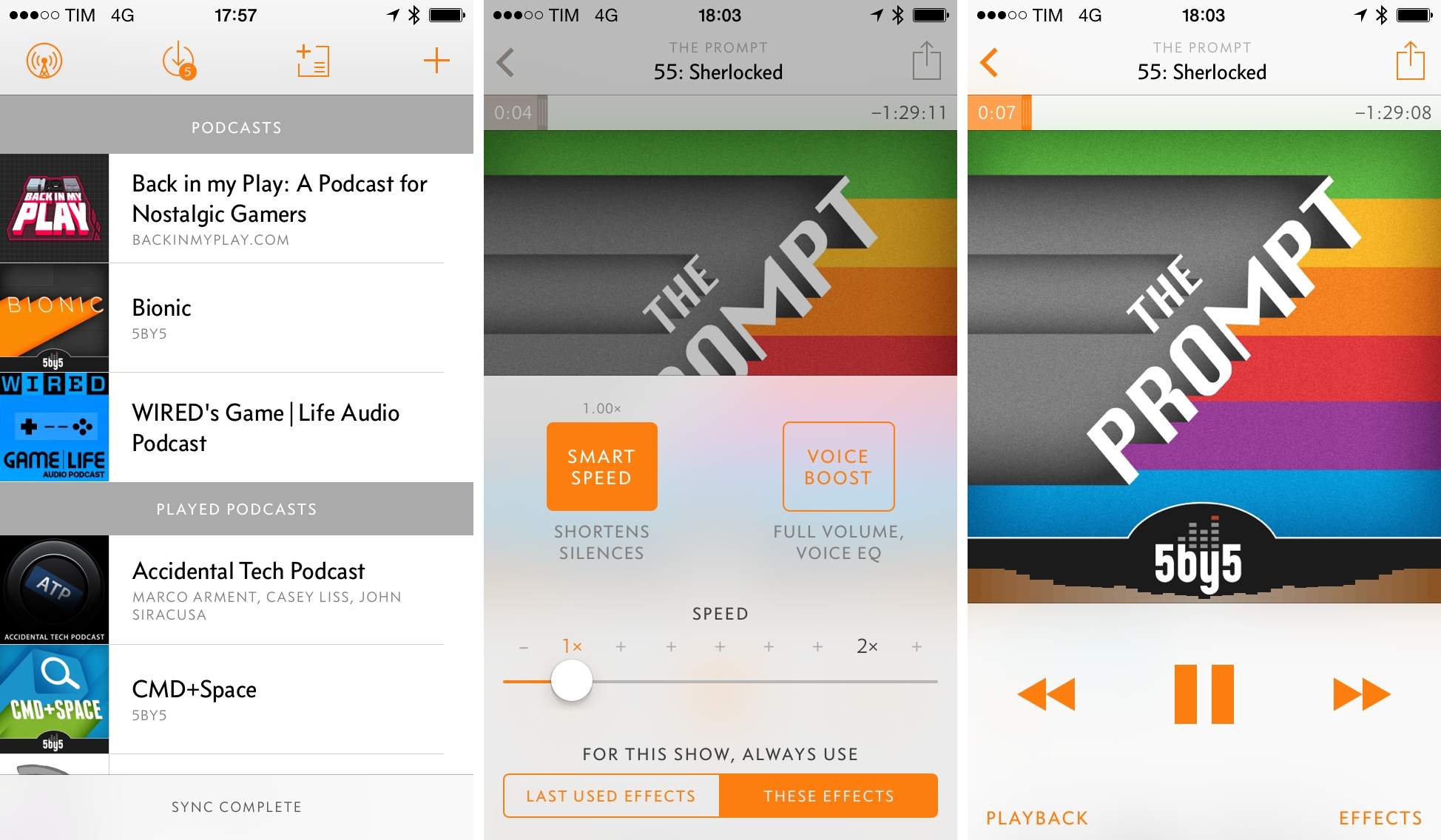
When I received the first beta of Marco Arment’s new app, Overcast, back in May, I didn’t think I could use an iPhone-only podcast client with no iPad version and no streaming support as my daily podcast listening solution. Overcast, available today on the App Store, is launching to high expectations and hype for what Arment, best known for creating Instapaper, founding The Magazine, and co-hosting the Accidental Tech Podcast, has been working on since his reveal in September 2013.
Two months after putting Overcast on my Home screen as a vote of confidence and using it to listen to podcasts every day, I don’t want to go back to any other podcast app I’ve tried before. In spite of lacking iPad and OS X versions and some features from popular podcast apps, the listening experience in Overcast and its approach to podcast discovery have been so thoughtfully implemented and cleverly engineered, I find it to be a superior choice for my listening habits.
Access Extra Content and Perks
Founded in 2015, Club MacStories has delivered exclusive content every week for nearly a decade.
What started with weekly and monthly email newsletters has blossomed into a family of memberships designed for every MacStories fan.
Club MacStories: Weekly and monthly newsletters via email and the web that are brimming with apps, tips, automation workflows, longform writing, early access to the MacStories Unwind podcast, periodic giveaways, and more;
Club MacStories+: Everything that Club MacStories offers, plus an active Discord community, advanced search and custom RSS features for exploring the Club’s entire back catalog, bonus columns, and dozens of app discounts;
Club Premier: All of the above and AppStories+, an extended version of our flagship podcast that’s delivered early, ad-free, and in high-bitrate audio.
Spillo Is a Versatile and Fast Pinboard Client for OS X
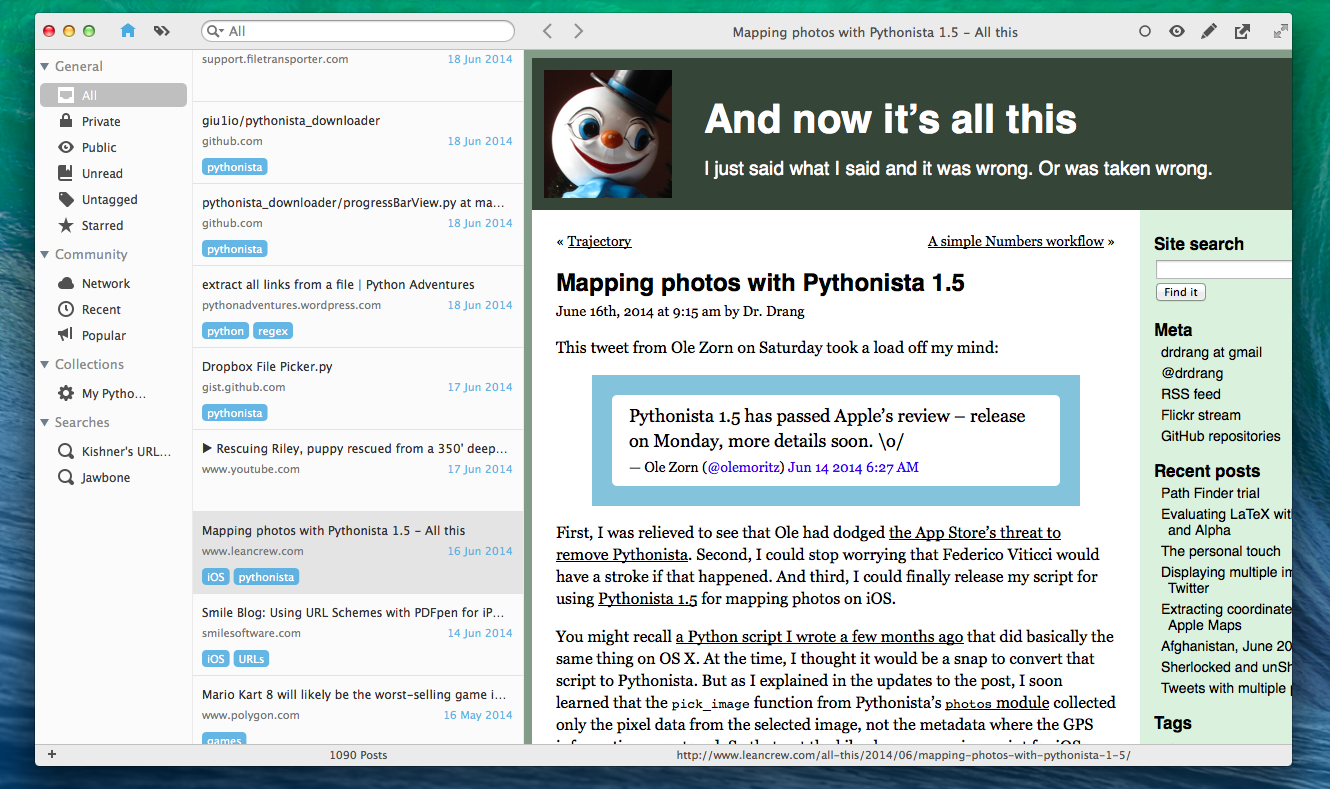
Developed by Damien DeVille, Spillo is a new Pinboard client released today for OS X and available on both the Mac App Store and Bananafish Software’s website. Unlike Shiori (a desktop app for Pinboard I covered before) and other minimal apps that try to facilitate the process of saving bookmarks to the service, Spillo wants to be a full client for management and discovery of links, and it’s reminiscent of powerful solutions for iOS such as Pushpin and Pinswift. I’ve been using Spillo for the past couple of weeks, and I think it has potential.
Access Extra Content and Perks
Founded in 2015, Club MacStories has delivered exclusive content every week for nearly a decade.
What started with weekly and monthly email newsletters has blossomed into a family of memberships designed for every MacStories fan.
Club MacStories: Weekly and monthly newsletters via email and the web that are brimming with apps, tips, automation workflows, longform writing, early access to the MacStories Unwind podcast, periodic giveaways, and more;
Club MacStories+: Everything that Club MacStories offers, plus an active Discord community, advanced search and custom RSS features for exploring the Club’s entire back catalog, bonus columns, and dozens of app discounts;
Club Premier: All of the above and AppStories+, an extended version of our flagship podcast that’s delivered early, ad-free, and in high-bitrate audio.
Polymo Review

Polymo is a new camera app for the iPhone and iPod touch that launched earlier this month with a focus on letting you organize your photos with tags. The developers pitch it as a “better place for photos on iOS” thanks to the app’s clean design, simple gestures, and elegant interface. Unfortunately, I don’t think Polymo is a replacement for the Camera Roll, but don’t dismiss it straight away; there are still appealing aspects of Polymo that may make it useful for you.
Access Extra Content and Perks
Founded in 2015, Club MacStories has delivered exclusive content every week for nearly a decade.
What started with weekly and monthly email newsletters has blossomed into a family of memberships designed for every MacStories fan.
Club MacStories: Weekly and monthly newsletters via email and the web that are brimming with apps, tips, automation workflows, longform writing, early access to the MacStories Unwind podcast, periodic giveaways, and more;
Club MacStories+: Everything that Club MacStories offers, plus an active Discord community, advanced search and custom RSS features for exploring the Club’s entire back catalog, bonus columns, and dozens of app discounts;
Club Premier: All of the above and AppStories+, an extended version of our flagship podcast that’s delivered early, ad-free, and in high-bitrate audio.