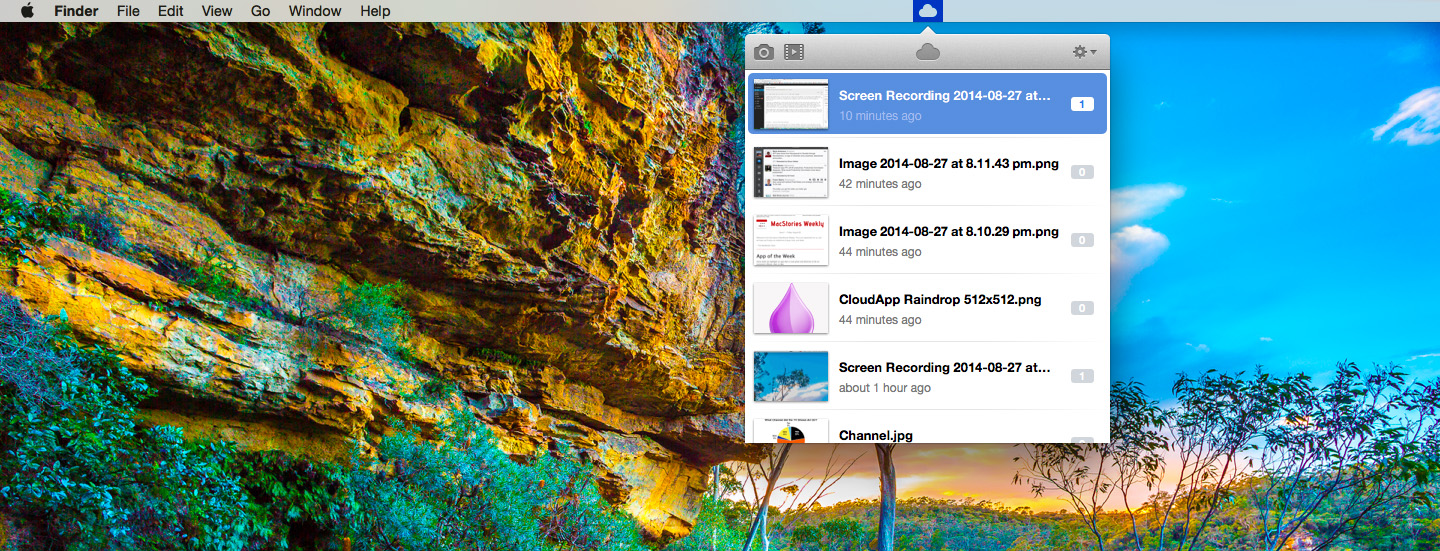
CloudApp today launched version 3 of their Mac app and it comes with the addition of a new feature called CloudApp Motion. Behind the fancy name is actually the really useful tool of being able to record your screen and automatically upload a GIF version to CloudApp. Alongside the updated app, CloudApp have also announced CloudApp for Teams, which includes team pricing plans and custom features.
Posts in reviews
CloudApp 3 for Mac Brings Effortless GIF Screen Recording, Support for Teams
Quotebook 3 Brings New Design, Revamped Management of Authors and Sources
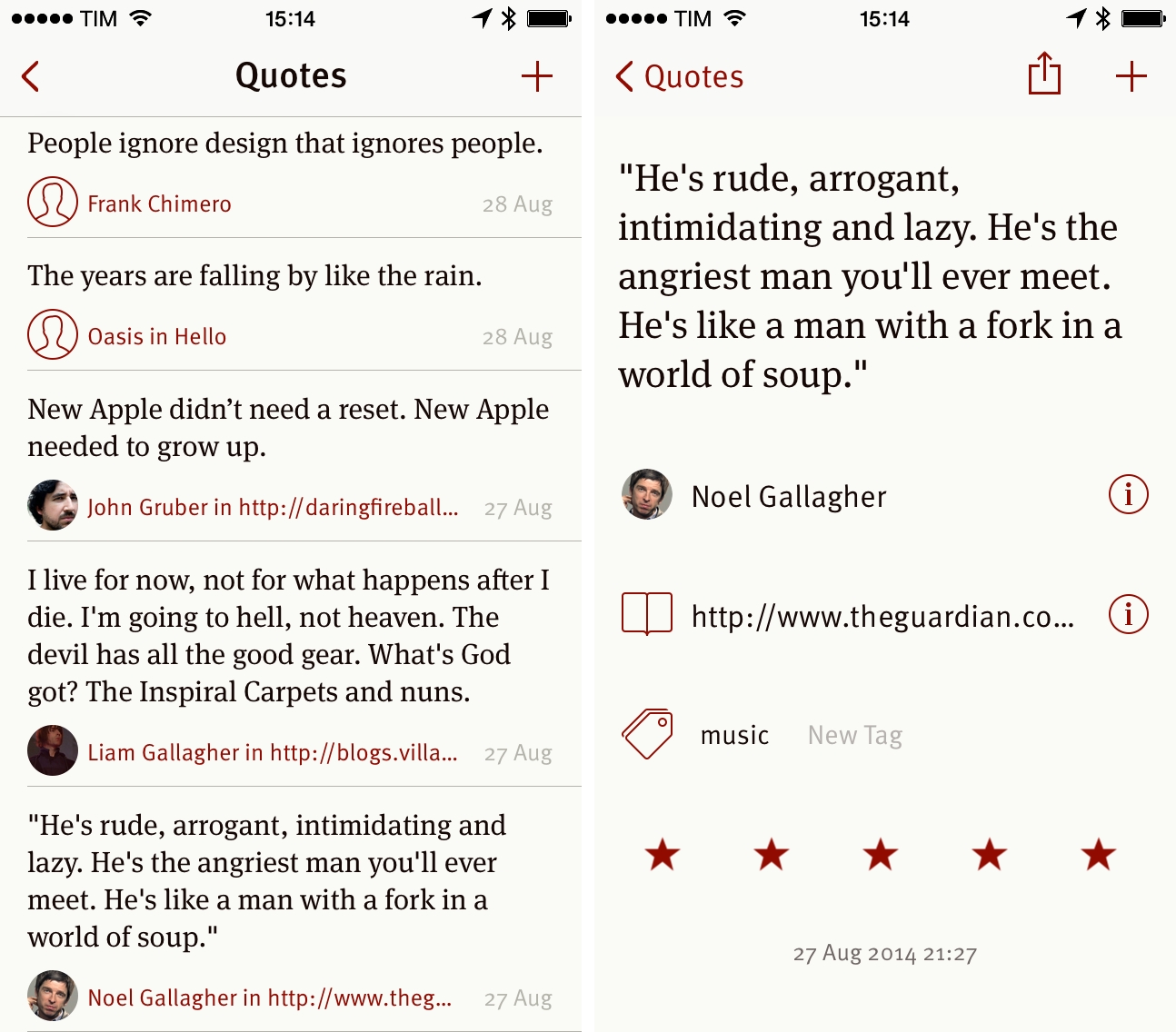
Quotebook, developed by the folks at Lickability, has long been my favorite app to save and archive quotes and passages on the iPhone and iPad. Over the years, I’ve tried several solutions to store quotes – I started with Markdown archives in plain text, moved to Evernote, and recently began using Instapaper Highlights, also connected to Evernote with IFTTT – but Quotebook kept striking me as one of those purposeful, well-considered apps that perform one task exceptionally well. I was especially satisfied when I realized that Quotebook had native Instapaper integration and could be connected to my feed reader of choice, Mr. Reader, to save quotes from RSS.
Yesterday, Lickability released version 3.0 of Quotebook as a free update on the App Store, bringing a new design, rewritten iCloud sync, and new features for quote creation and author navigation that make the app easier to use and better suited for large libraries of quotes and sources.
Time Zones Is a Clean and Effective Time Zone Converter
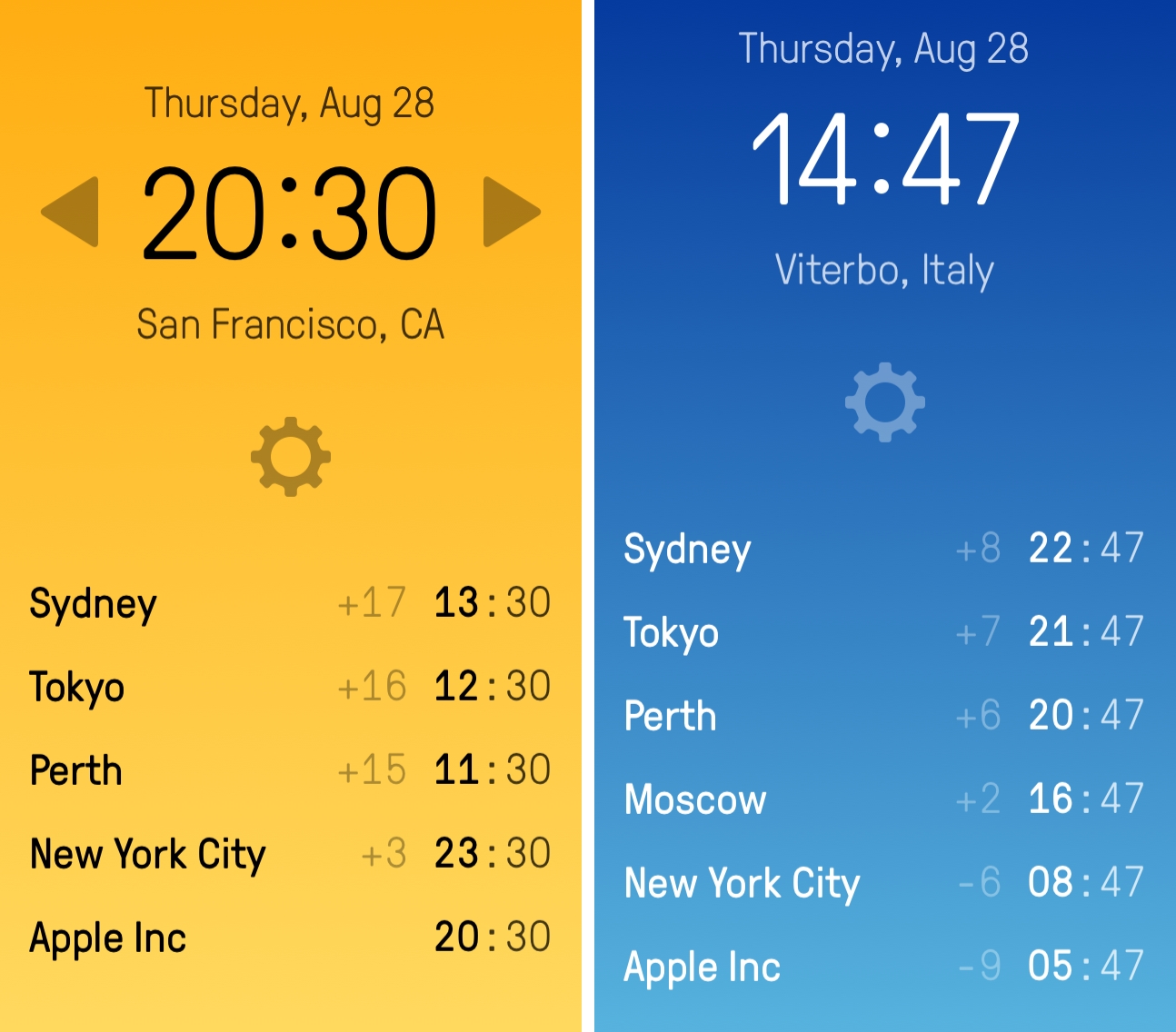
Developed by Jared Sinclair, Time Zones is a clean and nifty utility to see time zones at a glance without having to convert offsets between cities in your head. The app was released today on the App Store, and it’s free with a $4.99 In-App Purchase to remove ads.
Powered By Forecast.io, Wandering Weather Shows Forecasts for Your Trips
Created by Italian developer Cosimo Talò, Wandering Weather lets you check weather conditions for your car trips and plan accordingly.
Ångström Is a Fast and Innovative Currency and Unit Converter
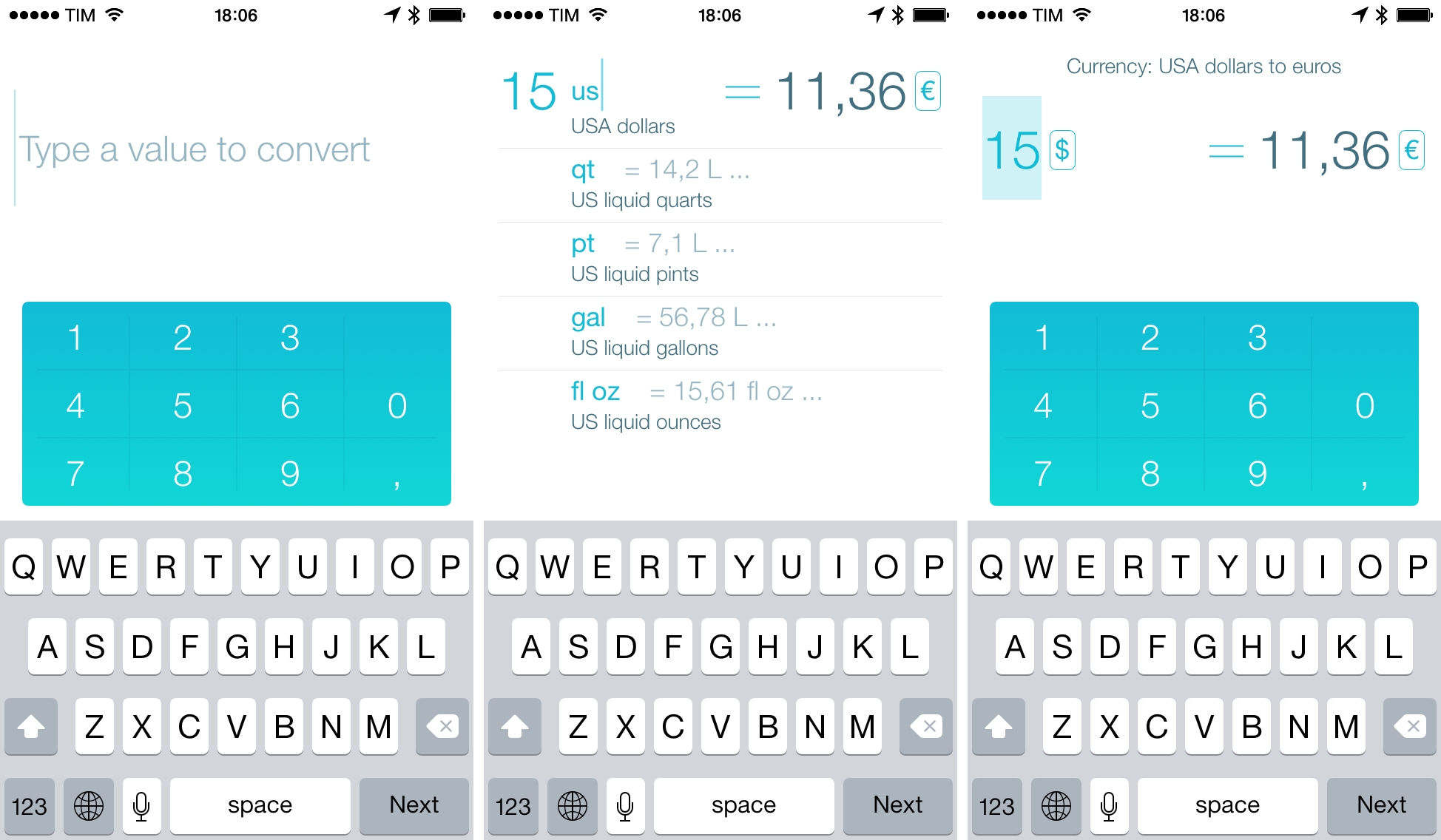
I’ve tried hundreds of unit and currency converters over the years, and I didn’t think I could still be impressed by the input mechanism and design of an iPhone app built to convert numbers. Ångström, developed by Ilya Birman and Alex Babaev, surprised me with a clean design and a unique way of entering numbers and selecting units that I haven’t seen in other apps and that I now find superior to most solutions I’ve had on my iOS devices.
Nuzzel for iPhone Lets You Catch Up on News from Twitter
I’ve been using a free iPhone app called Nuzzel to catch up on interesting links and news shared on Twitter following a recommendation on Kottke and a tweet by Ben Thompson. I’m a fan of the underlying idea and the execution of filters in the app, but there are a few things that annoy me and that, I suppose, stem from this startup’s need to track clicks on links and “user behaviors” as much as possible.
Albums for iPhone
In the increasing complexity of music streaming apps that put several layers of interface and navigation between the launch experience and listening to your favorite songs, Albums is a refreshingly simple music player that lets you search, bookmark, and play your favorite albums. Developed by Louie Mantia and Caleb Thorson, I was skeptical about the app’s premise when I saw its one screenshot and read its iTunes description, but there is something about it that resonates with me and that has been elegantly executed in this first release.
Shazam for Mac: Background Song Recognition in the Menu Bar
I was surprised to hear last week that Shazam, makers of the popular music recognition app that’s going to be integrated with Siri in iOS 8, had launched a desktop app for OS X, available for free on the Mac App Store. I always associated Shazam with the portability and instant-on nature of the iPhone: you hear a song playing, you want to know what it is, you pull out Shazam and let it work its magic. That’s why I’ve never managed to get used to Shazam on the iPad and why I seldom use all the features that the company has tacked onto the app over the years: fundamentally, I see Shazam as the music recognition app for iPhone, and that’s it.
Fileup Simplifies Dropbox Sharing with Drag & Drop and File Filters
Developed by Francisco Cantu, Fileup is a new OS X utility that lets you quickly share files through Dropbox by dragging them onto a menu bar icon. Unlike other apps that have implemented the same sharing mechanism and user interaction (which Dropbox surprisingly doesn’t support with their own menu bar app), Fileup adds filters for file types, integrates with Notification Center, and lets you set up templates for naming files through a simple syntax. The idea is reminiscent of Vemedio’s shortlived Sharebox experiment, but, as required by Dropbox, Fileup is a separate menu bar utility that doesn’t interact with the official Dropbox client.