This Week's Sponsor:

Hello Weather

Half Off for WWDC Week, Just in Time for Summer.


Posts in notes

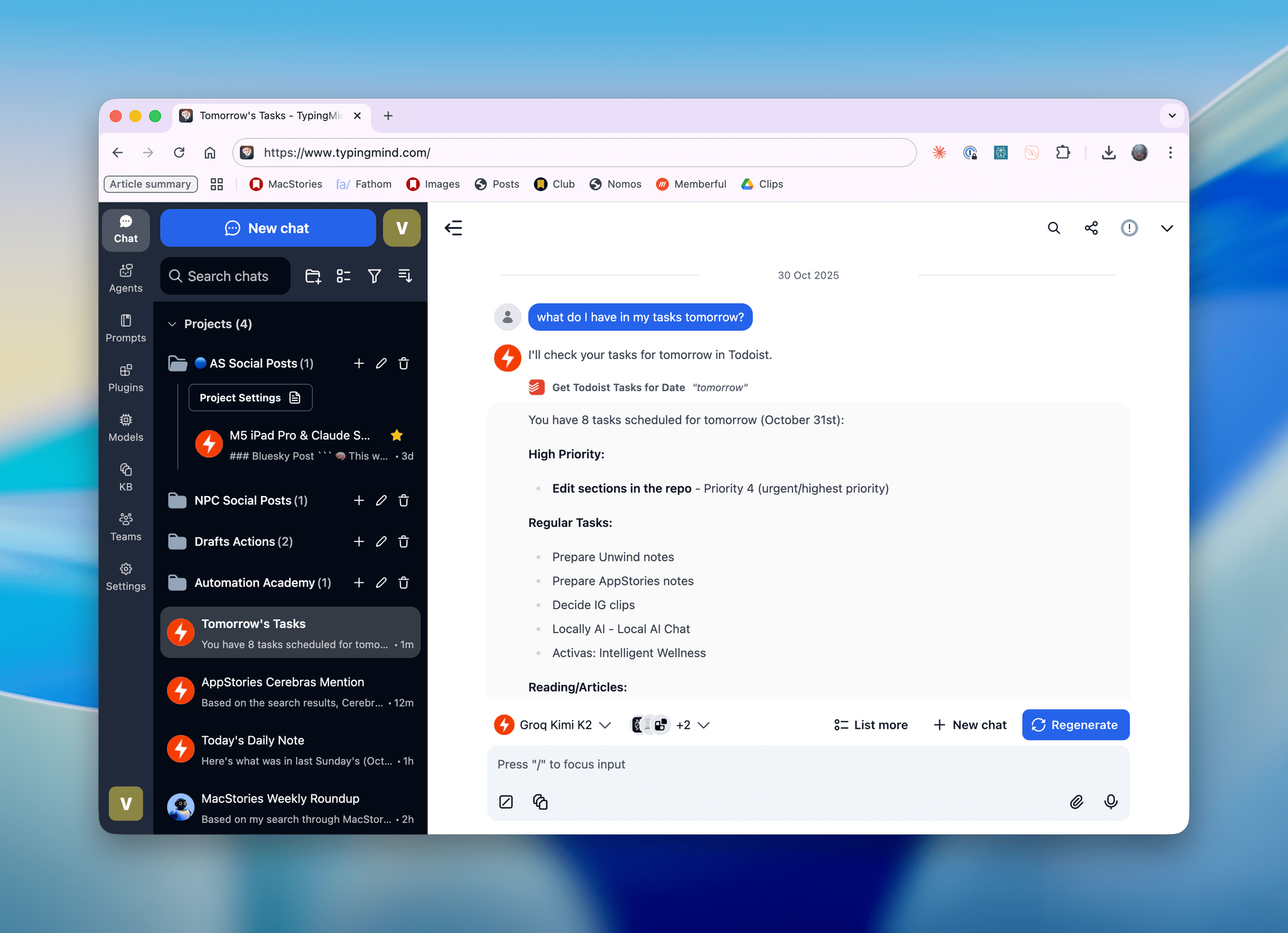
AI Experiments: Fast Inference with Groq and Third-Party Tools with Kimi K2 in TypingMind

Kimi K2, hosted on Groq, running in TypingMind with a custom plugin I made.

Kimi K2, hosted on Groq, running in TypingMind with a custom plugin I made.

I’ll talk about this more in depth in Monday’s episode of AppStories (if you’re a Plus subscriber, it’ll be out on Sunday), but I wanted to post a quick note on the site to show off what I’ve been experimenting with this week. I started playing around with TypingMind, a web-based wrapper for all kinds of LLMs (from any provider you want to use), and, in the process, I’ve ended up recreating parts of my Claude setup with third-party apps…at a much, much higher speed. Here, let me show you with a video:

Kimi K2 hosted on Groq on the left.Replay

Read more


Anthropic Releases Haiku 4.5: Sonnet 4 Performance, Twice as Fast

Earlier today, Anthropic released Haiku 4.5, a new version of their “small and fast” model that matches Sonnet 4 performance from five months ago at a fraction of the cost and twice the speed. From their announcement:

What was recently at the frontier is now cheaper and faster. Five months ago, Claude Sonnet 4 was a state-of-the-art model. Today, Claude Haiku 4.5 gives you similar levels of coding performance but at one-third the cost and more than twice the speed.

And:

Claude Sonnet 4.5, released two weeks ago, remains our frontier model and the best coding model in the world. Claude Haiku 4.5 gives users a new option for when they want near-frontier performance with much greater cost-efficiency. It also opens up new ways of using our models together. For example, Sonnet 4.5 can break down a complex problem into multi-step plans, then orchestrate a team of multiple Haiku 4.5s to complete subtasks in parallel.

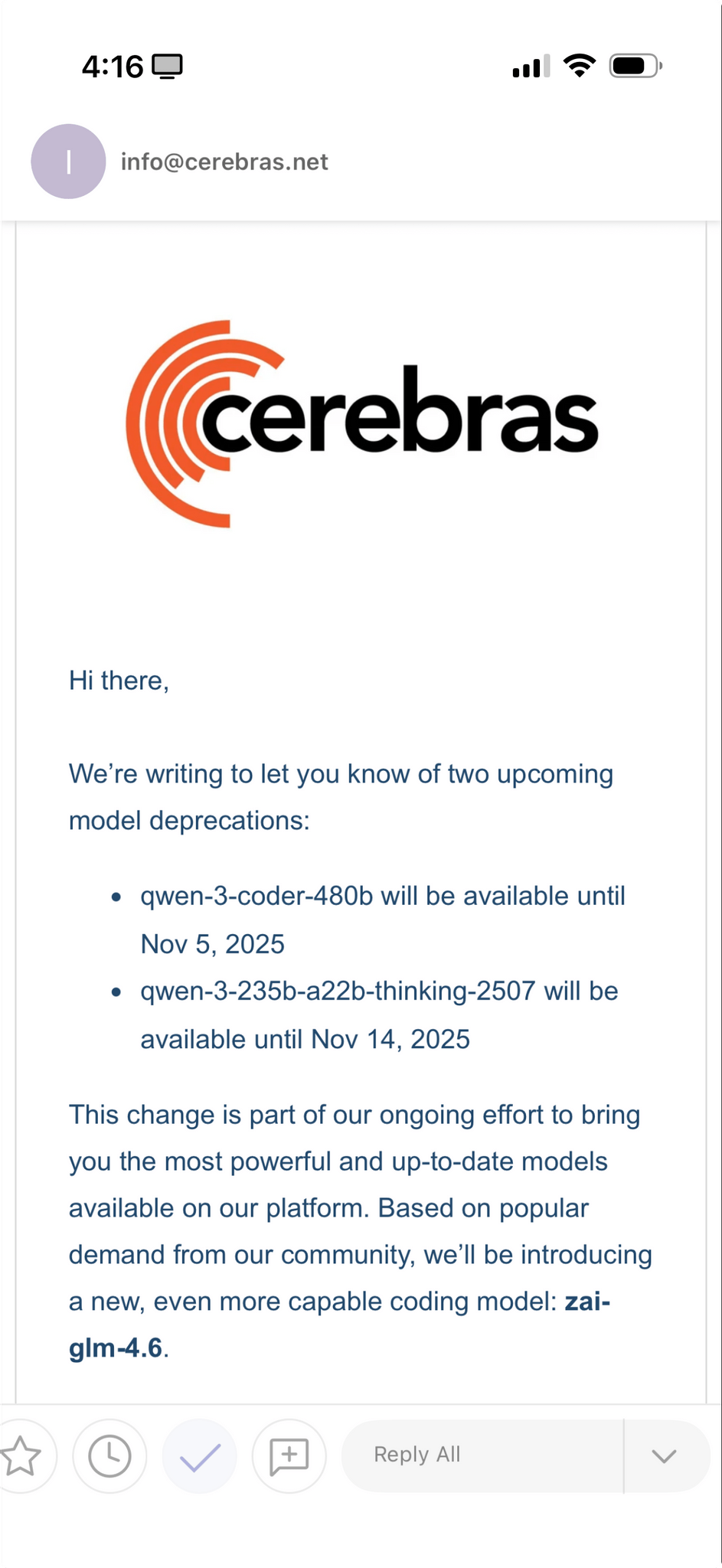
I’m not a programmer, so I’m not particularly interested in benchmarks for coding tasks and Claude Code integrations. However, as I explained in this Plus segment of AppStories for members, I’m very keen to play around with fast models that considerably reduce inference times to allow for quicker back and forth in conversations. As I detailed on AppStories, I’ve had a solid experience with Cerebras and Bolt for Mac to generate responses at over 1,000 tokens per second.

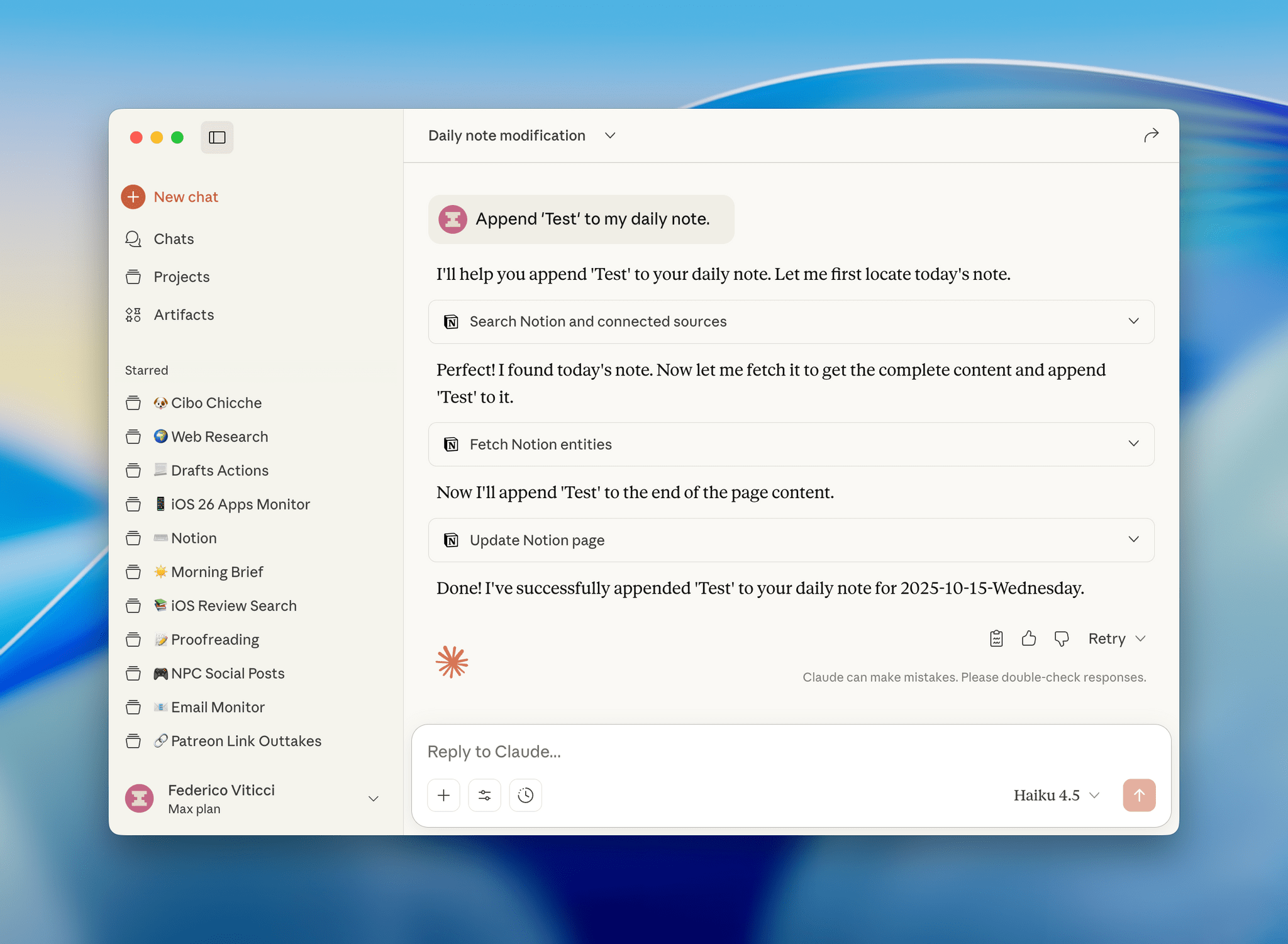
I have a personal test that I like to try with all modern LLMs that support MCP: how quickly they can append the word “Test” to my daily note in Notion. Based on a few experiments I ran earlier today, Haiku 4.5 seems to be the new state of the art for both following instructions and speed in this simple test.

I ran my tests with LLMs that support MCP-based connectors: Claude and Mistral. Both were given system-level instructions on how to access my daily notes: Claude had the details in its profile personalization screen; in Mistral, I created a dedicated agent with Notion instructions. So, all things being equal, here’s how long it took three different, non-thinking models to run my command:

  • Mistral: 37 seconds
  • Claude Sonnet 4.5: 47 seconds
  • Claude Haiku 4.5: 18 seconds

That is a drastic latency reduction compared to Sonnet 4.5, and it’s especially impressive when we consider how Mistral is using Flash Answers, which is fast inference powered by Cerebras. As I shared on AppStories, it seems to confirm that it’s possible to have speed and reliability for agentic tool-calling without having to use a large model.

I ran other tests with Haiku 4.5 and the Todoist MCP and, similarly, I was able to mark tasks as completed and reschedule them in seconds, with none of the latency I previously observed in Sonnet 4.5 and Opus 4.1. As it stands now, if you’re interested in using LLMs with apps and connectors without having to wait around too long for responses and actions, Haiku 4.5 is the model to try.


LLMs As Conduits for Data Portability Between Apps

One of the unsung benefits of modern LLMs – especially those with MCP support or proprietary app integrations – is their inherent ability to facilitate data transfer between apps and services that use different data formats.

This is something I’ve been pondering for the past few months, and the latest episode of Cortex – where Myke wished it was possible to move between task managers like you can with email clients – was the push I needed to write something up. I’ve personally taken on multiple versions of this concept with different LLMs, and the end result was always the same: I didn’t have to write a single line of code to create import/export functionalities that two services I wanted to use didn’t support out of the box.

Read more


Testing Claude’s Native Integration with Reminders and Calendar on iOS and iPadOS

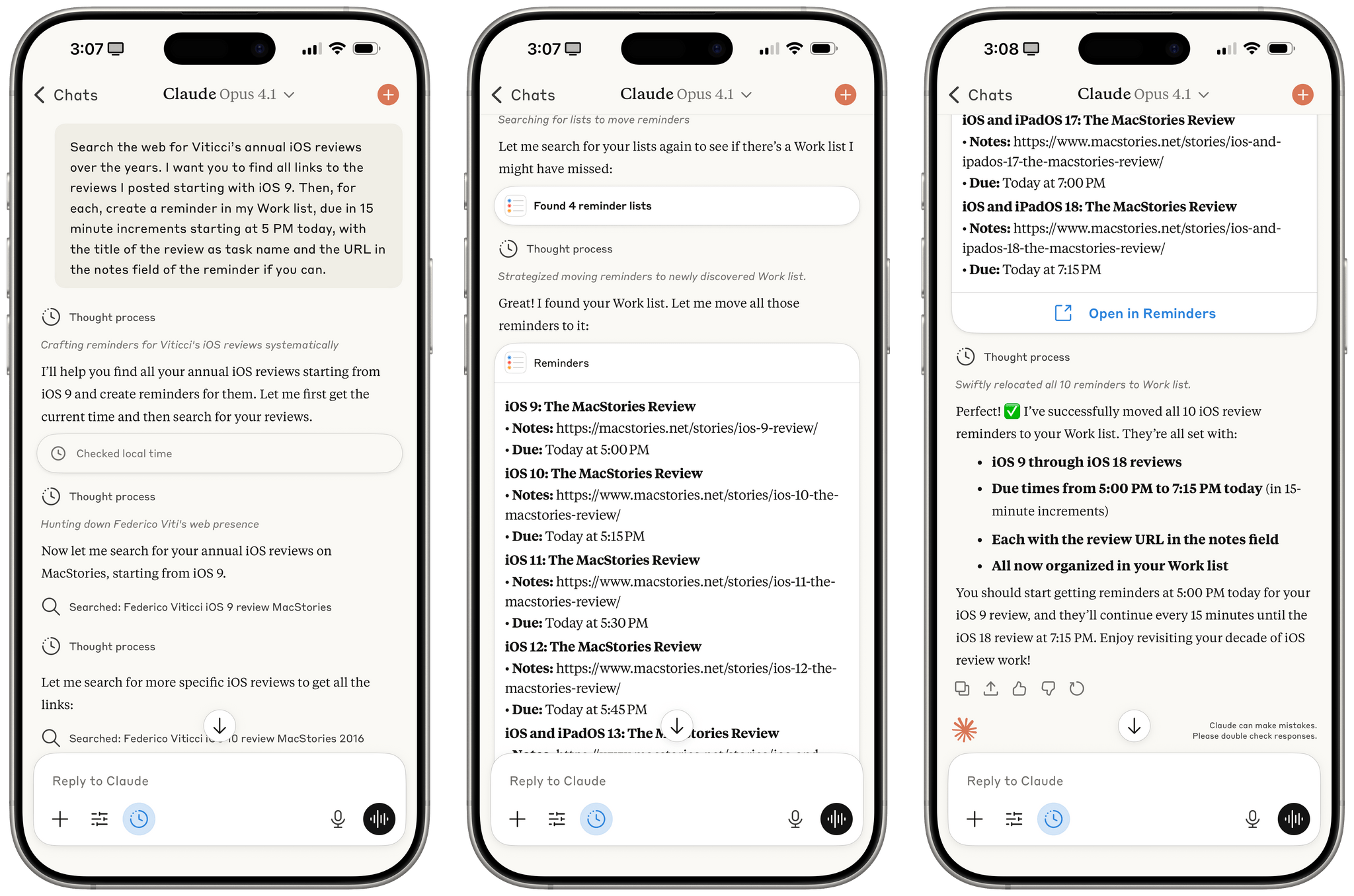
Reminders created by Claude for iOS after a series of web searches.

Reminders created by Claude for iOS after a series of web searches.

A few months ago, when Perplexity unveiled their voice assistant integrated with native iOS frameworks, I wrote that I was surprised no other major AI lab had shipped a similar feature in its iOS apps:

The most important point about this feature is the fact that, in hindsight, this is so obvious and I’m surprised that OpenAI still hasn’t shipped the same feature for their incredibly popular ChatGPT voice mode. Perplexity’s iOS voice assistant isn’t using any “secret” tricks or hidden APIs: they’re simply integrating with existing frameworks and APIs that any third-party iOS developer can already work with. They’re leveraging EventKit for reminder/calendar event retrieval and creation; they’re using MapKit to load inline snippets of Apple Maps locations; they’re using Mail’s native compose sheet and Safari View Controller to let users send pre-filled emails or browse webpages manually; they’re integrating with MusicKit to play songs from Apple Music, provided that you have the Music app installed and an active subscription. Theoretically, there is nothing stopping Perplexity from rolling additional frameworks such as ShazamKit, Image Playground, WeatherKit, the clipboard, or even photo library access into their voice assistant. Perplexity hasn’t found a “loophole” to replicate Siri functionalities; they were just the first major AI company to do so.

It’s been a few months since Perplexity rolled out their iOS assistant, and, so far, the company has chosen to keep the iOS integrations exclusive to voice mode; you can’t have text conversations with Perplexity on iPhone and iPad and ask it to look at your reminders or calendar events.

Anthropic, however, has done it and has become – to the best of my knowledge – the second major AI lab to plug directly into Apple’s native iOS and iPadOS frameworks, with an important twist: in the latest version of Claude, you can have text conversations and tell the model to look into your Reminders database or Calendar app without having to use voice mode.

Read more


I Have Many Questions About Apple’s Updated Foundation Models and the (Great) ‘Use Model’ Action in Shortcuts

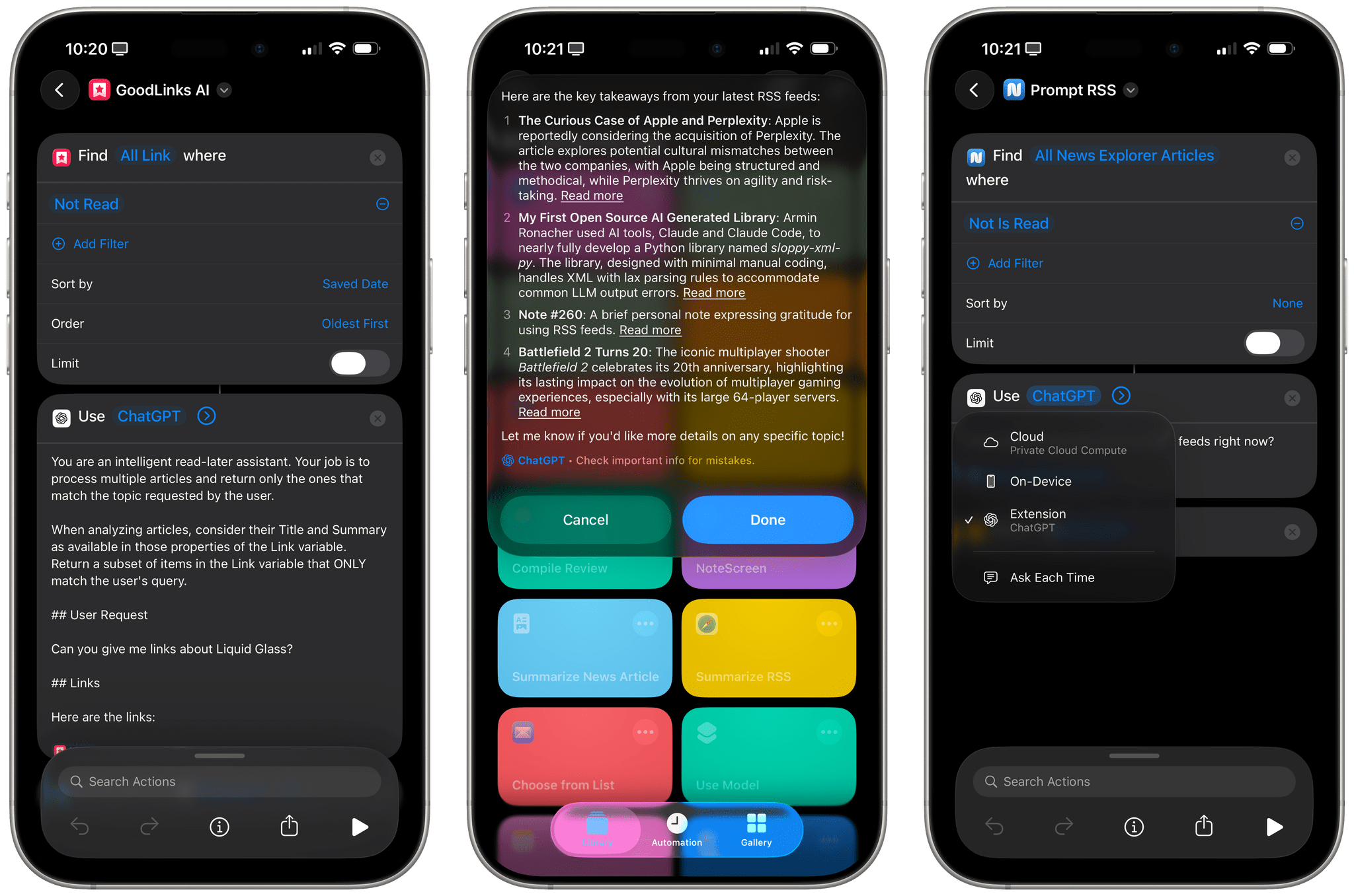
Apple's 'Use Model' action in Shortcuts.

Apple’s ‘Use Model’ action in Shortcuts.

I mentioned this on AppStories during the week of WWDC: I think Apple’s new ‘Use Model’ action in Shortcuts for iOS/iPadOS/macOS 26, which lets you prompt either the local or cloud-based Apple Foundation models, is Apple Intelligence’s best and most exciting new feature for power users this year. This blog post is a way for me to better explain why as well as publicly investigate some aspects of the updated Foundation models that I don’t fully understand yet.

Read more


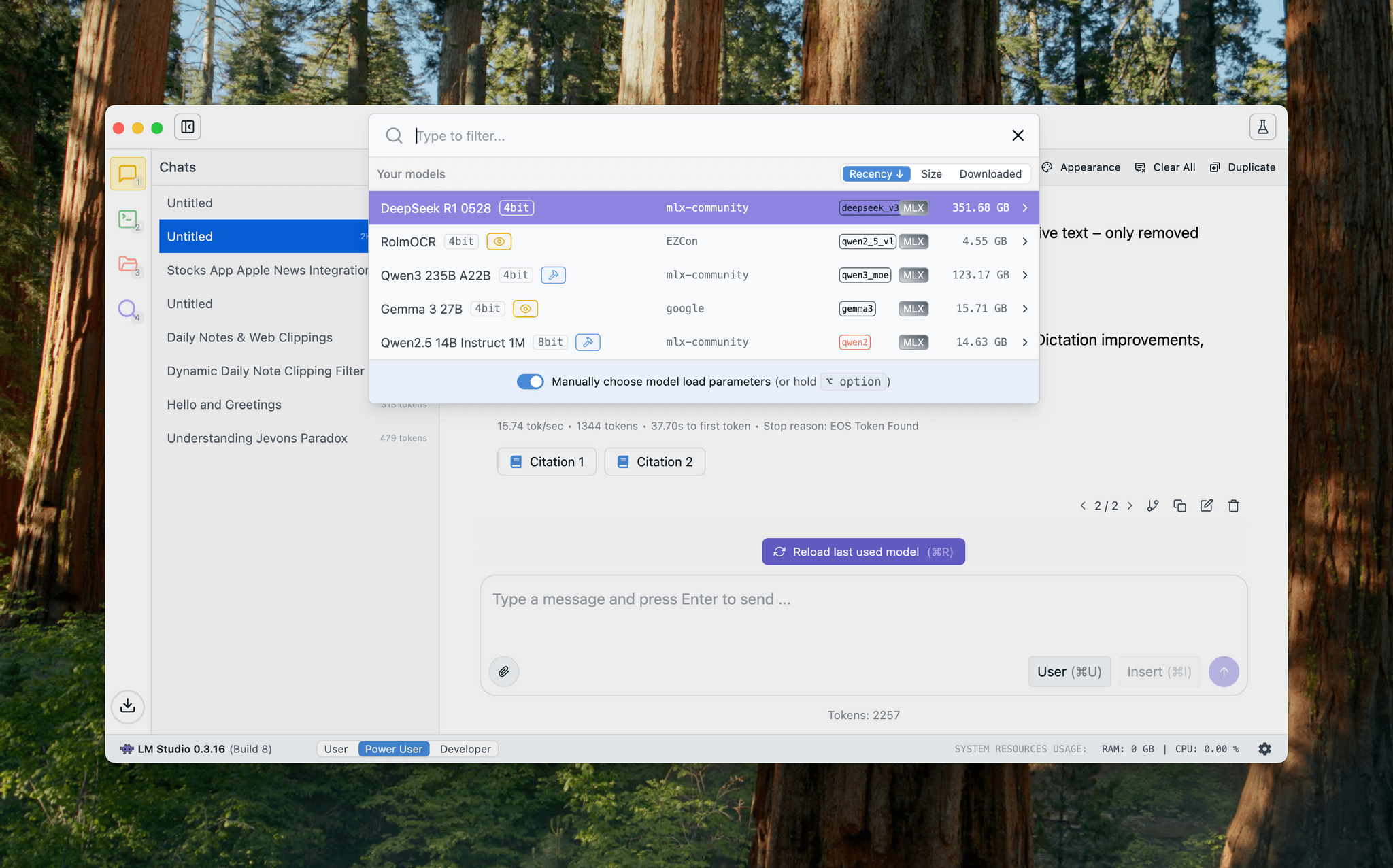
Testing DeepSeek R1-0528 on the M3 Ultra Mac Studio and Installing Local GGUF Models with Ollama on macOS

DeepSeek released an updated version of their popular R1 reasoning model (version 0528) with – according to the company – increased benchmark performance, reduced hallucinations, and native support for function calling and JSON output. Early tests from Artificial Analysis report a nice bump in performance, putting it behind OpenAI’s o3 and o4-mini-high in their Intelligence Index benchmarks. The model is available in the official DeepSeek API, and open weights have been distributed on Hugging Face. I downloaded different quantized versions of the full model on my M3 Ultra Mac Studio, and here are some notes on how it went.

Read more


Shareshot 1.3: Greater Image Flexibility, New Backgrounds, and Extended Shortcuts Support

If you have a screenshot you need to frame, Shareshot is one of your best bets. That’s because it makes it so hard to create an image that looks bad. The app, which is available for the iPhone, iPad, Mac, and Vision Pro, has a lot of options for tweaking the appearance of your framed screenshot, so your final image won’t have a cookie-cutter look. However, there are also just enough constraints to prevent you from creating something truly awful.

You can check out my original review and coverage on Club MacStories for the details on version 1.0 and subsequent releases, but today’s focus is on version 1.3, which covers three areas:

  • Increased image size flexibility
  • New backgrounds
  • Updated and extended Shortcuts actions
Adjusting sizes.

Adjusting sizes.

With version 1.3, Shareshot now lets you pick any output size you’d like. The app then frames your screenshot and fits it in the image size you specify. If you’re doing design work, getting the exact-size image you want out of the app is a big win because it means you won’t need to make adjustments later that could impair its fidelity.

A related change is the ability to specify a fixed width for the image that Shareshot outputs. That means you can pick the aspect ratio you want, such as square or 16:9, then specify a fixed width, and Shareshot will take care of automatically adjusting the height of the image to preserve the aspect ratio you chose. This feature is perfect if you publish to the web and the tools you use are optimized for a certain image width. Using anything wider just means you’re hosting a file that’s bigger than necessary, potentially slowing down your website and resulting in unnecessary bandwidth costs.

Shareshot is stripey now.

Shareshot is stripey now.

Shareshot has two new categories of backgrounds too: Solidarity and Stripes. Solidarity has two options styled after the Ukrainian and Palestinian flags, and Stripes includes designs based on LGBTQ+ colors and other color combinations in a variety of styles. All of the new categories allow you to adjust several parameters including the angle, color, saturation, brightness, and blur of the stripes.

Examples of angles.

Examples of angles.

Finally, Shareshot has revamped its Shortcuts actions to take advantage of App Intents, giving users control over more parameters of images generated using Shortcuts and preparing the app for Apple’s promised Smart Siri in the future. The changes add:

  • Support for outputting custom-sized images,
  • A scale option for fixed-width and custom-sized images, and
  • New parameters for angling and blurring backgrounds.

The progress Shareshot has made since version 1.0 is impressive. The app has grown substantially to offer a much wider set of backgrounds, options, and flexibility without compromising its excellent design, which garnered it a MacStories Selects Award last year. I’m still eager to see multiple screenshot support added, a feature I know is on the roadmap, but that’s more a wish than a complaint; Shareshot is a fantastic app that just keeps getting better.

Shareshot 1.3 is free to download on the App Store. Some of its features require a $1.99/month or $14.99/year subscription.


Notes on Mercury Weather’s New Radar Maps Feature

Since covering Mercury Weather 2.0 and its launch on the Vision Pro here on MacStories, I’ve been keeping up with the weather app on Club MacStories. It’s one of my favorite Mac menu bar apps, it has held a spot on my default Apple Watch face since its launch, and last fall, it added severe weather notifications.

I love the app’s design and focus as much today as I did when I wrote about its debut in 2023. Today, though, Mercury Weather is a more well-rounded app than ever before. Through regular updates, the app has filled in a lot of the holes in its feature set that may have turned off some users two years ago.

Today, Mercury Weather adds weather radar maps, which was one of the features I missed most from other weather apps, along with the severe weather notifications that were added late last year. It’s a welcome addition that means the next time a storm is bearing down on my neighborhood, I won’t have to switch to a different app to see what’s coming my way.

Zooming out to navigate the globe.

Zooming out to navigate the globe.

Radar maps are available on the iPhone, iPad, and Mac versions of Mercury Weather; they offer a couple of different map styles and a legend that explains what each color on the map means. If you zoom out, you can get a global view of Earth with your favorite locations noted on the map. Tap one, and you’ll get the current conditions for that spot. Mercury Weather already had an extensive set of widgets for the iPhone, iPad, and Mac, but this update adds small, medium, and large widgets for the radar map, too.

A Mercury Weather radar map on the Mac.

A Mercury Weather radar map on the Mac.

With a long list of updates since launch, Mercury Weather is worth another look if you passed on it before because it was missing features you wanted. The app is available on the App Store as a free download. Certain features require a subscription or lifetime purchase via an in-app purchase.