Posts in news

Australian Government Wants To Classify Mobile Games

The Australian Government has today revealed that it plans to enforce a classification of review of any mobile games (and possibly apps) that are referred to the Australian Classification Board after a complaint. Any app referred for review would have to receive a rating of MA15+ or lower to remain on sale legally in Australia.

The Government has said that if the proposal goes through it would force Apple and Google to comply by removing any app that is banned by the Classification Board as well as ensuring that any app that has gone through classification would have its classification displayed for consumers to see.

Currently there is ambiguity over classifying new online content including mobile apps for the iPhone or for Google’s Android OS in Australia with some suggesting that technically every game should be classified, an impossible feat with the number of apps in the App Store alone. The new proposal by the Home Affairs Minister would only require classification of game apps that the Classification Board receive complaints about and the Minister believes that there would be “very, very few games” that would be refused classification (banned).

Read more


Instaprint Could Well Be The Coolest Use Of Instagram’s API Yet

Just like the launch of Instagram itself, the Instagram API has enjoyed some substantial success with a number of cool web apps that have utilized it. But none of those really matter much at all once you see Instaprint, its not a webapp but an actual printer that can print any Instagram photo onto Polaroid-esque paper for those tagged at a certain location or with a specific hashtag.

Right now Instaprint has set up a demo box at SXSW and plans to eventually offer to rent the printers out, which sounds great for big events or promotional campaigns that want to utilise social media in a new and unique way. You can try it out right now by tagging any Instagram photo with the hashtag #Instaprint and see it being printed live in the Ustream video after the break (although as of writing it wasn’t live).

<

p style=”text-align: center;”> Read more


Celeste Brings Tightly Integrated Bluetooth Sharing To iOS

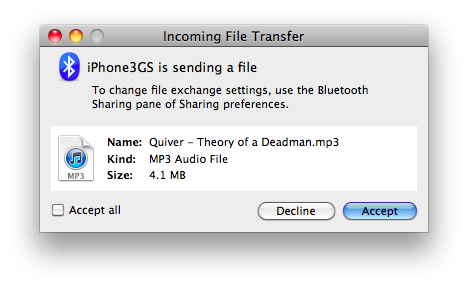
Coming later this week to the Cydia Store is a new tweak from CocoaNuts called Celeste, a handy little tweak that will allow you to send and receive various audio, video and image files to and from your iOS device using Bluetooth. Whilst there have been other apps and tweaks distributed through Cydia that brought Bluetooth sharing to iOS such as iBlueNova, Celeste seems to be a much more tightly and neatly integrated tweak.

Celeste keeps it simple by just indicating, via an inverted Bluetooth icon on the status bar, that the tweak is running and then to share files is just a click or two away. Another feature that others have lacked is that Celeste will also make sure any songs and videos you receive over Bluetooth will automatically be synced over into iTunes, as if you had purchased it. Jump the break for a demo of how the tweak works.

Read more


Supposed Prototype 64GB iPhone Demoed On Video

The “XXGB” iPhone (which I joked was the 20 GB iPhone) that’s been rumored to be floating around in prototype fashion now has a hands on where a quick glimpse into the iPhone’s settings reveals its true capacity. M.I.C. Gadget compared the prototype to the original iPhone 4 model Gizmodo obtained, and came to the conclusion that these models had somehow found their way out of Foxconn’s factory in Shenzhen. Catch the demo after the break.

Read more


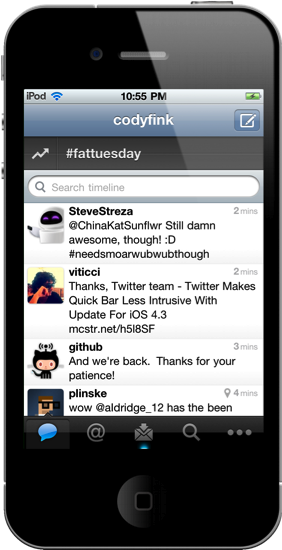
Twitter Makes Quick Bar Less Intrusive With Update For iOS 4.3

Along with bug fixes related to app startup and location services, Twitter has met users half-way by stopping the Quick Bar from intrusively popping over the timeline as you scroll in version 3.3.1. Intended to update users on what’s happening the Twitter sphere, users were outraged at the inability to disable the distracting pop-over. Twitter has permanently affixed the Quick Bar at the top of the timeline, which you can scrub your thumb over to scroll through recent trending topics. Twitter isn’t backing down on a feature they claim user’s want – I say let individuals decide how they want to browse Twitter.

You can get the latest update for Twitter in the App Store.


iTunes Updated to 10.2.1

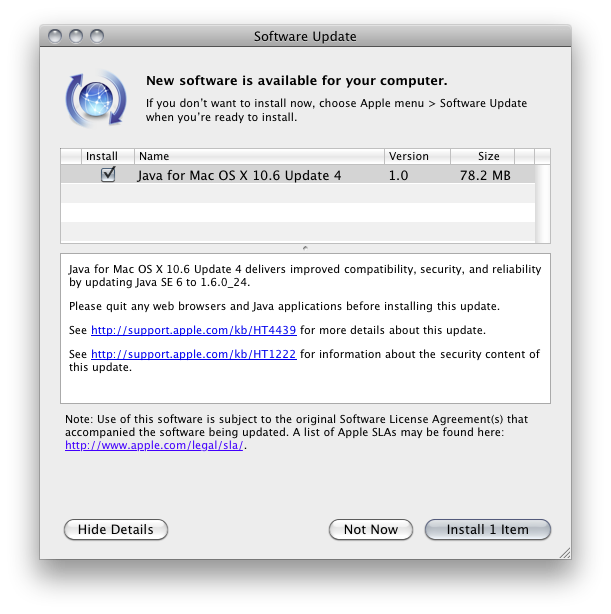
Apple is on update roll this afternoon, first delivering Java updates and now offering a new version of iTunes which improves compatibility with iOS devices running iOS 4.3. iTunes 10.2.1 will be able to take advantage of improved Home Sharing, where you’ll be able to stream music across your local network from iOS 4.3 devices once Home Sharing is enabled in the iPod settings. You can download it using the link below, or simply check for software updates in your Mac menu bar.

DownloadiTunes 10.2.1


Ustream Updates iPhone App, Broadcast And Chat All At Once

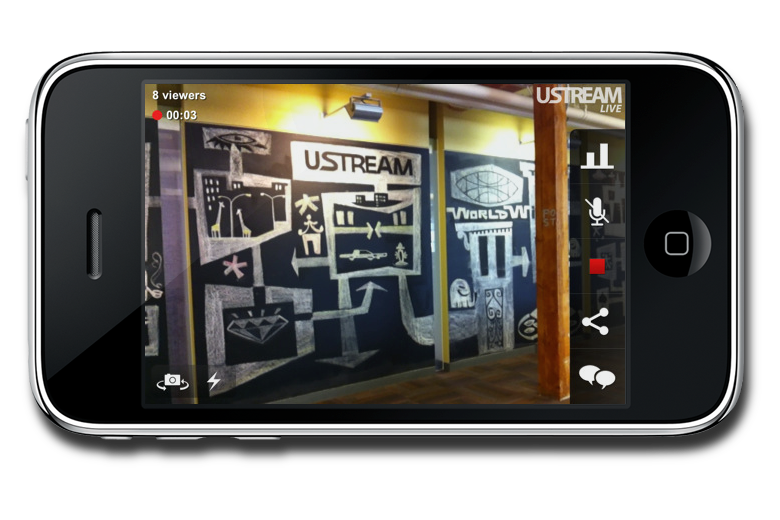
Since I might (and that is a huge might) be using Ustream’s latest app on Friday to broadcast my adventure to the Apple Store and the line craziness, I figured I’d give all of you Apple iPad 2 buyers the heads-up on Ustream 2.0, which launched late February but was drowned out in the sea of MacBook news and iPad 2 rumors. Ustream was used extensively by Engadget during their last meet-up, and it worked out incredibly well. Ustream is bringing everything together in the 2.0 release so you can record, talk to peeps in the chat room, share content with friends on Facebook and Twitter, and you can customize Ustream’s menu so you have all of your favorite features right at your fingertips. The app also defaults to an audio stream when your connection is poor, but Ustream is looking into a way to gracefully degrade the quality of the video stream instead. It’s a free download in the App Store, so if you have a Ustream account and want to clog Verizon’s or AT&T’s network with iPad 2 launch shenanigans, join me in downloading the latest update from the App Store.

[Ustream Blog via TechCrunch]


This Video Was Shot With The iPad 2

With all the hands-on videos and first impressions about the iPad 2 we collected from around the web last week, we didn’t have the chance to take a look at the actual quality of videos recorded through the new device’s cameras. The iPad 2 features both a rear and front-facing camera to shoot videos and photos, use Photo Booth and have video calls with your friends and family using FaceTime. The front-facing camera is a VGA one, whilst the rear one allows for 720p HD video recording at 30 frames per second, with zoom up to 5x for stills. Apple didn’t provide detailed specs on the megapixels of the rear camera, but it appears that it will be a 1 MP one similar to the camera found on the iPod touch 4th gen.

So how will videos shot on the iPad 2 look, exactly? We don’t know yet, but the video embedded below was indeed recorded with the iPad 2’s back camera. The video doesn’t offer precise indication of how videos will look on the new tablet, mainly because it was shot in low-light conditions, shared via email and then uploaded to Youtube – which applies compression to video files.

Some quality got lost in the process, but it’s one of the first examples of how iPad 2 videos will look on Youtube, right? Check it out. [via iPadevice] Read more