Posts in news

Apple Releases New Spring Colors for iPhone Cases and Watch Bands

Source: Apple.

Source: Apple.

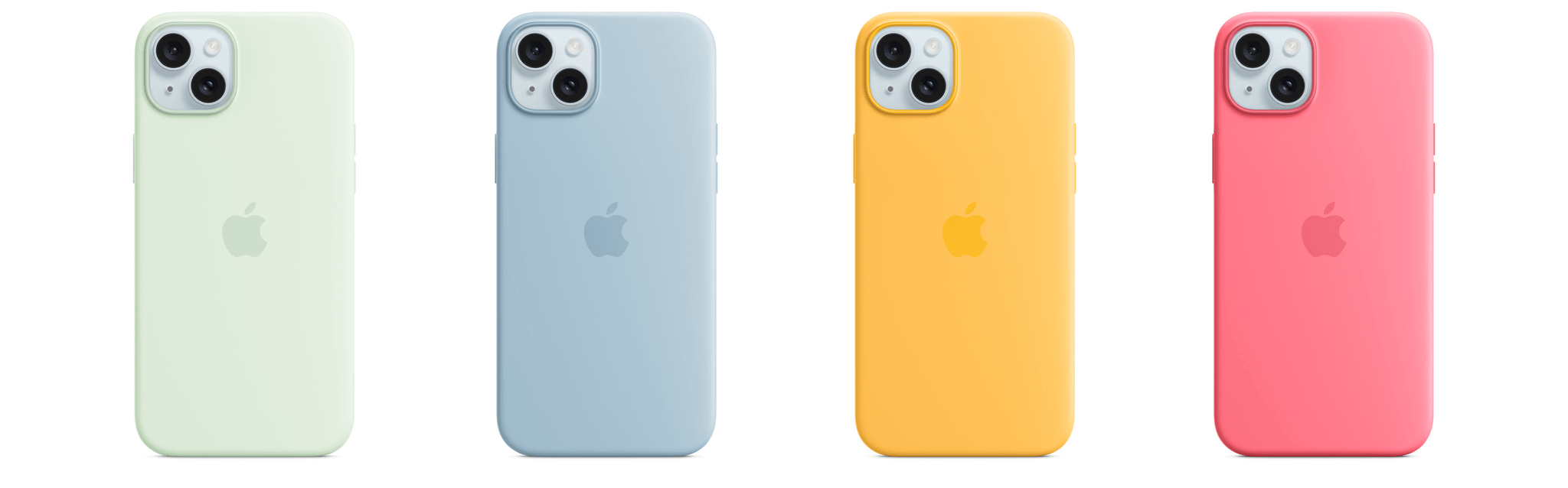
As has become a tradition, Apple released new colors of some of its cases and Apple Watch bands today. The new Silicone Case colors are Soft Mint, Sunshine, Light Blue, and Pink and come in all iPhone 15 model sizes. No new colors are available for the FineWoven cases.

Source: Apple.

Source: Apple.

Apple also released 23 new bands. There are bands that match the new iPhone 15 case colors, as well as a dozen new Hermès bands. There are no new Apple Watch Ultra bands, the selection of which is still limited to a woefully inadequate selection of three styles and nine choices.

Access Extra Content and Perks

Founded in 2015, Club MacStories has delivered exclusive content every week for nearly a decade.

What started with weekly and monthly email newsletters has blossomed into a family of memberships designed for every MacStories fan.

Learn more here and from our Club FAQs.

Club MacStories: Weekly and monthly newsletters via email and the web that are brimming with apps, tips, automation workflows, longform writing, early access to the MacStories Unwind podcast, periodic giveaways, and more;

Club MacStories+: Everything that Club MacStories offers, plus an active Discord community, advanced search and custom RSS features for exploring the Club’s entire back catalog, bonus columns, and dozens of app discounts;

Club Premier: All of the above and AppStories+, an extended version of our flagship podcast that’s delivered early, ad-free, and in high-bitrate audio.

Learn more here and from our Club FAQs.


Apple Introduces New M3 MacBook Airs

Source: Apple.

Source: Apple.

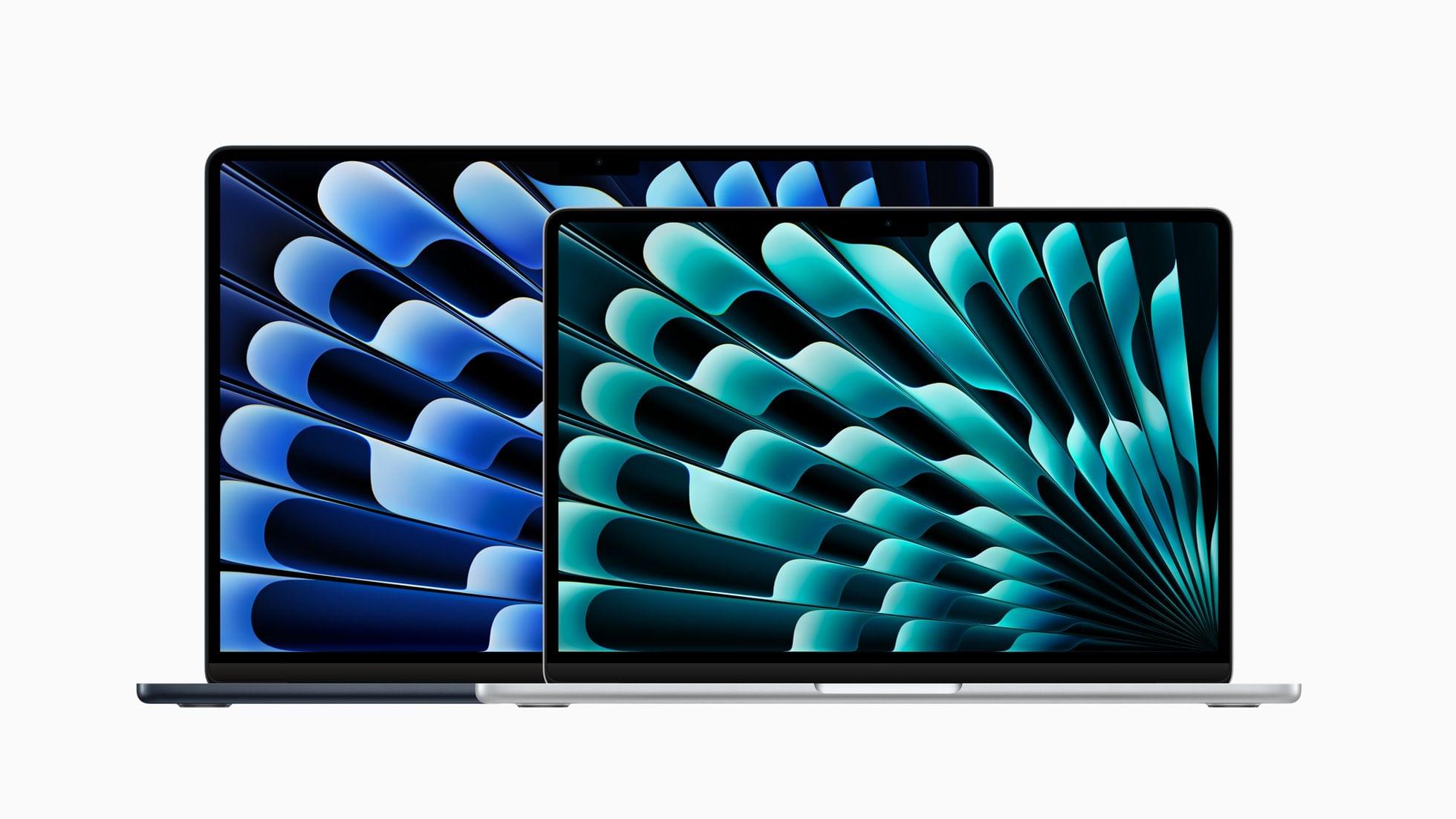
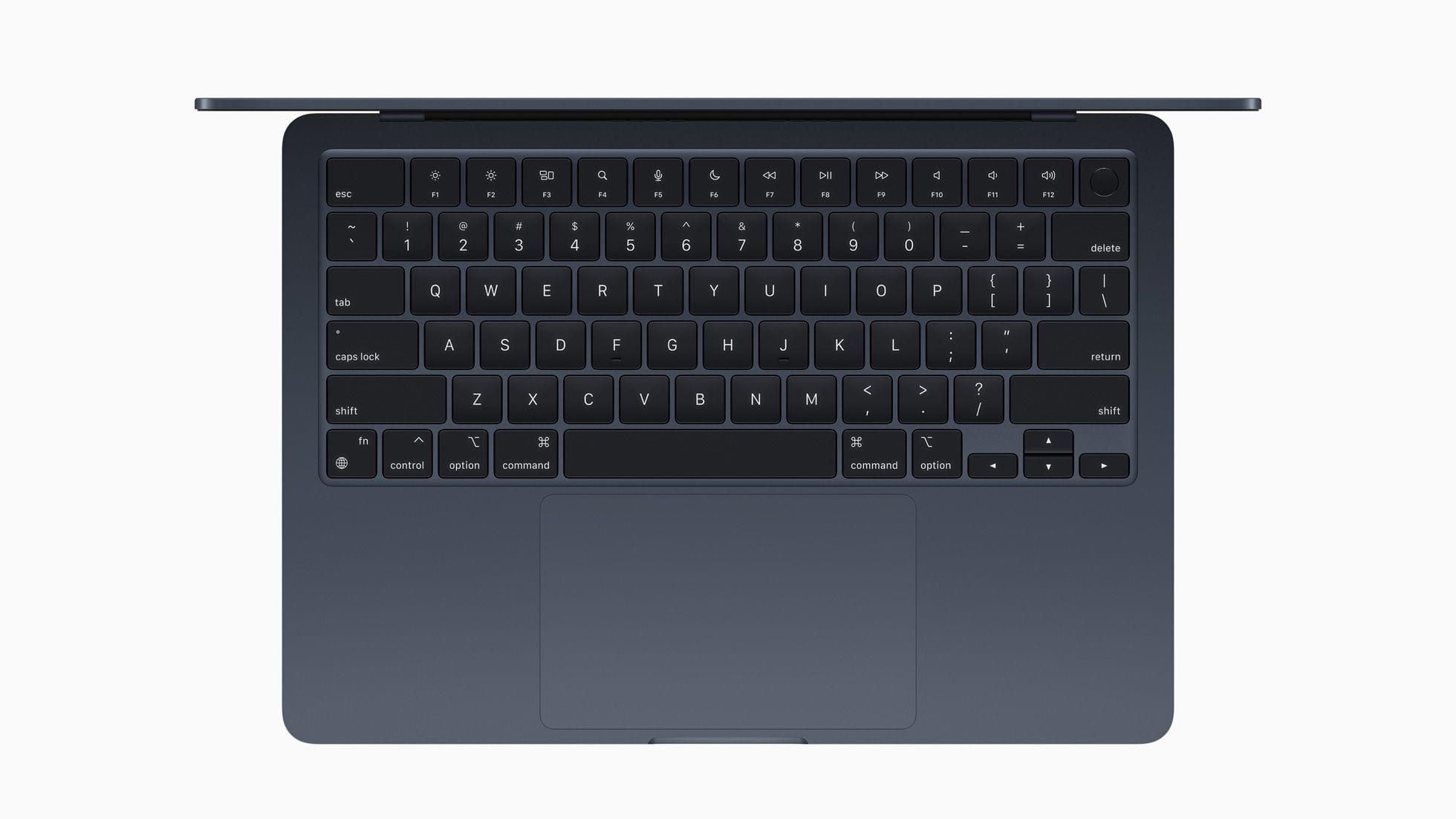
Apple has unveiled new 13- and 15-inch MacBook Airs that feature the M3 processor, Wi-Fi 6E, support for two external displays, and up to 18 hours of battery life.

The M3 chipset features an 8-core CPU, up to a 10-core GPU, and up to 24GB of unified memory. Apple says that makes the new Airs up to 60% faster than the M1 Air and 13x faster than the fastest Intel-based Air, but they do not compare it to the M2 Air. The M3 MacBook Airs also include Apple’s latest media engine, which supports AV1 decoding for video streaming services.

Source: Apple.

Source: Apple.

Apple provided other points of comparison between the new M2 MacBook Airs and the M1 and fastest Intel models based on tests conducted in January:

  • Game titles like No Man’s Sky run up to 60 percent faster than the 13-inch MacBook Air with the M1 chip.
  • Enhancing an image with AI using Photomator’s Super Resolution feature is up to 40 percent faster than the 13-inch model with the M1 chip, and up to 15x faster for customers who haven’t upgraded to a Mac with Apple silicon.
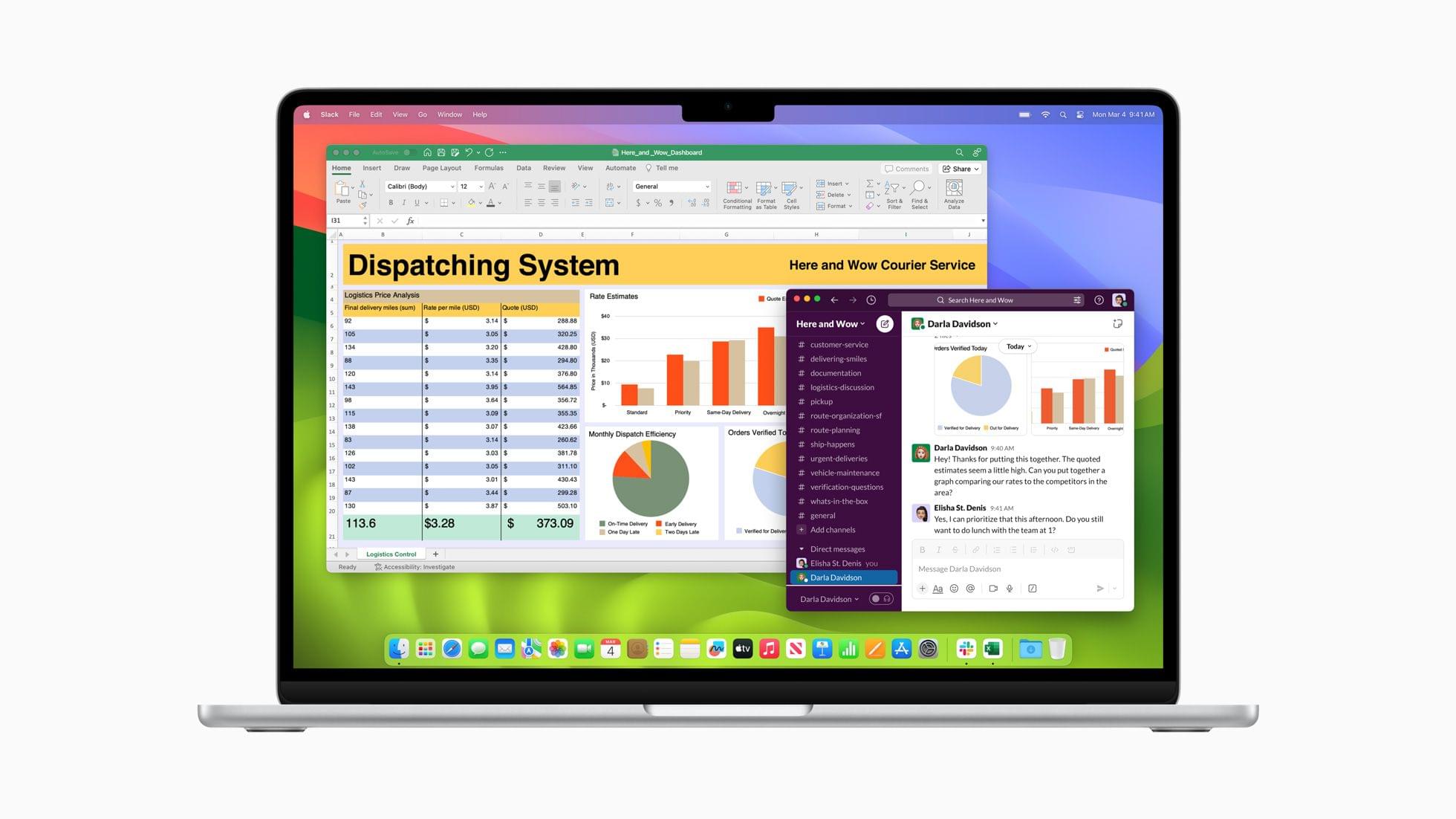
  • Working in Excel spreadsheets is up to 35 percent faster than the 13-inch model with the M1 chip, and up to 3x faster for customers who haven’t upgraded to a Mac with Apple silicon.

  • Video editing in Final Cut Pro is up to 60 percent faster than the 13-inch model with the M1 chip, and up to 13x faster for customers who haven’t upgraded to a Mac with Apple silicon.

  • Compared to a PC laptop with an Intel Core i7 processor, MacBook Air delivers up to 2x faster performance, up to 50 percent faster web browsing, and up to 40 percent longer battery life.

In its press release, Apple also says the M3 MacBook Air’s 16-core Neural Engine and CPU and GPU machine learning accelerators make it the best laptop for AI, too.

Source: Apple.

Source: Apple.

The new 13-inch MacBook Airs start at $1,099 ($999 for education customers). The new 15-inch models start at $1,299 ($1,199 for education customers). Both models are available to order today in midnight, starlight, silver, and space gray, with deliveries and in-store availability beginning Friday, March 8th.

In addition, Apple has dropped the price of the 13-inch M2 MacBook Air to $999 ($899 for education customers).

Access Extra Content and Perks

Founded in 2015, Club MacStories has delivered exclusive content every week for nearly a decade.

What started with weekly and monthly email newsletters has blossomed into a family of memberships designed for every MacStories fan.

Learn more here and from our Club FAQs.

Club MacStories: Weekly and monthly newsletters via email and the web that are brimming with apps, tips, automation workflows, longform writing, early access to the MacStories Unwind podcast, periodic giveaways, and more;

Club MacStories+: Everything that Club MacStories offers, plus an active Discord community, advanced search and custom RSS features for exploring the Club’s entire back catalog, bonus columns, and dozens of app discounts;

Club Premier: All of the above and AppStories+, an extended version of our flagship podcast that’s delivered early, ad-free, and in high-bitrate audio.

Learn more here and from our Club FAQs.


The European Commission Fines Apple Over €1.8 Billion

In a decision issued today, the European Commission leveled a fine of over €1.8 billion against Apple for preventing developers of music streaming services from letting iOS users know about subscriptions available outside their apps. After an investigation, the Commission concluded that Apple’s practices violated Article 102 of the TFEU and Article 54 of the European Economic Area Agreement.

In a forceful response, Apple pointed at Spotify as the instigator of the EU investigation and accused the EC of protectionist behavior, noting that:

Over the next eight years, and more than 65 meetings with Spotify, the European Commission has tried to build three different cases. With every pivot, they’ve narrowed the scope of their claims — but each theory has had a couple of features in common:

  • No evidence of consumer harm: European consumers have more choices than ever in a digital music market that’s grown exponentially. In just eight years, it’s gone from 25 million subscribers to almost 160 million — with more than 300 million active listeners — and Spotify has been the biggest winner.
  • No evidence of anti-competitive behavior: Eight years of investigations have never yielded a viable theory explaining how Apple has thwarted competition in a market that is so clearly thriving.

The European Commission is issuing this decision just before their new regulation — the Digital Markets Act (DMA) — comes into force. Apple is set to comply with the DMA in days, and our plans include changes to the rules challenged here. What’s clear is that this decision is not grounded in existing competition law. It’s an effort by the Commission to enforce the DMA before the DMA becomes law.

The reality is that European consumers have more choices than ever. Ironically, in the name of competition, today’s decision just cements the dominant position of a successful European company that is the digital music market’s runaway leader.

Apple has said it will appeal the fine, which was set at a level designed to “achieve deterrence.”

Access Extra Content and Perks

Founded in 2015, Club MacStories has delivered exclusive content every week for nearly a decade.

What started with weekly and monthly email newsletters has blossomed into a family of memberships designed for every MacStories fan.

Learn more here and from our Club FAQs.

Club MacStories: Weekly and monthly newsletters via email and the web that are brimming with apps, tips, automation workflows, longform writing, early access to the MacStories Unwind podcast, periodic giveaways, and more;

Club MacStories+: Everything that Club MacStories offers, plus an active Discord community, advanced search and custom RSS features for exploring the Club’s entire back catalog, bonus columns, and dozens of app discounts;

Club Premier: All of the above and AppStories+, an extended version of our flagship podcast that’s delivered early, ad-free, and in high-bitrate audio.

Learn more here and from our Club FAQs.


Magic Rays of Light: Apple Sports, Immersive Video, and Dick Turpin

This week on Magic Rays of Light, Sigmund and Devon discuss new Apple Original comedy series The Completely Made-Up Adventures of Dick Turpin, Apple’s brand new Sports app for iPhone, and the potential for immersive video across sports, music, and live performances.


Show Notes


Send us a voice message all week via iMessage or email to [email protected].

Sigmund Judge | Follow Sigmund on X, Mastodon, or Threads

Devon Dundee | Follow Devon on Mastodon or Threads

View our Apple TV release calendar on the web.

Subscribe to our Apple TV release calendar.

Read more


Apple Music Debuts Heavy Rotation, A New Daily Made For You Playlist

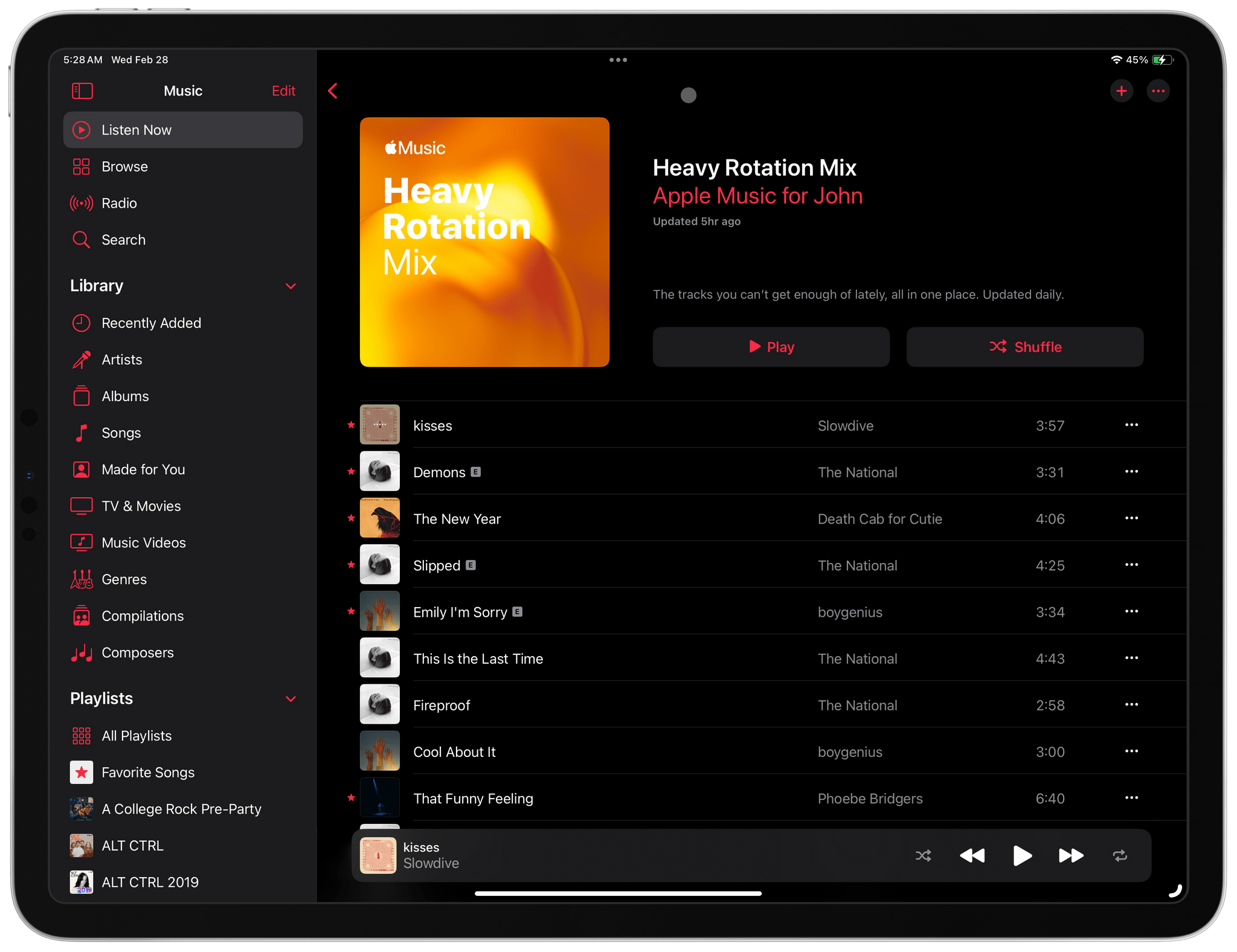
This morning I woke up to a pleasant surprise. Apple had quietly added a new Made For You playlist to the Music app called Heavy Rotation that’s updated daily.

As you’d expect from a playlist called Heavy Rotation, mine is comprised of 25 songs, most of which I believe I listened to yesterday and probably other times recently. What’s a little different about Heavy Rotation compared to the other Made For You Playlists is that it’s updated daily, while the other Made For You playlists get updated weekly.

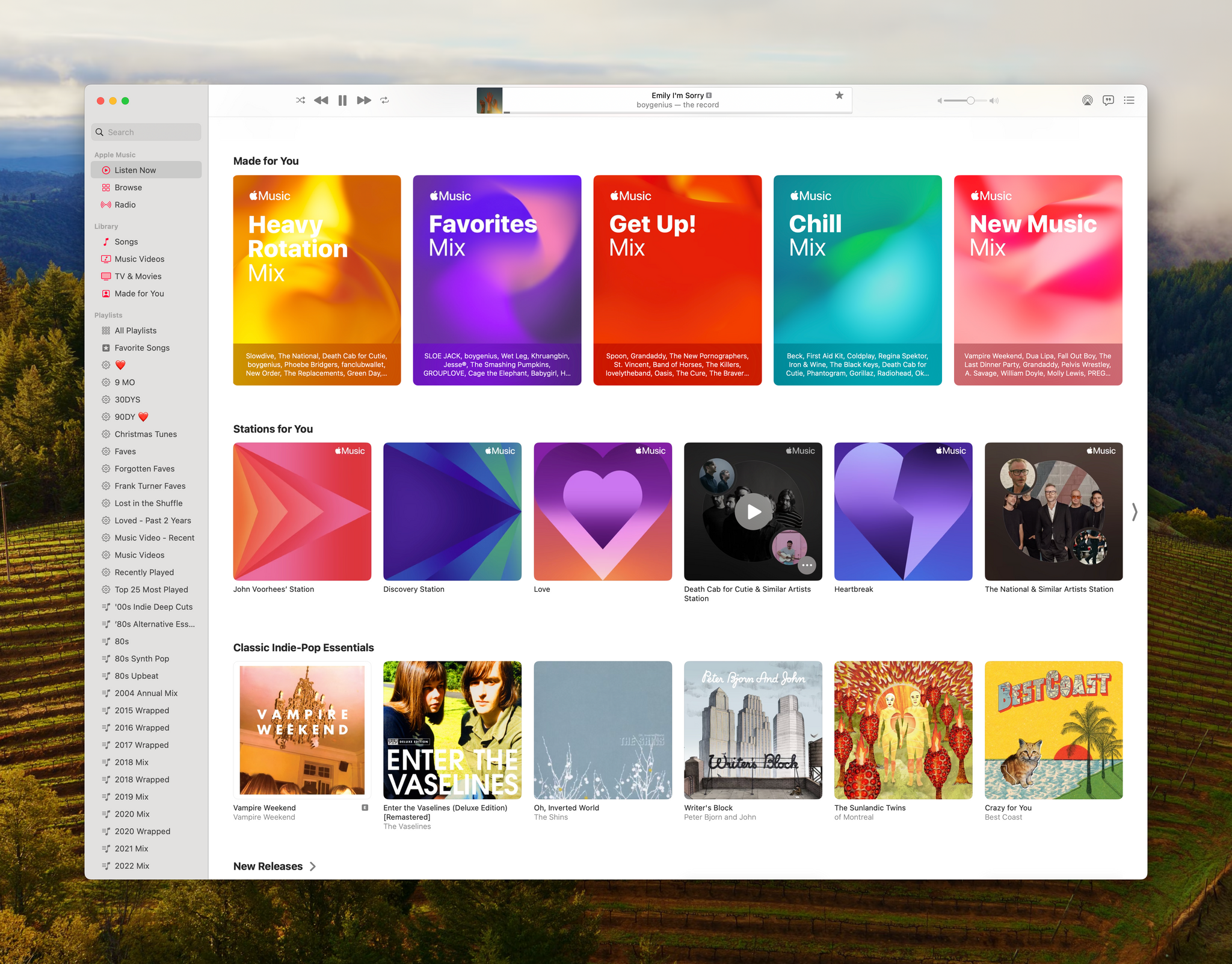
Made For You and Stations for You are excellent complements to Apple's curated playlists.

Made For You and Stations for You are excellent complements to Apple’s curated playlists.

If you listen to a lot of albums, you’ll probably have a bunch of songs by a handful of artists in your Heavy Rotation playlist. That is certainly true of The National’s Trouble Will Find Me, an album I listened to yesterday. However, most of the time, I listen to playlists, which will undoubtedly add more variety.

Curiously, the new playlist doesn’t seem to respect the Focus filter that allows you to exclude listening from your Apple Music Listening History. Both Federico and Jonathan use that feature and told me they each found a track in their Heavy Rotation playlist that should have been filtered out.

Heavy Rotation is an excellent addition to Music. Playing it as I write this, it feels like I’m picking up where I left off yesterday as I walked around my neighborhood with my AirPods Pro. I hope that today’s addition of a new Made For You playlist and the recent addition of the Discovery station are signs that Apple plans to explore even more ways to resurface songs in your Music library.

Access Extra Content and Perks

Founded in 2015, Club MacStories has delivered exclusive content every week for nearly a decade.

What started with weekly and monthly email newsletters has blossomed into a family of memberships designed for every MacStories fan.

Learn more here and from our Club FAQs.

Club MacStories: Weekly and monthly newsletters via email and the web that are brimming with apps, tips, automation workflows, longform writing, early access to the MacStories Unwind podcast, periodic giveaways, and more;

Club MacStories+: Everything that Club MacStories offers, plus an active Discord community, advanced search and custom RSS features for exploring the Club’s entire back catalog, bonus columns, and dozens of app discounts;

Club Premier: All of the above and AppStories+, an extended version of our flagship podcast that’s delivered early, ad-free, and in high-bitrate audio.

Learn more here and from our Club FAQs.


Simple Scan: A Scanning Solution for People Who Don’t Scan Often

One of my favorite kinds of apps is simple utilities that solve a common problem and are straightforward to use. That’s exactly what Greg Pierce has created with Simple Scan, a scanning app for the iPhone and iPad that simplifies the process of one-off document scans.

Simple Scan is entering a crowded scanning market. Many scanning utilities also help you organize your scans, store them in the cloud, submit expense reports, and more. There are people who need that sort of extended feature set, but somewhere along the way, people with simpler needs have been forgotten.

That’s exactly my situation. I occasionally scan a receipt for one reason or another, but it’s not something I do often. As a result, it doesn’t make sense for me to pay a lot for a scanning app with features I’ll rarely use. Nor do I want to use a free version with ads, which is why I like Simple Scan so much.

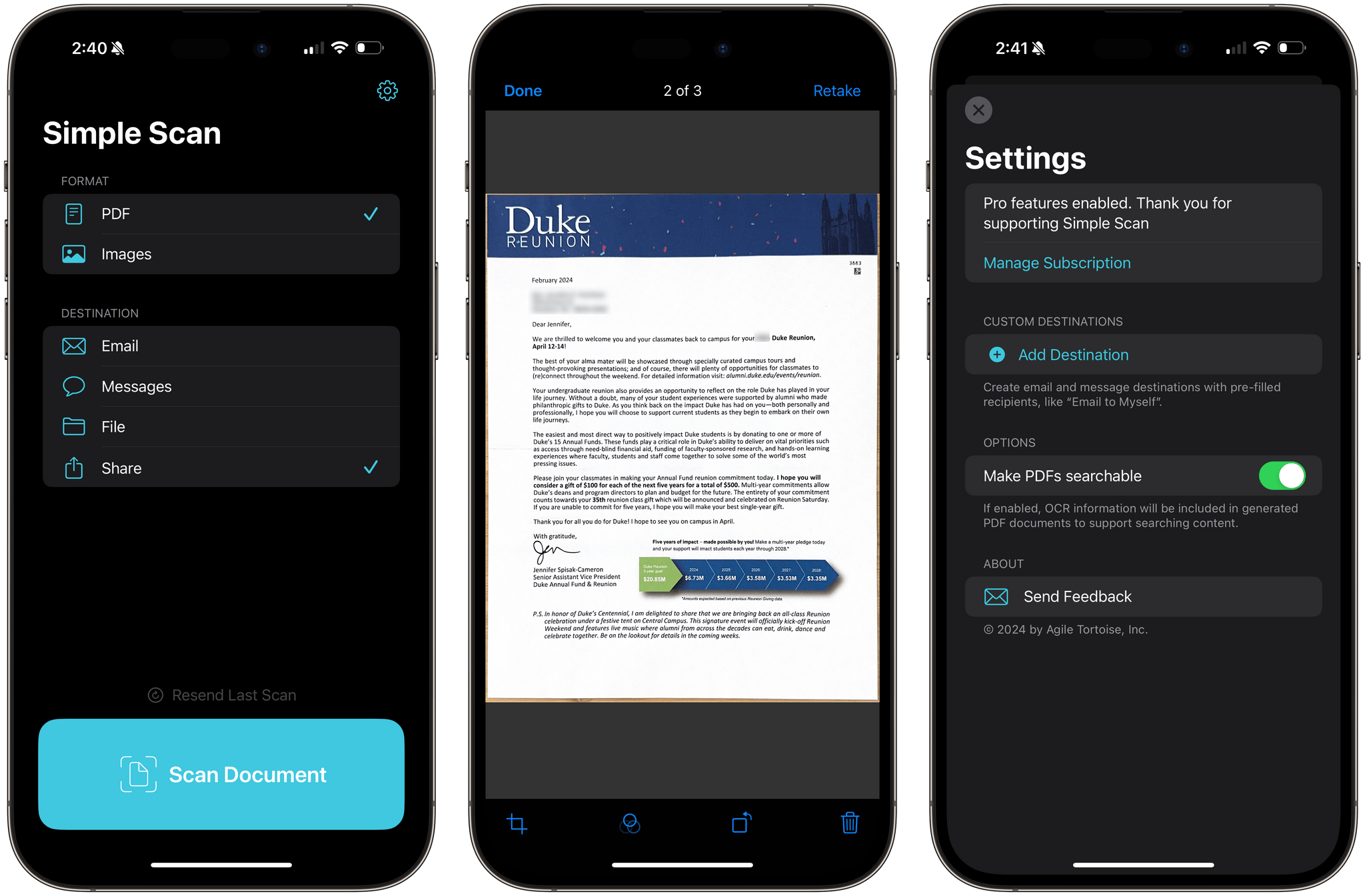
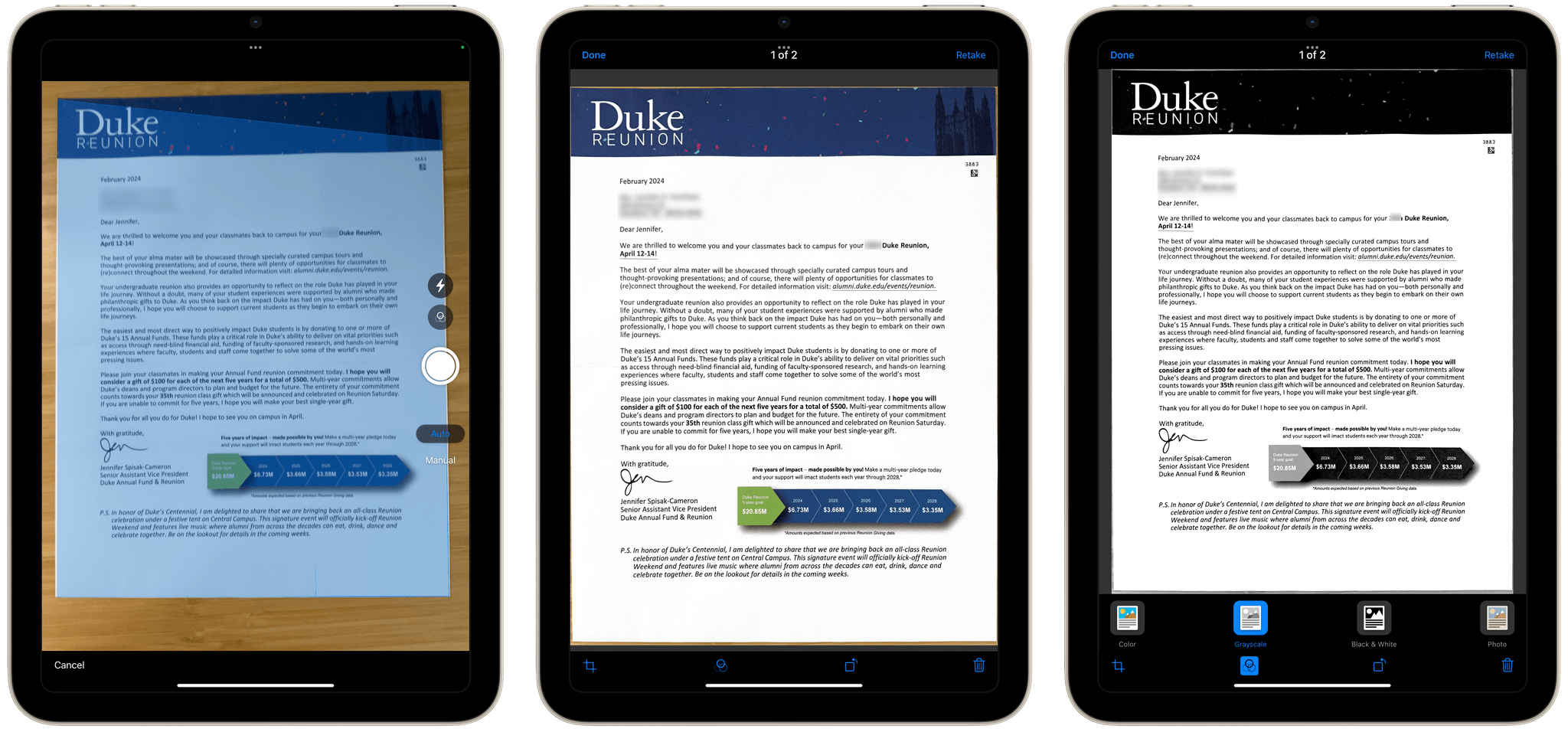
Simple Scan has two options and a big ‘Scan Document’ button. Pick whether you want to create a PDF or an image, select a destination, then point your device’s camera at a document and start scanning. That’s all there is to it. Destinations include email, Messages, the Files app, and the system share sheet, covering all the obvious places you’d want to send most scans.

There are four scanning modes including color and black and white.

There are four scanning modes including color and black and white.

The destination options in Simple Scan are key. You can already scan documents into Apple Notes, but it adds to the overhead of scanning and clutters Notes with one-off scans. With Simple Scan, you’re up and running faster and with more options for where to store or send your documents.

The scanning process uses Apple’s built-in scanning feature, allowing you to drag points to the corners of your document for cropping. The app also supports:

  • Manual or automatic shutter
  • Color, Greyscale, black and white, and photo scans
  • Automatic, on, and off settings for your camera’s flash

Plus, there’s a toggle in settings to turn OCR of PDF files on or off.

As you scan pages, they stack up as thumbnails in the corner of the screen, where you can tap on them to make basic edits or discard them. When you’re finished, there’s a Save button on the opposite side of the shutter button that sends the images to whatever destinations you’ve chosen. That’s all there is to Simple Scan, but for a lot of people, myself included, it’s also enough.

Simple Scan is free to download from the App Store and use for your first five scans. Paying $4.99 per year or $19.99 one time unlocks unlimited scans and custom destinations that allow you to pre-fill email and iMessage recipients.

Access Extra Content and Perks

Founded in 2015, Club MacStories has delivered exclusive content every week for nearly a decade.

What started with weekly and monthly email newsletters has blossomed into a family of memberships designed for every MacStories fan.

Learn more here and from our Club FAQs.

Club MacStories: Weekly and monthly newsletters via email and the web that are brimming with apps, tips, automation workflows, longform writing, early access to the MacStories Unwind podcast, periodic giveaways, and more;

Club MacStories+: Everything that Club MacStories offers, plus an active Discord community, advanced search and custom RSS features for exploring the Club’s entire back catalog, bonus columns, and dozens of app discounts;

Club Premier: All of the above and AppStories+, an extended version of our flagship podcast that’s delivered early, ad-free, and in high-bitrate audio.

Learn more here and from our Club FAQs.


AppStories, Episode 372 – Apple Vision Pro Entertainment Apps

This week on AppStories, we share some of our favorite visionOS entertainment apps.

Sponsored by:

  • Memberful – Help Your Clients Monetize Their Passion
  • Porkbun: Get $1 off your next domain name with the code APPDEVFOO1.

AppStories+ Pre-Show

Vision Pro Entertainment Apps


On AppStories+, I explain all the little gotchas involved with taking screenshots even if you have the Vision Pro Developer Strap.

We deliver AppStories+ to subscribers with bonus content, ad-free, and at a high bitrate early every week.

To learn more about the benefits included with an AppStories+ subscription, visit our Plans page, or read the AppStories+ FAQ.

Read more


The Fastest Way to Save RSS Articles to A Read-Later App

Skimming through the day's tech headlines in Reeder.

Skimming through the day’s tech headlines in Reeder.

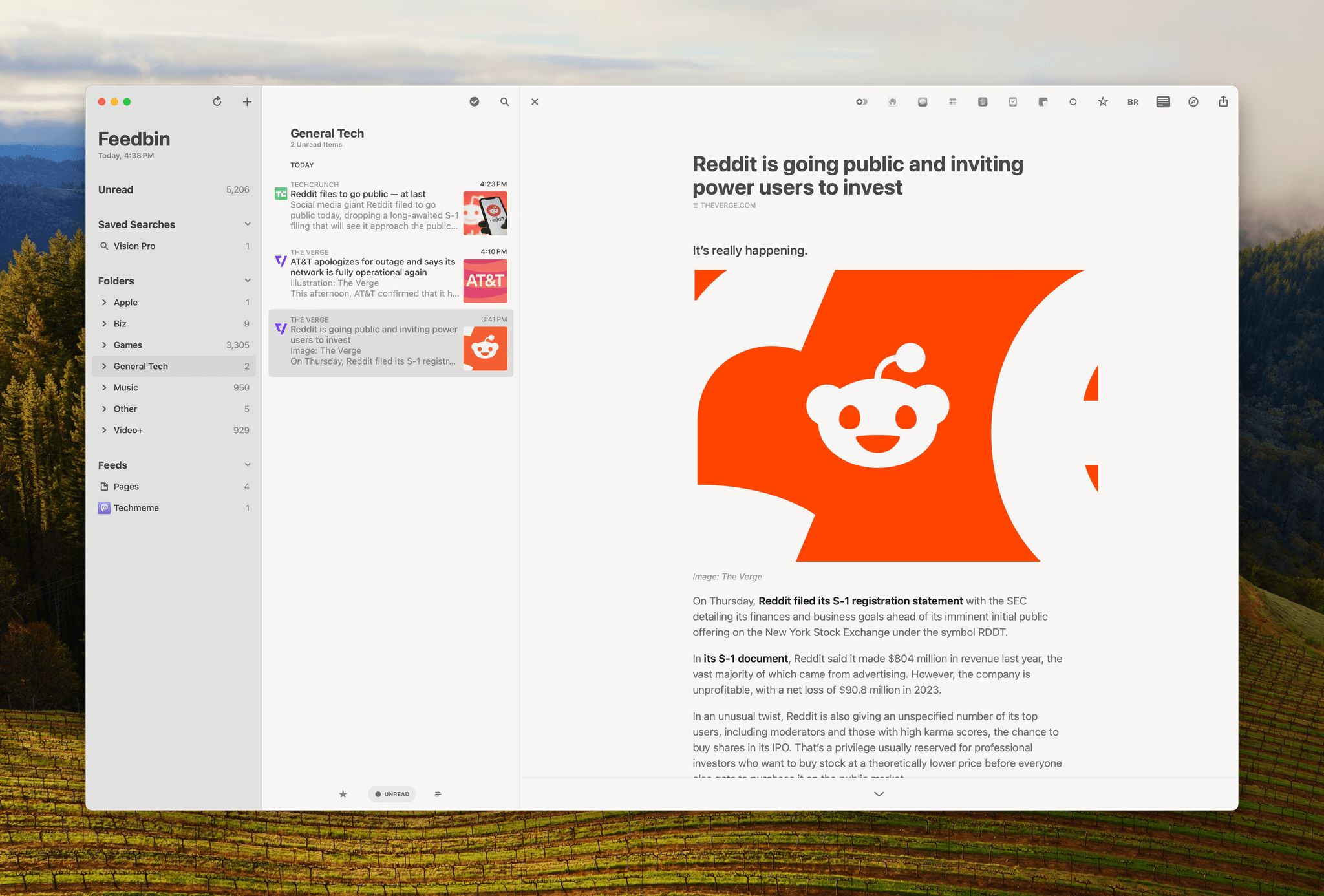
I follow about 180 RSS feeds, and I skim through all of my tech feeds every day, looking for interesting news, angles, opinions, and inspiration. A lot of what I see is repetitive, but I’ve gotten very good over the years at speed-reading snippets of stories and homing in on the interesting ones. Some stories get read right away because they’re time-sensitive in some way. However, I have other things to do besides read the web, so I rely heavily on read-later apps to save many of my finds.

That context is important because although some of what I save is what I’d classify as ‘leisure reading,’ most of it isn’t. It’s information processing, and given my other obligations, speed is important. As a result, what I value most are:

  • The design of my RSS reader
  • The speed with which I can save stories for later
  • Access to my saved articles for anywhere
  • The tools available in my read-later app for organizing everything

Read more

Access Extra Content and Perks

Founded in 2015, Club MacStories has delivered exclusive content every week for nearly a decade.

What started with weekly and monthly email newsletters has blossomed into a family of memberships designed for every MacStories fan.

Learn more here and from our Club FAQs.

Club MacStories: Weekly and monthly newsletters via email and the web that are brimming with apps, tips, automation workflows, longform writing, early access to the MacStories Unwind podcast, periodic giveaways, and more;

Club MacStories+: Everything that Club MacStories offers, plus an active Discord community, advanced search and custom RSS features for exploring the Club’s entire back catalog, bonus columns, and dozens of app discounts;

Club Premier: All of the above and AppStories+, an extended version of our flagship podcast that’s delivered early, ad-free, and in high-bitrate audio.

Learn more here and from our Club FAQs.


Apple Says a 2023 MLS Cup Playoffs Film is ‘Coming Soon’ to the Vision Pro

Source: Apple.

Source: Apple.

This morning, I was listening to the latest episode of Dithering, when John Gruber wondered something I’d noticed too. At WWDC and subsequent press demos of the Vision Pro, Apple showed off sports footage, including a sequence from a Boston Red Sox game, but none of that shipped with the device.

However, over the weekend, there was news that the NBA All-Star Game’s slam dunk contest had been filmed in spatial video. John speculated that perhaps Apple would do something similar with other sports but focused on highlights instead of live footage. It looks like that was a good call because today, Apple announced that:

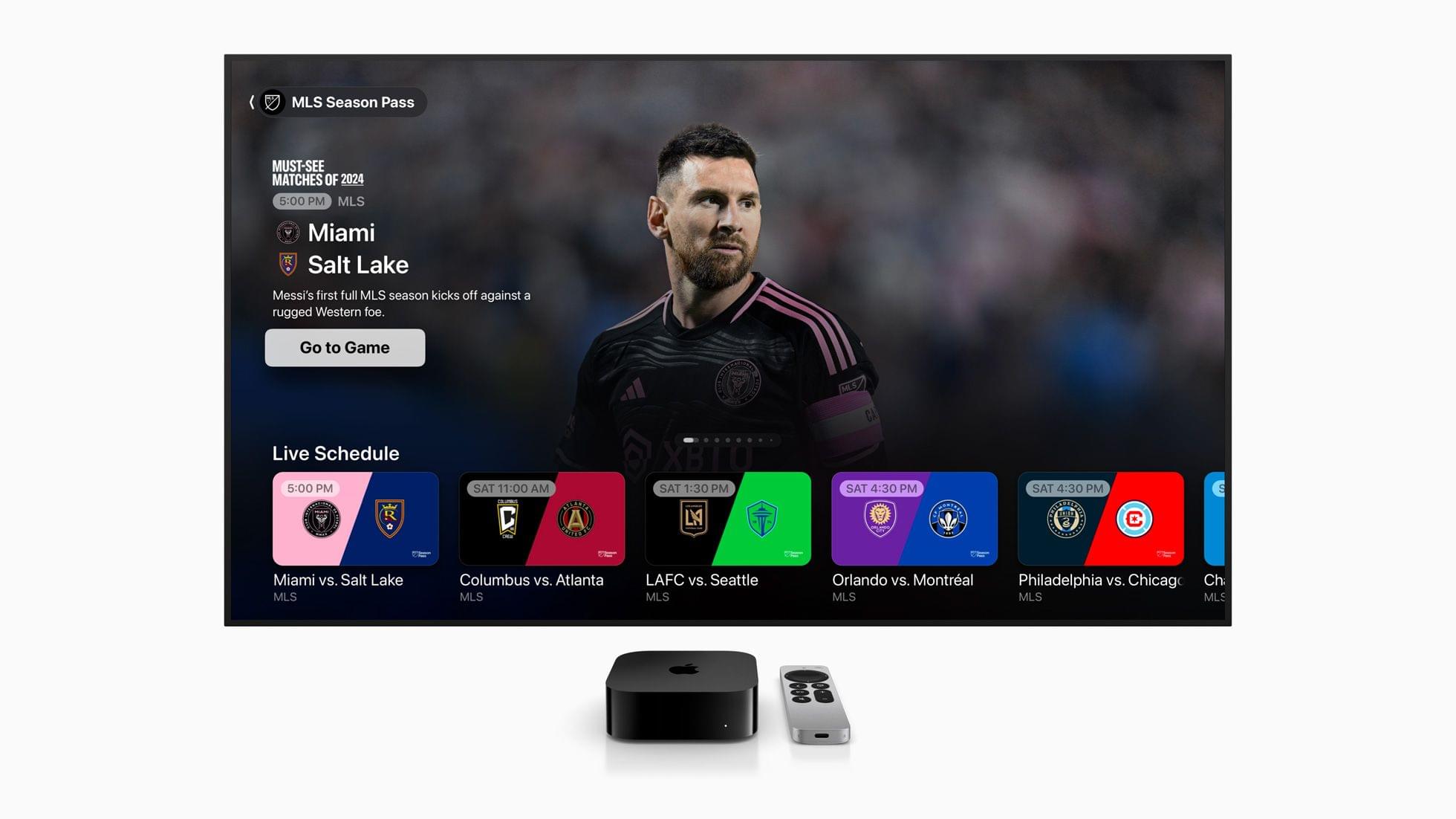
…soon, all Apple Vision Pro users can experience the best of the 2023 MLS Cup Playoffs with the first-ever sports film captured in Apple Immersive Video. Viewers will feel every heart-pounding moment in 8K 3D with a 180-degree field of view and Spatial Audio that transports them to each match.

No other details about the upcoming film have been released, but it sounds a lot like what John imagined and the sort of thing that could show off the Vision Pro’s capabilities well. I’m not an MLS fan, but I’ll be checking it out just to get a better sense of what the Vision Pro could offer sports fans.

Access Extra Content and Perks

Founded in 2015, Club MacStories has delivered exclusive content every week for nearly a decade.

What started with weekly and monthly email newsletters has blossomed into a family of memberships designed for every MacStories fan.

Learn more here and from our Club FAQs.

Club MacStories: Weekly and monthly newsletters via email and the web that are brimming with apps, tips, automation workflows, longform writing, early access to the MacStories Unwind podcast, periodic giveaways, and more;

Club MacStories+: Everything that Club MacStories offers, plus an active Discord community, advanced search and custom RSS features for exploring the Club’s entire back catalog, bonus columns, and dozens of app discounts;

Club Premier: All of the above and AppStories+, an extended version of our flagship podcast that’s delivered early, ad-free, and in high-bitrate audio.

Learn more here and from our Club FAQs.