Posts in news

Evernote Launches Food 2.0 With Major Redesign, iPad Version, And More

Last year, Evernote launched Food, an iPhone app to save photos and details of your favorite meals, which would then be synced to your Evernote account. Today, Evernote is launching Food 2.0, a major revamp that includes a native iPad app and a completely rebuilt experience focused on exploration, saving recipes, and browsing restaurants available in a specific area.

I have been able to quickly play around with a final version of Food 2.0, and I came away quite impressed by the effort put into this relaunch. I never got into Evernote Food, mainly because my girlfriend and I tend to save our recipes in dedicated apps, bookmark others we want to check out or simply keep a note with links to them, and because we use other services for restaurant reviews and recommendations. Being able to save a photo of a final meal – either made by us or someone else – didn’t hold much appeal against dedicated solutions. Evernote Food 2.0 wants to address exactly this issue by collecting in a single app, Evernote-style, recipes you can explore and “clip” (i.e. save in your Evernote account), while offering standalone views for restaurants and the meals you have already saved (and will continue saving) in Evernote Food.

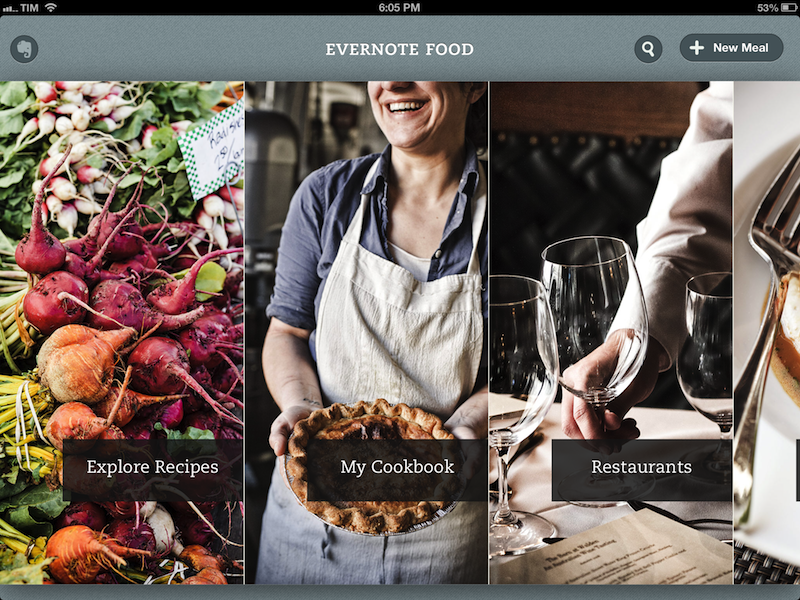
The iPad app starts with a gorgeous horizontal wall of photos for Explore, My Cookbook, Restaurants, and My Meals. You can swipe to the right to reveal a napkin with the Evernote logo on the left, and tap on a section to view an “unfolding” animation open a specific section. I noticed that the speed of the animation took an extra second upon the first launch of the app on my iPad 3, but then went back to normal as I kept using the app. On the iPhone, the app uses the same vertical layout for sections seen in Evernote 5.0. Read more
Skitch For Mac Updated with FTP, Custom Styles, More Sharing Options

I like Skitch. However, after the move to Evernote and the release of a new Mac app, Skitch didn’t exactly go through a “smooth” transition. Namely, features were removed, and existing Skitch users weren’t thrilled with the new Evernote-only nature of the software. Last month, Evernote published a blog post detailing how, after receiving lots of feedback from their users, they decided removing functionalities people had become dependent upon was a bad move. For the past few weeks, I have been testing the 2.0.3 update to Skitch for Mac, which brings back many of the features that made the original Skitch one of my favorite Mac apps.

A feature that I’ve been using on a daily basis is FTP support. In Skitch 1.0, you could take a screenshot, quickly annotate it, and send it off to your own server via FTP. I share a lot of screenshots, and I like the combination of an easy-to-use image annotation app with my own server and my own URLs. FTP integration was the right balance between Skitch’s annotations (which I prefer to Apple’s ones in Preview) and the power of putting images on a server that’s only mine. Skitch 2.0.3 adds a new FTP/sFTP option in the Sharing tab of the Preferences, allowing you to configure multiple FTP accounts. The configuration is similar to other FTP clients for Mac (you’ll find the usual Base URL, port, and directory settings) and it took me a minute to set up with my credentials.

Once configured, you’ll be able to send images from Skitch directly to your FTP server. Unfortunately, there’s no option to assign keyboard shortcuts to a specific FTP account, so you’ll have to click on Share > FTP or right-click an image to upload via FTP. Personally, I’ve set up a Keyboard Maestro macro that uses AppleScript GUI scripting to let me share via FTP easily with just a keystroke.

An updated sharing menu is available both from the menu bar and the Skitch image editor. From the latter, an arrow in the upper right corner reveals a dropdown menu with options for email, Messages, Twitter, Facebook, and iPhoto. You can also set a picture as desktop background, or set the kind of link that you want to generate from Skitch. More ways to share Skitch links now include direct image URL, HTML code, HTML thumbnails, and forum code. In addition to more sharing options, the new Skitch comes with an Auto Copy feature as well, allowing you to automatically place a link to a Skitch image (shared publicly) in the clipboard.

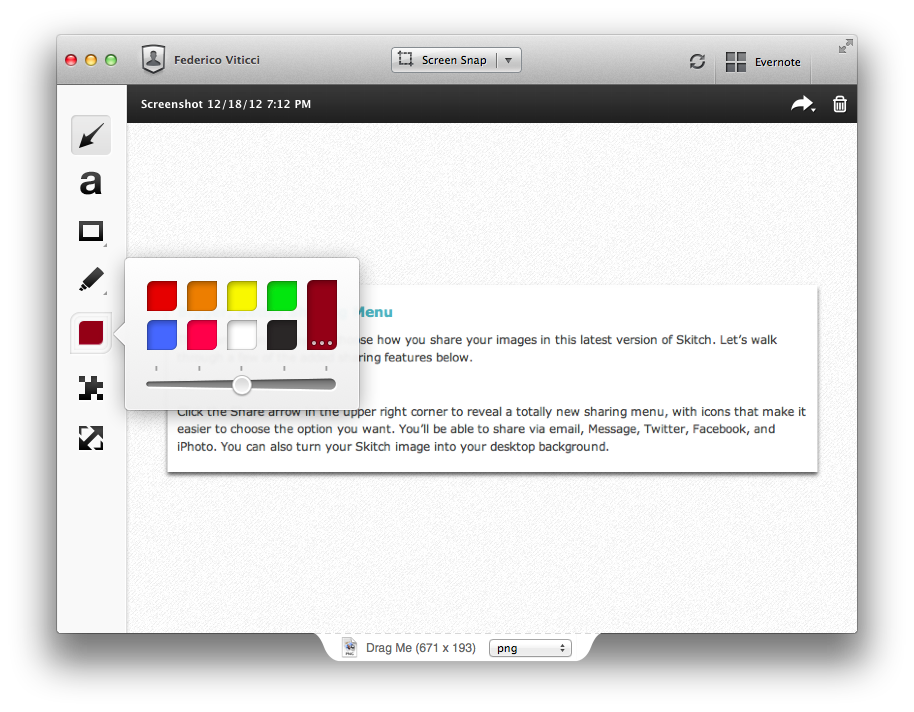
Aside from various improvements and bug fixes, other features I like include timed screenshots and custom styles. In the tools palette of the editor, you can now set a custom color for your annotations, choose between preset sizes from the same color swatch, or define your own size by manually adjusting the blue dots of the marquee around text and shapes. For me, this alone is a welcome improvement that is still easy to use and doesn’t add complexity to the editing interface of Skitch. I don’t use this functionality with Skitch, but version 2.0.3 introduces timed screenshots, letting you perfectly time areas to capture with a countdown timer.

I’m looking forward to more updates from the Evernote team on Skitch. After a series of initial missteps – possibly dictated by a need to release the app – it’s good to see features coming back, sometimes in different forms, to Skitch, which remains my favorite app for screenshot annotations on the Mac. Skitch 2.0.3 is available today on Evernote’s website.


Apple Releases iOS 6.0.2

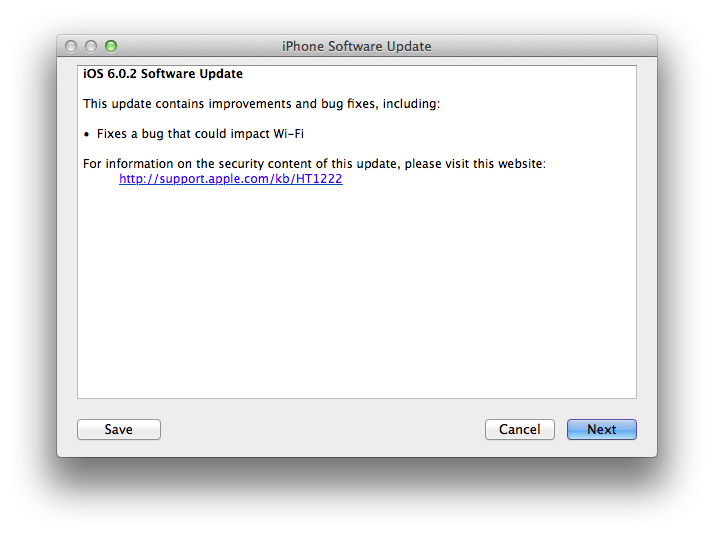
Apple just released iOS 6.0.2. The software update is now available in iTunes. According to Apple, the update includes “improvements and bug fixes”, including a fix for a bug that ”could impact Wi-Fi”. At the moment of writing this, iOS 6.0.2 is only showing up in iTunes, as Apple’s own software update tool for iOS is returning an error.

iOS 6.0.2 is available only for the iPhone 5 and iPad mini.


Sponsor: Check the Weather

My thanks to Cross Forward Consulting for sponsoring MacStories this week.

Check the Weather is a fast, accurate, and beautiful weather app for iOS. It’s universal, so with a single download you’ll get native iPhone and iPad versions. Check the Weather is powered by accurate and powerful weather data (including hazardous weather alerts from the National Weather Service and Dark Sky integration in the U.S.); the app is localized in seven different languages and presents all the basic weather data in a simple and elegant interface.

I use Check the Weather on my iPad on a daily basis because it provides a beautiful overview of my day (I use the app with the Avenir Next font), as well as upcoming days with good-looking weather icons and high/low temperature values.

Find out more about Check the Weather here.


Apple: iPhone 5 First Weekend Sales in China Top Two Million

Apple has just announced that they’ve sold over two million iPhone 5s in China since it launched three days ago on Friday, December 14th. That compares to the more than five million that were sold in the first weekend of the iPhone 5’s availability back in October (where it was available in nine countries).

“Customer response to iPhone 5 in China has been incredible, setting a new record with the best first weekend sales ever in China,” said Tim Cook, Apple’s CEO. “China is a very important market for us and customers there cannot wait to get their hands on Apple products.”

Apple has also re-iterated that the iPhone 5 will be available in more than 100 countries by the end of December, which Apple says will be “the fastest iPhone rollout ever”.

Read more


Dropbox Releases Completely Redesigned iOS App

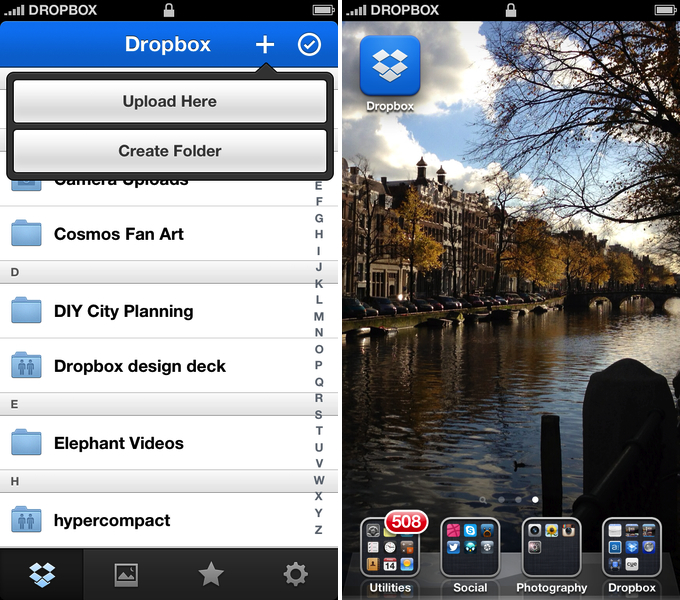
Dropbox has today launched a major new version of its iOS app, featuring a new UI design, new upload features, and an updated photo experience.

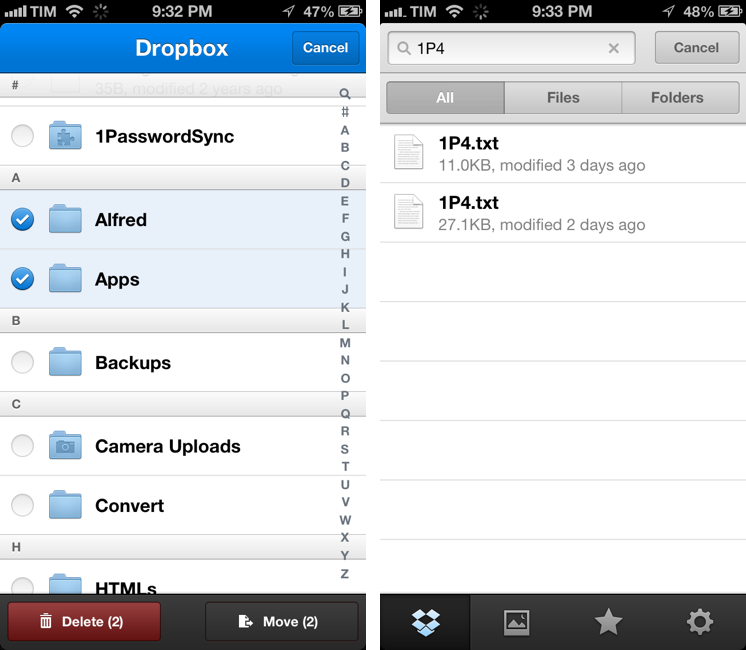
As detailed in a blog post by the company, the new Dropbox aims at simplifying the user interface with “flattened out” colors, simpler lines, and less visual complexity. For instance, the new tab bar of the app doesn’t come with text labels, using only icons to indicate folders, Photos, Favorites, and Settings. In a way, the Dropbox redesign is somewhat reminiscent of the latest Rdio update for iOS, also focused on flat colors and an overall simplification of graphical elements.

The new Dropbox changes the upload system as well. In the previous version, there was an Uploads section to upload items from the iOS Camera Roll to a specific folder; users needed to specify the folder before starting the upload process. In Dropbox 2.0, every folder – including the main Dropbox one – has got a “+” button in the upper toolbar with two options: “Upload Here” and “Create New Folder”. I look forward to trying this feature in particular as I use the Dropbox app to upload photos on a daily basis to different folders; I don’t know whether an upload button dependent on the folder you’re currently viewing will eventually make me save taps, or require more navigation around folders.

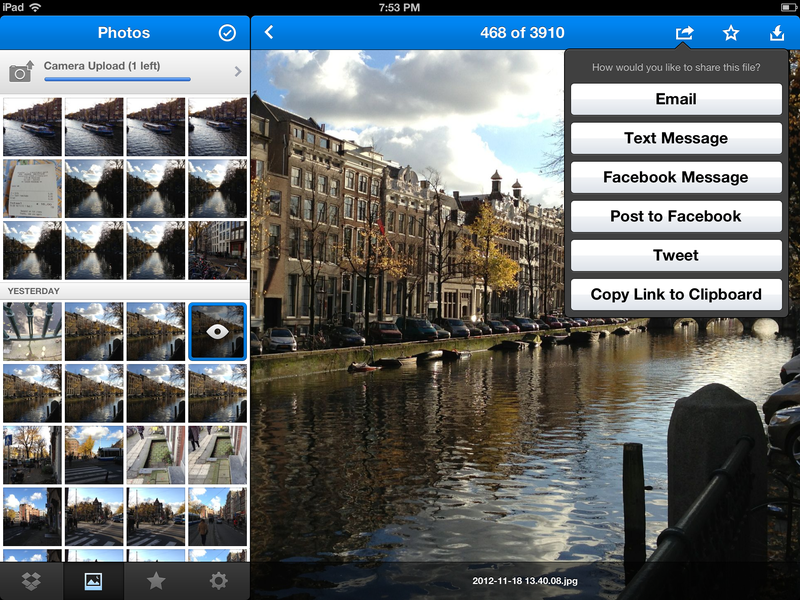
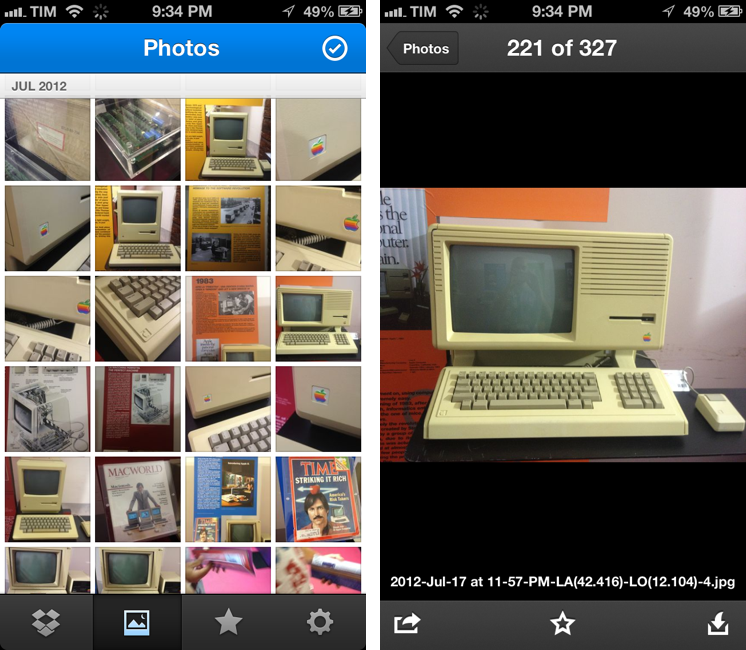
Photos are also part of my Dropbox workflow, and the new app introduces a new browsing experience for them. According to Dropbox “all of your photos” including those you have “uploaded from other devices” will be available in the new Photos tab. This view comes with a grid interface to browse photos from newest to oldest. Interestingly, sharing options for photos now include separate entries for “Post on Facebook” and “Facebook Message”. The Photos view retains the Camera Uploads functionality of the previous version (though personally I use CameraSync for this, a third-party app that offers more settings for Dropbox photo uploads).

The new Dropbox app is available on the App Store.

Update: Based on my first tests, it appears only photos uploaded with the app’s Camera Uploads feature are recognized in the Photos tab; it doesn’t seem like the app is recognizing photos I uploaded with third-party apps like CameraSync. Too, like in the previous version of the app, you can’t star folders.

More screenshots below.


The Brand New Apple Services, Stores, and iCloud System Status Page

The Brand New Apple Services, Stores, and iCloud System Status Page

On Thursday afternoon, Apple updated their System Status page for Apple Services, Stores, and iCloud. In an effort to be more transparent with customers, each of Apple’s main services has been broken down into categories that gives an overview of the products that are currently online or experiencing issues. Below the status board, a detailed timeline explains any issues experienced and when they have been resolved. In short, iOS users troubleshooting problems with Mail for example will no longer be left wondering if issues are on their end or Apple’s.

Via The Next Web

Permalink

Apple Posts “Best Of App Store 2012” Lists

In today’s weekly refresh of the App Store, Apple posted a list called “Best of 2012”, highlighting the apps they “loved the most” this year. Day One, a journaling apps we reviewed on MacStories several times, wins as “Mac App of the Year”; “Deus Ex: Human Revolution” wins as “Game of the Year”. The Mac section is also viewable on the web here. On the iOS side, Paper for iPad and Action Movie FX win as Apps of the Year; Rayman Jungle Run and The Room win as Games of the Year for iPhone and iPad, respectively.

Over the past year, the Mac App Store was packed with impressive new apps and games. Some were dazzling debuts, while others were existing apps updated to leverage new features in OS X Mountain Lion or to take advantage of the Retina display of the new MacBook Pro. Browse the apps and games we loved most in 2012.

The list is organized in Runners-Up, Best Apps of 2012, and Best Games of 2012. Below, the full list, recompiled from the Mac App Store, iPhone App Store, and iPad App Store. My personal congratulations to the Day One team, an app that has completely changed the way I archive my memories on iOS and OS X.

Other notable winners in iTunes categories include:

Read more


Google Releases Maps App For iPhone

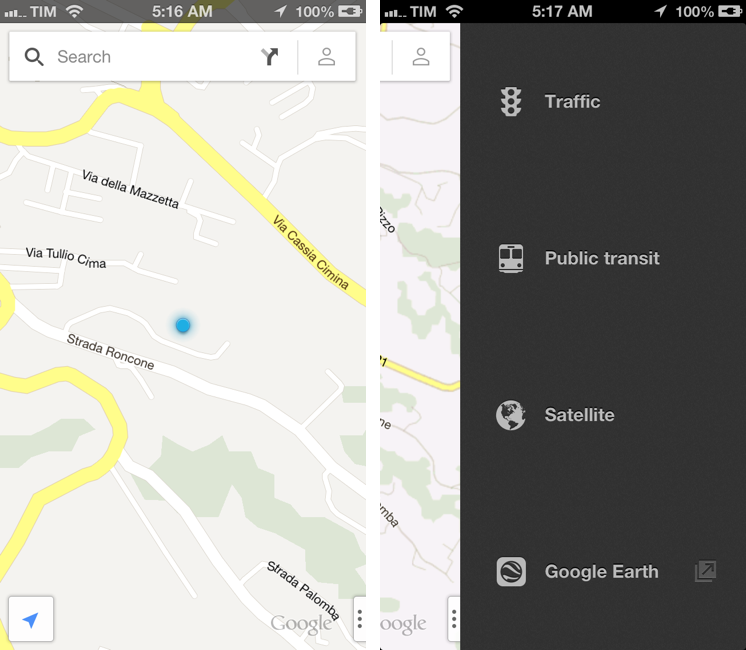
In spite of “sources at Google” claiming that Apple wouldn’t accept a Google Maps app in the App Store, Google has today released its official Maps application for iPhone. The app just went live on the App Store, and it’s available as a free download here.

Following Apple’s debacle with their Maps software for iOS 6, Google was rumored to be preparing a third-party version of Google Maps for iOS devices. We haven’t been able to test this yet, and we’ll post our impressions of the software on MacStories once we’re able to properly use the app. Read more