

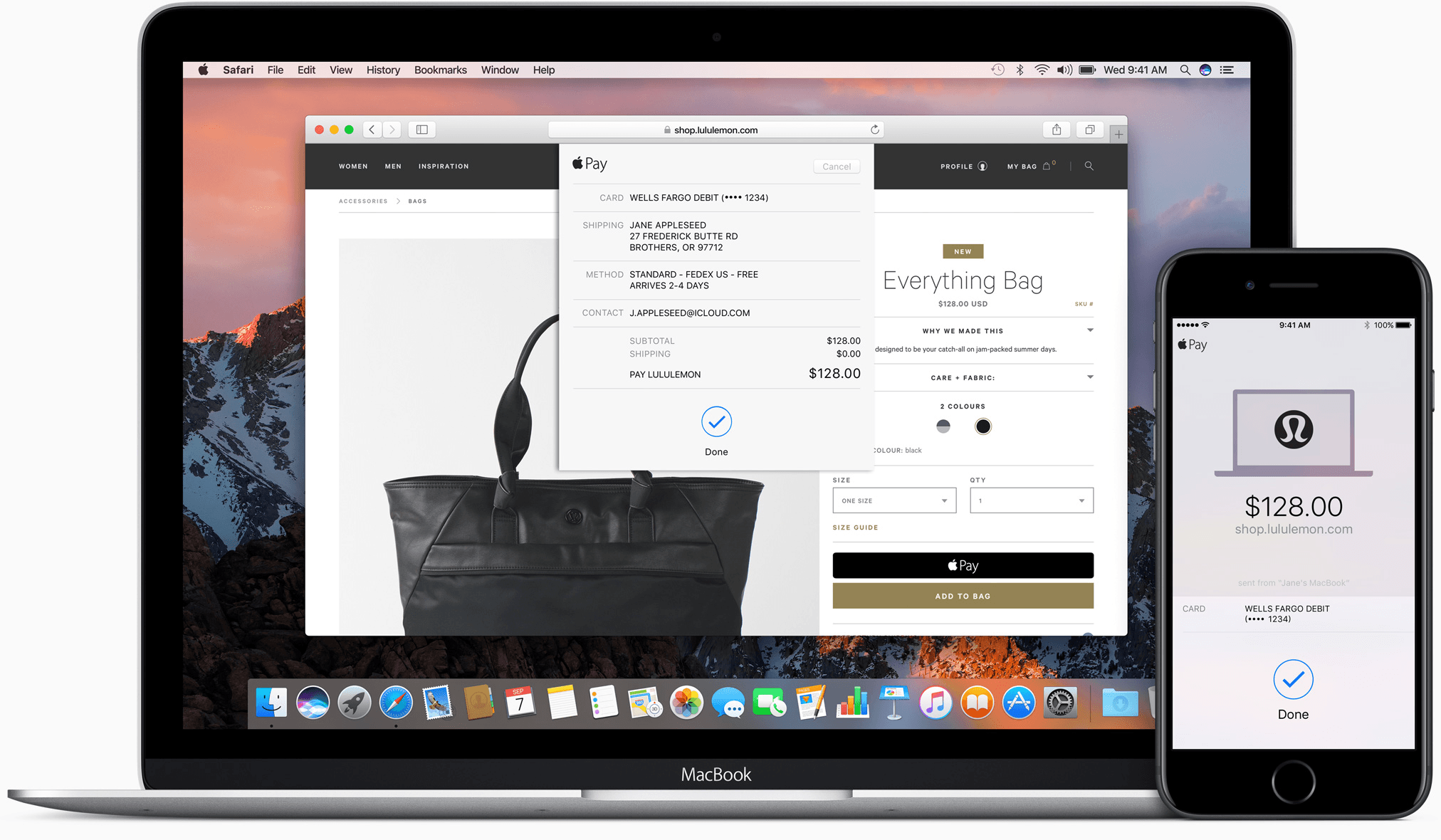
Apple Pay started with point of sale terminals and iOS apps. With iOS 10 and macOS Sierra, Apple has extended Apple Pay to include web-based purchases made with its Safari browser. Despite being limited to Safari, Apple Pay’s combination of simplicity and security has the potential to make it a de facto requirement for online retailers.
Posts in news
Apple Pay Arrives on Safari
Daylite: A Business Productivity App for Mac and iOS [Sponsor]

Daylite is a business productivity app for Mac, iPhone, and iPad.
Organize you and your team’s contacts, calendars, projects, tasks, emails, notes, and new business opportunities all in one app.
Track sales and set reminders for follow-ups. See a full history of all emails, calls, and notes for each customer. Customize your own pipelines to track sales and projects. View your whole team’s calendar to make scheduling meetings simple. Daylite even integrates with Apple Mail so you can update customer info, set tasks and reminders, and add appointments to your calendar – all without leaving Mail.
Automate lead generation from online web forms with Daylite & Zapier integration. When someone fills out a form on your website through Google Forms or Wufoo, a new contact and business opportunity are creating in Daylite. You can then segment leads for specific email campaigns and track all of your communication with them in Daylite.
Always have your business info no matter where you go. Daylite is a native app so you can access your information on your Mac, iPhone, or iPad even when you don’t have an Internet connection.
Read how businesses all over the world are becoming more efficient with Daylite.
Our thanks to Daylite for sponsoring MacStories this week.
Google Photos Introduces Movie Concepts→
In addition to improvements for sharing between users, Google has announced a new feature for Google Photos dubbed ‘movie concepts’. Automatically generated like the service’s previous slideshows and Assistant creations, movie concepts are based on “creative concepts” – themes found in your photos that go beyond recent uploads.
As Google writes:
We’re also upping our game when it comes to automatic creations. Google Photos has always made movies for you using your recently uploaded photos. Now we’re going further, with new movies that are based on creative concepts — the kinds of movies you might make yourself, if you just had the time. And they’re not only limited to your most recent uploads.
And:
Look out for a concept to commemorate the good times from this summer, and another one for formal events like weddings. And you don’t need to do a thing — these movies get made automatically for you.
Here’s an example of a concept created by Google Photos:
Casey Newton, writing for The Verge, has more details:
Tim Novikoff, who joined Google last year when it acquired his video-editing company, Fly Labs, said the feature takes advantage of Google’s advancements in deep learning and computer vision. The idea, he said, was “let’s leverage this to make movies that are emotionally powerful — that make your really smile, or even make you cry and reminisce and show your family.”
More concept movies are planned. “You can imagine where this goes,” Novikoff said. “Christmas, Halloween, Thanksgiving, Little League highlights, dance recitals. All the things that people do, we can make special movies around them.”
The new feature comes less than a week after the launch of iOS 10, which includes Memories – a feature of Apple’s Photos app that creates personalized movies based on location, dates, and people recognized in your photo library. From Google’s description and Novikoff’s comments, it sounds like movie concepts will be more advanced than iOS’ automated creations, but we’ll have to test them in practice and see if the promise holds up. I’m curious to compare Apple’s Memories to Google Photos’ concepts.
Google Trips Debuts on iPhone
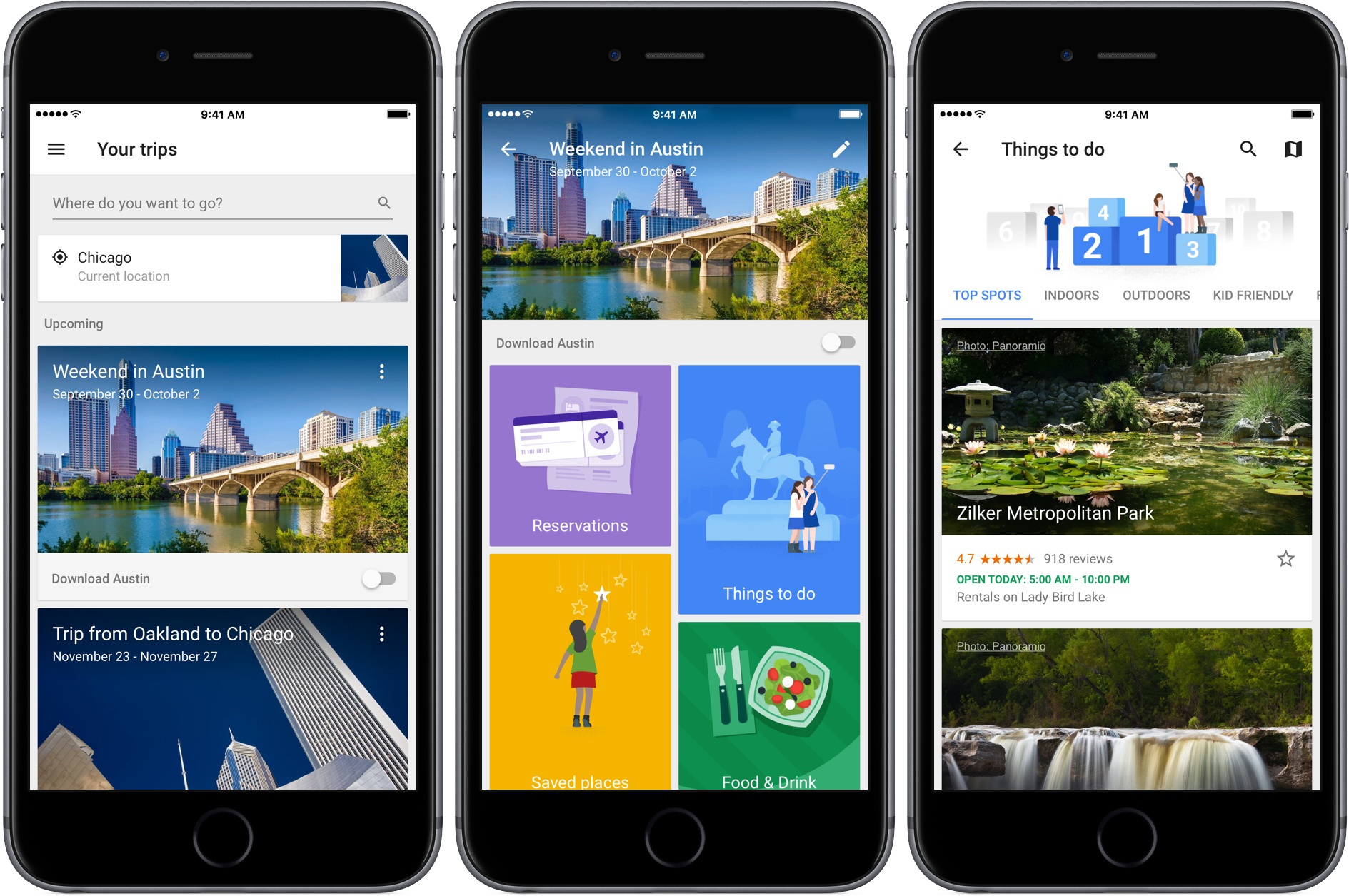
Google launched a free trip planning app called Google Trips today with a deep set of features that work online and off. The motivation for the app was described by Richard Holden, a Google vice president of product management, to Casey Newton of The Verge in an interview:
We’re doing a great job on the planning stages, but we really need to help consumers when they’re actually at their destination.
I have spent a short time with Google Trips and it looks like Google has delivered.
After signing into Google Trips with the Gmail account I typically use to make travel plans, Trips showed an upcoming trip to Austin and past trips going back to 2008. Tapping on a trip opens a page with buttons to view any reservations the app finds in your Gmail, ‘Things to Do,’ ‘Food & Drink,’ and ‘Saved Places,’ which are any destinations you mark with a star as you browse through Trips’ suggestions.
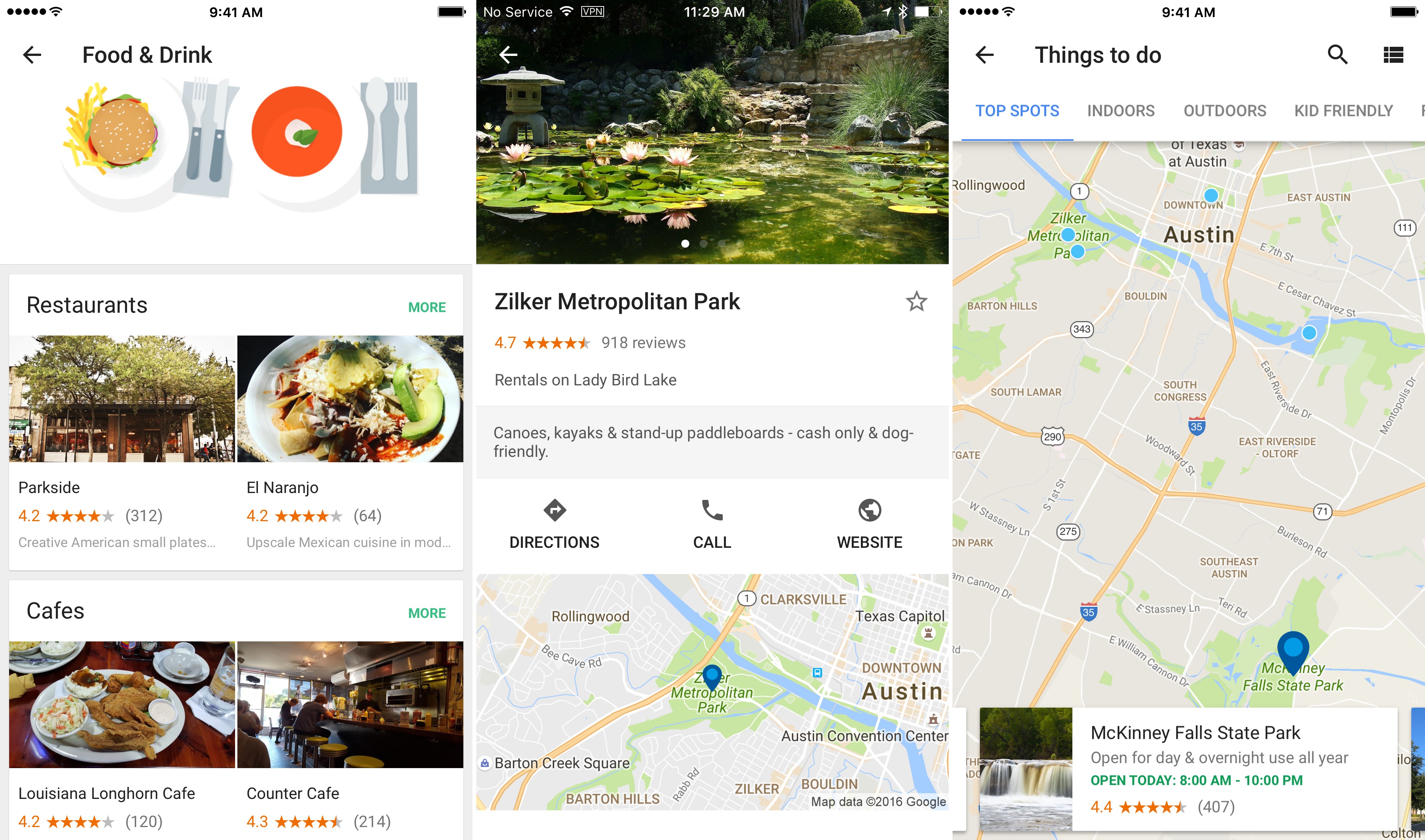
Trips’ recommendations are further divided into categories like ‘Top Spots’ and ‘Outdoors’ for activities, and restaurants, cafes, and places near where you are staying for food and drink suggestions. Results can be viewed in a list view, where each item can be tapped to view more detail, or on a map. A toggle on the first page of each trip gives you the option to download the trip, a handy feature if you are traveling internationally and want to limit your data use.
Of course, to get the most out of Google Trips, you need to log into it with a Google account. If you are uncomfortable with Trips scanning your Gmail and search history to customize what it presents to you, Trips is probably not the app for you.
Google Trips is an iPhone-only app and is available as a free download on the App Store.
Twitter Reclaims Space for Text in Tweets

Update: As noted below, the changes to how the Twitter character limits are counted are available to third party developers. MacStories has learned that Tweetbot and Twitterrific will both be updated soon to support the changes to Twitter’s APIs.
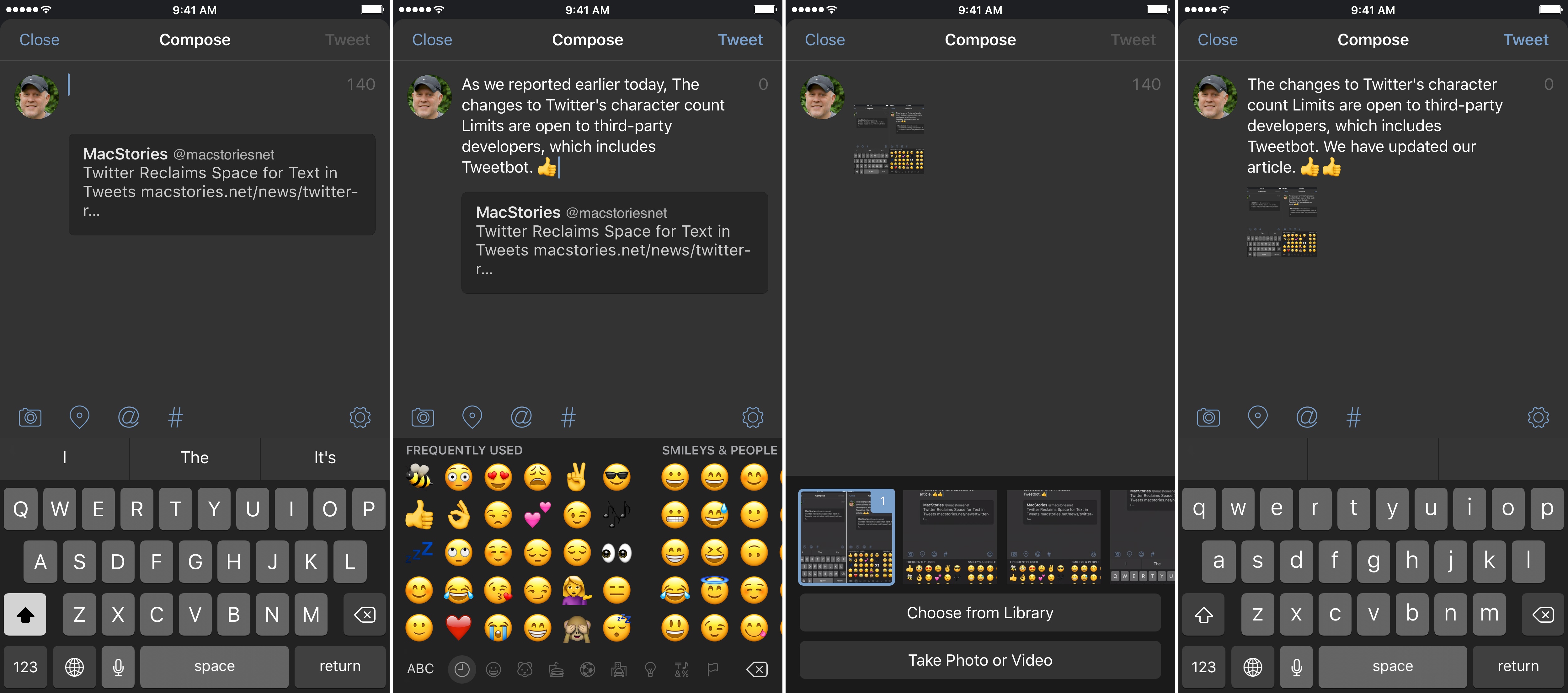
Tweetbot (pictured in screenshots) and Twitterrific will soon be updated to implement the changes to Twitter’s character limits.
Twitter began rolling out changes that take back space for text in tweets. As Twitter has gradually become a multimedia experience full of images, GIFs, videos, quoted tweets, and other things, each has encroached on the 140 character limit of a tweet leaving less room for text. That just changed.
https://twitter.com/twitter/status/777915304261193728
With a tweet today, Twitter began to roll out features, first announced earlier this year, that exclude certain things from the 140 character count limit. Users will still be limited to 140-character messages, but, as first reported by The Verge last Friday, media attachments (including images, GIFs, videos, and polls) and quoted tweets will no longer count against the 140-character limit, making more room for text.
James Corden Stars in New Apple Music Ad
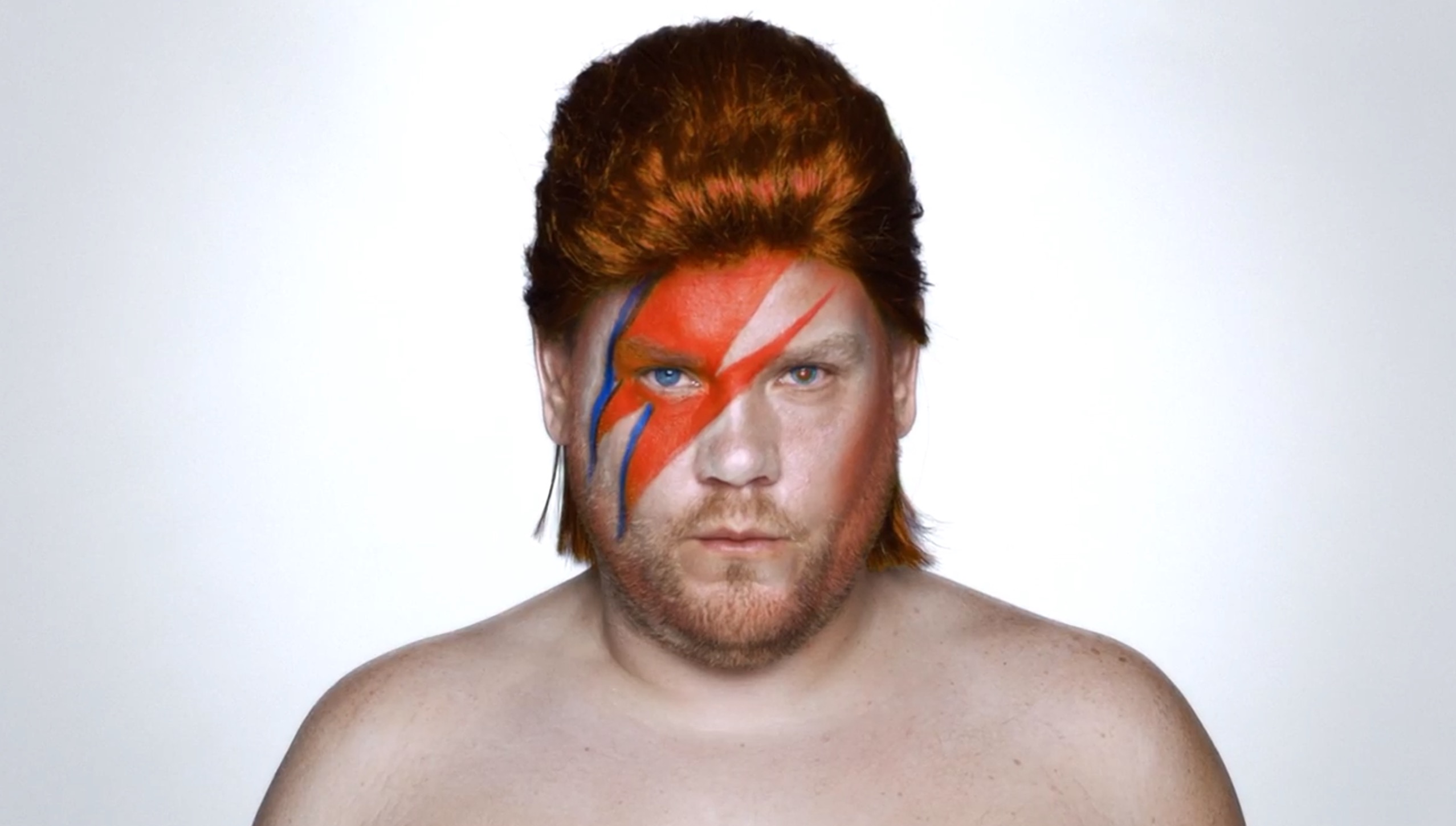
Airing for the first time last night during the 2016 Emmy Awards, Apple debuted a new extended 2 minute advert for Apple Music featuring James Corden.
The tongue-in-cheek advert sees a serious Corden attempt to pitch ideas for an Apple Music advert to Apple executives Jimmy Iovine, Bozoma Saint John, and Eddy Cue. Corden’s ideas range from the bizarre, with Corden impersonating famous musicians, to the melodramatic, swimming through 40 million Apples. The trio of Apple executives rebuff Corden’s extravagant ideas, simply pointing out that Apple Music is available offline, that there are over 40 million songs, and playlists are handpicked for users.
This is not Apple’s first collaboration with Corden. Earlier this year Apple bought the Carpool Karaoke scripted TV series which was based on the segment that began in the The Late Late Show with James Corden. Corden also appeared with Tim Cook in a Carpool Karaoke skit for the opening video of Apple’s September 6 keynote earlier this month.
Airmail 1.3 Adds Siri Integration, iMessage App, Rich Notifications on iOS 10
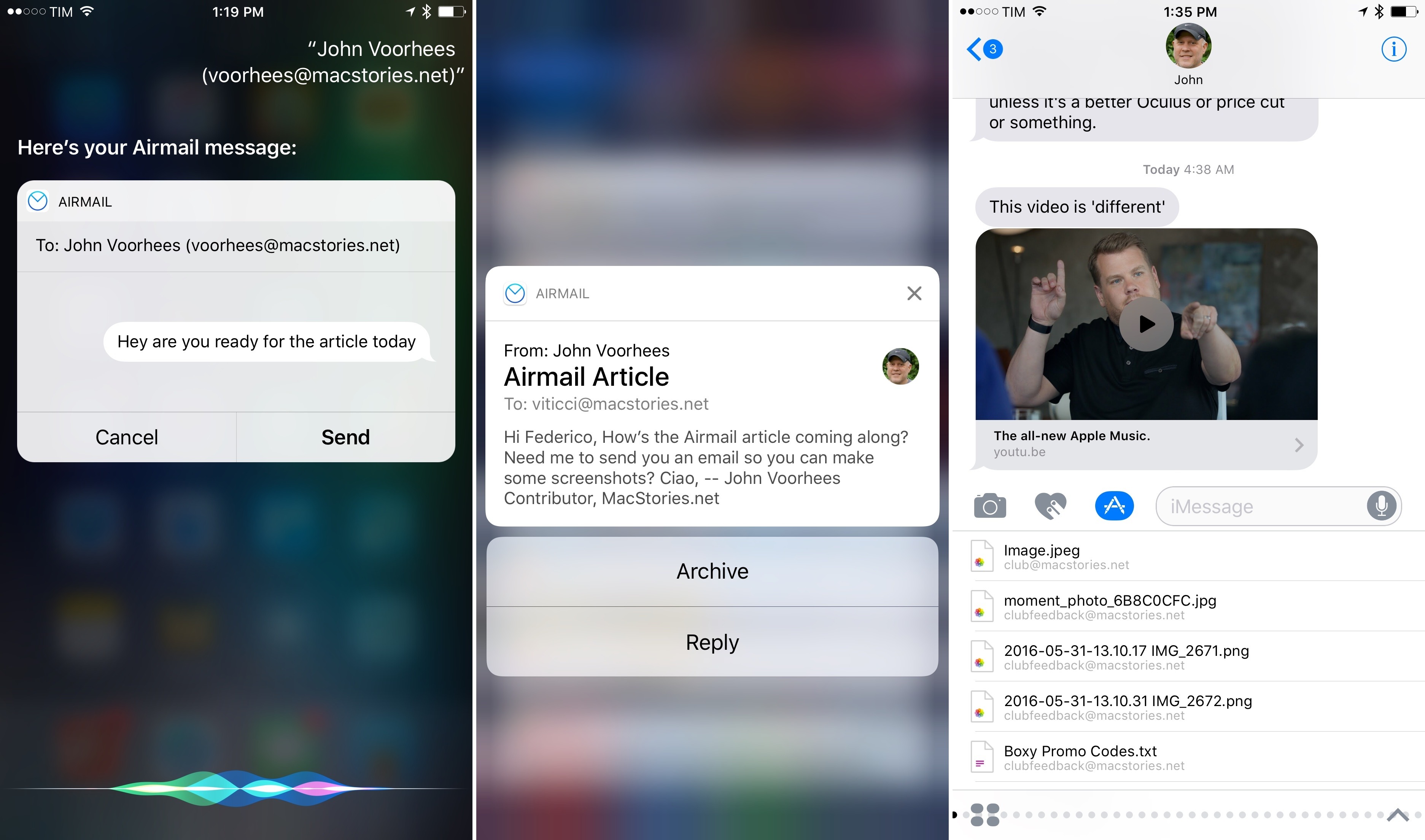
Last week, I mentioned how Airmail – my favorite email client for iPhone and iPad – would soon receive Siri integration on iOS 10. Today, Airmail 1.3 has hit the App Store with a variety of iOS 10 features in addition to SiriKit, including support for rich notifications and iMessage.
Tweetbot 4.5 Brings iOS 10 Updates, Profile Notes
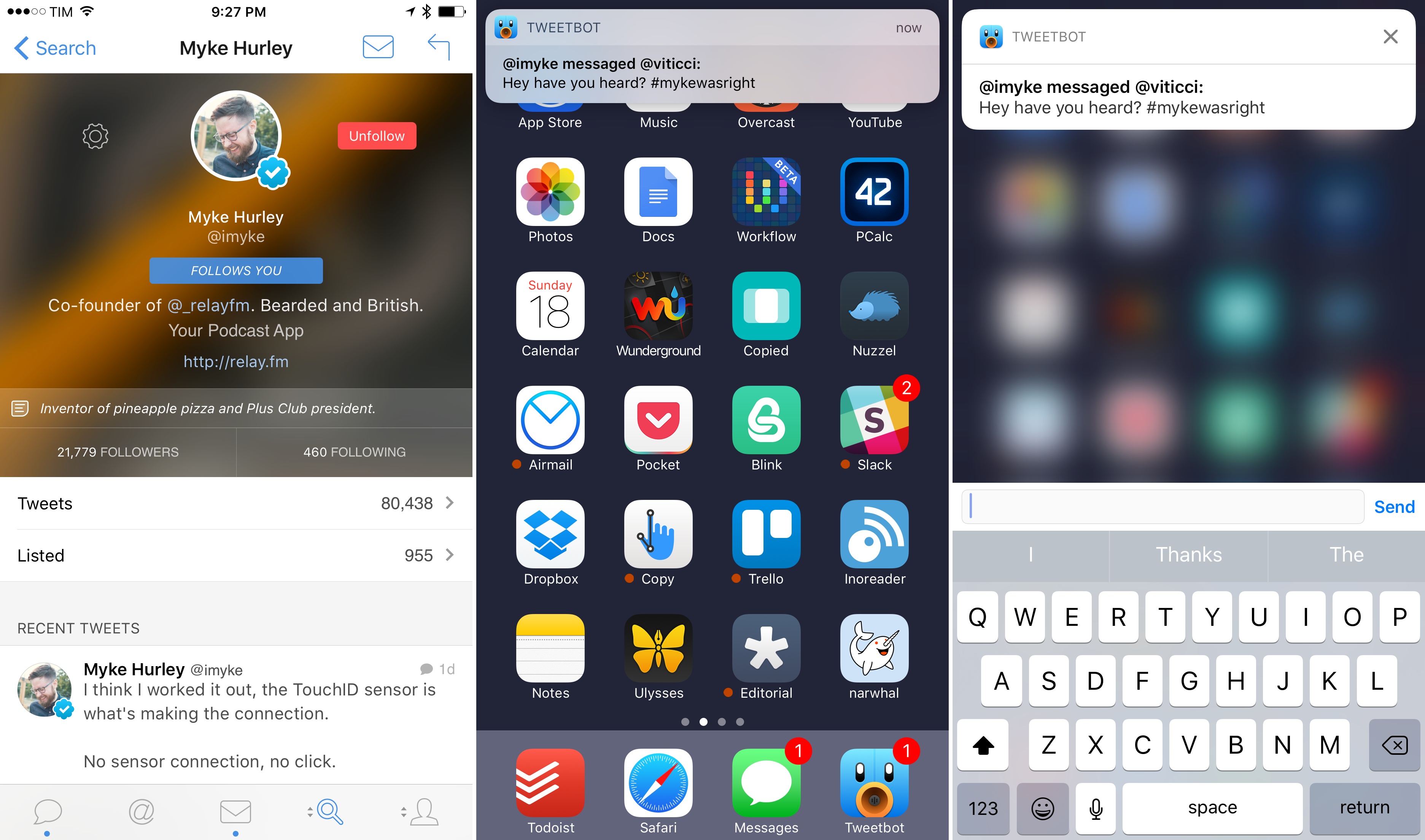
Tapbots released Tweetbot 4.5 today with a few iOS 10 additions.
In the latest version, notifications are slightly richer: you won’t be able to preview entire conversation or DM threads in a notification, but at least the sender’s username and notification title will have a bold font for better visual separation. I would have liked to see even richer notifications with custom interfaces, and I also wonder if Tweetbot could use SiriKit’s messaging intents to send DMs. Perhaps Tapbots will consider deeper iOS 10 enhancements in the future.
Also new in this version, you can now add notes to user profiles. According to Tapbots, the feature is intended to add a brief note to remember why you followed someone; personally, I think it’s just as effective to remember why you don’t want to follow someone without blocking them. User notes are private, they sync with iCloud, and they can be accessed from the gear menu on a user’s profile.
Finally, Tweetbot 4.5 supports smoother scrolling thanks to iOS 10’s performance improvements in this area. It’s not always noticeable, but I’m glad Tapbots implemented this feature for iOS 10 devices.
Tweetbot 4.5 is available on the App Store.
Apple Releases Ads Spotlighting the Apple Watch and iPhone 7
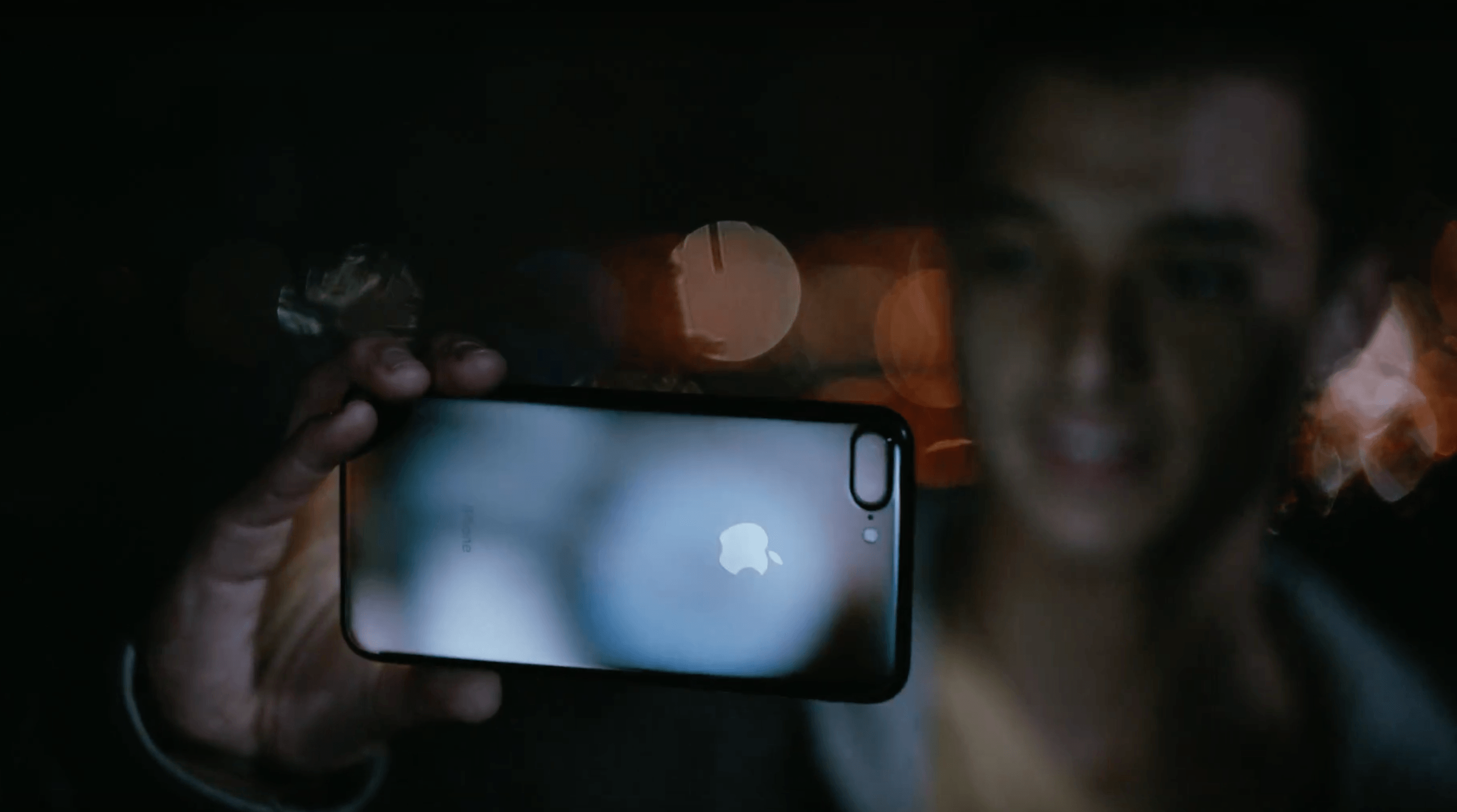
Apple posted three advertisements to YouTube, one featuring the Apple Watch Series 2, and two showcasing the iPhone 7.
The Apple Watch Series 2 ad, titled Go Time, highlights the Watch’s fitness features and water resistance. Backed by Sinnerman, a classic song by Nina Simone, the ad begins at dawn showing a swimmer getting ready for an early morning workout. The swimmer adjusts his goggles and pulls his hand out of the water to start a workout on the Apple Watch. Through a series of quick cuts, the ad shows other people involved in all sorts of activities, including yoga, running, jumping into a pool, biking through a rainstorm, dancing, and sprinting out of the subway. In between each activity are clips showing off features of the Watch like the Activity app, Messages, notifications, the Workouts app, and the Breathe app, which is new to watchOS 3.
Morning Ride starts with a man looking out into a thunderstorm while checking Apple’s Weather app on an iPhone 7. AC/DC’s Thunderstruck starts playing in the background as he gets ready for his morning bicycle ride despite the rain. He mounts his iPhone to the handlebars of his bike, starts a tracking app, and prepares to take off into the rain. The thirty-second spot ends with the lines ‘the water-resistant iPhone 7’ followed by ‘practically magic.’
Midnight highlights the iPhone 7 Plus in Jet Black. The ad follows a young man as he skateboards around a city in the middle of the night taking photos with his iPhone. Backed by In A Black Out by Hamilton Leithauser, he takes videos as he passes through sprinklers, showing off the water resistance of the phone, captures moths flying around a single light bulb, and photographs a deer that wanders into a gas station. The ad concludes with the young man on a hill overlooking the lights of the city and ends with the tag line ‘low-light camera on iPhone 7’ followed by ‘practically magic.’
Each of the three ads does a good job focusing on the personal side of the new features of Apple Watch Series 2 and the iPhone 7. The ads don’t focus on specs; instead they emphasize how the advancements of each device expand their utility in everyday scenarios.
You can watch each of the ads after the break.