Posts in news

Instapaper Premium Features Are Now Free

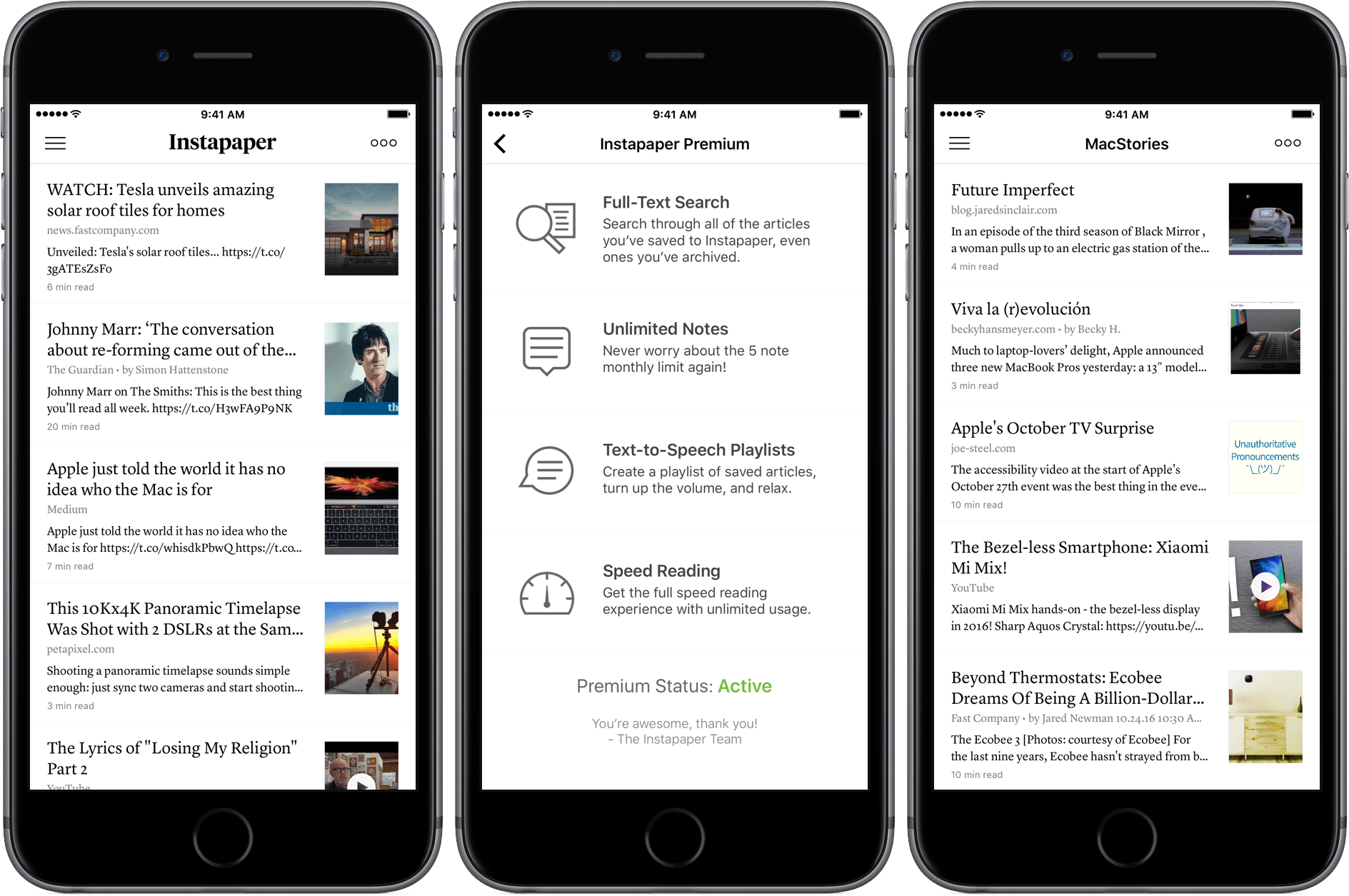
In August, Instapaper was acquired by Pinterest. Today, Instapaper announced that it is making its premium features free to all users. Previously, full-text search, unlimited notes, text-to-speech playlists, and speed reading were premium features that cost $2.99 per month or $29.99 per year. In an email to premium subscribers, Instapaper said:

Now that we’re better resourced, we’re able to offer everyone the best version of Instapaper.

Instapaper is also eliminating all advertising from its website. Premium subscribers will receive a pro rated refund of their current subscriptions.

According to The Verge, which spoke to Pinterest:

Pinterest says it has “no new monetization plans to share at this time” for Instapaper. The decision to drop subscriptions, Pinterest says, was simply a matter of the app being “better resourced,” so that it can “offer everyone the best version.”

The battle among read-it-later services has been a long one. By making some of Instapaper’s most powerful features free, Instapaper should be better positioned to compete against its main rival, Pocket.
iOS 10.2 Beta Brings New Emoji, Wallpapers, and More

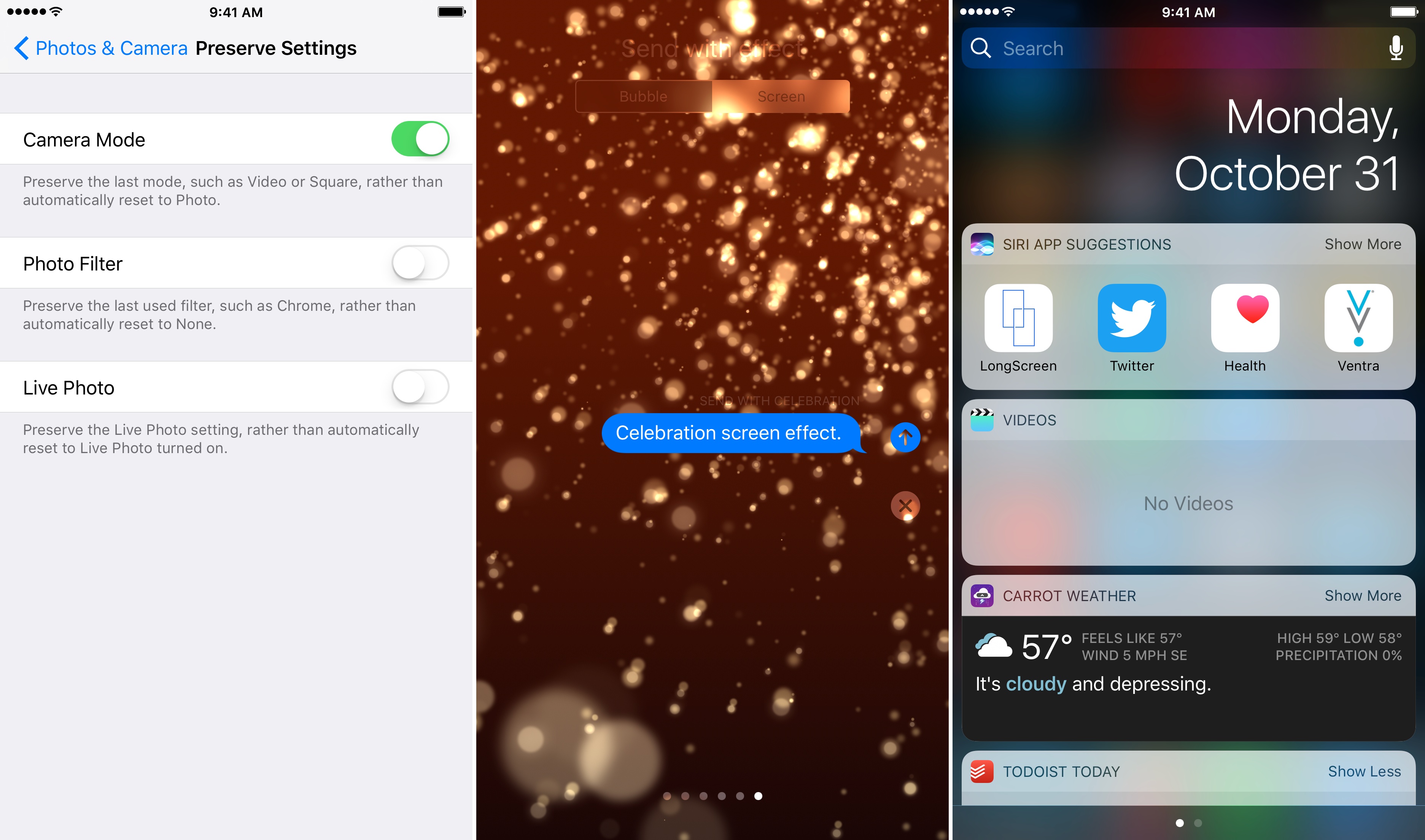
Apple has released the first iOS 10.2 beta to developers. The update includes:

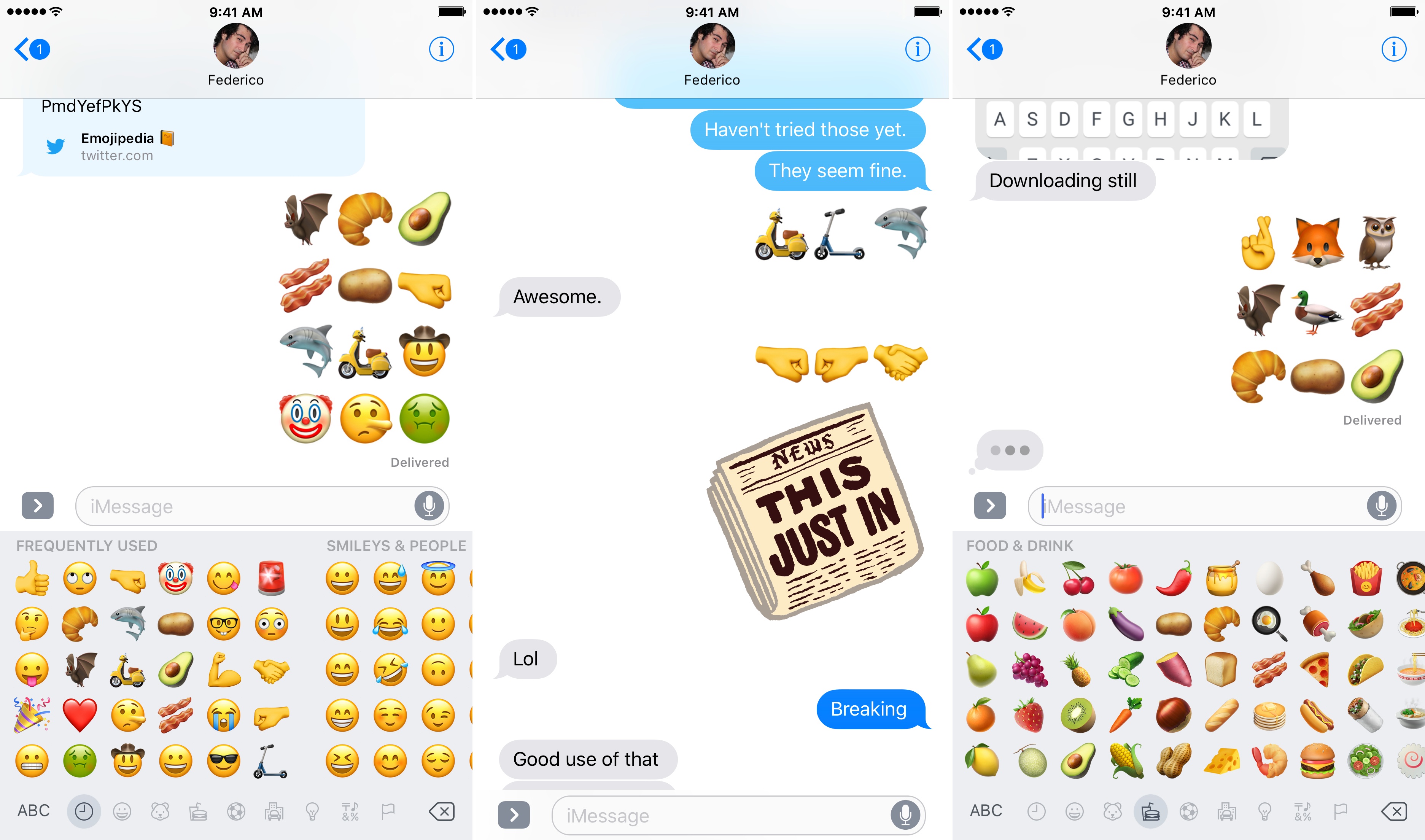
  • new Unicode 9.0 emoji support (for a full list of the new emoji, check out this post on Emojipedia);
  • redesigns of existing emoji;
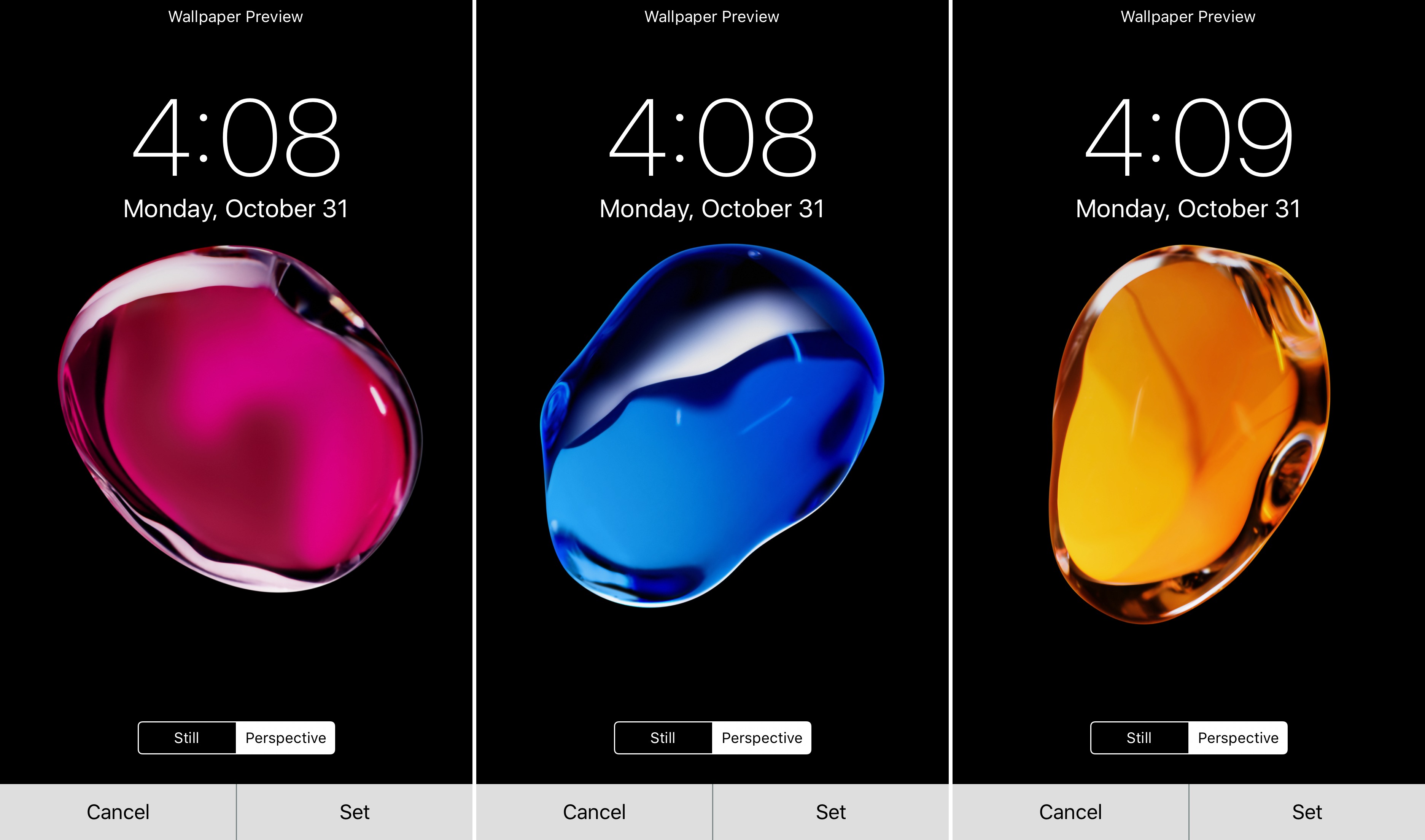
  • three new wallpapers, previously seen in Apple’s marketing materials for iOS 10;
  • a new celebration screen effect in Messages;
  • a widget for Apple’s built-in Video app;
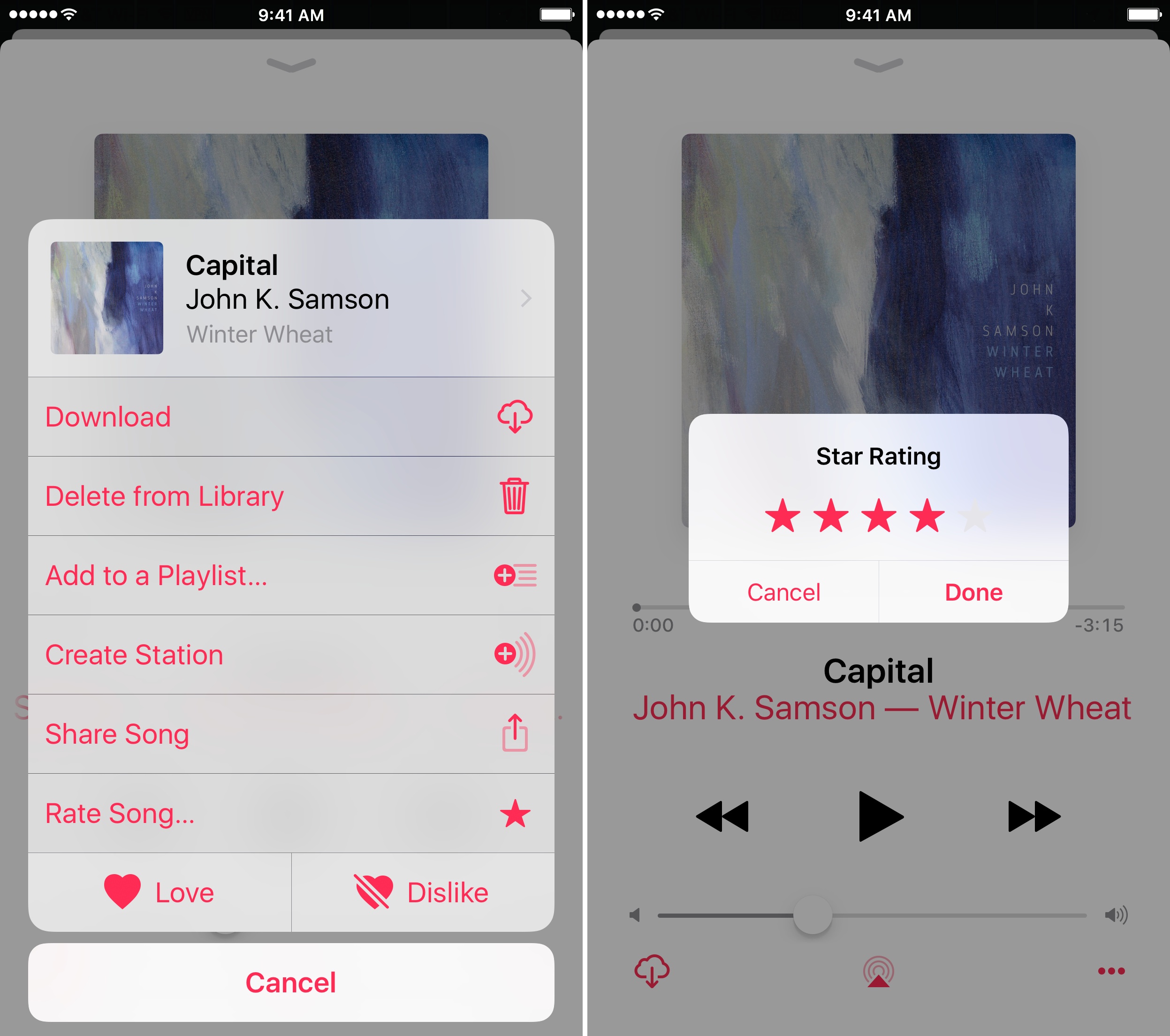
  • a setting in the Music app to display star ratings that does not affect Apple Music ‘For You’ recommendations; and
  • a setting to maintain the Apple Camera app’s settings between uses.

New wallpapers.

New wallpapers.

New Camera settings, Celebration screen effect, and Video widget.

New Camera settings, Celebration screen effect, and Video widget.

The Music app's settings include star ratings.

The Music app’s settings include star ratings.


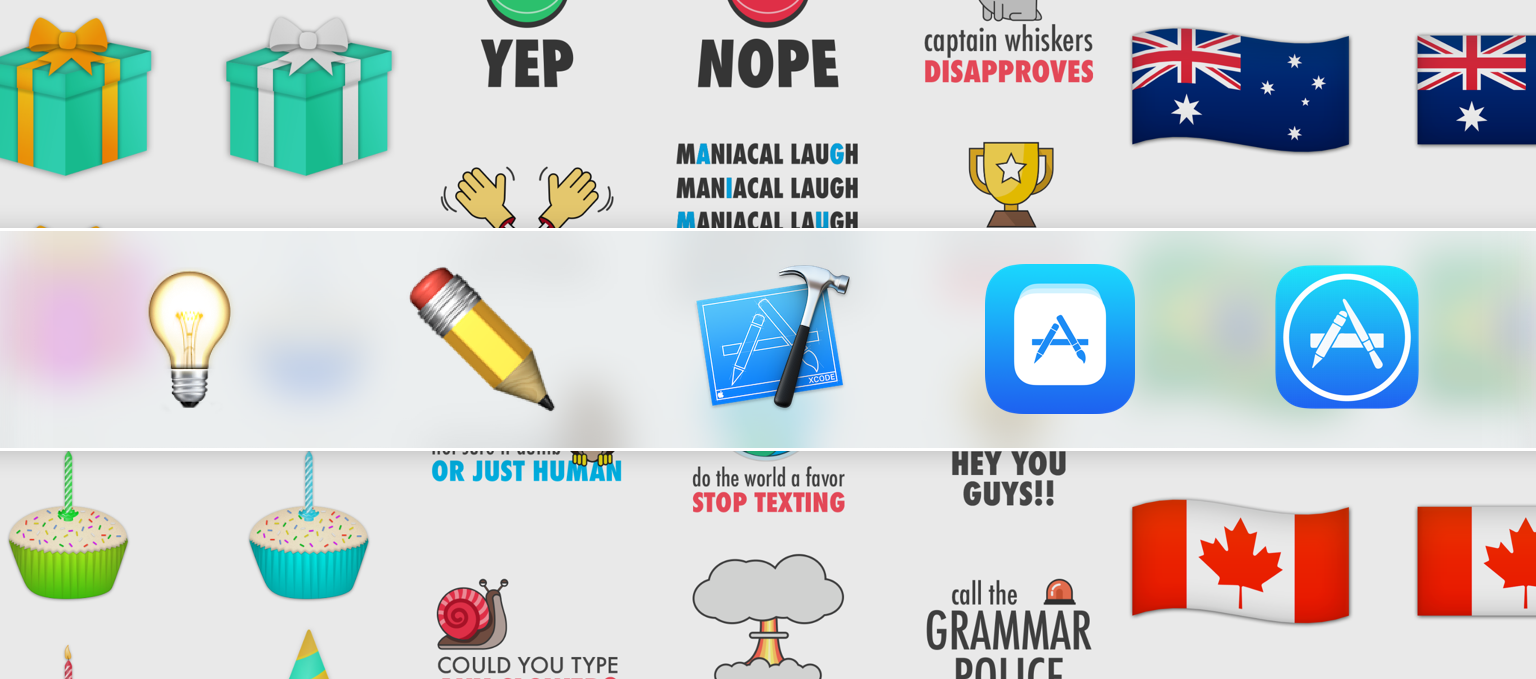
MacStories Guide: Design and Launch Your Own iMessage Sticker Pack on the App Store

The barrier to entry onto the App Store was already quite low, but with the launch of sticker packs in iOS 10, that barrier was substantially lowered. Now you don’t even have to type a line of code in order to launch a product on the App Store. This has been an exciting development and has enabled a whole new wave of creators to make products and launch them on the App Store.

I was one of them. I don’t know how to code, but I do have some design skills, and I wanted to see what it was like to create something for iOS and launch it on the App Store. So a few months ago I decided that I would make some sticker packs for iOS 10 – and that’s what I did. I brainstormed possible ideas, started designing some stickers and ultimately ended up publishing Birthday Celebration Stickers and an app bundle which included World Flag Stickers and a few other country-specific flag stickers.

The process of making and publishing these sticker packs was fairly straightforward, but I also encountered some unexpected hurdles. To help others who are excited about making their own sticker packs, I’ve written this guide, which I hope can make the process a little smoother.

Read more


Apple and Accessibility

Apple opened what will in all likelihood be its last event in Town Hall at One Infinite Loop in Cupertino with a video highlighting the importance of accessibility features built into its products. In addition to a video, Apple has created a separate webpage highlighting the accessibility. The page includes videos highlighting wheelchair workouts on the Apple Watch, switch controls on the Mac, Live Listen designed for the hearing impaired, VoiceOver, and Speak Screen.

You can also follow all of the MacStories coverage of today’s Apple’s keynote through our October 27 Keynote hub, or subscribe to the dedicated October 27 Keynote RSS feed.


Apple Posts October 27 Event and MacBook Pro Videos

If you didn’t follow the live stream or announcements as they unfolded today, Apple posted the video of its October 27th keynote held earlier today at Apple’s Town Hall at One Infinite Loop in Cupertino along with videos for the new MacBook Pros announced on stage.

The keynote video can be streamed here and on the Apple TV. A higher quality version should be made available in a few hours through iTunes (on the Apple Keynotes podcast). To avoid streaming errors, Safari is recommended for the best viewing experience.

In addition, Apple also posted new product reveal videos for the MacBook Pro on its YouTube channel. You can find all the videos below.

You can also follow all of the MacStories coverage of today’s Apple’s keynote through our October 27 Keynote hub, or subscribe to the dedicated October 27 Keynote RSS feed.


Apple Announces TV App

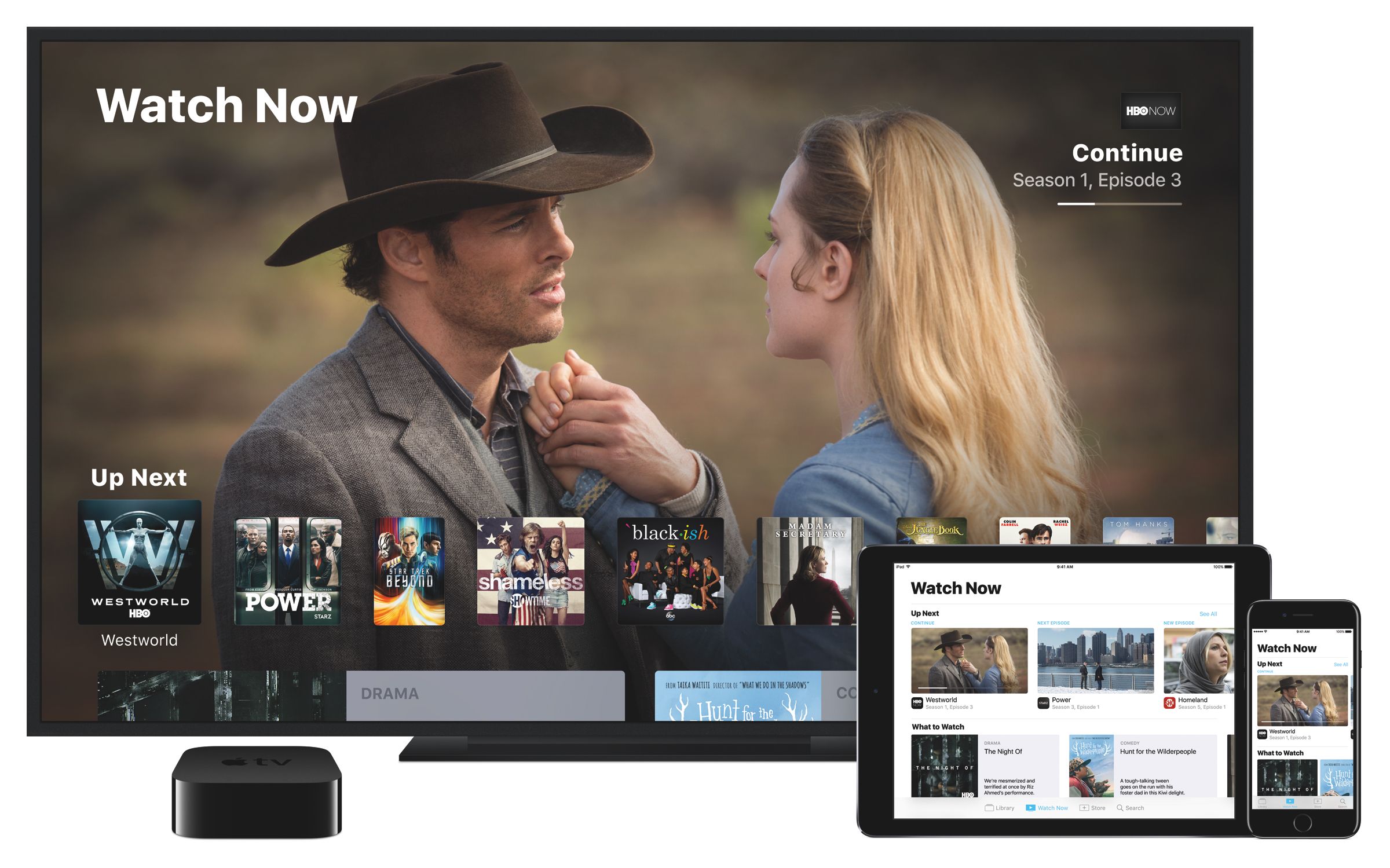
Apps as the future of TV creates a problem. Apps are isolated silos of content not unlike channels on cable TV, but harder to switch between. Today, Apple announced its solution. Jen Folse, a design lead at Apple, explained that the solution is, not surprisingly, an app.

Apple took a stab at the discovery shortcomings of tvOS with the Siri Remote. Introduced with the fourth generation Apple TV, the remote allows you to execute voice searches across many, but not all, content providers simultaneously. Today, Apple announced at an event in Cupertino that it will also tackle content discovery with a new app.

The app announced today is called TV and will be integrated with the upcoming Single Sign-on feature that was announced at WWDC in June. Single Sign-on allows users to enter their cable TV credentials into the Apple TV’s settings once to get access to content in any participating app that requires a cable TV subscription. Originally anticipated to launch with tvOS 10, which debuted alongside iOS 10 in September, Single Sign-on has not yet launched.

During the event in Cupertino, Apple said that the TV app will recommend content across apps installed on customers’ Apple TVs based on the apps a customer has downloaded as well as media watched, purchased, and rented. TV will also be available on iOS devices, unifying TV and movie watching across iOS and tvOS. In addition, TV will include curated suggestions based on user’s watching habits.

Unfortunately, not all content providers will participate in TV. According to Recode, Netflix, which was an early third-party supporter of search on the Siri Remote, will not be part of the guide, which leaves a rather large hole in the app at launch.

The TV app will be available as a free download on the US App Store in December.


You can also follow all of the MacStories coverage of today’s Apple’s keynote through our October 27 Keynote hub , or subscribe to the dedicated October 27 Keynote RSS feed.


Apple’s October 27 Keynote by the Numbers

At Apple’s “Hello Again” keynote Thursday, the company continued its tradition of letting the public in on its most important figures. Whether it was a recap of user and sales numbers or figures regarding the new products, Apple gave us plenty of numbers to digest.

Here’s a list of significant facts and figures from Apple.

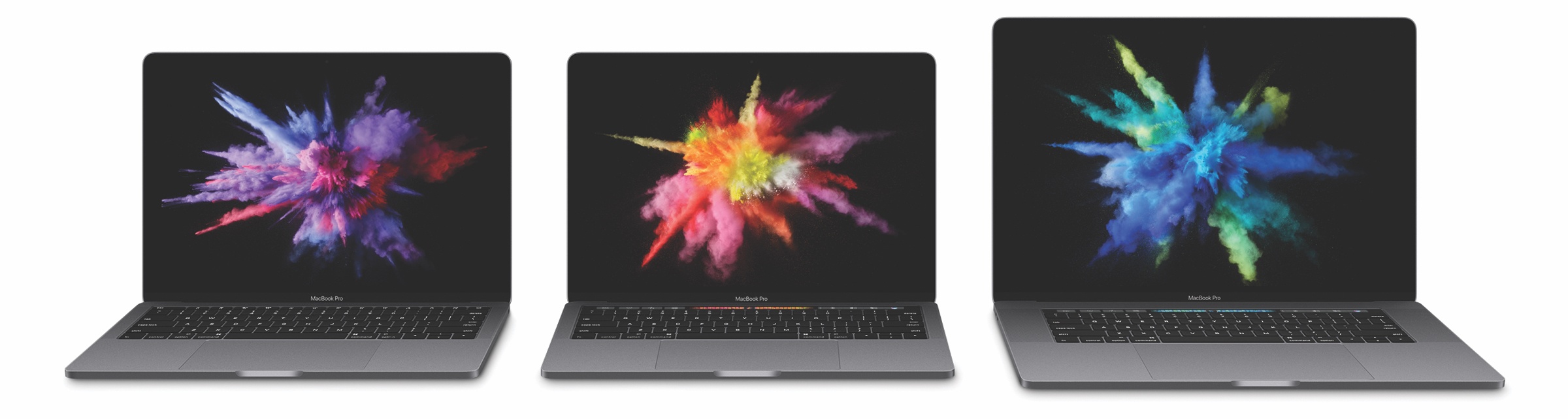
13-Inch MacBook Pro with Touch Bar
- 14.9 mm thick
- 23% less volume than previous generation
- 3 pounds
- 2x faster graphics
- Up to 2x faster storage
- 103% faster gaming performance
- 76% faster video editing performance
- 76% faster 3D graphics performance
- Starts at $1799

13-Inch MacBook Pro
- 13% smaller in volume than the MacBook Air
- 12% thinner than the MacBook Air
- Starts at $1499

15-Inch MacBook Pro with Touch Bar
- 15.5 mm thick
- 20% less volume than previous generation
- 4 pounds
- 2.3x faster graphics
- 130% faster 3D graphics performance
- 60% faster gaming performance
- Can power 2 5K displays
- Starts at $2399

MacBook Pro Displays
- 67% brighter
- 67% higher contrast ratio
- 25% more colors

MacBook Pro Bodies
- 2x larger trackpad
- 2nd-generation butterfly switches
- 4 Thunderbolt 3 ports on the 13-inch and 15-inch Touch Bar MacBook Pros
- 2 Thunderbolt 3 ports on the 13-inch MacBook Pro

Misc.
- 400 million have “viewed and enjoyed” Memories on iPhone
- 60% of iOS users are on iOS 10, with 32% on iOS 9
- Currently, there are over 1600 apps from video content providers on Apple TV
- There are over 8000 Apple TV apps in the App Store
- This is the 25th anniversary of Apple’s first notebook, the PowerBook

You can also follow all of the MacStories coverage of today’s Apple’s keynote through our October 27 Keynote hub , or subscribe to the dedicated October 27 Keynote RSS feed.


Apple Q4 2016 Results: $46.9 Billion Revenue, 45.5 Million iPhones, 9.2 Million iPads Sold

Apple has just published their financial results for Q4 2016, which covered the three months from July through to September 2016. The company posted revenue of $46.9 billion with a quarterly net profit of $9 billion. Apple sold 9.2 million iPads, 45.5 million iPhones, and 4.8 million Macs during the quarter.

“Our strong September quarter results cap a very successful fiscal 2016 for Apple,” said Tim Cook, Apple’s CEO. “We’re thrilled with the customer response to iPhone 7, iPhone 7 Plus and Apple Watch Series 2, as well as the incredible momentum of our Services business, where revenue grew 24 percent to set another all-time record.”

Read more


The iPod at Fifteen

I remember my first iPod well. It was a third generation model and I loved it. It was commuting salvation packed into what seemed like an impossibly small package.

The iPod was a transformative device for Apple that laid the groundwork for future devices like the iPhone. Although it synced with a computer, the iPod marked Apple’s first major foray into consumer electronics. In some ways, the introduction of the iPod seems like an impossibly long time ago, but when you look back at its evolution, it’s amazing just how far technology has come in such a short time.

To mark the fifteenth anniversary of that first iPod, The Verge published a visual history of the iPod. I enjoyed scrolling through the product shots and picking out the ones I owned. For a little more history and context on where the iPod fits into Apple’s past, I recommend watching Stephen Hackett’s video on the 512 Pixels YouTube channel. Also, in piece of almost-forgotten history, Nobuyuki Hayashi tells the story of twenty CDs that Steve Jobs and his iPod team chose and put on the iPod prototypes given to journalists for testing (via Daring Fireball). The CDs included an interesting mix of classical, jazz, blues, classic rock, then-current hits, and other selections, each of which is linked in the article.