Posts in news

Apple’s Clips App Receives Update Adding Disney/Pixar Content and More

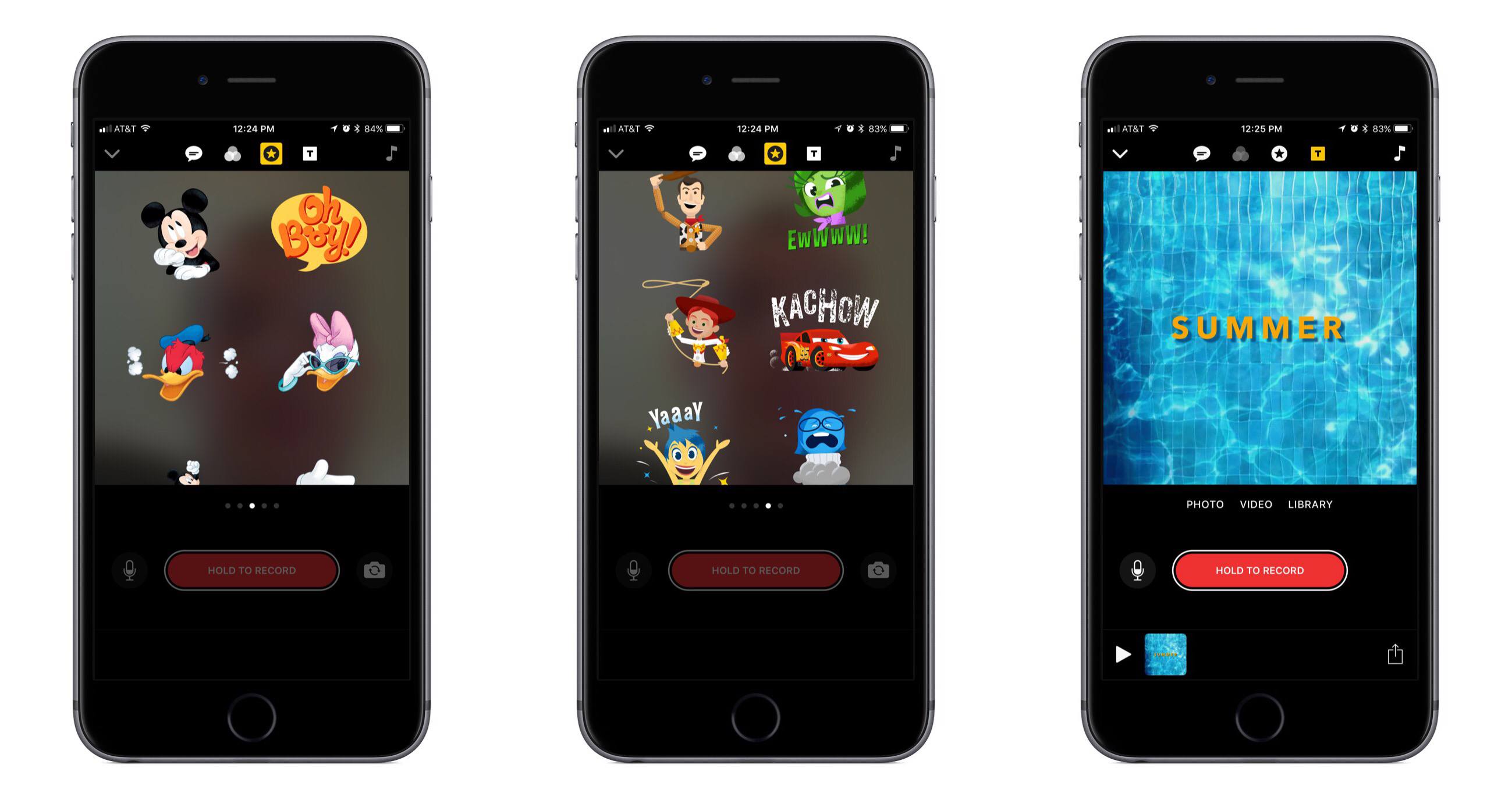
Today Apple released the first major update for its short form video creation app, Clips. Version 1.1 includes, most notably, a variety of animated graphics featuring beloved characters from Disney and Pixar films.

In the Disney department you can add Mickey, Minnie, Donald, and Daisy to your videos, each with their own unique animations. And from Pixar, characters originating in Toy Story, Inside Out, and Cars are available. There are also a variety of new posters available to be used as title cards, some of which were designed by Disney and others by Apple. A selection of the new posters feature vibrant animations when you use them, such as water rippling in a pool.

In addition to the new content available for creating videos, Apple has also refined some design aspects in the app to make it easier to use. For example, Live Titles could always be edited by tapping on the text, but that wasn’t a very discoverable interface. Now there’s a new button to accomplish the task.

Apple’s press release announcing the update mentions that Clips “is included on all new iOS devices,” which should help bolster adoption of the app. That press release also features a video seemingly created in Clips that’s worth checking out.

Google iOS App Adds Personalized Feed with News, Interests, and More

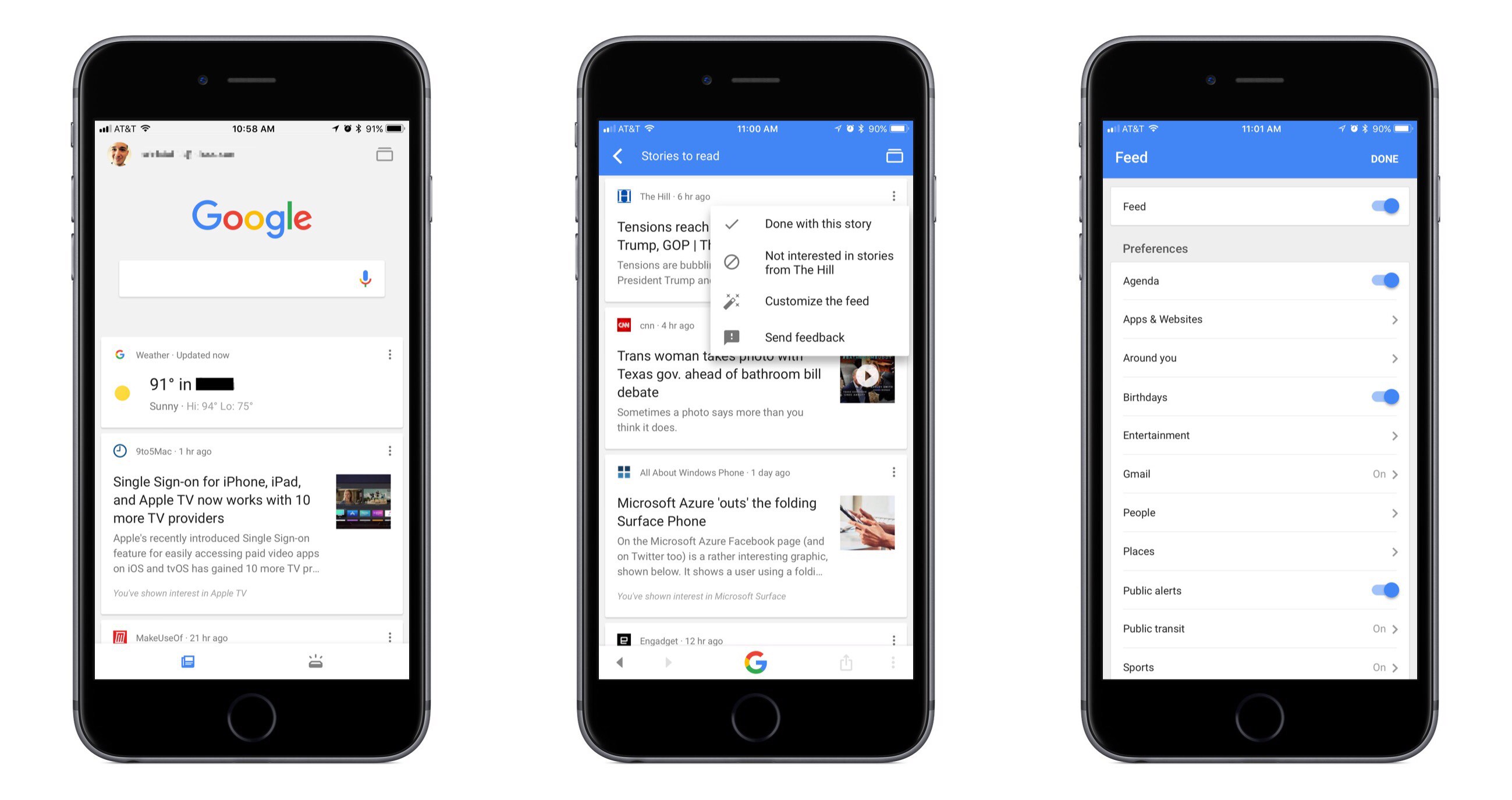
Google has long been the first place most of us go when searching for something specific, and now it wants to be our primary destination for personalized, proactive content as well. Launching today in the US, and internationally in the coming weeks, the Google app for iOS now includes a personalized feed filled with things like news stories, live sports highlights, and suggested videos, all of which are merged in the feed with other data we’ve come to expect from the Google app such as local weather, relevant travel info, and more.

While Google’s iOS app formerly served as a place to mainly perform searches and see a bit of personalized data, today’s update transforms the app experience entirely. The search option is still at the top of the screen, and that data you’re used to seeing is still around, but the additions included here change the app’s primary purpose. It becomes a place to go not only when you need to find something, but also just when you have a little time to kill and want to catch up on what’s going on in the outside world. If the feed becomes good enough at knowing what’s important to me, I can see myself regularly checking and scrolling through it the way I do with social apps like Twitter or Facebook.

Google promises that the feed will get better over time as its machine learning algorithms gain a more accurate understanding of a user’s interests. One way that users can help that process is through using the new ‘Follow’ button that will soon begin appearing next to Google search results. This button will allow you to selectively follow certain movies or TV shows, sports teams, musical artists, celebrities, and more. Another layer of customization is found in the ‘Customize the Feed’ menu accessible by tapping the three dots in the upper right corner of any content card. Here you can turn the feed off entirely if you’d like, but you can also customize exactly which categories of content will populate your feed.

If you’d like more in-depth information about today’s update, Google has a blog post walking through the changes.


Apple Launches Public Machine Learning Journal

Today Apple introduced a new section on its website dedicated to highlighting its work in the area of machine learning. This new Machine Learning Journal bears the form of a blog, with the following stated aim:

Here, you can read posts written by Apple engineers about their work using machine learning technologies to help build innovative products for millions of people around the world.

The first and only post currently available in the journal is titled “Improving the Realism of Synthetic Images” and is categorized ‘Vol. 1, Issue 1.’ It details how Apple’s photo recognition technology has been trained using synthetic images rather than real ones due to the massive extra cost and workload required to obtain and accurately label real images. The example given in the post centers around the human eye, walking step by step through Apple’s method for increasing the realism of synthetic depictions of a human eye to make them effective alternatives to real images.

Apple has historically been secretive when it comes to its machine learning research, a stance which many speculated had put the company at a disadvantage in the area of recruiting talent. It’s understandably hard to build a noteworthy reputation as a machine learning researcher if you’re unable to talk about any of your work. But near the end of last year Apple’s director of AI research, Russ Salakhutdinov, signaled that change would be coming to the company’s policies surrounding secrecy. The launch of a public journal featured on Apple’s website is very clear evidence of that change arriving.


Nintendo Switch Online App Released Ahead of Splatoon 2

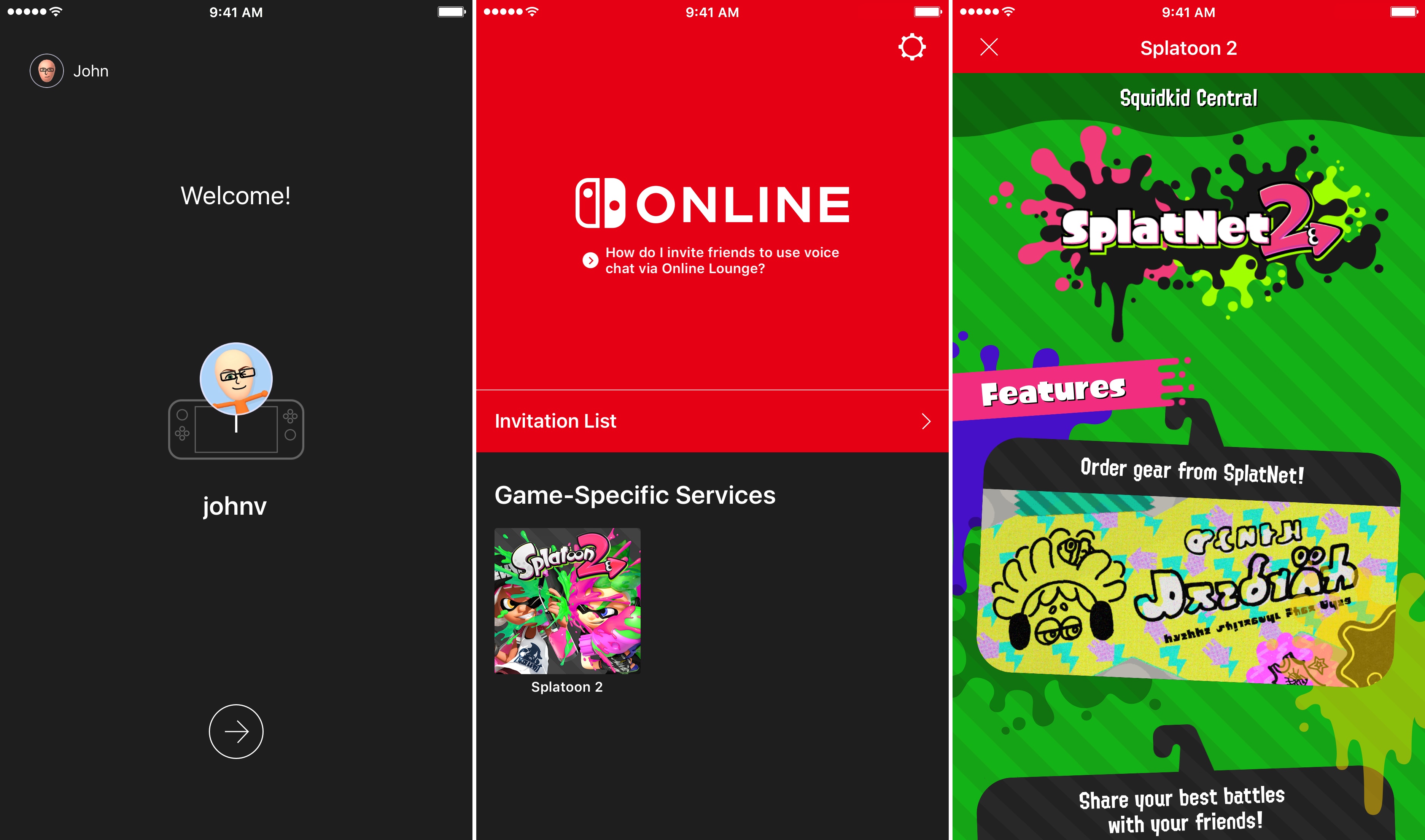
On Friday, July 21st, Nintendo will release Splatoon 2, one of its marquee titles for the Switch console, which will be the first game to take advantage of the Nintendo Switch Online app for iOS. The app is available to download now, but won’t be of much use until Splatoon 2 is released Friday. In the meantime, you can download the app, sign into your Nintendo account, and review instructions on how to invite friends to play. Invitations can be sent over social media like Facebook, WhatsApp, Twitter, and Line. The app will also allow players to chat with friends using a headset connected to their iOS device.

Nintendo Switch Online is a free download on the App Store. Nintendo’s online service is free while it is in beta, but will cost $19.99 per year or $3.99 per month when it launches in 2018.


Isabel Ge Mahe is Apple’s New Managing Director of Greater China

Apple has announced that it has named Isabel Ge Mahe Managing Director of Greater China, a newly-created position within the company. Ge Mahe most recently led Apple’s wireless technology engineering teams working on cellular, WiFi, Bluetooth, NFC, location, and motion technologies. She has also overseen the engineering teams developing Apple Pay, HomeKit, and CarPlay.

Apple CEO, Tim Cook, had this to say about the appointment:

“Apple is strongly committed to invest and grow in China, and we are thrilled that Isabel will be bringing her experience and leadership to our China team,” said Tim Cook, Apple’s CEO. “She has dedicated a great deal of her time in recent years to delivering innovation for the benefit of Apple customers in China, and we look forward to making even greater contributions under her leadership.”

Ge Mahe, who will start in her new position later this summer in Shanghai, added:

“I’m honored to have this opportunity to represent Apple in China and work more closely with our incredibly talented team,” said Isabel Ge Mahe. “Everyone at Apple is proud of the contributions we make to the communities where we do business, and I am looking forward to deepening our team’s connections with customers, government and businesses in China to advance innovation and sustainability.”

As Ge Mahe’s appointment underscores, China is an important market for Apple. The country accounted for 29% of Apple’s revenue in the March 2015 quarter according to Recode. Since then, however, revenues generated in China have slipped as the iPhone has lost market share to other mobile phone manufacturers.


Clean Up Your Inbox Today (and Keep It That Way Forever) with SaneBox [Sponsor]

What if you had someone who would sort through your email and find only the important messages? That is exactly what SaneBox does. After you set it up, SaneBox leaves your important messages in your inbox and moves the rest to a SaneLater folder for reviewing later. That initial inbox purge is powerful because it reduces your inbox to a manageable number of messages. With additional training to tell SaneBox what’s important to you, it only gets better at dealing with the daily deluge of messages.

There’s much more to SaneBox than shuffling unimportant messages into a designated folder, though. If there’s something you never want to see ever again, send it to the SaneBlackHole, which is much easier than unsubscribing to unwanted messages.

You can also set up SaneReminders by sending messages to an address that sends a reminder to you at a later date if the recipient of your message hasn’t responded after a certain amount of time. Or forward messages to SaneReminders to have it pop back into your inbox at a later date when you are ready to deal with it.

SaneBox works on top of your existing email setup. There’s no app to download or new email account to set up. It all works server-side so you can use any email client you want.

Sign up today for a free 14-day SaneBox trial to take back control of your email. MacStories readers can receive a special $25 credit automatically by using this link to sign up.

Our thanks to SaneBox for sponsoring MacStories this week.


Apple Previews Emoji Coming to iOS 11, macOS High Sierra, and watchOS

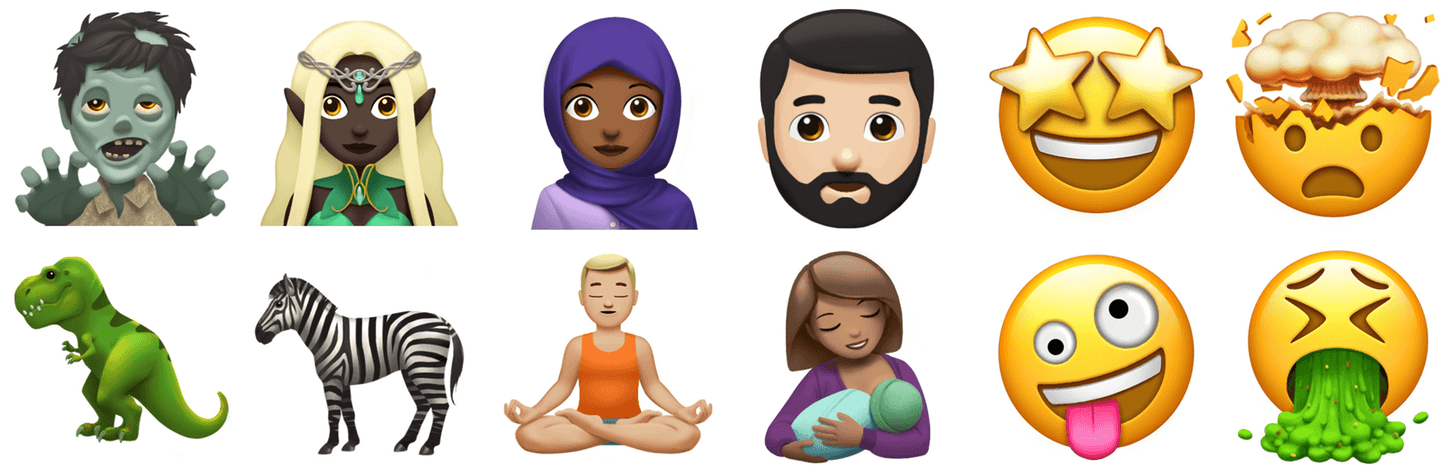
Today marks the 4th annual World Emoji Day, which was started by Emojipedia to celebrate emoji. To mark the occasion, Apple has previewed its designs of the emoji approved as part of the Unicode 10 Standard that will be added to iOS, macOS, and watchOS later this year.

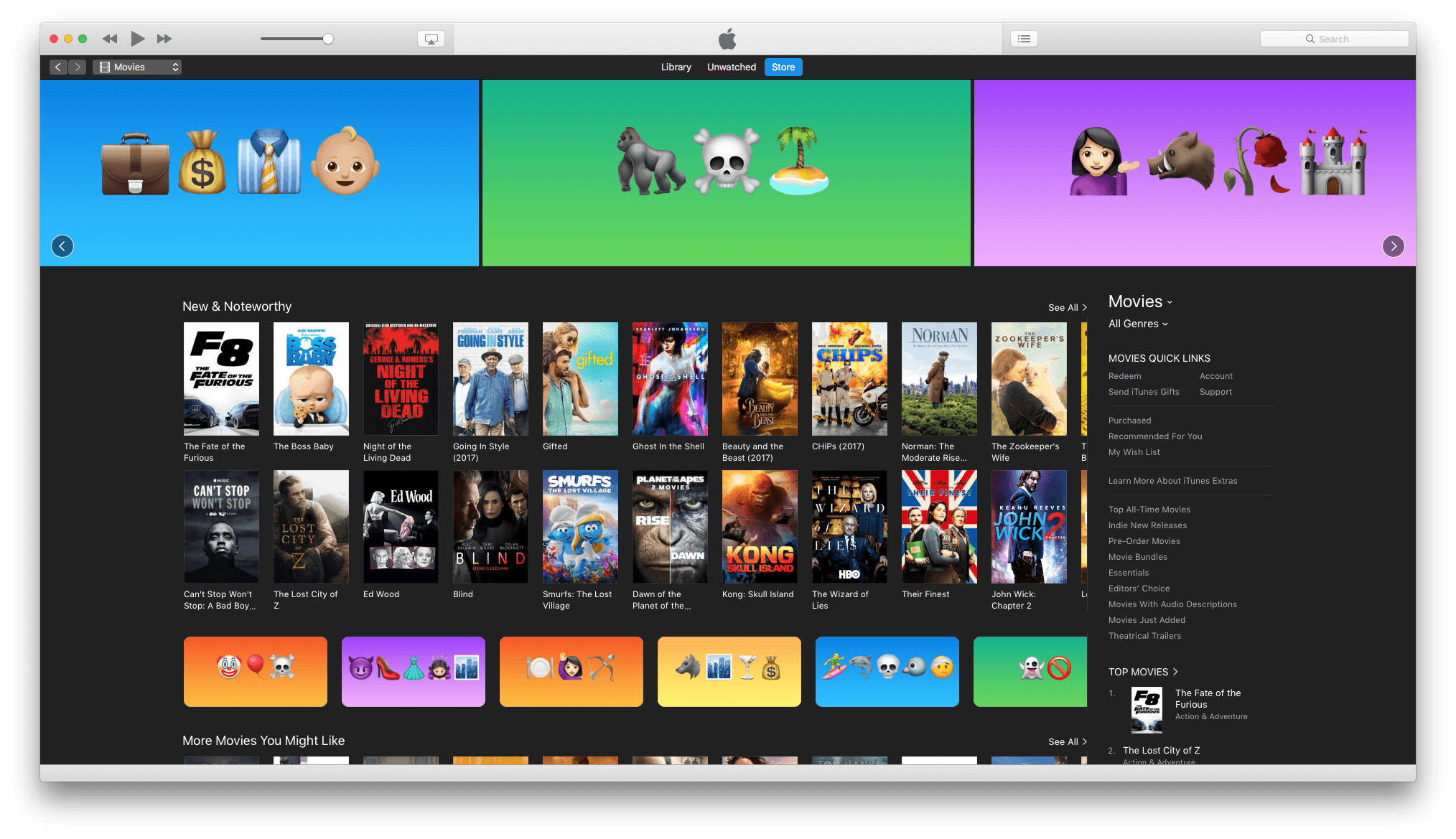
In addition, the Apple Podcasts Twitter account is tweeting emojified versions of the names of popular podcasts and iTunes Movies is featuring emojified movie titles.

For more on World Emoji Day and how it’s being celebrated, check out its official website.


Outlook for iOS Gains Quick Replies, New Conversation View, and More

Microsoft Outlook for iOS was updated today with several new features, and Microsoft announced that another significant update would be coming soon.

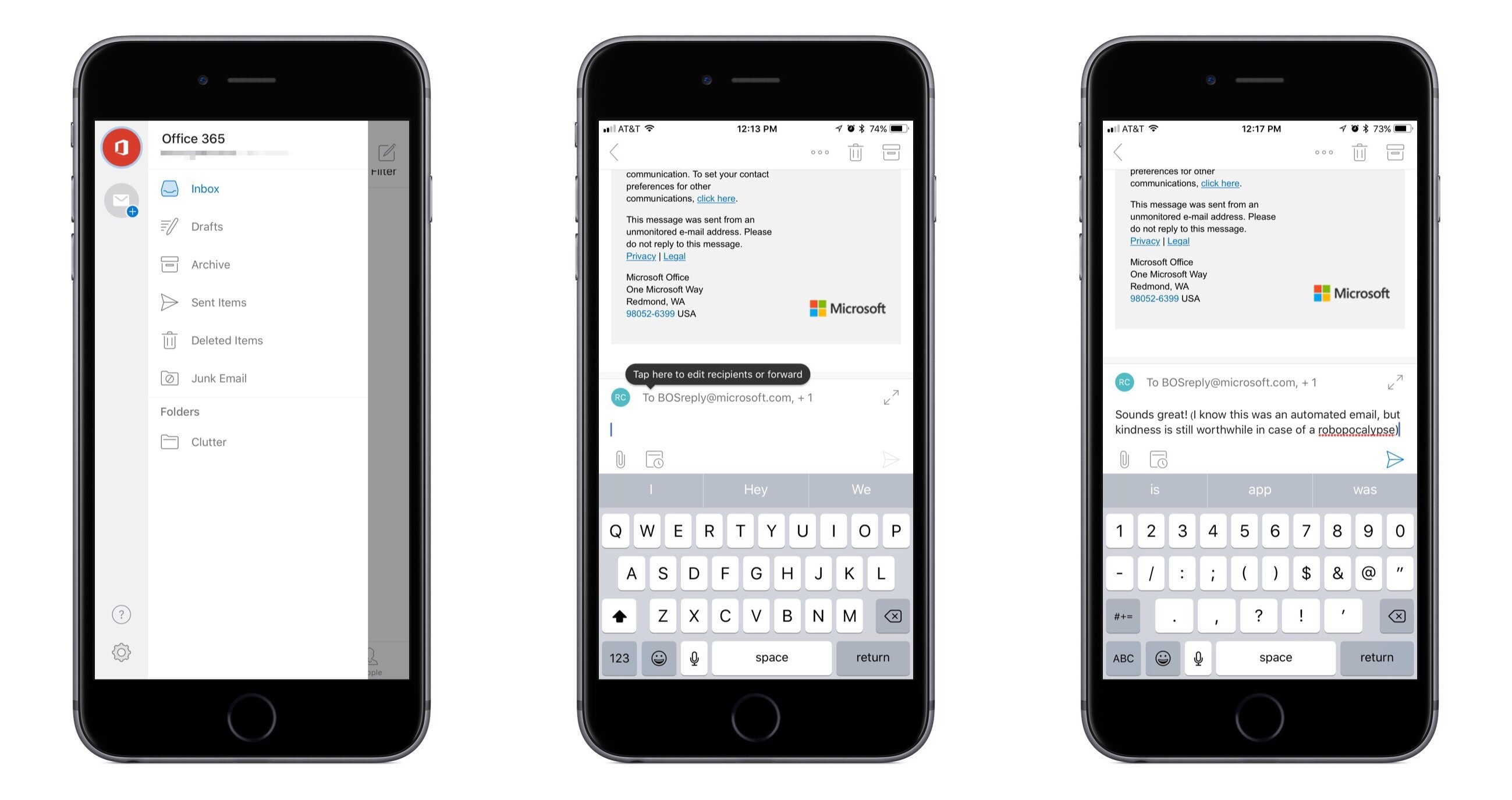
The new feature that appeals to me most is quick reply, which makes the act of replying to an email resemble that of replying to a message in services like Slack or iMessage. At the bottom of each email there’s now a quick reply box you can tap in to begin crafting your response. No need for a separate compose window to appear, taking you out of the conversation; the full conversation is still in view, and you can scroll through it as you wish. I believe compose windows are largely unnecessary friction points that contribute to email’s poor reputation, so while a quick reply box may seem like a small change, for me at least it helps make email easier to deal with. One additional nicety included in the new reply interface is the ability to @mention to call out specific recipients.

Threaded messages in Outlook are now all uncollapsed by default, saving the extra taps previously needed to expand collapsed messages. Now when you open a threaded email you’ll be automatically navigated to the most recent message, so there’s no more need to scroll the full thread before finding what you’re looking for.

Outlook’s sidebar menu now includes a persistent column listing all of your different accounts, making it easier than ever to switch between different accounts. The updated menu also brings more convenient access to folders than was previously available.

These changes are rolling out progressively to all users, so you may not see them immediately.

One other upcoming change Microsoft announced today is that search will soon receive a major upgrade. Outlook’s main navigation tabs will be updated to include only Mail, Search, and Calendar; search’s more prominent placement in the app will be justified due to it including more than just email results – you’ll also find results for people, files, and intelligent information about things like upcoming flights or package deliveries. An exact release date for the new search features wasn’t announced, but Microsoft says it is coming soon.


Microsoft Launches iPhone App for Low Vision Community: Seeing AI

Today Microsoft introduced a new app exclusively for iPhone, Seeing AI. This app is designed as a tool for the low vision community; using the iPhone’s camera and its AI smarts, Seeing AI converts the visual experience of the world into an audible one. As you point the camera at things in the world around you, the app will describe that world in a quick, informative manner.

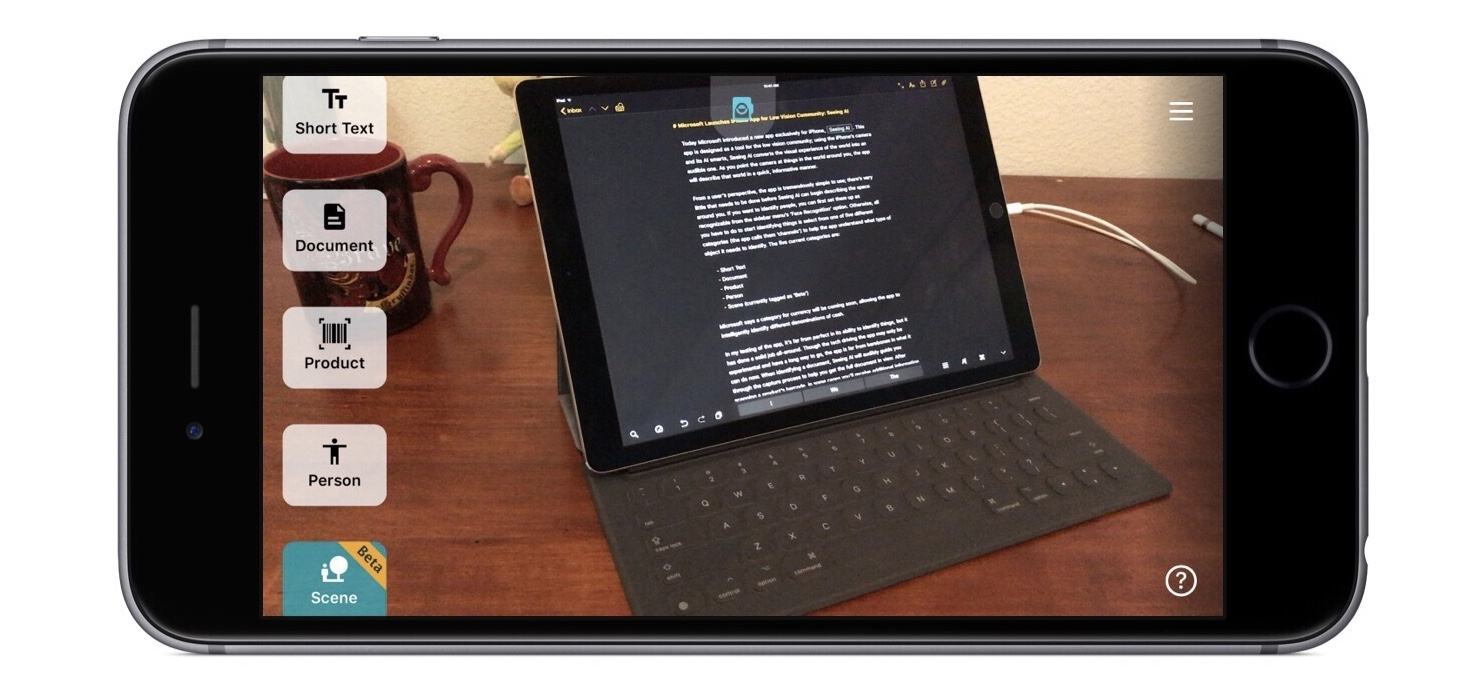
From a user’s perspective, the app is tremendously simple to use; there’s very little that needs to be done before Seeing AI can begin describing the space around you. If you want to identify people, you can first set them up as recognizable from the sidebar menu’s ‘Face Recognition’ option. Otherwise, all you have to do to start identifying things is select from one of five different categories (the app calls them ‘channels’) to help the app understand what type of object it needs to identify. The five current categories are:

  • Short Text
  • Document
  • Product
  • Person
  • Scene (currently tagged as ‘Beta’)

Microsoft says a category for currency will be coming soon, allowing the app to intelligently identify different denominations of cash.

In my testing of the app, it’s far from perfect in its ability to identify things, but it has done a solid job all-around. Though the tech driving the app may only be experimental and have a long way to go, the app is far from barebones in what it can do now. When identifying a document, Seeing AI will audibly guide you through the capture process to help you get the full document in view. After scanning a product’s barcode, in some cases you’ll receive additional information about the product beyond just its name. And if the app is scanning a person, it can even describe a best guess at their visible emotional state. It’s an impressive, deep experience that nevertheless remains dead simple to operate.

Even if you aren’t in the market for Seeing AI yourself, it’s a fascinating product worth checking out, and it’s entirely free. You can download it on the App Store.

Microsoft has a short introductory video that gives a great taste of all that the app can do, embedded below.