Posts in news

Twitterrific for macOS Adds Poll Support and Other Refinements

The Iconfactory is on a tear with Twitterrific for macOS updates. Version 5.0, the crowdfunded rebirth of the app, launched less than a month ago. A couple of weeks later, Twitterrific 5.1 added muffles and mutes, which we discussed on AppStories this week. Then yesterday, Twitterrific 5.2 dropped, with support for polls and and an enhancement of its user search functionality.

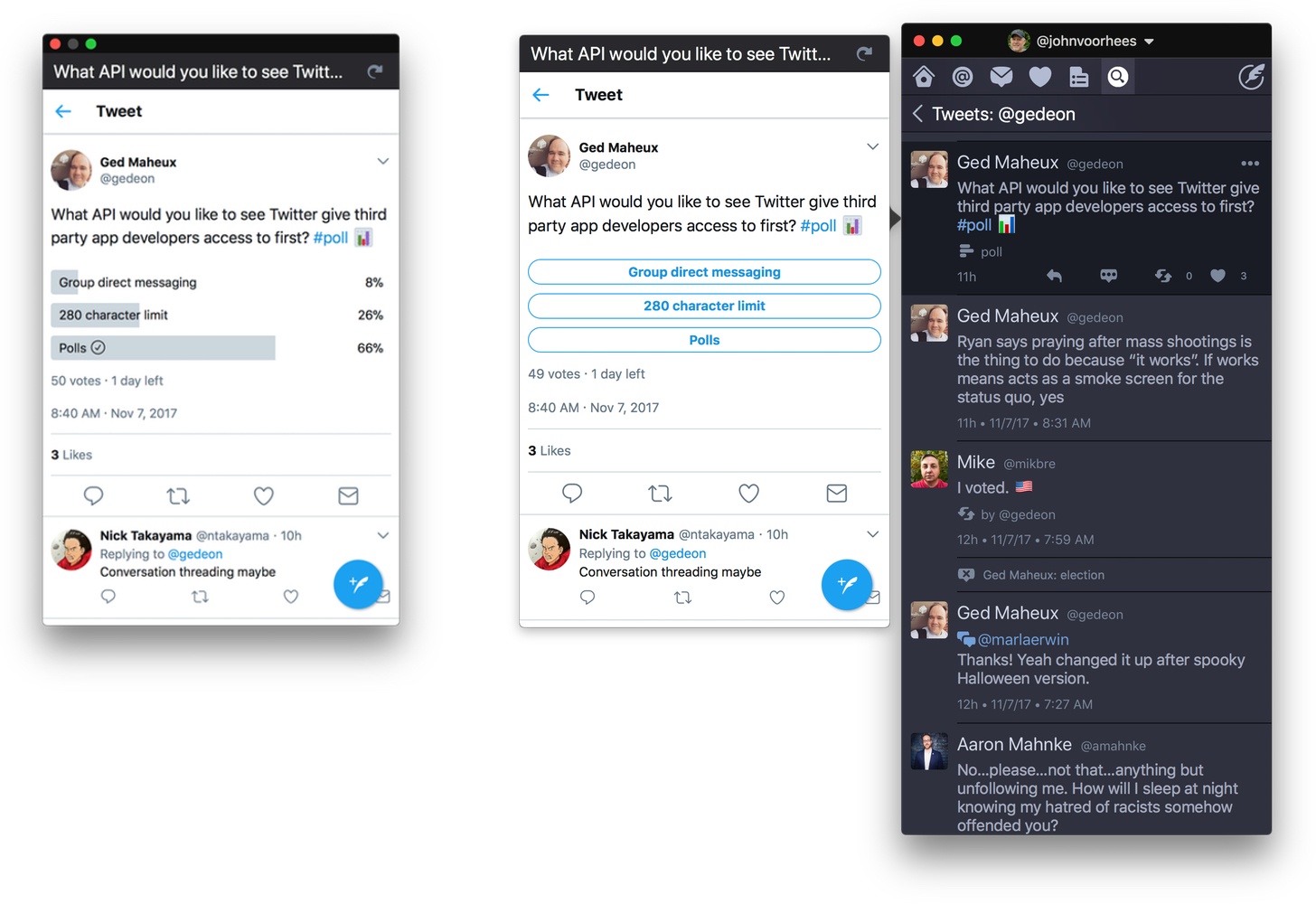
Poll support is notable because third-party developers don’t have access to Twitter’s polling APIs. Instead, users of third-party Twitter clients have had to go to the official Twitter client or the web to vote in polls, which I rarely bothered to do. Lack of API support hasn’t stopped The Iconfactory from implementing a workaround to make polls available to its users though. The feature isn’t perfect, but in my preliminary testing, I’ve been impressed with how well it works.

Twitterrific detects tweets that include polls by looking for clues like whether ‘#poll’ or the graph or ballot box emoji are used. The app also looks at the format of the question posed. If a tweet looks like a poll, Twitterrific displays a button below the text of the tweet. When the poll button is clicked, a popover with a mini-browser opens the poll so you can vote and see the results. If you want to monitor a poll, drag the popover away from your timeline to transform it into a standalone window that will stay put and can be refreshed with the latest results.

Poll creation still requires Twitter’s app or website, which cannot be avoided. Nonetheless, I can already tell that being able to open a poll, vote, and view results all from Twitterrific is going to increase my participation in them. For now, the feature is available on macOS only, but it is under consideration for the iOS app depending on how well it is received by users on the Mac.
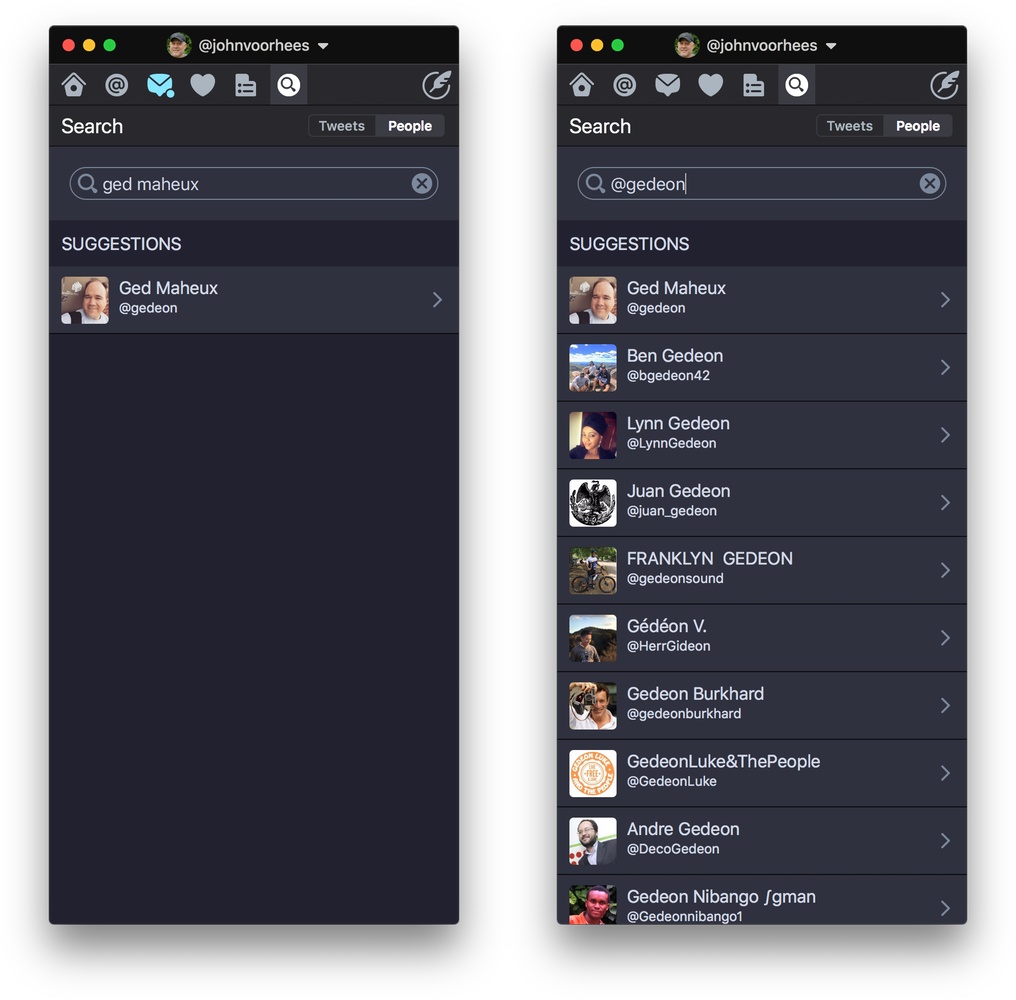
Use the Cmd+U keyboard shortcut to search for a Twitter user quickly.

Use the Cmd+U keyboard shortcut to search for a Twitter user quickly.

Twitterrific also added fast user searching via the Cmd+U keyboard shortcut and has improved syncing of your timeline position between iOS and macOS. Next up for both versions of the app is support for Twitter’s new 280-character tweet limit, which, unlike polls, is available to third-party developers.

If you’re interested in trying a new Twitter client, Twitterrific is an excellent choice. The handful of gaps in the macOS version’s original feature set are being addressed rapidly and innovative approaches to things like polls set it apart from its competitors.

Twitterrific 5.2 is available on the Mac App Store.


Twitter Adopts 280-Character Tweet Limit

Twitter extended the 140-character limit of tweets to 280 characters for a test group of users in September. In a blog post today, Twitter’s Aliza Rosen proclaimed the test a success noting that the additional characters have been used where needed, but that most tweets remain under the previous 140-character limit.

As a result, Twitter has begun to roll out the new feature worldwide for every language where ‘cramming’ was an issue. The company describes cramming as:

the deviation of the actual length distribution from the theoretical log-normal distribution near the character limit — “cramming,” as it likely reflects people’s attempts to “cram” their Tweets within the character limit.

In plain English, cramming is when your tweet is just a little long, and you spend time editing it to fit into 140 characters. According to Rosen:

Historically, 9% of Tweets in English hit the character limit. This reflects the challenge of fitting a thought into a Tweet, often resulting in lots of time spent editing and even at times abandoning Tweets before sending. With the expanded character count, this problem was massively reduced – that number dropped to only 1% of Tweets running up against the limit. Since we saw Tweets hit the character limit less often, we believe people spent less time editing their Tweets in the composer. This shows that more space makes it easier for people to fit thoughts in a Tweet, so they could say what they want to say, and send Tweets faster than before.

Cramming is a bigger problem for some languages than others. At the other end of the spectrum are languages like Chinese, Japanese, and Korean, which can express more in fewer characters and will continue to have 140-character limits.

The new tweet length limit is still rolling out to users. If you don’t have 280 characters to work with yet, check the official Twitter again later because it will undoubtedly take a while to propagate to all users.


Introductory Pricing Coming to App Subscriptions

Earlier today, Apple released iOS 11.2 beta 2 to developers. The release notes accompanying the beta include the following announcement:

Soon, you’ll be able to offer new customers a discounted introductory price for your auto-renewable subscriptions on the App Store. iOS 11.2 introduces new classes … and new properties … to provide details on the introductory pricing and billing period you’ve selected for your auto-renewable subscriptions. You’ll be able to configure introductory pricing on your in-app purchase page in iTunes Connect soon.

Auto-renewing subscriptions were made available to all app developers with iOS 10 and already include the option to offer a free trial. With iOS 11.2 though, developers will have added flexibility to help them attract customers.


Balance Is a Wallet for the World’s Currencies [Sponsor]

We are on the cusp of a financial revolution fueled by crypto-currencies and Balance makes it easy for everyone to get involved. You’ve probably heard of Bitcoin, one of the earliest crypto-currencies, but there are others like Ethereum. Balance connects to the most popular crypto-currency exchanges like Coinbase along with traditional financial institutions bridging the gap between the old financial world and the new one.

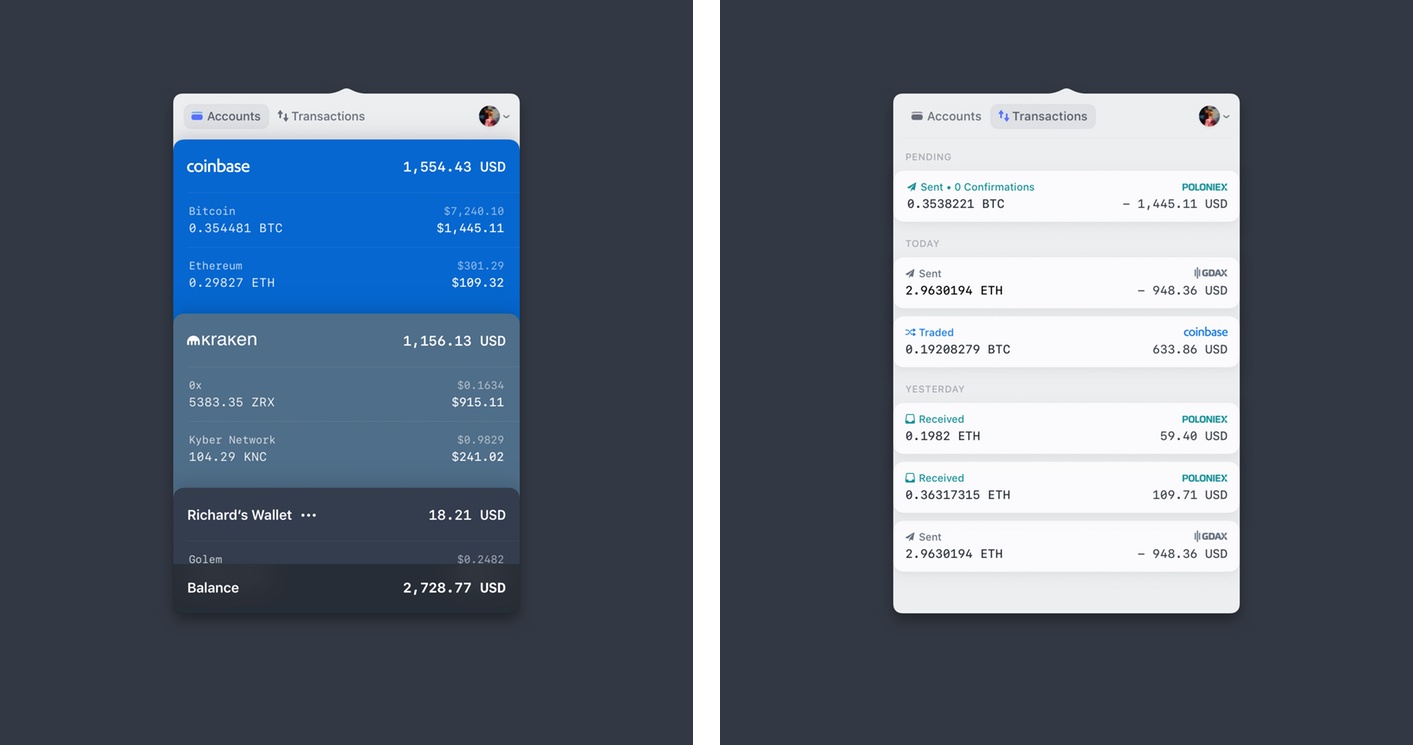
Balance for macOS.

Balance for macOS.

Balance is a menu bar app for macOS. The app connects with crypto-currency exchanges as well as traditional bank accounts, investment accounts, credit cards, and online services like PayPal using Plaid, a super-secure platform that works with financial institutions around the world.

When you set up accounts in Balance, the app automatically updates them periodically with new transactions, so you’re always up to date. You can click through the app’s tabs to view balances, transactions, notifications and gain insights about your spending. Soon, Balance will release an iOS version of their app too.

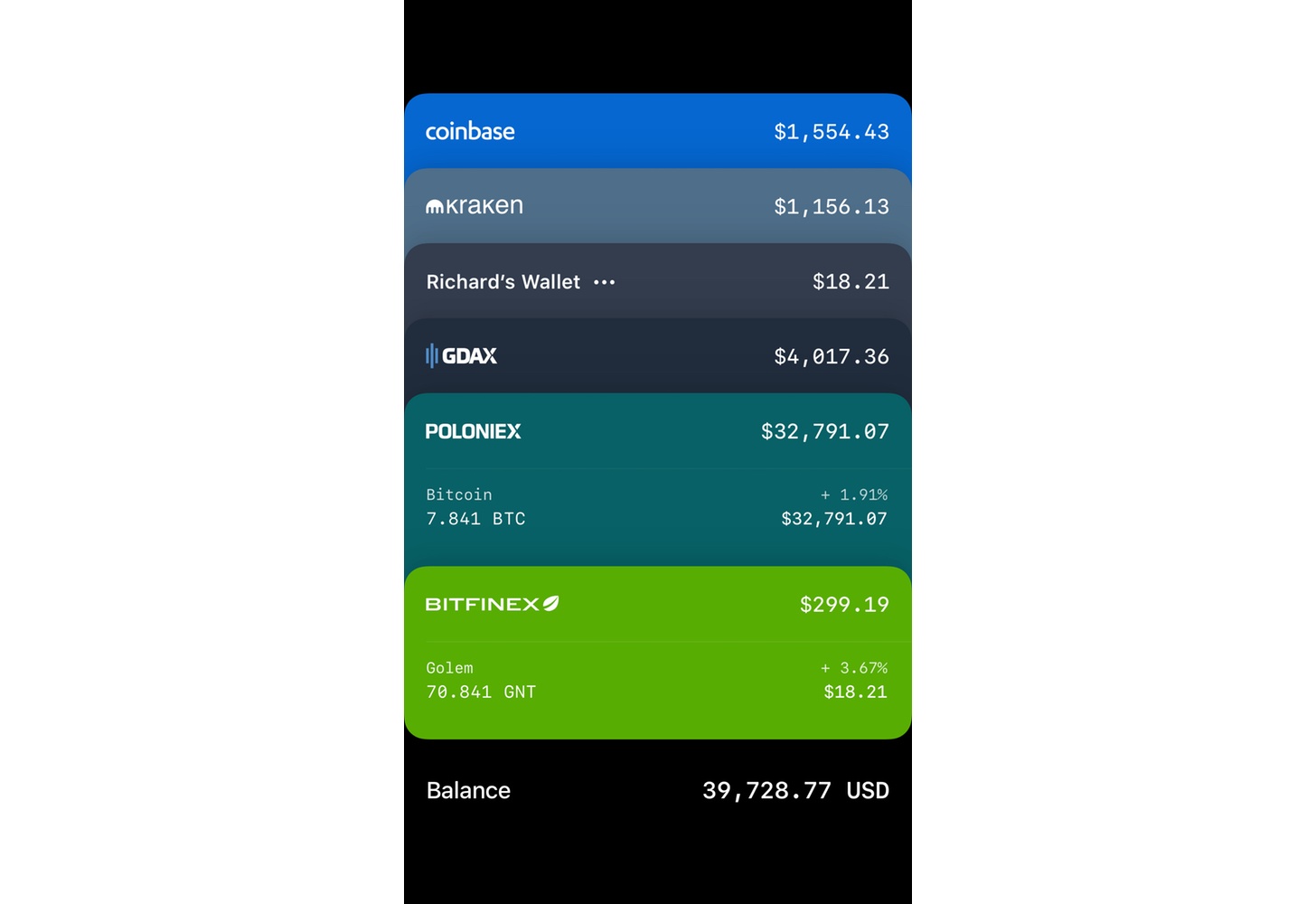
Balance for iOS is coming soon.

Balance for iOS is coming soon.

Balance is ready for the future. The current financial system is based on outdated, legacy software. Blockchains are the bedrock of a more secure and open system based on cryptocurrencies, but not many people are using them yet. Balance is poised to change that by becoming a single destination for traditional financial accounts and crypto-currency exchanges.

Balance has a great offer for MacStories readers who want to see what crypto-currencies are all about. Just go to bal.money/macstories and you’ll get $2 worth of Ether in a Coinbase account that you can link to Balance and track with its menu bar app. It’s a great way to see for yourself what the financial world’s future looks like.

Our thanks to Balance for sponsoring MacStories this week.


Apple Q4 2017 Results: $52.6 Billion Revenue, 46.7 Million iPhones, 10.3 Million iPads Sold

Apple has just published its financial results for Q4 2017. The company posted revenue of $52.6 billion. Apple sold 10.3 million iPads, 46.7 million iPhones, and 5.4 million Macs during the quarter.

“We’re happy to report a very strong finish to a great fiscal 2017, with record fourth quarter revenue, year-over-year growth for all our product categories, and our best quarter ever for Services,” said Tim Cook, Apple’s CEO. “With fantastic new products including iPhone 8 and iPhone 8 Plus, Apple Watch Series 3, and Apple TV 4K joining our product lineup, we’re looking forward to a great holiday season, and with the launch of iPhone X getting underway right now, we couldn’t be more excited as we begin to deliver our vision for the future with this stunning device.”

Read more


Amazon Adopts ARKit in iOS Shopping App for Select Products

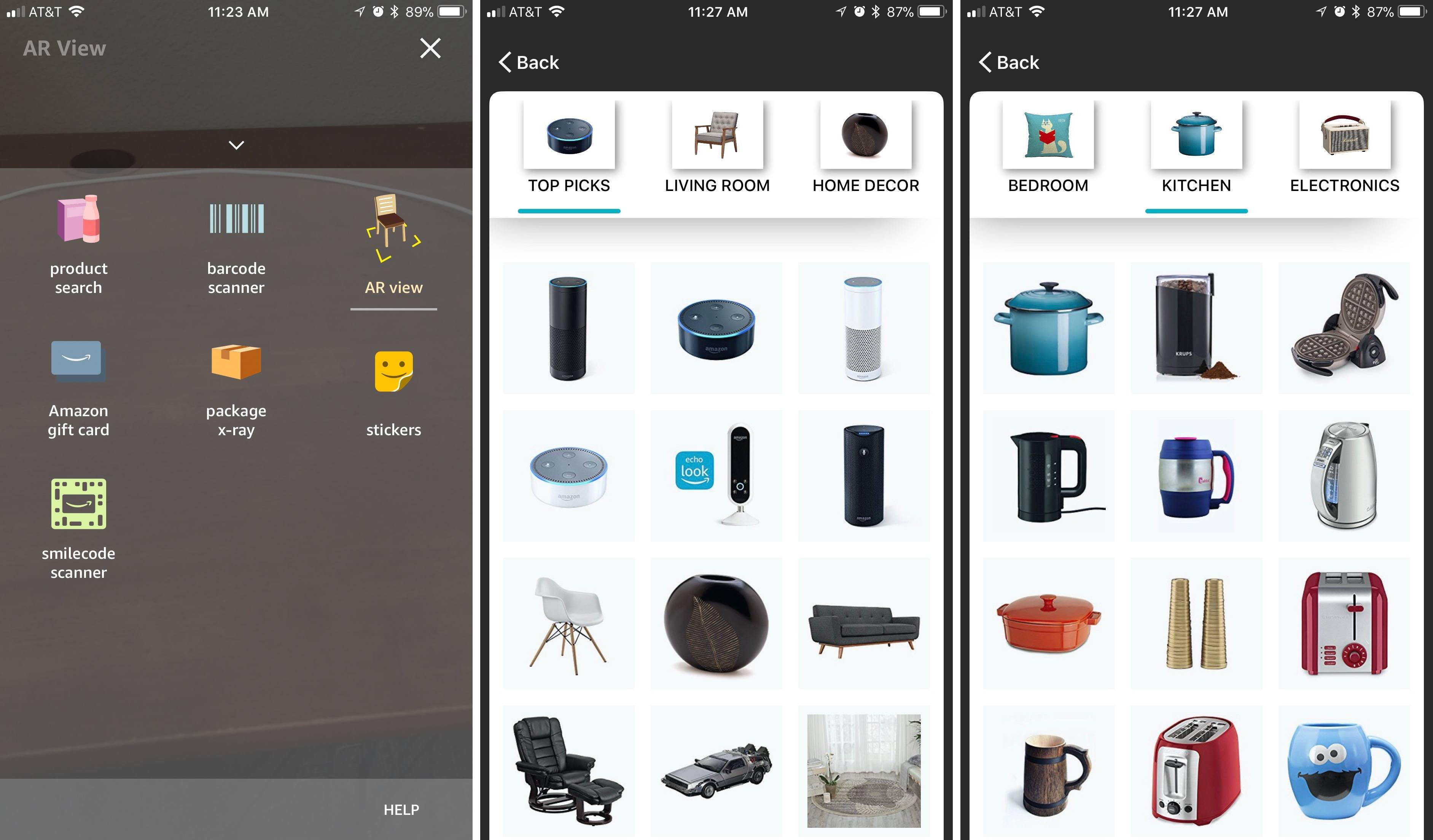
In an update released for its iOS shopping app, Amazon has introduced a new way of viewing items from the online retailer: AR View. Built on Apple’s ARKit technology in iOS 11, AR View provides shoppers with a better understanding of how products will look when placed inside their homes.

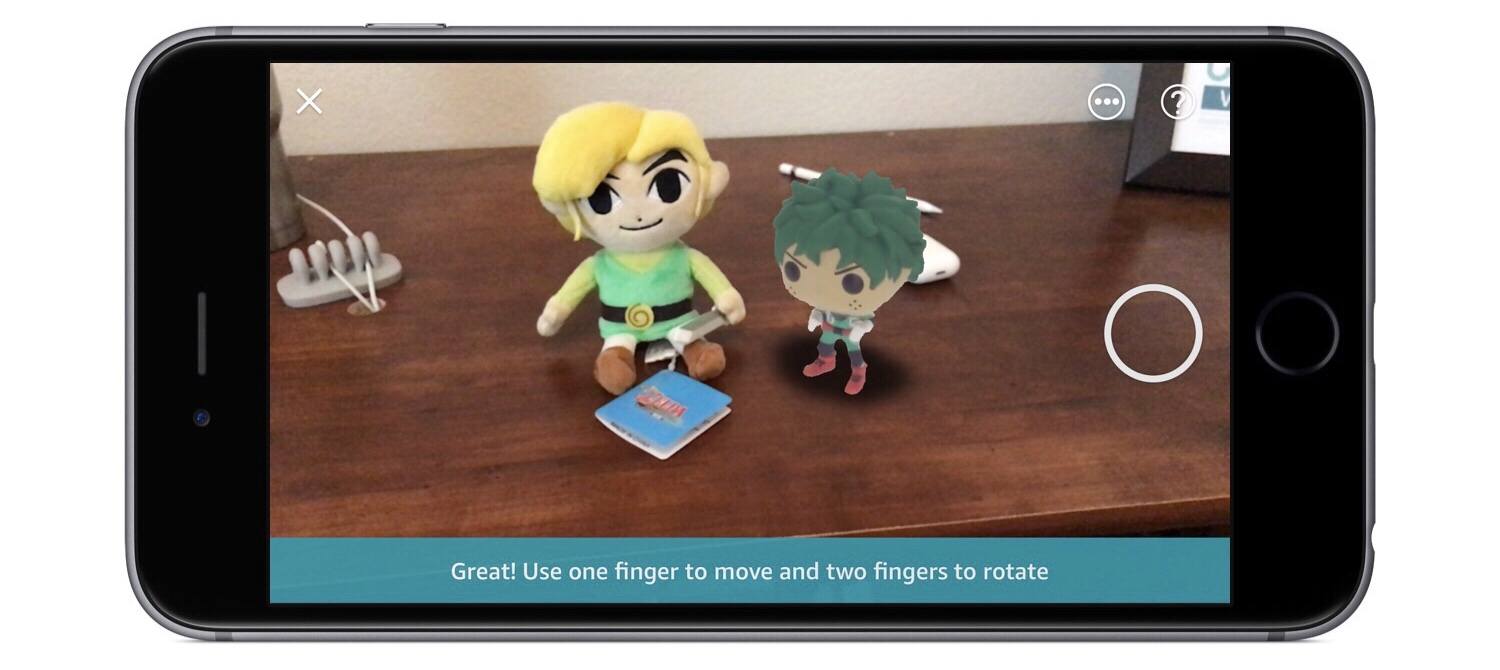
AR View is accessed inside the Amazon app by tapping the camera button, then selecting AR View from the assortment of camera options. You’ll then get to browse through a limited selection of product categories, such as Living Room, Kitchen, and Electronics; there’s also a Top Picks section. Unlike the similar AR experience from IKEA Place, only one product can be previewed in Amazon’s AR View at a time. After placing a product in AR, you can move its position or rotate it, and pressing the button with three dots will take you to the full product page for initiating a purchase.

Amazon claims that thousands of items are available in AR View, but currently only a fraction of that estimate appears for me inside the app; we should except the number of AR-compatible items to grow over the coming holiday shopping season. It also wouldn’t be surprising to see AR View roll out to other parts of the app in the future, such that if you’re viewing the product page for an Amazon Echo, for example, there will be a button that allows you to instantly view the item in AR.

Today’s version of AR View is a first step toward enhancing the Amazon shopping experience with AR. There’s plenty more work to be done, but it’s exciting to see a glimpse into how transformative AR can potentially be for online shopping.


IKEA’s Trådfri Lighting System Adds HomeKit and Alexa Support

After a miscommunication in August, IKEA has added Alexa and HomeKit support to its Trådfri smart lighting system, which it originally promised back in May. The lighting system includes a gateway, remote controls, and LED lightbulbs that can be mixed and matched in different configurations at prices that are competitive with rival systems. For example, two Trådfri bulbs, a remote, and the required gateway costs $79.99 compared to two similar Philips Hue bulbs and a gateway for $69.99. Each gateway controls up to 10 lightbulbs using one of IKEA’s remotes, an iOS app, Amazon’s Alexa App, Apple’s Home app, or your voice via Amazon and Apple’s smart assistants.

The addition of Alexa and HomeKit support means the Trådfri lighting system can be integrated with smart home accessories from other companies and controlled with any Alexa or Siri-enabled device. The IKEA Trådfri app, which can be downloaded for free from the App Store, lets users control their Trådfri lights, customize settings like the warmth of the the light, and set timers.

The release of HomeKit-enabled devices has accelerated this year. An increasing number of manufacturers like IKEA are also hedging their bets by integrating Alexa support alongside HomeKit support, which is good for consumers who benefit whether they’ve chosen one system over the other or assembled a hybrid Alexa/HomeKit environment.


Nintendo Disappointed by Super Mario Run Profits

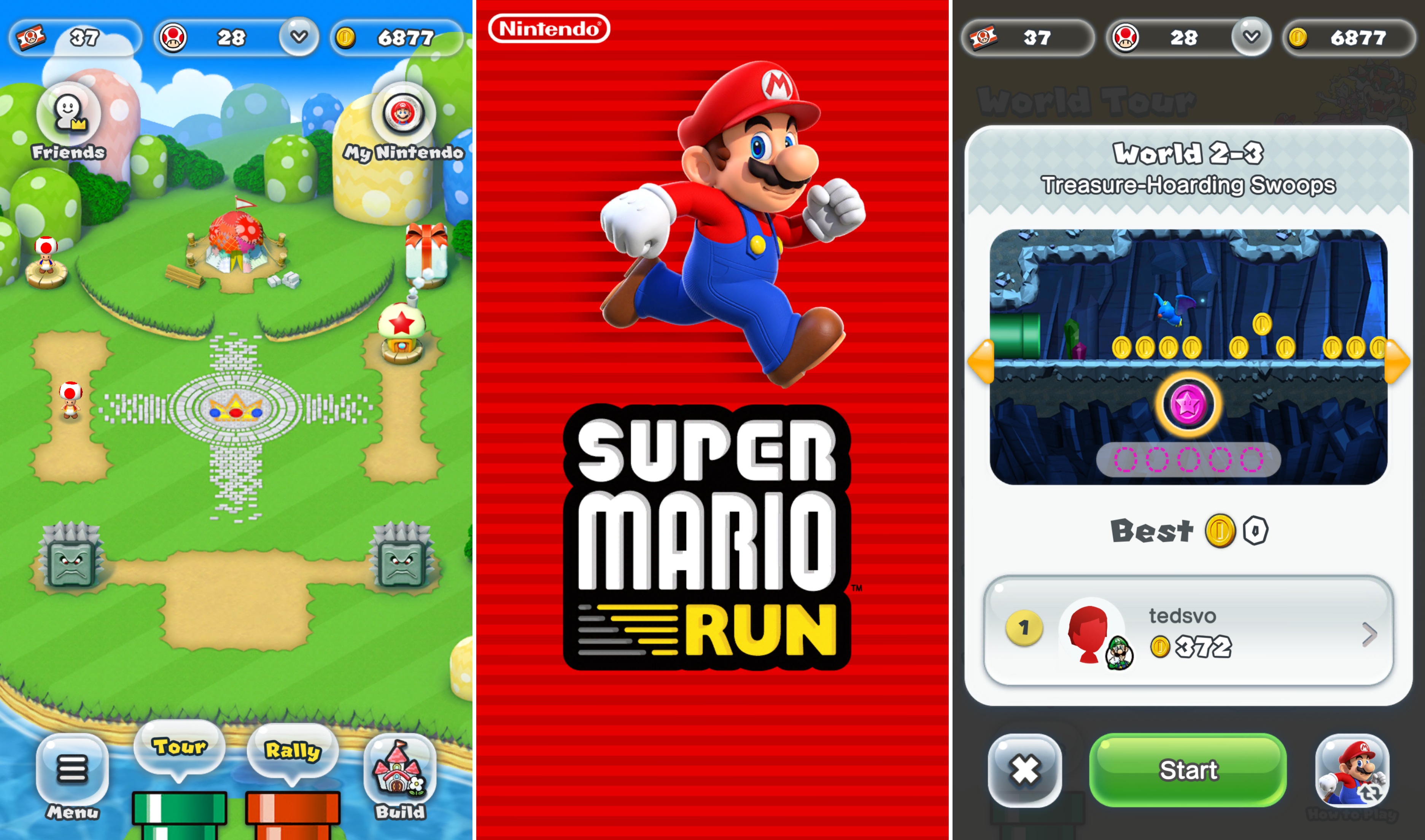
As part of its earnings report, Nintendo announced today that its iOS game, Super Mario Run, has not yet reached ‘acceptable profits.’ At this point, nearly a year after the game’s debut, it’s hard to imagine when, if ever, that point will be reached barring a major shift in the game’s business model.

Super Mario Run took the App Store by storm in December 2016 breaking download records and topping the charts around the globe. But the game, which is free to download costs $9.99 to unlock all the levels. That’s a steep price by App Store standards for games. About a month later, the Wall Street Journal reported that Super Mario Run had been downloaded 78 million times and earned $53 million in revenue.

In contrast, Nintendo says that Fire Emblem, which was released in February and features a free-to-play model, has met its profit objectives. The same in-game consumables model has been adopted for Animal Crossing: Pocket Park, which is available in Australia and New Zealand but won’t debut in the rest of the world until late November.

I’m not a fan of free-to-play games in general, although they can be done tastefully. Perhaps Nintendo’s profit expectations for Super Mario Run were too optimistic from the start, but it’s hard to argue against free-to-play for a company like Nintendo when even its most beloved franchise is perceived a failure on mobile platforms.