Posts in news

Apple Releases iOS 11.2.5 with HomePod Support, External Audio Source Control, Fix for Messages Bug, and More

Today Apple released the latest version of iOS, 11.2.5, which includes compatibility with Apple’s upcoming HomePod, arriving February 9. Today’s update also brings new playback controls for external audio sources, a fix for the recently discovered “chaiOS” Messages bug, and various other bug fixes and improvements.

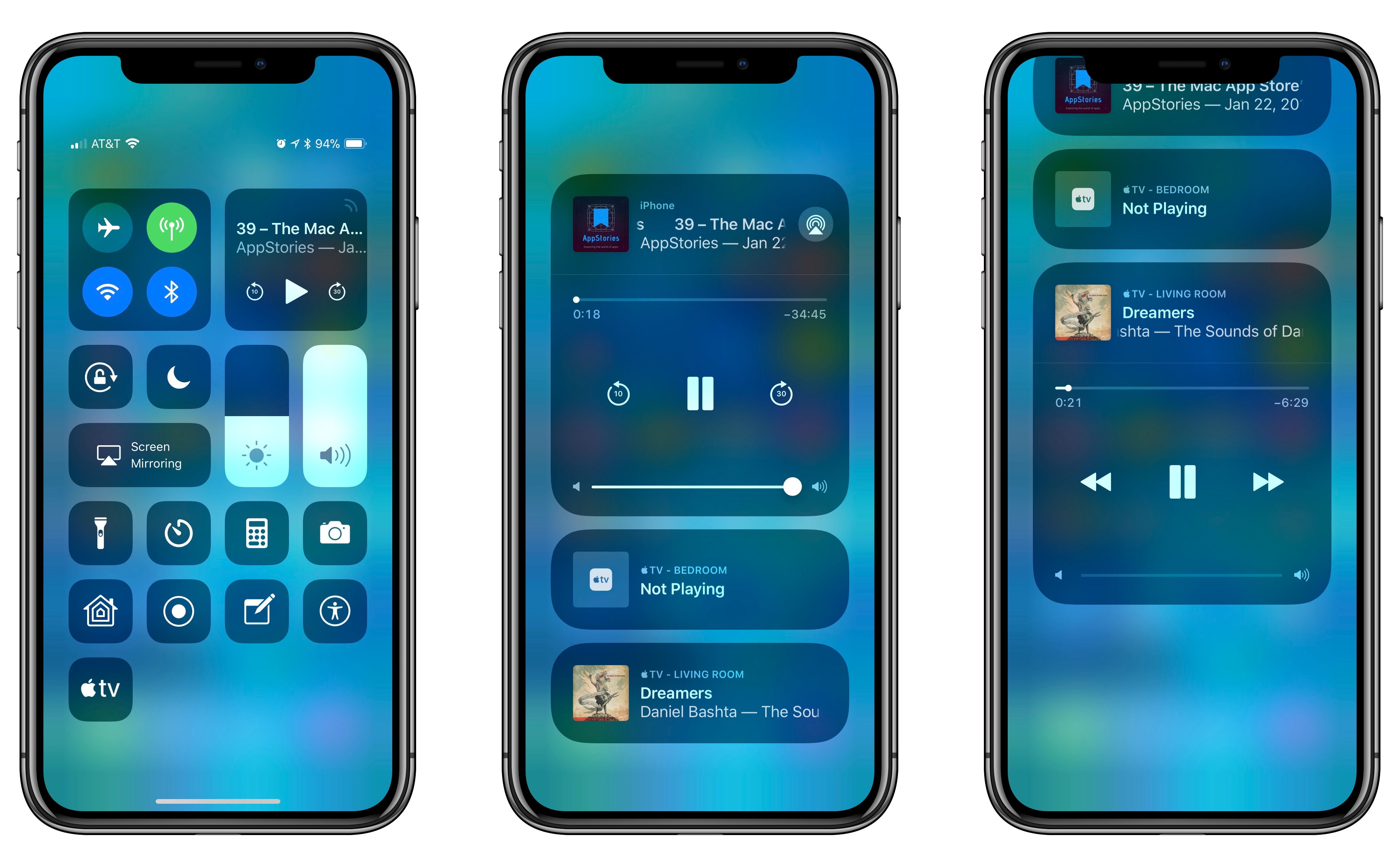
Besides adding compatibility with HomePod, the primary user-facing feature of today’s release is a new set of controls for audio playback on external devices. When viewing Control Center on your iPhone or iPad, if you open the expanded audio playback tile (either by tapping the signal icon in the top-right corner, or by using 3D Touch or a long press), compatible external audio sources now display as separate UI tiles underneath the main audio tile. As seen above, the Apple TV is a supported audio device. Opening one of the additional audio tiles allows you to control playback on an external device while having separate playback controls from what’s playing on your iOS device. In my testing, I could set an album in Apple Music to play on my Apple TV while listening to a podcast in Apple Podcasts on my iPhone.

Apple also mentions in the 11.2.5 release notes that Siri can now read the news by being asked, “Play the news.” This feature actually became available recently to users running 11.2.2, but it has not previously been highlighted in iOS release notes. U.S. users can choose from four news sources – NPR, CNN, Fox News, and the Washington Post – which play their daily news podcasts upon your request. You can also ask for news specific to Sports, Business, and Music.

Amid the various bug fixes included in iOS 11.2.5 is one pertaining specifically to Messages. Discovered last week, the “chaiOS” bug would cause your iOS device to freeze or crash if you received a certain string of text in an iMessage. The bug was particularly dangerous because it required no user interaction to affect a device; once you received the text, your device would begin having problems.

iOS 11.2.5 is joined today by companion releases on Apple’s other major platforms, including tvOS 11.2.5, watchOS 4.2.2, and macOS 10.13.3.


DuckDuckGo Launches Browser Extensions, Revamped Mobile Apps for Increased User Privacy

DuckDuckGo, the popular search engine for privacy-conscious users, today launched major updates to its browser extension and mobile apps in an effort to grant users data protection no matter where they are on the web.

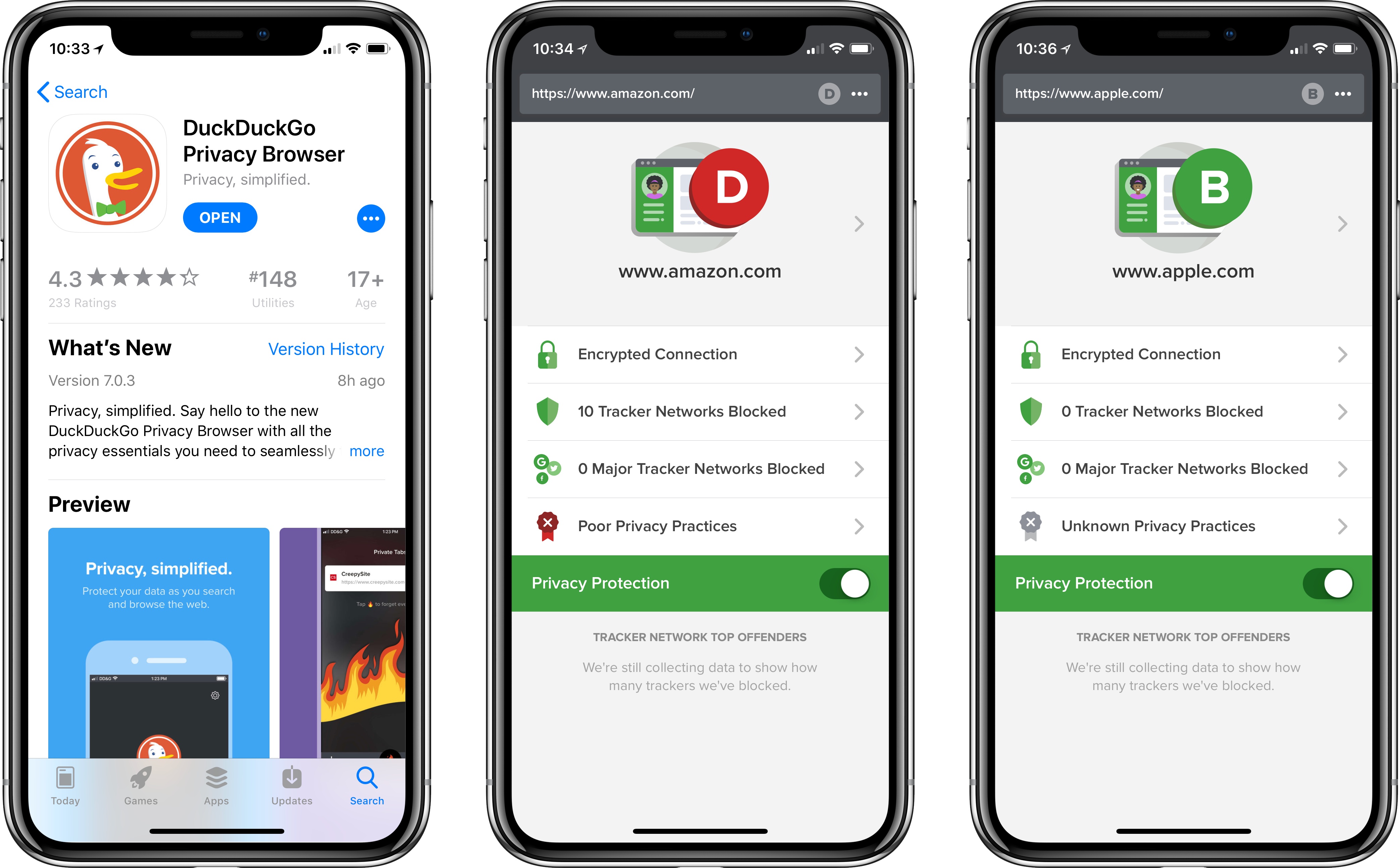
The browser extension – available for Safari, Chrome, and Firefox – joins the revamped DuckDuckGo app on iOS and Android in providing a set of privacy features that affect your full browsing experience. In addition to the existing private search feature DuckDuckGo is known for, the extension and app now offer built-in tracker network blocking, smarter encryption, and a Privacy Grade rating for sites you visit.

DuckDuckGo’s privacy features work seamlessly in the background for those using the extension or mobile app. Any hidden trackers detected by DuckDuckGo will be blocked, and users will be able to see a full list of exactly what has been blocked. If a site offers an encrypted version but doesn’t automatically send all users to it, DuckDuckGo will perform that routing itself.

The Privacy Grade ratings are an interesting feature designed to give users a quick, easy understanding of each site’s privacy practices. Each site receives its grade based on several factors – whether it offers an encrypted connection, what, if any, tracker networks are detected, including major tracker networks, and whether the site has published privacy practices that DuckDuckGo has vetted. Based on all of this information, each site contains a unique privacy grade ranging from A to F. The site will also receive an ‘enhanced grade’ where applicable, meaning the grade for the site after DuckDuckGo has deployed its blocking technology. Sites can only receive a perfect ‘A’ grade if no trackers were detected and the site’s privacy policies have been reviewed by DuckDuckGo.

I’ve been using DuckDuckGo as my primary search engine for nearly a year, and have had a great experience with it. It will be interesting to see what difference, if any, DuckDuckGo’s vetting and grading of sites will make in shaping future privacy practices.


Apple Announces HomePod Available to Order This Friday, In Stores on February 9

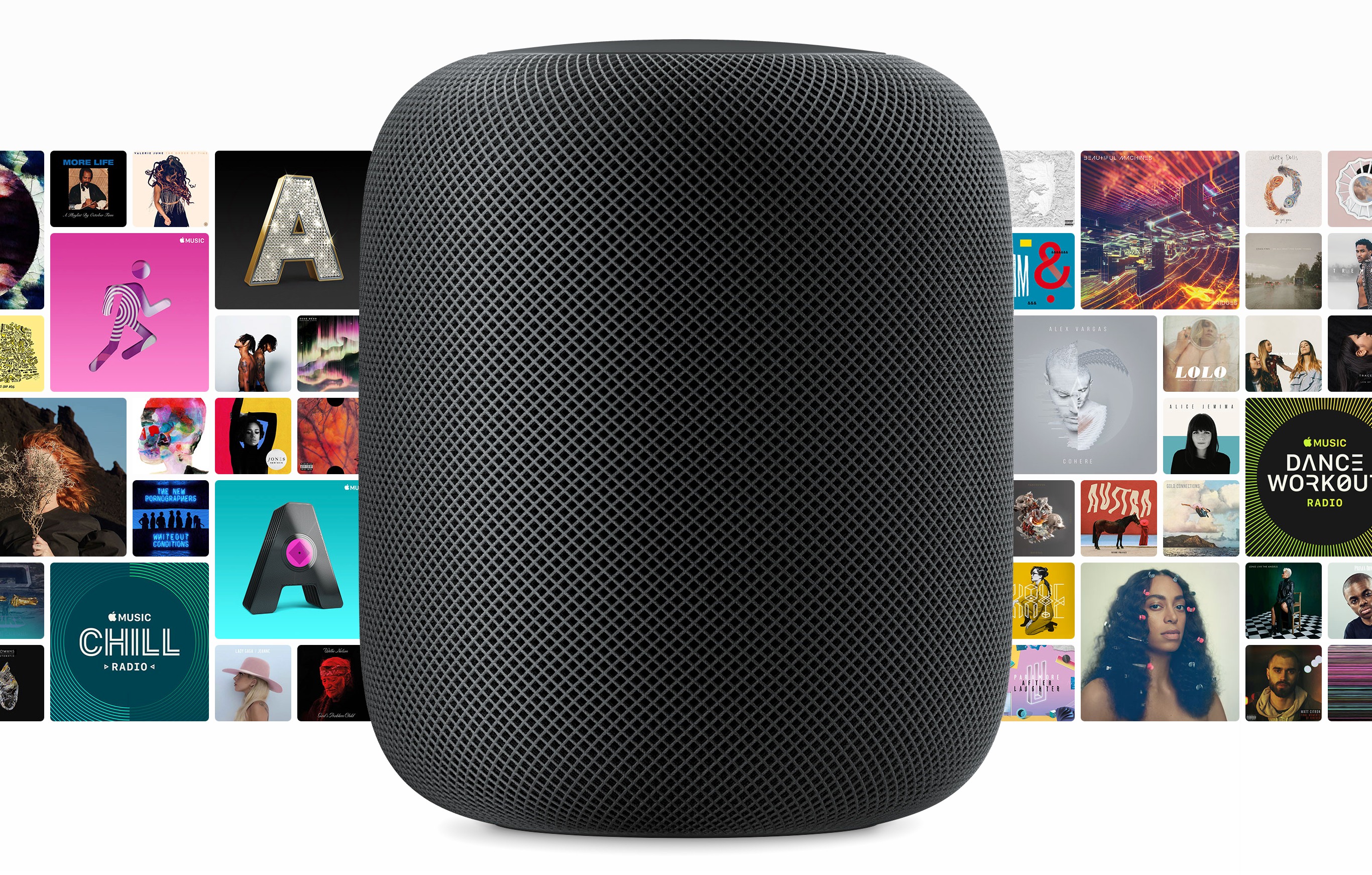
Today in a press release, Apple announced that its HomePod device will be available to order beginning this Friday (January 26) for the previously announced price of $349, and will ship for a release date of Friday, February 9. HomePod will be available in two color options: White and Space Gray.

HomePod was first unveiled last June during Apple’s WWDC keynote, with an announced ship date of December. It wasn’t able to make that date, receiving a new ‘Early 2018’ estimated release in mid-November. Historically, that kind of designation has meant anytime up through April is possible. Fortunately, prospective HomePod buyers won’t have to wait quite that long.

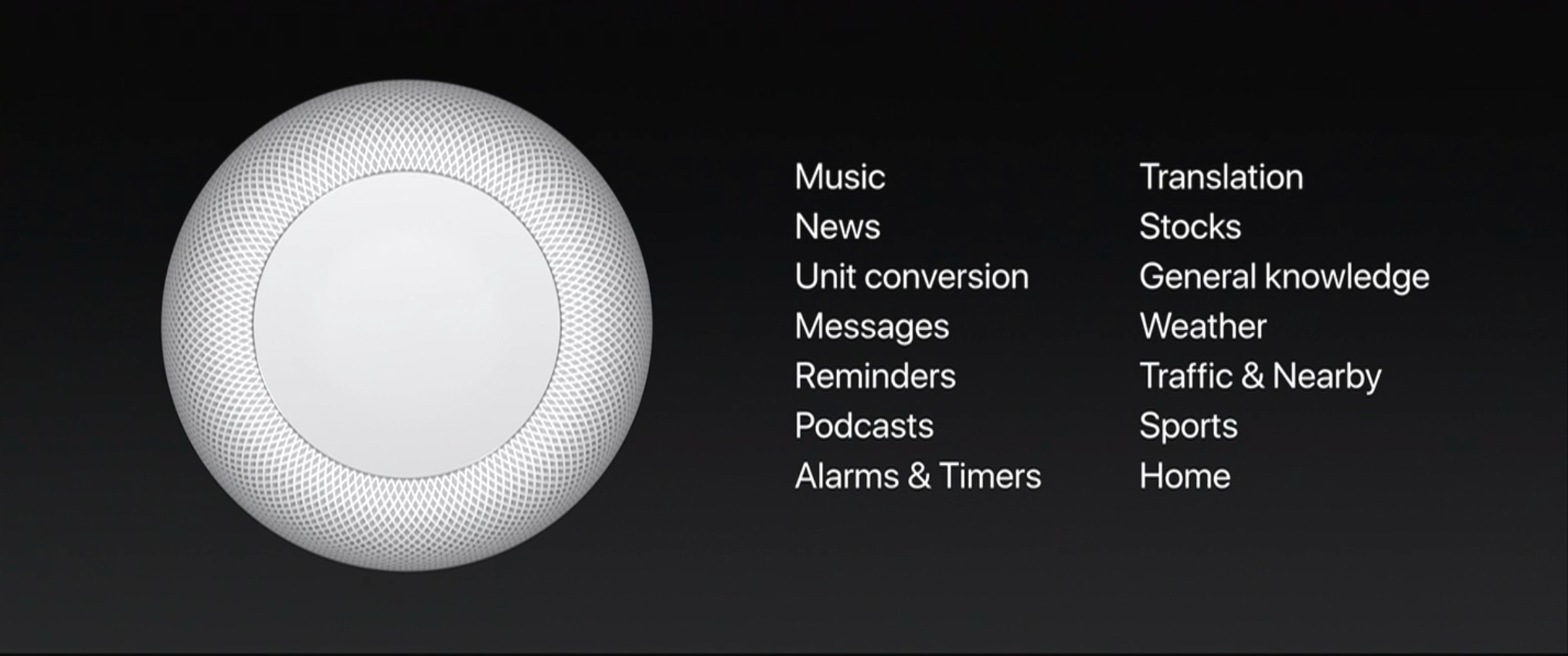
As Apple’s first entry into the smart speaker market, HomePod is the company’s answer to popular products like the Amazon Echo and Google Home. Unlike those other devices, however, HomePod is being marketed more as a premium-quality speaker, primed for music playback, than as a digital assistant hub. Siri is certainly an important component of the device, but at least for now, its role is being somewhat downplayed. At WWDC Phil Schiller announced that at launch, the HomePod’s version of Siri will only support a limited number of domains.

While these domains cover the majority of Siri’s normal functionality on iOS devices, some notable categories missing that would make sense for the HomePod include calendars, audiobook playback using iBooks, and Notes. With the HomePod’s release so early in the year, it’s possible we’ll receive word on additional domains at WWDC this June. Until then, what you’re getting with HomePod is exactly what Apple announced onstage: a powerful home speaker with Apple Music integration, which also happens to be a HomeKit hub that includes Siri, but in limited capacity.

One standout piece of news in today’s announcement is that the HomePod’s multi-room audio capabilities won’t be available at launch, but instead will come later through a software update. This seemingly supports previous rumors that AirPlay 2’s development may have been what led to HomePod’s initial delay.

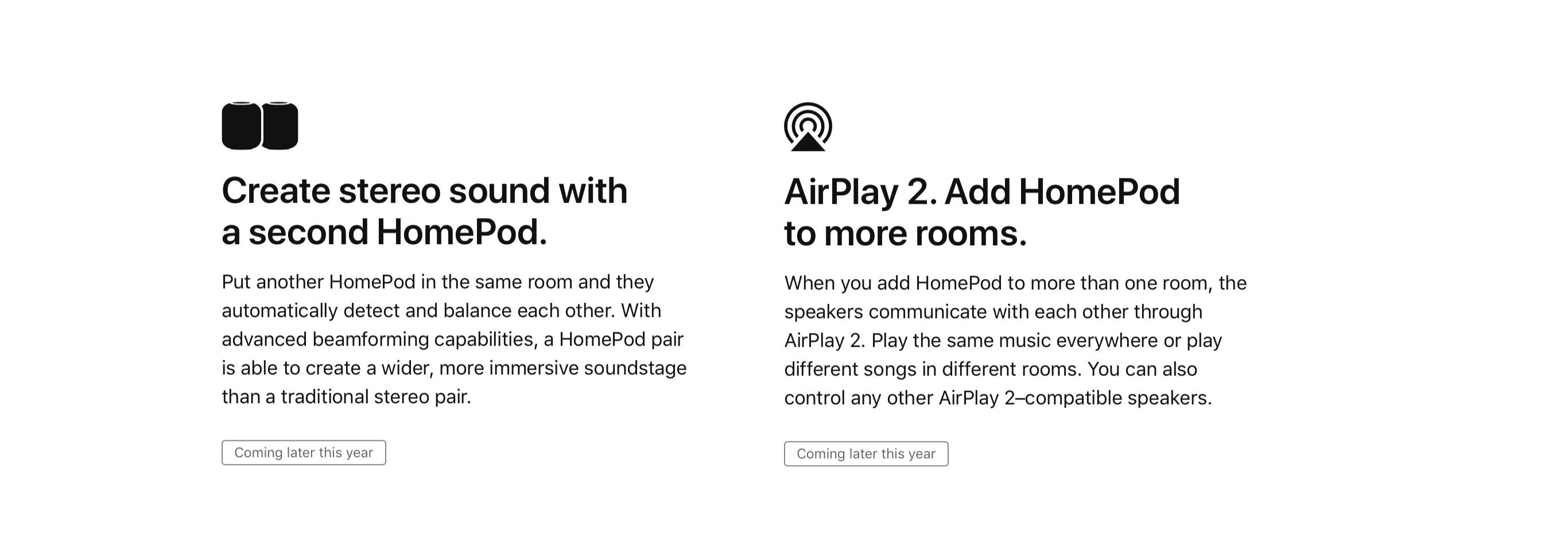
Update: The HomePod page on Apple’s website confirms that not only is AirPlay 2’s multi-room support delayed until later this year, but so is the previously demoed capability to have two HomePods pair together for offering stereo sound.

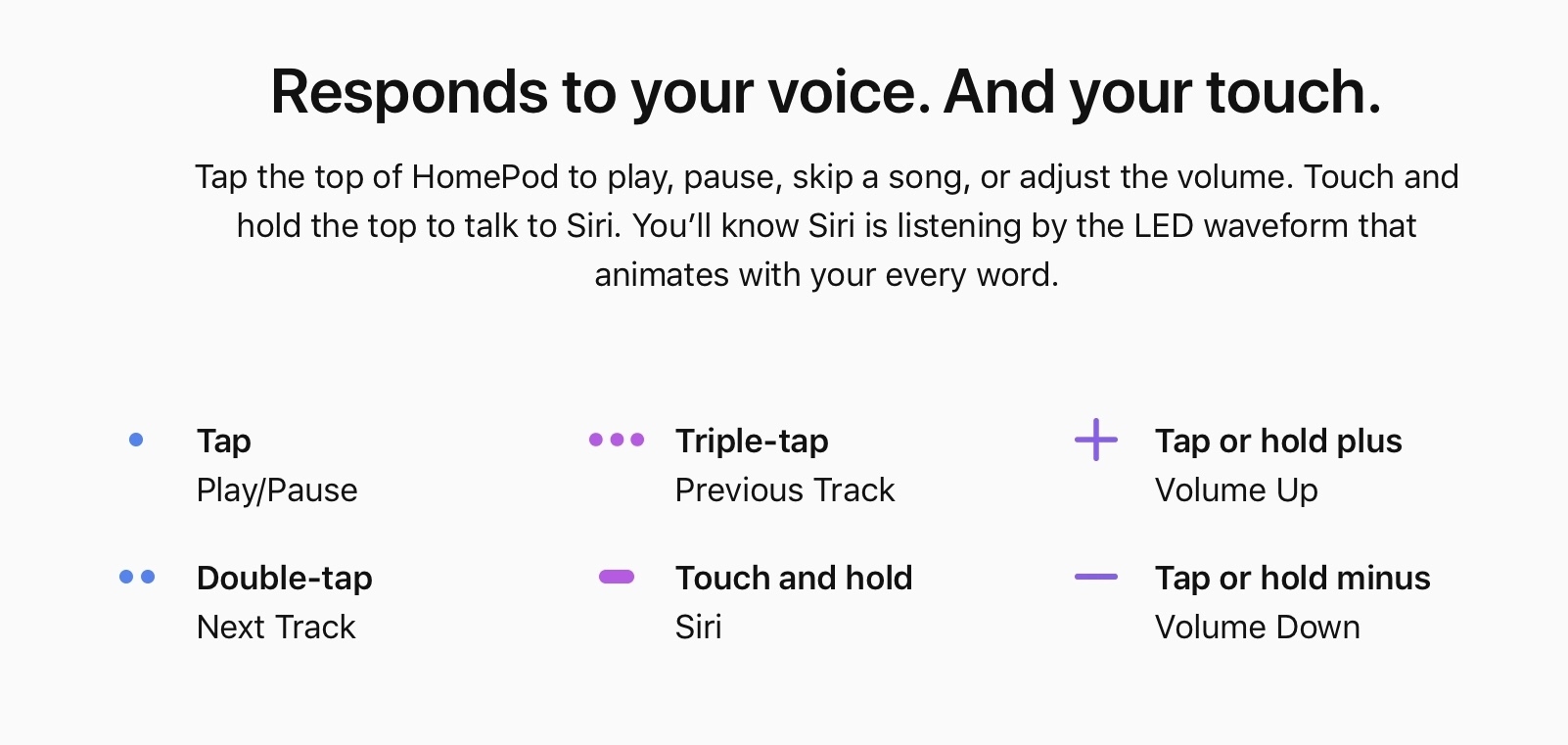
The HomePod website also provides new details on how users will be able to interact with HomePod in non-voice ways. In addition to using the ‘Hey Siri’ trigger phrase, you can also touch and hold the top of the HomePod and talk to Siri. There are also controls for audio playback tied to different sets of taps on the HomePod’s surface, as shown below.


Jamf Now: Easily Set Up, Manage, and Protect Your Apple Devices [Sponsor]

For some people, IT is a task and not a career. Jamf Now helps you manage and secure your iPad, iPhone, and Mac devices at work.

For example, when a business is first starting out, it’s pretty easy to keep track of a couple of Apple devices. But as the company grows and they start to buy more tech for employees, it gets harder to keep track of everyone’s Mac, iPhone, and iPad. Figuring out how to secure an iPad that an employee lost can be tough — especially if they work remotely.

Jamf Now makes that, and much more, easier. You can check real-time inventory, configure Wi-Fi and email settings, deploy applications, protect sensitive company data, and even lock or wipe a device from anywhere. Jamf Now helps manage your devices so you can focus on your business. There’s no IT experience needed.

MacStories readers can start securing their business today by setting up the first 3 devices for free. Add more, for just $2 a month, per device. Create your free Jamf Now account today.

Thanks to Jamf Now for supporting MacStories this week.


Mac and iOS App Store Web Preview Pages Get a Makeover

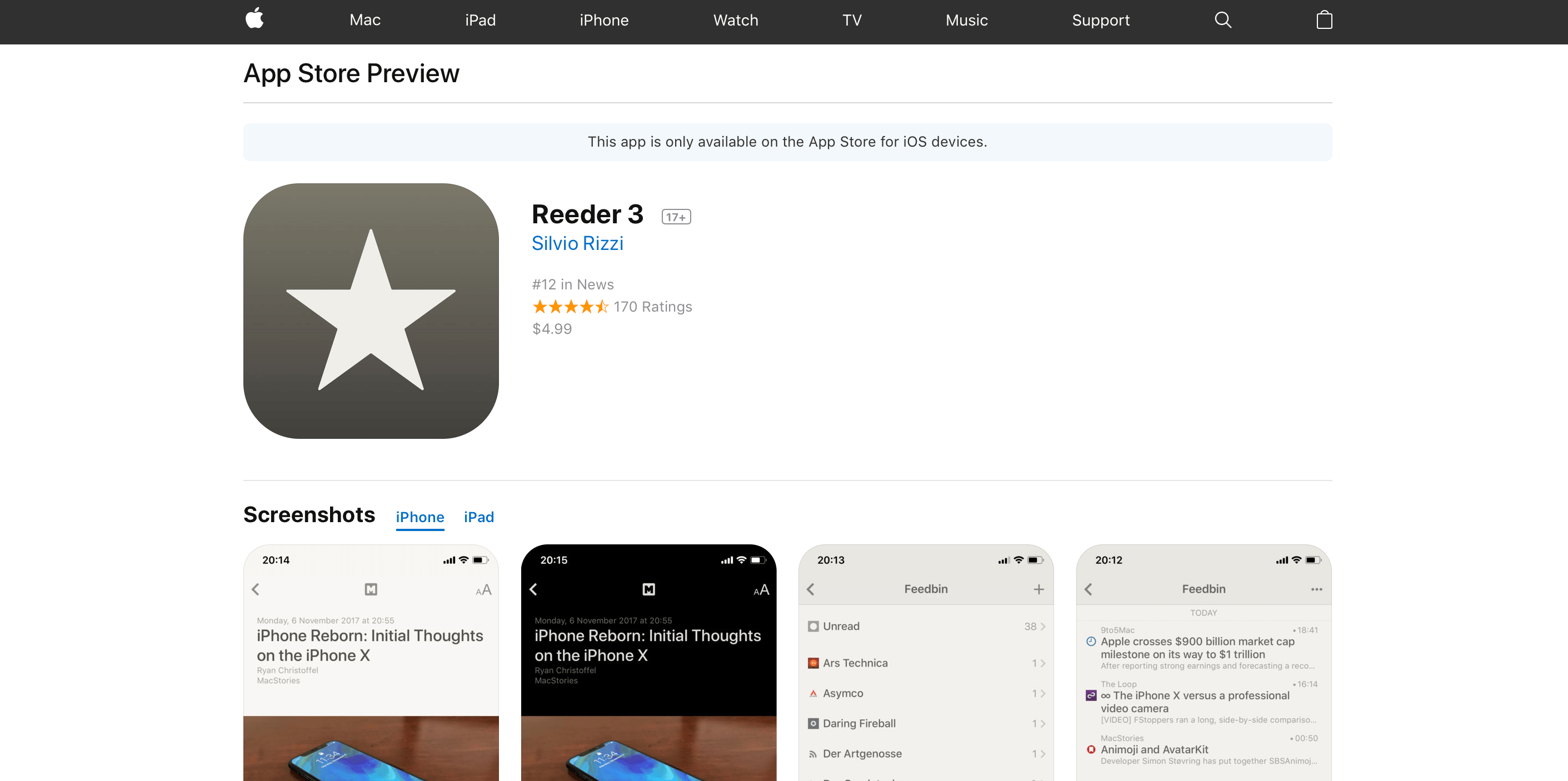
Apple has introduced new web preview pages for the App Store and Mac App Store. The new design more closely tracks the App Store changes debuted as part of iOS 11. Interestingly, the web previews for Mac apps share the same refreshed design despite the fact that the Mac App Store has barely changed since its introduction in 2011.

The new design features bigger images and more white space. Reviews are laid out horizontally as cards near the bottom of the page. Longer reviews open in a pop-over card that hovers above the page when the ‘more’ link is clicked. Mac apps include a ‘View in Mac App Store’ button near the top of the page too.

The new web previews are only accessible from search results loaded in the desktop version of Safari or another desktop browser. The mobile version of the browser offers to take you to the App Store when a link is tapped, even if you long press the refresh button and pick ‘Request Desktop Site.’ In my tests, the desktop search results that load in mobile Safari look more like their desktop counterparts, but DuckDuckGo and Bing still offer to open the App Store, whereas Google’s links are simply unresponsive.

I like the look of the new preview pages. The old ones were too closely tied to the design of the iTunes App Store, which was eliminated last fall.

The inclusion of Mac app previews is intriguing. It makes sense for both Stores to share a common design language, but the Mac App Store is in desperate need of love and attention for many reasons that extend beyond its design. Whether this is a sign that the Mac App Store will get that attention soon, Mac apps will be thrown in with iOS apps on the App Store, or something else will be interesting to watch.


Apple Announces New Campus in the Works, Pledges Significant Investments in US Economy

Today in a press release Apple shared an update on its contributions to the US economy. One significant piece of news shared as part of that broader story was the surprise announcement of a new Apple campus in the works.

The company plans to establish an Apple campus in a new location, which will initially house technical support for customers. The location of this new facility will be announced later in the year.

Despite many employees’ transition into the newest campus, Apple Park, not yet being complete, it makes sense for a company of Apple’s scale and growth to continue expanding its corporate footprint. No further details on the new campus were shared, other than that it will open within the next five years.

Apple expects to invest over $30 billion in capital expenditures in the US over the next five years and create over 20,000 new jobs through hiring at existing campuses and opening a new one.

The announcement of a new campus was only a small portion of the overall press release, which presented several financial details regarding Apple’s five year plan for economic contribution.

  • $350 billion will be contributed to the US economy over those five years.
  • $5 billion is committed to Apple’s Advanced Manufacturing Fund, up from the previously announced $1 billion.
  • $55 billion is estimated to be spent in 2018 alone with domestic suppliers and manufacturers.
  • $38 billion is the expected tax payment when Apple repatriates overseas profits under new tax law.

These are huge numbers, clearly reflecting Apple’s current financial success. With numbers like these, and an anticipated 20,000 new hires over five years, it’s no surprise the company will need another campus.


AppStories, Episode 38 – An Interview with James Thomson, Creator of PCalc and DragThing

On this week’s episode of AppStories, we interview James Thomson about the origins of PCalc and DragThing, life as an indie developer, selling apps on the App Store and Mac App Store, and more.

Sponsored by:

  • Spark – The future of email.
AppStories+ Deeper into the world of apps

AppStories Episode 38 - An Interview with James Thomson, Creator of PCalc and DragThing

0:00
33:02

AppStories+ Deeper into the world of apps

Permalink

Spark: The Future of Email [Sponsor]

Email robs you of precious time. Spark recovers those lost moments by knowing what’s important and organizing it for you neatly and automatically.

Spark’s smarts start with its inbox. Messages that arrive in Spark’s Smart Inbox are automatically categorized as Personal, Notifications, and Newsletters, which makes it easy to focus on what’s important and return what’s not later.

Intelligent search makes it simple to find messages no matter where they are. Spark’s natural language algorithm thinks like you do. Just ask for messages the way you would if you were asking a friend.

Email notifications are a problem that can spin out of control quickly. Spark uses Smart Notifications to filter out the junk and only notify you what you need to know now.

In addition, Spark features beautifully designed card-style calendar invitations that can be accepted with just one tap, the ability to send later and set up reminders for messages that don’t receive a reply, message snoozing, and Quick Replies that let you acknowledge a message with a single tap. Spark also has customizable gesture actions and works with Dropbox, Box, iCloud Drive, and more. You can even customize Spark’s sidebar with favorite folders and saved searches.

As if that weren’t enough, soon Spark 2.0 will introduce Spark for Teams, which will change the way teams collaborate giving them the ability to do things like comment and discuss messages and write messages together.

The future is now. Download Spark today for free on iOS or on macOS and take control of your inbox.

Thanks to Spark for supporting MacStories this week.