
Posts in news

The Sweet Setup Launches ‘Learn Ulysses’ Video Course

Today The Sweet Setup launched a new ‘Learn Ulysses’ course that’s designed to help users get the most out of the powerful writing app.

The meat of Learn Ulysses is its seven video guides that walk through key aspects of the app in detail. Videos cover the following topics:

  1. Getting to Know Ulysses
  2. Writing Tips and Tricks
  3. The Ulysses Toolbar
  4. Main Features
  5. iPhone & iPad Apps
  6. Backup & Restore
  7. Powerful Search, Find, & Replace

Each video can be either streamed or downloaded, and they are all accompanied by full transcripts. The videos I’ve seen are of the highest quality; the team at The Sweet Setup has handled well the difficult task of going deep into Ulysses while still making everything easy to understand.

In addition to the seven main videos, Learn Ulysses includes bonus content such as a quick reference cheat sheet of additional features and keyboard shortcuts for the app. My personal favorite bonus is the included series of setup interviews, where different writers share exactly how they use Ulysses in their daily workflows. Some of these are in video form, while others are written. I always love hearing how others use a powerful app, as it helps me find new practices to adopt.

The regular price for Learn Ulysses is $29, but during launch week it’s available at 20% off for a discounted rate of $23. You can purchase the course here.
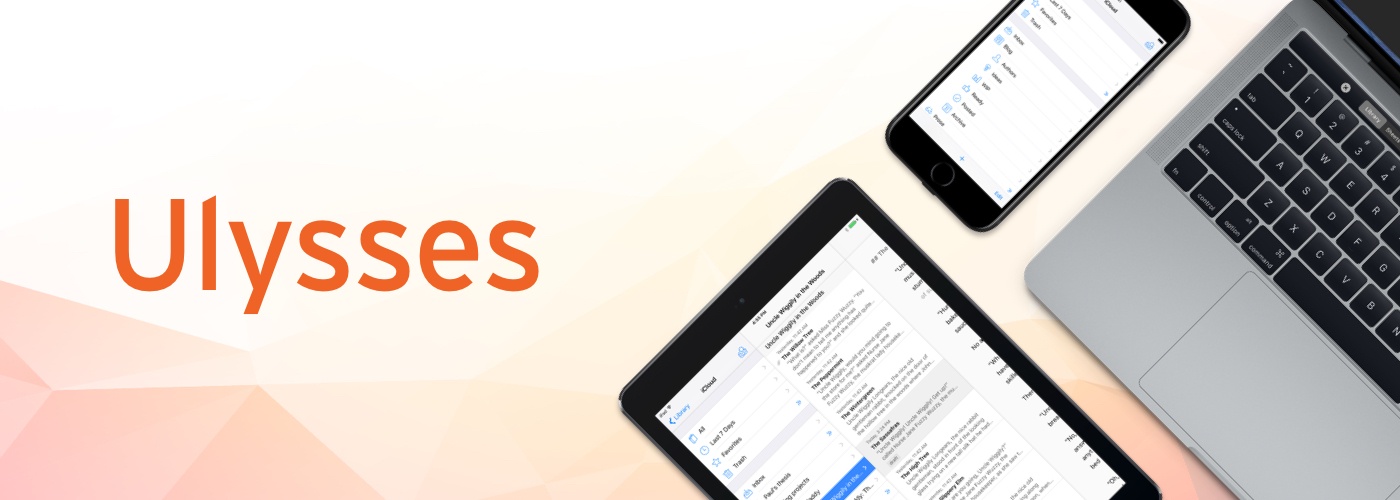


Ulysses: The Ultimate Writing App for Mac, iPad, and iPhone [Sponsor]

Ulysses is a powerful text editor carefully hidden beneath a distraction-free writing environment. It’s a design that allows you to concentrate on your writing with the confidence that when you need them, Ulysses’ pro-level tools are just a click or tap away.

Ulysses, which won an Apple Design Award in 2016, is available on macOS and iOS and its documents sync via iCloud, so the app and your documents are available whenever and wherever you need them. Ulysses helps you keep track of everything too by organizing your writing into groups comprised of sheets. Each group, which can be nested inside other groups, can be assigned a name and icon and the sheets inside it can be sorted manually, by title, by modification date, or by creation date.

But Ulysses goes even further to help you manage your writing. You can set writing goals and attach notes, keywords, and images to sheets. Then, when you’re looking for something you wrote, you can create filters based on keywords, search terms, and dates that are stored in the sidebar with your groups. When you’re finished, you can export to a bunch of different formats including Markdown, plain-text, HTML, ePub, PDF, and DOCX and easily publish to WordPress blogs and Medium.

Ulysses is a free download on the App Store and Mac App Store. Normally you can try the app for 14 days before deciding whether to subscribe for $4.99 per month or $39.99 per year. Students can subscribe for six months at a time for $10.99. However, Ulysses has a special deal for MacStories readers. Use this link for a full 1-month trial on all your devices.

Our thanks to Ulysses for sponsoring MacStories this week.


Ridiculous Fishing Updated for iOS 11

Today, Ridiculous Fishing, the classic 8-bit style fishing game from Vlambeer was updated with support for 64-bit chip architectures ensuring that its fans will still be able to play the game when they update to iOS 11. Apps that only support 32-bit chip architectures will be left behind by iOS 11 rendering them unusable on devices running Apple’s latest OS. The switch was first telegraphed by Apple in 2014, so developers have had three years to prepare, but the transition will nonetheless leave some apps behind, many of them games. According to Fast Company, AppFigures estimates that as many as 470,000 apps may no longer work on iOS 11.

At the same time, however, a recent flurry of updates means that some iOS classics will survive, including Ridiculous Fishing. Released in 2010 as a collaboration among Vlambeer, Zach Gage, and Greg Wohlwend, Ridiculous Fishing follows Billy as he fishes with items like guns, chainsaws, and toasters. The game won an Apple Design Award in 2013 and still has a loyal following. In addition to adding 64-bit support, the update adds haptic feedback and two speedrun leaderboards.

Although there will undoubtedly be some apps and games that fall by the wayside in the 64-bit transition, my hope is that early iOS classics like Ridiculous Fishing, Canabalt, and Bumpy Road, which have all received recent 64-bit updates, are discovered by a new generation of iOS users.


Apple Stores to Host Star Wars: The Last Jedi Toys and AR Experience

Star Wars merchandise is a big deal in the retail world, especially when it coincides with a new film in the main saga. Two years ago, Disney held the first ‘Force Friday’ to kickoff the launch of Star Wars toys and other products tied to The Force Awakens. Now the Mouse House has set September 1 as ‘Force Friday II.’ And this time around, there’s an AR experience tied to the launch called Find the Force, which Apple will be involved in hosting.

Beginning on Force Friday II, Apple Stores, along with other popular retailers like Wal-Mart and Target, will begin selling Star Wars: The Last Jedi merchandise and play host to Find the Force, which lasts through September 3. During that time, shoppers can use the Star Wars iOS app to scan in-store displays as part of an AR treasure hunt. When the display is scanned, it will reveal a Star Wars character who appears through AR in the store. In total there are 15 characters to find over the three-day window. If you plan to participate in Find the Force, it’s best to download the Star Wars app now and launch the feature ahead of time, as it requires a substantial in-app download before you’re up and running.

With the launch of iOS 11 and ARKit-powered apps later in the month, September is shaping up to be a big month for augmented reality.


AppStories, Episode 19 – Interview: Running an App Development Studio with Dermot Daly

On this week’s episode of AppStories, we interview Dermot Daly, founder of Tapadoo, a Dublin-based app development studio, about how he got started in mobile development, the Tapadoo origin story, what it’s like to develop apps in the regulated medical field, the challenges of working for clients and that iOS developers face today, and more.

Sponsored by:

  • Harry’s - A great shave at a fair price.
  • iTubeDownloader - Download YouTube videos, channels, or playlists with a few clicks.
Permalink

Luna Display Turns an iPad into a Second Screen for Your Mac

In June, I sat in the crowded lobby of the San Jose Marriott hotel just across from the convention center where WWDC was being held. The lobby was crammed full of developers and other people tapping away on Macs and iOS devices connected to the hotel’s WiFi. I sat down with the Astro HQ team for a demonstration of an upcoming hardware product called the Luna Display, a tiny dongle that turns an iPad into a wireless second display for a Mac.

Hotel WiFi is notoriously bad and the Marriott’s, which was ambushed by thousands of WWDC attendees, was holding up, but spotty. The Astro HQ team pulled out a tiny nubbin and connected it to a MacBook Pro’s USB-C port. After starting the Luna Display software on the Mac and an iPad, they were up and running with the iPad acting as a second display. Despite the shaky connection, the iPad performed admirably. It felt like magic.

Read more


Final Fantasy XV: Pocket Edition Coming to iOS This Fall

Square Enix has announced that its role-playing epic, Final Fantasy XV, is coming to iOS this fall. Since the original game was created for powerful consoles like PS4 and Xbox One, it’s requiring a major overhaul in its journey to mobile devices. The mobile game is being branded ‘Pocket Edition’ and brings several significant deviations from the original:

  • The graphics and design have been redone to give the game a more playful, cartoony feel.
  • While the story for the game is taken from its console counterpart, it will include some gameplay changes.
  • The game will be split into ten episodes, all of which will launch at the same time, with the first episode available for free.

While it’s common practice to create mobile spinoffs of popular console games, Final Fantasy XV: Pocket Edition appears unique in that it’s taking a sort of hybrid approach: major pieces of the original game, such as the story, are being directly ported over, while other aspects are changing. We’ll find out this fall how well this approach pays off.


Zapier Launches Support for Productivity App Alfred

Zapier today added support for Alfred, one of the most popular productivity apps for macOS. Alfred is like a supercharged version of macOS’s built-in Spotlight; it enables you to quickly, easily search for files, webpages, or apps, perform text expansion, control music playback, and much more. Despite Alfred’s already extensive capabilities, Zapier support opens up a world of new possibilities.

Zapier is an automation web service that we use and love here at MacStories. Its power is found in integrating with a substantial number of web-powered services that can be hooked together to automate tasks in all sorts of ways. Zapier’s support for Alfred means that access to that extensive catalog of web-based services and tools is now at the fingertips of Alfred users, making tasks of varying complexity levels possible with a few simple keystrokes.

In Zapier’s announcement post, Matthew Guay walks through how to get Zapier set up with Alfred, and he also shares several examples of workflows now made possible thanks to today’s news.


Get Your Mac Server Into the Hands of Experts with MacStadium [Sponsor]

MacStadium is the premier Mac hosting company that provides dedicated Mac hardware and private cloud services. They have multiple data centers where your hardware is secure, always available, and supported by a team of Mac experts.

It’s time to get your Mac build infrastructure out of the office closet and into the hands of the experts. MacStadium hosts thousands of Macs for customers all over the world. Some of the biggest companies in the world use them for their iOS build and test servers. With multiple diverse locations, and the ability to scale infinitely, it’s the Mac hosting that AWS doesn’t offer.

MacStories runs on a Mac mini at MacStadium (and before they were bought by MacStadium in 2016, at Macminicolo). It’s a setup we’ve used for years and it’s always been fast and reliable.

The folks at MacStadium are running a special promotion for MacStories readers. You can trial a Mac mini server in their data center for a full month at no cost. Just sign up to rent a Mac mini using coupon code “MACSTORIES” and you’ll be all set.

You can check out the details here.

Our thanks to MacStadium for sponsoring MacStories this week.