This Week's Sponsor:

Dropzone 5

Improve your Drag-and-Drop Workflow


Posts in iPhone

SB 2 Cloud Now Out in Cydia: Automatically Upload Screenshots to Cloud App

SB 2 Cloud is a new tweak now available in the Cydia Store at $1,49 which allows you to easily share any screenshot you take on the iPhone through Cloud App. Really, it’s the simplest Cloud App client for the iPhone ever: once activated, every time you’ll take a screenshot by pressing the home and power buttons simultaneously the file will be automatically uploaded to Cloud App in the background. Just like on the Mac with Cloud set to automatic mode. The iPhone will also paste the short URL to your system’s clipboard for easy sharing.

The app doesn’t come with an actual interface or shortcuts to quickly modify the behavior of the upload. You can only enable or disable automatic upload of every single screenshots for now, and hopefully more options will be added in future updates. SB 2 Cloud shows you an upload in progress with a cloud icon in the iPhone’s status bar, and will play a sound notification once it’s complete.

SB 2 Cloud is simple, but does uploads in the background really well. Recommended for Cloud App users.

Simulate Long Exposures With Magic Shutter

As the iPhone becomes just about everyone’s photographic tool of choice, developers keep inventing new ways to utilize our pocket devices in the same ways we would our DSLRs. Magic Shutter continues the trend of simply beautiful iPhone apps by simulating long exposures. Ever wanted to dabble with light photography or take one of those common but still cool blurry freeway pics? Magic Shutter allows you to blur images to achieve neat effects (suddenly that 10mph vehicle looks very fast) thanks to Flash mode and Light-painting mode. You already have an idea of the latter, but Flash mode takes a still object and records video post or pre-tail, ensuring you’ll get nifty effects for roller-coaster shots or your next NASCAR outtakes. Magic Shutter is $3 from the iTunes App Store, and makes a perfect gift for the photography buff in your family.

[Magic Shutter via Wired]


BusyToDo Syncs Tasks Through iCal & MobileMe

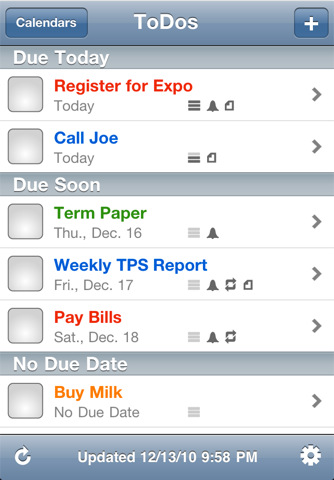
If you happen to live buried in a desktop calendar like BusyCal, assumedly it’s become your central hub for tracking the waterfall of meetings and seemingly endless to-do’s that direct your daily actions. Being mobile, we hate being tethered to our desktops or using clunky software on our phones when tasks could be simplified: BusyToDo from BusyMac free’s iCal’s To Do list and keeps your personal agenda synced across the cloud with MobileMe. Push notifications may remind you via any alarms you’ve set, and BusyToDo will update in the background as you move to other applications on your iPhone. Whether it’s checking off URLs, adding new items for next week’s agenda, or simply looking for the perfect mobile companion for BusyCal, BusyToDo is a brand new release that’s launched for $5 on the iTunes App Store.

[BusyToDo via Macworld]


Occipital Showcases Gyroscope Support In MobileSafari

360 Panorama is a neat iPhone app by Occipital which, thanks to some cool augmented reality features such as a real-time on screen grid view, allows you to take panoramic photos on your iPhone. We reviewed the app here, and you can go grab it here.

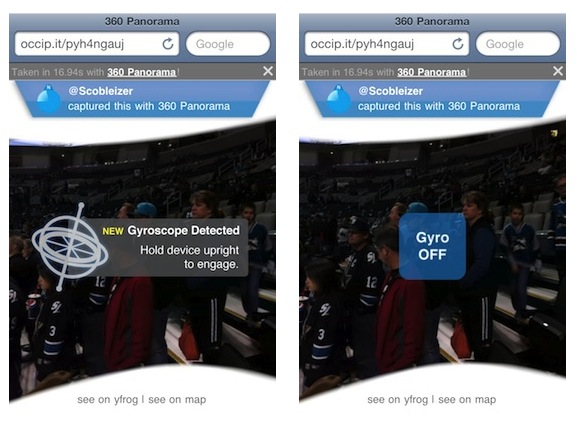
Today the Occipital developers are launching a brand new version of their panoramic browser for pictures shared online. The new browser, when used on MobileSafari for iPhone running on iOS 4.2, takes advantage of Apple’s gyroscope to let you move panoramas around by just holding your device upright. Once you load a link like this one, Occipital’s browser will detect the device running iOS 4.2 and will ask you to hold your iPhone upright if you want to use gyroscope. Otherwise, you’ll just be able to swipe to view the entire panorama.

Gyroscope support enables you to move the iPhone around to view the entire content of a webpage, and it works really well. When iOS 4.2 came out in November, developers noted that MobileSafari received new features such as improved HTML5 support and “accelerometer integration”. The benefits of augmented reality apps using the gyroscope instead of a compass were also showcased in July.


Confirmed: Instagram Reaches 1 Million Users

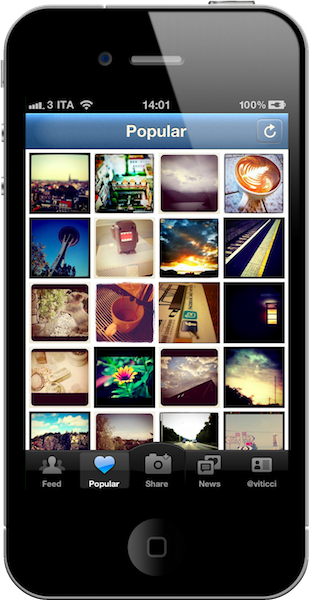
We speculated several times in the past about social photo sharing service Instagram (which doesn’t have a website, it only comes as an iPhone app) to have reached and passed the 1 million users milestone, now it’s official. Instagram has gained more than a million users since its original release in early October.

As co-founder of Instagram Kevin Systrom told The New York Times:

Instagram, a social photo-sharing company that opened its shutters to iPhone owners just two months ago, announced Tuesday that it passed a major milestone of 1 million registered users.

“We’ve just been amazed at the growth of the service,” Mr. Systrom said in a phone interview. “My partner and I had a bet the first day about how many downloads we would get and I was off by an order magnitude.”

According to Mr. Systrom, Instagram users are “collectively uploading approximately three photos a second and tens of millions of photos have been shared on the service.”

The past two months have been a great run for Instagram, which launched its iPhone app with only a few selected users who had the privilege to try the app on board. Since then, usage of the service skyrocketed with the developers being busy keeping the servers up and running. The app reached another important milestone when Twitter announced support for Instagram photos in its inline media viewer on Twitter.com. The app also received a few updates to fix bugs and introduce more filters and Posterous integration.

Almost three months after launch and with “just an iPhone app” out in the wild, we think great things will come for Instagram in 2011. One million users is a solid foundation to start with.


Shocker! Someone At Apple Killed The Unofficial WikiLeaks App

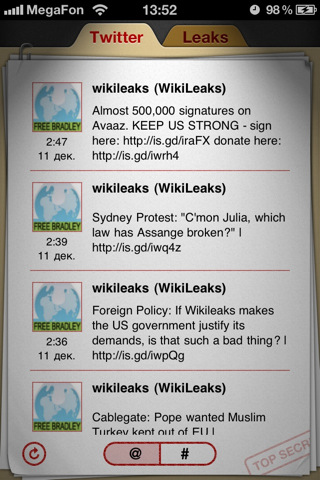
Three days ago we covered the unofficial WikiLeaks app for iPhone and iPad, a $1.99 piece of software available in the App Store which let you access the latest diplomatic cables released by WikiLeaks and check on the organization’s Twitter account. It was also nicely designed and sold as a universal app.

Developer Igor Barinov, though, wasn’t planning on taking all the money from the sales of the app. Instead, he decided to donate half of the proceeds to WikiLeaks, a move that likely pissed off Steve Jobs, or someone else at the App Store team. In fact, for some obscure reason or App Store guideline we’re no aware of, the app is gone. Killed. Kaput. There’s no WikiLeaks app in the App Store anymore. Without an explanation, the developer got an email from Apple about the changed state of his app, which was “removed from sale”.

I’m not sure this app violated any of Apple’s guidelines. It was a wrapper for a website (the CableGate documents) and a Twitter account – both of them publicly available on the internet. We all know there’s worse in the App Store, and – to tell the truth – this was also a good app. Assange and WikiLeaks are controversial and one may or may not agree with his efforts to “reveal the truth”, but there’s no reason to remove an unofficial app.

Unless, well, you’re Apple and you don’t care about your own Guidelines.


Still Relevant? MySpace Updates Its iPhone App With New UI and Features

Just in case you were wondering, yes – MySpace appears to be alive. I know, you haven’t logged in the website in ages. But what was that? Two years ago? Man, that was fast. Facebook completely replaced MySpace in our daily digital sharing and wall-posting lives.

Still, MySpace has an updated iPhone app available. Version 2.0 adds a fresh new, darker and somehow sexier look (which reminds me an awful lot of the Facebook’s iPhone grid interface), possibility to browse without login, SuperPosts to share links at the same time on Facebook - MySpace - Twitter (why would I, I don’t really know) and instant notifications.

The update also comes with a bunch of additional features, which – if you really still care – you can check out in the full changelog below. The app is available for free here. Read more


Apple Launches New iPhone 4 Ad “Under The Covers” To Promote FaceTime, Again

A few minutes ago Apple launched a new iPhone 4 commercial (available on Apple’s website and Youtube channel) to showcase, once again, the FaceTime capabilities of the device.

The commercial is called “Under The Covers” and features a kid who thinks he’s talking to Santa via FaceTime, while on the other device there’s his father dressed as Santa and calling him from their garage. It’s a pretty sweet commercial. In September, Apple launched a series of ads to showcase the iPhone’s FaceTime features in Europe; other FaceTime ads had appeared in the U.S. in July. Apple also targeted the iPhone 4’s battery life and Retina Display with commercials aired in the past months.

Check out the video below. Read more