This Week's Sponsor:

Dropzone 5

Improve your Drag-and-Drop Workflow


Posts in iPad

RIM Posts BlackBerry Playbook and iPad Comparison Video

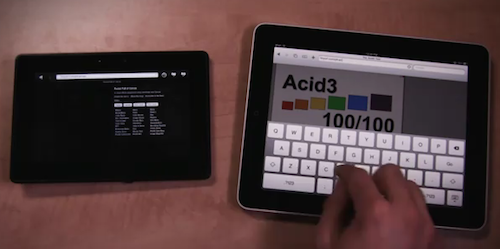
RIM believes in its upcoming Playbook tablet as a feasible alternative to Apple’s iPad. With the new video comparison they posted on their official Youtube channel, it looks like RIM is betting a lot on the web surfing capabilities of the device.

The video shows that the Playbook is faster at loading web pages than the iPad, although the selection of websites is limited and a test is focused on loading a website that feature “rich Flash content”. The iPad can’t load that, and the Playbook seems pretty fast at rendering it, but the video doesn’t show how scrolling speed is affected by Flash. The Playbook’s browser looks fast anyway, scoring a 100/100 on Acid3 test and loading a Javascript / HTML5 Canvas based webpage faster than the iPad. It looks fluid.

Check out the video below. Read more
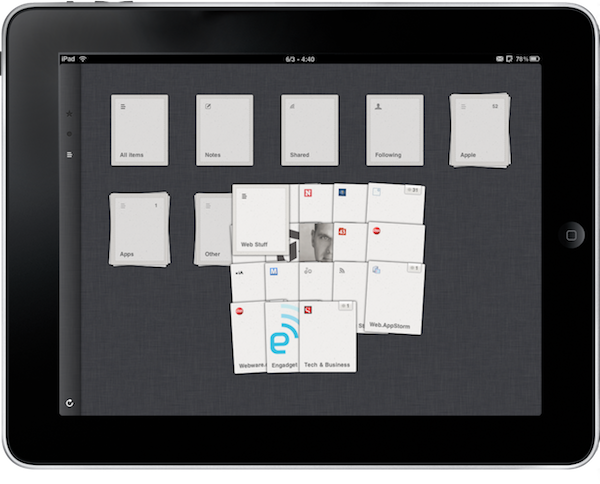

Reeder for iPad 1.2 Adds iOS 4.2 Support, Facebook and Zootool Sharing

What I consider the best RSS app for iPad, Reeder, got updated a few hours to version 1.2. This update introduces support for iOS 4.2 (which should be really around the corner now) and task completion for Google Reader syncing: you can close the app while it’s syncing and it’ll finish in the background. Persistent state also works fine in this new release.

Other features of 1.2 include support for Facebook and Zootool sharing (if you haven’t checked out Zootool yet, it’s a great web app to collect and organize bookmarks), better handling for accounts with hundreds of subscriptions, a larger tap area for next / previous buttons and less sensitive slider controls.

Reeder for iPad remains the best app to access Google Reader. If you don’t give it a try, you’re missing out. Available at $4.99 in the App Store.


Apple Brings Ping To The iPad

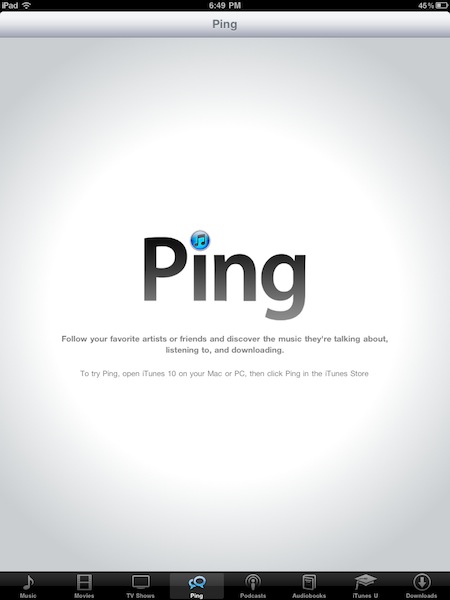
Earlier today, ahead of iOS 4.2 launch, Apple updated the backend of the iTunes app for iPad to include support for Ping. Once you’ve authorized Ping in iTunes 10 on the Mac, you can access your stream through a Ping tab at the bottom of iTunes app. Just like the desktop version, Ping for iPad integrates with Twitter and automatically tweets every time you like or post something on Ping.

You can like and post songs available in the iTunes Store (sadly, there’s no way to integrate Ping with the native iPod app), check on your profile and see your activity. There’s also a concert-specific section that shows local concerts, bands on tour and links to purchase tickets on ticketmaster.

Ping integration in iTunes for iPad suggests iOS 4.2 is really around the corner now, as we reported when Apple released the second GM build of iOS 4.2 for iPad last night.

Check out more screenshots below. [Thanks, Tim] Read more


OmniFocus for iPad Updated for iOS 4.2 Multitasking

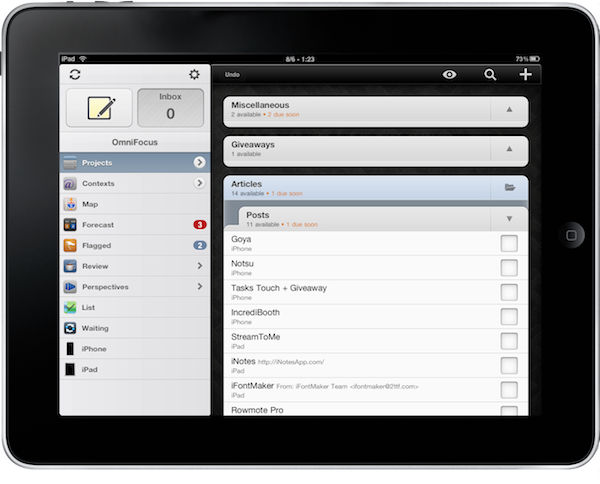
OmniFocus, my GTD app of choice on OS X and iOS, is now compatible with multitasking on the iPad. Although iOS 4.2 isn’t officially out and it looks like it won’t be at least until sometime next week, users running the latest iOS 4.2 GM can enjoy fast app switching, background sync and local notifications in OmniFocus for iPad.

The latest 1.2 update, released a few minutes ago in iTunes, adds a bunch of new features and lots of improvements, too. The changelog is really huge, so I suggest you go check it out below. Notable new features include the possibility to receive local notifications without the need of a sync server, seven new languages, a revamped editing panel and more geolocation functionalities.

Seriously, great update. The one users already on iOS 4.2 have been waiting for. Go get it. Then read why we love OmniFocus. Read more


MacStories Weekly Game: Robokill

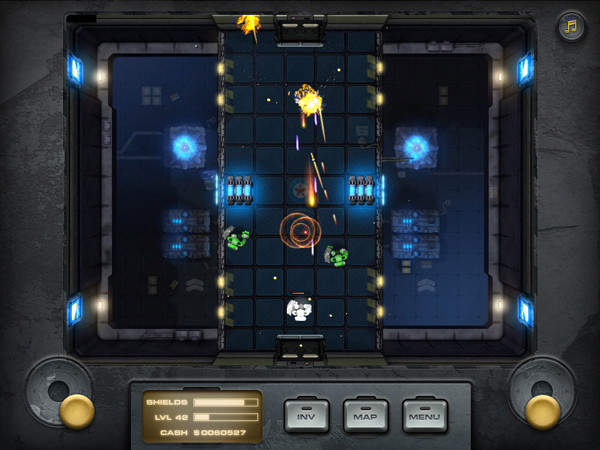
This week’s featured game is the latest effort by Wandake, Robokill. See, Robokill on the surface may look a lot like other games available in the App Store such as Minigore or Age of Zombies. You control this robot, with a bird’s eye view, and you have to face enemies coming from all sides of the screen. Unlike Minigore, though, Robokill provides a greater attention to details in level design and enemy attack patterns.

For instance, Robokill’s droids are smart, while Minigore’s monsters just care about running against you. Enemies in Robokill shoot, cover, attack, back up. That’s not bad a simple action game for iPad. Plus, once you clear levels in the game your character will evolve and become able to equip new weapons and shields. With more than 450 levels and 13 missions, that’s quite an inventory to build. You can also collect cash and hidden loot to purchase upgrades through a virtual store – which is always welcome. I like this RPG-like side of Robokill, something the aforementioned similar games surely don’t provide. Not like in Robokill. Read more


Tweet Library 1.1 Brings iOS 4.2 Support, More Filters, Lots Of Fixes

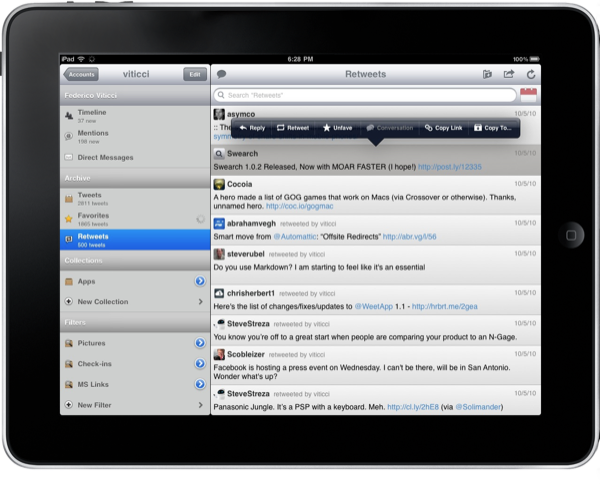
Tweet Library is an excellent app by Riverfold Software which allows you to “curate tweets”. You can create collection of tweets and publish them online, keep an offline cache of your tweets and favorites, filter your timeline and sort tweets by date. It’s a great companion to your default Twitter client. From my review:

Tweet Library is an app meant for letting you archive, collect and filter tweets. It’s great for conference tweeting, it’s a good tool for blogger when a new iOS beta comes out and they need to group tweets about new features, it’s a great app for users wondering “what happened to that tweet?”. Tweet Library is a searchable local archive of your Twitter activity.

The new 1.1 update brings full support for iOS 4.2, meaning multitasking and persistent state. It works perfectly. The app now also contains a bunch of additional filters for pictures shared on flic.kr, instagr.am, and plixi.com. The developer also introduced lots of performance improvements and fixes.

Tweet Library is available at $9.99. If you use Twitter on a daily basis and you care about keeping a personal record of your tweets, it’s well worth it. Check out the full changelog below. Read more


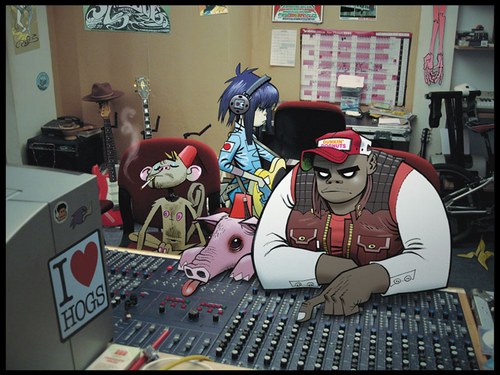
New Gorillaz Album Recorded On An iPad

Damon Albarn, Blur’s singer and frontman of Gorillaz, announced the follow-up to Plastic Beach (3rd studio album of Gorillaz) has been recorded entirely on an iPad. He’s aiming at a holiday season release. In an interview with UK music magazine NME, he said:

I’ve made it on an iPad – I hope I’ll be making the first record on an iPad. I fell in love with my iPad as soon as I got it, so I’ve made a completely different kind of record.

I wonder how many music apps were necessary to get the album recording done on the tablet. Perhaps they needed to deploy their own app? We look forward to whatever Mr. Albarn has in store.


IA Writer Now iOS 4.2-ready

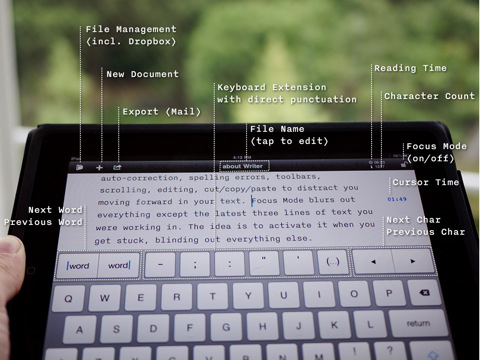
I’ve been waiting for this update: when IA Writer first came out, I couldn’t use it. I was already running iOS 4.2 beta on my iPad, and the app had a few bugs with the new operating system. The focus mode wasn’t working (and that feature is possibly the most important one in the app), custom keys didn’t match.

With the latest 1.0.2 that showed up a few minutes ago in iTunes, the app is finally ready for the elusive OS. Subfolders and auto-sync aren’t included yet, but they’re coming soon.

Finally, I can use IA Writer. Go get it, as it seems totally worth it.


Noteshelf 2.1: Dropbox Integration, Finer Ink, New Notebooks

From my Noteshelf review, about a month ago:

What totally convinced me to pick Noteshelf as my go-to app for handwritten notes, though, is wrist protection. When people write, they usually rest their wrist on paper – that’s natural and necessary to have a correct writing position. Well gentlemen, unlike all the other apps available for iPad, Noteshelf has an option to not detect your wrist as an active touch on the screen. Welcome to natural and human writing on a tablet.

As for features I’d like to see besides the upcoming Evernote and Dropbox integration and a template creator, it’d be nice to be able to pinch and zoom on pages, especially in landscape mode. I also don’t like the fact that you can’t select multiple pages when exporting them (email and iTunes are supported).

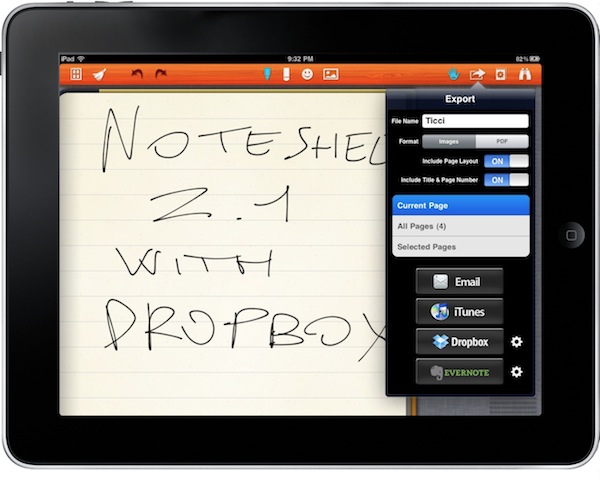
Noteshelf was already a great iPad app, now it’s even better. With the latest 2.1 update available in iTunes now, the developers added the possibility to export notes as images pr .PDF documents to Evernote and Dropbox, a feature many users have been asking since the first version of the app. Uploading to these services is simple and accessible through a popover menu in the top toolbar. You can also select and export multiple pages via email, or just email a whole notebook. Speaking of which, there are new notebook themes such as music notes and baseball scores. Read more