Posts in giveaway

Saver For iPhone Giveaway: 10 Copies Of The Delightful Expense Tracker

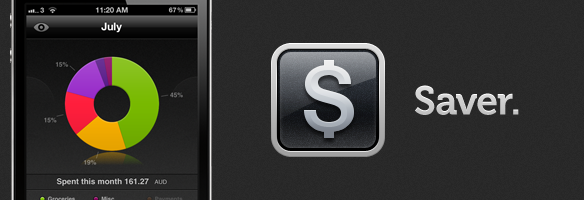
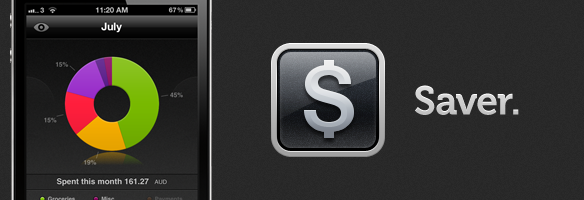
After a big bug-squashing and feature-adding update last week to Saver, the developers have decided to run another giveaway of their excellent expense-tracking app. I reviewed Saver for iPhone about two months ago where I raved about its excellent and loving design which made the usually dull task of expense tracking a more exciting and vibrant experience. The genius of Saver though is that unlike many other apps on the market, its design keeps things simple whilst still being powerful enough for what most users will need out of an expense-tracker.

The developers are running their own giveaway of Saver where they are giving away 3 copies of the app everyday from today till next Monday, but MacStories readers have another chance to win the app because they have been kind enough to give us 10 copies to give away! Make sure to read our full review of Saver, but jump the break for all the details on how to enter our giveaway of 10 copies of Saver.

Read more

Access Extra Content and Perks

Founded in 2015, Club MacStories has delivered exclusive content every week for nearly a decade.

What started with weekly and monthly email newsletters has blossomed into a family of memberships designed for every MacStories fan.

Learn more here and from our Club FAQs.

Club MacStories: Weekly and monthly newsletters via email and the web that are brimming with apps, tips, automation workflows, longform writing, early access to the MacStories Unwind podcast, periodic giveaways, and more;

Club MacStories+: Everything that Club MacStories offers, plus an active Discord community, advanced search and custom RSS features for exploring the Club’s entire back catalog, bonus columns, and dozens of app discounts;

Club Premier: All of the above and AppStories+, an extended version of our flagship podcast that’s delivered early, ad-free, and in high-bitrate audio.

Learn more here and from our Club FAQs.


TV Show Tracker 2.1 Giveaway: You’re Gonna Need More Shows to Watch

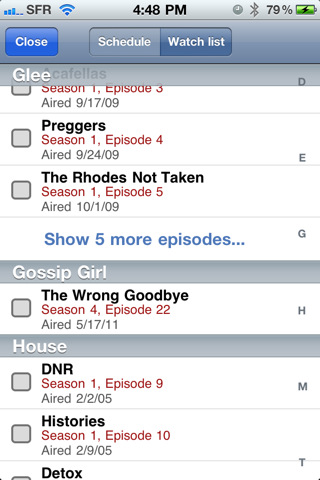
If you watch a lot of TV, live on the Internet, and can’t remember when House airs, then you’re probably already using TV Show Tracker right? We’ve been covering the big updates all along, and I gotta say that there’s lots of new goodies to chew on. Take the Watch List for example. Everything you missed watching will be stored in one convenient place so you can check it off once you get down mowing down the bag of half baked doritos in front of the TiVo. Those unwatched episodes will also show up as application badges (because it’s pretty critical if you miss out on the first episode of The Office). Tapping on a show in your favorites list now takes you directly to their show page, and in the preferences you have the app open into the schedule so you don’t miss a thing. Combine that with a new icon, and the latest update to TV Show Tracker just makes finding dramas on the boob tube pretty easy.

So how much does it cost? It’s on sale for $0.99 until Saturday evening — it’s super useful to see when your favorite two political comedians are coming back from vacation as well.

But we’re giving away five copies to you delightful, handsome (beautiful for the lady-girls out there) MacStorians, so you’ll want click past the break for the full rundown.

Read more

Access Extra Content and Perks

Founded in 2015, Club MacStories has delivered exclusive content every week for nearly a decade.

What started with weekly and monthly email newsletters has blossomed into a family of memberships designed for every MacStories fan.

Learn more here and from our Club FAQs.

Club MacStories: Weekly and monthly newsletters via email and the web that are brimming with apps, tips, automation workflows, longform writing, early access to the MacStories Unwind podcast, periodic giveaways, and more;

Club MacStories+: Everything that Club MacStories offers, plus an active Discord community, advanced search and custom RSS features for exploring the Club’s entire back catalog, bonus columns, and dozens of app discounts;

Club Premier: All of the above and AppStories+, an extended version of our flagship podcast that’s delivered early, ad-free, and in high-bitrate audio.

Learn more here and from our Club FAQs.


Noteshelf Gets New Features & UI Changes, We’re Giving Away 10 Codes

Back in October 2010 I reviewed Noteshelf, a handwriting app for the iPad I said “I could actually use” because of its clever feature set that included things like smooth virtual ink, wrist protection and templates which made using a stylus on the iPad almost a real pleasure. The app went through a series of updates, first bringing support for Evernote and Dropbox in November, finer ink and new notebooks, then AirPrint integration, photo albums and multitasking by the end of 2010. Of all the handwriting apps I’ve tried, Noteshelf is without a doubt one of the most powerful ones – it goes right up with Penultimate when it comes to selecting the best note-taking apps for the iPad with handwriting recognition and notebook template options.

Since December 2010, Noteshelf has gone through other major changes, with version 4.0 released late last month quickly climbing the charts of the App Store thanks to new functionalities introduced by the developers, such as vastly improved zoom mode, single-page paper styles, new icon and updated interface, and even smoother writing. Two weeks ago, FluidTouch released Noteshelf 4.1, further refining the interface design and adding more options like the possibility of grouping notebooks into folders, a full-screen finder, passcode protection, highlighters and VGA support. Noteshelf has gained a lot more features since I first reviewed it, but it’s still the same intuitive and fun-to-use app I installed on my device ten months ago. There’s a lot to play with in the new Noteshelf, including an in-app store to purchase and download new paper and notebook themes, or support for cut/copy/paste to get information out of a specific notebook and onto a new one. The app has been overhauled since version 1.0 – and no doubt the learning curve has slightly increased with all these new options – but functionalities like adjustable wrist protection and zoom mode on handwritten notes still make Noteshelf one of my favorite picks for the iPad.

Noteshelf is available at $4.99 on the App Store with a sweet new icon, and I highly recommend you give this app a try if you’ve been looking for a solid handwriting solution on your iPad. However, we also have 10 promo codes to give away, so jump after the break to check out the rules and find out how you can enter to win a copy of Noteshelf. Read more

Access Extra Content and Perks

Founded in 2015, Club MacStories has delivered exclusive content every week for nearly a decade.

What started with weekly and monthly email newsletters has blossomed into a family of memberships designed for every MacStories fan.

Learn more here and from our Club FAQs.

Club MacStories: Weekly and monthly newsletters via email and the web that are brimming with apps, tips, automation workflows, longform writing, early access to the MacStories Unwind podcast, periodic giveaways, and more;

Club MacStories+: Everything that Club MacStories offers, plus an active Discord community, advanced search and custom RSS features for exploring the Club’s entire back catalog, bonus columns, and dozens of app discounts;

Club Premier: All of the above and AppStories+, an extended version of our flagship podcast that’s delivered early, ad-free, and in high-bitrate audio.

Learn more here and from our Club FAQs.


QuickShot 1.6 Overview & Giveaway

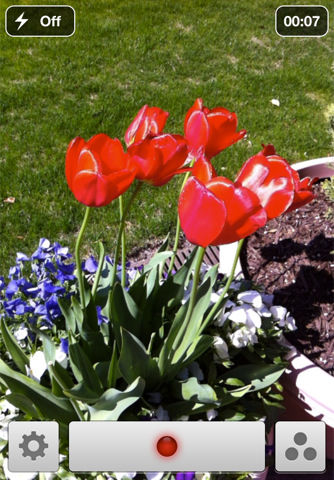
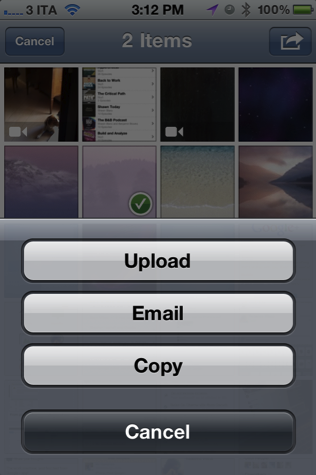
You’re already familiar with QuickShot as the photo app that integrates with your Dropbox, and now it does video too. That’s right: shoot video,  have it appear in your Dropbox via upload video from your photo library (WiFi only is an option for 3G users), and navigate more quickly through the app thanks to some shortcuts utilizing the the settings button (just tap and hold to quickly access your photo library). The Photo Library itself has a hot new update for the iPad, which makes navigation even more finger friendly. For those who like to leave their orientation lock on but would prefer that their camera remain free, QuickShot is now independent of the device so you can still browse email in portrait but take pictures in landscape. QuickShot also has some new abilities under the hood for sharing your media with friends — you can upload photos, email, and copy them from the library (to paste in OmniOutliner for the iPad for example).

QuickShot is a $1.99 universal application available on the App Store, and we’re giving away ten copies to lucky readers who follow the rules after the break.

Read more

Access Extra Content and Perks

Founded in 2015, Club MacStories has delivered exclusive content every week for nearly a decade.

What started with weekly and monthly email newsletters has blossomed into a family of memberships designed for every MacStories fan.

Learn more here and from our Club FAQs.

Club MacStories: Weekly and monthly newsletters via email and the web that are brimming with apps, tips, automation workflows, longform writing, early access to the MacStories Unwind podcast, periodic giveaways, and more;

Club MacStories+: Everything that Club MacStories offers, plus an active Discord community, advanced search and custom RSS features for exploring the Club’s entire back catalog, bonus columns, and dozens of app discounts;

Club Premier: All of the above and AppStories+, an extended version of our flagship podcast that’s delivered early, ad-free, and in high-bitrate audio.

Learn more here and from our Club FAQs.


Banca for iPhone Giveaway


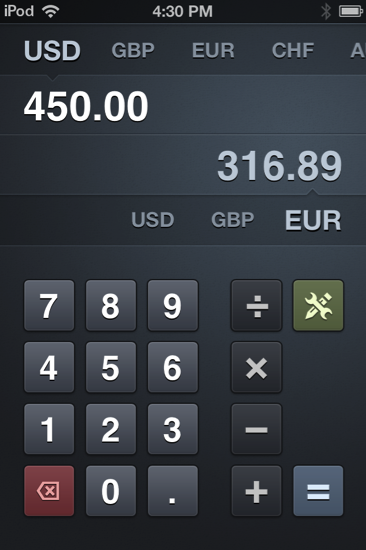
You’ve read the review. Banca is a downright beautiful currency converter for the iPhone, quickly enabling you to convert dollars to euros and australian bills with a couple swipes and a few button presses. Need to figure out how many Washingtons that swank Italian leather jacket is going to cost you? Whip out the iPhone, tap the lower Euro amount, and enter that 250 to get good ol’ USD in return. You’ve got all of the world’s currencies at your fingertips from South America to the outskirts of China, and a simple arithmetic calculator so you can quickly add up totals without having to leave the app. Beautiful, simple, customizable, and good to have on you when traveling, Banca is perhaps the most useful gadget you’ll have on your iPhone if you spend dough overseas. Banca by Radiant Tap is currently $1.99 in the App Store.

For our MacStorians, we’re giving away five copies so you too can translate currencies (like a boss) in the palm of your hand — no Google search required. Check past the break for all the details.

Read more

Access Extra Content and Perks

Founded in 2015, Club MacStories has delivered exclusive content every week for nearly a decade.

What started with weekly and monthly email newsletters has blossomed into a family of memberships designed for every MacStories fan.

Learn more here and from our Club FAQs.

Club MacStories: Weekly and monthly newsletters via email and the web that are brimming with apps, tips, automation workflows, longform writing, early access to the MacStories Unwind podcast, periodic giveaways, and more;

Club MacStories+: Everything that Club MacStories offers, plus an active Discord community, advanced search and custom RSS features for exploring the Club’s entire back catalog, bonus columns, and dozens of app discounts;

Club Premier: All of the above and AppStories+, an extended version of our flagship podcast that’s delivered early, ad-free, and in high-bitrate audio.

Learn more here and from our Club FAQs.


AppSumo Mariner Software Bundle Giveaway

Most people expect the basics: “All I need is a a good web browser, email client, and word processor.” Little by little, you get the itch to use your computer for more and more things. “I want to use my Mac for taking notes. I want to get rid of all this paper in my office and have it on my Mac. I hate Microsoft Word and need something just for print.” Given these three things, you know there has to be a bundle to maintain a practical workflow right? Well that’s why we have the Mariner Software Bundle.

Read more

Access Extra Content and Perks

Founded in 2015, Club MacStories has delivered exclusive content every week for nearly a decade.

What started with weekly and monthly email newsletters has blossomed into a family of memberships designed for every MacStories fan.

Learn more here and from our Club FAQs.

Club MacStories: Weekly and monthly newsletters via email and the web that are brimming with apps, tips, automation workflows, longform writing, early access to the MacStories Unwind podcast, periodic giveaways, and more;

Club MacStories+: Everything that Club MacStories offers, plus an active Discord community, advanced search and custom RSS features for exploring the Club’s entire back catalog, bonus columns, and dozens of app discounts;

Club Premier: All of the above and AppStories+, an extended version of our flagship podcast that’s delivered early, ad-free, and in high-bitrate audio.

Learn more here and from our Club FAQs.


Fantastical Adds Lion Support, And We’re Giving Away 10 Codes

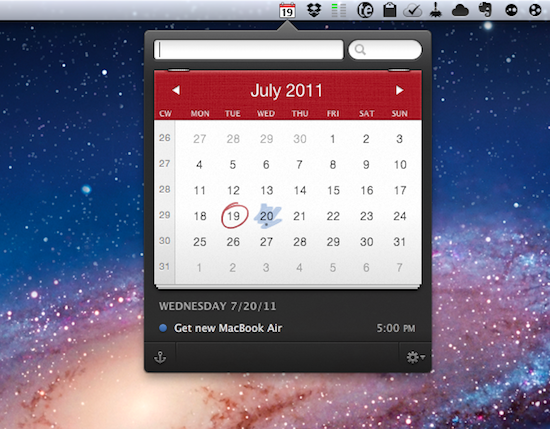
Fantastical is a calendar assistant that works with Apple’s iCal and the popular third-party BusyCal software, allowing you to quickly creates event in your default system calendar with plain English. Thanks to a built-in natural language parser, Fantastical lets you write down something like “Get a new MacBook Air tomorrow at Apple Store at 5 PM”, and see the sentence becoming a new event with all the necessary fields already filled in your calendar. And because Fantastical directly plugs into calendar accounts configured on your Mac, you won’t need to enter your information again.

Fantastical 1.0.3, released today, adds full Lion compatibility and a new Lion-only feature that allows you to swipe with two fingers to move between months in the calendar. The animation is really nice, and reminds me of Safari’s new feature for navigating webpages with a two-finger swipe on Lion. Among various bug fixes, Fantastical also adds a new color menubar icon preference, a last-selected calendar option, and several parsing engine fixes.

You can read our initial review of Fantastical here, and buy the app from the Mac App Store. However, the Flexibits developers have been kind enough to offer 10 promo codes to celebrate the next major release of OS X with MacStories readers, so if you’re interested in the giveaway jump after the break for the full details of how to enter. Read more

Access Extra Content and Perks

Founded in 2015, Club MacStories has delivered exclusive content every week for nearly a decade.

What started with weekly and monthly email newsletters has blossomed into a family of memberships designed for every MacStories fan.

Learn more here and from our Club FAQs.

Club MacStories: Weekly and monthly newsletters via email and the web that are brimming with apps, tips, automation workflows, longform writing, early access to the MacStories Unwind podcast, periodic giveaways, and more;

Club MacStories+: Everything that Club MacStories offers, plus an active Discord community, advanced search and custom RSS features for exploring the Club’s entire back catalog, bonus columns, and dozens of app discounts;

Club Premier: All of the above and AppStories+, an extended version of our flagship podcast that’s delivered early, ad-free, and in high-bitrate audio.

Learn more here and from our Club FAQs.


Saver For iPhone Giveaway: Mundane Expense Tracking Made Beautiful

Two weeks ago we reviewed Saver for iPhone, which was a new expense-tracking app for the iPhone that had just launched in the App Store. In the review, I made particular note of the design of Saver – which I feel has one the nicest user interfaces of any iPhone app I’ve used. For a task that is important (for many) but often dull and boring, Saver not only makes things a little more exciting and vibrant but it also makes it extremely easy (whilst still being fairly powerful) to accomplish various tasks such as adding an expense entry or viewing what kinds of things you spend most on.

You can read our full review of Saver here and purchase Saver on the App Store here. However, the developer of Saver has been kind enough to offer MacStories readers 3 copies of the app so we are running a giveaway. If you are interested, jump the break for the full details of how to enter.

Read more

Access Extra Content and Perks

Founded in 2015, Club MacStories has delivered exclusive content every week for nearly a decade.

What started with weekly and monthly email newsletters has blossomed into a family of memberships designed for every MacStories fan.

Learn more here and from our Club FAQs.

Club MacStories: Weekly and monthly newsletters via email and the web that are brimming with apps, tips, automation workflows, longform writing, early access to the MacStories Unwind podcast, periodic giveaways, and more;

Club MacStories+: Everything that Club MacStories offers, plus an active Discord community, advanced search and custom RSS features for exploring the Club’s entire back catalog, bonus columns, and dozens of app discounts;

Club Premier: All of the above and AppStories+, an extended version of our flagship podcast that’s delivered early, ad-free, and in high-bitrate audio.

Learn more here and from our Club FAQs.


Postbox 2.5 Giveaway: Five Copies For Email Lovers

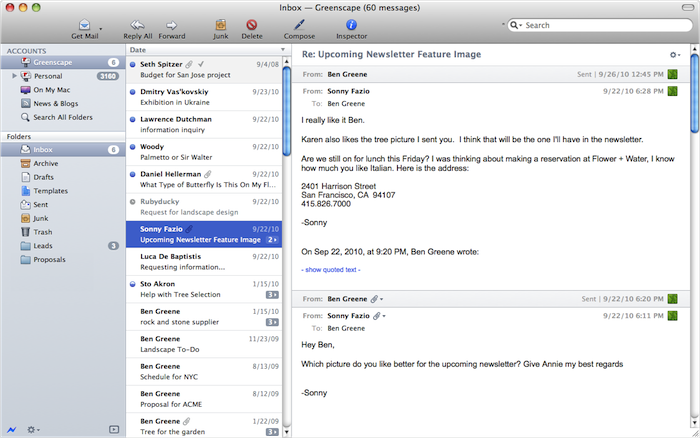
You don’t just like to process your inbox, you like to dominate it with open tabs, a gorgeous interface, and tagging that just works with you to empty the ol’ breadbox instead of collecting crumbs. Postbox 2.5 is a great update to an already fantastic alternative to Mail, Thunderbird, and Outlook on the Mac — you can’t do any better than that gorgeous conversation view (which carriers over to your senders), a vertical thread pane so you can overview your email quickly, or that redesigned compose screen which really makes sending messages pretty slick. There is some OmniFocus integration built in for GTDers, and the recent 64-bit upgrade makes finding messages faster than ever (easier than ever too if we count the recent improvements in Spotlight integration). Postbox is a superb email client that offers you a lot of choice in how you want to tackle email, all through a powerful, smart, and now redesigned interface. We wholeheartedly recommend Postbox to readers as an upgrade to Mail, and we recommend you to both check out Postbox on their website and download the trial. Postbox is normally $29.99 online and in the Mac App Store, and is currently on sale for $19.99.

The great folks at Postbox gave us some coupons to pass out so you can grab a free copy of Postbox, so we’re going to give away five copies to our delightful readers. Check past the break for the full rundown.

Read more

Access Extra Content and Perks

Founded in 2015, Club MacStories has delivered exclusive content every week for nearly a decade.

What started with weekly and monthly email newsletters has blossomed into a family of memberships designed for every MacStories fan.

Learn more here and from our Club FAQs.

Club MacStories: Weekly and monthly newsletters via email and the web that are brimming with apps, tips, automation workflows, longform writing, early access to the MacStories Unwind podcast, periodic giveaways, and more;

Club MacStories+: Everything that Club MacStories offers, plus an active Discord community, advanced search and custom RSS features for exploring the Club’s entire back catalog, bonus columns, and dozens of app discounts;

Club Premier: All of the above and AppStories+, an extended version of our flagship podcast that’s delivered early, ad-free, and in high-bitrate audio.

Learn more here and from our Club FAQs.