
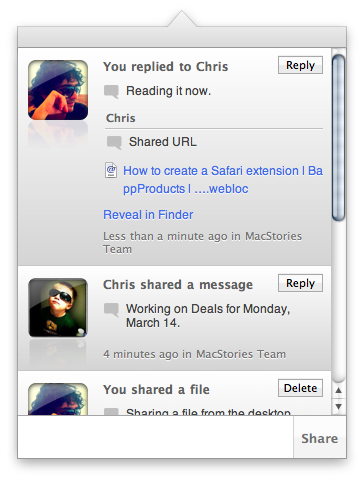
Back in September we talked about Frenzy, nothing more than a teaser at the time that was promising to bring a “Dropbox-based social network” to the Mac. Today, Aptonic Software (makers of popular utility Dropzone) has released the first public beta of Frenzy for Mac and, indeed, it works like a private social network powered by the Dropbox backend. We took the app for a quick spin earlier today and we were impressed. Read more
Posts in Featured
Frenzy Public Beta Available: A Dropbox-based Social Network

Access Extra Content and Perks
Founded in 2015, Club MacStories has delivered exclusive content every week for nearly a decade.
What started with weekly and monthly email newsletters has blossomed into a family of memberships designed for every MacStories fan.
Club MacStories: Weekly and monthly newsletters via email and the web that are brimming with apps, tips, automation workflows, longform writing, early access to the MacStories Unwind podcast, periodic giveaways, and more;
Club MacStories+: Everything that Club MacStories offers, plus an active Discord community, advanced search and custom RSS features for exploring the Club’s entire back catalog, bonus columns, and dozens of app discounts;
Club Premier: All of the above and AppStories+, an extended version of our flagship podcast that’s delivered early, ad-free, and in high-bitrate audio.
iPad & Productivity: One Year Later
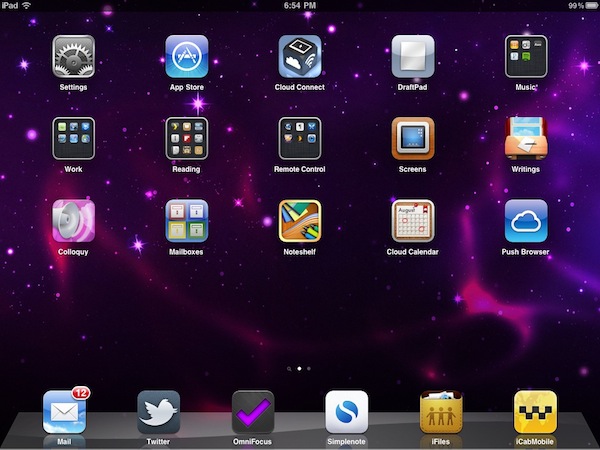
Instapaper developer Marco Arment makes the point on his personal blog about the iPad fitting more the entertainment category, rather than the productivity one. He thinks that, one year after its introduction, Apple hasn’t found the “sweet spot” yet for this new device:
Apple is now adapting to the market’s actual use by retreating somewhat from office productivity and pushing strongly into new territory — casual media creation — to see if that gets a stronger uptake in practice. I think it will be a lot more interesting than office productivity, but there’s still a lot of work that needs to be done in iOS to make it practical (especially regarding file transfers with computers).
I still don’t think Apple has found the sweet spot for the iPad’s usage: the ideal role it fills in personal computing. And I don’t think we, as developers or iPad owners, have found it, either. But I know that sweet spot exists, and for a computer category that has only existed for one year, we’re rushing towards it remarkably quickly.
Maybe it’s just me, but in this past year I’ve found a number of ways the iPad can help me be more productive to complete a series of tasks that would require a laptop otherwise. More importantly, the iPad has also created a new category of tasks that didn’t exist before. Read more
Access Extra Content and Perks
Founded in 2015, Club MacStories has delivered exclusive content every week for nearly a decade.
What started with weekly and monthly email newsletters has blossomed into a family of memberships designed for every MacStories fan.
Club MacStories: Weekly and monthly newsletters via email and the web that are brimming with apps, tips, automation workflows, longform writing, early access to the MacStories Unwind podcast, periodic giveaways, and more;
Club MacStories+: Everything that Club MacStories offers, plus an active Discord community, advanced search and custom RSS features for exploring the Club’s entire back catalog, bonus columns, and dozens of app discounts;
Club Premier: All of the above and AppStories+, an extended version of our flagship podcast that’s delivered early, ad-free, and in high-bitrate audio.
Apple Using New Headphone Jack in iPad 2?
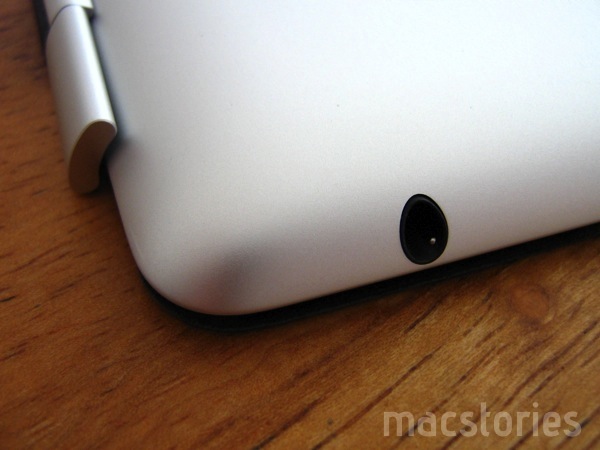
An Apple patent published in September 2010 revealed the company was working on a new headphone jack design that would allow to place significantly smaller headphone jacks in future iPhones and iPods. According to Kevin Fox at Fury.com, Apple might have implemented the new design in the iPad 2, which features a headphone jack to fit the iPad’s smaller form factor and it’s set “in to a steep curve”.
The original iPhone also placed the headphone jack on a curved exterior surface, but did so by insetting it, with the disastrous side-effect that only headphone plugs that strictly adhered to the spec would fit deep enough into the recessed space to complete the connection.
This time however it looks like there’s no recession at all. In fact, the opposite seems to be true: A plug fully inserted into the jack will have a surprisingly large portion of its ground ring (the outermost metal band) exposed to the elements.
Access Extra Content and Perks
Founded in 2015, Club MacStories has delivered exclusive content every week for nearly a decade.
What started with weekly and monthly email newsletters has blossomed into a family of memberships designed for every MacStories fan.
Club MacStories: Weekly and monthly newsletters via email and the web that are brimming with apps, tips, automation workflows, longform writing, early access to the MacStories Unwind podcast, periodic giveaways, and more;
Club MacStories+: Everything that Club MacStories offers, plus an active Discord community, advanced search and custom RSS features for exploring the Club’s entire back catalog, bonus columns, and dozens of app discounts;
Club Premier: All of the above and AppStories+, an extended version of our flagship podcast that’s delivered early, ad-free, and in high-bitrate audio.
ScreenFloat: A Better Way To Capture Information with Screenshots
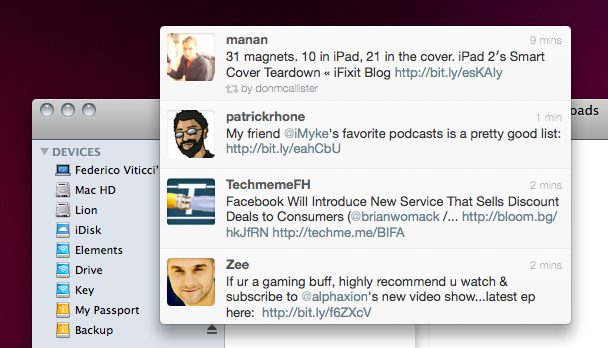
ScreenFloat by Eternal Storms Software – the same developer behind Flickery for Mac – is a new app released in the Mac App Store last night that allows you to take screenshots that will float above other windows on your Mac. Why would you want to do that, instead of the classic CMD + Shift + 4? Because sometimes information can’t be copied & pasted, and a screenshot is the best you can do to have the information you need a few clicks away. With OS X’ default screenshot-taking capabilities, you’ll still be forced to switch between the main app you’re using (say, the browser or a text editor) and the screenshot you just took, perhaps opened with Preview or Quick Look. So Eternal Storms thought that, when screenshots are the best way to quickly capture information, your Mac should be able to let you easily and quickly take a look at the image. Read more
Access Extra Content and Perks
Founded in 2015, Club MacStories has delivered exclusive content every week for nearly a decade.
What started with weekly and monthly email newsletters has blossomed into a family of memberships designed for every MacStories fan.
Club MacStories: Weekly and monthly newsletters via email and the web that are brimming with apps, tips, automation workflows, longform writing, early access to the MacStories Unwind podcast, periodic giveaways, and more;
Club MacStories+: Everything that Club MacStories offers, plus an active Discord community, advanced search and custom RSS features for exploring the Club’s entire back catalog, bonus columns, and dozens of app discounts;
Club Premier: All of the above and AppStories+, an extended version of our flagship podcast that’s delivered early, ad-free, and in high-bitrate audio.
The Smart Cover: Revisited & Reviewed
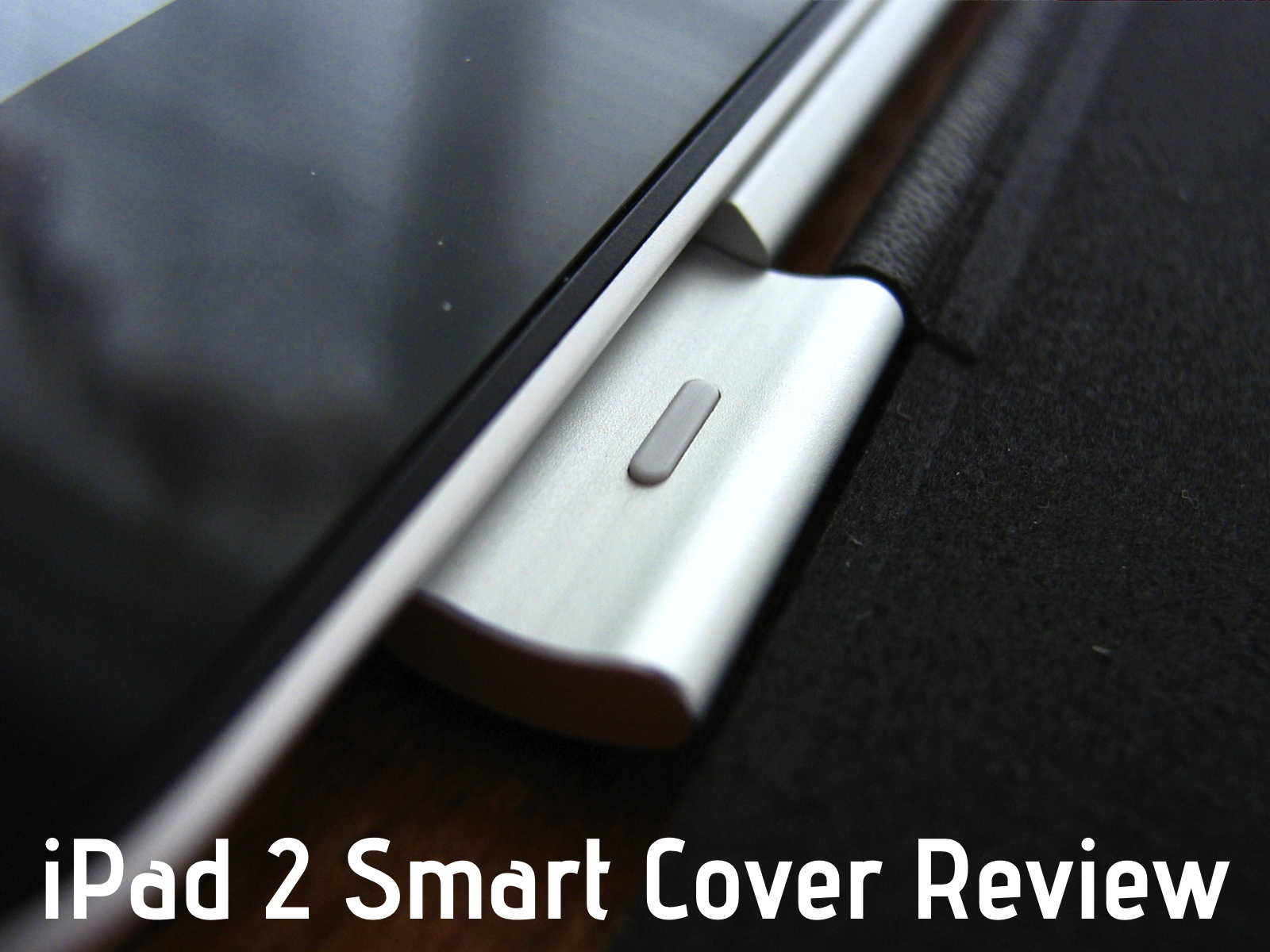
When I wrote about the genius of Apple’s Smart Cover for the iPad 2, I didn’t need to have it in hand to make my bold assertion. The Smart Cover had sold itself before anyone needed to touch it, thanks in part to Apple’s well done product showcase. It is the first accessory offered as you purchase an iPad 2 online, and the Apple store representative I was with made sure I knew all about the must-have covers. Apple is aggressively putting the spotlight on Smart Covers wherever they can, and for good reason. Put simply, this is the accessory you’ll want to buy with your next iPad.
Access Extra Content and Perks
Founded in 2015, Club MacStories has delivered exclusive content every week for nearly a decade.
What started with weekly and monthly email newsletters has blossomed into a family of memberships designed for every MacStories fan.
Club MacStories: Weekly and monthly newsletters via email and the web that are brimming with apps, tips, automation workflows, longform writing, early access to the MacStories Unwind podcast, periodic giveaways, and more;
Club MacStories+: Everything that Club MacStories offers, plus an active Discord community, advanced search and custom RSS features for exploring the Club’s entire back catalog, bonus columns, and dozens of app discounts;
Club Premier: All of the above and AppStories+, an extended version of our flagship podcast that’s delivered early, ad-free, and in high-bitrate audio.
iPad 2: Thoughts, Questions & Answers
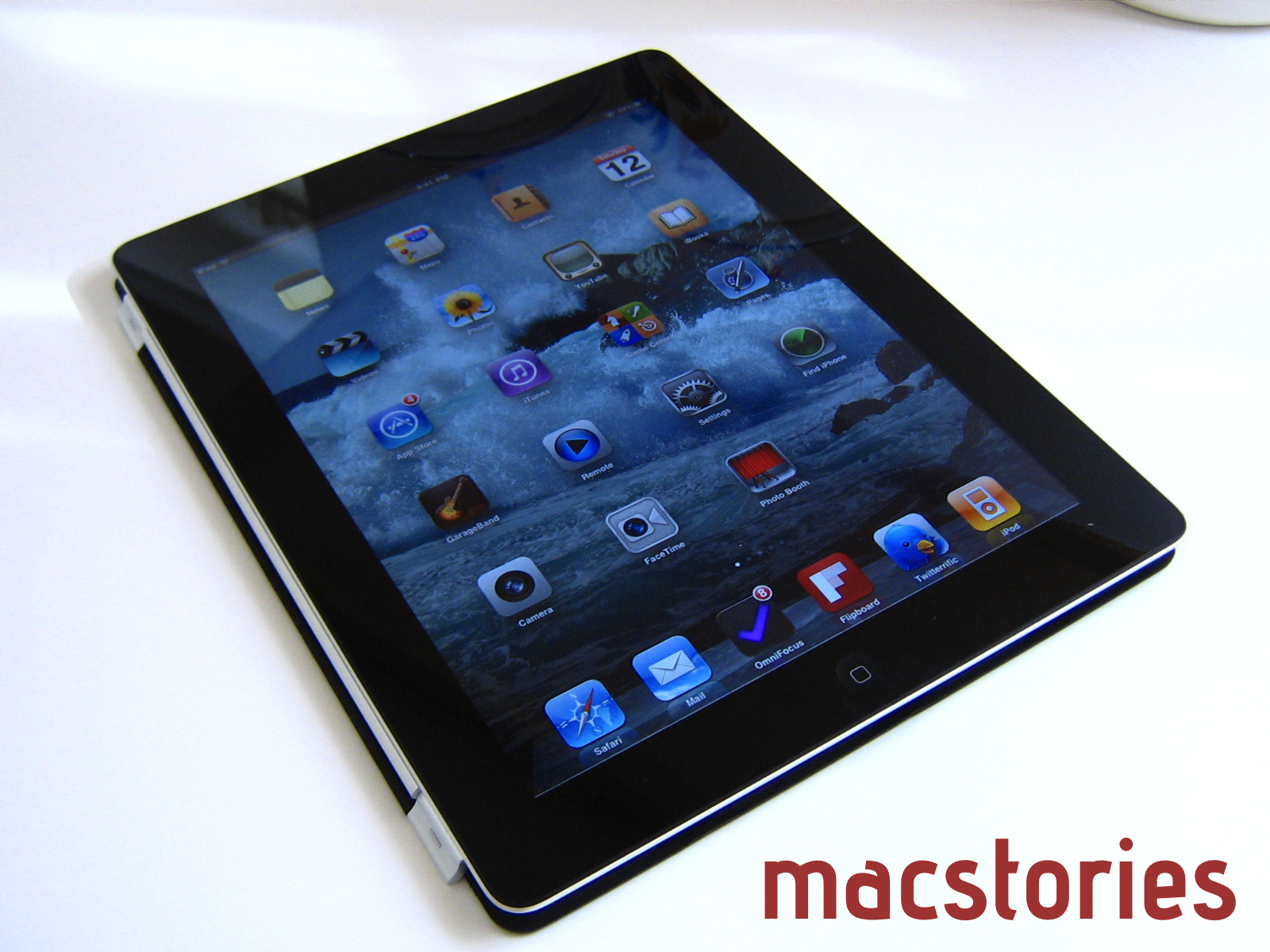
Short of a full review, I wanted to go over some of the sporadic thoughts I’ve had while using the iPad 2. I want this to be a place where you can leave questions in the comments, and where I’ll update this post as ideas come to mind. These aren’t quite initial reactions, but more of an unfolding conversation in response to a new discovery or comment. Many of the initial reviews left me a little unsatisfied, and I want to fill that gap with burning questions about what’s on your mind. I can’t answer app compatibility questions, but feel free to plug away about the iPad 2.
Access Extra Content and Perks
Founded in 2015, Club MacStories has delivered exclusive content every week for nearly a decade.
What started with weekly and monthly email newsletters has blossomed into a family of memberships designed for every MacStories fan.
Club MacStories: Weekly and monthly newsletters via email and the web that are brimming with apps, tips, automation workflows, longform writing, early access to the MacStories Unwind podcast, periodic giveaways, and more;
Club MacStories+: Everything that Club MacStories offers, plus an active Discord community, advanced search and custom RSS features for exploring the Club’s entire back catalog, bonus columns, and dozens of app discounts;
Club Premier: All of the above and AppStories+, an extended version of our flagship podcast that’s delivered early, ad-free, and in high-bitrate audio.
Video Comparison Shows Safari on iPad 2 Is Incredibly Fast
When Apple announced the iPad 2 would get a new dual-core processor with improved performances, we all guessed that the device would also get at least double the RAM for much better app management and fast switching. In the days following the announcement and after the plethora of hands-on videos that were uploaded from San Francisco, it was still unclear whether or not the iPad 2’s Safari browser (undoubtedly one of the most-used apps by iPad owners) would be faster and snappier than its iPad 1 counterpart. Many had the feeling that, combining the improved iOS 4.3 with a new processor and more RAM, Safari would highly benefit to reach great performances and stability. This, however, remained a theory even after the reviews posted last week that failed at really showcasing the capabilities of the new Safari.
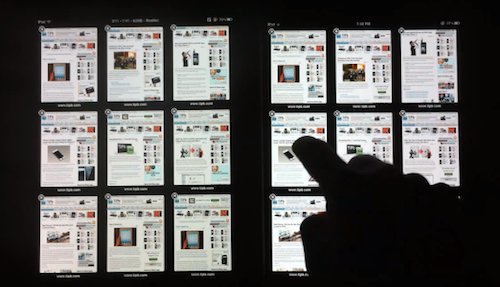
With the iPad 2 now out and available for everyone, the guys at TiPB posted a video last night a few hours after they got their iPad 2 to (finally) compare Safari on the iPad 2 with Safari on the original iPad. The results are impressive: with 9 tabs loaded and open on each browser, not only does the iPad 2 keep every tab loaded in memory, it also doesn’t display any “checkerboard effect” when scrolling. A major annoyance on Safari for iPad 1, in fact, was that with multiple tabs open the browser was usually forced to reload a tab when you switched to it because it didn’t have enough memory to keep it in a live, fully loaded state. This changes with the iPad 2 as you can see in the video below.
Scrolling in Safari is smooth as butter, and gone are the days when switching between tabs meant loading the entire page from scratch.
The difference in performance is quite clear, and browsing on the iPad 2 is definitely a step up from the original iPad in every way.
We’ll follow up later today with other videos showing the improved performances of the iPad 2 over the original iPad. Check out the video below. Read more
Access Extra Content and Perks
Founded in 2015, Club MacStories has delivered exclusive content every week for nearly a decade.
What started with weekly and monthly email newsletters has blossomed into a family of memberships designed for every MacStories fan.
Club MacStories: Weekly and monthly newsletters via email and the web that are brimming with apps, tips, automation workflows, longform writing, early access to the MacStories Unwind podcast, periodic giveaways, and more;
Club MacStories+: Everything that Club MacStories offers, plus an active Discord community, advanced search and custom RSS features for exploring the Club’s entire back catalog, bonus columns, and dozens of app discounts;
Club Premier: All of the above and AppStories+, an extended version of our flagship podcast that’s delivered early, ad-free, and in high-bitrate audio.
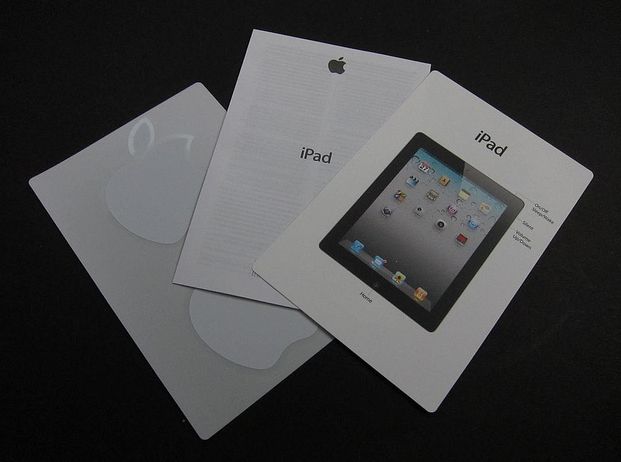
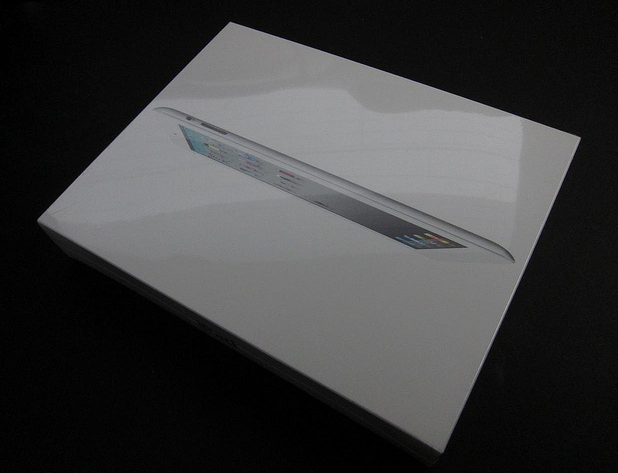
First iPad 2 Unboxing Photos and Videos
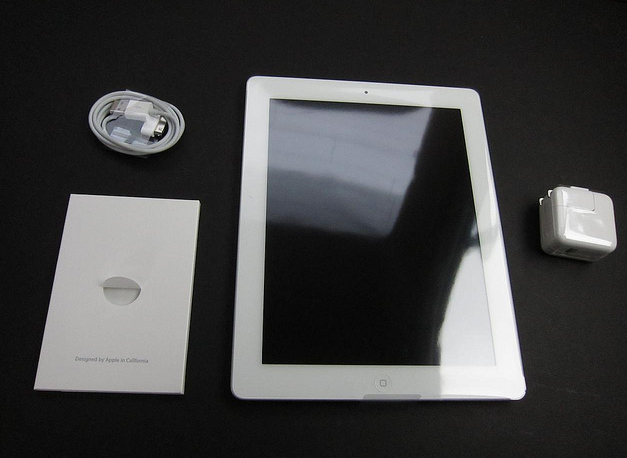
The lucky folks in the US have started getting their hands on the iPad 2 after some impressive lines we’ve tweeted all day (our editor @codyfink is currently inside the Apple Store to get our iPads) and here are coming the first unboxing photos and videos.

iPad 2 line at Apple Store at the Mall of Louisiana in Baton Rouge, LA. Wrapped around the entire courtyard. [Thanks, Brittany]
iLounge has posted a gallery full of photos of the retail box, and what’s inside.
Access Extra Content and Perks
Founded in 2015, Club MacStories has delivered exclusive content every week for nearly a decade.
What started with weekly and monthly email newsletters has blossomed into a family of memberships designed for every MacStories fan.
Club MacStories: Weekly and monthly newsletters via email and the web that are brimming with apps, tips, automation workflows, longform writing, early access to the MacStories Unwind podcast, periodic giveaways, and more;
Club MacStories+: Everything that Club MacStories offers, plus an active Discord community, advanced search and custom RSS features for exploring the Club’s entire back catalog, bonus columns, and dozens of app discounts;
Club Premier: All of the above and AppStories+, an extended version of our flagship podcast that’s delivered early, ad-free, and in high-bitrate audio.
Twitter To Developers: Enough With The Twitter Clients
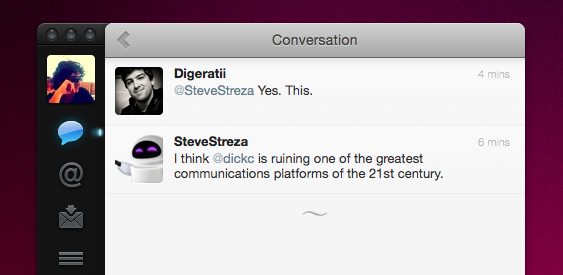
With an official announcement on the Twitter Google Group, head of platform and API at Twitter Ryan Sarver has told developers to stop building third-party Twitter clients that “mimic or reproduce the mainstream Twitter consumer client experience”. Basically: no more unofficial Twitter apps that look just like the official iOS, Mac, Android or BlackBerry apps and don’t add any value to the experience. Instead, focus on different areas of the whole Twitter experience. Uh oh.
The move is quickly causing a reaction among developers on Twitter that didn’t expect such a response from the company. Basically, although in a subtle way, they’re telling everyone to stop wasting time trying to emulate the official Twitter apps because 90% of users are already using Twitter through the officially provided tools. On top of that, though, it’s not only a matter of choice: it seems like Twitter is really going to force developers to stop building apps by “holding you to high standards to ensure you do not violate users’ privacy, that you provide consistency in the user experience, and that you rigorously adhere to all areas of our Terms of Service”. Some key parts from the announcement:
With more people joining Twitter and accessing the service in multiple ways, a consistent user experience is more crucial than ever. As we talked about last April, this was our motivation for buying Tweetie and developing our own official iPhone app. It is the reason why we have developed official apps for the Mac, iPad, Android and Windows Phone, and worked with RIM on their Twitter for Blackberry app. As a result, the top five ways that people access Twitter are official Twitter apps.
Developers have told us that they’d like more guidance from us about the best opportunities to build on Twitter. More specifically, developers ask us if they should build client apps that mimic or reproduce the mainstream Twitter consumer client experience. The answer is no.
As we point out above, we need to move to a less fragmented world, where every user can experience Twitter in a consistent way.
Access Extra Content and Perks
Founded in 2015, Club MacStories has delivered exclusive content every week for nearly a decade.
What started with weekly and monthly email newsletters has blossomed into a family of memberships designed for every MacStories fan.
Club MacStories: Weekly and monthly newsletters via email and the web that are brimming with apps, tips, automation workflows, longform writing, early access to the MacStories Unwind podcast, periodic giveaways, and more;
Club MacStories+: Everything that Club MacStories offers, plus an active Discord community, advanced search and custom RSS features for exploring the Club’s entire back catalog, bonus columns, and dozens of app discounts;
Club Premier: All of the above and AppStories+, an extended version of our flagship podcast that’s delivered early, ad-free, and in high-bitrate audio.