
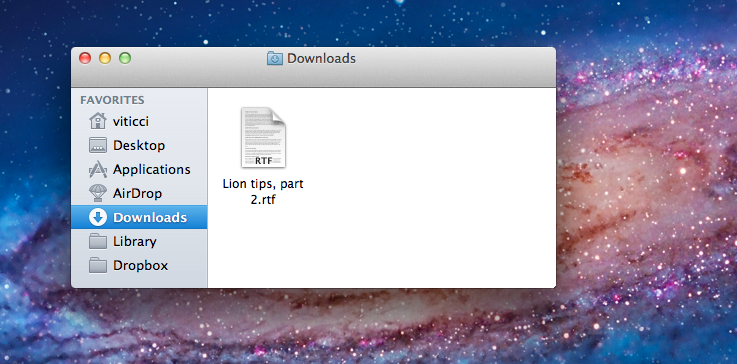
In our first “Miscellaneous Lion Tips and Tricks” article we collected the best tips we received soon after Lion’s launch on the Mac App Store last Wednesday. Lion was being welcomed with positive reviews, Mac users finally got their hands on the much anticipated upgrade, and people started digging deeper into the OS to discover functions and tricks not publicized by Apple in its marketing material and Mac App Store description page. Less than a week into Lion, the web has exploded with new Lion tips, Terminal hacks, and app tweaks. Once again, we have collected the best tips sent to us by our readers and Twitter followers in an article that will (hopefully) help you discover new things Apple didn’t talk about at its developer events or in Lion’s promo video. Jump after the break for a second list of Lion tips and tricks you can try right now. Read more
Posts in Featured
Miscellaneous Lion Tips and Tricks, Part 2

Access Extra Content and Perks
Founded in 2015, Club MacStories has delivered exclusive content every week for nearly a decade.
What started with weekly and monthly email newsletters has blossomed into a family of memberships designed for every MacStories fan.
Club MacStories: Weekly and monthly newsletters via email and the web that are brimming with apps, tips, automation workflows, longform writing, early access to the MacStories Unwind podcast, periodic giveaways, and more;
Club MacStories+: Everything that Club MacStories offers, plus an active Discord community, advanced search and custom RSS features for exploring the Club’s entire back catalog, bonus columns, and dozens of app discounts;
Club Premier: All of the above and AppStories+, an extended version of our flagship podcast that’s delivered early, ad-free, and in high-bitrate audio.
Lion’s QuickTime Player: Screen Recording Improvements and New Sharing Features
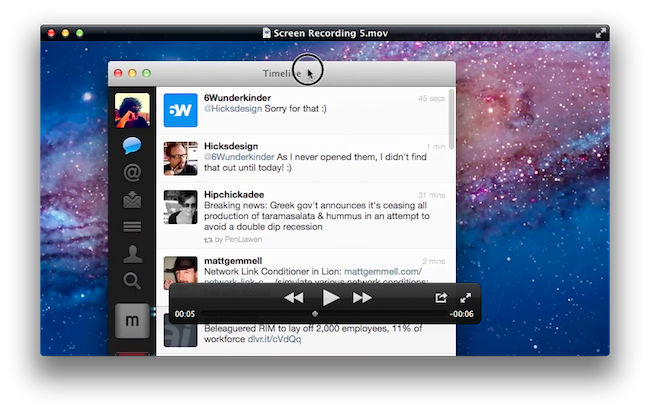
One of the built-in apps that received several interesting improvements in OS X Lion is QuickTime Player, Apple’s default video and music player based on the QuickTime framework that’s capable of handling a variety of audio, video, and picture codecs. Seemingly unchanged from version 10 of QuickTime Player that shipped with Mac OS X Snow Leopard, the new QuickTime Player 10.1 contains a number of changes under the hood, new sharing features, as well as screen recording enhancements built specifically for OS X Lion. Read more
Access Extra Content and Perks
Founded in 2015, Club MacStories has delivered exclusive content every week for nearly a decade.
What started with weekly and monthly email newsletters has blossomed into a family of memberships designed for every MacStories fan.
Club MacStories: Weekly and monthly newsletters via email and the web that are brimming with apps, tips, automation workflows, longform writing, early access to the MacStories Unwind podcast, periodic giveaways, and more;
Club MacStories+: Everything that Club MacStories offers, plus an active Discord community, advanced search and custom RSS features for exploring the Club’s entire back catalog, bonus columns, and dozens of app discounts;
Club Premier: All of the above and AppStories+, an extended version of our flagship podcast that’s delivered early, ad-free, and in high-bitrate audio.
Facebook Has A Working iPad App Hidden In The iPhone Version

As revealed by TechCrunch, it appears the official Facebook app for iPad may become available in the App Store relatively soon, as the iPad app is actually hidden away, inside the iPhone app and actually executable! It is unclear when and how Facebook will announce the availability of Facebook for iPad, however as MG Siegler explains, it is a completely re-imagined Facebook experience for the tablet that takes advantage of the iPad’s screen to lay out a different view for your photo albums, friends, profile, and more. The app does seem to use an iPad optimized web view in the main Facebook interface (just like on the iPhone), but several other UI elements are native to iOS and built specifically for the iPad.
Facebook for iPad uses a concept not too dissimilar from Twitter’s iPad app – rather than displaying all content vertically, the app heavily relies on horizontal navigation to access various Facebook sections, the news feed, chats, liked posts, and so forth. For instance, a sidebar on the left contains tabs below your main profile to open your News Feed, Messages, Events, Places, Friends, and Photos. In the same sidebar, there are links to jump to the groups you’re subscribed to – it almost appears as Facebook wants to put the focus on Groups as much as Google gave Circles, its friend-organization tool, a huge role in Google+. There are two top bars in the middle panel: one has buttons to upload photos from your iPad’s camera and library, the other two are associated with a regular status update and check-ins. In the blue toolbar, the app has a series of additional icons to open the friend requests panel, messages, and notifications – this looks very similar to Facebook on the desktop, and the design is very distant from Facebook’s implementation on the iPhone. There is also a search function in the app, though it’s been placed at the top of the sidebar, rather than the toolbar. As for the stream, judging from the screenshots it seems to be a web view optimized for the iPad’s new app UI.
Facebook for iPad includes a Chat sidebar on the right and a full interface for Messages, which look very similar to Apple’s own iMessage model – at least as far as the design goes – with recipients listed on the left and the actual message inside a larger panel on the right.
UPDATE: TechCrunch has posted an album-full of screenshots of the app here. We’ve embedded a sample of these below the break, but here’s one:

[Via TechCrunch]
Access Extra Content and Perks
Founded in 2015, Club MacStories has delivered exclusive content every week for nearly a decade.
What started with weekly and monthly email newsletters has blossomed into a family of memberships designed for every MacStories fan.
Club MacStories: Weekly and monthly newsletters via email and the web that are brimming with apps, tips, automation workflows, longform writing, early access to the MacStories Unwind podcast, periodic giveaways, and more;
Club MacStories+: Everything that Club MacStories offers, plus an active Discord community, advanced search and custom RSS features for exploring the Club’s entire back catalog, bonus columns, and dozens of app discounts;
Club Premier: All of the above and AppStories+, an extended version of our flagship podcast that’s delivered early, ad-free, and in high-bitrate audio.
Lion: 1 Million Downloads In First Day

With a press release, Apple just announced over million copies of OS X Lion were downloaded on the first day of availability through the Mac App Store. That’s roughly $30 million for Apple in just 24 hours, with the OS receiving around 90% of positive reviews in the Store. Currently, Lion has over 9000 ratings with 8120 being five-star ones. Lion marks the first time Apple is distributing a new OS digitally through an online platform, though the company confirmed yesterday a USB Thumb Drive will be made available at $69 for people without a broadband connection to download the OS. As Lion is distributed through the Mac App Store, which is likely part of the iTunes services running on Apple’s North Carolina data centers, Apple’s new infrastructure should have moved 3.6 petabytes in the latest 24 hours.
Lion is off to a great start, user reviews and industry reaction have been fantastic,” said Philip Schiller, Apple’s senior vice president of Worldwide Product Marketing. “Lion is a huge step forward, it’s not only packed with innovative features but it’s incredibly easy for users to update their Macs to the best OS we’ve ever made.
You can read more about Lion’s new features in our coverage. Full press release embedded below. Read more
Access Extra Content and Perks
Founded in 2015, Club MacStories has delivered exclusive content every week for nearly a decade.
What started with weekly and monthly email newsletters has blossomed into a family of memberships designed for every MacStories fan.
Club MacStories: Weekly and monthly newsletters via email and the web that are brimming with apps, tips, automation workflows, longform writing, early access to the MacStories Unwind podcast, periodic giveaways, and more;
Club MacStories+: Everything that Club MacStories offers, plus an active Discord community, advanced search and custom RSS features for exploring the Club’s entire back catalog, bonus columns, and dozens of app discounts;
Club Premier: All of the above and AppStories+, an extended version of our flagship podcast that’s delivered early, ad-free, and in high-bitrate audio.
OS X Lion: AirDrop Overview
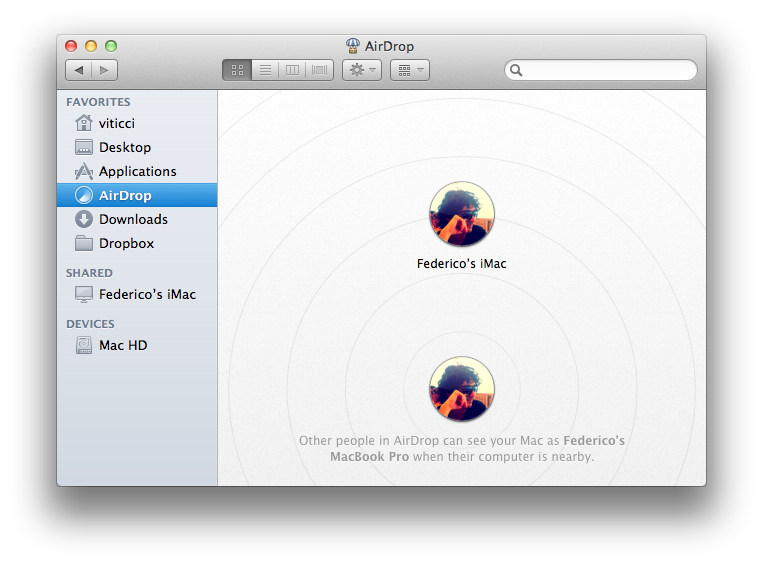
Among the new features of Lion that Apple touts on the Mac App Store and the OS’ official webpage, there is a new peer-to-peer file sharing functionality called AirDrop, which uses the Finder as a way to share files with Macs nearby through drag & drop. Acting as a replacement to the omnipresent USB stick and providing an easier approach to wireless file sharing than the Mac’s default “Drop box” feature, AirDrop wants to replace any physical media and alternative software solutions used to share documents with your friends, family, or colleagues that happen to have a Mac next to your machine. I can’t tell you how many times in the past I found myself using my MacBook next to a friend’s MacBook, and doing something as simple as sharing an .mp3 file required us to either go through the Mac’s Sharing settings in System Preferences, upload it online for a one-time usage, or rely on the typical USB thumb drive.
AirDrop is aimed at making file sharing easy, and secure at the same time. Before I delve deeper into its feature set though, here’s the list of computers Apple says are compatible with Lion’s AirDrop:
- MacBook Pro (Late 2008 or newer)
- MacBook Air (Late 2010 or newer)
- MacBook (Late 2008 or newer)
- iMac (Early 2009 or newer)
- Mac mini (Mid 2010 or newer)
- Mac Pro (Early 2009 with AirPort Extreme card, or Mid 2010)
Access Extra Content and Perks
Founded in 2015, Club MacStories has delivered exclusive content every week for nearly a decade.
What started with weekly and monthly email newsletters has blossomed into a family of memberships designed for every MacStories fan.
Club MacStories: Weekly and monthly newsletters via email and the web that are brimming with apps, tips, automation workflows, longform writing, early access to the MacStories Unwind podcast, periodic giveaways, and more;
Club MacStories+: Everything that Club MacStories offers, plus an active Discord community, advanced search and custom RSS features for exploring the Club’s entire back catalog, bonus columns, and dozens of app discounts;
Club Premier: All of the above and AppStories+, an extended version of our flagship podcast that’s delivered early, ad-free, and in high-bitrate audio.
Miscellaneous Lion Tips and Tricks

Lion is a solid update to OS X and it comes with several new features as we’ve outlined in our review, however there are so many little touches and minor features it is possible some of them will go unnoticed, leaving a user wondering whether something he thought would be possible was removed by Apple. In this post, we’ve collected some of the best tips and tricks we’ve received from our readers and Twitter followers since Lion came out yesterday, as well as stuff that didn’t make it to the review. More will follow throughout the next days, but in the meantime check them after the break.
Note: Part 2 is now online.
Access Extra Content and Perks
Founded in 2015, Club MacStories has delivered exclusive content every week for nearly a decade.
What started with weekly and monthly email newsletters has blossomed into a family of memberships designed for every MacStories fan.
Club MacStories: Weekly and monthly newsletters via email and the web that are brimming with apps, tips, automation workflows, longform writing, early access to the MacStories Unwind podcast, periodic giveaways, and more;
Club MacStories+: Everything that Club MacStories offers, plus an active Discord community, advanced search and custom RSS features for exploring the Club’s entire back catalog, bonus columns, and dozens of app discounts;
Club Premier: All of the above and AppStories+, an extended version of our flagship podcast that’s delivered early, ad-free, and in high-bitrate audio.
OS X Lion: Interface Tour

As we discussed in our OS X Lion review, Apple’s latest operating system is an evolutionary step forward, a milestone in the company’s desktop software history that innovates old concepts and user interactions by bringing some of the features and design schemes seen on iOS devices to the Mac’s bigger screen. There is a subtle difference though: whereas most people would think Apple is “stealing” from iOS, building on the success of the iPhone and iPad (now a bigger business than desktop computers) to sell more Macs, Lion does in fact prove that the roots of OS X are still strong, but looking for a cohesive integration with the seeds planted on mobile. As Cody wrote in his review “Apple weaved our working knowledge of gestures and interfaces into the Mac to capitalize on our intuition” – Lion isn’t a glamorous iOS. Lion is an evolution of the OS X we know and use, and the changes made to the operating system are immediately visible in the interface.
Lion doesn’t look like iOS. If anything, Apple has tweaked the Aqua interface to achieve the same elegance, minimalism and focus on content first conceptualized on the iPhone, but it’s far from being an iOS clone. With Lion, Apple hasn’t ported iOS’ design principles to the Mac – they took the best parts of a mobile interface that they thought would also make sense on the desktop, and managed to make it work. The changes in Lion – both design-wise and feature-wise – never feel like forced additions that are weird to use and be familiar with. Rather, they’re subtle improvements that will make you wonder why they weren’t implemented before. Read more
Access Extra Content and Perks
Founded in 2015, Club MacStories has delivered exclusive content every week for nearly a decade.
What started with weekly and monthly email newsletters has blossomed into a family of memberships designed for every MacStories fan.
Club MacStories: Weekly and monthly newsletters via email and the web that are brimming with apps, tips, automation workflows, longform writing, early access to the MacStories Unwind podcast, periodic giveaways, and more;
Club MacStories+: Everything that Club MacStories offers, plus an active Discord community, advanced search and custom RSS features for exploring the Club’s entire back catalog, bonus columns, and dozens of app discounts;
Club Premier: All of the above and AppStories+, an extended version of our flagship podcast that’s delivered early, ad-free, and in high-bitrate audio.
Lion Launch Notes: What You Might Have Missed

It’s not just your normal Wednesday morning folks. Nope — coinciding with the launch of Lion that was only confirmed yesterday during Apple’s Q3 conference call, Apple has released a handful of new products including updated MacBook Airs, updated Mac Minis, and new Apple Thunderbolt Displays (a step up from the Apple Cinema Displays). In the chaos of four press releases and an updating Apple Store, there’s lots of new items to note alongside our major morning launches, so let’s run through the list!
Access Extra Content and Perks
Founded in 2015, Club MacStories has delivered exclusive content every week for nearly a decade.
What started with weekly and monthly email newsletters has blossomed into a family of memberships designed for every MacStories fan.
Club MacStories: Weekly and monthly newsletters via email and the web that are brimming with apps, tips, automation workflows, longform writing, early access to the MacStories Unwind podcast, periodic giveaways, and more;
Club MacStories+: Everything that Club MacStories offers, plus an active Discord community, advanced search and custom RSS features for exploring the Club’s entire back catalog, bonus columns, and dozens of app discounts;
Club Premier: All of the above and AppStories+, an extended version of our flagship podcast that’s delivered early, ad-free, and in high-bitrate audio.
Apple Releases iTunes 10.4: Full 64-bit Cocoa On OS X Lion
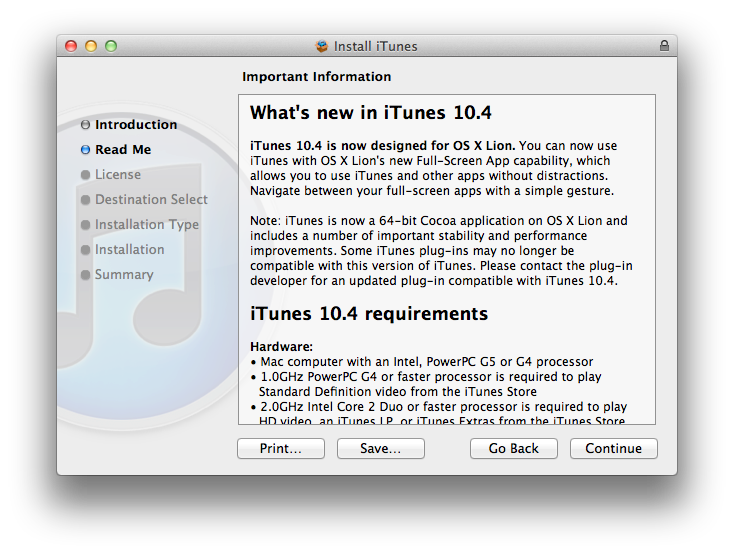
Apple just released an update for iTunes, which reaches version 10.4 and adds a number of important improvements in OS X Lion. The new iTunes does in fact support full-screen mode, but more importantly is a full 64-bit Cocoa application on OS X Lion. This should enable for speedier performances and a more stable app, though we haven’t been able to test it just yet. iTunes 10.4 comes ahead of iTunes 10.5, which has already been seeded to developers and will likely debut this Fall alongside iOS 5 and iCloud. The new iCloud-based features such as automatic downloads and iTunes in the Cloud, however, are available to iTunes 10.3, and now iTunes 10.4, users as well, without needing to get the developer preview.
iTunes 10.4 is now designed for OS X Lion. You can now use iTunes with OS X Lion’s new Full-Screen App capability, which allows you to use iTunes and other without distractions. Navigate between your full-screen apps with a simple gesture.
iTunes is now a 64-bit Cocoa application on OS X Lion and includes a number of important stability and performance improvements. Some iTunes plug-ins may no longer be compatible with this version of iTunes. Please contact the plug-in developer for an updated plug-in compatible with iTunes 10.4.
To enjoy the latest Cocoa enhancements and 64-bit support, you’ll need to have Lion installed on your machine. You can download iTunes 10.4 from Apple’s site or Software Update now.
Update: As far as performances go, if iTunes 10.5 beta is of any indication on my late-2008 MacBook Pro with SSD, the application does seem a little snappier and generally more responsive than older iTunes versions, though it’s not an immediately visible change. The trained eyes of developers will notice the performance improvements and technical changes, but to the average user it’s just the same iTunes, only slightly faster.
Access Extra Content and Perks
Founded in 2015, Club MacStories has delivered exclusive content every week for nearly a decade.
What started with weekly and monthly email newsletters has blossomed into a family of memberships designed for every MacStories fan.
Club MacStories: Weekly and monthly newsletters via email and the web that are brimming with apps, tips, automation workflows, longform writing, early access to the MacStories Unwind podcast, periodic giveaways, and more;
Club MacStories+: Everything that Club MacStories offers, plus an active Discord community, advanced search and custom RSS features for exploring the Club’s entire back catalog, bonus columns, and dozens of app discounts;
Club Premier: All of the above and AppStories+, an extended version of our flagship podcast that’s delivered early, ad-free, and in high-bitrate audio.