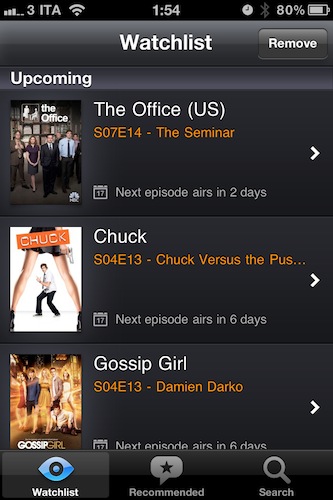
Episodes, a new iPhone app by developers Nial Giacomelli and Benjamin Gordon, provides a great-looking solution to track your favorite TV shows with air dates and world premieres, and also offers a list of shows you might be interested in. Read more
Posts in reviews
Episodes Tracks Your Favorite TV Shows, Offers Recommendations
Portal: A Revolutionary Browser for iPhone
Over the weekends, I usually spend a bit of my free time browsing the App Store and AppShopper, looking for new apps to try on my iPhone and iPad. Sometime I find interesting new things to test; sometimes I find great apps. Other times – but this is a very rare exception – I find really great apps I can’t stop using. This is the case with Portal Browser for iPhone.
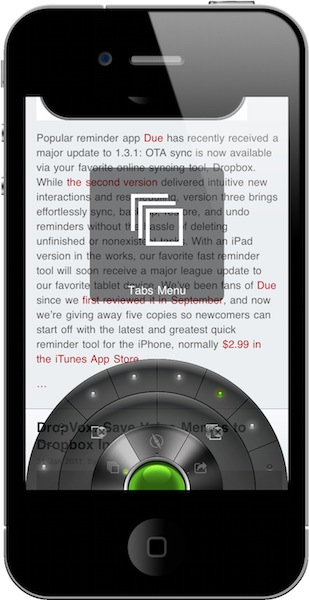
I have been trying a lot of alternative browsers for iOS over the past months, as you may have noticed. Thanks to tweaks available in Cydia, I also installed several modifications to make Apple’s Safari a better, faster, more functional browser. Still, testing new browsers from third party developers has become one of my favorite “work hobbies”, as I believe there’s great room for experimentation and innovation in a mobile app to browse the Internet. I do believe we have only scratched the surface with mobile browsers on iOS and Android which, if you think about it, haven’t done much besides porting the desktop experience to a smaller screen. Portal for iPhone is the first step towards a much better approach to mobile browsing, entirely based on touch interactions, features and menus developed with the iPhone in mind. Don’t get me wrong: Safari is an excellent browser. But Portal, which is sold at $1.99 in the App Store, is more than the usual alternative: it’s a completely different take on mobile browsing. Read more
DropVox: Save Voice Memos to Dropbox In Seconds
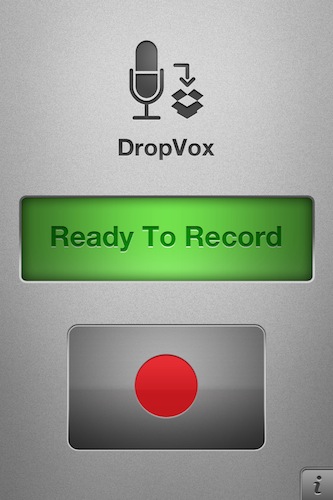
DropVox is an iPhone app I discovered in the App Store over the weekend, it’s incredibly simple yet I wonder why I didn’t think of using something like this before: DropVox uploads voice memos instantly to the cloud, and more specifically to Dropbox – the service I use on a daily basis for almost anything in my workflow, from music to app libraries.
Developed by Irradiated Software (the same folks behind MacStories’ favorite Cinch for Mac), DropVox works like this: you fire it up for the first time and log in with your Dropbox account. Every time you want to record a voice memo, open the app, hit the huge Record button, then stop and wait for the file to land in your Dropbox. Boom, just like that. No file management, no renaming features, no time stamps – just record and upload.
DropVox is a microphone for DropBox. Get it now, while it’s still priced at $0.99 as a limited time offer.
MacStories Product Review: Jawbone JAMBOX Portable Speaker
In my review of the Sonos S5 wireless music system, I made the bold statement that I can’t live without music. It’s true, and apps for the iPhone and iPad are only making the need of music anywhere, anytime more ubiquitous than ever. With music accessible at any time, from any device, the need of high-quality portable gear becomes real.
The Sonos S5 is a top-notch music system that’s deeply integrated with iOS and Internet services, but you can’t carry it around. You can’t have it with you at your friend’s house (well, unless you plan on configuring it on his router and computers), you can’t have it at the beach, at the bar, wherever. The Sonos S5 is great, but it’s a “desktop system”. The Jawbone JAMBOX wireless speaker, which I was provided a review unit a few weeks ago, is a different story, and an original one: it’s a tiny, ultra-portable, hi-fi audio speaker and speakerphone that you can carry in you hand or throw in your bag / backpack. It’s really, really small yet it delivers impressive audio quality throughout small to medium rooms. It’s completely integrated with the iOS platform and can double as a speakerphone that’s, again, integrated with Apple’s Phone app.
After the break, you’ll find my review of the Jawbone JAMBOX after three weeks of testing in lots of different rooms and situations with different people and music genres. I really tried to make the JAMBOX fit with any possible scenario I could think of. But I can already say this small and user-friendly speaker is the best thing that ever happened to my mobile music. Read more
Cloud Connect Pro: A Finder for iPad
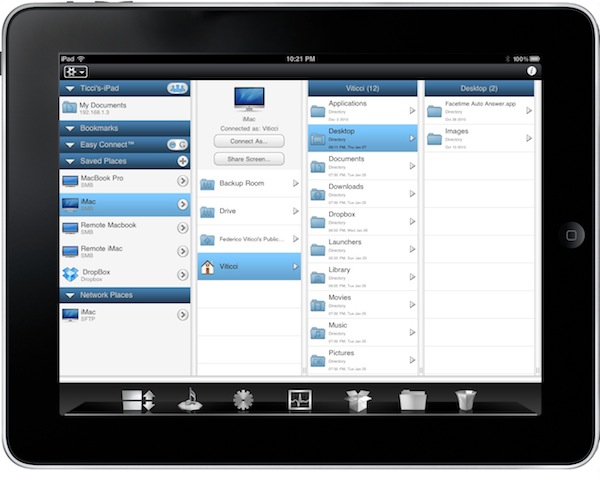
iOS devices don’t have a Finder, and in many ways that’s a good thing. Apple simplified the approach to file management by making the filesystem virtually invisible to the users and delegating “database functionalities” to apps, which are nothing but containers of files, data and information. Apps like Pages, PlainText or the Photos app itself keep actual files together, it’s just that on iOS users aren’t forced to manage, organize, clean and sort them like on the desktop. It’s a simpler and more intuitive approach. For many, though, file management sometimes is necessary. Either because of an app that doesn’t support sharing (thus documents can’t get out) or working needs that require access to a specific file in a specific location, several users over the years have lamented the impossibility to have a Finder-like system on their iPhones and iPads. We have also seen apps like Berokyo trying to bring folders and files together on iOS by making compromises with iOS’ default interface style and features.
Cloud Connect Pro, a new app by Antacea I’ve been testing for the past week, aims at bringing true Finder-like options and file management capabilities to the iPad with deep cloud integration. This app can connect to any computer, Dropbox or iDisk instance and WebDAV / SFTP / FTP server to access folder structures, files and media. It can stream music and videos, double as a lightweight but useful VNC client, open and preview document and much more. Read more
Tapu: iPad Browser That Looks Like Chrome, Plugs Into Facebook
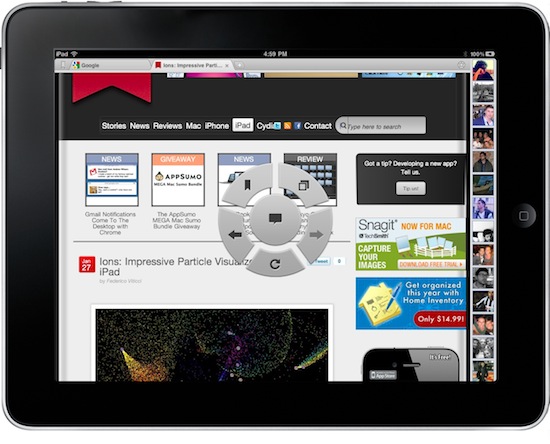
Looking for great alternatives to Mobile Safari, I have stumbled upon a lot browsers for the iPad. Some of them are really nice, like Grazing and Browser+; some them are the result of strange experiments gone terribly wrong, like Super Prober. Overall, the trend amongst developers seem to be that of trying to reinvent Safari by adding features over features that, without good software engineering and quality control, may end up cluttering an app, making everything barely usable. It happened with many browsers I have tested so far. Read more
Cubetastic, A Superb Puzzler Now On The Mac & iPad App Stores
Which one of you was the jerk who’d take a Rubik’s Cube, mix it all up, and make it almost impossible for the average human being to solve? I have terrible memories of those things – spending hours trying to figure out what it would take my senior high buddy about five minutes. Of course, fate would have it that some awesome group of developers would take the Rubik’s Cube and completely base it on one of the most twisted brain teasers ever. When we say twisted, we literally mean these puzzles take a few turns to solve.
The folks from doPanic have created a multidimensional puzzle game that focuses on getting a glowing orb (your light) to a goal. It sounds pretty easy, and skilled players will solve puzzles in as few moves as possible, but once you start spinning the cube…things get a little Cubetastic.
Berokyo Creates Bookshelves for Anything, Including Dropbox
Desktop organizer and quick launcher Berokyo has been around on the Mac and Windows for quite some time now. On the desktop, the app allows you to organize, sort and manage your most used files and folders for quick access and media consumption. The developers recently released a universal iOS version of the app, which like the Mac counterpart puts the focus on letting users visually organize their documents on a virtual bookshelf; unlike the desktop, though, iOS devices don’t have the possibility to display a file system. The developers thus had to rethink the whole approach of Berokyo, changing the way users get files into the app. Berokyo for iOS can create unlimited bookshelves for documents coming from other apps on your iPhone and iPads (like Pages and Numbers) but, most of all, can sync with Dropbox. Read more
Movie Player for iOS Plays Most Video Formats
If you feel sad about the removal of VLC from the App Store and you didn’t purchase the app in time before it got pulled, Movie Player is an interesting alternative I’ve been this past week you might consider for your portable movie needs. The app is universal for iPhone and iPad, it will cost you $2.99 and it’s got nice interface design and animations. Most of all, Movie Player can play most any video format you have on your hard drive, ready to be synced via iTunes.
The huge list of supported formats includes: divx, avi, flv, mov, wmv, mpg, mpeg, mpeg1, mpeg2, mpeg4, mp4, m4v , mpv, vob, ts, ogv, ogm, mkv, dv, asf, 3gp, m2p, m2ts, m2v, gxf, wm. I have tested the app with avi, mkv, mp4 and mov files.
In my tests, the app played most formats smoothly, launching files of 2GB in 2-3 seconds. I also would like to point out that I’ve run Movie Player against iOS 4.3 beta, which isn’t officially supported yet. I’ve only noticed slow downs with large movies that had .srt subtitles, also synced with iTunes’ file manager. The app recognized the subtitles but didn’t generate a thumbnail, and moving the scrubber through the movie was a little too slow. Anything else, however, worked perfectly under the new OS on the iPad and iPhone 4.
Movie Player allows you create playlists to watch videos one after the other without interruptions, very useful for TV shows and video podcasts. A small detail I particularly appreciated is the curtain-like animation that shows up when opening and closing a movie.
Movie Player definitely gets its job done, it hasn’t got many additional features but playback is smooth. At $2.99 in the App Store, give it a try. More screenshots below. Read more