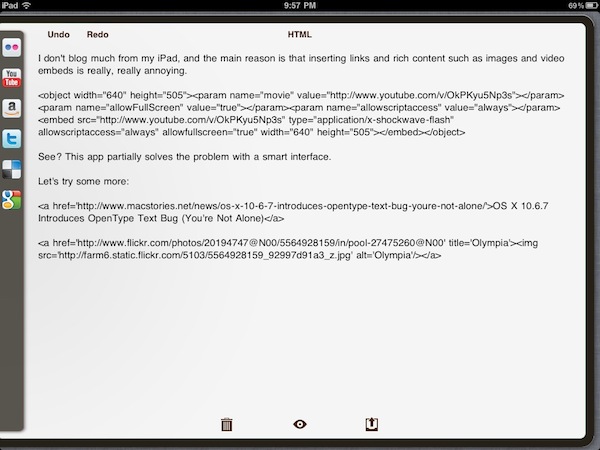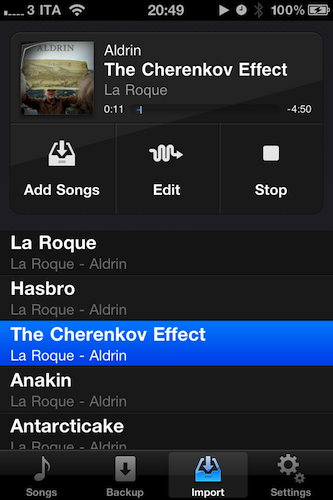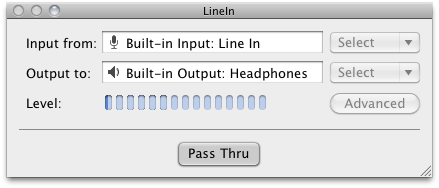
Awaken, Embraceware’s very popular alarm clock (and more) app, has just been updated to version 5. It’s available in the Mac App Store or if you’re an existing customer, you can “Check for Updates” within the app. New customers may purchase the app via the Mac App Store for $9.99, or download a demo version via Embraceware’s Awaken page. Read more
Posts in reviews
Embraceware’s Awaken 5 Now Available
Flare: Photo Editing with Style
The Iconfactory, makers of apps such as Twitterrific, CandyBar, xScope, IconBuilder, iPulse, and Frenzic, are the “World leaders in icon design, custom design services, software, royalty-free stock icons and much more.”
So what app niche could they fill next? How about photo editing. Unless you’re a pixel pro who uses Photoshop, Lightroom or Aperture, there are few options for the semi-pro and amateur out there to dabble in image effects. That’s where Iconfactory’s new app, Flare, comes into play. The Iconfactory worked together with ARTIS Software to bring Flare to the Mac. Read more
Drink Up or Stay Sober with BeerStat for iPhone
Drinkers of beer tend to settle the evenings in a local pub or in backyards over an open grill and a standing longneck. Quick work is made of the Sam Adams shuffled between the ice cubes in the cooler, and pretty soon you’re two beers in towards your eight beer weekly limit. BeerStat for the iPhone is all about statistics, tracking how much cash you’ve spent, and keeping a long log term log about your total alcohol consumption and previous records. If you ever wanted to know how much of your monthly salary you spend on beer or how how much beer you’ve chugged in body weight, BeerStat keeps those statistics based on your personal profile and beer of choice.
BeerStat is recommended in part because of its lust worthy design, showing off beautiful pixels as the streamlined interface is overlaid with booze-tastic 8-bit icons. Instead of your traditional tabs, you can scrub through the various sections of the app as you dive between records, your calendar, and a way cool section on fun-facts about beer. It’s got everything you beer-drinking hipster-loving designers would want in an iPhone app, but I will complain slightly about adding your favorite beverages. You can add your favorite brand of beer and its various qualities to BeerStat, but I wish there was a simpler way to add common supermarket brands with just a couple of flicks. Beer is individually priced, so you have to divide out the price of a bottle from a six pack. I’d like to see a quick pick implementation in a future update, but as of now you specialty drinking / pint loving fools can brag or keep tabs on just how much beer you actually consume. BeerStat is only a dollar in the App Store, and would look great donning your homescreen next to that Starbucks icon. Check out the video after the break.
And please. Drink responsibly.
Watchlater: iPad App That’s Like Instapaper For Video
Instapaper is one of my favorite apps ever made for iOS: it allows me to save any article for later, and enjoy it in an uncluttered view on the iPhone or iPad without the stress of the web browser. Offline access makes sure I can read everything even when an Internet connection is nowhere to be found, and the recently introduced social sharing capabilities enable me to stay up to date with items liked by people I read and trust. Instapaper is a great tool, but it works for text. And besides text, I happen to consume a lot of online video, too.
The idea of an Instapaper for video always came back to me as an intriguing experiment someone had to try: just like Instapaper, you hit a bookmarklet and the video is saved in your online account. You fire up an iOS app, the videos are automatically retrieved and cached, and you can watch them whenever you like. Without the anxiety factor offered by Youtube’s website design or, again, the information overload of the desktop browser. Just video.
Watchlater, a new iPad app available at $2.99 in the App Store, wants to become the “Instapaper for video” on iOS, and admittedly it’s a pretty neat application. I’ve tested the app over the past months, it’s got lots of potentialities and still a few issues to fix / missing features. But it is available now, and allows you to collect videos from Youtube and Vimeo in a single place. Read more
TweetMag 1.1 Released: Faster, Full Readability Integration
When I first reviewed TweetMag back in December, I called it the “most beautiful Twitter app” for the iPad. Lots of things have changed since then, but I stand by my statement: the iPad 2 is now available and Flipboard went under a major update that refined the UI and added Instagram integration, yet TweetMag still holds up as a gorgeous way to consume Twitter as a magazine specifically built for the tablet. There are some similarities with the iPad app of the year 2010, Flipboard, but with the recent 1.1 update TweetMag takes another important step to become the most beautiful alternative Twitter app.
TweetMag 1.1 is faster. The backend was entirely rewritten, and you can immediately tell the difference in speed – especially on an iPad 2. Images load faster, tweets are parsed in seconds, content appears within moments after choosing a magazine from the top “rack”. The speed issues encountered by several users in the first version have been fixed, and rarely did I stumble upon wrong headlines or non-loaded images in TweetMag 1.1. There are still some minor issues here and there (1.1.1 update coming soon?), but this thing is simply faster now. The new system that powers TweetMag definitely shows its capabilities.
Two new features in TweetMag 1.1 allow you to create a magazine out of your favorite tweets (and consequently add tweets to Favorites directly within the app) and link to your Readability account to create a Read Later mag. We’re big fans of Readability here at MacStories, and full integration with the service is more than welcome. You can add articles to your reading queue or simply head over to the rack to check out your Read Later mag – made of articles you have saved in your online Readability account. Instapaper support is gone, but it might be coming back in a future update. We appreciate the developers’ choice to support publishers by adding Readability right into TweetMag – which still grabs links off any Twitter timeline to present articles in a uncluttered layout with great-looking typography.
Other new features in 1.1 include a Featured section with the top publications worth following, and the possibility to add or remove friends from the app. TweetMag is a $2.99 purchase in the App Store for a limited time, and it’s still the most beautiful Twitter app, now with a faster engine. Recommended.
SkyView: Explore The Universe with Augmented Reality
Thanks to the camera built into every iPhone (and now iPad), we have seen clever implementations of augmented reality applications in the past. Augmented Reality software, also known as “AR apps”, is meant to literally “augment” real-life objects you see on the device’s screen through the camera by adding digital information or other items. A navigation app like Where To, for example, places virtual directions on a real map captured by the iPhone’s camera. These experiments are very cool and show off the capabilities of iOS devices when combined with software that takes advantage of modern technologies.
SkyView, an iPhone app by Terminal Eleven, lets you explore the universe from your iPhone by simply pointing the camera to the sky. Using GPS coordinates, gyroscope rotation and 3D graphics, SkyView augments what you see by adding stars, planets, satellites, space stations and constellations on the screen.
Once you point the iPhone’s camera to the sky and the app fetches information correctly via GPS, you’ll see a variety of sky objects popping up on screen – like stars, the sun, satellites and so forth, depending on where you are in the world. If you tap on an item, a bar appears at the bottom of the screen revealing its name; tap again, and the bar will expand to show RA and DEC location. Tap the arrow, and SkyView will let you flick through a detailed description of the object you’ve discovered. If you select the Sun, Moon or another planet, you can also see the path they’ll follow during a 24 hour period. In the Settings, you can choose how many 3D layers to display or hide (including dwarf planets) and adjust time and date basing on your location.
At $0.99 in the App Store, SkyView is a neat experiment that makes great use of the iPhone’s camera. Check it out here, free version available as well.
SoundTracking: More Than Just “Instagram for Music”
Last week I decided to refine my cloud storage and music streaming setup: I bought a Dropbox Pro 50 account and extended my Spotify subscription until September. In case you don’t know, I store my iTunes library on Dropbox so I can sync my iOS devices effortlessly across all the computers I’ve installed Dropbox on. But why using iTunes and Spotify together for storing and streaming music? For as much as I love Spotify – in fact, it changed my music listening habits since I started using it – not every artist I like is available on it. That’s why I care about keeping a well-organized iTunes library with the albums and songs not available on Spotify. This library is pretty huge and stored on Dropbox together with apps, books, movies and anything else that usually goes into iTunes.
With a 16 GB iPhone, the combination of iTunes + Spotify (which also happens to have an offline cache option) gives me the possibility of having any kind of music ready for listening whenever I like. SoundTracking, a new app for iPhone I installed a few days ago, aims at giving you the tools to share the “soundtrack of your life” and discover new songs shared by your friends, directly from your iPhone.
At first, SoundTracking might sound like an “Instagram for music” – that would actually make sense after all the Instagram alternatives and third-party apps we’ve seen recently, not to mention the Instagram for video SocialCam. SoundTracking starts from the same simple concept of Instagram: you open the app, tap on a button in the toolbar and share media with your social graph in seconds. In SoundTracking, that means you’re sharing the song and artist you’re currently listening to with friends using the app you discovered by logging into Twitter, Facebook and Foursquare. But the similarities with Instagram stop at the basic concept, as SoundTracking goes really in-depth to allow you to not only share, but also discover new music and people with your same music tastes worth following. Read more
Clocky - A Beautiful World Clock App for Mac: Review & Giveaway
Yesterday I was browsing the new apps in the Mac App Store and came across Clocky, a world clock app that sits in your menu bar. Clocky was developed by Studio Dalton, who also did Lighty for iPhone, a very nice flashlight app. Clocky is already in the Top 100 apps in the Mac App Store and number 12 in Utilities.
Clocky shows the current time in the cities you’ve added, there are 479 to choose from. To add a city, click the ‘+’ sign and use the drop down menu or start typing. Even with almost 500 cities, I found some cities, such as Federico’s town of Viterbo, not on the list. If you want to delete a city, simply select and delete, or drag the clock out of the app. You can also click and drag the clocks to rearrange them. Read more
LogMeIn Ignition Update Includes File Manager: Manage Files Between Computers & iPad/iPhone
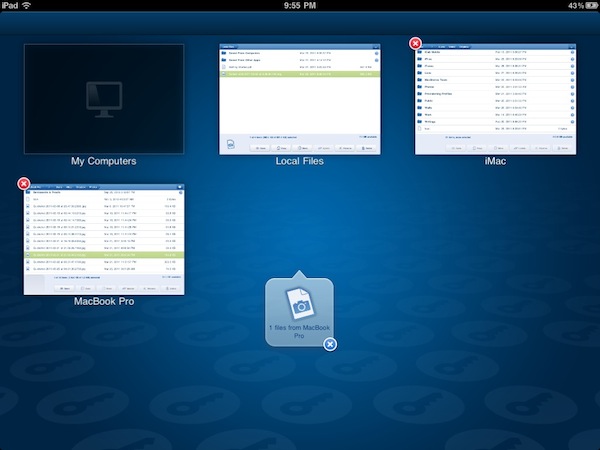
While I could have jumped on this update as soon as it was announced by the LogMeIn crew, I wanted to go hands on with LogMeIn Ignition’s new features before passing final judgement of whether the new file sharing capabilities are simply cool or deservedly awesome. Using LogMeIn’s free client, all of your computers are accessible to your iPad and iPhone by simply logging in with your username and (strong) password. Similar to how you navigate between open pages in Safari, you can navigate between File Managers on different computers in LogMeIn Ignition to copy & move files between computers, to your iPad, or from your iPad. It works extremely well, and I was able to move files between two Windows boxes and my iPad while tethered to a 3G enabled device. You can open a variety of file types in LogMeIn (I tested .PDF, .TXT, and .RTF files), and once those files are on your iPad you can choose to open files in other applications if permitted (GoodReader is handy to have around for this). Even if LogMeIn Ignition can’t open the file, you should still be able to move and copy files between computers. Interestingly, you don’t even have to copy files to your iPad to open them - LogMeIn Ignition temporarily caches the file and enables you to keep the cache or discard it as needed. You’ll have to get used to navigating LogMeIn Ignitions’s File Manager, as tapping on folders highlights the folder for copying & moving while tapping on its blue arrow will reveal its contents. I think LogMeIn Ignition will refuse to copy certain folders based on size (if the total contents won’t fit on your iPad) or type (I couldn’t copy the entire C:\ to my iPad for example). Otherwise, navigating and using the available tools to manage your files was straightforward.