

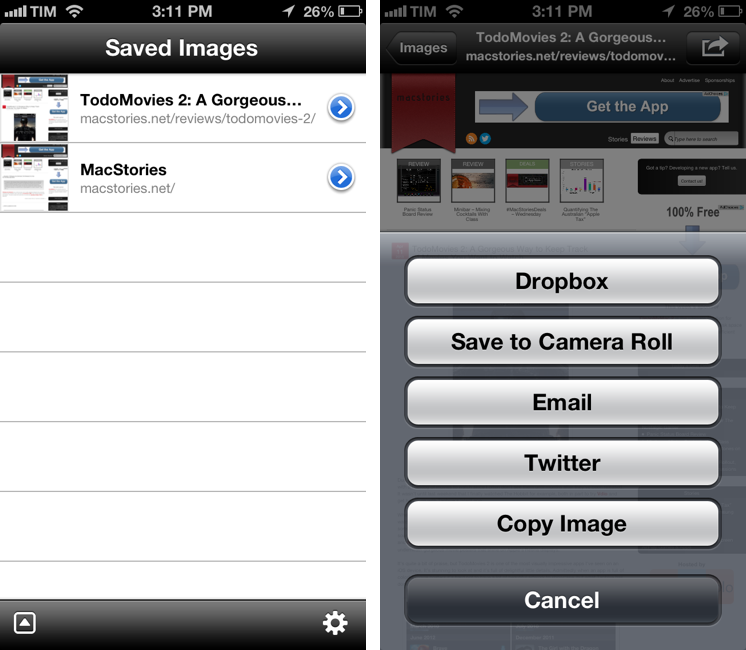
I often find myself having to capture a full screenshot of a webpage (that is, not just the portion that’s shown in the browser, but the full-length site), and while Skitch for iOS is a fine option, I’d like to have an app that’s faster to launch and easier to use. Barry, a $0.99 universal app by North of Three, provides just that kind of functionality. Read more
Posts in reviews
Barry For iOS Takes Full-Size Screenshots of Webpages
TodoMovies 2: A Gorgeous Way to Keep Track of Movies You Want to Watch
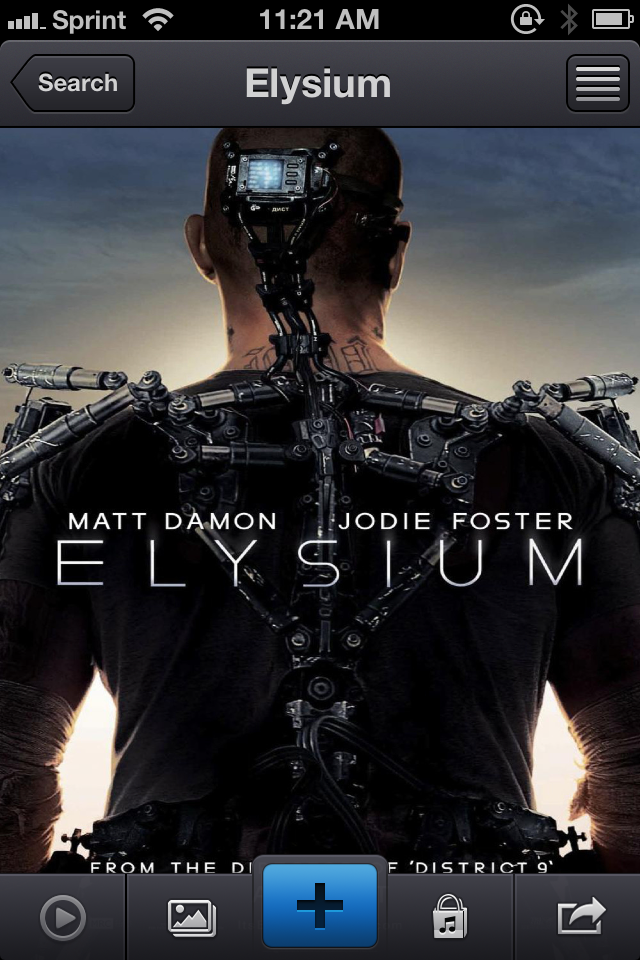
Due in part to the frequency I can meet up with friends and get to a movie theater, I inevitably end up with a backlog of movies to watch since I often don’t see them until months after they’ve been released. It wasn’t until last weekend that I finally watched The Hobbit for example, both in part to try Vdio and get hands on with Taphive’s latest app.
Where Apple’s Trailers showcases upcoming films and offers up information on where and when to watch them, TodoMovies 2 is your personal list of movies seen and not yet seen, keeping movies sorted in any preferred order while also offering trailers and additional links to associated goodies like soundtracks. Integrated with TMDb and additionally bringing in ratings from sites like Rotten Tomatoes and Netflix, TodoMovies 2 offers a quick glance at actors and actress, plot summaries, and ratings underneath gorgeous movie posters that shine on Apple’s Retina displays.
PowerUp: 8-bit iPhone Camera For The Nostalgic Gamer
In February 1998, Nintendo released an accessory for the Game Boy line called Game Boy Camera. Compatible with all Game Boy systems (including the Color that would only come out eight months later), the Game Boy Camera could take black & white digital photos using the limited four-color palette of the Game Boy hardware. The Game Boy Camera, which was also compatible with the Super Game Boy SNES/Super Famicom accessory, could print photos on thermal paper through the Game Boy Printer, another piece of hardware that Nintendo introduced in 1998 and discontinued in 2003 (two years after the release of the first Game Boy Advance).
Panic Status Board Review
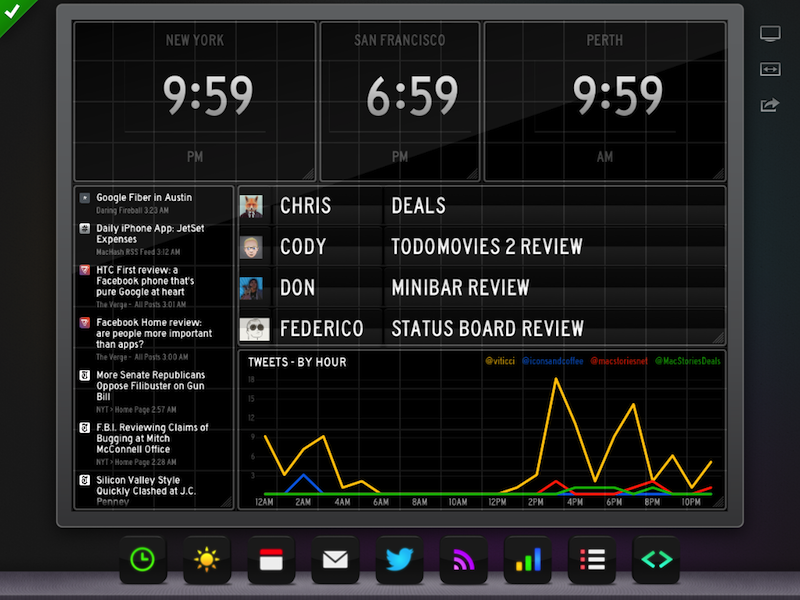
Since the introduction of the iPad three years ago, several developers tried to create second-screen experiences to leverage the device’s large display as a window for additional content coming from a user’s primary device – traditionally a desktop computer. It wasn’t clear at the time how an iPad could be used as a “creation device” – either because of a lack of apps or imagination – so developers started playing around with the idea of iPad as an external display, iPad as an alarm clock, or iPad as a digital weather station to place on a desk next to a Mac. As years passed and people started using the iPad as, effectively, a computer capable of real work, Apple still added functionalities related to screen-sharing to iOS: users could hook up the iPad to an external monitor for an even bigger second-screen experience, or connect apps and games to an Apple TV via AirPlay to display more information and data on the iPad’s screen.[1]
Panic’s latest app, Status Board, takes the concept of using the iPad as a desk accessory one step further by turning it into a dashboard for a variety of data that you’d normally check in dedicated apps or websites. Read more
Minibar - Mixing Cocktails With Class

I would not consider myself a mixologist but I do enjoy the occasional adult beverage. Whether it is in an aluminum can or it is finely crafted with aged liquors and muddled with exotic fruits, I will drink it. I originally went through a cocktail making phase when I was really into Mad Men but who hasn’t done that? And up until recently I referred to my bar book when I needed a decent receipe for a mixed drink. I now have a better option — Minibar for the iPhone. Read more
iToner 3: Create and Manage Ringtones on the Mac
Introduced in January, iToner 3 by Ambrosia Software is an all-in-one application for creating and managing ringtones and text tones on the Mac. Available for only $2.99 on the Mac App Store, iToner includes a library of hand picked ringtones in addition to an advanced editor for creating ringtones from your own music. A few stand out features include a Ringtone Library for collecting created ringtones, ClearTone™ for optimizing ringtones for the iPhone’s speakers, and a variety of fade types and extra controls that can be used in the waveform editor.
Twitterrific 5.2: Push Notification Rollout, Profile Banners, and Storify for Discussions
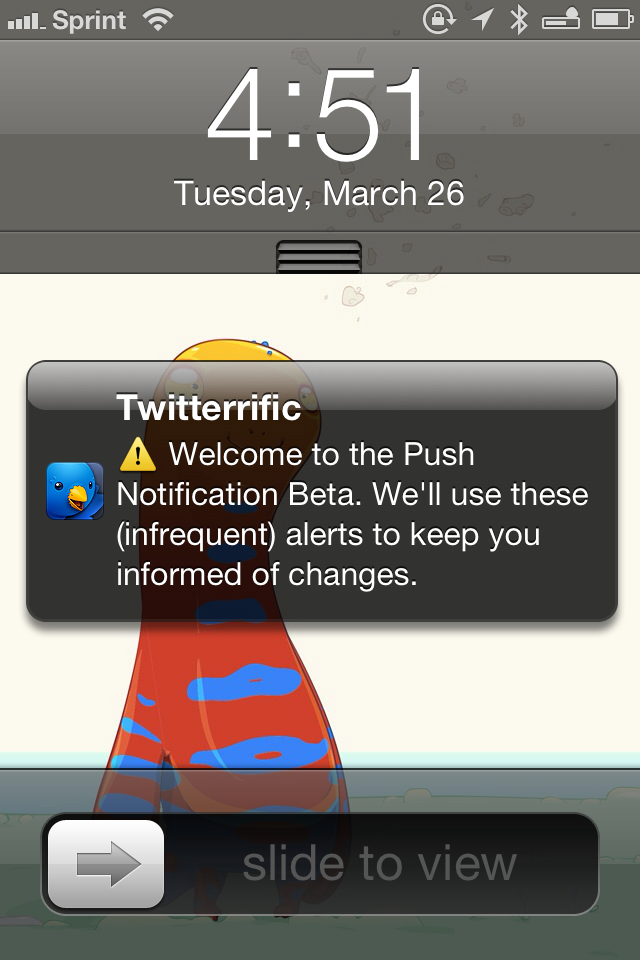
Redesigned from the ground up, Twitterrific launched last December with a fresh design that pleasantly surprised long time fans of the app. Breaking ground on the original iPhone, Twitterrific has relatively stayed the same for years, subtracting unnecessary features and focusing on delivering a robust core experience. Today, people expect more from their Twitter clients, such as the ability to mute hashtags and receive push notifications for follows and replies. The Iconfactory addressed the former through their last update with muffling, a simple way to shush users, hashtags, and domains on the timeline. Yesterday, The Iconfactory began addressing the latter by introducing push notifications in Twitterrific 5.2.
Podcasts 1.2: Thoughts on the New Now Playing View, My Stations, and More
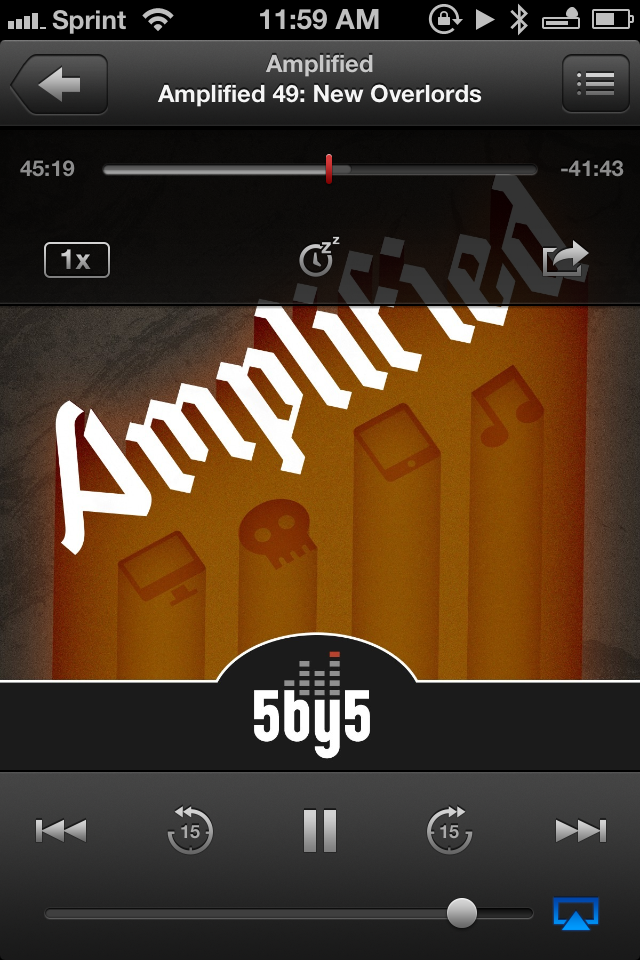
Yesterday, Apple updated their podcast player by introducing some great new features as well as some visual changes to the Now Playing view. I’ve talked at length before about Podcasts and where it stands amongst other podcatchers on the App Store, but I’d like to revisit some of those notions as playlists take center stage in the form of stations.
Wingman – Your GitHub Code Concierge

On the surface Wingman is a simple menu bar application that integrates with a Github account to manage projects. As you dive deeper into the app you will find more robust features that help accomplish routine tasks such as the ability to create separate branches for features, bugs, hotfixes, and releases. What makes Wingman so simple to use is not the minimal interface, actually it is the “Task Driven Workflow” that is easy to understand for developers and non-developers alike.
All actions in Wingman start with a task. For example, if you have a bug in your project you would like to work on, you would start by clicking the Wingman icon in the menu bar (or by hitting command+enter on the keyboard) and arrowing down to your repo for that project. If you have already loaded the project then a sub menu will display the available tasks you can perform for that project (e.g. Work on a new bug fix or Work on a new feature). As an example, I chose Work on a new bug fix. Wingman will ask for a name to associate with the bug fix and it even allows you to select a pre-existing GitHub Issue or create a new one at that time. Wingman then goes in to action doing all the work required to create a separate branch for the bug fix as well as cloning it to your local computer. The automated tasks are quick and reliable in my experience. The integration with GitHub Issues is perhaps my favorite part of Wingman. Having a paid account with GitHub for a while now, I love tools that really help me get my moneys worth out of the service. I have been using Wingman with a couple of projects in private repos associated with a GitHub organization account and it has worked flawlessly.