Federico Viticci

10635 posts on MacStories since April 2009

Federico is the founder and Editor-in-Chief of MacStories, where he writes about Apple with a focus on apps, developers, iPad, and iOS productivity. He founded MacStories in April 2009 and has been writing about Apple since. Federico is also the co-host of AppStories, a weekly podcast exploring the world of apps, Unwind, a fun exploration of media and more, and NPC: Next Portable Console, a show about portable gaming and the handheld revolution.

‘Command-K Bars’ as a Modern Interface Pattern

Maggie Appleton (via Michael Tsai) has written about one of the UI trends I’ve seen pop up more and more lately, and which we mentioned on AppStories several times over the past year: the so-called ‘Command-K’ bars inside apps.

Command bars are command-line bars that pop up in the middle of the screen when you hit a certain keyboard shortcut.They’re also known as ‘command palettes’, ‘command launchers’, or ‘omniboxes’ Traditionally CMD + K, hence the moniker “Command K bars.” But CMD + E and CMD + / have also been strong shortcut contenders.

[…]

They don’t even have to remember its exact name. Fuzzy search can help them find it by simply typing in similar names or related keywords. For example, if I type “make” into a command bar, it’s likely to show me any actions related to creating new items. Even if “make” isn’t part of the action name.

[…]

These bars also do double duty as universal search bars. You’re not only searching through the available actions in an app. You can also search through content like documents, file names, and tasks.

You’ve probably seen these command bars in apps like Obsidian, Craft, Todoist, Arc, Cron, Notion, and lots of others. (On Apple platforms, Things did something similar all the way back in 2018 with a feature called ‘Type Travel’.) It feels like every modern productivity app – especially on desktop – has its own flavor of this interface element nowadays. In a way, this visual trend reminds me of pull-to-refresh before it was standardized by Apple and became a native iOS UI component.

I’m intrigued by Command-K bars as a feature that speeds up keyboard-driven interactions on iPad and Mac while at the same time serving as a search box for an app’s own commands. Think of the typical Command-K bar as a mix of Spotlight, the macOS menu bar, and iPadOS’ keyboard shortcut menu, but as an element that can be invoked from anywhere in an app and dismissed with just a keystroke. As the examples in Maggie’s article show, Command-K bars can be genuinely useful to surface hidden commands and allow power users to save time when using complex apps.

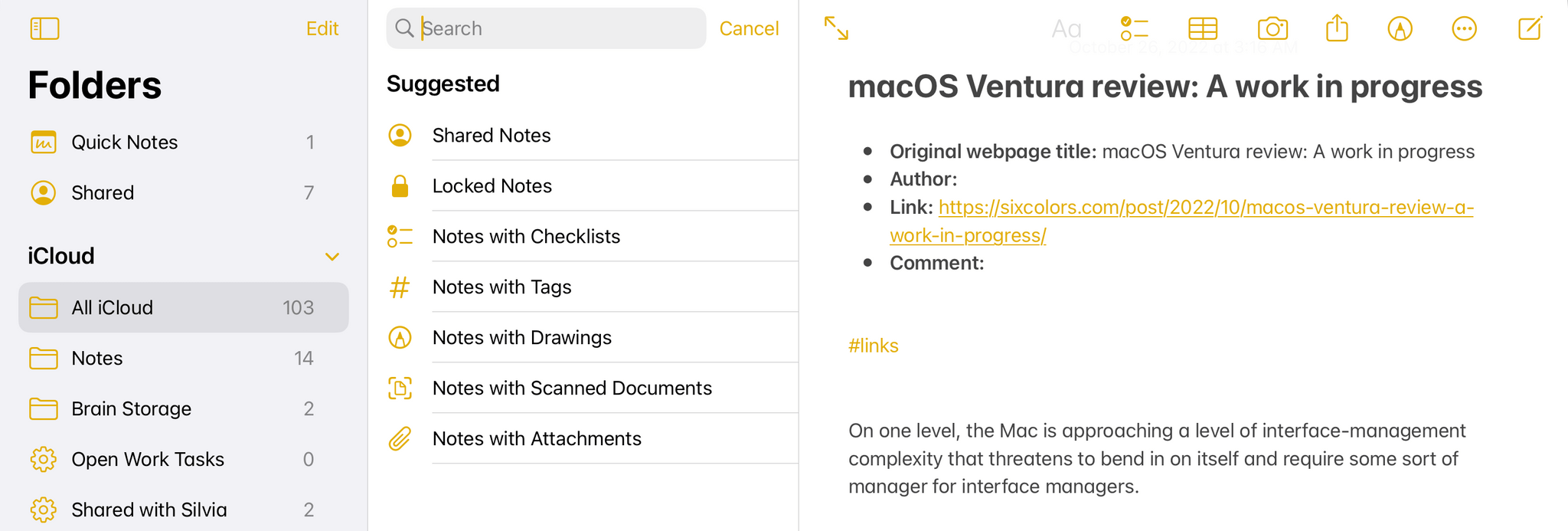
There are plenty of cases where Apple’s apps could benefit from this kind of in-app search makeover. Here’s Notes, for instance, when you activate the ‘Note List Search’ command:
Search inside Notes.

Search inside Notes.

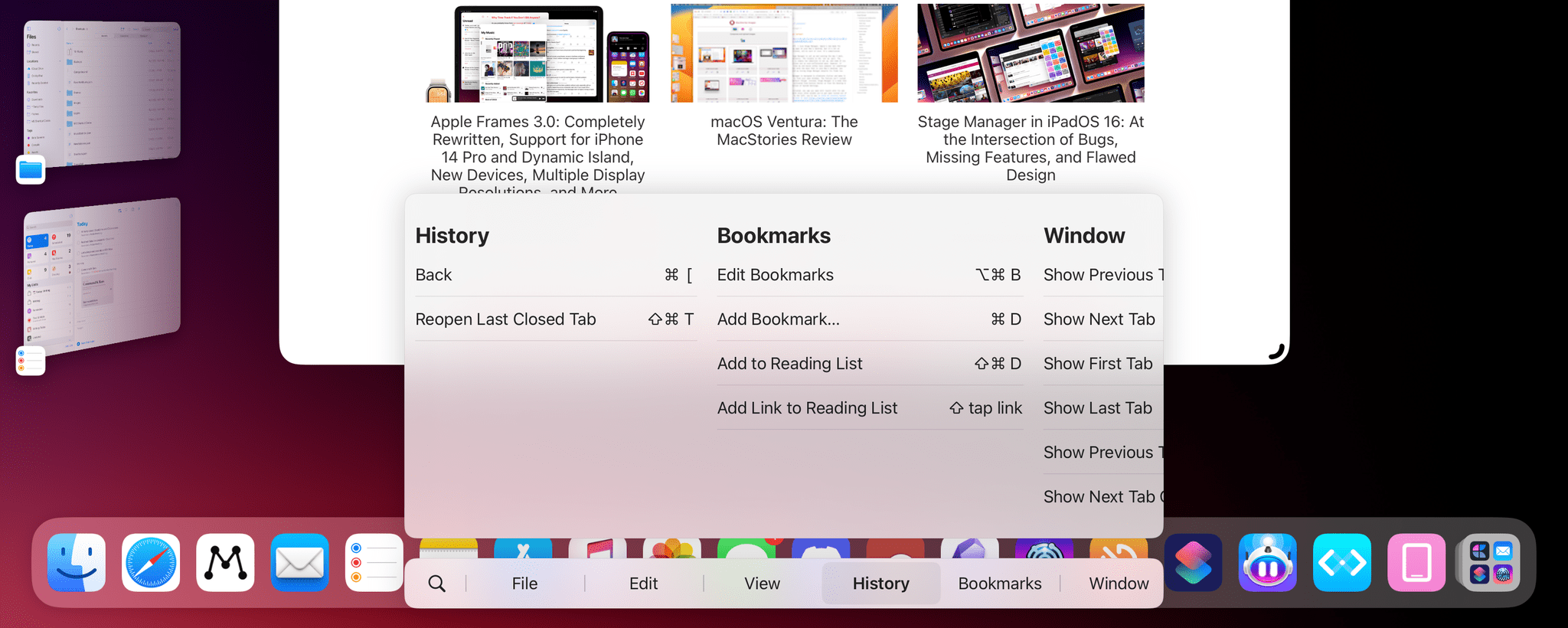
And here’s the rather complex list of keyboard shortcuts supported by Safari:
Keyboard shortcuts in Safari for iPad.

Keyboard shortcuts in Safari for iPad.

I said this on AppStories and I’ll say it again: I think Apple should consider an in-app version of Spotlight that replicates the functionality of Command-K bars and is optimized for keyboard usage on iPadOS and macOS. Modern productivity software is clearly moving in this direction on desktop and the web; I’d like to see Apple apps offer faster keyboard navigation and command discoverability too.

Permalink

A Close-Up Look at Anybox and Spring

AppStories+ Deeper into the world of apps

AppStories Episode 305 - A Close-Up Look at Anybox and Spring

0:00
39:22

AppStories+ Deeper into the world of apps

This week, Federico and John dig into two excellent apps they’ve been enjoying recently: Anybox, a bookmark and file organizer, and Spring, a third-party Twitter client.

Read more


Apple Frames 3.0: Completely Rewritten, Support for iPhone 14 Pro and Dynamic Island, New Devices, Multiple Display Resolutions, and More

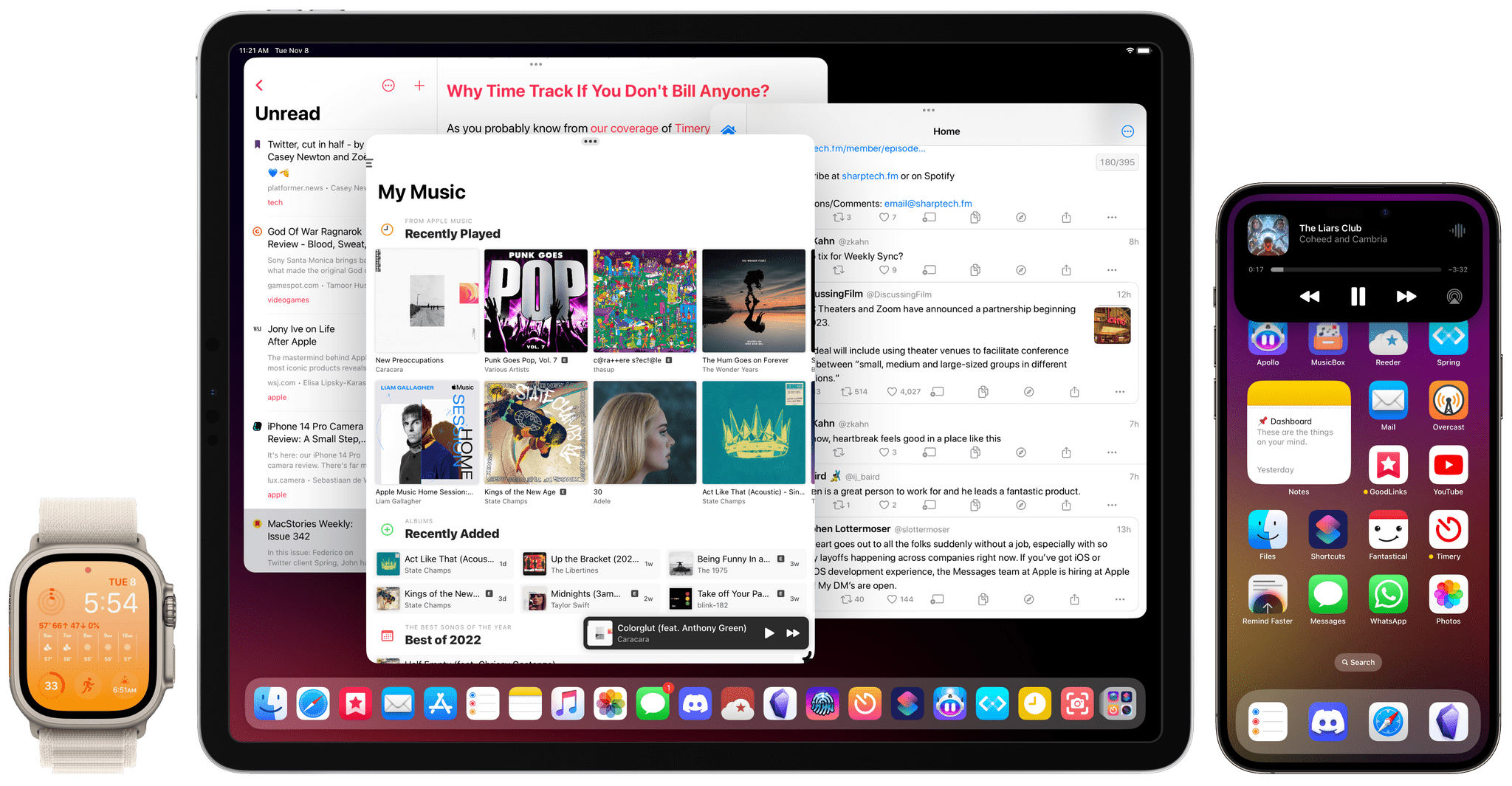
Apple Frames 3.0.

Apple Frames 3.0.

Today, I’m pleased to announce the release of version 3.0 of Apple Frames, my shortcut to put screenshots taken on various Apple devices inside physical frames for iPhone, iPad, Mac, and Apple Watch.

Apple Frames 3.0 is a major update that involved a complete re-architecture of the shortcut to improve its performance and reliability on all Apple platforms. For Apple Frames 3.0, I entirely rebuilt its underlying file structure to move away from base64 and embrace Files/Finder to store assets. As a result, Apple Frames 3.0 is faster, easier to debug, and – hopefully – easier to maintain going forward.

But Apple Frames 3.0 goes beyond a new technical foundation. This update to the shortcut introduces full compatibility with the iPhone 14 Pro and 14 Pro Max with Dynamic Island, Apple Watch Ultra, and the M2 MacBook Air. And that’s not all: Apple Frames 3.0 also brings full support for resolution scaling on all iPad models that offer the ‘More Space’ display mode in iPadOS 16. And in the process, I also added support for ‘Default’ and ‘More Space’ options on the Apple Silicon-based MacBook Airs, MacBook Pros, and iMac. All of this, as always, in a native shortcut designed for high performance that uses Apple’s official device images and requires no manual configuration whatsoever.

Apple Frames 3.0 is the biggest, most versatile version of Apple Frames to date, and I’m proud of the results. Let’s dive in.

Read more


Calendars, Communications, and More Revisited

AppStories+ Deeper into the world of apps

AppStories Episode 304 - Calendars, Communications, and More Revisited

0:00
43:17

AppStories+ Deeper into the world of apps

This week, Federico and John pick up where they left off in episode 300 by revisiting episode 200 about calendar apps, communications, home assistants, and Federico’s first surprise of 2021.

Read more


A Simple Screenshot Menu for the iPad Dock

I’ve been finalizing a major update to my Apple Frames shortcut this week (look for it on MacStories at some point next week), and as part of the process of testing the shortcut, I was taking dozens of screenshots on my iPad Pro. In doing that, I realized I was performing the same actions for...


macOS Ventura: The MacStories Review

AppStories+ Deeper into the world of apps

AppStories Episode 303 - macOS Ventura: The MacStories Review

0:00
45:44

AppStories+ Deeper into the world of apps

This week, Federico and John cover Apple’s controversial App Store advertising moves before going in-depth on John’s macOS Ventura review to discuss Stage Manager, System Settings, and Shortcuts.

Read more


Spring

It feels a bit ironic – and perhaps somewhat sad, too – to pick a third-party Twitter client for this section of MacStories Weekly given everything that’s happening to the service literally as we speak. However, given the possibility of lights going out for third-party Twitter clients in the near future, I figured I’d talk...


Stage Manager in iPadOS 16

AppStories+ Deeper into the world of apps

AppStories Episode 302 - Stage Manager in iPadOS 16

0:00
56:42

AppStories+ Deeper into the world of apps

For today’s second episode of AppStories, Federico and John explore Federico’s story about Stage Manager in iPadOS 16, including its bugs, missing features, and design flaws.

Read more