Federico Viticci

10759 posts on MacStories since April 2009

Federico is the founder and Editor-in-Chief of MacStories, where he writes about Apple with a focus on apps, developers, iPad, and iOS productivity. He founded MacStories in April 2009 and has been writing about Apple since. Federico is also the co-host of AppStories, a weekly podcast exploring the world of apps, Unwind, a fun exploration of media and more, and NPC: Next Portable Console, a show about portable gaming and the handheld revolution.

CloudMagic

CloudMagic

I, like others, am a fairly passionate proponent of preserving digital memories and information for the future. I believe the amount of information we have today – tweets, blog posts, emails, or notes – needs a unified standard to ensure it won’t get lost – forever – decades from now.

From my review of Day One:

Where the human mind can’t get, I think software can help. In the connected and post-PC era we’re living in, I believe the devices and apps we use play an important role in enabling us to create memories. But just as relevant as “content creation” has become to this discussion, we have to ensure the memories we create today will be preserved digitally for the future.

And from my personal blog:

That’s why we, today, need to invest on open standards for data conservation, hardware interoperability, and cross-platform cloud storage. In my recent article for Read & Trust, I explained how, going forward, technology makers and trend-setters will have to figure out ways to preserve and standardize how information is archived online. On the same level, we need to make sure we are creating our memories on devices, apps, and services we know we’ll be able to operate a decade from now. I don’t want to end up with another dead Nokia phone in my drawer.

This is a long-term project, but we need to invest in tools to preserve our digital lives now. I think it starts with search: there should be a platform to automatically index and archive the data from services and apps we use every day. Earlier this year I started using Cue (née Greplin) and CloudMagic, two web services that try to do exactly this – indexing and searching your “digital life” for any sort of information.

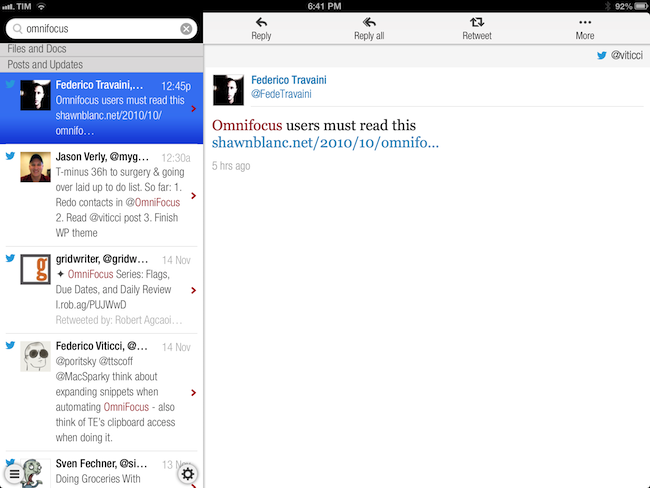
Today’s CloudMagic update for iOS made me realize I never properly mentioned the app on MacStories. CloudMagic is a free service that can index (using OAuth) a variety of other services including Twitter, Gmail, Dropbox, and Evernote. They have a human privacy policy, a clean interface, and, fundamental for my workflow, a universal iOS app. They don’t have a premium product yet, which is too bad because I would pay even a monthly fee just to guarantee the long-term viability of their product.

CloudMagic is fast: it can search across thousands of indexed items in seconds, with results updating in real time. It is astonishingly accurate, even when it has to match a couple of words with, say, hundreds of tweets from last year or an Evernote PDF inside a nested notebook. I use CloudMagic on a daily basis to retrieve old tweets (as reference material), email messages, or notes; in fact, I would say the app has better search than Evernote’s iOS app. Which, by the way, is supported with an URL scheme – so you’ll be able to search notes and open them directly in the Evernote app.

The CloudMagic app isn’t perfect – for instance, it could use an URL scheme itself and I’d love to be able to save recurring searches or, generally, have faster access to Twitter and Email filters (there are, however, advanced search operators).

CloudMagic for iOS is free on the App Store.

Update: I’m told that CloudMagic does actually have a URL scheme to start new searches: cloudmagic://search?query=foo. Useful.
Permalink

Flipboard Adds iBookstore Section

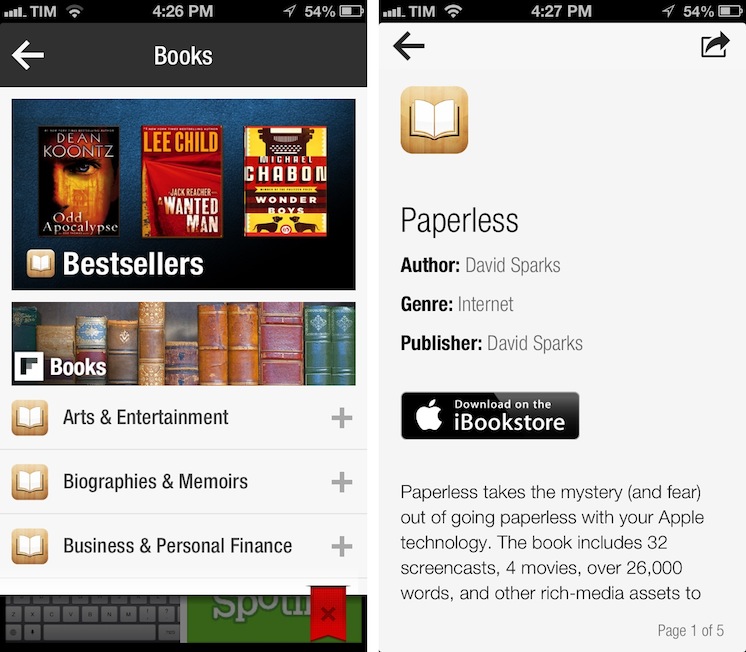
Mike Walsh reports at MediaPost (via The Next Web) about Flipboard’s latest section: Apple’s iBookstore. In an update to the in-app catalog released today, Flipboard is now featuring a “Books” category that embeds previews of books from Apple’s store, available for purchase upon clicking a “Buy” button in Flipboard.

The new section – spanning 25 categories including literature, travel guides, biographies and cookbooks – lets users flip through catalog-like pages of books, with brief descriptions and cover art images. Each title has a link to the book’s page on the iBookstore to streamline purchases from the Flipboard app on the iPhone, iPad, iPad mini and iPod touch. The new books section is available in 10 countries at launch: The U.S., Canada, the U.K., Australia, Brazil, France, Germany, The Netherlands, Italy, and Spain.

There are some points to be made about this interesting Flipboard initiative. Firstly, as we seen earlier this year with the Levis partnership, Flipboard has turned into a magazine of all-things Internet-related, rather than a prettier interface for blog posts and status updates. Flipboard supports articles, videos, audio podcasts, photography, social networks, and, now, Books. On the other hand, the launch of the Books section is reminiscent of an old rumor which claimed Flipboard was thinking about TV shows and movies; perhaps Flipboard was indeed considering that kind of media from iTunes, but went with Books first.

Books categories and descriptions have been redesigned for Flipboard: iTunes pages are stripped out of unnecessary clutter and they’re presented as elegant previews in Flipboard. The interesting detail is how Flipboard is requiring users to buy books: rather than using the new SKStoreProductViewController class of the StoreKit API in iOS 6, upon tapping the “Download on the iBookstore” button Flipboard will open a web view and ask the user to launch iTunes. It works, but it isn’t exactly the best purchasing experience when apps like Mail have showed it is possible to show a modal iTunes window to buy media without leaving the app, yanking out the user into iTunes.

Why doesn’t Flipboard follow Mail’s example and use an in-app iTunes window to let users buy books without leaving the app? I believe the reason lies in affiliate links: apparently, SKStoreProductViewController doesn’t work with affiliate links for now, and Flipboard is, according to The Next Web and MediaPost, using these links to generate a 5% commission off every sale made from Flipboard links. It is, essentially, a way to monetize the new section without asking the user for anything in return (we use affiliate links here at MacStories as well).

In trying the new section, I’m impressed by how iTunes content has been reformatted to fit Flipboard’s style; I’d only suggest to remove links to books made with iBooks Author from the iPhone version, as iTunes will report an error when trying to open them from an iPhone.

The new Books section doesn’t require an app update and is available on Flipboard now.


Quickly Email A Picture On iOS Using Pythonista

Quickly Email A Picture On iOS Using Pythonista

In my review of Pythonista yesterday, I didn’t include any scripts to send email messages. Email is, however, a huge part of my iOS workflow, as I often send screenshots back and forth with my teammates about upcoming site features or new apps I’m testing. Fortunately, Pythonista developer Ole Zorn shared today a script that uses smtplib to quickly send an image via email. His script is available on GitHub Gists here.

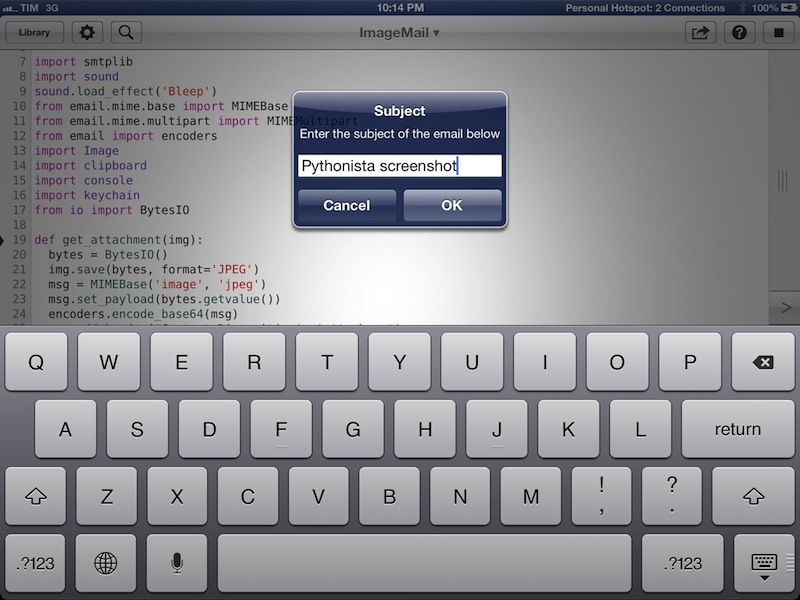
I have modified it slightly to import my login data using keychain and send an image that’s been previously copied to the clipboard. In this way, I can take a screenshot/photo, open the Photos app, copy it, and send it via email in seconds, at full-size. You can save the script as shortcut on your Home screen and have one-tap access to it, or, even better, you can copy images from Safari without saving them first to the Camera Roll (though, in my tests, this hasn’t always worked reliably). My modification also uses console.input_alert to let you enter a different email address and Subject every time, and it plays a sound effect when an email is sent. Right now, the ImageMail script works with Gmail, but it could be easily modified to work for other email services.

In a future version of Pythonista, I think it’d be neat to have a dedicated Address Book module to return contact fields such as email addresses or Twitter usernames; Ole suggests Reminders and Calendar integration might be handy as well. I think Pythonista has a very bright future, so we’ll see. In the meantime, you can download my modified version of the ImageMail script here.

Pythonista is available at $4.99 on the App Store.

Permalink

Poking A Hole In The Sandbox: Using URLs on iOS

Poking A Hole In The Sandbox: Using URLs on iOS

Using URLs on iOS

Using URLs on iOS

Just yesterday I wrote extensively about URL schemes and, specifically, x-callback-url in my review of Pythonista:

I believe that, going forward, Pythonista and other similar apps will show a new kind of “scripting” and task automation built around the core strenghts of iOS. As we’ve seen, x-callback-url is a standard that leverages a part of iOS – URL schemes – to achieve simple, user-friendly and URL-based inter-app communication that can be used in a variety of ways. Looking ahead, there’s a chance rumored features such as XPC will bring more Mac-like functionalities to iOS, but developers will still find new ways to make iOS more powerful without giving up on positive aspects such as increased security and the simplicity of the app model.

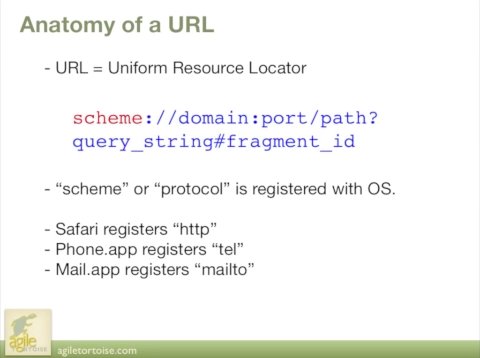
My workflow focused on x-callback-url, a protocol created by Agile Tortoise’s Greg Pierce. Thanks to 360|iDev, you can now watch a free session video of Greg Pierce himself explaining the basics of URL schemes on iOS as well as techniques to properly implement his specification, x-callback-url, to allow for more advanced inter-app communication, such as the one I’m using with Pythonista.

If you’re a developer and you’re interested in knowing more on the subject, check out the free video here.

Permalink

Automating iOS: How Pythonista Changed My Workflow

A couple of months ago, I decided to start learning Python.

I say “start” because, as a hobby to fit in between my personal schedule and work for the site, learning the language is still very much a work in progress. I hope I’ll get to an acceptable level of knowledge someday. Coming from AppleScript, another language I started researching and playing with earlier this year, the great thing about Python is that it’s surprisingly easy to pick up and understand. As someone whose job primarily consists of writing, I set out to find how Python could improve my workflow based on text and Markdown; I found out – and I’m still finding out – that Python allows for more flexible and intelligent string manipulation[1] and that some very smart folks have created excellent formatting tools for Markdown writers.

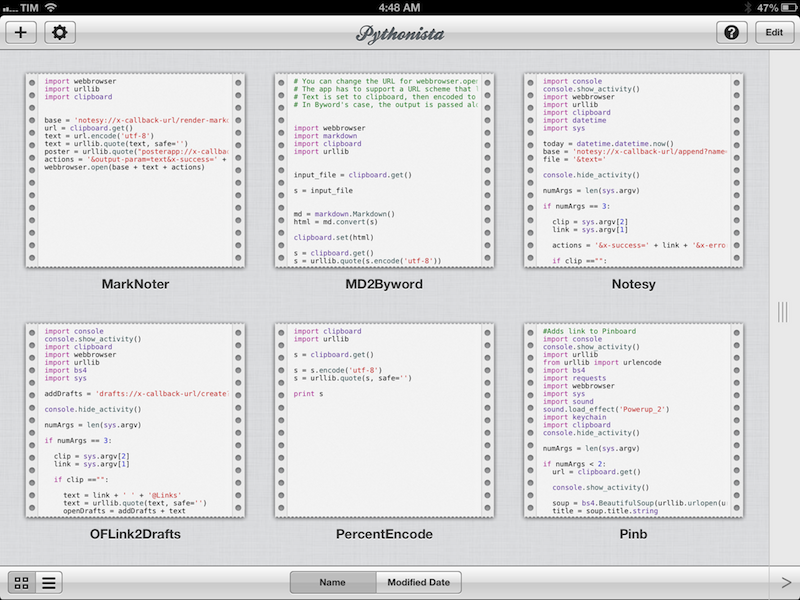
But this article isn’t strictly about Python. Soon after I took my decision to (slowly) learn my way around it, I asked my friend Gabe Weatherhead about possible options to write and execute Python scripts on iOS. Thanks to Gabe’s recommendation I installed Pythonista, and this app has completely changed my iOS workflow. Read more


Apple Airs New iPad mini Commercials

Apple Airs New iPad mini Commercials

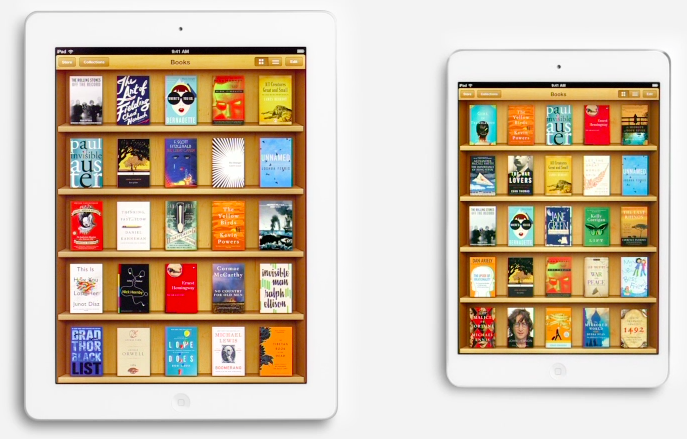
Following the “Piano” ad launched after the announcement of the iPad mini, today Apple aired two new commercials for the device. Named “Books” and “Photos”, both commercials focus on showing the size difference between the regular iPad and the iPad mini. More importantly, both ads want to communicate the simple message that the iPad mini is smaller in size, but also just as capable in terms of functionality: the iPad mini runs the same apps of the bigger iPad, therefore making it a “real” iPad, only smaller (and thus more portable). This follows the tagline on the product page: There’s less of it, but no less to it.

As noted by Jordan Golson at MacRumors, the commercials rely on clever pairings of books and photos to compare the two iPad models. For books, Apple uses The Sun Also Rises and The Valley of the Moon; East of Eden and How the West Was Won; Moby Dick and Gone Fishing.

The new commercials aren’t available on Apple’s YouTube channel yet, but they have been uploaded to Apple’s website. You can watch them here.

Permalink

Apple Tweaks Design Of App Store Category Pages

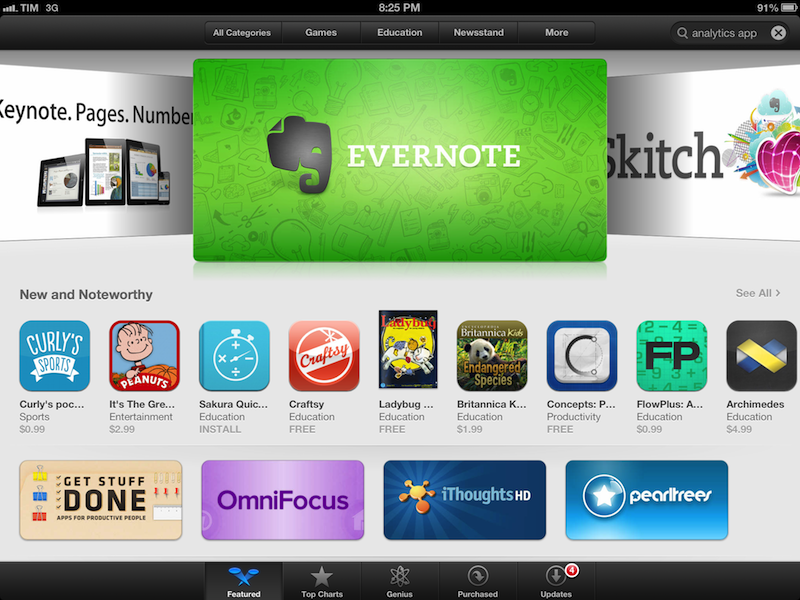
In its weekly App Store refresh, it appears Apple has today tweaked the design of App Store categories to include the same design of the App Store’s home page. By heading to a category like Productivity or Utilities, both from an iOS device or Mac, you can see how Apple is featuring more apps with large banners across the top of a category page, smaller banners in the middle, and the usual “New and Noteworthy” and “Essential” collections that are updated on a weekly basis. Read more


Apple Confirms iTunes Connect Holiday Shutdown December 21-28

In an email sent to developers earlier today, Apple has confirmed that iTunes Connect — the developer portal to manage applications to sell in the App Store — will be closed from December 21 to December 28. During the shutdown, access to iTunes Connect and delivery of any apps or updates will not be available.

iTunes Connect will be temporarily shut down from Friday, December 21, 2012 to Friday, December 28, 2012, for the winter holidays.

[…]

Additionally, the following will be delayed:

Releases scheduled to appear on the App Store for the first time

Pricing changes scheduled through the interval pricing system in iTunes Connect

For the shutdown period, Apple suggest developers to not schedule price changes that would take effect between Friday, December 21 and Friday, December 28. According to Apple, price changes scheduled for the shutdown week will not take effect, and “In-App Purchase will become unavailable for purchase until after the shutdown”.

Last year, Apple shut down iTunes Connect for developer from December 22 to December 29.


Clear for Mac Review

Like Tweetbot, Clear for Mac is a good indication of what the future of mainstream OS X software will look like: consistent with iOS, and powered by iCloud.

I was given a preview of Clear for Mac last week; the app is launching today on the Mac App Store at $6.99 (depending on your time zone, Clear will be available after midnight). In my preview, I wrote:

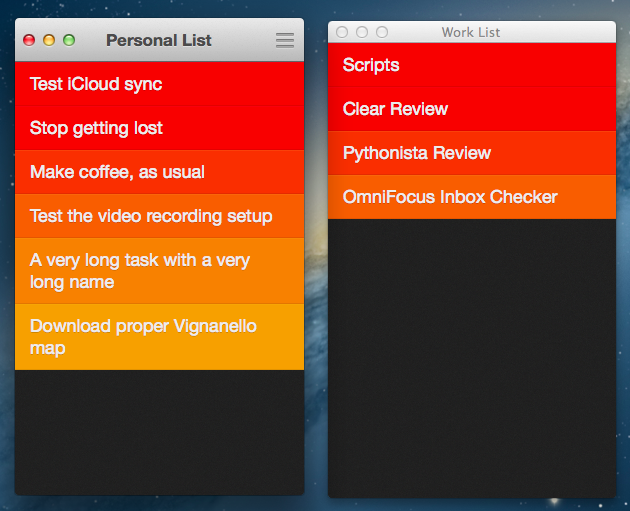
Clear for Mac works like Clear for iPhone: you can create lists, and tasks inside lists. Tasks are color-coded (according to the theme you’re using) to show a darker tone if they’re at the top of a list, and thus have higher priority. Gestures play an important role in Clear for Mac: you can swipe with two fingers to complete or delete a task, swipe up or down to move between “levels” of the interface, pinch to go back, and so forth. From what you can see in the first promo video (embedded below), almost everything that made Clear for iPhone simple and great has been ported to the Mac version, including sounds.

After trying Clear for over a week, I feel like there’s a distinction to be made about how the app works per se, and how the app works on a Mac. Read more