Federico Viticci

10929 posts on MacStories since April 2009

Federico is the founder and Editor-in-Chief of MacStories, where he writes about Apple with a focus on apps, developers, iPad, and iOS productivity. He founded MacStories in April 2009 and has been writing about Apple since. Federico is also the co-host of AppStories, a weekly podcast exploring the world of apps, Unwind, a fun exploration of media and more, and NPC: Next Portable Console, a show about portable gaming and the handheld revolution.

This Week's Sponsor:

Crickets

The first alarm app for families.


Take Control Of Apple TV→

Written by TidBITS managing editor Josh Centers, the ebook walks new owners through setup, and then dives into explaining how to best control the Apple TV with the included remote, Apple’s Remote app, or another TV remote. You’ll learn to customize the icon grid on the main screen, enable parental controls, and make your screen saver look awesome. Josh also covers uses of AirPlay, the Apple technology that lets you beam audio and video from an iPhone, iPad, or Mac to the Apple TV, and lets the Apple TV send audio to compatible speakers anywhere in your home.

Last December, I decided to connect my second-generation Apple TV to my television again because I wanted to check out the progress Apple had made with channels and the user interface. I ended up “using” the Apple TV a lot with Plex and Infuse, both set up to stream videos over AirPlay. Each weekend, my girlfriend and I watch a couple of movies on the big screen with our Apple TV, and I’m constantly impressed by the simplicity and reliability of AirPlay.

However, the Apple TV’s interface can be clunky and there are a variety of settings that aren’t immediately clear. That’s why I wish I had a copy of Josh Centers’ new book three months ago: from first setup to advanced tips such as installing PlexConnect, Josh covers every aspect of the Apple TV to get the most out of the device, AirPlay streaming, compatible iOS apps, and more. The book’s layout is easy to parse and navigate, there are handy illustrations and tooltips, and, in general, it has the usual degree of quality and care that you can expect from the Take Control eBooks.

A must-have for Apple TV owners interested in knowing everything about it, and well worth $10.
Permalink

Time Zone Conversions with TimeZlider

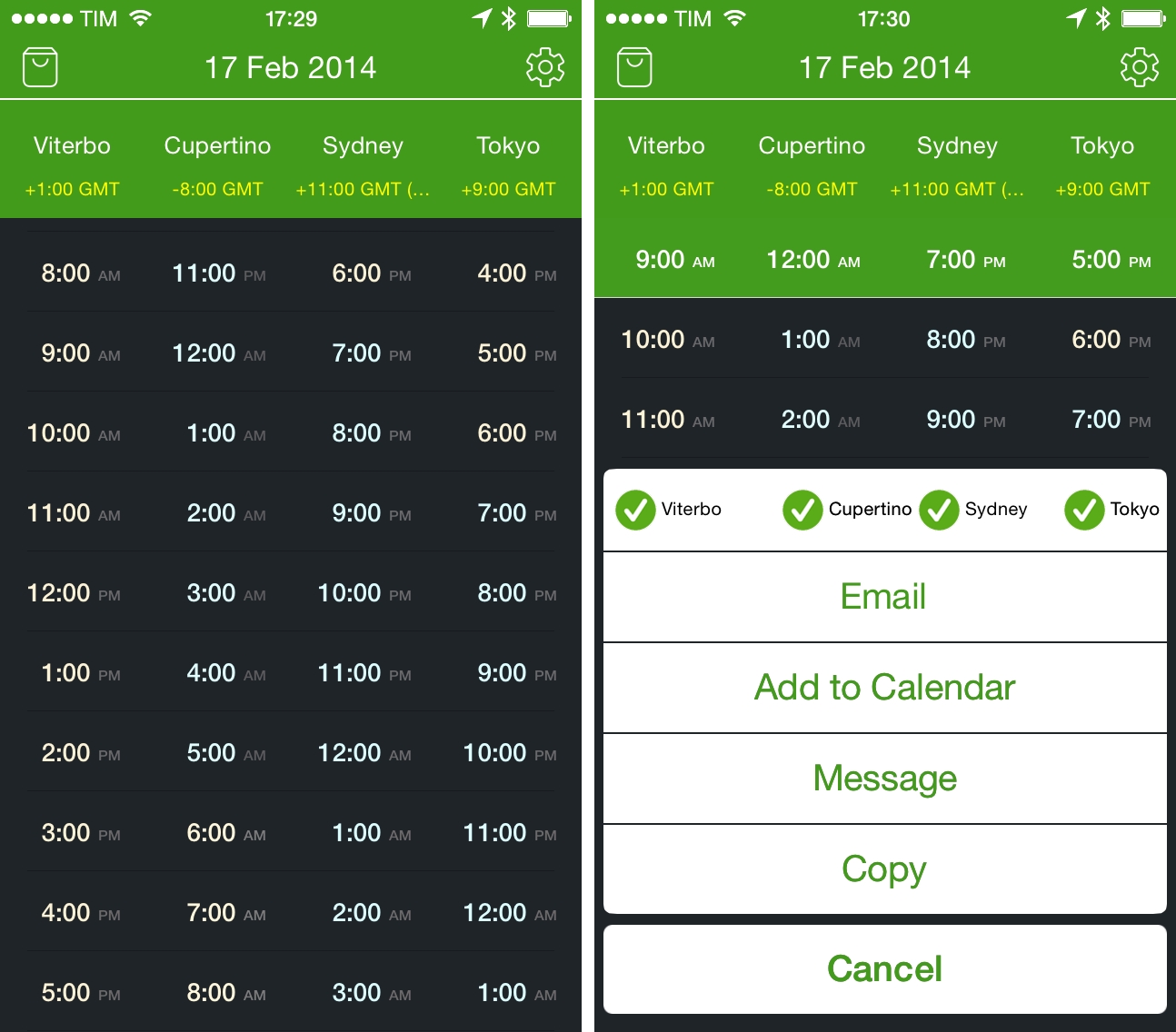
I previously wrote about my need for a time zone conversion utility for iOS when I covered Living Earth, an app that mixes global weather information with regular clock functionalities. I’ve been using Living Earth regularly, and I like it a lot, especially because I find its design polished and interesting. I’ve been wondering, though, whether a simpler approach to quick time zone conversions could work better for me, and I came across World TimeZlider, developed by Creo and available at $0.99 on the App Store.

Read more


ListBook 4.0 Brings iOS 7 Redesign, iCloud Sync

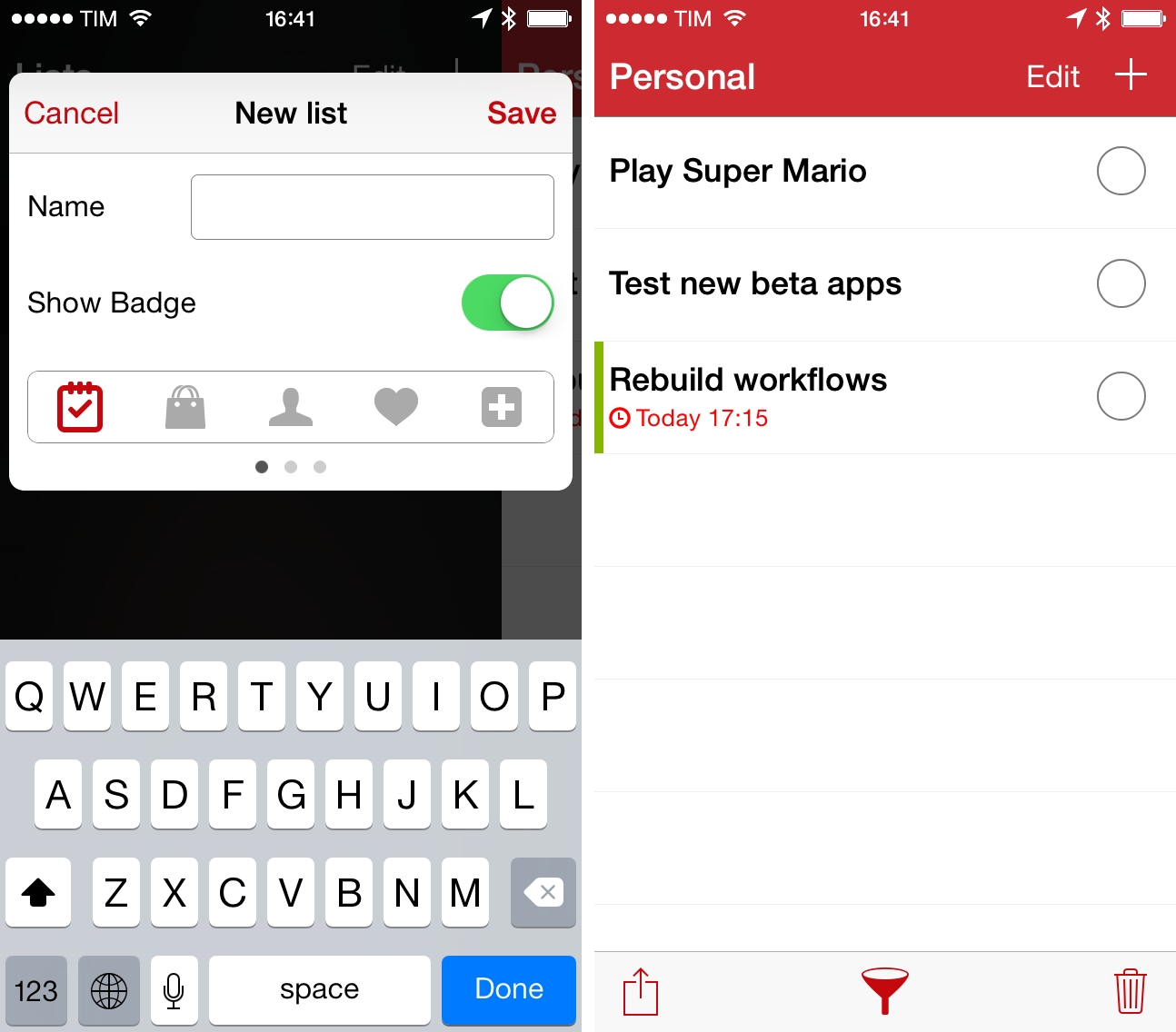
I first covered ListBook, a simple list-making app for iOS, when it came out on the iPhone in 2011 and, a year later, when an iPad version was released, making the app Universal. Since then, I’ve switched to Apple Reminders as my todo management system of choice, primarily because I can use Reminders with Fantastical, which I love both on the iPhone and Mac. I like the convenience of having my reminders synced with iCloud and available on iOS, OS X, and the web (with iCloud.com), and I like that I can move between different clients knowing that my todos will be handled by Apple in a central location. This is the reason why I’ve eschewed third-party, list-based todo apps like ListBook and Silo in the past two years – I prefer the flexibility given me by iCloud’s Reminders.

Read more


ReadKit 2.4 Brings Keyboard Shortcut and Navigation Improvements, Rewritten Sidebar, And More

ReadKit

ReadKit

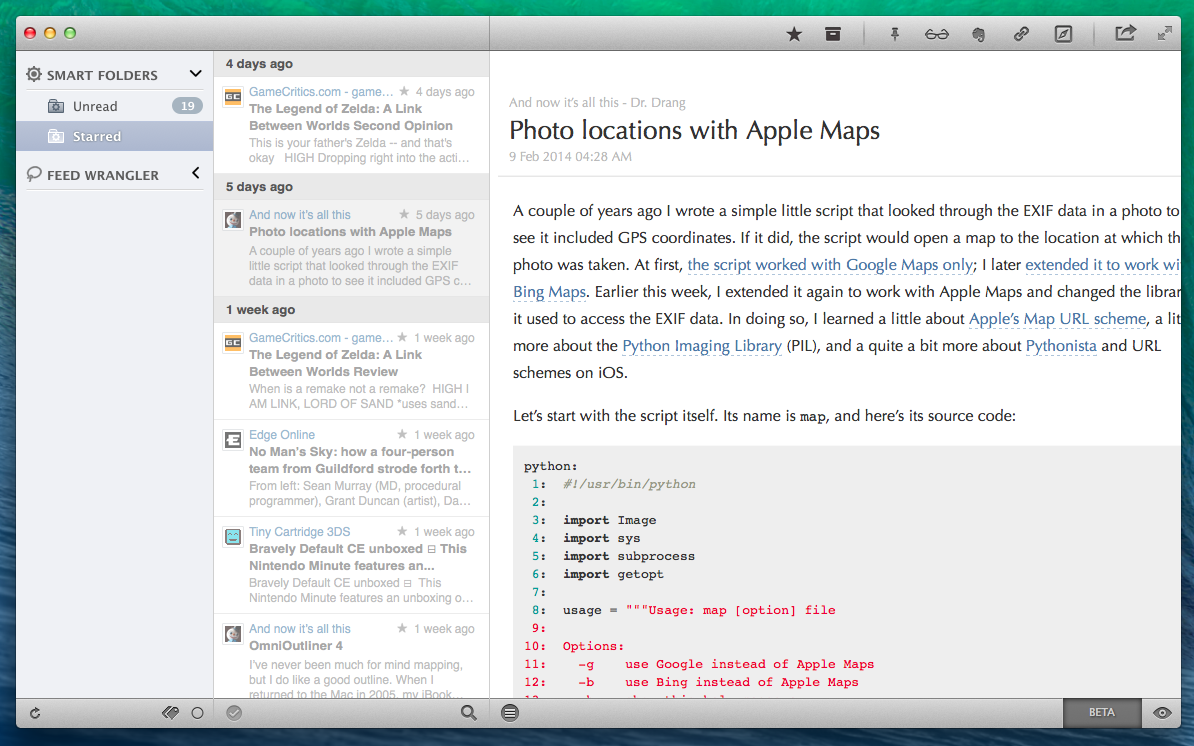
ReadKit 2.4 with syntax highlighting for code blocks.

ReadKit, my favorite RSS reader for OS X, has today been updated to version 2.4, which brings bug fixes and improvements, a rewritten sidebar, revamped keyboard navigation, and several other additions to sharing, sync, and more. ReadKit, which packs support for different RSS and bookmarking services such as Feedly, Feed Wrangler, and Pocket, has always been affected by a series of annoying bugs and animation issues, and, in my tests, ReadKit 2.4 has performed smoothly with snappier transitions and navigation than old versions.

For users who rely on ReadKit to sync with multiple services, the app can now keep separate sets of preferences for each account. These settings include refresh times, grouping, sorting, and dock badge, and they can be configured in the Account section of the app’s Preferences. While I tend to use ReadKit just as a desktop client for Feed Wrangler, this is a welcome change.

For sharing services, ReadKit can now assign custom keyboard shortcuts to each service as well as put icons in the top toolbar for easy access when reading. The feature is reminiscent of Reeder for Mac, and it’s just as useful: in my toolbar, I added icons to save to Evernote (the Mac app will be used to create a note if installed), send to Reading List, save to Pinboard, and open in the browser; each of these services has also a custom keyboard shortcut (mine are ⌘⌥B for Browser, ⌘⌥L for Reading List, etc) so you can share links without ever lifting your fingers from the keyboard.

The new keyboard shortcut options work well with the app’s new keyboard navigation. From the ReadKit blog:

There are several new shortcuts, and you can also navigate with the left, right, up and down arrow keys, so it is worth a little explanation. Left and right arrow keys allow you to jump between the sidebar and the article list, while up and down keys select the previous/next item in the actual list. ⌘+right expands, and ⌘+left collapses the selected folder on the sidebar. There is an option in shortcut preferences called “Right key behavior”. This option controls the behavior of the right arrow key when an article is actually selected.

These are convenient new features for users who like to move across feeds and articles without using the trackpad. In the Preferences, there’s also a new setting to change the default behavior of the → key – however, this can be ignored when using the key as a shortcut for a sharing service (in my case, → is associated to View In Browser).

ReadKit 2.4 is a solid update and ReadKit remains the best RSS reader for Mac. The app is $6.99 on the Mac App Store.


Numerical for iPhone

Developed by Andrew J. Clark, Numerical is a new iPhone calculator designed for iOS 7. I’ve covered a lot of calculator apps over the years, and, while many of them sport unique features aimed at bringing more functionality to the genre, I tend to always go back to Apple’s Calculator app for its simplicity, ease of use, and, with iOS 7, fast access thanks to Control Center. I don’t have high requirements for my calculator: I’m not an engineer, and like most people I just need to perform simple operations while I’m working, grocery shopping, or splitting a bill with friends. Apple’s Calculator app covers the basics well and I’m mostly fine with it. Read more


Flappy Bird Clone Made with Pythonista On iOS→


Following the unfortunate demise of Flappy Bird, hundreds of developers are rushing to release clones of the game on the App Store. Over at the Pythonista forums, however, user “bashedcrab” has created a working clone of Flappy Bird called “Jumpy Octopus”, made entirely with Pythonista (pictured above).

This started out as a Flappy Bird clone (can be done in under 100 lines of Pythonista), but I let my son do a bit of a redesign. He decided an underwater setting involving an Octopus was much more enjoyable.

The game play and physics are tuned to replicate the original Flappy Bird as closely as possible, so it is hard! If you want to make it a bit more fun for young kids, make the gap larger (Default is 360. 450 is much easier but still a challenge for young kids).

The game is available as a Python script here, which can be copied in a new file in Pythonista and run to play the game. Jumpy Octopus has sounds, keeps tracks of high scores, and uses iOS emojis as characters for the underwater setting. Of all the Flappy Bird clones that are coming out, this is an impressive open-source implementation based on Pythonista’s game creation features.

Permalink