


I’m a big fan of Kirby Ferguson’s old Everything Is A Remix series and I can’t wait to see what he’s been working on. This case study on the iPhone does a good job at pointing out how the iPhone was really a revolution and what happened after it.
Party DJ Brings iTunes DJ Feature Back to iOS 7 With App for iPhone and iPad
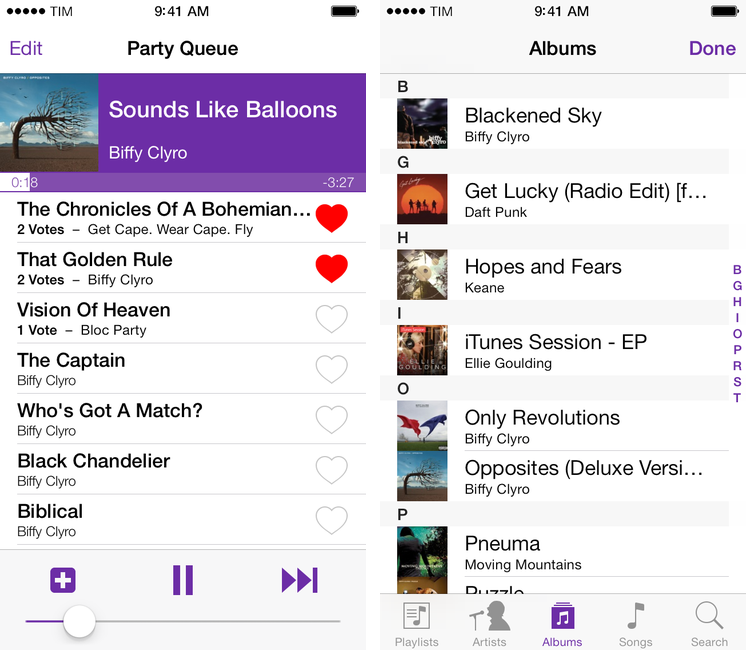
Developed by Alex Price, Party DJ is an iOS 7 app that brings back one of the old features of iTunes DJ and Apple’s Remote app: the possibility to collaborate with friends on what music to play through a voting system. The app, available today on the App Store, comes in two versions: a paid, $1.99 “host + remote” app to handle playback and queue management, and a free Remote companion to install on iPhones or iPads that can vote songs. Price is the developer behind CameraSync, a longtime favorite of mine, and I was immediately intrigued when he showed me Party DJ a few weeks back. Read more
DaisyDisk 3
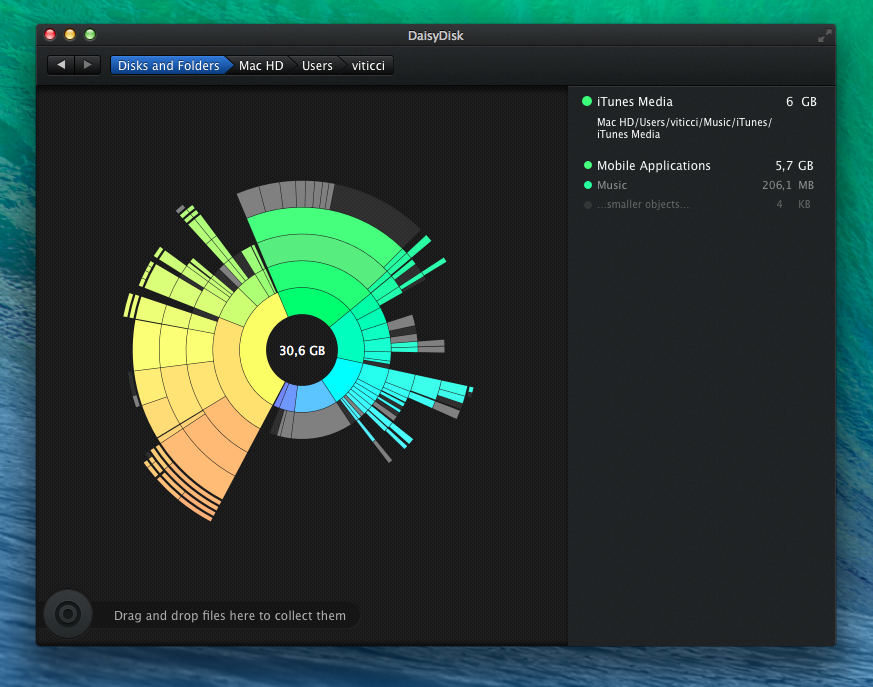
I’ve been using DaisyDisk for years now. Developed by a small team, DaisyDisk is a disk analyzer tool that manages to make the boring process of understanding what’s wasting space on your hard drive pretty and almost fun. We’ve covered the app quite a few times on MacStories over the years, and the basic functionality hasn’t changed, but we missed the 3.0 update released in September and I wanted to fix that. Read more
Better Two-Factor Authentication with Authy for iOS and OS X
In my list of Must-Have iPad Apps for 2013, I mentioned Authy and two-factor authentication:
Authy. If you’re not using two-step authentication for online services that support it, you’re doing it wrong. And if you assume that the ugly Google Authenticator app is the only way to generate one-time security codes, well, let me tell you about Authy. Simple and well designed, Authy is “a Google Authenticator app” in that it can generate codes for services, like Evernote and Dropbox, that would normally ask you to use Google’s app. Authy is secure and fully compliant with the standards required by two-step authentication; it has a clean UI, it’s free and Universal, and it comes with a Mac utility to share codes locally over Bluetooth.
Because it’s an app that I use every day, I thought that Authy deserved a separate mention on the site; I replaced Google’s terrible Authenticator app with Authy, which provides a cleaner interface, support for multiple devices, and a Mac utility to share tokens using Bluetooth Low Energy. Read more
The Prompt: What the Bleep is a Pepper Jack?→
This week, free of British tyranny, Federico and Stephen discuss iBeacons, Feedly, Federico’s friends and Stephen’s new business idea.
A discussion about tortellini, my friends’ iPhones, and business ventures in the same episode? Find out how here.
Launch Center Pro 2.1: Fleksy Keyboard, Lists, Photo Attachments, and Share Sheets
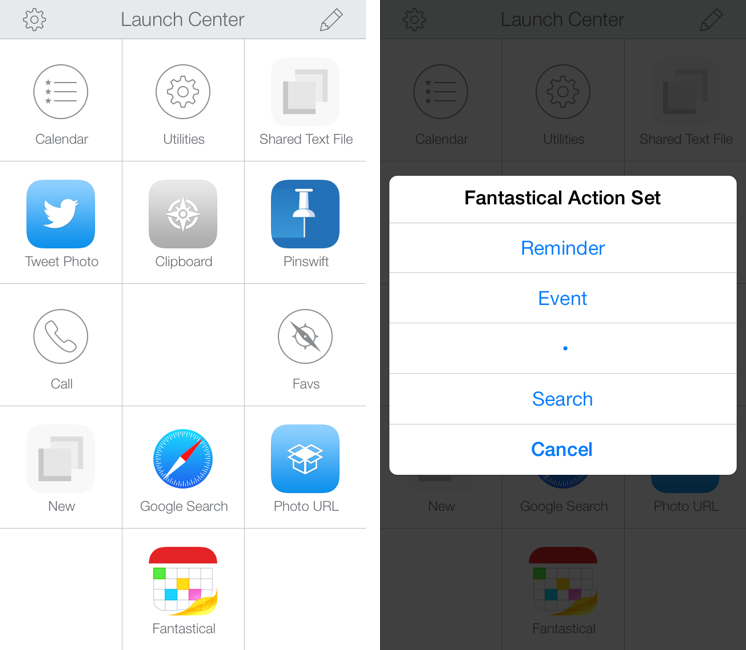
In October, Contrast released Launch Center Pro 2.0, a free update to their shortcut launcher and automation tool for iOS that brought a new interface for iOS 7 and, among other minor additions, Dropbox integration. Launch Center Pro is one of the three apps I keep in my dock[1], and I use it several times a day to create new tasks in Fantastical, launch Google searches, open my favorite websites, and more.
Today, Contrast is launching Launch Center Pro 2.1, a seemingly not-so-major update that, however, brings important changes to the app, including a new way to build visual actions and support for the new third-party Fleksy keyboard. I don’t think it’s an exaggeration to say that version 2.1 is just as important as 2.0 for heavy users of Launch Center Pro. Read more
Soulver for iOS 7 Updated with iPad Support→
In late October, Aqualia’s Soulver was updated with iOS 7 support on the iPhone, and I noted how syntax highlighting ultimately made the app better than the iOS 6 version:
If you’ve used other iOS 7 apps like Byword, you know how syntax highlighting is beneficial to the user experience: numbers turn green, units are purple, operations are blue, and plain text is standard black. Syntax highlighting makes lines more scannable because operations and individual bits of text stand out more; furthermore, because Soulver allows you to type units manually (you can write “USD”, “usd”, “dollars”, etc) you’ll instantly know if what you typed has been recognized by the app thanks to color highlights. Besides being nice visually speaking, syntax highlighting — a simple addition in theory — makes the experience of using Soulver considerably better.
Today, Soulver 2.4 has been released with iPad support, making the app Universal. The iPad’s interface isn’t revolutionary – you still get a split layout but keys and number pads are larger on the iPad and you get easier access to some of the app’s features.
Soulver is a great app and on sale for a limited time at $1.99 on the App Store.
Checking Time Zones with Living Earth

I was recently looking for a way to quickly check on multiple time zones on my iPhone, and I ended up buying Living Earth by Radiantlabs, a beautiful world clock and weather app that looks great on iOS 7 and syncs with iCloud. Read more
Discover The Meaning of Acronyms with Acronymph for iPhone
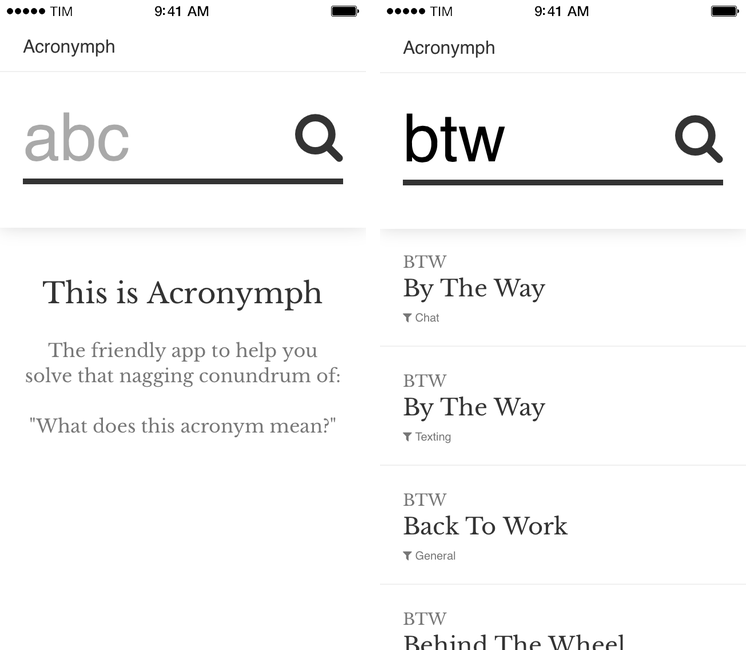
Acronymph, developed by Calvin Robertson, is an iPhone app to discover the meaning of acronyms.
With a variety of built-in categories that range from Internet slang and sports to music, economy, and goverment acronyms, Acronymph simply displays matches it finds in its built-in database. You can’t configure sources you want to see/hide because the app has no settings, but a recent update added a URL scheme that lets you send an acronym from apps like Launch Center Pro or Drafts directly to Acronymph without having to tap the app’s search box and type.
When results are found, you can tap on them to copy them, open a Google search, or share them to other apps. I’m nitpicking, but I don’t like how “@AcronymphApp” is appended to an acronym’s meaning when you’re sharing a result to Mail or Twitter.
Acronymph is simple and effective. I’ve looked up several acronyms in the past weeks and the app always found meanings in less than two seconds; it’s the kind of utility that you likely won’t need on a daily basis, but that will come in handy if you don’t need a full-featured dictionary app like Terminology. And, btw, Acronymph is $0.99 on the App Store.