Federico Viticci

10764 posts on MacStories since April 2009

Federico is the founder and Editor-in-Chief of MacStories, where he writes about Apple with a focus on apps, developers, iPad, and iOS productivity. He founded MacStories in April 2009 and has been writing about Apple since. Federico is also the co-host of AppStories, a weekly podcast exploring the world of apps, Unwind, a fun exploration of media and more, and NPC: Next Portable Console, a show about portable gaming and the handheld revolution.

Apple Brings New Features, Design Changes To iWork for iCloud

In an update released earlier today, Apple brought various design changes and feature additions to iWork for iCloud, the company’s suite of iWork applications for web browsers available at iCloud.com. Today’s update (the first since November 2013) focuses on collaboration, editing, Accessibility improvements, and bug fixes.

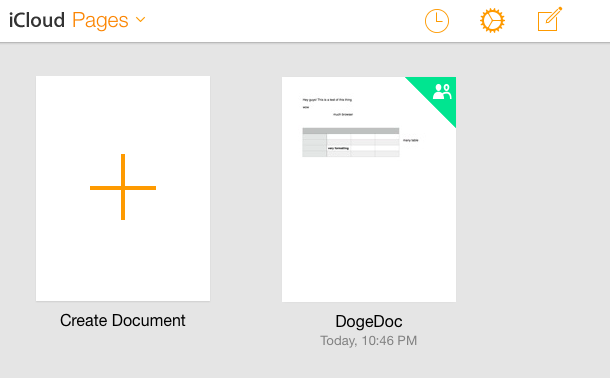
All of Apple’s three web apps (Pages, Numbers, and Keynote) have been refreshed with an iOS 7-inspired design that Apple first introduced to iCloud.com last year. The new design, however, has only been applied to the apps’ document libraries for now, as the document editors retain the service’s old user interface. From the main screen, it’s now possible to view a list of shared documents you have access to by clicking on the clock icon in the top toolbar, which will display a “Shared with Me” popover, listing shared documents. The three apps have also received support for sharing documents protected with passwords, a feature that will be added to iWork’s OS X and iOS counterparts as well.

The same new features were also added in terms of editing: keyboard shortcuts for object manipulation and support for floating tables (with formatting) are now available on iCloud.com, alongside other app-specific changes such as endnote editing in imported documents for Pages, or text flowing to adjacent cells in Numbers.

Apple first introduced iWork for iCloud as beta in October 2013, when the company also unveiled the next generation of iWork apps for OS X – both of which were met with widespread criticism. Following the launch of the new iWork suite, Apple confirmed that it was listening to its users and promised to bring back old features to the Mac apps while rolling out updates to its iWork for iCloud public beta.

You can read the changelog of today’s iWork for iCloud update below. Read more


Etymologies, Pronunciation, and Notes with WordBook

WordBook

WordBook

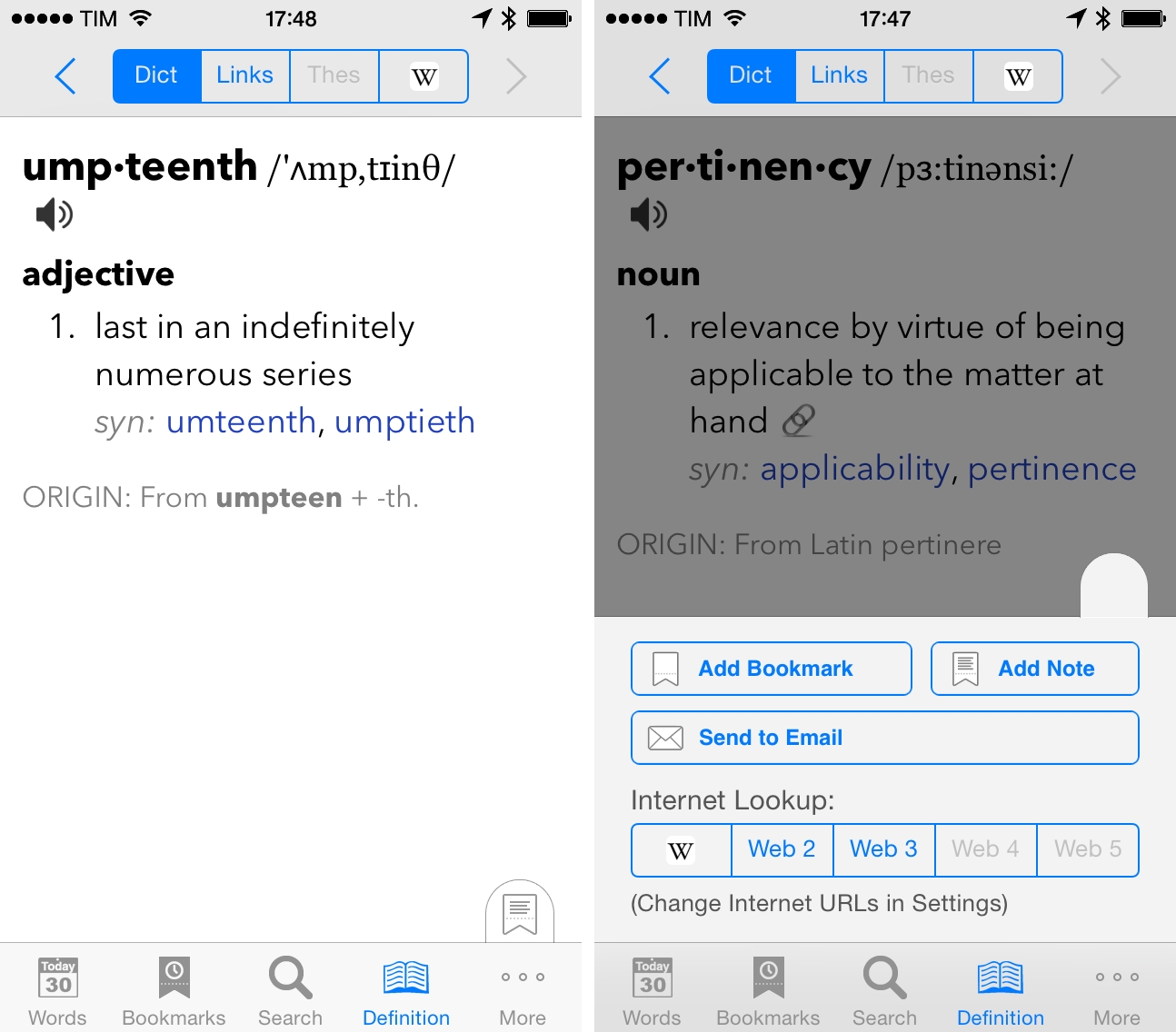
I was recently looking for a dictionary app that could handle standard dictionary features (thesaurus, synonyms, web lookups, etc) as well as user notes for words, and I decided to check out WordBook after reader Jeff Clatworthy recommended it to me on Twitter. As I mentioned last night on The Prompt, WordBook isn’t the prettiest app around, but it does exactly what I need for definitions and notes.

Because English isn’t my first language, I often want to associate Italian expressions with English words to remember the context of a definition – for instance, I would associate “for the umpteenth time” with “per l’ennesima volta” in Italian, which makes it easier for me to remember the word “umpteenth”. Surprisingly, I wasn’t able to find a dictionary app with this kind of feature (Terminology, my favorite one, doesn’t have one) and, of course, Apple’s built-in dictionary lookup functionality on iOS is limited to the basics. WordBook has an option to add notes to words and, in trying the app, I also found other features that I like.

Read more


#MacStoriesDeals: January 23, 2014

MacStories Deals

MacStories Deals

MacStoriesDeals is the best place to find great deals for Mac and iOS apps and games, Apple hardware deals, and some great book and audio specials.

There are thousands of software and hardware deals online. We carefully pick the best ones and collect them in a single post with links to buy or share discounted products. You can find us as @MacStoriesDeals on Twitter, where we tweet the best App Store deals every day.

Read more


Stockfish For Mac with Chess Analysis

Developed by Daylen Yang, Stockfish is a free and open-source chess app for Mac based on the Stockfish chess engine.

The app does a couple of interesting things: it’s Retina-ready and it can go full-screen, so you’ll enjoy a chess game on your MacBook Pro’s display without distractions. It supports two-player games and it’s got exporting capabilities and keyboard shortcuts. But more importantly, it comes with advanced chess analysis that lets the computer tell you who’s winning and calculate the best move. I’m fascinated by the technological premise: the app can let you choose to optimize analysis for maximum performance so that more cores will be used to compute chess analyses; even the amount of memory to use can be adjusted. It should be pretty impressive on a new Mac Pro.

Stockfish is free on the Mac App Store and open-source. The Stockfish engine is available here.

Permalink


Imgur MemeGen

MemeGen

MemeGen

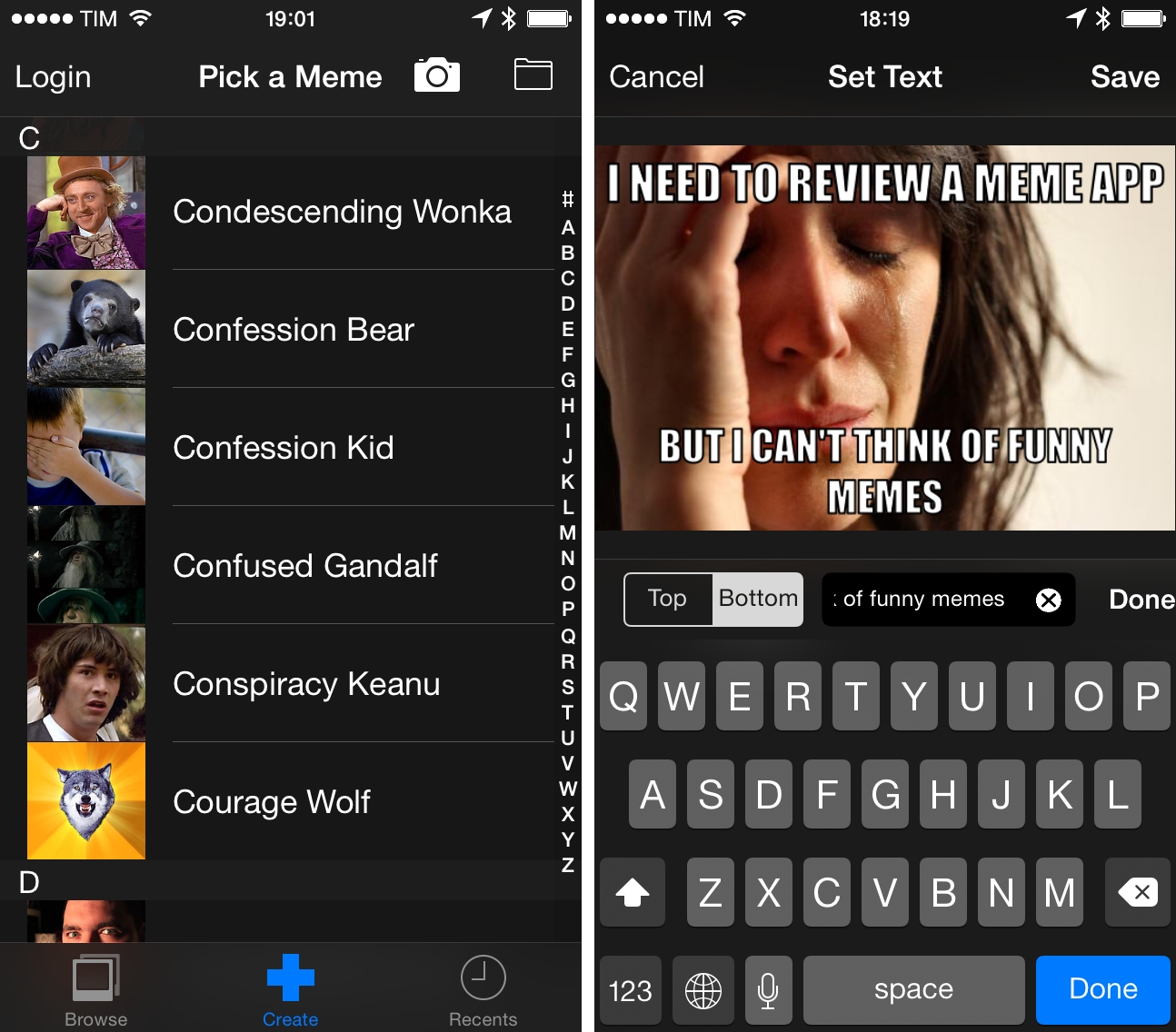
Occasionally1, I like to entertain my coworkers and online friends with memes based on inside jokes or Internet news.2 I’ve been trying a couple of meme generators for iOS over the past years, and eventually even thought about rolling my own solution with Python and PIL, but eventually gave up because that looked like too much work little potential for meaningful return.

Last month, Imgur released a free meme generator app for iPhone, which is pretty good and certainly better than many similar apps on the App Store. Imgur already hosts the majority of memes shared on Reddit, so it makes sense for the company to have a dedicated app with upload capabilities.

Read more


Redd, A Reddit Client for iOS 7

Redd

Redd

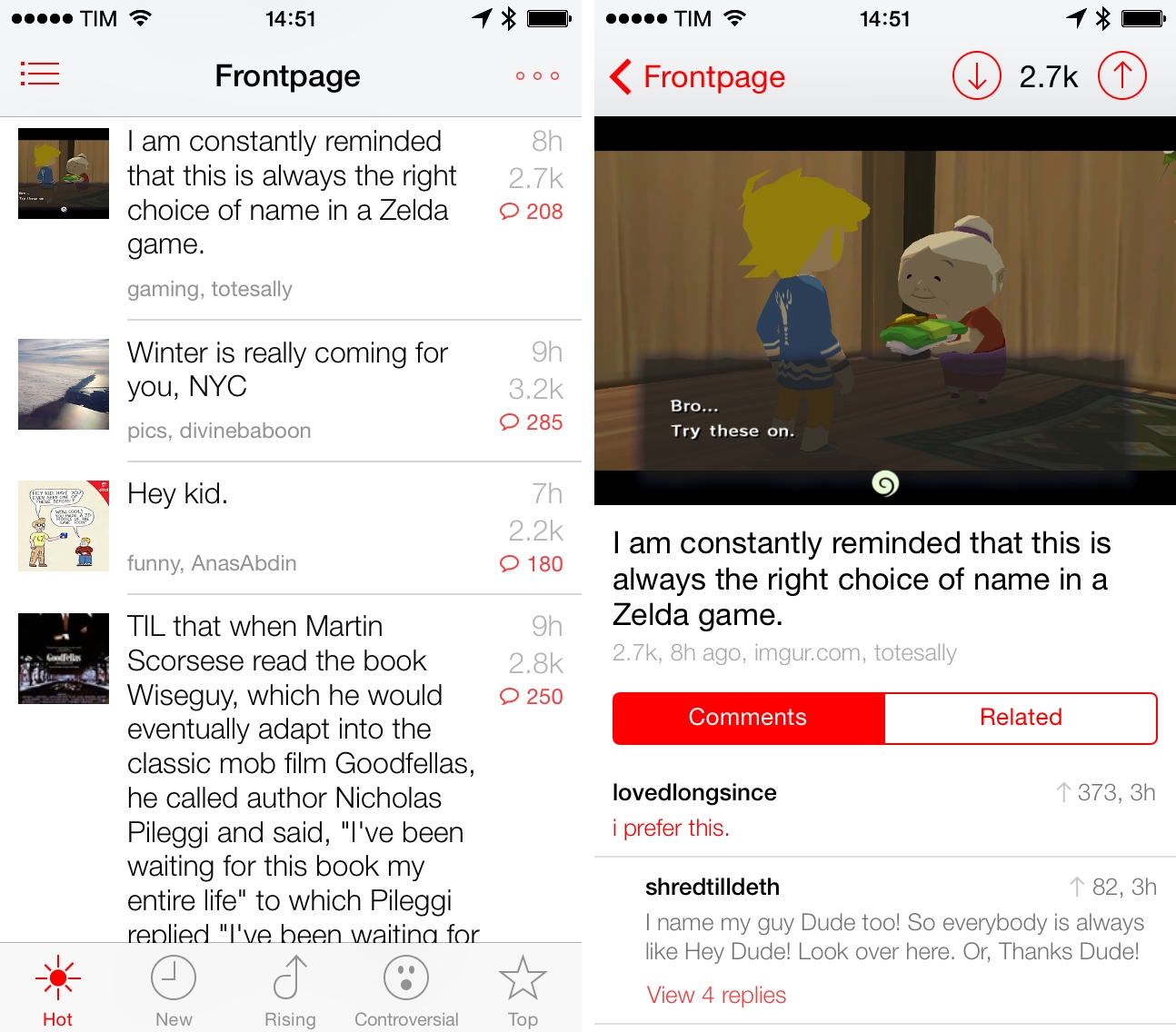
I’m not an active Reddit user, but I enjoy checking the front page and a few subreddits to stay on top of tech/gaming news and the latest meme. For years, I’ve been using Alien Blue on my iPhone and iPad to read threads, view links and photos, and navigate to my favorite subreddits, and I think that the app remains the premier Reddit client for iOS with tons of options and settings. I was curious, however, to try out Redd, a $0.99 Reddit client for iPhone specifically designed for iOS 7. Read more


The Evolution Of Simogo

From Lee Bradley’s profile of Simogo at Eurogamer:

Go back a decade, however, and the art, design and audio half of Simogo wasn’t even interested in making games. In the early 2000s, while working as an animator on movies and commercials, Simon Flesser felt that games were in a pretty uninteresting place. Then, in 2004, the Nintendo DS arrived with its touch-sensitive screen and a new set of inputs. His imagination was lit.

I loved Year Walk last year, but I still haven’t played DEVICE 6. I remember how different Another Code felt to me when it came out in 2005, and Simogo’s games have the same effect – they are uniquely designed for a platform and a multitouch screen, rather than just tweaked for them.

Permalink