


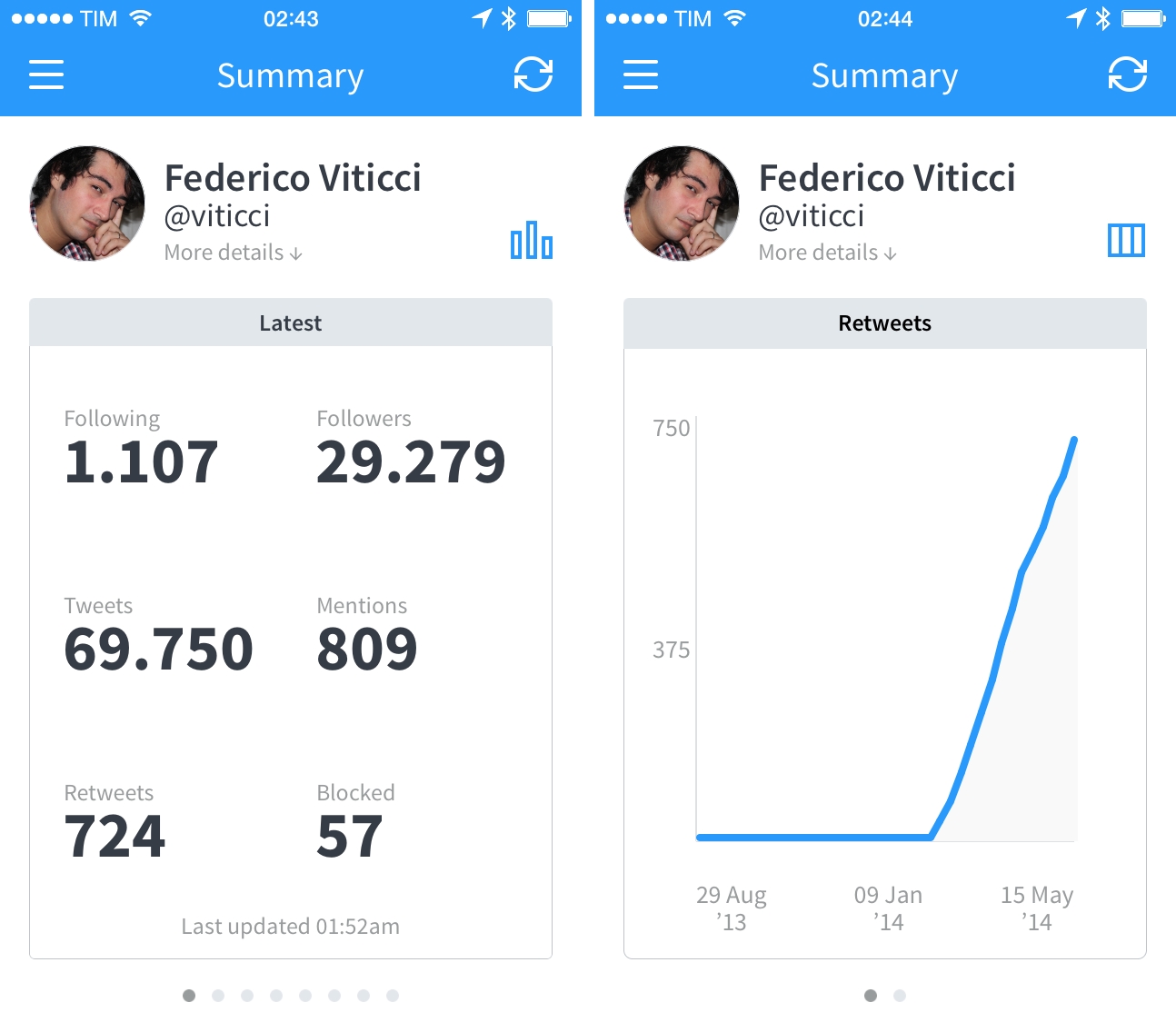
Birdbrain is one of the oldest Twitter apps I’ve been using on my iPhone, but it’s not a Twitter client in the traditional sense. Before Tweetie 2 and Tweetbot, Twitter for iPhone and Tweetbot 3, Birdbrain, originally released in July 2009, allowed me to keep an eye on my Twitter stats for follower counts, mentions, number of retweets, and more. Part ego-boosting tool and part utility to better understand why or how many people follow you, Birdbrain is back today with an iOS 7 update that brings a redesign and a couple of new features to monitor your Twitter account.
Teleprompt+ 3→
I’ve always heard good things about Bombing Brain’s Teleprompt+, a popular teleprompter app for iOS. While I don’t personally use it (although it may be worth experimenting with it for podcasts), I wanted to link to the latest version, released this week.
Teleprompt+ 3 adds rich text support for inline formatting, a quick edit mode to make last-minute changes to displayed text without leaving the current session, and a new design for a Universal app that runs on both the iPad and iPhone. Because it’s an app, Teleprompt+ takes advantage of iOS to enable features like remote control for multiple devices (have a technician adjust text and speed on a master device while text is displayed on a second iPhone or iPad), Dropbox import for text, and audio and video recording through the built-in microphone and cameras. I find it fascinating when old equipment and technologies are made obsolete by cheaper and smarter software, and Teleprompt+ is a good example of how iOS devices can be integrated in professional environments (it even supports third-party accessories).
Teleprompt+ 3 is a new version of the app, and it’s available on the App Store at $14.99 as a launch sale.
Automatic Driving Assistant Partners with Jawbone For UP Band Integration

Automatic, a smart driving assistant that plugs into a car’s diagnostics port to present driving data and statistics on a mobile app, announced a partnership with accessory maker Jawbone today aimed at integrating Automatic data with the company’s UP fitness band. Read more
Delight Can Trump Efficiency→
David Sparks, writing for Macworld:
We’ve been using computers with keyboards and mice for decades now, and many of us are quite adept at bending this traditional paradigm to our will. Then along come the iPhone and iPad, with no hardware keyboard and much less power, and they still manage to turn the computing world on its head. “But it’s not as powerful and I can’t script it,” some power users argue. True, but there’s a reason why we love our iOS devices despite these supposed inadequacies. Simply put, they delight us.
They delight us less when they randomly reboot or apps crash, but the underlying idea is absolutely true for me as well.
When people ask me why I like to get work done on my iPad, the hardest point to get across is that I have more fun with my iPad than my Mac.
Initially, I thought that novelty could be the reason, but after four years of iPad I don’t think that’s the case anymore. It may also be that I liked working around the limitations of iOS, but ultimately that’s a weak argument because I don’t like productivity masochism and most readers aren’t interested in complex workflows or scripts.
It’s difficult to quantify it, but I believe it’s important to have fun when working. I’m constantly amazed by the things modern iPhones and iPads can do, and I find a peculiar kind of geeky satisfaction in writing and publishing articles on the iPad or talking to people around the world with Tweetbot for iPhone. That’s why I’m always concerned when I read rumors of Apple trying to make iOS devices more like Macs – if that ever happens, I hope they won’t take the fun away but still combine delight with efficiency.
Grave Business→
A great passage from Christian Donlan’s piece for Eurogamer about the E.T. landfill in New Mexico and lack of restraint on modern app stores:
But with that access - and without curation by companies that actually appreciated games - came a race to the bottom, where much of the good stuff was then buried by an endless deluge of miserable clones and cash-grabs that were allowed in because the gatekeepers didn’t care. Free-to-play is not the problem - it’s that publishers and platform holders and sometimes even developers let the deeper value of a game erode, that there was often a failure to find the correct free-to-play model that enhanced a game - and that some people apparently think it’s fine to refer to their most valued customers as whales.
The difference is that, thirty years from now, there won’t be a New Mexico landfill to recover old apps from.
Apple’s iOS Human Interface Guidelines Now On The iBooks Store→
Previously available on the web from Apple’s developer portal, the company’s iOS Human Interface Guidelines are now on the iBooks Store as a free download (via Dave Addey). The 20 MB guide is compatible with iPads as well as Macs running iBooks on OS X Mavericks, and it takes advantage of the app with inline video playback, two-page page layouts, and built-in annotations (plus, of course, font size and color controls for reading settings).
It looks like Apple did a nice job in converting the guidelines to iBooks, and annotations appear to be especially useful for developers and designers learning the principles of the iOS 7 visual language. The iOS Human Interface Guidelines are available on the iBooks Store here.
Castro 1.1 Brings UI Tweaks, Sleep Timer
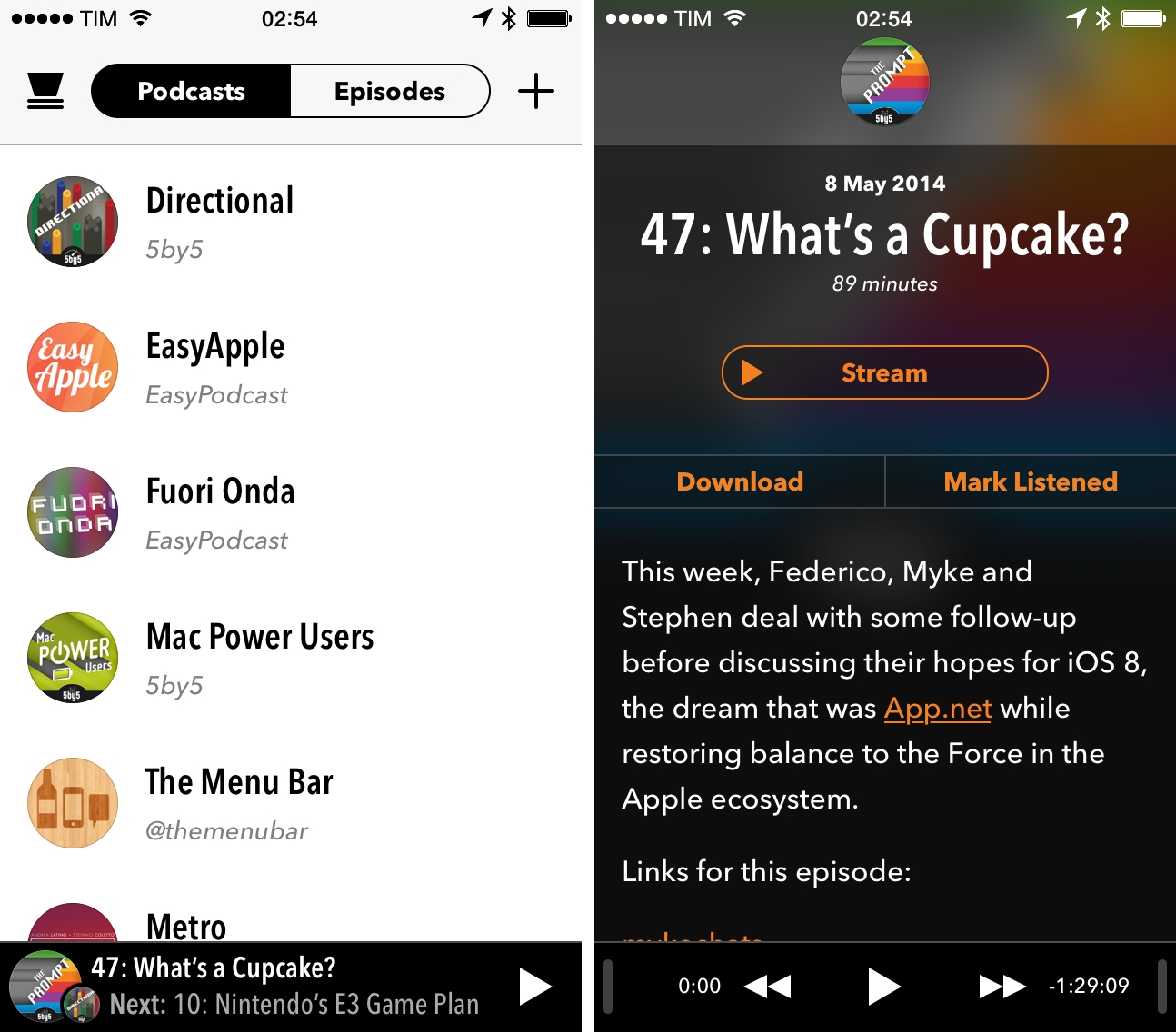
We first talked about Supertop’s Castro, a podcast client for iPhone, when it came out in December, noting how the app fit well with iOS 7’s aesthetic and implemented cool features such as fast search and a peculiar scrubber. Today, Supertop has released Castro 1.1, a major update that further refines the app’s design and introduces new functionalities for playback controls.
Twitter Launches Mute Feature, Updates iPad App
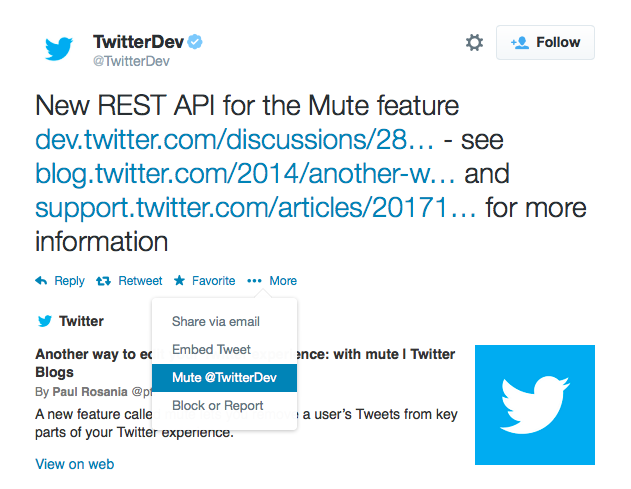
Following screenshots first surfaced two weeks ago, Twitter officially started rolling out a mute feature today that will allow users to stop seeing tweets and retweets from other users in their timelines without unfollowing them. The feature, rolling out to Twitter for iPhone, Android, and web, will also be available to third-party Twitter developers through the service’s API.
From the Twitter blog:
In the same way you can turn on device notifications so you never miss a Tweet from your favorite users, you can now mute users you’d like to hear from less. Muting a user on Twitter means their Tweets and Retweets will no longer be visible in your home timeline, and you will no longer receive push or SMS notifications from that user. The muted user will still be able to fave, reply to, and retweet your Tweets; you just won’t see any of that activity in your timeline. The muted user will not know that you’ve muted them, and of course you can unmute at any time.
The mute feature can be accessed through a contextual menu available both on the web and iOS; muted users will be indicated by a red mute icon on their profile page, and they can be “unmuted” at any time.
Made popular by third-party clients such as Tweetbot and Twitterrific, muting has long been requested by users who wished to keep following somebody without necessarily seeing all their tweets in the timeline on a daily basis. Twitter’s implementation, however, doesn’t include the more advanced features found in Tapbots’ client for iPhone and iPad: in Twitter, muting is limited to users, while Tweetbot includes muting filters for hashtags and specific keywords. It’s unclear at this point whether third-party apps will switch to Twitter’s official mute feature soon, but it’s likely that developers will choose to keep their own custom solutions as options for advanced mute filters.

In today’s rollout, Twitter also updated their iOS app to version 6.5 to include changes to the iPad interface that mirror what the company brought to the iPhone months ago. Media from Vine as well as Twitter Photos are displayed in the timeline with inline previews, alongside buttons to quickly retweet, reply, mark as favorite, or follow other users. Navigation has been refreshed, search comes with tabs for Top and All tweets, and it’s now possible to apply filters to photos directly on the iPad.
Twitter 6.5 is rolling out on the App Store.
Scanbot: A Fast and Efficient Scanner App for iOS 7
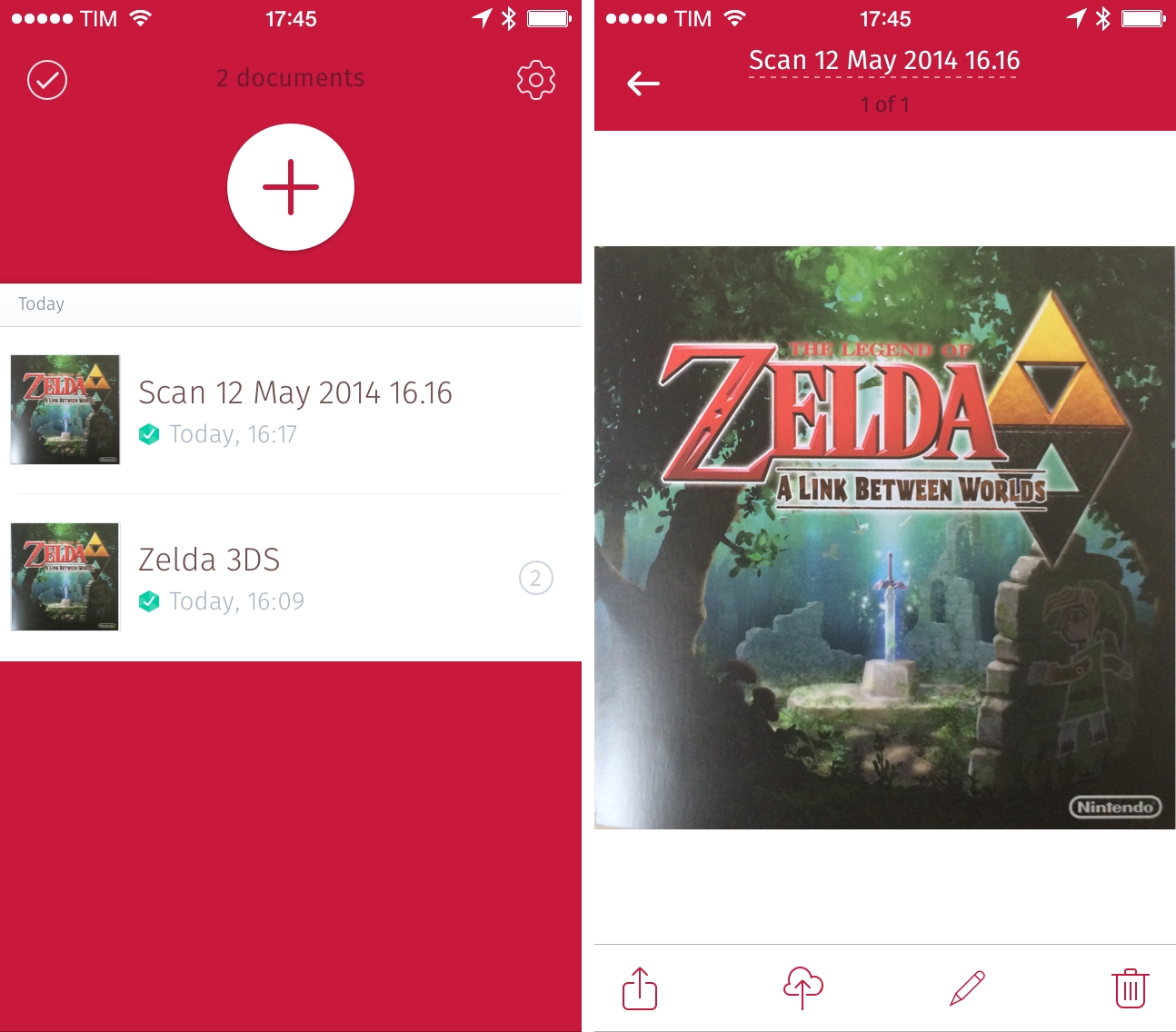
Created by doo (makers of a now-discontinued document manager), Scanbot is a fast and elegant mobile scanner that I’ve been using for the past couple of weeks to digitize documents and receipts on my iPhone 5s with good results.