

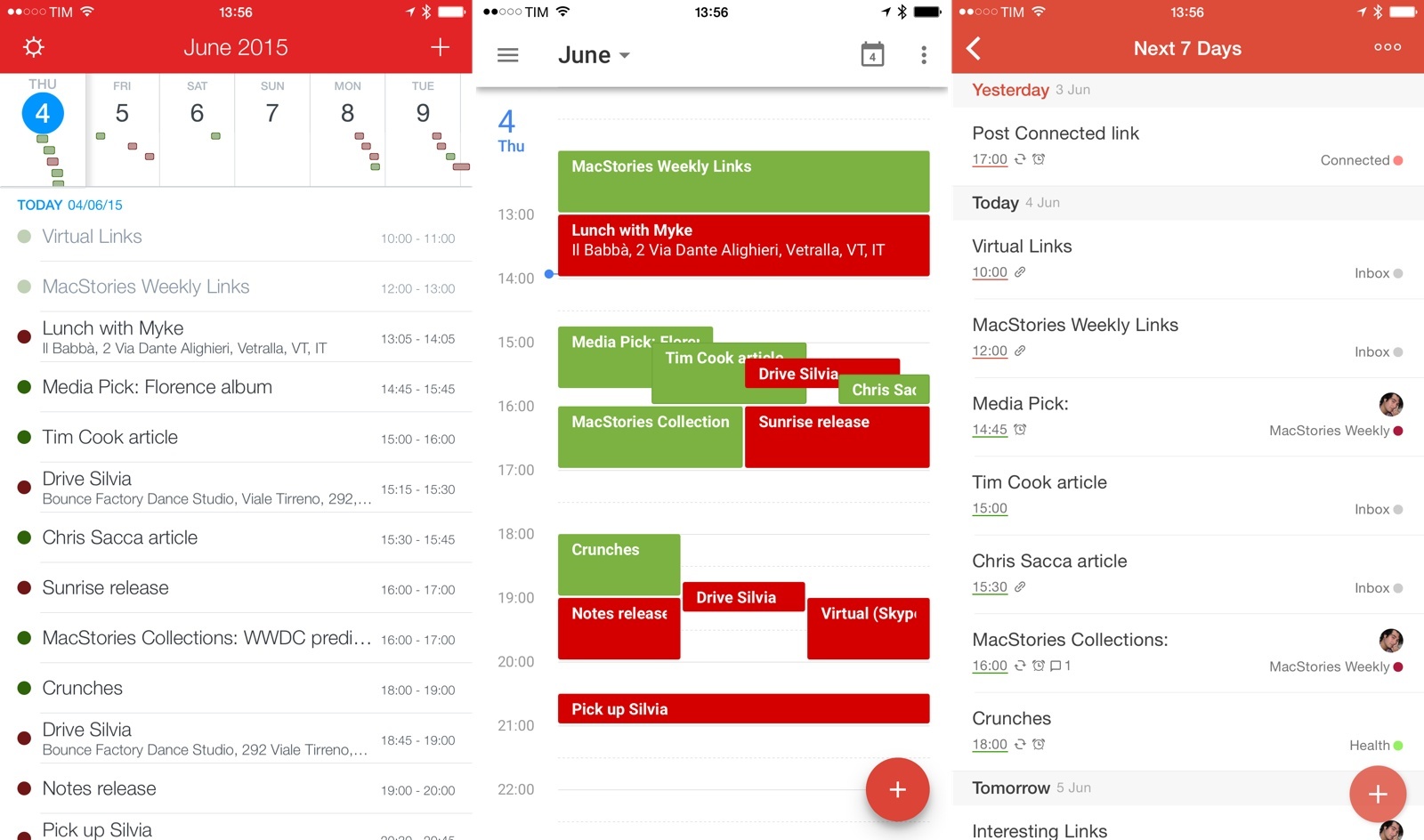
Todoist – my favorite task management service that recently also landed on Apple Watch – has never shied away from integrating with other services. The company has long supported automation through IFTTT and Zapier; it can mirror a user’s daily tasks to Sunrise; and, it can import files from Google Drive and Dropbox when you need to add attachments to a task. Today, Todoist is launching PowerApp, the next generation of the company’s integration system based on a new developer platform they’re also debuting today and opening up to third-party apps.
Apple Support Document on HomeKit and Apple TV→
Following the launch of the first HomeKit devices yesterday, Apple has published an official page with a list of compatible products and a support document detailing the setup process for HomeKit.
In that document, Apple confirmed the long-rumored “hub” feature of Apple TV:
If you have an Apple TV (3rd generation or later) with software version 7.0 or later, you can control your HomeKit-enabled accessories when you’re away from home using your iOS device.
Sign in with the same Apple ID on your iOS device and Apple TV, and you’ll be able to use Siri commands to remotely control your accessories.
Earlier today, The New York Times reported that Apple won’t announce any new Apple TV hardware at its upcoming WWDC. Considering that HomeKit (which is rumored to get some stage time next week) can already work on the current-gen Apple TV, it’s no surprise Apple may prefer to sell the current model and wait to get the next generation just right. It’ll be interesting to see Apple’s plans for the Apple TV as a connected home hub unfold over the next few months.
Clips 1.2→
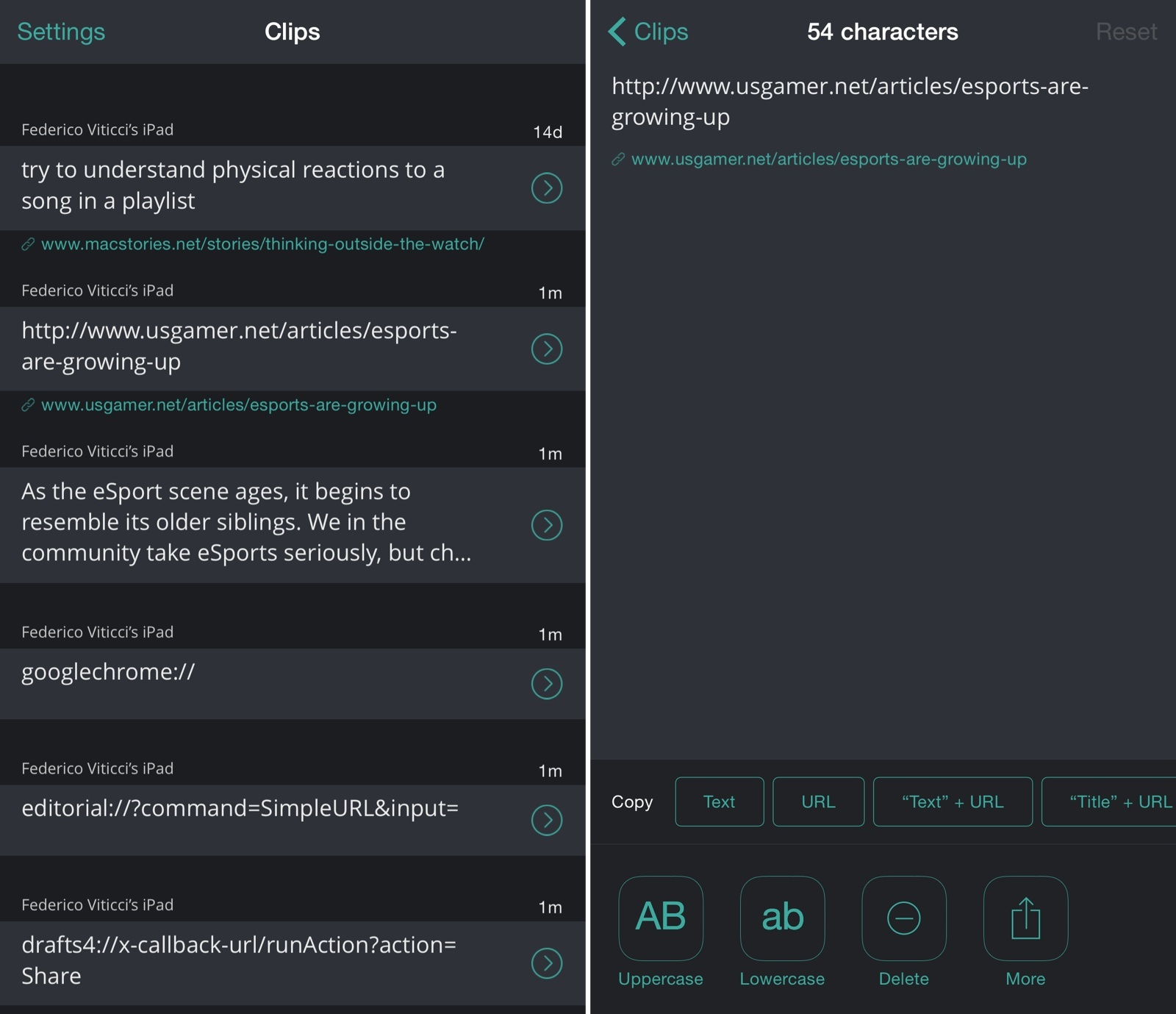
Clips, developed by Clean Shaven Apps, is an app I use on a daily basis to copy multiple bits of text and move them between apps using a widget, an action extension, and a fantastic custom keyboard – one of the few keyboards I keep on my devices, in fact. I reviewed the app when it came out last September, and I’ve been using it since.
Today, Clips 1.2 has been released with a refreshed design, Apple Watch support, and a faster keyboard. While I’m not sure why I’d want to use Clips on my Watch, I believe it can be useful to those who use the app to store text they access frequently and not as a temporary holding place for clipped items. I’m a fan of the new dark design and the increased contrast between URLs and plain text, and I continue to appreciate the time the app saves me when composing articles, researching topics, and collecting a bunch of notes from different apps with just a few taps. Clips is the epitome of iOS 8’s extensibility features for productivity apps, and it’s one of my must-have utilities.
Clips 1.2 is available on the App Store.
ETA Brings Travel Times and Traffic Status to Apple Watch
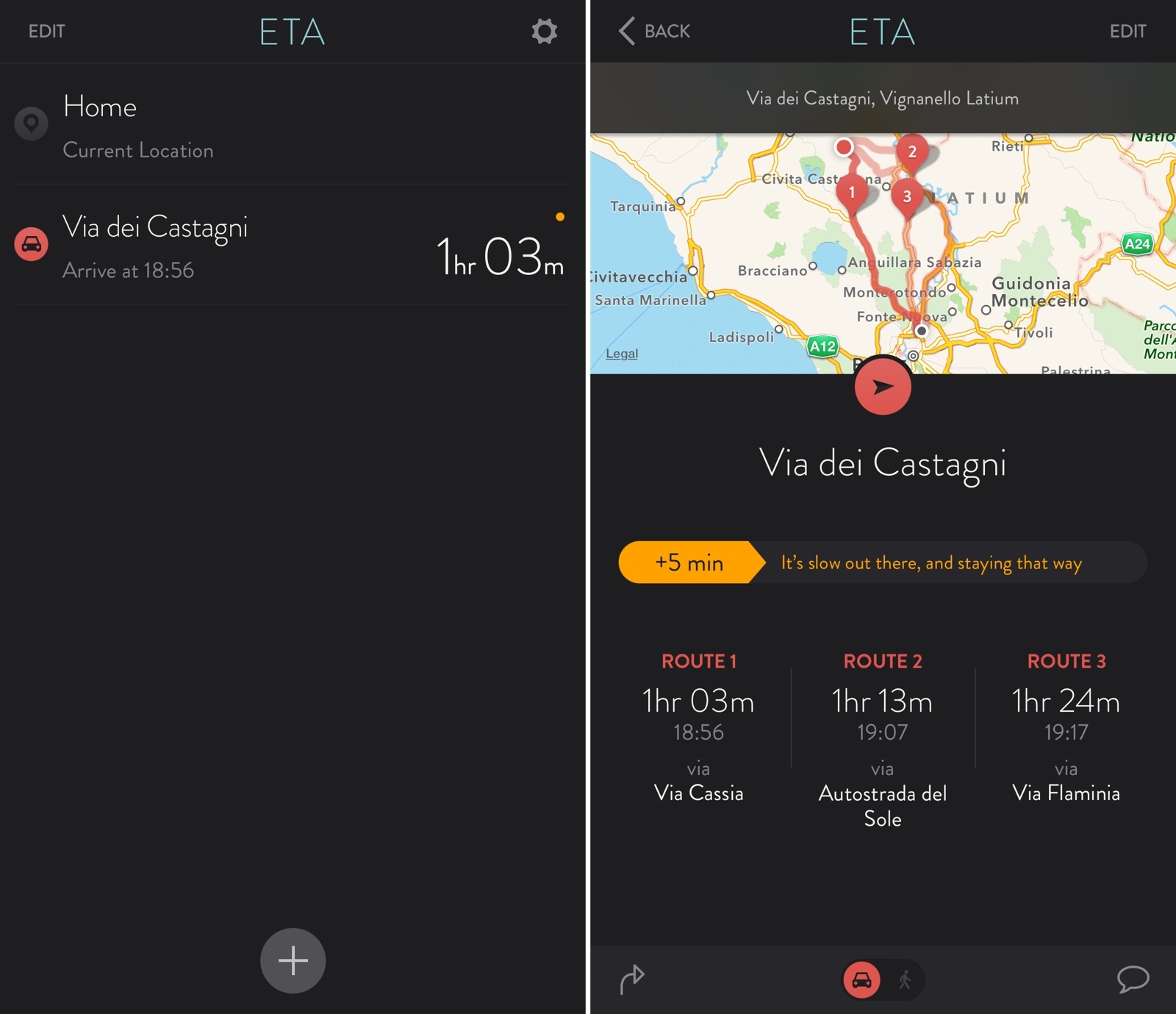
I first covered ETA back in September, and I noted how the app simplified the process of getting travel times for favorite locations by taking advantage of a widget in Notification Center:
ETA’s best feature is actually a way to never open the app itself. Taking a clue from Apple’s Today Summary in Notification Center, Eastwood created an iOS 8 widget that lets you see driving times in the Today view and tap them to quickly load directions in your mapping app of choice (Google Maps, Apple Maps, or Waze). Your preferences for walking/driving directions and time of arrival are carried over to the widget, which is simple, elegant, and useful.
Today, ETA 2.0 has been released with a new design, the ability to show multiple routes and traffic information, and an Apple Watch app that lets you quickly view travel times and traffic directly from your wrist.
Fantastical Comes to Apple Watch
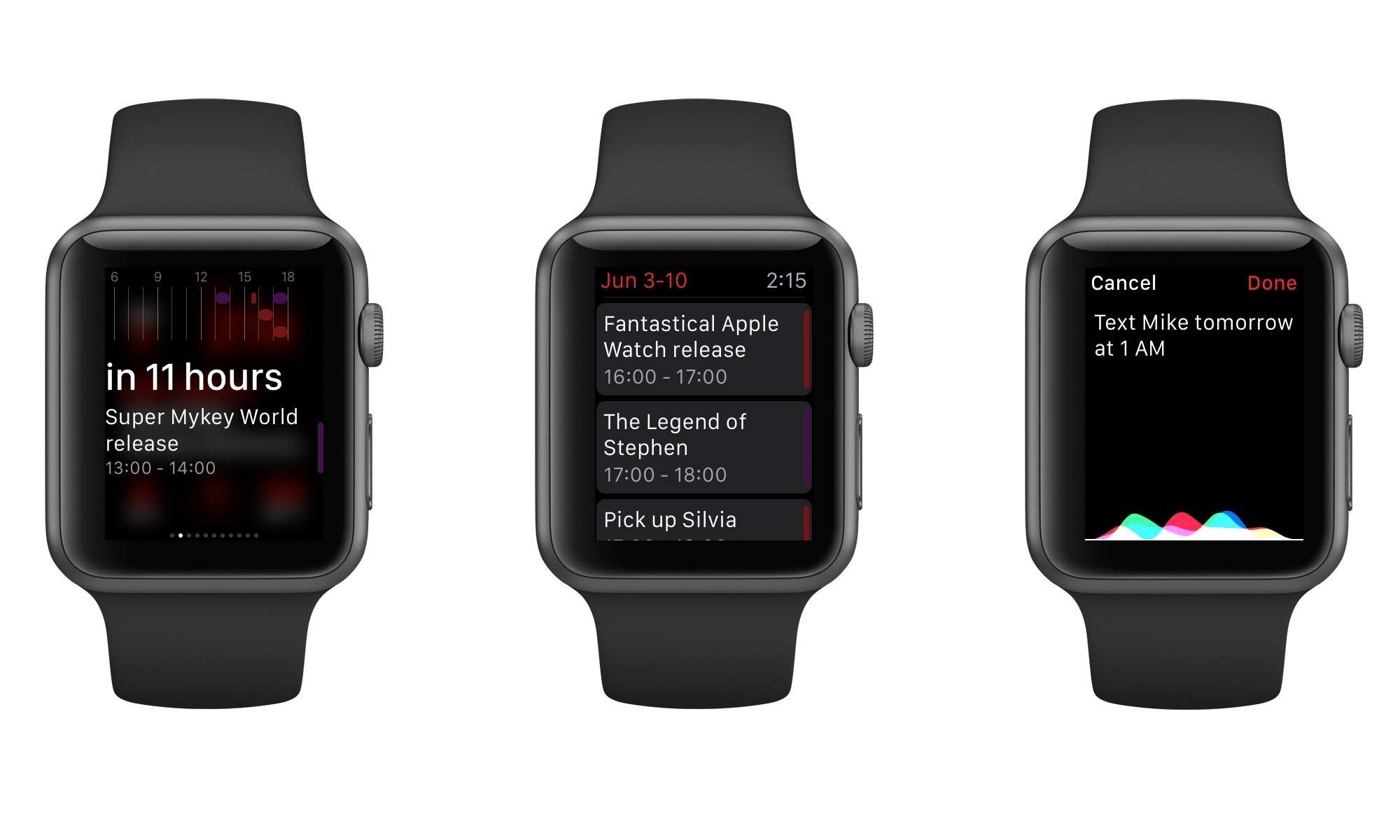
Fantastical, Flexibits’ excellent calendar client and one of my favorite iOS apps, is launching on Apple Watch today with version 2.3 of Fantastical for iPhone. Fantastical for Apple Watch has a few limitations due to the nature of WatchKit, but Flexibits put a lot of thought into several details of the app, using the device’s voice input and brief interactions to refine the experience.
Pinterest Introduces Buyable Pins→
Mike Isaac, writing for The New York Times:
Pinterest, the online social bookmarking site, has long claimed to be a way to help people discover new things in the real world. Soon you will be able to buy those things, too.
The San Francisco-based company announced Tuesday that it will now let users purchase things from inside of pinned items, in what is its first foray into bringing e-commerce to the platform. The new product, named “Buyable Pins,” allows sellers large and small to essentially stick a “buy” button on items that they post to the site.
Buyable Pins will launch in the United States initially, and the service will support on Apple Pay on iOS.
Considering how Pinterest reinvented the wish list on mobile, it only makes sense for them to jump into the e-commerce business in a mobile-first fashion. Pinterest says that items will be “handpicked” and that they won’t make money off transaction fees, relying on promoted pins (ads) to let advertisers promote their products on the service.
They also made a great promo video for the new feature, which you can watch below.
Microsoft Acquires Wunderlist→
In a blog post, popular task management service Wunderlist has announced they’ve been acquired by Microsoft. Wunderlist, like Sunrise, will remain an “independent” app for now, but it’ll likely be more closely tied to Microsoft services in the future.
Here’s Wunderlist CEO Christian Reber on the company’s blog:
Over the next few months as Wunderlist becomes a part of the Microsoft family, we’ll introduce a host of new features, continue growing the ecosystem of partner integrations and progress in delivering Wunderlist to billions of people. We are excited and can’t wait to share with you what we have been working on–watch this space!
The Microsoft blog has also motivated the acquisition and shared details about pricing going forward:
The addition of Wunderlist to the Microsoft product portfolio fits squarely with our ambition to reinvent productivity for a mobile-first, cloud-first world. Building on momentum for Microsoft Office, OneNote and Skype for Business, as well as the recent Sunrise and Acompli acquisitions, it further demonstrates Microsoft’s commitment to delivering market leading mobile apps across the platforms and devices our customers use – for mail, calendaring, messaging, notes and now tasks.
And:
Customers can expect the app to remain free in all of its existing markets. There will be no price changes for Wunderlist Pro or Wunderlist for Business customers and the service will continue to support a wide range of third-party apps and integrated services.
As I tweeted yesterday, I believe Microsoft has been doing some interesting acquisitions lately and Wunderlist meets the requirements for a cross-platform app that can integrate with other apps and services. Like Sunrise, Wunderlist has an API that allows other services and developers to plug into its platform to access a user’s tasks and projects – like Slack and Scanbot. Wunderlist wanted to build an ecosystem of apps for your todo list, and it’s easy to see how Microsoft could benefit from it.
More importantly, Wunderlist already integrates with Sunrise, allowing you to see tasks alongside calendar events natively.
I’m curious to see for how long Microsoft will keep these two apps as standalone services that don’t have the Microsoft brand or only work with Microsoft services. Sunrise, for instance, also supports Todoist, one of Wunderlist’s biggest competitors. Will Microsoft keep this third-party friendly approach as it keeps controlling more apps?
Apple Starts Decorating Moscone West for WWDC 2015

Apple has started decorating Moscone West in San Francisco for WWDC, kicking off this year on Monday, June 8.
Every year, Apple decorates the convention center in San Francisco with different sets of banners: the ones matching the event’s tagline and graphics already available on the WWDC website, and others showing the official (and previously unseen) logos of new versions of iOS and OS X. Apple is expected to introduce iOS 9 and OS X 10.11 this year, bringing improvements to last year’s Yosemite redesign and, according to 9to5Mac, a variety of new features for Maps, multitasking, and HomeKit on iOS.
Apple has begun decorating Moscone West with its logo earlier today, and, like every year, we’re documenting the process with photos from San Francisco. With preparations now well underway, Apple will continue to decorate Moscone West with new banners in the next few days, possibly showing the official logos for iOS 9 and OS X 10.11.
We will update this post with more photos throughout the week; new updates will be listed in reverse chronological order below.
You can follow @MacStoriesNet on Twitter or our WWDC 2015 news hub for updates.
Our thanks to the Workflow team for providing us with photos from Moscone West in San Francisco.
Opener for iOS 8 Opens Web Links in Apps
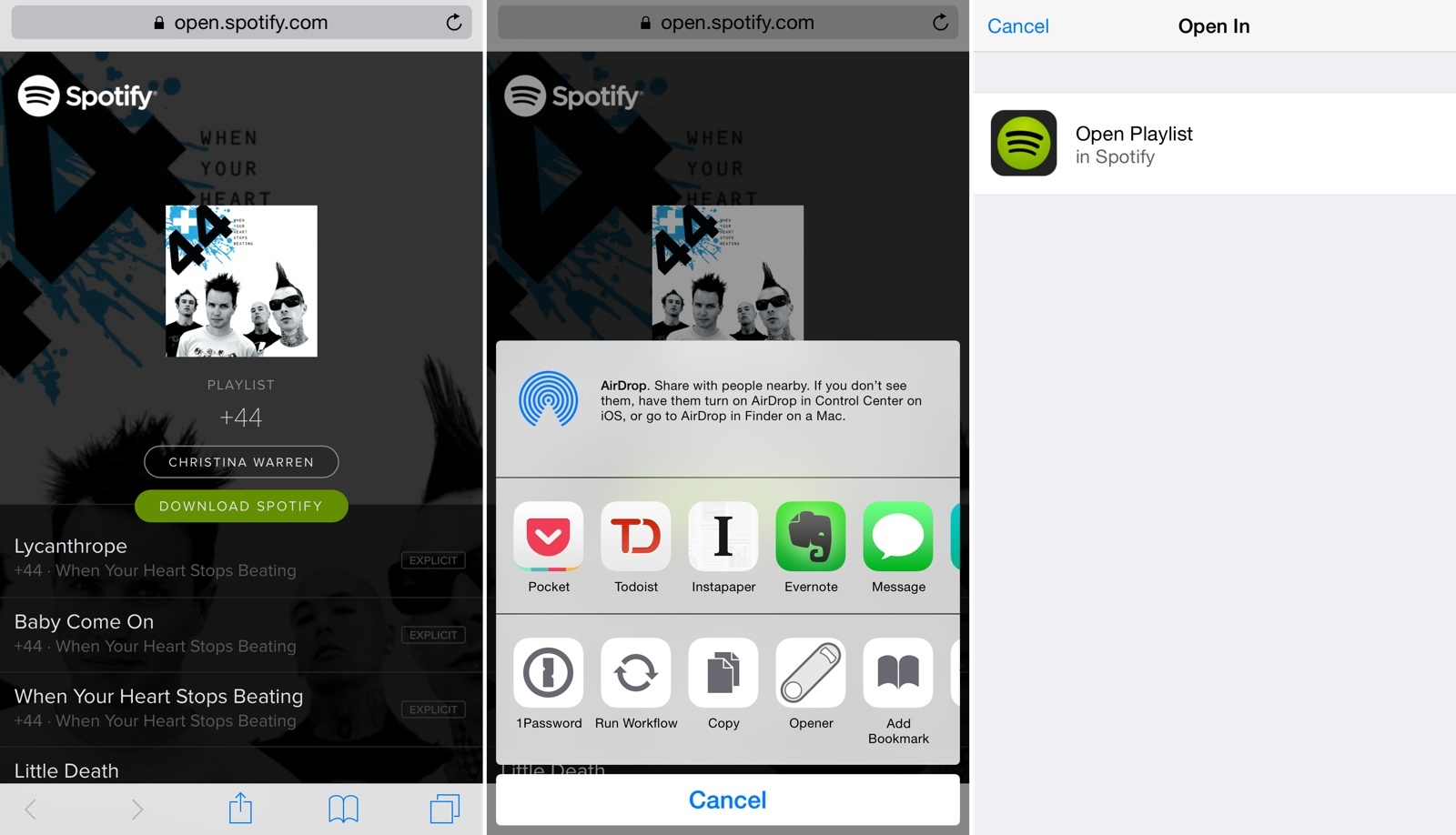
In spite of several companies’ efforts to match web links to native apps, opening links from apps on iOS usually takes you to a web view even if you have the website’s associated iOS app already installed. This is why following links to songs on Spotify or podcast episodes on Overcast doesn’t automatically take you to their native apps: iOS lacks a native deep linking technology. While Apple could introduce such framework in the future, currently there’s no system-wide solution that can be adopted across every website and app out of the box. Many have tried to solve deep-linking on mobile, but to achieve real support for this experience, Apple will need to step in eventually.
In the meantime, Timothy Johnsen has created a workaround called Opener that uses an action extension to let you easily open a web link in its native app. Released with an initial set of compatible links/apps such as Twitter, Overcast, SoundCloud, Spotify, Kickstarter, and more, Opener allows you to avoid tapping buttons in web views to launch associated apps; Opener can automate the process by resolving links and launching them inside apps with an extension.